Farming Simulator 25 mods
78,883 results- 15 per page
- 30 per page
- 45 per page
- 60 per page
-
See more per page
Bigger pages, fewer clicks - and no ads anywhere.
Go Pro
VIP-Auftragsmanager V1.2.2.0
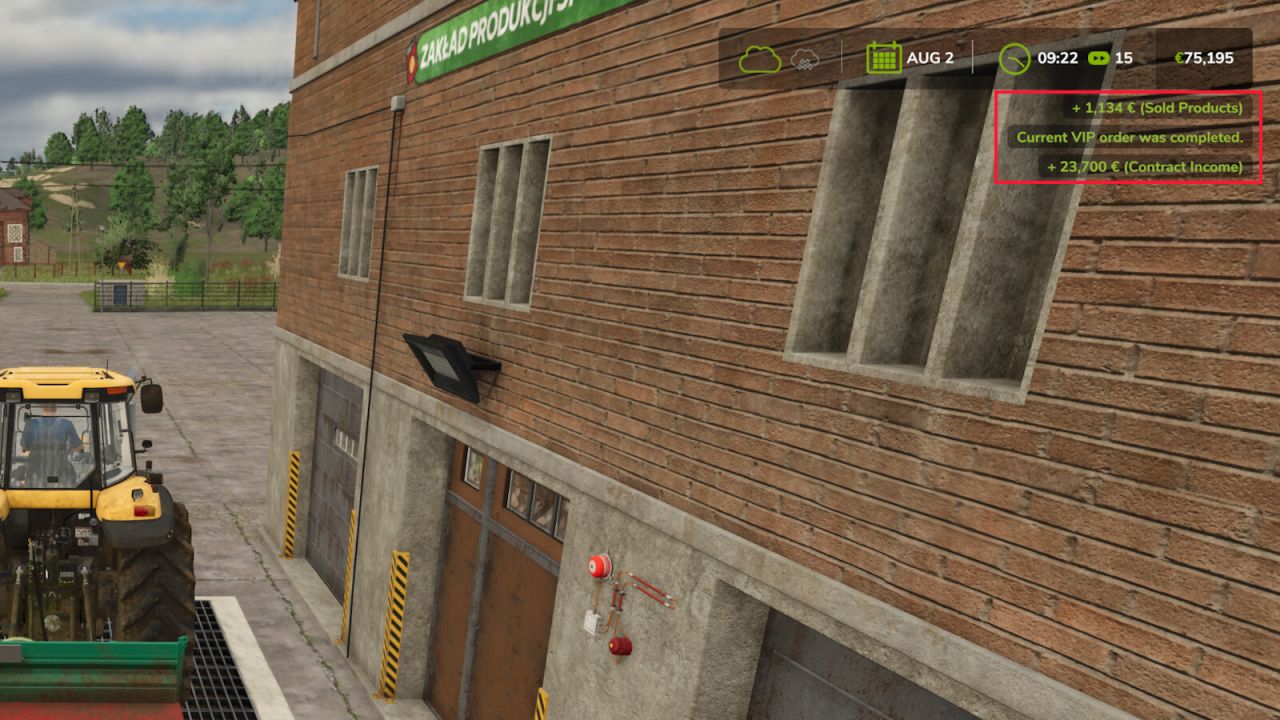
VIP-Auftragsmanager V1.2.2.0 Der VIP-Bestellmanager bietet dem Landwirt VIP-Bestellungen an, die aus mehreren zu liefernden Produkten bestehen. Für jedes Produkt werden die Liefermenge und der Lieferort explizit angegeben. Neben der aktuellen VIP-Bestellung werden auch die folgenden VIP-Bestellungen angezeigt. Es kann jedoch nur die aktuelle Bestellung ausgeliefert werden. Es werden auch Tierbestellungen generiert. Bitte beachten Sie, dass die Lieferung automatisch erfolgt. Stündlich wird geprüft, ob Tiere im gewünschten Alter oder älter verfügbar sind und ob sie mindestens 75 % Gesundheit haben. Mit Strg + Rechts + O wird die aktuelle Bestellung für einige Sekunden angezeigt. Alt + Rechts + O zeigt die Übersicht aller VIP-Bestellungen an. In dieser Ansicht können Sie die aktuelle VIP-Bestellung auch gegen eine Gebühr für die noch nicht ausgeführten Teilbestellungen stornieren. Mit jeder VIP-Bestellung wird das aktuelle Level erhöht, wodurch sich auch die Anzahl der enthaltenen Einzelbestellungen und die zu liefernden Mengen erhöhen und die Einnahmen verringern. Die besessene Fläche wird ebenfalls in die Berechnung einbezogen. Mit steigendem Level werden auch mehr Produkte berücksichtigt. Bereits mit FS19 hatte ich begonnen, den VIP-Auftragsmanager zu entwickeln, um so etwas wie Kampagnen abzubilden. Ich wollte das Spiel etwas interessanter gestalten. indem er mir sagt, was ich anbauen muss. Der Mehrspielermodus wird derzeit nicht unterstützt. Ich möchte mich auch bei allen anderen Moddern bedanken, deren Mods mir im Laufe der Zeit viele Ideen und Lösungen geliefert haben. V1.2.2.0 Es wurden Kompatibilitätsprobleme mit einigen anderen Mods beim Speichern des Spielstands behoben. Tags: Der Mehrspielermodus
Small Soup Factory V1.0.0.2
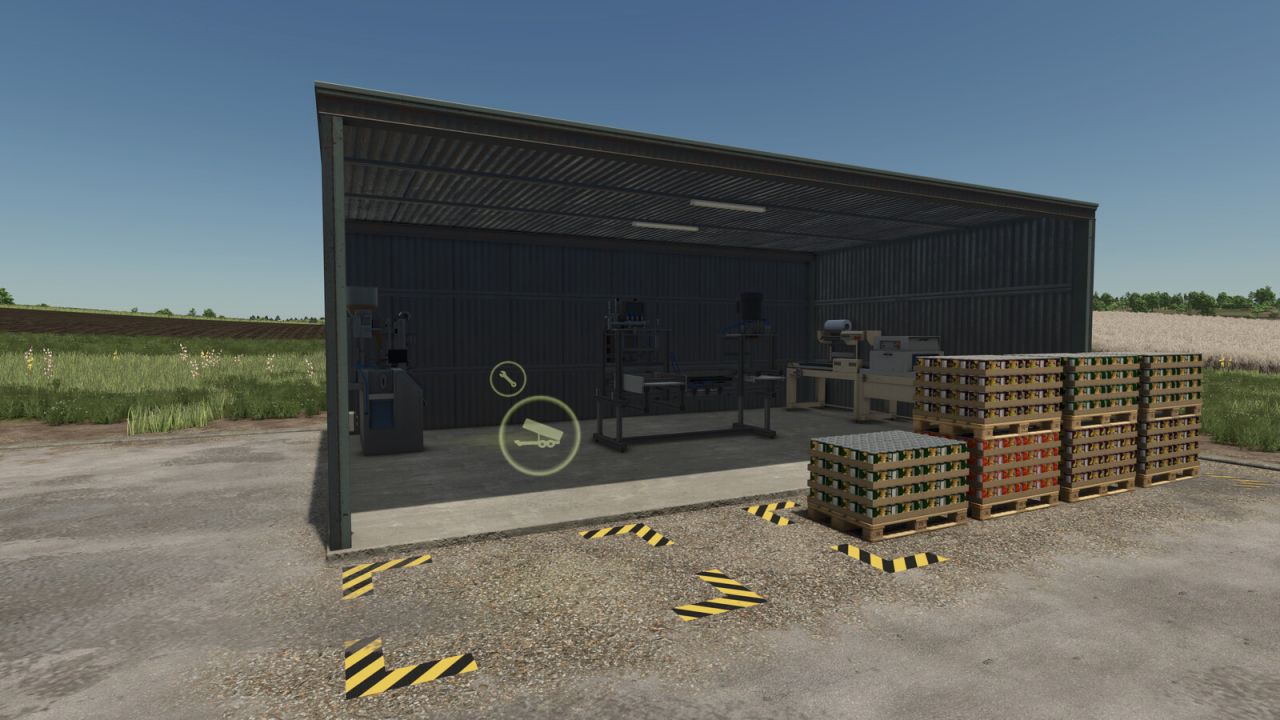
Small Soup Factory V1.0.0.2 You can turn your vegetables into soup. Price: $405000 Daily upkeep: $150 120 cycles / Month CARROT 100, PARSNIP 100, BEETROOT 100 = Tripple SOUP 100 144 cycles / Month CARROT 300 = CARROT SOUP 100 PARSNIP 300 = PARSNIP SOUP 100 RED BEET 300 = REDBEET SOUP 100 POTATO 300 = POTATO SOUP 100 Production lines work in parallel mode. V1.0.0.2 Unloading area increased. Pallet spawn area increased. Author: morfei1 Report bugs in the comments and help modders improve this mod. Always check the comments, you can find a solution. DOWNLOAD MOD
Vegetable Container V1.0.0.6
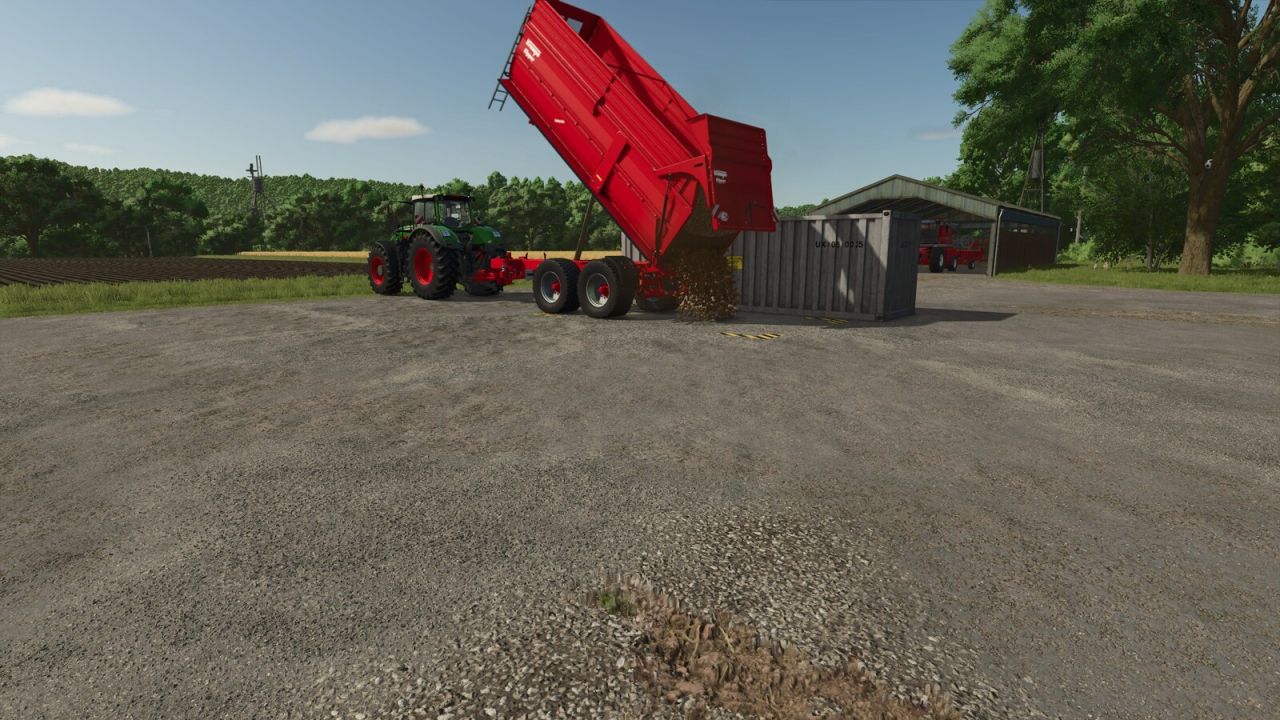
Vegetable Container V1.0.0.6 Placeable container for unloading, storing, distributing and selling bulk vegetables. Compatible with PC and consoles (crossplay). Ideal for solo players: place the container near your harvest and avoid multiple truck trips to the factory or selling point. Capacity: 1,000,000 L per crop. To store, set the production chain to “Storing”. To distribute among your factories, use the “Distributing” mode. To sell directly from the menu, use the “Selling” mode. Supported crops: – Potato – Sugar Beet – Beetroot – Carrot – Parsnip – Green Bean – Spinach – Sugar Cane – Pea – Onion (requires Highlands Fishing DLC) – Rice – Long Grain Rice Category: Production Sites Price: $5,000 Daily upkeep: $3 Total capacity: 1,000,000 L per crop V1.0.0.6 Added Peas, Onions, Rice, and Long-Grain Rice. Onions require the Highlands Fishing DLC. Author: Firmino Report bugs in the comments and help modders improve this mod. Always check the comments, you can find a solution. DOWNLOAD MOD
Auto Leveler – Landschaftsgestaltung, Terraforming, Hänge & Straßen V1.1.0.0
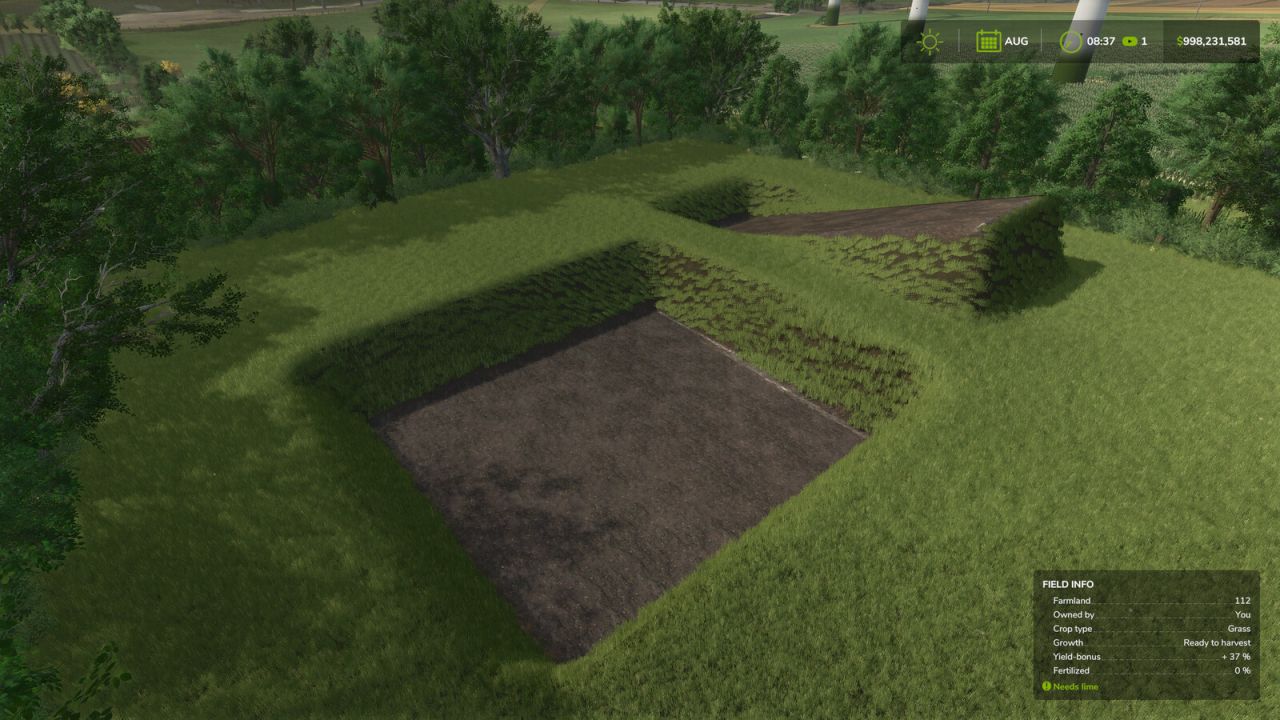
Auto Leveler – Landschaftsgestaltung, Terraforming, Hänge & Straßen V1.1.0.0 Haben Sie es satt, stundenlang mit dem Standard-Landschaftsgestaltungswerkzeug zu kämpfen, sich mit unebenem Gelände, verzerrten Hügeln herumzuschlagen und endlos Geld zu verschwenden, nur um ein Gebiet für Ihre Farm zu ebnen? Der automatische Nivellierer revolutioniert das Terraforming im Landwirtschafts-Simulator 25! Anstatt stundenlang manuell Pinsel zu ziehen, markieren Sie einfach die Eckpunkte der gewünschten Zone, sehen Sie sich die Höhenebene in Echtzeit an und drücken Sie , um die gesamte Fläche in Sekundenschnelle mit mathematischer Perfektion zu ebnen. Gebrauchs-/Aktivierungshinweis: Um den automatischen Nivellierer zu aktivieren, öffnen Sie das Konstruktionsmenü und stellen Sie sicher, dass Sie sich im Hauptübersichts-/Auswahlbildschirm befinden (ohne dass ein Gebäude oder ein bestimmter Landschaftsgestaltungs-Pinsel ausgewählt ist). Drücken Sie , um die Mod-Oberfläche zu öffnen und mit dem Erstellen Ihrer eigenen Ebenen, Rampen oder Straßen zu beginnen. Falls Sie gerade ein Gebäude- oder Landschaftsgestaltungswerkzeug ausgewählt haben, drücken Sie einfach , um zum Hauptkonstruktionsmenü zurückzukehren, und anschließend , um die Mod nahtlos zu aktivieren. Warum sollte man Auto Leveler verwenden? Sparen Sie unzählige Stunden: Erstellen Sie große Bauflächen, Gartenerweiterungen und ebene Bauplätze in Sekundenschnelle, anstatt mühsam mit der manuellen Bürste zu arbeiten. 100% flach und eben: Keine Unebenheiten, Unebenheiten oder Löcher unter Ihren Schuppen, Silos und Fabriken. Sanfte Übergänge: Dank der automatischen Kantenglättung (Talude) von 2 m, 4 m oder 6 m gehören vertikale, zerklüftete Geländeschnitte der Vergangenheit an. Perfect 3D Ramp Builder: Verbinden Sie erhöhte Höfe und Straßen mit präzisen Neigungsprozentanzeigen und einstellbarer Breite. 3D-Feldweg-Generator: Zeichnen Sie natürliche Kurvenstraßen, die den Geländekonturen folgen, ohne Rennstreckenüberhöhung, mit einstellbarer Breite (3 m bis 8 m) und automatischer Entfernung von Gras, Steinen und Feldgestrüpp. Finanzkontrolle: Echtzeit-Flächenberechnung (m²) und Kostenvoranschlag, bevor auch nur ein einziger Dollar ausgegeben wird. Hauptmerkmale: 3D-Holographische Ebene: Echtzeit-Höhenvorschau mit volumetrischen Säulen, die die exakte Zielhöhe anzeigen. Automatische 90°/45°-Ausrichtung & Rechtwinkligkeit: Intelligenter Magnetverschluss und neongrüne Hilfslinie zur Ausrichtung an Punkt 1 für makellose Rechtecke und Quadrate. Einfaches Schließen des Polygons: Klicken Sie direkt auf Punkt 1 oder doppelklicken Sie an einer beliebigen Stelle, um den Bereich zu sperren und zu schließen. Realistische Hangglättung (Talude): Vertikal geschnittene oder geglättete Übergangshänge (2 m, 4 m, 6 m) für eine natürliche Geländeanpassung. 3D-Rampenkonfigurator: Start- und Endhöhe bei einstellbarer Straßenbreite (2 m bis 30 m) und Echtzeit-Berechnung des Steigungsprozentsatzes. 3D-Feldweg-/Pfad-Generator: Platzieren Sie aufeinanderfolgende Punkte, um realistische Feldwege mit sanften Spline-Kurven, einstellbarer Breite (3 m bis 8 m) und automatischer Untergrundfärbung zu erstellen. Dynamische Höhensteuerung: Heben oder senken Sie die gesamte ebene Fläche oder einzelne Rampen-/Straßenpunkte sofort mit den Auf-/Ab-Pfeiltasten. Live-Finanz- und Flächentelemetrie: Echtzeit-m²-Flächenberechnung und Kostenvoranschlag. Punkte hinzufügen-Modus: Drücken Sie 'Y', um Punkte auf dem Gelände zu platzieren und zu markieren. Punkte verschieben und anpassen: Drücken Sie 'R', um markierte Punkte direkt auf dem Boden zu ziehen und anzupassen. Bedienelemente: : Automatische Nivellierung aktivieren/deaktivieren (im Baumodus). : Modus umschalten (3D-Flache Ebene vs. 3D-Rampe vs. 3D-Straße). : Ausrichtung umschalten (Freies Zeichnen vs. 90°/45°-Orthogonalfang). : Punkte hinzufügen-Modus. : Markierte Punkte verschieben / ziehen. : Cycle Edge Finish (Vertikaler Schnitt, 2m Gefälle, 4m Gefälle, 6m Gefälle). [Pfeil nach oben] / [Pfeil nach unten]: Höhe erhöhen / verringern. [+] / [-]: Breite vergrößern / verkleinern (Rampe & Straße). : Punkt auf dem Gelände platzieren / Punkt 1 anklicken, um das Polygon zu schließen. : Polygonpunkte schnell sperren und fixieren. [Rücktaste] / : Letzten Punkt rückgängig machen. : Terraforming auf das Gelände anwenden. V1.1.0.0 Neu hinzugefügter 3D-Feldweg-Baumodus: Erstellen Sie glatte, geschwungene Feldwege, die dem Gelände folgen, mit einstellbarer Breite von 3 m bis 8 m und automatischer Entfernung von Gras, Feldfrüchten und Steinen. Überlappende Tastenbelegungen für Aktionen wurden korrigiert: wird nun zum Hinzufügen von Punkten verwendet, und zum Verschieben markierter Punkte. Tags: Auto LevelerMarkierte PunktePolygons Klicken SieRampe Stra
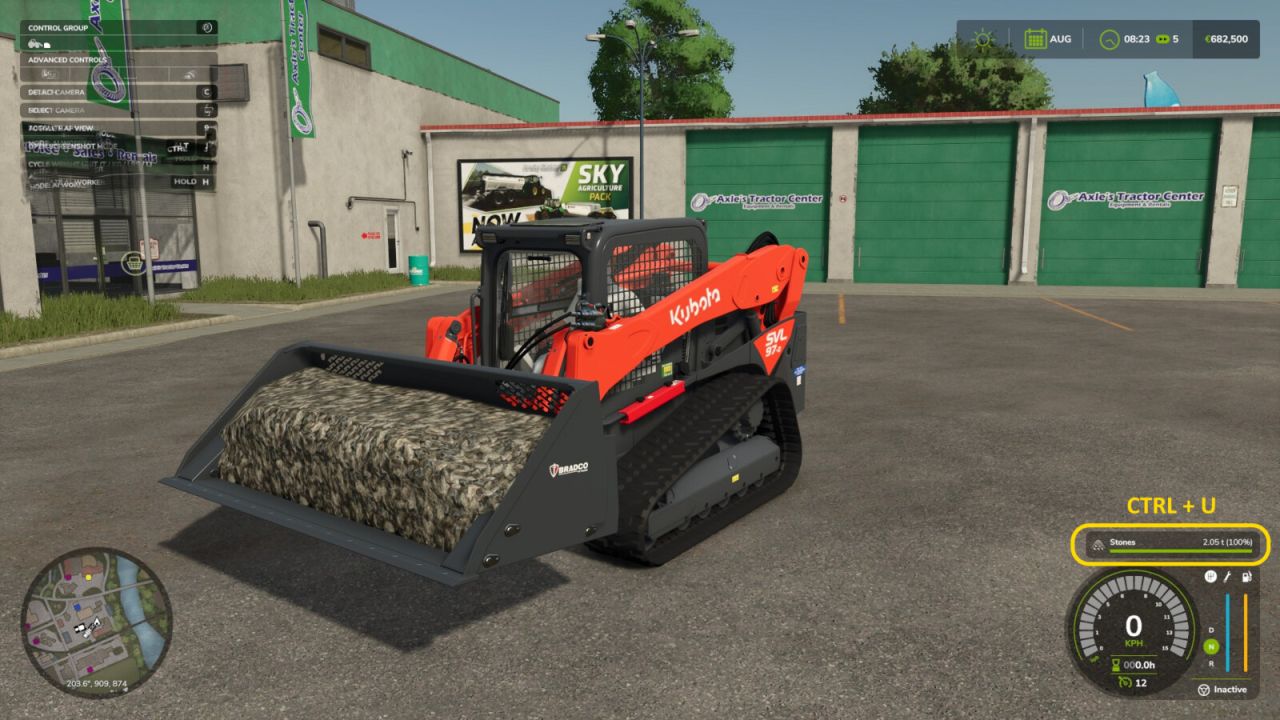
Liter-zu-Tonnen-Umrechner V1.2.0.0
Liter-zu-Tonnen-Umrechner V1.2.0.0 Liter → Gewichtsumrechner Sobald Sie in ein beladenes Fahrzeug einsteigen, wird das Gewicht Ihrer Ladung automatisch in Echtzeit im nativen Füllstandsanzeige-HUD (anstelle von Litern) angezeigt. Merkmale: Automatische Umschaltung auf kg bei einer Last unter 1 Tonne STRG+U: Einheiten wechseln Tonnen → kg → lbs → Liter Kompatibel mit allen Mods, die neue Materialien hinzufügen. Bedienelemente: STRG+U: Zykluseinheit (t / kg / lbs / L) V1.2.0.0 Neues HUD: Das Gewicht wird jetzt direkt im nativen HUD angezeigt. Tags: Automatische UmschaltungGewicht Ihrer LadungHUDSobald Sie
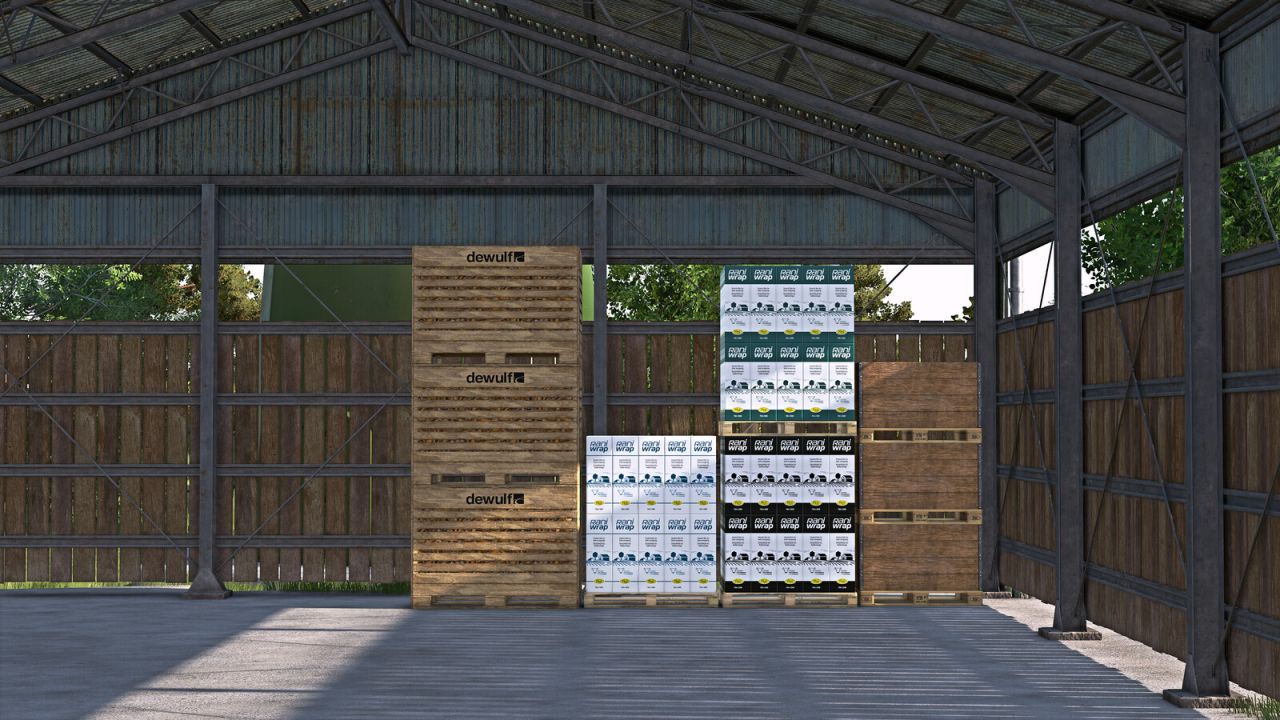
Objektspeicher-Visualisierungen V1.0.1.0
Objektspeicher-Visualisierungen V1.0.1.0 Für landwirtschaftliche Betriebe, bei denen die Lagerung nicht nur funktionieren, sondern auch wie echte Arbeit aussehen soll: Im GIANTS ObjectStorage werden Paletten und Ballen platzsparend verstaut, und darüber ist noch reichlich Platz. Damit ist jetzt Schluss. FS25_ObjectStorageVisuals erweckt ObjectStorage zum Leben: Die Paletten sind nun sichtbar übereinander gestapelt, die Ballen stehen dichter und natürlicher im Lagerbereich. Die eingewickelten Ballen behalten ihre Farbe, und der ObjectStorage sieht nicht mehr so aus, als hätte jemand die Hälfte des Lagerraums an die frische Luft vermietet. Statt einer ebenen Raumgestaltung wird die Raumhöhe sichtbar genutzt. Statt herumliegender Ballen gibt es jetzt kompaktere Stapel. Statt leerer Verbrauchspaletten sieht man im Mehrspielermodus endlich sichtbare Inhalte. Varianten sind auch leichter zu erkennen: verschiedene Marken von Bindegarn, Die Farben der Ballenfolien oder die Varianten der Ballennetze werden nicht mehr optisch zu einer einheitlichen Farbpalette zusammengefasst. Mehr sichtbarer Speicherplatz, mehr genutzte Höhe, weniger verschwendeter Platz im Objektspeicher. Die Mod enthält eine PDF-Dokumentation für Modder. Es erklärt, wie man benutzerdefinierte Lager und Paletten für die erweiterten visuellen Funktionen, SlotTrigger, Palettenstapelung und Kapazitätsfunktionen vorbereitet. FS25_moreWrapColors von wird automatisch unterstützt. Die Ballen vom Typ FS25_RounderWrappedRoundbales von OlaHaldor werden im Lager ebenfalls als Rundballen angezeigt. Die Speicher von FS25_ObjectBaleStorage von Kastor [DS-Agrarservice] dienen als Referenzmodul für unterstützte Ballenfunktionen. Die Paletten aus FS25_compostProduction und FS25_emptyPalletFactory von [Weekend Farmers] dienen als Referenz-Mods für stapelbare Mod-Paletten. Vorbereitete Speicher behalten ihre normale ObjectStorage-Funktionalität auch ohne dieses Skript. Das Hinzufügen der optionalen XML-Blöcke entfernt die Crossplay-Kompatibilität eines ansonsten Crossplay-kompatiblen Speichers nicht automatisch. Skripte und Assets des jeweiligen Speichers bleiben maßgeblich. V1.0.1.0 Die Entlademenge von ObjectStorage beginnt nun bei 1 und speichert die zuletzt bestätigte Menge separat für jeden Speicher während der aktuellen Sitzung. Die Speichervisualisierungen von FS25_RounderWrappedRoundbales wurden überarbeitet, um die exakten I3D-Ballenmappings des Mods direkt zu verwenden. Lua-Codeoptimierung. Tags: Das HinzufDie ModDie PalettenDie Speichervisualisierungen
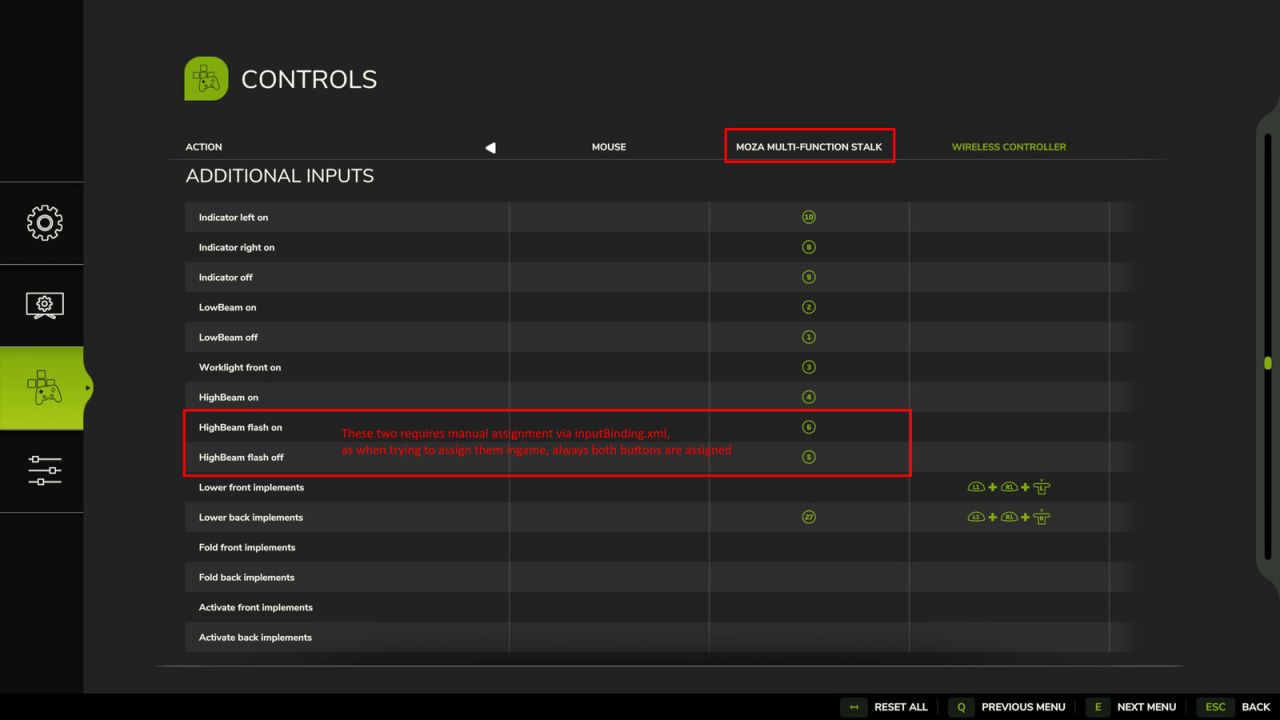
Zusätzliche Eingänge V1.2.1.1
Zusätzliche Eingänge V1.2.1.1 Additional Inputs verbessert die Fahrzeugsteuerung in FS25 durch explizite Tastenbelegungen, die für realistische Hardware-Konfigurationen wie die Moza Multifunktions-Lenkerhebel entwickelt wurden. Diese Mod führt eine authentische Blinkerlogik mit Komfortblinken (Blinken an der Blinkerspitze), separate Steuerungen für Scheinwerfer- und Arbeitsscheinwerferstufen sowie dedizierte Eingaben zum Ein- und Ausklappen sowie Aktivieren von Zusatzscheinwerfern ein, unabhängig von ihrer Position (vorne oder hinten), ohne dass diese vorher ausgewählt werden müssen. Merkmale Blinker Fügt explizite Eingänge zum Anzeigen von Links- und Rechtsblinken sowie einen zum Ausschalten hinzu. Ähnlich wie der Blinkerhebel im Auto. Außerdem wird die Komfortblinkfunktion implementiert. Folgt nach dem Einschalten innerhalb von 500 ms ein Ausschalten, wird die Komfortblinkfunktion aktiviert. Ist die Warnblinkanlage eingeschaltet, hat diese Vorrang. Die Warnblinkanlage kann durch diese zusätzlichen Eingänge nicht ausgeschaltet werden. Lichter Fügt neue Bedienelemente zum Ein- und Ausschalten des normalen Frontlichts sowie eines für das Einschalten des Arbeitsscheinwerfers hinzu. Das Einschalten des Frontlichts schaltet gleichzeitig den Arbeitsscheinwerfer aus. Dies funktioniert für mich und die Moza Multifunktionshebel optimal. (Übersetzung von Moza Hebeldrehung zu FS25) AUS -> Frontscheinwerfer AUS Standlicht -> Frontscheinwerfer EIN Frontlicht -> Arbeitsscheinwerfer vorne EIN Fügt außerdem drei zusätzliche Eingänge für das Fernlicht hinzu: einen zum Einschalten des Fernlichts, einen zum Auslösen der Lichthupe (und zum Ausschalten des Fernlichts, falls es zuvor eingeschaltet war) und einen zum Beenden der Lichthupe. Implementiert Fügen Sie die Eingaben „Einklappen“, „Absenken“ und „Aktivieren“ für Anbaugeräte hinzu, die vorne oder hinten angebracht sind. Diese sind nicht an den aktuell ausgewählten Fahrzeugteil gebunden. Weitere Informationen zur Einrichtung mit Moza Stalks finden Sie auf GitHub. Dort finden Sie auch eine detaillierte Tabelle mit einer Beschreibung aller Eingaben. Bitte melden Sie Feedback oder Probleme auf GitHub. V1.2.1.1 Die Modbeschreibungsversion wird für die Veröffentlichung auf Modhub aktualisiert. Tags: Das EinschaltenDiese ModSie FeedbackWeitere Informationen
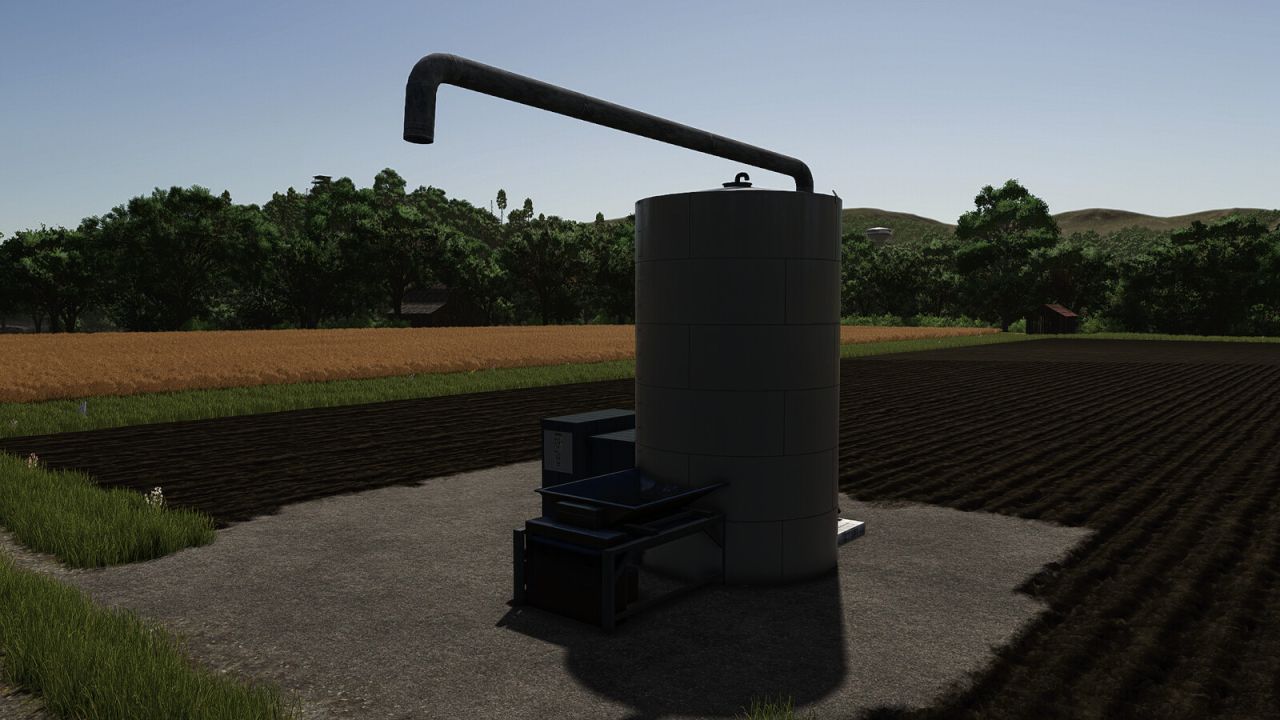
Pig Food Production V1.0.0.1
Pig Food Production V1.0.0.1 Machine to transform crops into PIGfood on your farm. Category: Placeable > Production > Factories Price: $25,000 INPUT: 1500 Potato + 450 Maize + 450 Wheat + 250 Canola OUTPUT: 2650 Pig Food INPUT: 1500 Beetroot + 450 Carrot 450 Potato + 250 Sugarbeet OUTPUT: 2650 Pig Food INPUT: 1500 Sugarbeet + 450 Maize + 450 Wheat + 250 Canola OUTPUT: 2650 Pig Food INPUT: 1500 Flour + 450 Maize + 450 Sunflower + 250 Canola OUTPUT: 2650 Pig Food INPUT: 1000 Flour + 700 Soybean + 700 Pea + 250 Mineral feed OUTPUT: 2650 Pig Food INPUT: 500 Maize + 500 Soybean + 500 Wheat + 1000 Pea + 150 Mineral feed OUTPUT: 2650 Pig Food V1.0.0.1 Added new recipes. Author: AgritruckTeam Report bugs in the comments and help modders improve this mod. Always check the comments, you can find a solution. DOWNLOAD MOD
VIP Order Manager V1.2.2
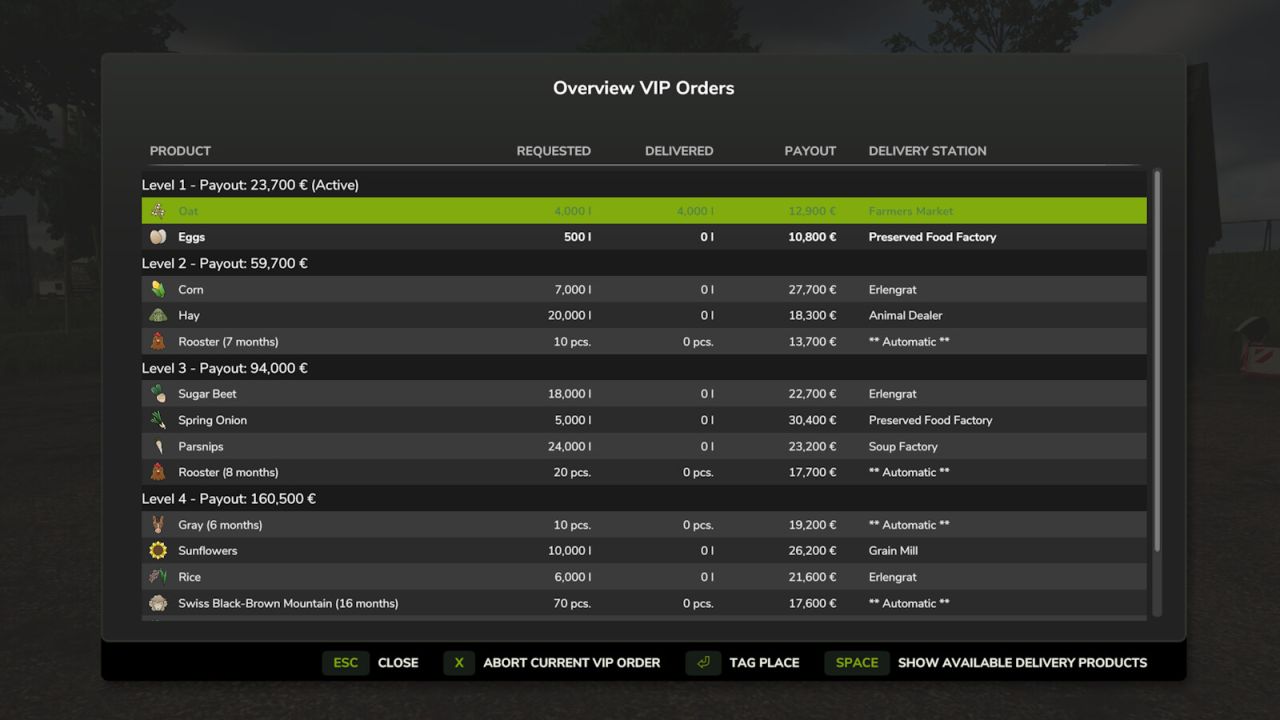
VIP Order Manager V1.2.2 The VIP Order Manager offers the farmer VIP orders consisting of several products to be delivered. For each product with explicit specification of the quantity to be delivered and the destination. In addition to the current VIP order, the next VIP orders to follow can also be seen. However, only the current order can be delivered. Animal orders are also generated. Please note that delivery is automatic. It is checked every hour whether animals exist with the requested age or older and whether they have at least 75% health. With CTRL right + O the current order is displayed for a few seconds. ALT right + O displays the overview of all VIP Orders. In this view, you can also cancel the current VIP Order for a fee for the partial orders that have not yet been fulfilled. With each VIP Order, the current level is increased and thus also the number of individual orders contained and the quantities to be delivered are increased and the revenues are reduced. The area owned is also taken into account in the calculation. As the level increases, more products are also taken into account. Already with FS19, I had started to develop the VIP Order Manager to represent something like campaigns. I wanted to make the game a little more interesting, by telling me what I have to grow. Multiplayer is currently not supported. I would also like to thank all the other modders whose mods have given me many ideas and solutions over the time. V1.2.2.0 Fixed compatibility issues with some other mods when saving the game state Author: Fetty42 Report bugs in the comments and help modders improve this mod. Always check the comments, you can find a solution. DOWNLOAD MOD

John Deere 561R Round Baler V1.0.0.2
John Deere 561R Round Baler and A520R Accumulator Engineered for Efficiency. Built for Performance. The John Deere 561R Baler paired with the A520R Accumulator delivers unmatched productivity in the field. Designed for high-output operations, the 561R features cutting-edge bale formation technology, ensuring consistent bale density and shape across every acre. When equipped with the A520R Accumulator, operators can automatically stack and drop bales in groups of up to three — minimizing stops and maximizing efficiency. With ISOBUS compatibility, intuitive controls, and rugged durability, this is the ultimate round baling system for the modern farm. Take control. Bale smarter. Go further with John Deere. Model: 561R Premium Round Baler and A520R Accumulator Size: 81 – 183 cm/32 – 72 in Capacity: Drop 1, 2, or 3 bales at a time Price: $93.000 – $9.900 Power requirement: 100 hp Category: Roundbalers, Transport – Model Year 2025 – Custom wheel configurations – Accumulator ready (compatible with A520R) – Optional silage additives tank – Round bale net wrap selection – Animated maintenance covers and PTO – Manual lift for pickup and rear gate – Precision Farming Ready Changelog Version 1.0.0.1 – Added custom 150 and 180 size bales – Added the Giants Renown Drop Deck and the Demco Steel Drop Deck with added autoloading capability for the custom 561R bales – Added the Giants Anderson Hybrid X compatible with the custom 561R bales that also retains the ability to wrap all the base game bales – Increased the working speed of the baler to 15 MPH per real world feedback – Improved the bale drop animations and the bale handling animations of the accumulator – Added the capability to use Silage Additive on Alfalfa – Added the ability to bale Alfalfa, Corn Stalks, and Soybean Straw on maps where those can be produced – Added the option to choose between decals for MPH and KPH – Added the option to install a slow moving vehicle sign – Various visual fixes and improvements To start download click the filename. To open archive files use one of these programs: WinRAR, 7-Zip, WinZip. Some mod archives may need to be extracted before the mods will work.
Auto Leveler – Landscaping Terraformer, Slopes & Roads V1.1
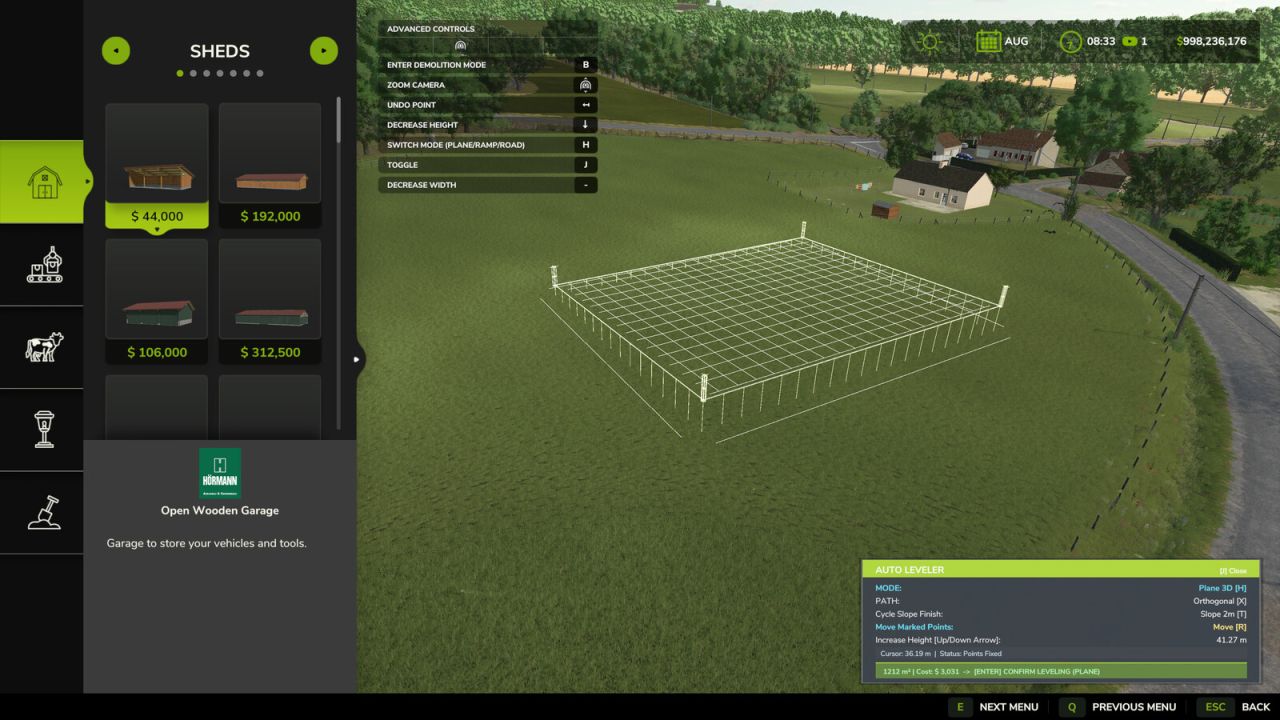
Auto Leveler – Landscaping Terraformer, Slopes & Roads V1.1 Tired of spending hours fighting the default landscaping tool, dealing with bumpy terrain, distorted hills, and endless money wasted trying to flatten an area for your farm? The Auto Leveler completely transforms terraforming in Farming Simulator 25! Instead of manually dragging brushes for hours, simply mark the boundary corners of the desired zone, preview the elevation plane in real time, and press to flatten the entire area in seconds with mathematical perfection. How to Use / Activation Note: To activate the Auto Leveler, enter the Construction Menu and ensure you are on the main overview/selection screen (without any active building or specific landscaping brush selected). Press to open the mod interface and start creating your custom planes, ramps, or roads. If you have a building or landscaping tool currently selected, simply press to return to the main construction menu screen, and then press to activate the mod seamlessly. Why use Auto Leveler? Save Countless Hours: Create large construction pads, yard expansions, and flat building sites in seconds instead of grinding with the manual brush. 100% Flat & Level: No uneven bumps, glitches, or holes under your sheds, silos, and factories. Smooth Transition Slopes: Say goodbye to vertical jagged terrain cuts with automatic edge blending (Talude) of 2m, 4m, or 6m. Perfect 3D Ramp Builder: Connect elevated yards and roads with precise slope percentage readouts and adjustable width. 3D Dirt Road Builder: Trace natural curved roads following the terrain contours with zero race-track banking, adjustable width (3m to 8m), and auto clearing of grass, rocks, and field foliage. Financial Control: Real-time area (m²) and estimated cost preview before spending a single dollar. Key Features: 3D Holographic Plane: Real-time elevation preview with volumetric posts showing the exact target height. Auto 90°/45° Alignment & Square: Smart magnetic snap and Neon Green guide line to align with Point 1 for flawless rectangles and squares. Easy Polygon Closing: Click directly on Point 1 or double-click anywhere to lock and close the area. Realistic Slope Smoothing (Talude): Vertical cut or smooth transitional slopes (2m, 4m, 6m) for natural terrain blending. 3D Ramp Builder: Start and end heights with adjustable road width (2m to 30m) and real-time slope percentage calculation. 3D Dirt Road / Path Builder: Place consecutive points to carve realistic dirt roads with smooth spline curves, adjustable width (3m to 8m), and automatic dirt ground painting. Dynamic Height Control: Raise or lower the entire flat plane or individual ramp/road points instantly using Up/Down Arrow keys. Live Financial & Area Telemetry: Real-time m² area calculation and estimated cost preview. Add Points Mode: Press ‘Y’ to place and mark points on the terrain. Move & Adjust Points: Press ‘R’ to drag and adjust marked points directly on the ground. Controls: : Activate / Deactivate Auto Leveler (inside Construction Mode). : Switch Mode (3D Flat Plane vs. 3D Ramp vs. 3D Road). : Toggle Alignment (Free Drawing vs. 90°/45° Orthogonal Snap). : Add Points Mode. : Move / Drag Marked Points. : Cycle Edge Finish (Vertical Cut, 2m Slope, 4m Slope, 6m Slope). [Up Arrow] / [Down Arrow]: Increase / Decrease Height. [+] / [-]: Increase / Decrease Width (Ramp & Road). [Left Click]: Place point on terrain / Click Point 1 to close polygon. [Double Click]: Quick lock and fix polygon points. / [Right Click]: Undo last placed point. : Apply terraforming to the terrain. V1.1.0.0 Added 3D Dirt Road Builder mode: create smooth, curved dirt roads that follow the terrain, with adjustable widths from 3 m to 8 m and automatic removal of grass, crops, and stones. Fixed overlapping key bindings for actions: is now used to add points, and to move marked points. Author: JogaDim Report bugs in the comments and help modders improve this mod. Always check the comments, you can find a solution. DOWNLOAD MOD

Silageschneidzange V1.0.0.1
Silageschneidzange V1.0.0.1 Mit dieser Silageschneidzange können Sie entweder einen Silageblock in einen 180 cm langen rechteckigen Ballen schneiden oder, wie mit der Standard-Silageschneidzange, Silage und andere Materialien aufnehmen. Kategorie: Werkzeuge für Frontlader Preis: 5.500 US-Dollar Fassungsvermögen: 3.143 l oder ein Ballenschneider für 1,8 Meter große Quaderballen Silage Konfiguration: Frontlader-Anbaugerät, Teleskoplader-Anbaugerät oder Kramer-Anbaugerät (Kramer 5507, KT557 von AlexL353_modding) V1.0.0.1 Das Problem mit dem Füllauslöser des Ballenschneiders wurde behoben. Tags: Das ProblemKategorie Werkzeuge
Kreis Steinfurt FS25
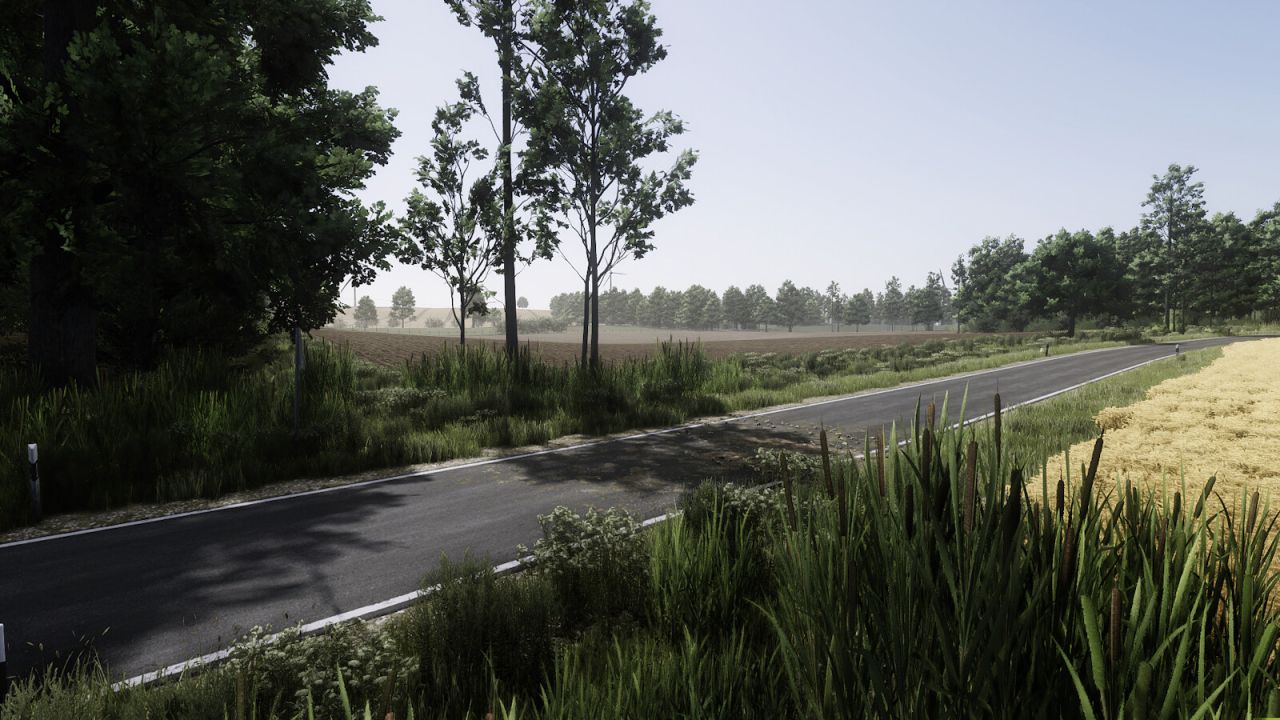
Welcome to the map “Kreis Steinfurt” located in the heart of the Münsterland region! This highly detailed map is based on the rural communities of Offlum and Landersum near the town of Neuenkirchen in the district of Steinfurt, Germany. The area is characterized by typical Münsterland agriculture with open farmland, large grassland areas, small forests and traditional farms. The map has been created with a strong focus on detail and aims to represent the structure of the real landscape as closely as possible. Players will find varied farms, realistic field layouts and a calm rural environment. Map Features: - 141 purchasable farmland areas - 30 grassland fields - 9 purchasable forest area - 3 additional pastures available for purchase - 7 fully equipped farms - Several selling points and production facilities - A biogas plant (BGA) Farms on the map: - Dairy farm - Arable farm with chicken farming - Potato farm with pig farming - Mixed farm (Dairy & Pigs) - Dairy farm with chicken farming - Pig fattening farm - Large dairy and pig fattening farm Field sizes are typical for the Münsterland region. Most fields range between roughly 1 and 3 hectares, with smaller plots under one hectare and medium-sized fields up to about 6 hectares. Two larger fields of approximately 17 and 20 hectares allow the use of larger machinery. The map is suitable for both singleplayer and multiplayer and offers a balanced mix of arable farming, animal husbandry and grassland management. The biogas plant allows players to process silage and other materials for additional income. Explore the rural areas of Offlum and Landersum and build your own farming operation in the Münsterland Note: To ensure the AI assistant works properly, we recommend disabling AI traffic in the game settings. - Vegetation improved across the entire map - Many areas reworked with additional details - New objects and road signs added - Various locations visually enhanced - Added two new farms: - Pig farm - Large dairy and pig farm - Added one additional purchasable forest - Farms now have their own farmlands and are no longer linked to fields - Farms can now be purchased independently - Crop yields rebalanced - Straw, forage and swath yields adjusted - Mower Converter updated - Seed and fertilizer consumption rebalanced - Foliage damage configuration expanded - Wood chip balancing adjusted - Precision Farming soil map completely reworked - Improved rapeseed growth visuals - Added preparation for FS25_CCM_Production_Pack - Fixed MotionPath errors - Optimized config and foliage XML files - Decorative objects can now be sold in groups - Various bug fixes and improvements - Improved the map boundaries and the roads leading to the edge of the map - A new savegame is required. - Added a new playable farm - Added a small residential area - Made all forests purchasable (added farmland) - Fixed grass growth on cow pastures – pastures are now fully usable - Stones now spawn correctly in the fields - Farmland boundaries revised and expanded - Road network and AI helpers optimized - Power poles and lines added - Various decorative and performance optimizations - Road signs added - PDA revised - Decorative objects made purchasable (in groups!) - Added 1 more cow pasture available for purchase - Collectibles removed due to errors - 32 Floor angle added - Fruit destruction adjusted for beetroot, carrots, parsnips, peas and beans - Raps adapted to patch 1.18 - Log warnings related to the Vredo DLC have been fixed - Apple waste removed from the compost silo - Support for the Vredo DLC implemented by adding a foliageDamage.xml file - A new save game is needed. - License plates of parked vehicles adjusted to match the Steinfurt region - Removed one mod from dependencies - Precision Farming reworked and improved - Fixed issue where only “sandy loam” soil was displayed everywhere (soil map corrected) - Fixed stuttering and crashes when mulching or spraying - Fixed issue where weeds did not grow on fields - Fixed partially invisible stones (e.g. near field 70) - Removed decorative objects located below the map - Fruit yields adjusted - A new save game is needed.

Additional Inputs V1.2.1.1
Additional Inputs enhances your vehicle control in FS25 by adding explicit keybindings designed for realistic hardware setups, such as the Moza Multi-function Stalks. This mod introduces authentic turn signal logic with comfort blinking (tip blink), discrete controls for headlight and worklight stages, and dedicated inputs to Fold, Lower, and Activate implements independently based on their front or back position without needing to select them first. Indicators / TurnSignal Adds explicit inputs for indicating left / right and one for turning them off. Similar how an indicator lever in a car works. Also adds the tip blink / comfort indicators functionality. If after the on signal an off signals follows within 500ms, the tip blink is activated. If the hazard light is on, it has priority. These added inputs cannot turn of the hazard lights. Adds new controls for normal front light on and off, also one for worklight front on. The front light on action will also turn off the work light front. As this works best for me and the Moza Multi function stalks. Translation from Moza Stalk lever turn to FS25 * OFF -> Front lights OFF * parking light -> Front lights ON * Front light -> Worklight Front ON Also adds three additional Inputs related to the High Beam. One to turn the high beam on, one to trigger the high beam flash (and also turn of the High Beam if turned on before) and one to release the flash. Add Fold, Lower, and Activate inputs for implements attached at the front or back. They are not bound to the current selected part of the vehicle. 1.2.1.0: * Fix multiplayer issue where the vdTelemetry integration reacted to other players entering or leaving their vehicles 1.2.0.0: * Add public API to fold, lower and activate the currently selected machine 1.1.0.0: * Support renamed vdTelemetry Mod * Add public API, which allows other mods to execute actions To start download click the filename. To open archive files use one of these programs: WinRAR, 7-Zip, WinZip. Some mod archives may need to be extracted before the mods will work.

FS25 Kreis Steinfurt V2.1.2.0
FS25 Kreis Steinfurt V2.1.2.0 Changelog 2.1.2.0: Vegetation improved across the entire map Many areas reworked with additional details New objects and road signs added Various locations visually enhanced Added two new farms: Pig farm Large dairy and pig farm Added one additional purchasable forest Farms now have their own farmlands and are no longer linked to fields Farms can now be purchased independently Crop yields rebalanced Straw, forage and swath yields adjusted Mower Converter updated Seed and fertilizer consumption rebalanced Foliage damage configuration expanded Wood chip balancing adjusted Precision Farming soil map completely reworked Improved rapeseed growth visuals Added preparation for FS25_CCM_Production_Pack Fixed MotionPath errors Optimized config and foliage XML files Decorative objects can now be sold in groups Various bug fixes and improvements Improved the map boundaries and the roads leading to the edge of the map A new savegame is required. V1.1.2.0 – Added a new playable farm – Added a small residential area – Made all forests purchasable (added farmland) – Fixed grass growth on cow pastures – pastures are now fully usable – Stones now spawn correctly in the fields – Farmland boundaries revised and expanded – Road network and AI helpers optimized – Power poles and lines added – Various decorative and performance optimizations – Road signs added – PDA revised – Decorative objects made purchasable (in groups!) – Added 1 more cow pasture available for purchase – Collectibles removed due to errors – 32 Floor angle added – Fruit destruction adjusted for beetroot, carrots, parsnips, peas and beans – Raps adapted to patch 1.18 – Log warnings related to the Vredo DLC have been fixed – Apple waste removed from the compost silo – Support for the Vredo DLC implemented by adding a foliageDamage.xml file – A new save game is needed. Changelog 1.0.2.0: License plates of parked vehicles adjusted to match the Steinfurt region Removed one mod from dependencies Precision Farming reworked and improved Fixed issue where only “sandy loam” soil was displayed everywhere (soil map corrected) Fixed stuttering and crashes when mulching or spraying Fixed issue where weeds did not grow on fields Fixed partially invisible stones (e.g. near field 70) Removed decorative objects located below the map Fruit yields adjusted A new save game is needed. Welcome to the map “Kreis Steinfurt” located in the heart of the Münsterland region! This highly detailed map is based on the rural communities of Offlum and Landersum near the town of Neuenkirchen in the district of Steinfurt, Germany. The area is characterized by typical Münsterland agriculture with open farmland, large grassland areas, small forests and traditional farms. The map has been created with a strong focus on detail and aims to represent the structure of the real landscape as closely as possible. Players will find varied farms, realistic field layouts and a calm rural environment. Map Features: – 123 purchasable farmland areas – 30 grassland fields – 1 purchasable forest area – 1 additional pasture available for purchase – 4 fully equipped farms – Several selling points and production facilities – A biogas plant (BGA) – 60 collectibles Farms on the map: – An arable farm with chickens and horses – A pig farm – A larger mixed farm with pigs and cows – A dairy farm with cows Field sizes are typical for the Münsterland region. Most fields range between roughly 1 and 3 hectares, with smaller plots under one hectare and medium-sized fields up to about 6 hectares. Two larger fields of approximately 17 and 20 hectares allow the use of larger machinery. The map is suitable for both singleplayer and multiplayer and offers a balanced mix of arable farming, animal husbandry and grassland management. The biogas plant allows players to process silage and other materials for additional income. Explore the rural areas of Offlum and Landersum and build your own farming operation in the Münsterland Changelog 1.0.1.0: – Added street name signs – Added water to roadside ditches – Minor detail improvements to the map – Improved swath height – 60 collectibles added Required mods: Placeable Hedges Wind Turbine Package Farmhouse Package Volume 3 Hunting Pulpit Natural Water Rivers And Ponds Pack Cowshed Pack Placeable Wall Lights Modern House Set Cowshed 3+0 Old Farm Package Addable Triggers Bunkersilo Set Pigshed Farmhouse Package Volume 2 Meadow Fence Pack Natural Waterplants Storage Shed Open Air Garden Manure Bassin Manure Pit Decorative Car Pack Double Rod Mat Fence Pack EU Factories Modern Cow Stable Small Old Wooden Shed Potatohall Dutch Shed Pack 100 Ton Silo Farmhouse Package Volume 5 No Entry Gate Credits:Maloy Tags: Farmhouse Package VolumeKreis SteinfurtMap FeaturesModern Cow Stable
- 15 per page
- 30 per page
- 45 per page
- 60 per page
-
See more per page
Bigger pages, fewer clicks - and no ads anywhere.
Go Pro