Farming Simulator 25 mods
76,842 results- 15 per page
- 30 per page
- 45 per page
- 60 per page
-
See more per page
Bigger pages, fewer clicks - and no ads anywhere.
Go Pro

FS25 Sprayers Apply Lime
FS25 Sprayers Apply Lime Sprayers Apply Lime is a lightweight mod that adds LIME as a valid fill type to all standard and modded liquid sprayers. Features: – Universal Compatibility: Works seamlessly with base game sprayers and the vast majority of ModHub sprayers. – Clean & Efficient: Contains no extra 3D models or textures, running entirely in the background. Make lime application universal without ever having to edit individual vehicle XML files!

FS25 Farmer Working Assistant
FS25 Farmer Working Assistant No more empty roads – it’s time to bring your world to life! Why should you be the only one working? With this mod, your neighbors are busy too! AI farmers spawn at the shop, drive independently to their fields, and carry out their work – from sowing to harvesting. Afterwards, they head back, just like in real farming life. Suddenly, there’s action everywhere: tractors on the roads, work on the fields, and a world that finally feels alive. You’re no longer alone – the competition never sleeps! Features: – Active AI farmers with their own vehicles – Trips from the shop to fields and back – Visible field work – More traffic & a livelier map – Noticeably more realistic gameplay – A helper spawns every 5 to 30 real(!) minutes. – If a helper remains motionless for an extended period, they will be removed. – To spawn vehicles, the shop must still have sufficient free slots. All active helpers can be removed with “Shift” + “Alt” + “L”. PS: It is recommended to disable traffic, but it’s not required!

FS25 F1 Filter Menu
FS25 F1 Filter Menu Tired of hotkey clutter? F1 Filter Menu allows you to dynamically hide unwanted mod hotkeys from the F1 help menu.
FS25 Attach Implements Manually v1.0.0.4
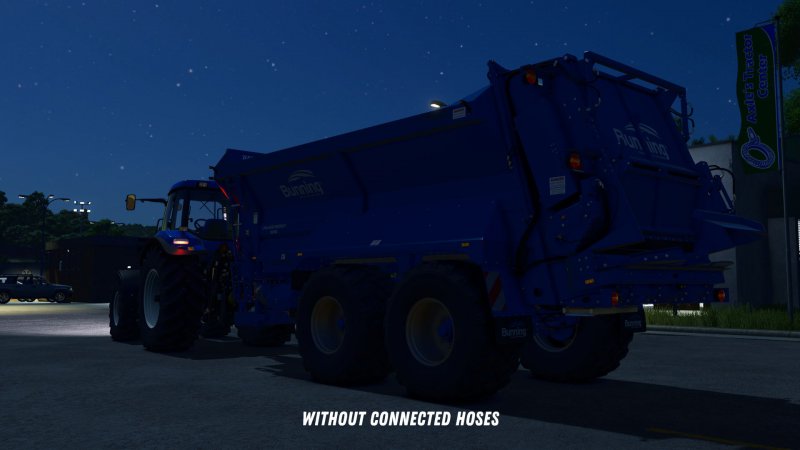
FS25 Attach Implements Manually v1.0.0.4 This mod allows you to manually attach implements to your tractor. In the general settings, you can choose whether attachments should be connected automatically or manually. If you opt for manual attachment, a message will appear when approaching an implement: “Exit vehicle to attach.” Once you’ve exited the vehicle and walked to the hitch, you can attach the implement by pressing Q. After that, you can manually connect the hydraulic hoses, air lines, and electric cables by pressing Y. The PTO shaft can be connected separately using the Z key. An exception applies to trailers and implements with a drawbar hitch and Semitrailer attacher: These will automatically attach as soon as you align the drawbar precisely with the implement’s hitch. Additionally, when purchasing front loaders, you can choose between different coupler types: – Manual: The front loader implement must be attached manually, as well as the hydraulic hoses. – Auto Locking: The front loader will automatically lock when approaching (if enabled in settings) or by pressing Q from the cab, but the hydraulic hoses must be connected manually. – Quick Coupler: The front loader will automatically lock when approaching (if enabled in settings) or by pressing Q from the cab, and the hydraulic hoses are also connected automatically. If manual attachment is enabled in the settings, you’ll need to manually connect the hoses after the implement is hitched. If it is disabled, all connections will be made automatically once the implement is attached. All key bindings can be customized freely in the settings. The default key for the “Attach” action uses the standard game assignment. The SDK folder within the mod contains a guide on how to adapt mod vehicles for the mod. This is not strictly necessary but offers extended functions for coupling configurations and trigger adjustments. Changelog 1.0.0.1: – Fixed issues with hook lift vehicles and BigBags. Changelog 1.0.0.2: – Fixed issues with skid steer loaders. – Fixed issues caused if vehicle height, length or width is not set. – Added distinction between different hose types. Hydraulic, air, and electric connections are now handled separately. – Forage harvester headers can now be attached from the forage harvester like with combine harvesters. – For modders: The possible coupler types for front loaders can be configured in the respective XML of the vehicle. Additionally, a default coupler type can be set and the selection of other coupler types in the shop can be disabled. Changelog 1.0.0.3: – Added setting and corresponding function for automatic attachment of front loaders. When enabled, front loaders will automatically attach as soon as the front loader is close enough to the front loader console of the vehicle. – Fixed ineffective setting for automatic attachment of front loader implements. – Improved overall performance impact of the mod. – For modders: In the modDesc.xml, it is now possible to specify the path to a configuration file. In this file, AttacherJoints can be marked as front loader AttacherJoints, so that corresponding configs and functions for these AttacherJoints can be used. Documentation of the functions can be found in the sdk folder. Changelog 1.0.0.4: – Fixes for patch 1.19

FS25 Icon Tooltips With Name/Description
FS25 Icon Tooltips With Name/Description Are you tired of hovering over mysterious little icons in the shop menu, desperately wondering whether that icon means “wheat” or “potatos”? Those dark days are OVER! Introducing Icon Tooltips — the mod that finally tells you what you’re looking at! Simply move your mouse over any attribute icon and — like magic — a sleek tooltip appears with the EXACT name of the attribute. No more guessing. No more squinting. No more accidentally leasing a tractor you thought was a bargain because you misread the power icon. Works everywhere that matters: – Shop & configurator – Construction & placeable edit screen – In-game statistics vehicle list – Calendar weather forecast Covers everything: engine power, working width, capacity, fill types, tires, fuel, electric battery, transmission, bale sizes, seeds, slots, winch specs, animal groups, vehicle condition, weather icons and more. Download now — your farming career will never be the same! (Results may vary. Does not actually make tractors cheaper.)

FS25 Real Sky (remake) v1.3.0.0
FS25 Real Sky (remake) v1.3.0.0 Photorealistic 8K skies for Farming Simulator 25! This mod adds 19 new static skies to the game as decorative elements. They don’t move and aren’t animated, but they give the game a very realistic look, even without ReShade, just look at the pictures. If you’d like to see more skies, check out my insta! You will need the EasyDevControls to edit the weather. Multiplayer support added. Have fun with the mod! V1.3.0.0 Three sky (1, 2, 4) have been replaced V1.2.0.0 Sky 6 have been replaced Sell point sign improved V1.1.0.0 Three sky (7, 8, 16) have been replaced Installation tutorial extended

FS25 Livestock Visibility
FS25 Livestock Visibility In FS25, the engine only renders about 25 visible animals per husbandry, no matter how many you actually own. A barn holding 140 cows, or a coop holding hundreds of chickens, still looks nearly empty. Livestock Visibility lifts that cap. Raise the visible animal count at your husbandries up to a limit you choose (Auto, or 25 to 500). It is purely visual: it renders more of the animals you already own, and never more than that. It does not change buy and sell capacity, breeding, feeding, productivity, health, or save data in any way. Works on the base game animal system for every farmed species: cows, sheep, goats, pigs, horses, and chickens. It applies the same to barns, barns with attached pastures, and standalone pasture placeables. It never renders more animals than are actually there, so a barn with 40 of 140 filled shows 40. For players who want to see their full herds and flocks but do not need a grazing mod. FEATURES: – Lifts the base game ~25-per-husbandry visible animal cap up to 500 – Never shows more than you actually own (a barn with 40 of 140 filled shows 40) – All farmed species including chickens and other poultry – Per player, visual only, no gameplay or economy change – Auto picks a limit based on your graphics quality, or set 25 to 500 manually – RCtrl+T opens a quick on-screen panel to change the limit while you watch the animals – Multiplayer supported, each player sets their own limit – Settings persist across sessions – Stands down automatically when a mod that already manages herd visuals is present (Realistic Livestock, To Pasture and Back, More Visual Animals, Enhanced Livestock) This mod may only be hosted on the official GIANTS ModHub. Redistribution on other websites is not permitted without the author’s written consent.

FS25 Forage Silo Extension
FS25 Forage Silo Extension Forage Silo Extension adds extra storage options for feed and bulk materials to normal farm silos. The feed silo extension is enabled by default. This allows normal farm silos to accept and unload additional fill types that are relevant for producing and storing animal feed. The full fill type extension can optionally be enabled in the game settings. This allows normal farm silos to store all fill types registered in the savegame, as long as they are provided correctly by the game, map, DLCs or other mods. Existing stored fill types are protected, so already stored material should not be lost when the settings are set differently. Important: Disabling additional fill types takes effect immediately. Enabling additional fill types again requires saving and reloading the savegame before the silo triggers accept the newly enabled fill types. After setting the options, vehicles may also need to leave and re-enter the unload trigger area so the base game trigger can refresh its accepted fill types. Features: – Feed silo extension enabled by default – Option for all registered fill types – Protection for already stored fill types – Support for base game, DLCs, mod maps and additional fill type mods

FS25 Info Display Extension v1.2.3.0
FS25 Info Display Extension v1.2.3.0 A small mod to extend the displays. Extends the Info Hud displays of – silos – Productions – animal sheds – Manure heaps – trees (Most information only available in single player) – Vehicles and attachments – Field growth – Factories and event buildings – Adds units of numbers where possible as not everything is in litres. – shortens the display of Shift in German and English in F1 view The following basegame bugs are fixed by the mod – Missions for fruits that require a preparer are now generated (make sure that your map also has a suitable sales point for loose goods) – Incorrect display of quantities in feeding robots if the map has changed the base recipe – Double manure display for animal barns with integrated manure pile Uploading to sites other than ModHub is prohibited and therefore illegal, linking only with original download link. NO substitute link! Modifying and re-uploading in whole or in part is not allowed! Bugs and suggestions welcome on GitHub: https://github.com/Achimobil/FS25_InfoDisplayExtension Changelog 1.2.3.0 – Increased width of the info display while on foot – Increased width of the info display in vehicles – Increased maximum number of displayed fill levels in vehicles from 5 to 8 – Vehicle info display now expands dynamically for long crop or product names and automatically shrinks again when no longer needed – Improved compatibility with Enhanced Vehicle – Improved HU translations by the community 1.2.2.0 – Progress bar added for buildable objects 1.2.1.1 – Fix für Patch 1.14 1.2.1.0 – Fix for fruits such as grass so that growth is displayed correctly – Translations by the community

FS25 Slower Walking (NPC Walk Animation)
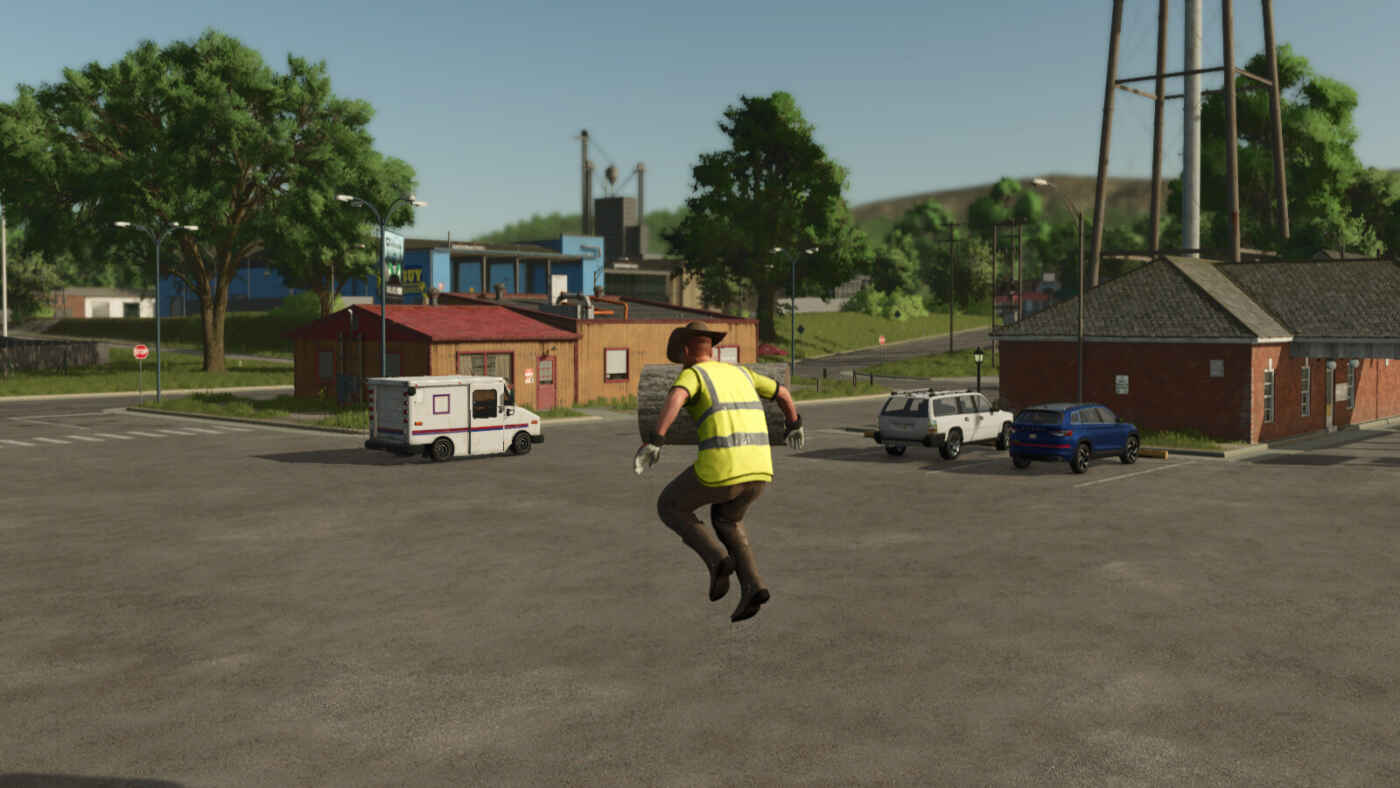
FS25 Slower Walking (NPC Walk Animation) Slower Walking, A mod that replaces the player walk animation with the natural NPC walk animation. Running is not affected.

FS25 Shader by Borson V2
FS25 Shader by Borson V2 – LIGHTING REQUIRED FROM THE LINK BELOW – Lighting – https://ls-portal.eu/oswietleniepreset-czarny317/ – Game brightness – 1.2 – Reshade Version – 6.7.3

FS25 Dynamic Market
FS25 Dynamic Market Extends the Farming Simulator selling price system with an additional dynamic monthly market layer. The base game pricing and seasonal logic remain unchanged and are used as foundation in standard mode. On top of this, an independent market adjustment applies monthly price variations based on product group and global market state. Optionally, a yearly average mode can be enabled. In this mode the Giants seasonal price curve is disabled and replaced by a stable yearly mean value. This yearly average is calculated based on the usual Giants pricing logic, including difficulty settings and selling station influence. It provides a consistent reference over the whole year and allows players to decide the best selling month without relying on predictable seasonal peaks. Each product category (grains, oilseeds, vegetables, forage crops, wood, animal products and processed goods) follows its own price curve. This prevents uniform price changes and creates more realistic market behavior across different goods. A dedicated market screen displays the base game price, the dynamically adjusted selling price or yearly average value depending on mode, the percentage difference, the selling location and the best selling month from the base game. Search and storage filter allow fast navigation through available products. All market calculations are server-side in multiplayer to ensure consistent pricing across all clients. Features: – additional dynamic monthly market layer on top of base game pricing – optional yearly average mode replacing Giants seasonal curve – yearly average based on Giants pricing logic, difficulty and selling station – independent price curves per product group – comparison between base game price and adjusted market result – percentage deviation display – in-game market overview page with search and storage filter – automatic detection of sellable products from maps and mods – manual product group assignment for custom or misdetected items – server-authoritative pricing for multiplayer savegames

FS25 Manual Slope Compensation
FS25 Manual Slope Compensation This mod adds a manual mode to the slope compensation. When activated, the tilt of the corresponding parts can be manually controlled using two axes. Both the current mode and the position is saved and loaded after re-starting. Only works with vehicles where the slope compensation is implemented with the specialization slopeCompensation and not with movingTools/Parts. The following functions can be assigned: – Toggle slope compensation mode – Switch to manual slope compensation – Switch to automatic slope compensation – Manual slope compensation x-axis – Manual slope compensation z-axis Due to the large number of base game key assignments, none of these functions are assigned by default. Please go to the settings first and assign the functions you’d like to use.

FS25 Vehicle Camera Dynamics
FS25 Vehicle Camera Dynamics Vehicle Camera Dynamics adds a dynamic third-person camera for vehicles, giving driving a more natural sense of weight and movement. It includes lateral camera shift, speed-based chase lag, braking movement, bump response, high-speed vibration and field vibration, while preserving mouse look and zoom. Choose the Balanced, Smooth or Dynamic profile, or adjust each effect individually from 0% to 250% in General Settings. The camera and every effect can be reduced or disabled. Dynamic camera movement may cause discomfort, dizziness or motion sickness for some players.
- 15 per page
- 30 per page
- 45 per page
- 60 per page
-
See more per page
Bigger pages, fewer clicks - and no ads anywhere.
Go Pro