Farming Simulator 25 mods
76,667 results- 15 per page
- 30 per page
- 45 per page
- 60 per page
-
See more per page
Bigger pages, fewer clicks - and no ads anywhere.
Go Pro


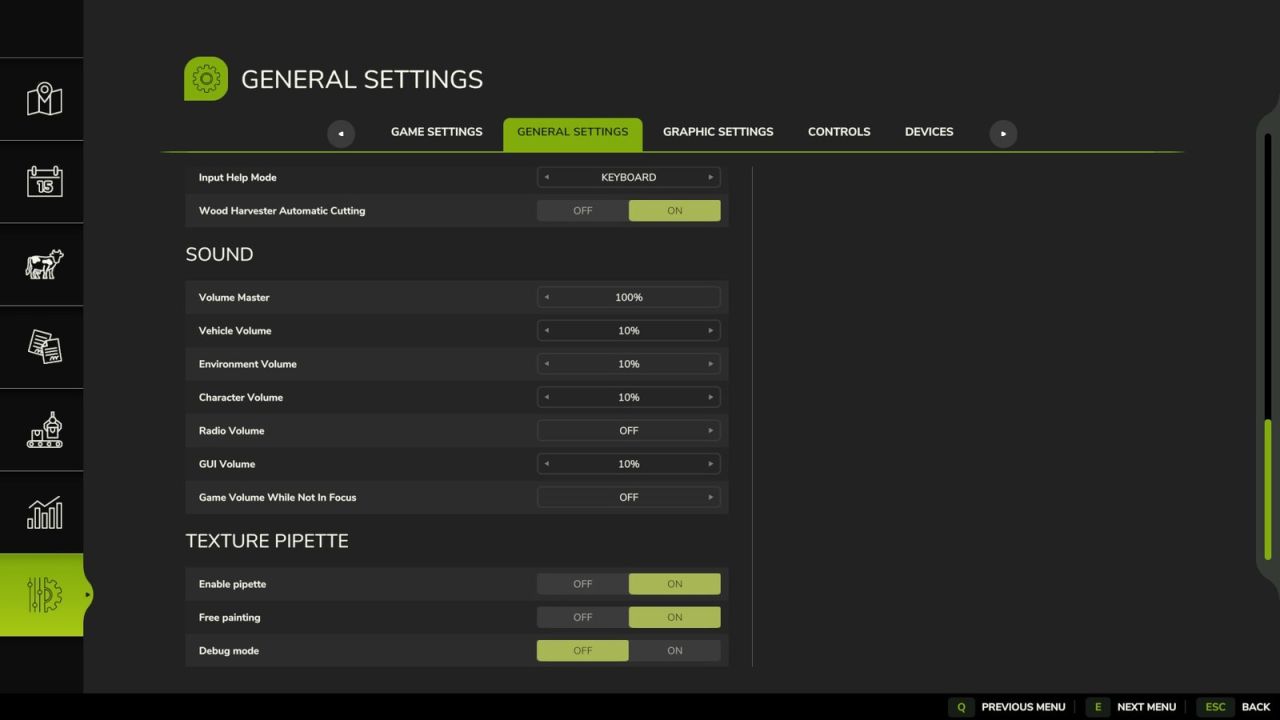
FS25 Texture Pipette v2.1.0.0
FS25 Texture Pipette v2.1.0.0 Changelog 2.1.0.0: – New “Search” tab in the Build Menu: searches all categories for keywords, regardless of order, sorted by relevance. – First related object groups recognized for search: Trees and animal enclosures are now found even without a direct name match. – Store Items from new prefab/map templates are now reliably found, even if paths differ in spelling. – Trees without a clear association to a Build Menu entry are no longer incorrectly displayed as tiles, but only as informational text. The Texture Eyedropper extends the Build Menu with an eyedropper function for ground textures, foliage, placeable trees, and supported placeable objects. With it, previously used paint textures, visible foliage such as grasses, flowers, and bushes, placeable trees, and supported objects can be directly sampled on the map and found again in the Build Menu. For mixed areas, multiple matching matches can be displayed. How to Use: 1. Open the “Eyedropper” tab in the build menu. 2. Click the “Activate Eyedropper” button. 3. Click on a ground texture, foliage, tree, or supported object. 4. Confirm the desired selection in the build menu. 5. Paint or build as usual. After painting, cancel the process with ESC to prevent unintentional further painting. The eyedropper can be reactivated if needed. The mod also takes into account available ground textures and suitable foliage on the respective map. Map foliage is made available as a paintable entry in the build menu, if possible. Debug mode is optional and disabled by default. It is only for troubleshooting. Credits:Nalathan Tags: Activate EyedropperBuild MenuESC
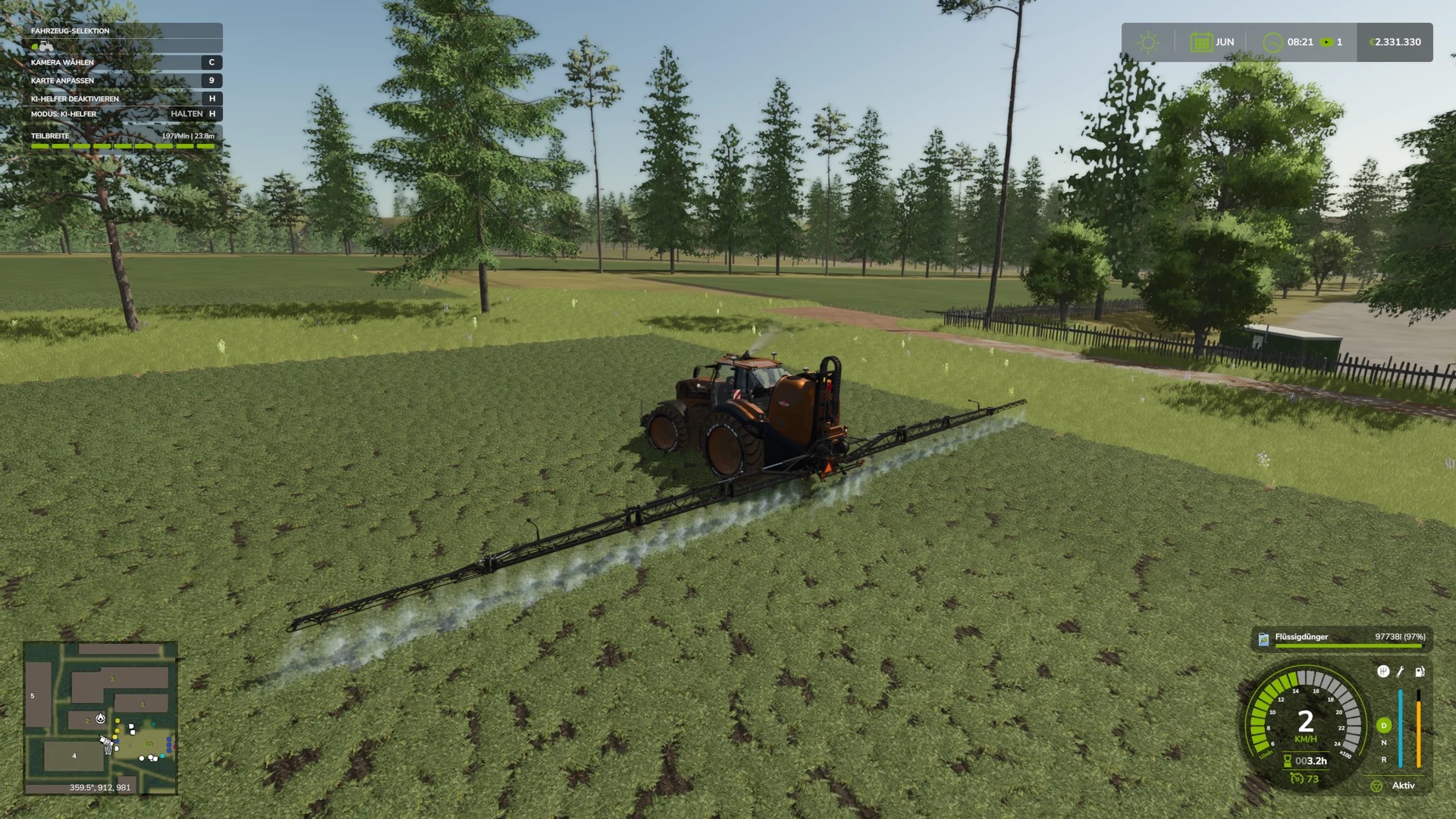
FS25 Hardi Mega 2200 By Zladdi76 Multicolor v1.0.0.0
FS25 Hardi Mega 2200 By Zladdi76 Multicolor v1.0.0.0 Hardi Mega 2200 By Zladdi76 Multicolor multiple capacities increased working speed increased repair interval. Credits:Zladdi76
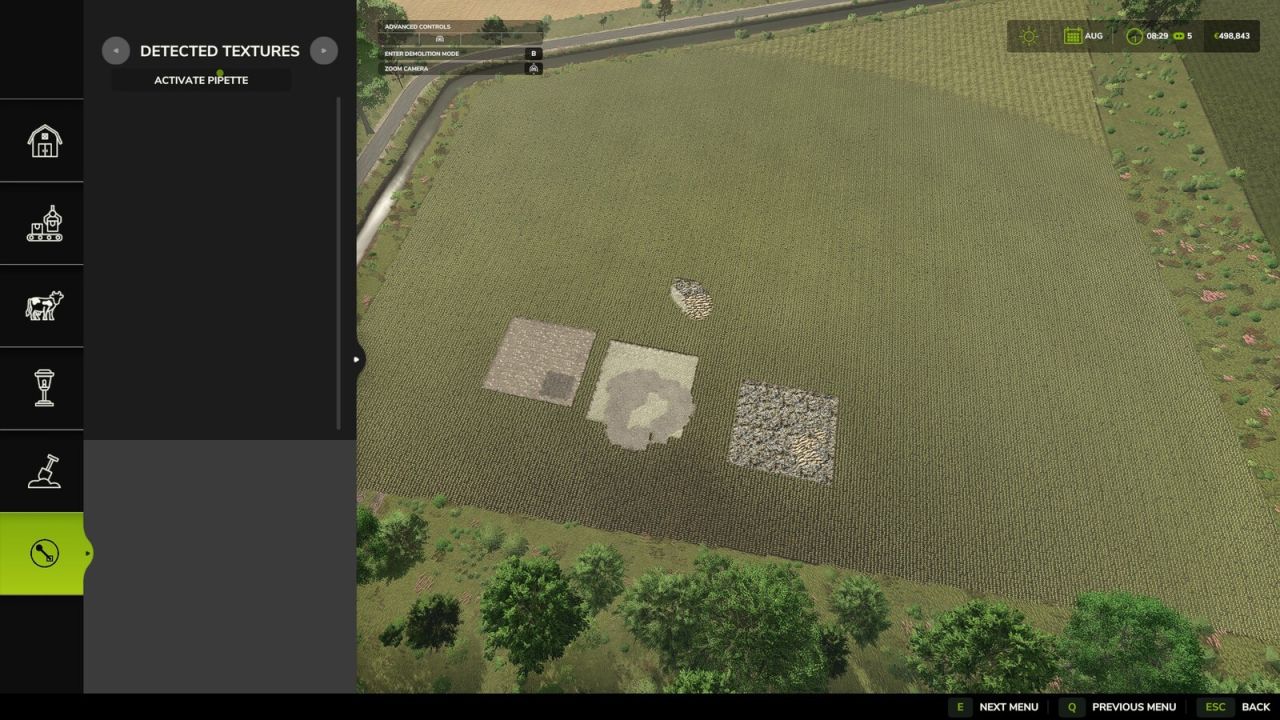
Texturpipette v2.1.0.0
Texturpipette v2.1.0.0 Änderungsprotokoll 2.1.0.0: – Neuer Tab „Suchen“ im Menü „Erstellen“: Durchsucht alle Kategorien nach Schlüsselwörtern, unabhängig von der Reihenfolge, sortiert nach Relevanz. – Erste verwandte Objektgruppen für die Suche erkannt: Bäume und Tiergehege werden jetzt auch ohne direkte Namensübereinstimmung gefunden. – Gegenstände aus neuen Fertigbau-/Kartenvorlagen werden jetzt zuverlässig gefunden, selbst wenn sich die Pfade in der Schreibweise unterscheiden. – Bäume ohne eindeutige Zuordnung zu einem Eintrag im Baumenü werden nicht mehr fälschlicherweise als Kacheln, sondern nur noch als Informationstext angezeigt. Die Texturpipette erweitert das Baumenü um eine Pipettenfunktion für Bodentexturen, Laub, platzierbare Bäume und unterstützte platzierbare Objekte. Damit verbunden sind zuvor verwendete Farbtexturen, sichtbares Laub wie Gräser, Blumen und Sträucher sowie platzierbare Bäume, Unterstützte Objekte können direkt auf der Karte ausgewählt und im Baumenü wiedergefunden werden. Bei gemischten Bereichen können mehrere übereinstimmende Treffer angezeigt werden. Anwendungshinweise: 1. Öffnen Sie im Baumenü die Registerkarte „Pipette“. 2. Klicken Sie auf die Schaltfläche „Pipette aktivieren“. 3. Klicken Sie auf eine Bodentextur, Laubwerk, einen Baum oder ein unterstütztes Objekt. 4. Bestätigen Sie die gewünschte Auswahl im Menü „Erstellen“. 5. Streichen oder bauen Sie wie gewohnt. Nach dem Lackieren den Vorgang mit der ESC-Taste abbrechen, um ein unbeabsichtigtes Weiterlackieren zu verhindern. Die Pipette kann bei Bedarf reaktiviert werden. Die Modifikation berücksichtigt auch die verfügbaren Bodentexturen und die passende Vegetation auf der jeweiligen Karte. Die Vegetation auf der Karte wird, sofern möglich, als gestaltbarer Eintrag im Baumenü bereitgestellt. Der Debug-Modus ist optional und standardmäßig deaktiviert. Es dient lediglich der Fehlersuche. Tags: Die ModifikationDie TexturpipetteDie VegetationKlicken Sie
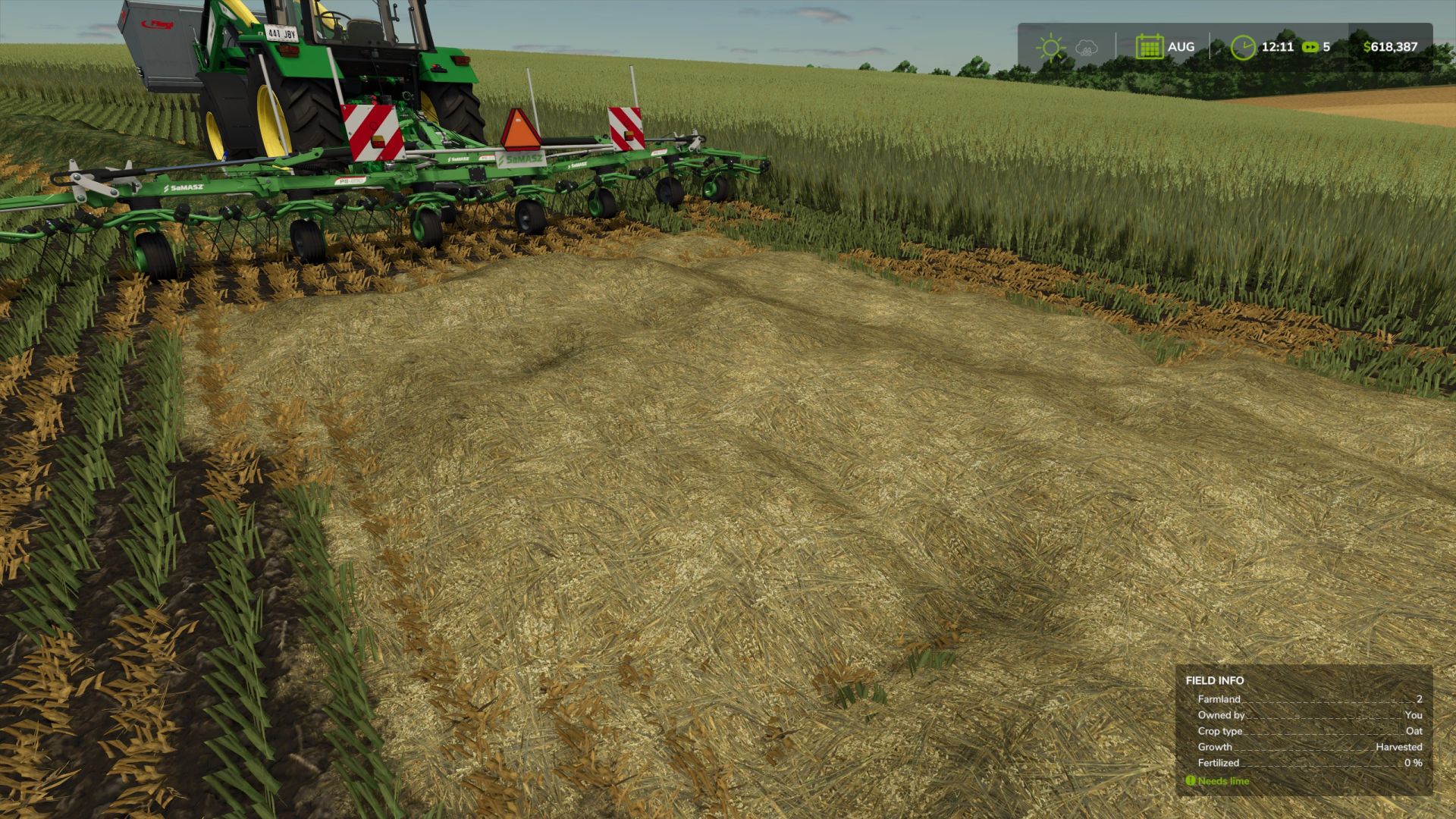
Oaten Hay Textures v1.0
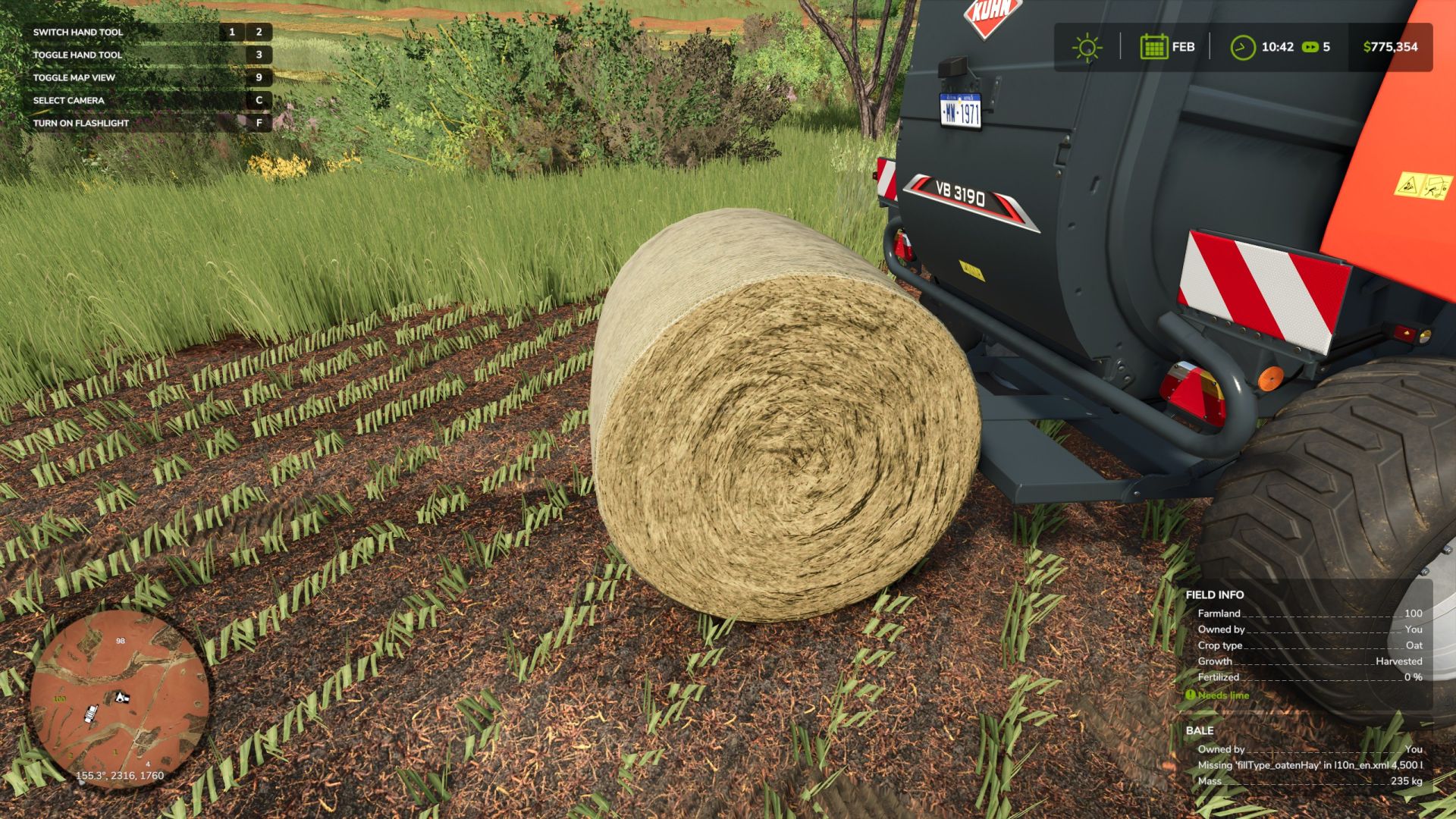
Something that has always bothered me with FS ever since FS19’s introduction of oats is that Giants simply did not allow us to cut oats as a hay crop. In certain parts of the world, especially in Australia, our marginal rainfall climates prevent the consistent height growth of crops such as “Grass Hay” and Alfalfa to cut rake and bale for livestock feed without irrigation. the “Grass” crop type seen in FS25 in real life would be slashed down and eaten bare in a matter of weeks by a herd of hungry cattle and sheep. Instead, we grow cereal grain crops such as oats, and when they put out heads in the milky dough state in september/october, we bring out the mower and cut the oats as a temporary hay crop. Most of the oats grown here depending on the operation will have a portion of the crop program dedicated to cutting for hay, the remainder being harvested for grain as normal. In past versions of FS, we came really close to having Oaten Hay as a proper crop type with the modding legend that is BcBuhler Farms creating Green Feed Oats on Edgewater Sask for FS22 which I tried to convert to 25 (and failed because the fruit type system has been overhauled beyond recognition… yeh, cheers for that Giants) So, in a bid to make hay from mowing Oats in FS25 on Nelly Creek, I decided to bugger it! let’s go the whole hog. Which brings us to the prefab you see before you. The following prefab includes – 2 custom swath textures, one for Wet Oaten hay (light green) and Dry Oaten Hay (golden yellow in colour), – The necessary textures for said swaths – Custom bale textures for all your round and square bales FS has to offer – The necessary XML data in one convenient file to copy/paste into your own map xml files so you can mow, ted, rake, bale, wrap, sell, feed to your livestock. – And my best attempt at giving instructions to the noob/beginner modders who want to have a go at putting this on my map. Please Note: This prefab is at the stage where I’m happy to share it with all of you online, however I’m still trying to find a way to separate the ability to mow from the harvest ready state in the oat xml file. If any more experienced modders found a way to do this, please do let me know. Currently this prefab simply lets you mow oats into custom swaths and bale types, aside from that the Oaten Hay behaves exactly the same as regular grass and hay in FS25. It is recommended that experienced modders use this prefab, and for the beginners out there to watch modding tutorials for custom fruit, swath, and fill types on YouTube before attempting this.
FS25 Oaten Hay Textures (Prefab) V1.0.0.0
FS25 Oaten Hay Textures (Prefab) V1.0.0.0 Something that has always bothered me with FS ever since FS19’s introduction of oats is that Giants simply did not allow us to cut oats as a hay crop. In certain parts of the world, especially in Australia, our marginal rainfall climates prevent the consistent height growth of crops such as “Grass Hay” and Alfalfa to cut rake and bale for livestock feed without irrigation. the “Grass” crop type seen in FS25 in real life would be slashed down and eaten bare in a matter of weeks by a herd of hungry cattle and sheep. Instead, we grow cereal grain crops such as oats, and when they put out heads in the milky dough state in september/october, we bring out the mower and cut the oats as a temporary hay crop. Most of the oats grown here depending on the operation will have a portion of the crop program dedicated to cutting for hay, the remainder being harvested for grain as normal. In past versions of FS, we came really close to having Oaten Hay as a proper crop type with the modding legend that is BcBuhler Farms creating Green Feed Oats on Edgewater Sask for FS22 which I tried to convert to 25 (and failed because the fruit type system has been overhauled beyond recognition… yeh, cheers for that Giants) So, in a bid to make hay from mowing Oats in FS25 on Nelly Creek, I decided to bugger it! let’s go the whole hog. Which brings us to the prefab you see before you. The following prefab includes 2 custom swath textures, one for Wet Oaten hay (light green) and Dry Oaten Hay (golden yellow in colour), The necessary textures for said swaths Custom bale textures for all your round and square bales FS has to offer The necessary XML data in one convenient file to copy/paste into your own map xml files so you can mow, ted, rake, bale, wrap, sell, feed to your livestock. And my best attempt at giving instructions to the noob/beginner modders who want to have a go at putting this on my map. Please Note: This prefab is at the stage where I’m happy to share it with all of you online, however I’m still trying to find a way to separate the ability to mow from the harvest ready state in the oat xml file. If any more experienced modders found a way to do this, please do let me know. Currently this prefab simply lets you mow oats into custom swaths and bale types, aside from that the Oaten Hay behaves exactly the same as regular grass and hay in FS25. It is recommended that experienced modders use this prefab, and for the beginners out there to watch modding tutorials for custom fruit, swath, and fill types on YouTube before attempting this. Credits:TJM Farming Tags: Dry Oaten HayFS19FS25XML
FS25 PALAZOGLU TANKER V1.0.0.0
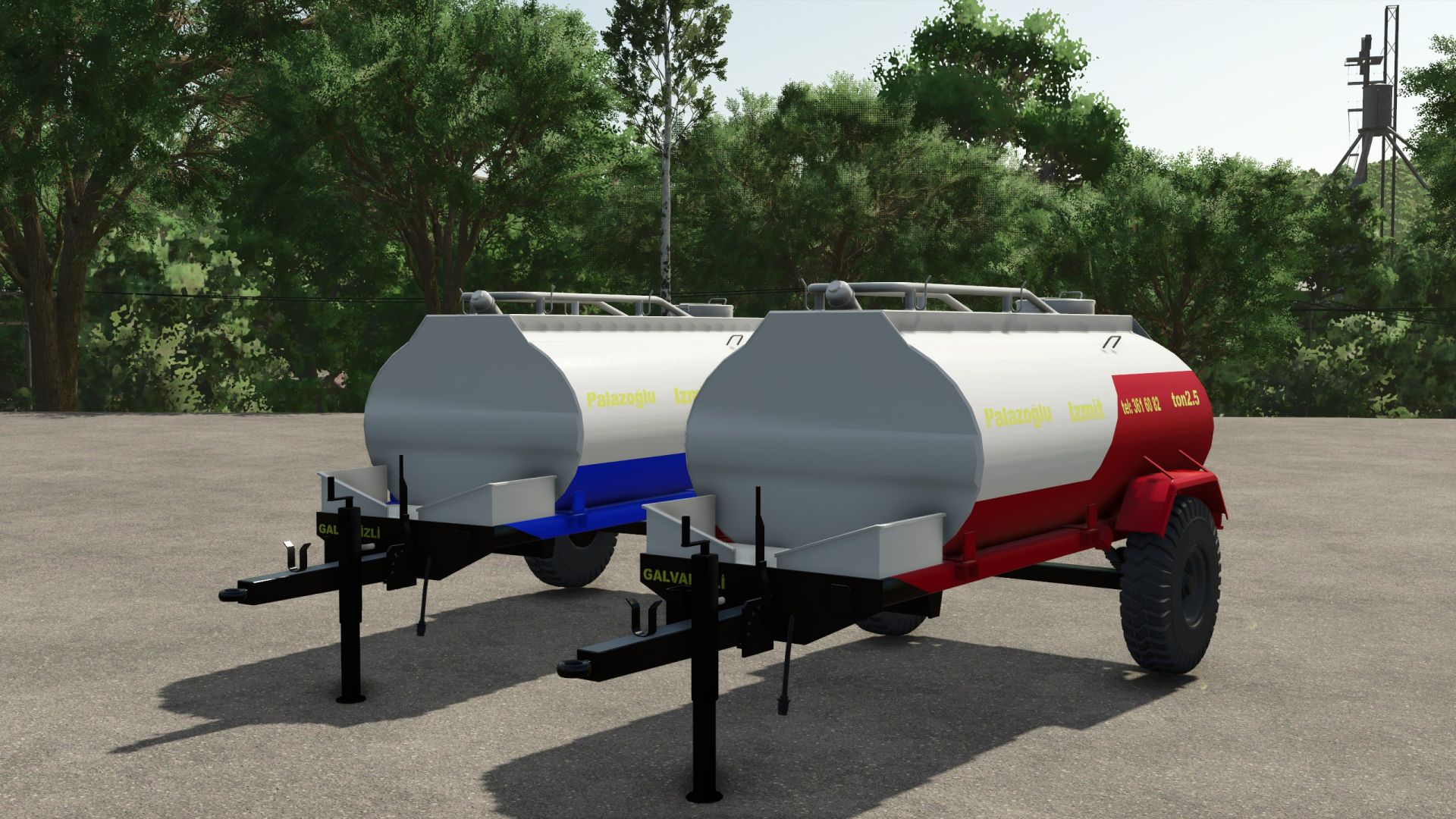
FS25 PALAZOGLU TANKER V1.0.0.0 Color Option New Dairy Products Filling Feature 55RAGNAR Taken from the archives of our brother EREN from our team It was adapted according to FS25. Have Fun Credits:SemyH Tags: FS25

FS25 La Campagne EBN15 V1.0.0.0
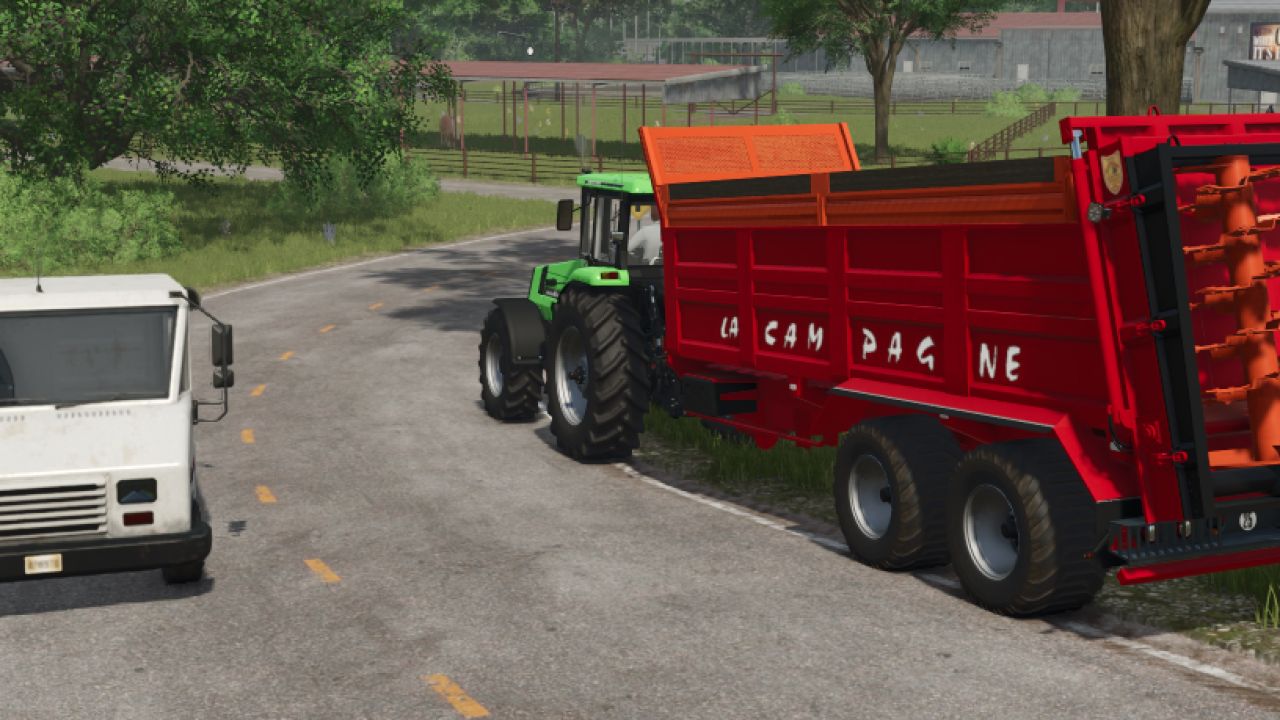
FS25 La Campagne EBN15 V1.0.0.0 The characteristics: Price: €39,000 Working width: 12m Capacity: 18t/20t/22t Adjustable arrow Several wheel configurations with 2 custom 6 gyro configs to suit your taste Config with mudguard and mud flap Credits:AGRITARN AMF, Theflown @pocalypse, Hillmaster
- 15 per page
- 30 per page
- 45 per page
- 60 per page
-
See more per page
Bigger pages, fewer clicks - and no ads anywhere.
Go Pro