Farming Simulator 25 mods
78,464 results- 15 per page
- 30 per page
- 45 per page
- 60 per page
-
See more per page
Bigger pages, fewer clicks - and no ads anywhere.
Go Pro
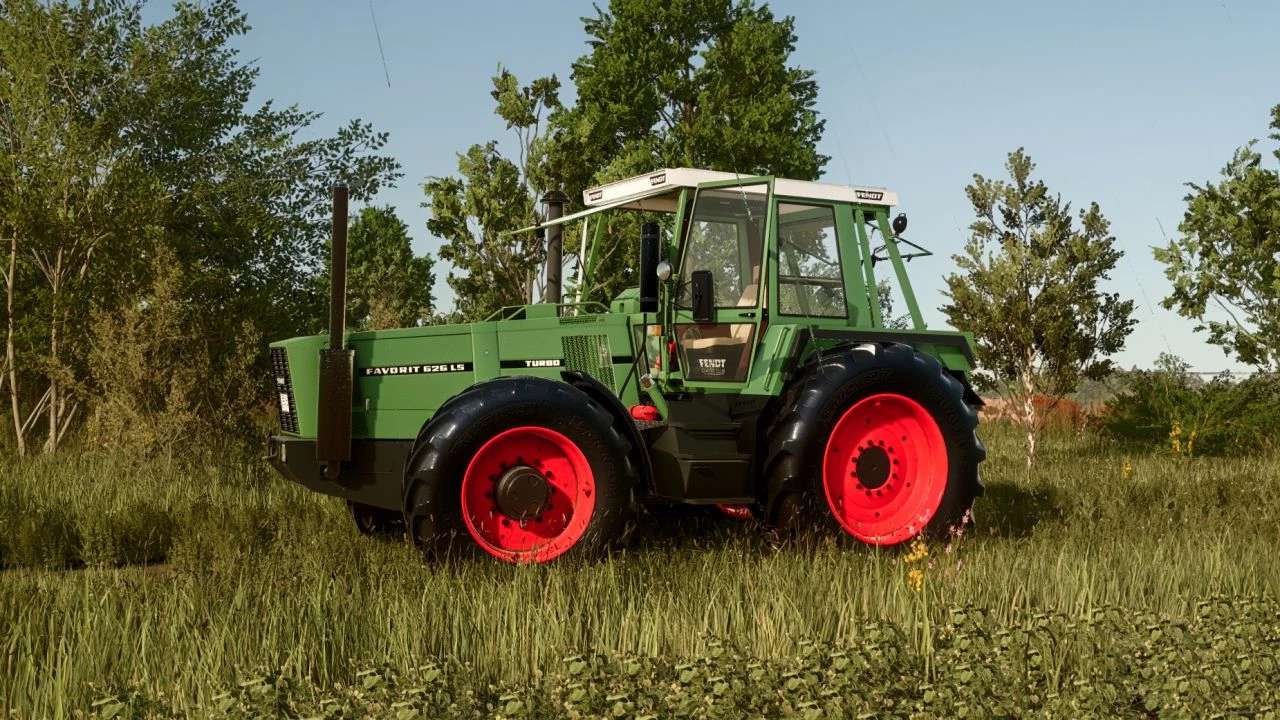
Fendt 620 / 622 / 626 v1.0.0.3
Fendt 620 / 622 / 626 v1.0.0.3 V1.0.0.3 New Fix IC sounds when opening doors, windows New Fix XML Price: 124600 (depending on the configuration) Clemung: 211 PS (depending on the design configuration) High speed: 39 km/h Configurations for bikes Configurations for Fendt 620 LS Compatible with the ground deformation system; Compatible with AI Worker/GPS NEU configuration Fendt 620 production period: 1978 pieces: 1 Author: SD Team Report bugs in the comments and help modders improve this mod. Always check the comments, you can find a solution. DOWNLOAD MOD
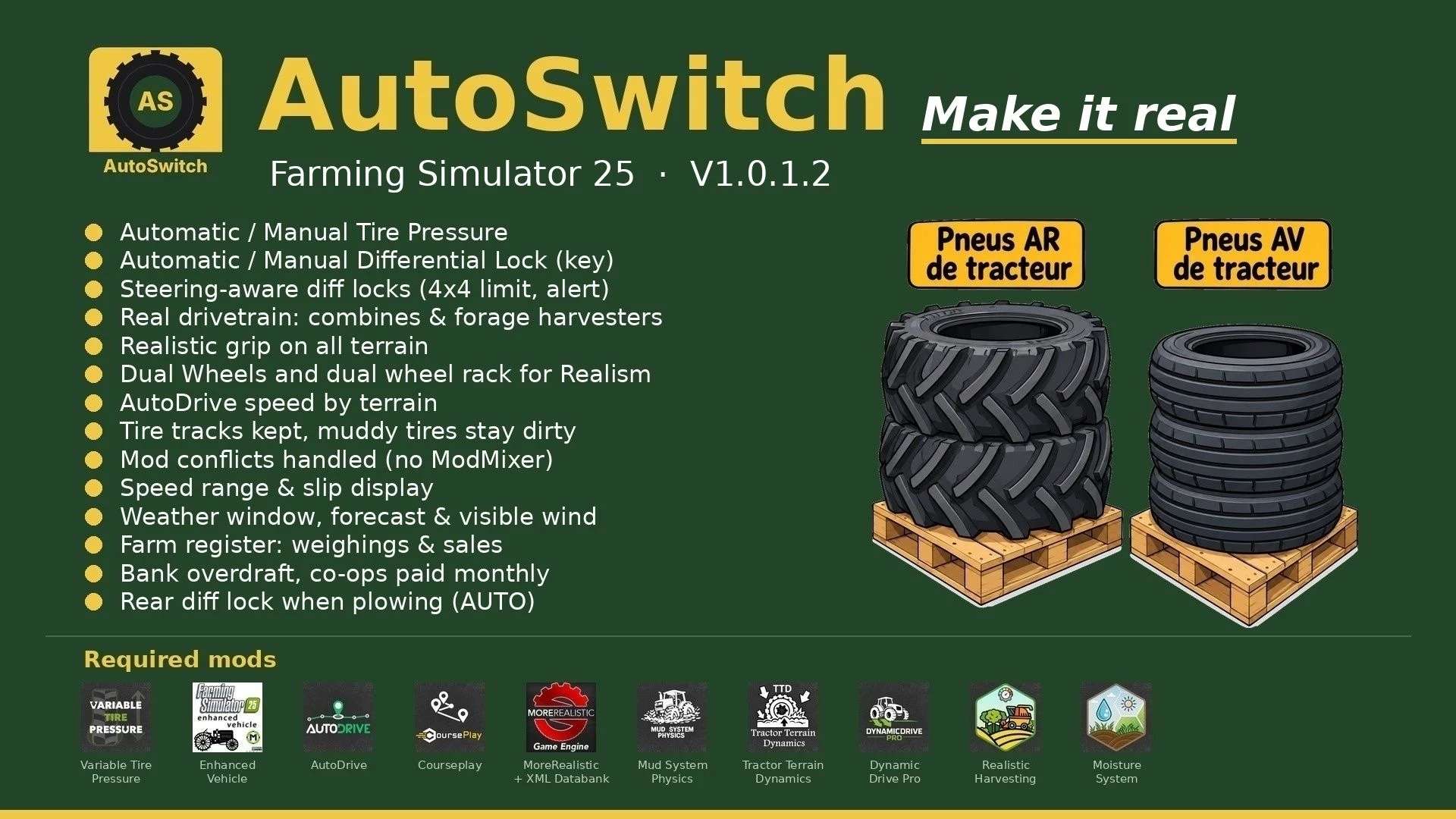
AutoSwitch v1.0.3
AutoSwitch v1.0.3 AutoSwitch automates tire pressure and differential locks and makes traction realistic. It makes Variable Tire Pressure, Enhanced Vehicle, MoreRealistic, Mud System Physics, Tractor Terrain Dynamics and AutoDrive work together without modifying or disabling any of these mods. V1.0.3.0 Built-in tire wear (no tire mod needed anymore), wheel by wheel, for all vehicles, trailers and tracks: grip, radius, worn tread visible, rubber tracks smooth when fully worn HUD: wear in % per wheel, tires of attached tools and trailers shown below the tractor; new tires at the workshop; TTD reads this wear Courseplay jobs resume when the savegame loads, from the waypoint where they stopped Total hectares in the Fields window; mini weather no longer overlaps the clock bar New forage harvester HUD icons (4×4 and 4×2) Objective: make the game more realistic and efficient. Features: Tire pressure: with AutoDrive / Courseplay, deflate in the field and inflate on the road; manual driving in Automatic or Manual mode. Differentials (Enhanced Vehicle): rear locks at 15 % slip, front at 30 % (adjustable), 2WD only on asphalt and concrete, 4WD elsewhere. Plowing: in AUTO mode, a lowered plow locks the rear differential, it unlocks when the plow is raised. AUTO / MANUAL mode (Right Ctrl + Up arrow): in MANUAL you handle diff locks and 2WD / 4WD, an engaged lock is never released and the tractor slides in turns; back to AUTO with AutoDrive / Courseplay. Real drivetrain of each machine: combines, forage harvesters and 2WD machines with their own HUD icon, only the driven axle locks. Steering: 90 % in 4WD; locks released with the wheels turned and refused with a “Straighten the wheels” alert. Grip (MoreRealistic): wet-ground loss with 5 levels, capped VTP field bonus, diff-lock bonus; built-in tire wear taken into account (worn tires grip less in the field, a bit more on dry road). Dual wheels: real width used by Mud System Physics. Mounted only with the rear (BKT 650/65R42) and front (BKT 540/65R30) dual-wheel racks, tire by tire (15 in-game minutes per tire). AutoDrive speed by terrain (field, track, road), in 2 km/h steps. Display: speed range, top view of the tractor and slip of each wheel next to the speedometer, blocks movable with the mouse. Mud: MSP → TTD bridge (no double resistance), wet paths drivable; tire tracks kept with the savegame, muddy tires stay dirty. Weather (Right Ctrl + M): current weather, next 24 hours and following days; mini weather widget next to the clock; visible wind (trees, crops, grass). Register (Right Ctrl + R): AutoDrive Addon weighings, farm sales and totals per month and per product. Finances: bank overdraft with interest, co-ops paid at the end of the month. Opening hours: shop open 8 am to 7 pm, selling points 6 am to 10 pm (adjustable). Traffic: game cars no longer overtake tractors. Sleep for several hours or several days. Mod conflicts arbitrated by AutoSwitch (ModMixer no longer needed). Protected sowing, grass trampled by the wheels, implements stay still when stopped. Racks: place the racks, park the tractor in the rectangle (green = well placed), on foot on the yellow marker press Right Ctrl + I. Unmount with empty racks. Single-player only. Settings: AUTOSWITCH tab in the Settings (required mods listed at the bottom: OK in green, X in red). Required mods: Variable Tire Pressure, Enhanced Vehicle, AutoDrive, Courseplay, MoreRealistic + XML Databank, Mud System Physics 1.3.6, Tractor Terrain Dynamics 1.0.3.7 (only one TTD), DynamicDrive Pro, Realistic Harvesting, Moisture System. Tire wear is built in: no tire mod needed. New in V1.0.3.0: built-in tire wear (all vehicles, trailers and tracks, % per wheel on the HUD, new tires at the workshop), Courseplay jobs resume on load, total hectares in the Fields window, new forage harvester icons. Author: bibifr Report bugs in the comments and help modders improve this mod. Always check the comments, you can find a solution. DOWNLOAD MOD
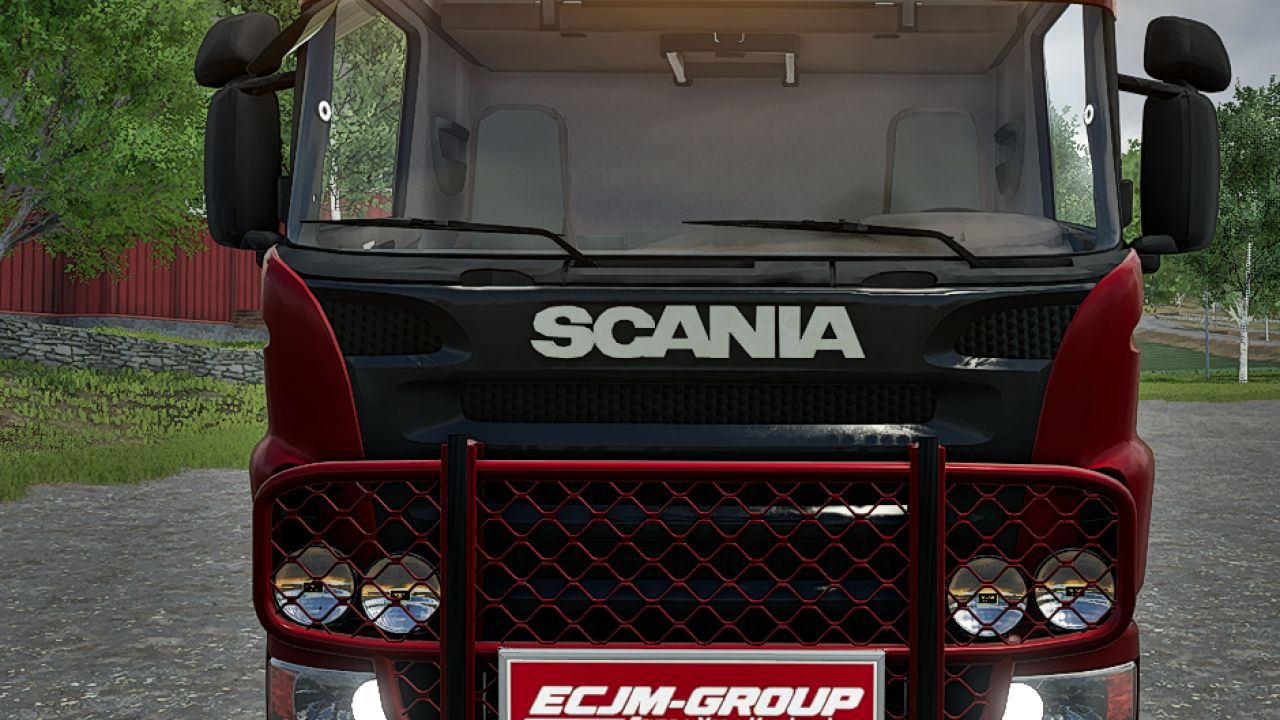
Switchable Sign with IC FS25
GV604 Flexi switchable Sign - prefab for FS25. Features changeable ADplate, Wide Load, Long Load and Heavy Load plates, with animated lid and locks, physical sign storage, and full Interactive Control, IC operation.
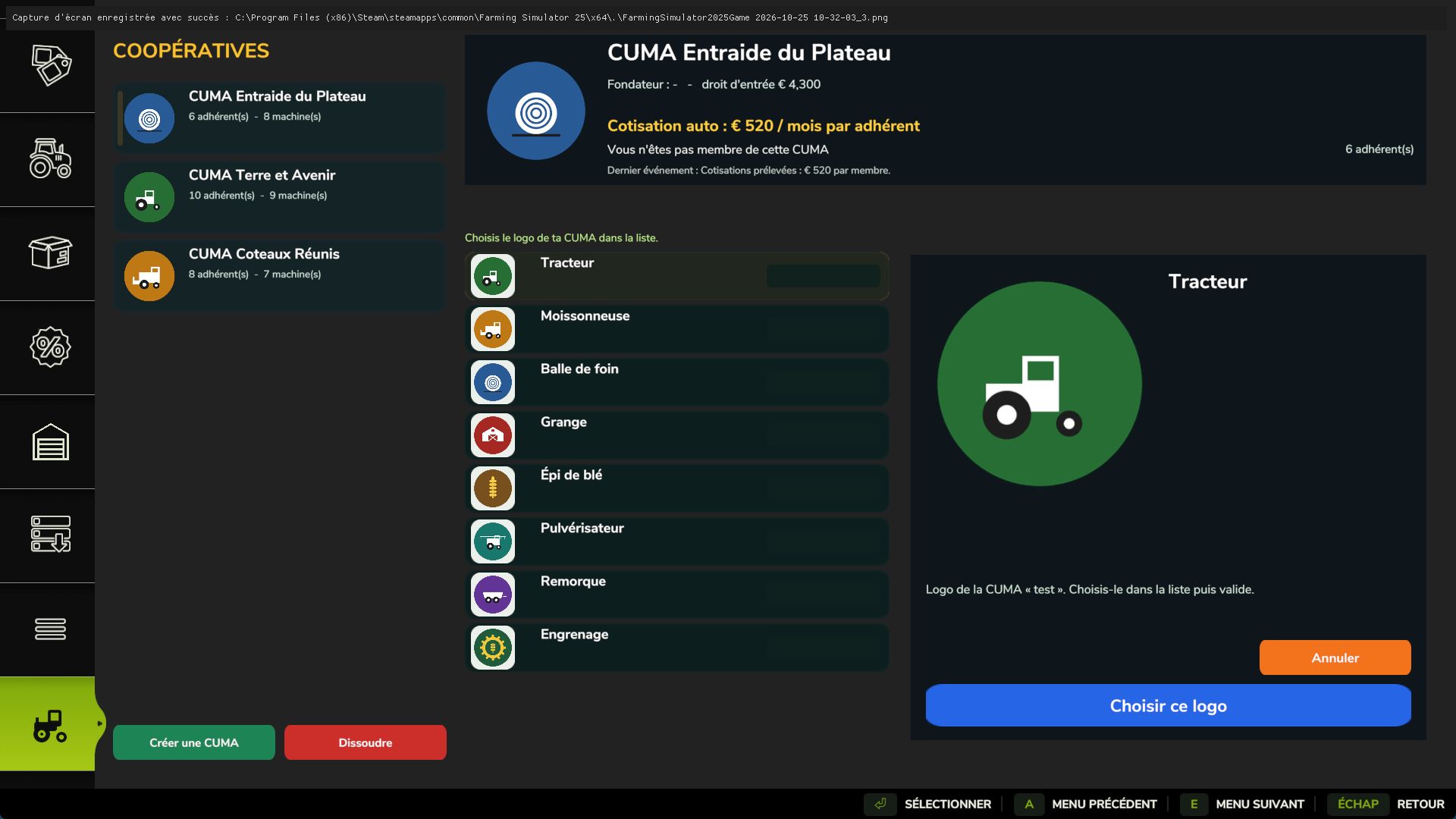
My CUMA FS25
My CUMA: found your agricultural machinery cooperative, just like in real life! Share equipment with other farmers, buy together and borrow machines by the hour. FEATURES - Found your own CUMA (€10,000) and choose its logo from 8 options. - Join one or more CUMAs (up to 4) by paying an entry fee based on the value of the equipment fleet. - Automatically calculated monthly fee: the more members there are, the less each person pays. - Neighboring farmers gradually join your CUMA. - Purchases are decided by a vote among the members. - Borrow a machine from the CUMA: it arrives at the store's delivery point and you are charged by the hour of use. - 3 starting CUMAs with suitable equipment and members. - Single-player and multiplayer. HOW TO BUY EQUIPMENT FOR THE CUMA 1. Open the “My CUMA” tab in the store, choose your CUMA from the list on the left and click “Join” (or found your own with “Create”). 2. Simply go to the store and choose the vehicle or tool, with its options just like a normal purchase (machines on sale also work). 3. Next to the “Buy” button, click “Propose to CUMA” and confirm. 4. Members vote in the “My CUMA” tab, under the “Purchases up for vote” button: “Vote for” or “Vote against”. 5. If the majority votes in favor, the machine automatically becomes part of the CUMA's fleet. It is paid for from the shared funds, not from your personal money. HOW TO BORROW A MACHINE In the “My CUMA” tab, choose a machine from the fleet and then select “Borrow”. It appears at the store's delivery point. When you are finished, select it and click “Return”: you will be charged for the hours of use. Author: _Nono85_ Inspired by the “Cuma_partage” mod (CUMA - Shared Equipment) by FarmTV. Code, interface, images and icon completely rewritten.
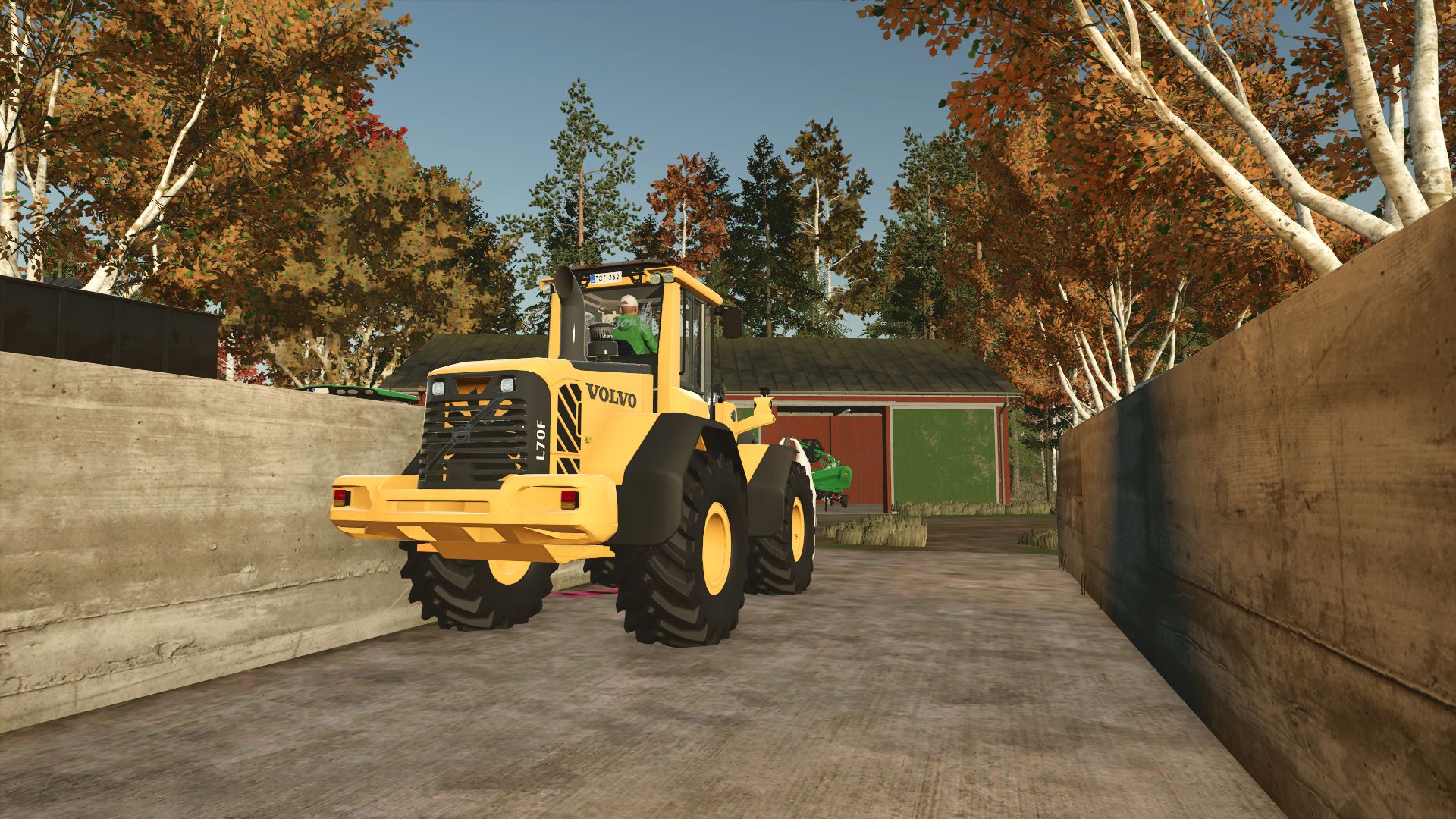
Volvo F Series Edit FS25
Just a little edit on a Volvo F series. Added Decal on back Window (Eriksson) Added Blitz bar on roof (Not working!)
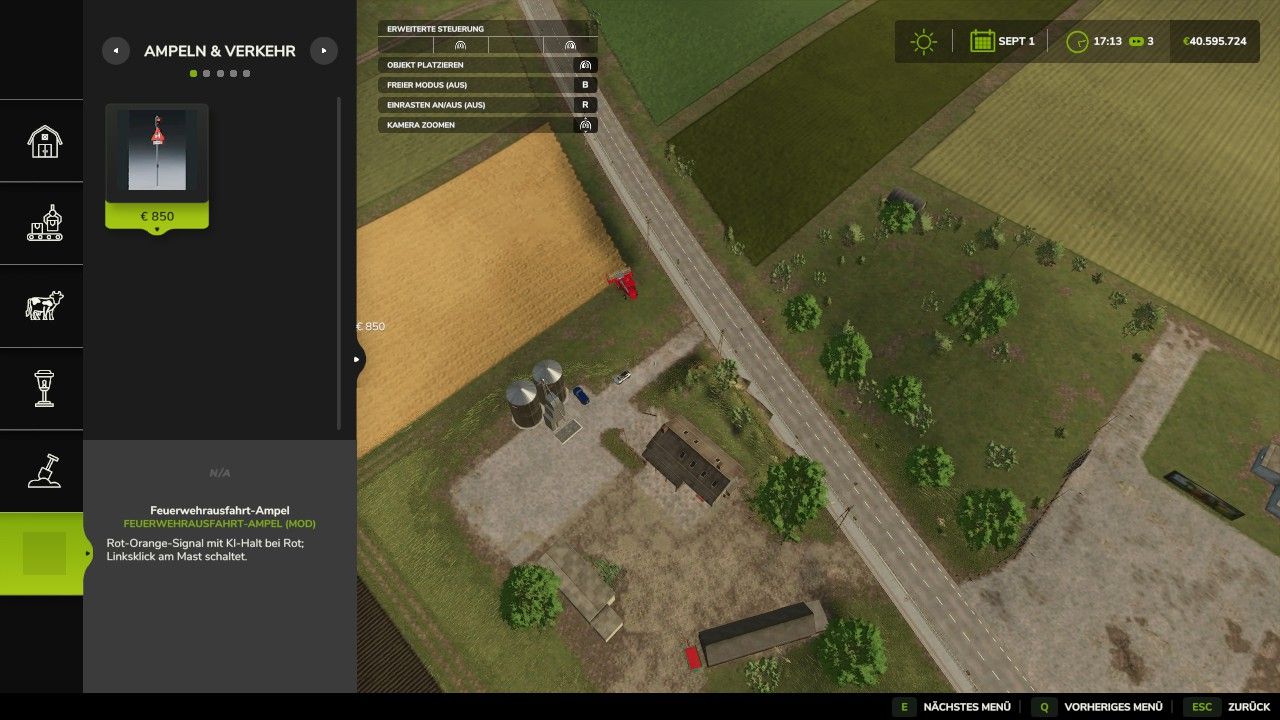
ScriptHubModding Construction Category FS25
ScriptHub Modding Building Category for FS25 With this mod, ScriptHub Modding gets its own main category in the build mode of Farming Simulator 25 Suitable decorations, traffic lights, signs and other construction objects are sorted there centrally and clearly The category offers five sections Traffic lights and traffic Decoration Signs Buildings Miscellaneous Suitable mods are automatically recognized based on the author ScriptHub Modding or a suitable mod name The Fire Station Exit Traffic Light is already automatically assigned to the Traffic Lights and Traffic section Additional own mods can be added via the included configuration file The custom ScriptHub Modding logo and matching symbols identify the category and its sections The mod is used for sorting in build mode The respective object mods must be installed separately and activated in the savegame For installation, copy the unopened ZIP file into the Mods folder and activate it together with the matching object mods Remove existing older versions of the building category beforehand For FS25 on PC and Mac Created by ScriptHub Modding
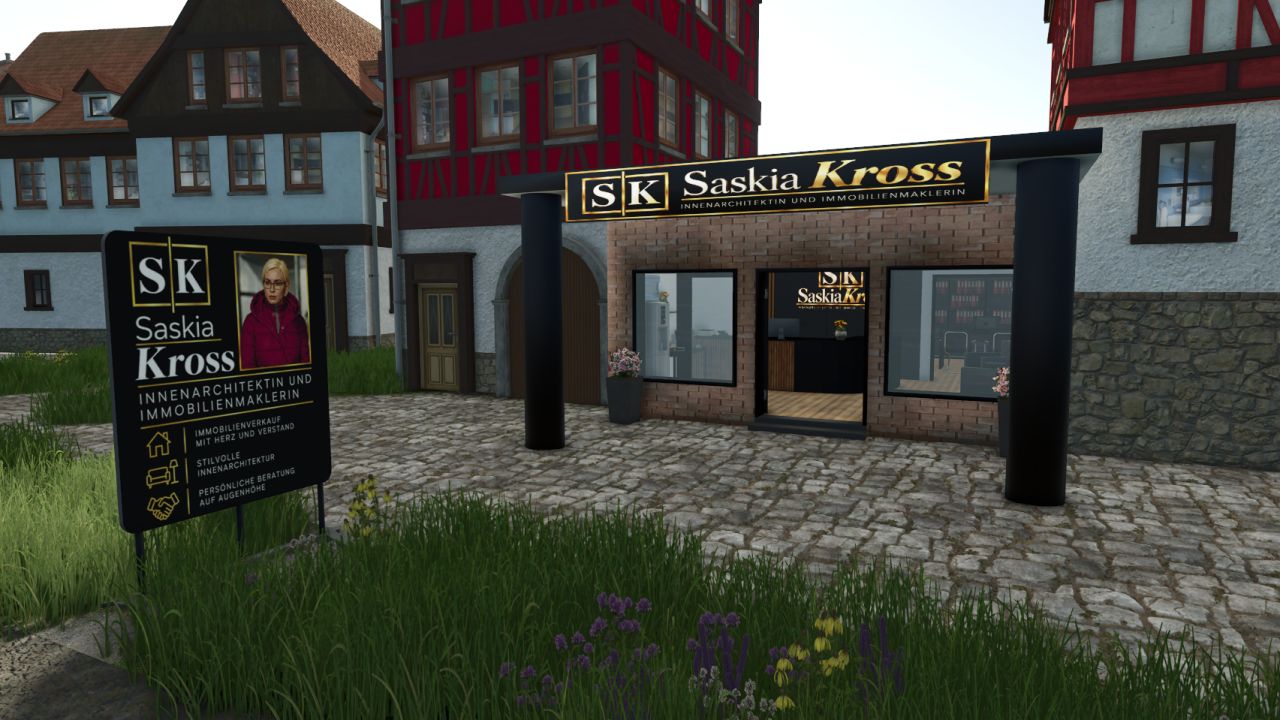
Saskia Kross Real Estate Agency FS25
Hi there 📖, 🏢 Saskia Kross Real Estate Agency With this mod, you receive the office of real estate agent and interior designer Saskia Kross for your map. The building is perfect for expanding your community with a suitable real estate office. Whether for brokering houses, apartments or plots of land, or for designing stylish interiors – the office fits ideally into a rural or urban environment. 📍 General Information Building: Saskia Kross Real Estate Agency Category: Business Activities: Real Estate Agent & Interior Designer Required additional mod: You can find Stani's Building Category here: Stani's Building Category • Seating option can be switched on and off with the “F” key 💰 Purchase price: €85,000 per building 🔧 Functions & Features •💺 Seating option Using the “F” key, you can easily switch the seating option at the building on or off. This allows you to customize the office according to your preferences. 🪧 Additional Decorative Objects Under “Decoration” you will find the matching objects for your real estate office and your community: 📍 Street sign “Siegstraße” 💰 Purchase price: €100 📢 Advertising sign 💰 Purchase price: €200 🏡 For-sale sign 💰 Purchase price: €50 The decorative objects are perfect for appropriately decorating the real estate office, drawing attention to property listings, and realistically marking streets and plots of land. ⚠️ Important Notes & Terms of Use ❌ Editing, redistributing or uploading the mod to other websites is not permitted. ❗ Please respect the work and rights of the creator. Feel free to subscribe: https://www.youtube.com/@bauhofstaniholzwurmmanni9691
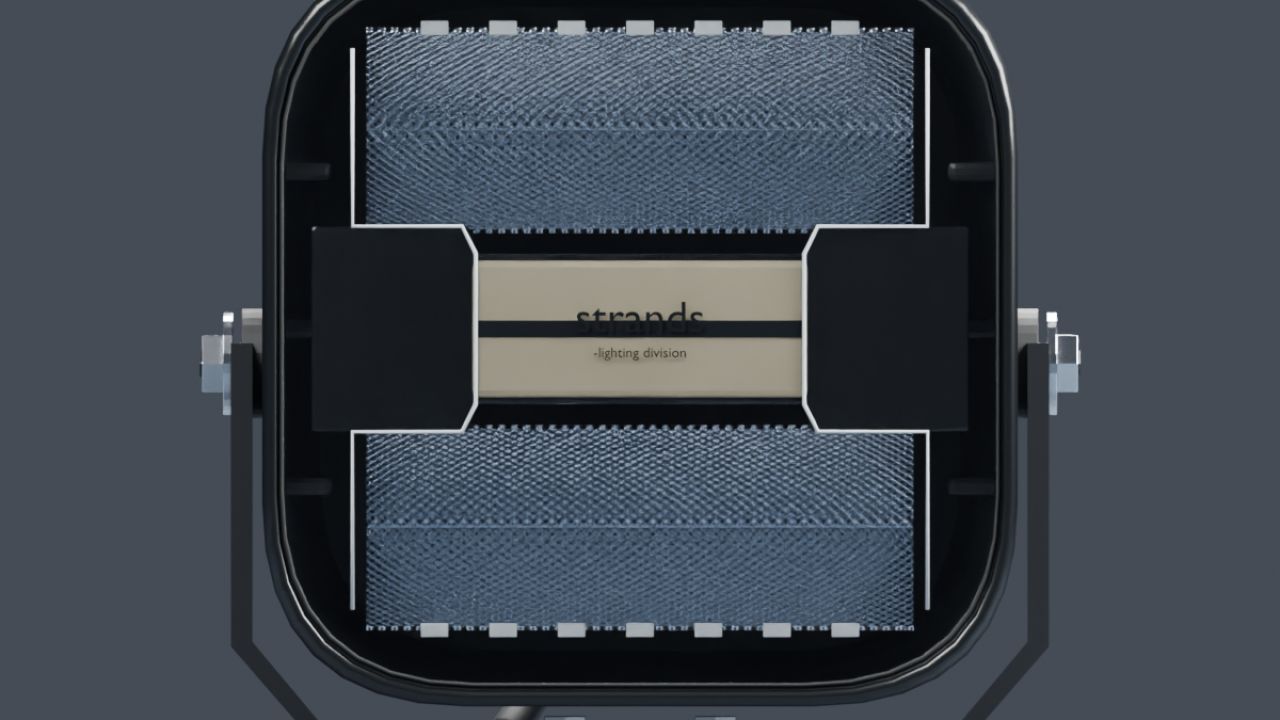
NLM Strands Siberia XP Heat (Prefab) FS25
NLM Strands Siberia XP Heat A work light with a white beam and separate amber or red position-light variants. An independent tilt pivot moves the housing, optics and beam together while the bracket stays fixed. Four ready-made SharedLight connections are included: front and rear work lighting for each position colour. The model has two detail levels and uses the vehicle's normal lighting functions without additional Lua. The XP Heat name follows the product reference. Electrical lens heating, temperature control and de-icing are not simulated in this prefab. Dirt masks have been updated using GIANTS data. Models, matching XML and installation guides in English and Swedish are included. This is a Farming Simulator 25 prefab for vehicle modders, requiring installation and configuration using GIANTS Editor and XML. Placing the ZIP in the mods folder does not create a shop item. Author and original model: NorthernLight Modding Product reference: Strands. An independent FS25 interpretation; product names and trademarks belong to their respective owners.
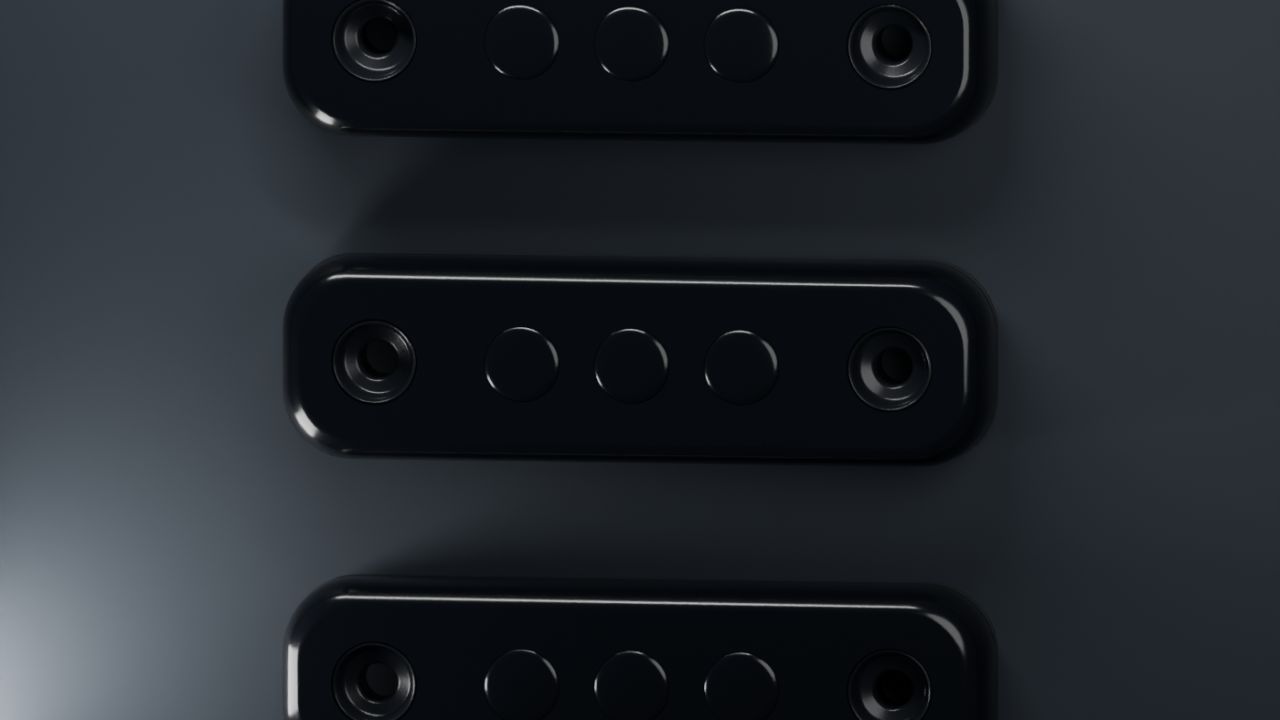
NLM Strands Dark Knight Super Dark Slim (Prefab) FS25
NLM Strands Dark Knight Super Dark Slim Slim position lights in white, amber and red for custom vehicle builds. The low-profile model features dark optics, mounting details and a short cable connection. All three colours provide steady position lighting through the game's SharedLight system. Two detail levels and soft distance glow help the small lamps remain visible from farther away. The glow switches off with the lamps. No additional Lua script is required. These are marker lights without a work-light beam, turn-signal or brake-light function. Dirt masks have been updated using GIANTS data. Models, matching XML and installation guides in English and Swedish are included. This is a Farming Simulator 25 prefab for vehicle modders, requiring installation and configuration using GIANTS Editor and XML. Placing the ZIP in the mods folder does not create a shop item. Author and original model: NorthernLight Modding Product reference: Strands. An independent FS25 interpretation; product names and trademarks belong to their respective owners.
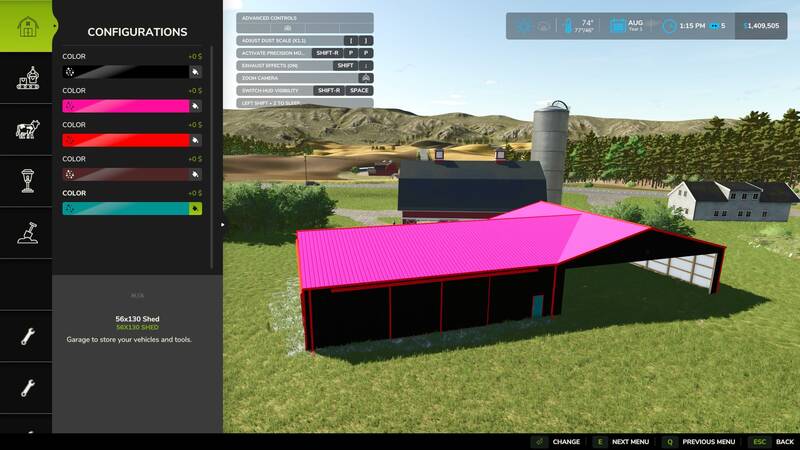
Fix für den Farbwähler platzierbarer Gebäude
Der Placeable Color Picker Fix stellt den benutzerdefinierten Farbwähler für betroffene platzierbare Gebäude wieder her. Nach einem Spielupdate konnte der Farbauswahlbildschirm bei einigen Objekten nicht geöffnet werden.Stellt die Farbauswahl für betroffene Gebäude wieder herVerwendet die originale Oberfläche des SpielsBereits vorhandene Farben bleiben erhaltenVerändert keine originalen SpieldateienUnterstützt Singleplayer und MultiplayerFür PCKompatibilitätshinweis: Nicht zusammen mit Enhanced Color Selection verwenden. Extended Material Color Picker wurde erfolgreich mit diesem Fix getestet. Der Placeable Color Picker Fix stellt den benutzerdefinierten Farbwähler für betroffene platzierbare Gebäude wieder her. Nach einem Spielupdate konnte der Farbauswahlbildschirm bei einigen Objekten nicht geöffnet werden. Kompatibilitätshinweis: Nicht zusammen mit Enhanced Color Selection verwenden. Extended Material Color Picker wurde erfolgreich mit diesem Fix getestet.
Farbwähler-Korrektur für platzierbare Objekte
Diese Modifikation behebt ein Problem, bei dem der benutzerdefinierte Farbwähler für platzierbare Gebäude nach einem Spielupdate nicht mehr zuverlässig erreichbar war.Stellt die ursprüngliche Farbauswahl für betroffene platzierbare Objekte wieder her.Verwendet die originale Farbauswahl-Oberfläche des Spiels.Bewahrt vorhandene benutzerdefinierte Farben.Verändert keine Originaldateien des Spiels.Unterstützt Singleplayer und Mehrspieler.Kompatibilität: Nur für PC. Nicht zusammen mit Enhanced Color Selection verwenden. Extended Material Color Picker wurde zusammen mit dieser Korrektur erfolgreich getestet. Diese Modifikation behebt ein Problem, bei dem der benutzerdefinierte Farbwähler für platzierbare Gebäude nach einem Spielupdate nicht mehr zuverlässig erreichbar war. Kompatibilität: Nur für PC. Nicht zusammen mit Enhanced Color Selection verwenden. Extended Material Color Picker wurde zusammen mit dieser Korrektur erfolgreich getestet.
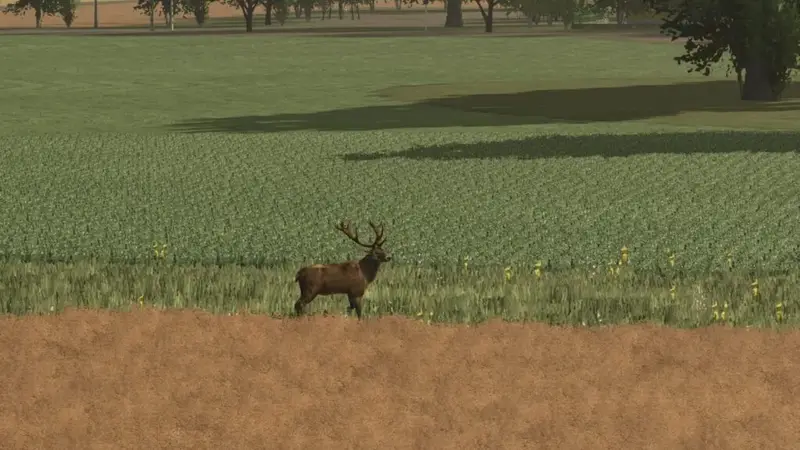
Mehr Wildtiere
Ergänzt die Spielwelt um Hirsch, Hirschkuh, Wolf, Fuchs und Wildschwein. Die Tiere erscheinen gelegentlich in Wäldern oder an den Rändern der Felder und sorgen für eine naturverbundene Feldgestaltung.Installation: Dateien entpacken und die entsprechenden Zeichen- und Tierdateien im Farming Simulator-Datenordner ersetzen. Ergänzt die Spielwelt um Hirsch, Hirschkuh, Wolf, Fuchs und Wildschwein. Die Tiere erscheinen gelegentlich in Wäldern oder an den Rändern der Felder und sorgen für eine naturverbundene Feldgestaltung. Installation: Dateien entpacken und die entsprechenden Zeichen- und Tierdateien im Farming Simulator-Datenordner ersetzen.
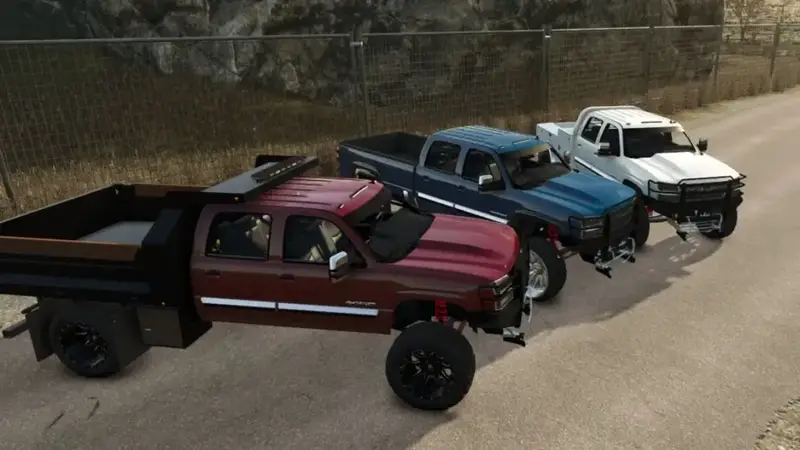
Chevrolet 2500 „Cateye“ Pickup (2005)
Fügt den Chevrolet 2500 „Cateye“ als Pickup mit dem Modelljahr 2005 hinzu.Benötigte Mods: Withersoul Modding Crew Store, Categories und cm bedpack. Fügt den Chevrolet 2500 „Cateye“ als Pickup mit dem Modelljahr 2005 hinzu. Benötigte Mods: Withersoul Modding Crew Store, Categories und cm bedpack.
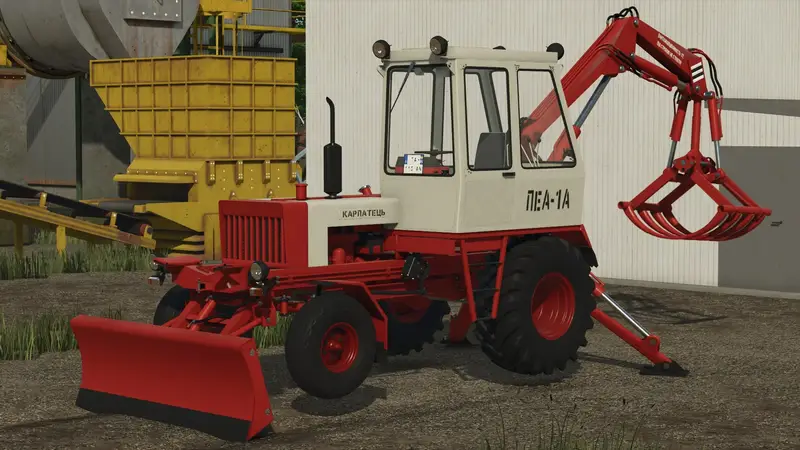
Karpatets PEA
Der Karpatets PEA ist ein leistungsstarker Traktor mit 350 PS und einer Höchstgeschwindigkeit von 85 km/h. Zahlreiche Konfigurationsoptionen ermöglichen eine individuelle Anpassung des Fahrzeugs.350 PS Motorleistung85 km/h HöchstgeschwindigkeitKonfigurierbare AusstattungKonfigurierbarer LuftfilterKonfigurierbare DecalsKonfigurierbare KotflügelKonfigurierbare CVT-ErweiterungUpdate: ModDesc auf 113 aktualisiert sowie Leistung und Höchstgeschwindigkeit überarbeitet. Der Karpatets PEA ist ein leistungsstarker Traktor mit 350 PS und einer Höchstgeschwindigkeit von 85 km/h. Zahlreiche Konfigurationsoptionen ermöglichen eine individuelle Anpassung des Fahrzeugs. Update: ModDesc auf 113 aktualisiert sowie Leistung und Höchstgeschwindigkeit überarbeitet.
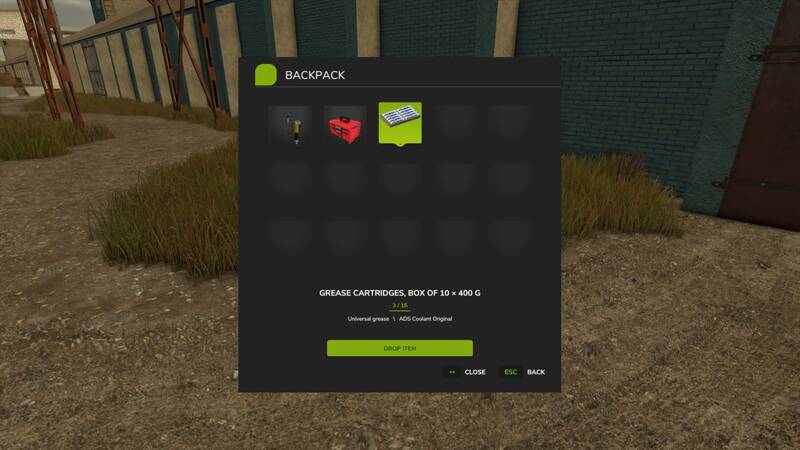
Inventar-Rucksack
Mit dem Inventar-Rucksack bleiben kleine但 wichtige Gegenstände jederzeit griffbereit. Statt einzeln zum Hof zurückzulaufen oder für wenige Utensilien ein ganzes Fahrzeug zu benutzen, kannst du kompatible Gegenstände direkt am Körper transportieren.Das Modul ergänzt das Spiel um einen persönlichen Rucksack mit 15 Inventarplätzen.Persönlicher Inventarraum: Jeder Spieler besitzt einen eigenen Rucksack.Mehrere Gegenstände: Bis zu 15 passende Objekte können gleichzeitig aufgenommen und transportiert werden.Stapelbare Gegenstände: Identische Items werden zusammengefasst und ihre Menge wird angezeigt.Übersichtliche Oberfläche: Das Menü zeigt Icons, Namen und Konfigurationen der gelagerten Gegenstände.Speicherung: Der persönliche Inventarinhalt wird in jedem Spielstand gespeichert.Multiplayer: Das Modul ist für Singleplayer, Koop-Spiele und Dedicated Server ausgelegt.Mod-Kompatibilität: Tragbare Gegenstände aus anderen Mods können verwendet werden, sofern diese unterstützt werden.SteuerungI – Rucksack zu Fuß öffnen oder schließenY – Gegenstand aufnehmenMaus oder Pfeiltasten – Gegenstand auswählenEnter – ausgewählten Gegenstand entnehmenEsc – Menü schließenInstallation: Kopiere das ZIP-Archiv in den Mods-Ordner deines Spiels und aktiviere das Modul im Spielstand. Im Multiplayer muss auf dem Server und auf allen Clients dieselbe Installation verwendet werden.Das Modul funktioniert eigenständig und benötigt keine weiteren Addons. Kompatibilität mit bestimmten Drittanbieter-Gegenständen sowie die Unterstützung von Dedicated Servers werden laufend verbessert. Mit dem Inventar-Rucksack bleiben kleine但 wichtige Gegenstände jederzeit griffbereit. Statt einzeln zum Hof zurückzulaufen oder für wenige Utensilien ein ganzes Fahrzeug zu benutzen, kannst du kompatible Gegenstände direkt am Körper transportieren. Das Modul ergänzt das Spiel um einen persönlichen Rucksack mit 15 Inventarplätzen. SteuerungI – Rucksack zu Fuß öffnen oder schließenY – Gegenstand aufnehmenMaus oder Pfeiltasten – Gegenstand auswählenEnter – ausgewählten Gegenstand entnehmenEsc – Menü schließen Installation: Kopiere das ZIP-Archiv in den Mods-Ordner deines Spiels und aktiviere das Modul im Spielstand. Im Multiplayer muss auf dem Server und auf allen Clients dieselbe Installation verwendet werden. Das Modul funktioniert eigenständig und benötigt keine weiteren Addons. Kompatibilität mit bestimmten Drittanbieter-Gegenständen sowie die Unterstützung von Dedicated Servers werden laufend verbessert.
- 15 per page
- 30 per page
- 45 per page
- 60 per page
-
See more per page
Bigger pages, fewer clicks - and no ads anywhere.
Go Pro