Farming Simulator 25 mods
78,464 results- 15 per page
- 30 per page
- 45 per page
- 60 per page
-
See more per page
Bigger pages, fewer clicks - and no ads anywhere.
Go Pro

FS25 Open My Door (IC) v1.0.0.0
FS25 Open My Door (IC) v1.0.0.0 Hello everyone, Tired of having to operate the driver’s door manually every time? Open My Door automates the opening and closing of your vehicle doors via Interactive Control – whether you are entering, exiting or simply walking past. Features Automatic opening & closing: When you walk towards the driver’s door, it opens automatically. When you move away again, it closes by itself. Adjustable closing behavior: When entering (default): The door closes immediately upon entry. When starting the engine: The door remains open after entering and only closes once the engine is running. Automatic exit behavior: The door opens immediately when leaving (E) and closes as soon as you move away. Full compatibility: Multiplayer-compatible (status synchronization via the IC API) and compatible with Cab Cinematic (FS25_CabCinematic). Requirements Farming Simulator 25 Mod: Interactive Control (VertexDezign) Vehicles with IC support for the driver’s door Installation Copy the archive file (FS25_openMyDoor.zip) to your mods folder: Documents/My Games/FarmingSimulator2025/mods/ Activate both mods (Interactive Control & Open My Door) in the savegame before starting the game. In-game settings Under ESC -> Game Settings -> Open My Door (OMD), you can adjust the behavior: Automatic approach detection: On / Off Trigger distance: 1.5 m to 3.5 m (closes automatically at distance + 1.0 m hysteresis) Closing mode: When entering / When starting the engine Feedback and error messages are welcome here in the thread! This is my first mod, so please be a little lenient! Credits:Cadyx Tags: Farming Simulator 25ICInteractive Controlmods
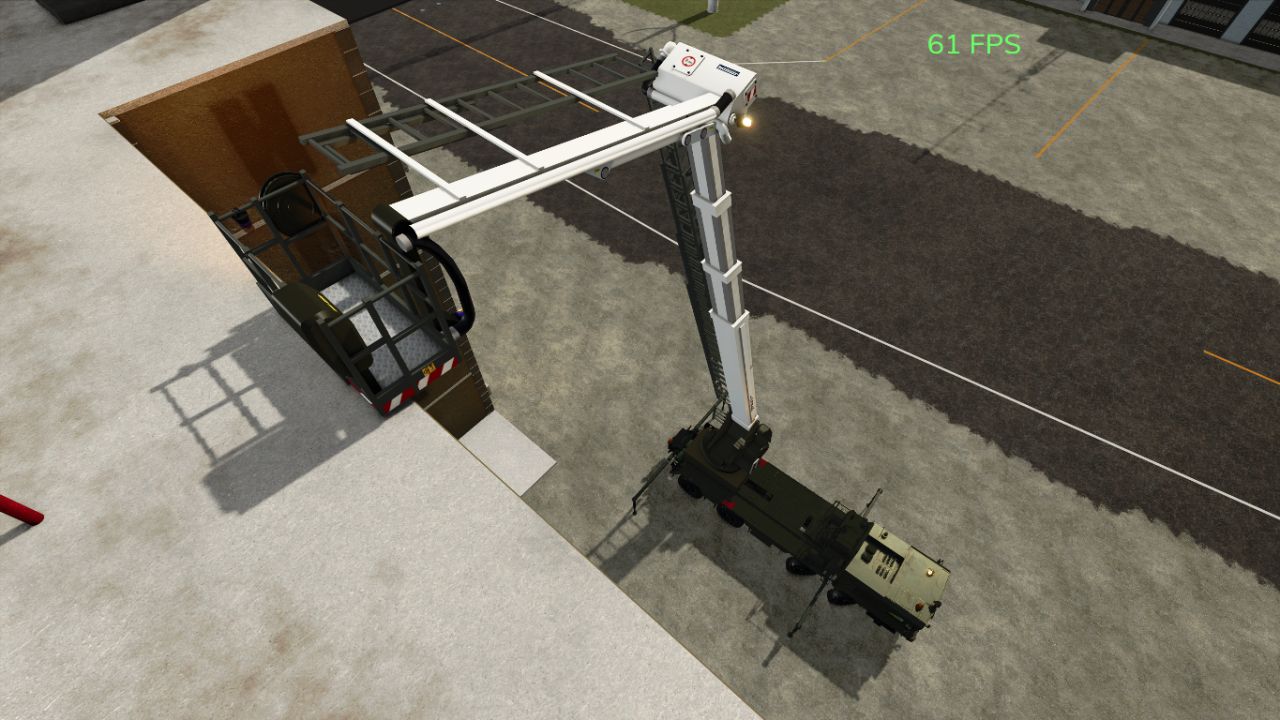
MZKT-7930 Schweres taktisches Bergefahrzeug (8×8 Rettungs- und Bergungsplattform) V1.0.0.0
MZKT-7930 Schweres taktisches Bergefahrzeug (8×8 Rettungs- und Bergungsplattform) V1.0.0.0 Schweres taktisches Bergefahrzeug MZKT-7930 (8×8 Rettungs- und Bergungsplattform): Technische und operative Analyse Detaillierte technische Merkmale Hochmobiles MZKT-7930 8×8 Fahrgestell: Aufgebaut auf der robusten Allradantriebs-Mehrachsplattform des Minsker Radtraktorenwerks (MZKT), die für den Transport massiver Nutzlasten unter extremen Offroad-Bedingungen ausgelegt ist. Schweres Bergungs- und Kranmodul: Verfügt über einen speziellen Heckaufbau mit einem hydraulischen Gelenkkran mit hoher Tragfähigkeit, robusten Abschleppwinden und integrierten Werkzeugplattformen für Bergungsarbeiten im Gelände. Hydraulische Stabilisierungs- und Verankerungssysteme: Ausgestattet mit ausfahrbaren hydraulischen Stützbeinen an den Seiten und am Heck, um eine stabile, ebene Ausgangslage bei schweren Hebe- und Bergungsarbeiten zu gewährleisten. Verstärkte Mannschafts- und Ausrüstungskabine: Bietet einen erweiterten Arbeitsbereich für die Bergungsmannschaften sowie sicheren Stauraum für spezielle Schneid-, Schweiß- und Feldreparaturwerkzeuge. Taktischer Nutzen und operative Doktrin Bergung gepanzerter Fahrzeuge (ARV): Speziell entwickelt, um festgefahrene, defekte oder umgestürzte Kampffahrzeuge, Raketenwerfer und schwere Logistikfahrzeuge in feindlichen Umgebungen zu bergen, abzuschleppen und abzuschleppen. Feldlogistik und technische Unterstützung: Räumt blockierte Wege frei, hilft bei schnellen Feldreparaturen an Sammelpunkten und unterstützt die Montage oder Wartung schwerer Raketen- und Radarmodule in vorderen Zonen. Geländegängige Notfallzufahrt: Die 8×8-Antriebskonfiguration gewährleistet volle Einsatzfähigkeit auch in tiefem Schlamm, Schnee und steilem Gelände, wo herkömmliche Bergungsfahrzeuge nicht fahren können. Tags: Bergungsplattform TechnischeFahrgestell AufgebautKranmodul VerfTaktischer Nutzen
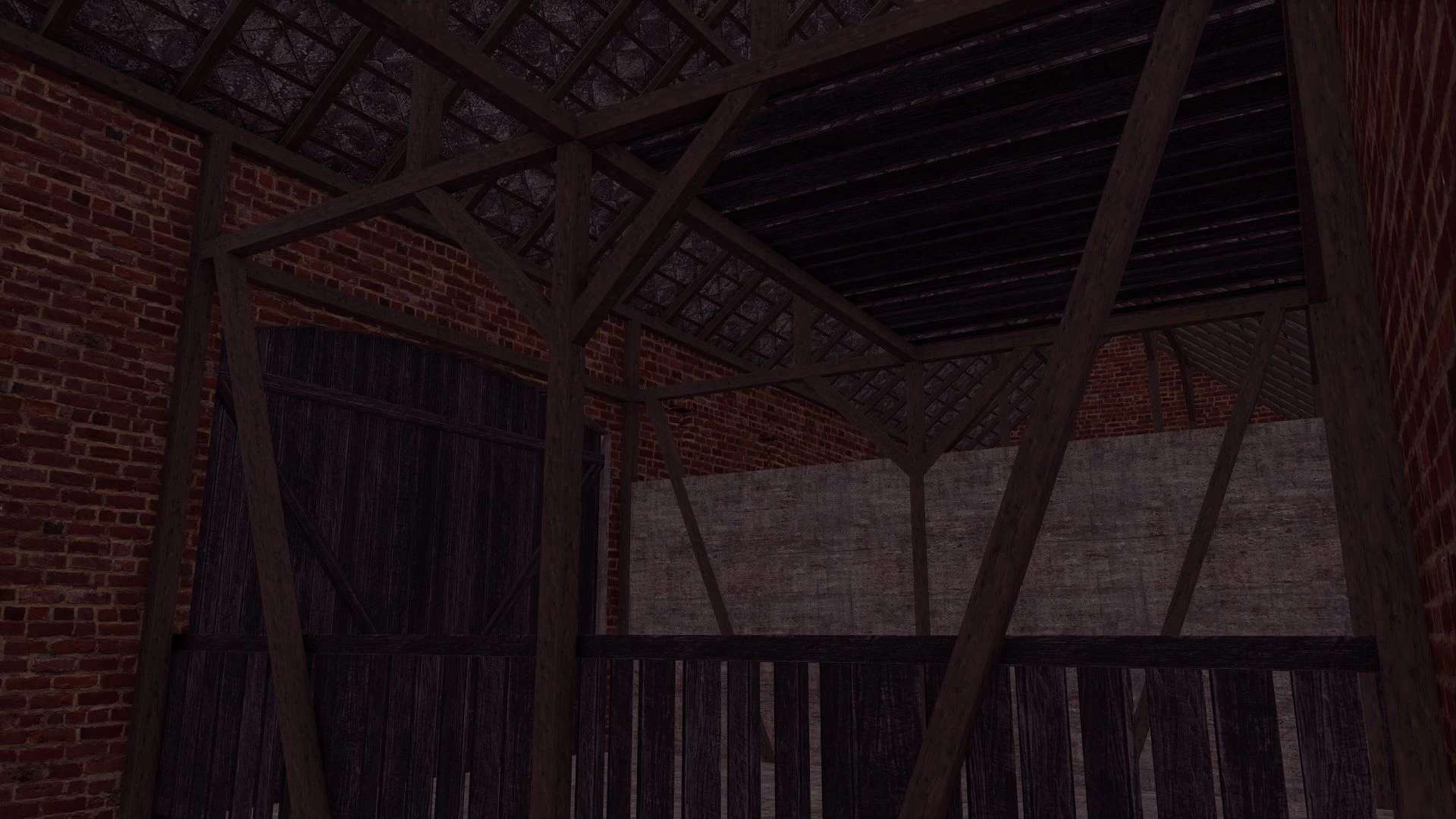
Bauen mit einem Schweinestall v1.0.0.1
Bauen mit einem Schweinestall v1.0.0.1 V1.0.0.1 Fehlende Gebäudekollisionen hinzugefügt Preis: 30.000 US-Dollar Kapazität: 15 Schweine Konvertierung von FS19 Tags: Fehlende Geb
Universal Sound Tuner FS25
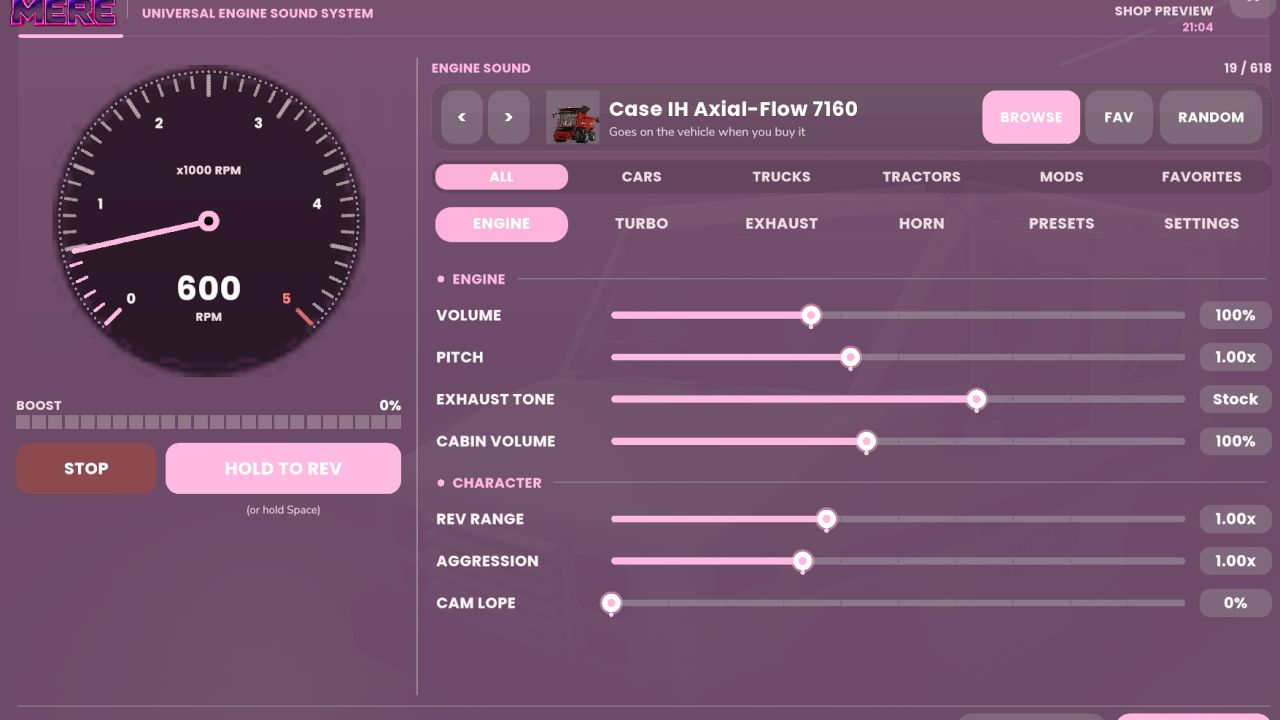
Change how your cars, trucks and tractors sound using engine sounds and horns from vehicles you already have installed. Adjust individual sounds, build and save your own tunes, change performance settings and test your setup with launch control and drag racing. https://discord.gg/ashmere Features: Engine and horn swapping. Choose sounds from base-game vehicles and installed vehicle mods. Browse a list with vehicle pictures, search by name, filter by vehicle type or save favorites. Preview sounds, step through them one at a time or pick one at random. Engine sound adjustments. Change volume, pitch, exhaust tone, cabin volume, rev range, aggression and cam lope. Keep the changes subtle or build a more noticeable setup. Turbo and supercharger sounds. Choose from small turbo, large turbo and whistle options, with adjustable volume and size. Add supercharger whine and choose between psssh, whoosh or flutter blow-off valves. Pops and bangs. Adjust lift-off pops, gear-change pops and limiter pops, with a configurable limiter point. Horn tuning. Swap horns separately from the engine sound, adjust their volume and pitch, and use the test button to hear your changes. Shop previews. Motorized vehicles get Engine Sound and Horn options in the shop. Open the Sound Tuner to start and rev the engine before buying. Your selected tune carries over to the purchased vehicle. Saved setups. Includes 7 presets and 4 slots for custom tunes. Copy a tune from one vehicle and paste it onto another. Performance tuning. Adjust power, idle RPM, rev limits, top speed and fuel use. Turbo and supercharger settings can also add boost power. Exhaust and vehicle effects. Adjust exhaust flame size, engine knock under load, reverse beeper volume and air brake volume. Choose clean, stock, black or coal-rolling smoke, with separate amount and idle smoke settings. Burnouts and launch control. Line lock holds the front brakes for burnouts, while 2-step launch control has its own RPM and pop settings. Burnouts produce smoke and leave rubber marks on the ground. Drag racing. Run an eighth mile, 1,000 feet or a quarter mile using Sportsman or Pro tree timing. Race AI on three difficulty levels or another player. Record reaction time, 60-foot time, elapsed time and trap speed, with saved time slips and best runs. Menu customization. Includes a tachometer, boost gauge, 12 themes, RGB and custom colors. Move the window around and adjust its appearance and behavior. Right-click a slider to return it to stock. Multiplayer support. Tunes are saved per vehicle and synced in multiplayer. Server owners can configure power tuning permissions, maximum power, Pro tree availability and wheel effects. Controls Left Alt + U: Open the tuner. Left Alt + Q: Open launch controls. Left Shift + Left Alt + D: Open the drag strip. Hold REV: Rev the engine while stationary. In the shop preview, you can also hold Space. Controls configurable How to install: Download the .zip. Don't unzip it. Put it in Documents / My Games / FarmingSimulator2025 / mods. Turn the mod on when you load or start a save. Find everything under Ashmere in the shop and in build mode. Found a bug? Report it in the Discord bug channel. https://discord.gg/ashmere
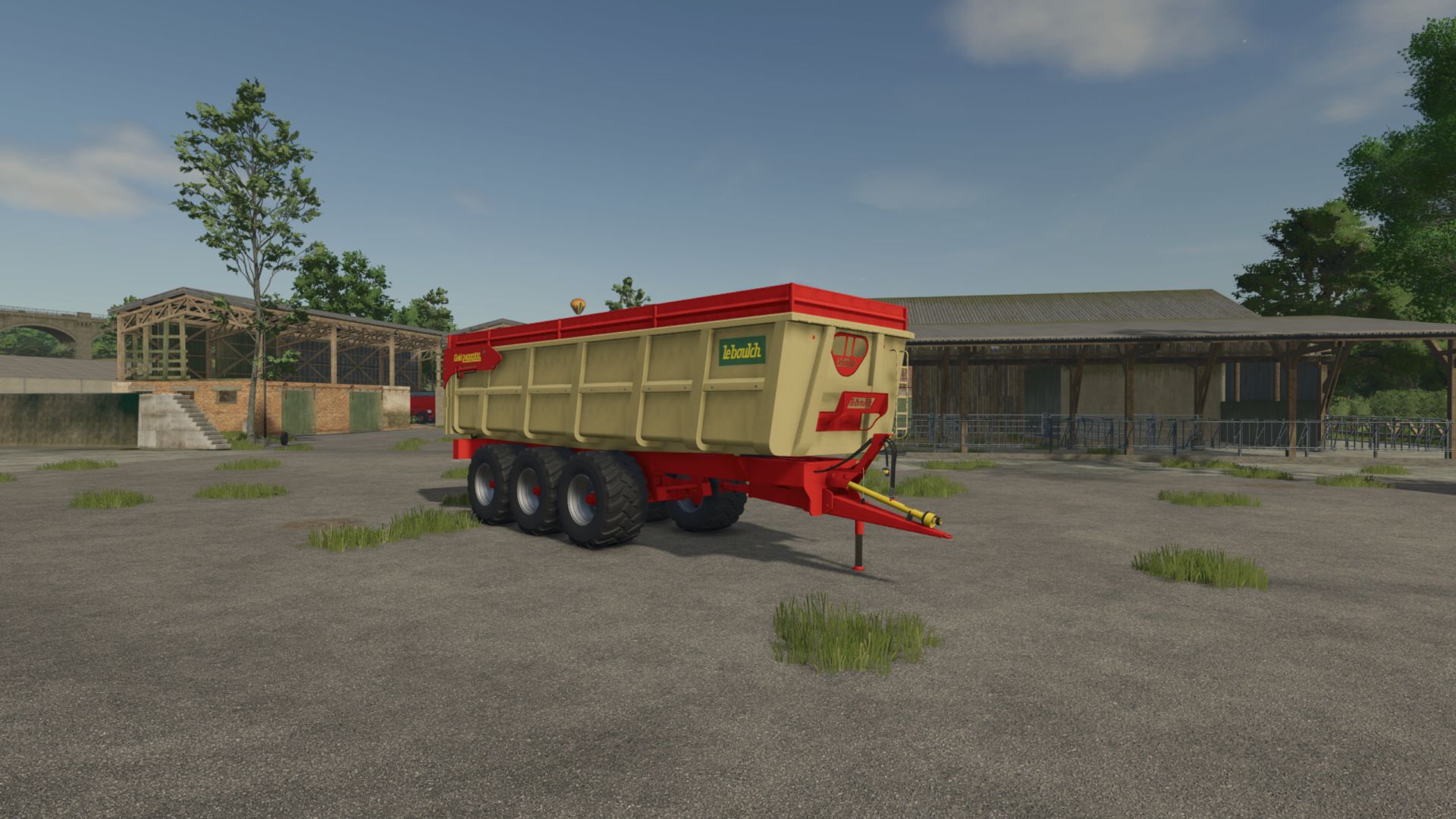
Leboulch Gold 24000 XXL V1.0
Leboulch Gold 24000 XXL V1.0 Leboulch Gold 24000 XXL, a legendary trailer of French agriculture, ideal for your small or medium-sized farm. It will accompany you in all your work. Brand: Leboulch Capacity: 25m³ – 35m³ – 43m³ Price: $41500 Author: Theoleroy2901, GIANTS Software, alex03190 Report bugs in the comments and help modders improve this mod. Always check the comments, you can find a solution. DOWNLOAD MOD
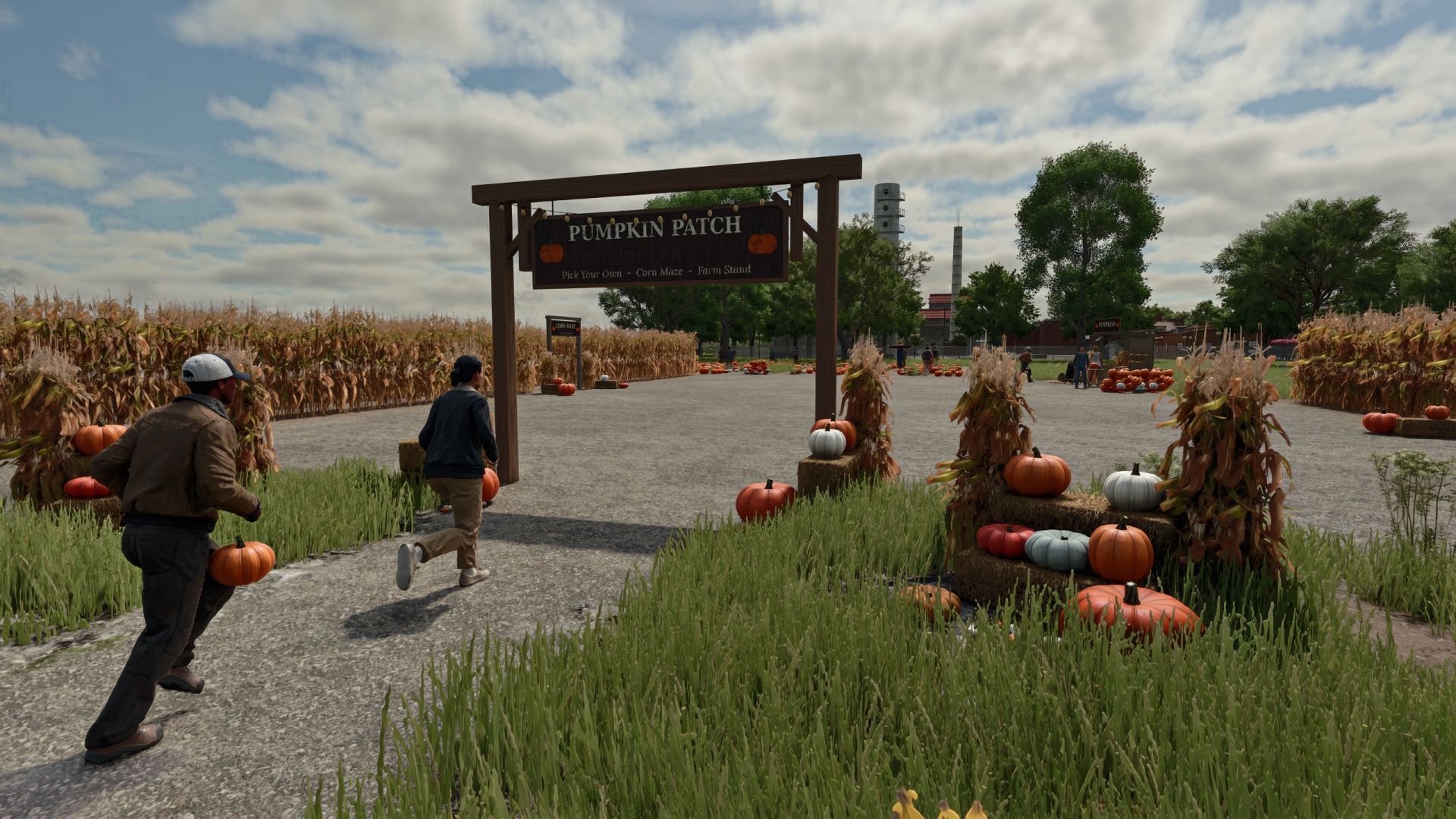
Interactive Pumpkin Patch FS25
Bring the feeling of fall to your farm with a working pumpkin patch, a farm stand, corn mazes and visitors. https://discord.gg/ashmere Features: A 12 × 12 m pumpkin field with about 110 pumpkins across 8 varieties. Pick them by hand, carry up to 4, and picked spots regrow over a few days. A farm stand where you can sell pumpkins or carve them into jack-o’-lanterns that glow at night. The stand earns 20 per hour from visitors. Small and large corn mazes with solid walls, a timer and 4 hidden stamp posts. Find them all and beat your best time. A scarecrow that sways in the wind, watches you and waves when you come close. Its face glows at night. An entry sign with string lights, plus a corn shock, straw bale display and pumpkin pile. Visitors stroll through the patch, visit the stand and explore the maze. Some take a pumpkin home. Picks, lanterns and maze times are saved and shared in multiplayer. Available in 10 languages. How to install: Download the .zip. Don't unzip it. Put it in Documents / My Games / FarmingSimulator2025 / mods. Turn the mod on when you load or start a save. Find everything under Ashmere in the shop and in build mode. Found a bug? Report it in the Discord bug channel. https://discord.gg/ashmere
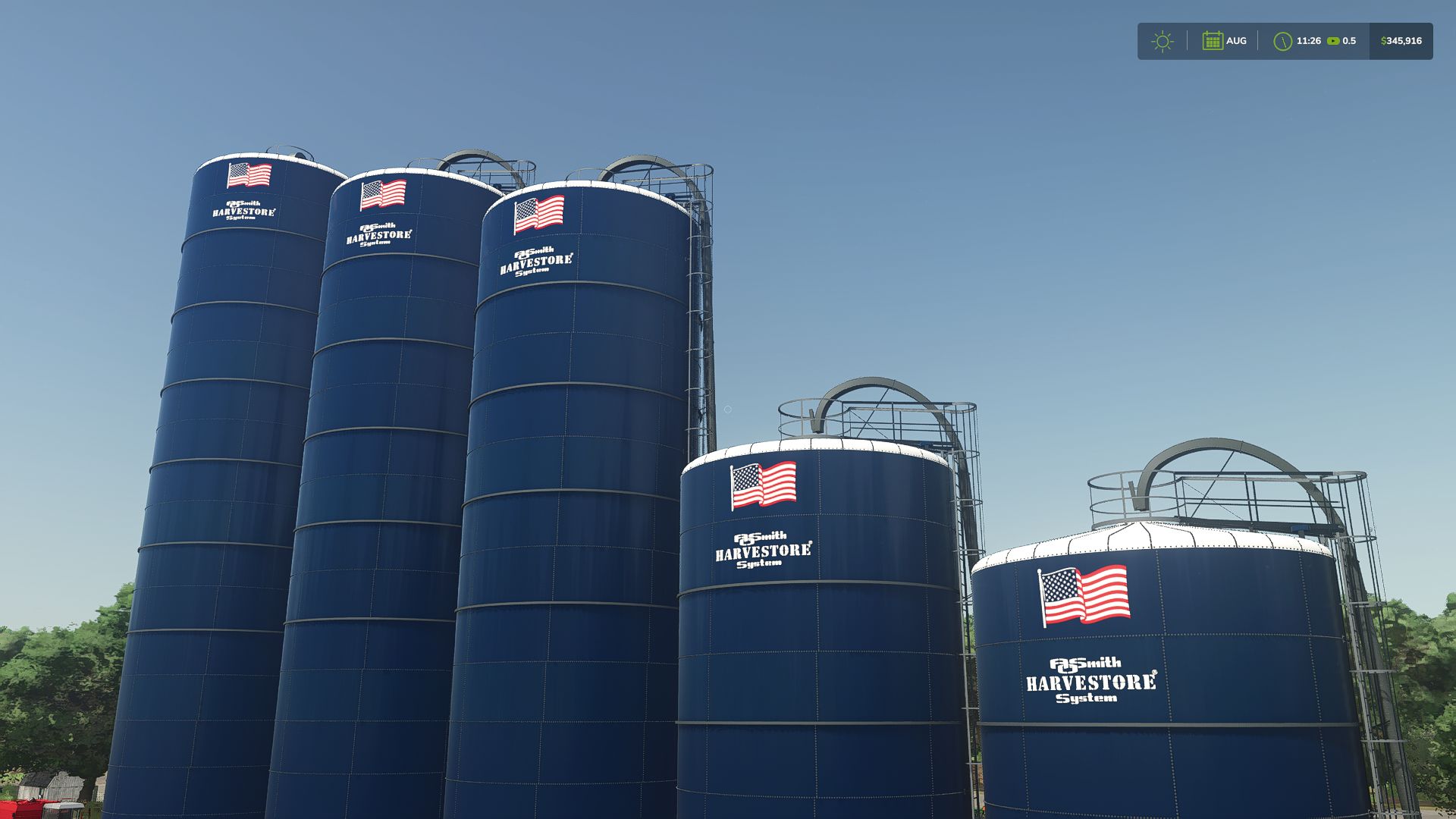
Harvestore Silo Pack FS25
This is my second mod for F25 the ao smith Harvestore Silo Pack! The pack includes 20-foot and 25-foot diameter silos in several heights. Choose between Goliath, Hercules, and XL400 unloaders, plus an optional conveyor for loading silage. You can also choose decals, change the unloader’s position, and toggle an adjustable blower pipe. Supported forage materials turn into silage, with additional crop support on compatible maps. If you run into any issues, please let me know! Feedback is always welcome as I continue learning and improving my mods. thank you all Hope you enjoy it! —keystone Modding

Mercedes-Benz 1720 K V1.0
Another classic of transport and heavy-duty work is coming to Farming Simulator! The Mercedes-Benz 1720 K arrives equipped with its melosa, bringing that service truck look that no map should be without. With a white cab, blue bodywork and custom lighting, this beast is ready to make your game even more complete! 🛠️ MOD INFORMATION – ⚙️ Power: 200 HP / 147 kW – 🕹️ Transmission: Manual – 🚀 Top speed: 120 km/h – ⚖️ Weight: 10.3 tonnes – 💰 Price: $325,000 – 🎮 Versions: Farming Simulator 25 – 🚛 Mercedes-Benz 1720 V1.0 for FS22: Andre Farias Reis – 🔧 Conversion to FS25: FyModding0FC – 🏗️ Credits for the melosa in FS19: Pedro AFBR – 🤝 Additional credits: Luan Rafael To start download click the filename. To open archive files use one of these programs: WinRAR, 7-Zip, WinZip. Some mod archives may need to be extracted before the mods will work.
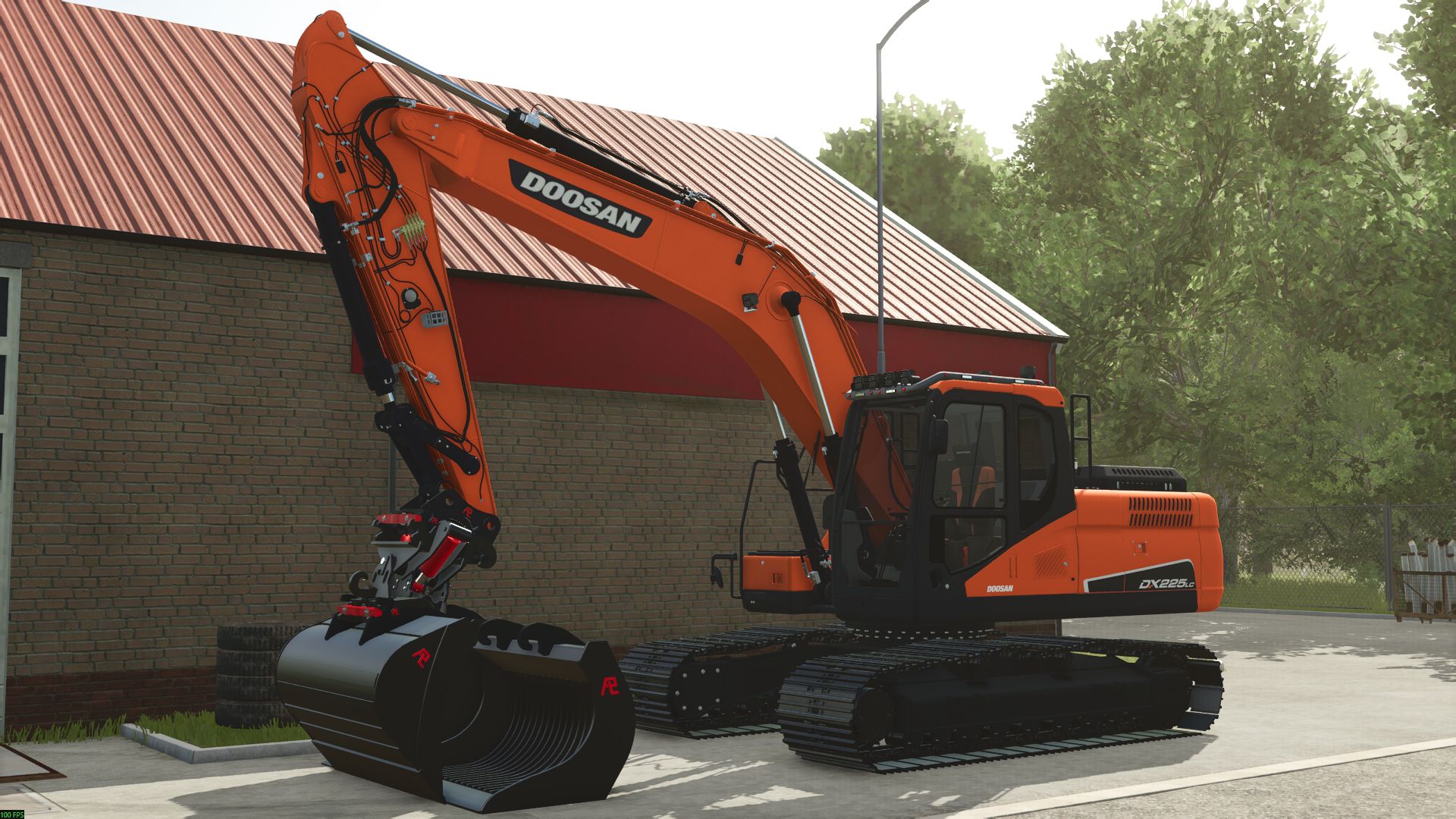
Doosan 225 LC FS25
Doosan 225, there will undoubtedly be some mistakes in it. The Doosan 225 is equipped with 25 textures and has a few configurations on dummies, completely fixed, suitable for the Pladdet V2. Have fun with it. Sg Modding! https://discord.gg/RSCJMDJFs
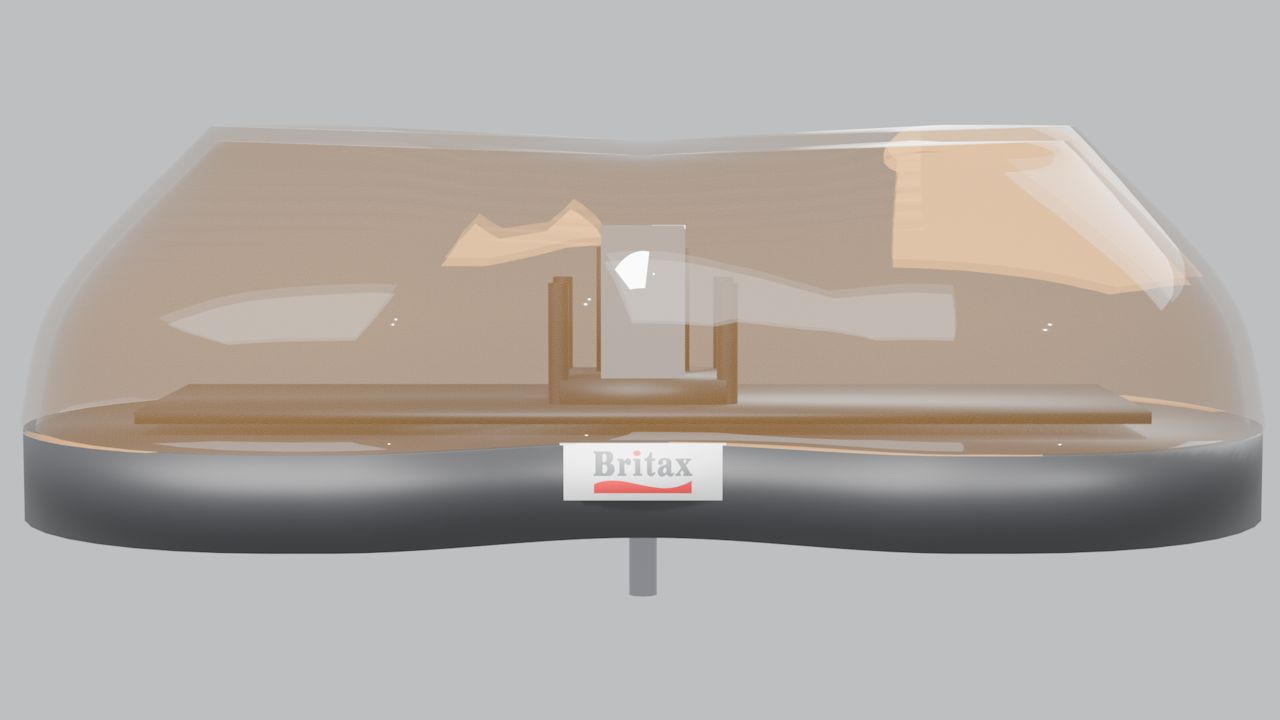
Britax Aerolite 420mm (Prefab) FS25
The LM Modding Britax 420 Light Bar is a compact, 420 mm mini-style amber warning lightbar designed for Farming Simulator 25 vehicle modders. Featuring a continuous amber polycarbonate-style housing, twin chrome rotating reflectors and Britax-inspired detailing, this prefab brings a traditional rotating-beacon appearance to tractors, agricultural machinery, utility vehicles and other compatible vehicle mods. Designed for integration into existing vehicle projects, the prefab uses Farming Simulator 25's native beacon lighting system and includes the necessary files and configuration references to assist with installation. Features • Compact 420 mm mini-style lightbar design • Continuous amber housing with a clear, glass-like appearance • Twin chrome rotating reflector dishes • Native FS25 ROTATE beacon configuration • Britax-inspired badge detailing • Surface-mount design • Dedicated DDS textures • Vehicle XML integration snippet included • English installation guide included (README_EN.txt) • XML helper is in there so its easy for you ! Installation Requirements IMPORTANT: This download is a prefab for modders, not a standalone vehicle or an in-game shop item. Placing the ZIP file directly into your Mods folder will not make the lightbar available in-game. Installation requires Farming Simulator 25, GIANTS Editor 10 and an editable vehicle mod compatible with the standard FS25 Lights specialization. Basic knowledge of vehicle XML configuration and Index Paths is also recommended. Quick Installation Guide Copy the aerolite420 folder into your vehicle mod using the following directory structure: YOUR_MOD/beaconLights/britaxAerolite/aerolite420/ Open your vehicle in GIANTS Editor and create the required mounting structure: aerolite420Mount ├── aerolite420RotL └── aerolite420RotR Merge the three beaconLight entries from vehicle_beacon_snippet.xml into your vehicle XML and update the Index Paths to match your vehicle's node structure. Load your modified vehicle into Farming Simulator 25 and activate the warning lights using the standard beacon-light control. The default keyboard binding is Home, depending on your control configuration. Full installation instructions are provided in README_EN.txt inside the package. Credits LM Modding Britax 420 Light Bar Original model, textures, packaging and integration: LM Modding. Product design reference: Britax 420. Custom modelling, textures and lighting configuration by LM Modding. This prefab uses the native Farming Simulator 25 BeaconLight system and GIANTS vehicle shaders supplied with the installed game. GIANTS Software game assets and scripts are not redistributed as part of this package. Please credit LM Modding when sharing or modifying this work. Preserve any applicable third-party credits and clearly distinguish your modifications from the original work. Britax is a trademark of its respective owner. This fan-made prefab is not affiliated with, endorsed by, or sponsored by Britax or GIANTS Software. Created by LM Modding for the Farming Simulator 25 modding community.
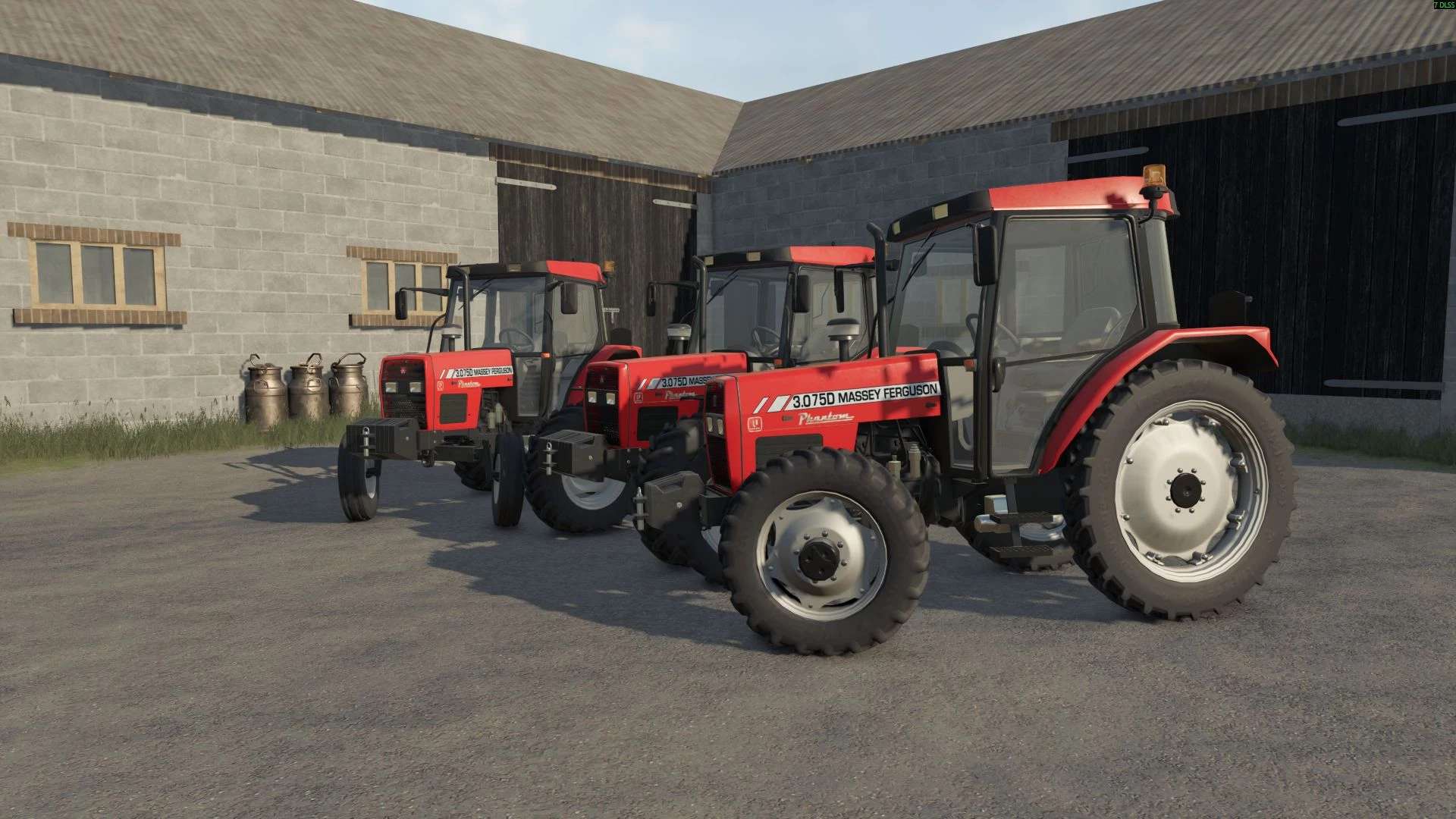
Massey Ferguson / Uzel 3000 Serie v1.0.0.0
Massey Ferguson / Uzel 3000 Serie v1.0.0.0 Merkmale: Hersteller: Massey Ferguson Modelle: 3075D 3085D 3095D 3105D Leistung: 75 bis 105 PS Höchstgeschwindigkeit: 40 km/h Grundpreis: 21.000 $ Informationen zum Geschäft: Tür und Fenster zum Öffnen Landwirtschaftliche Räder Ich würde es begrüßen, wenn Sie mir Ihre Probleme mitteilen könnten. Tags: Ihre ProblemePS
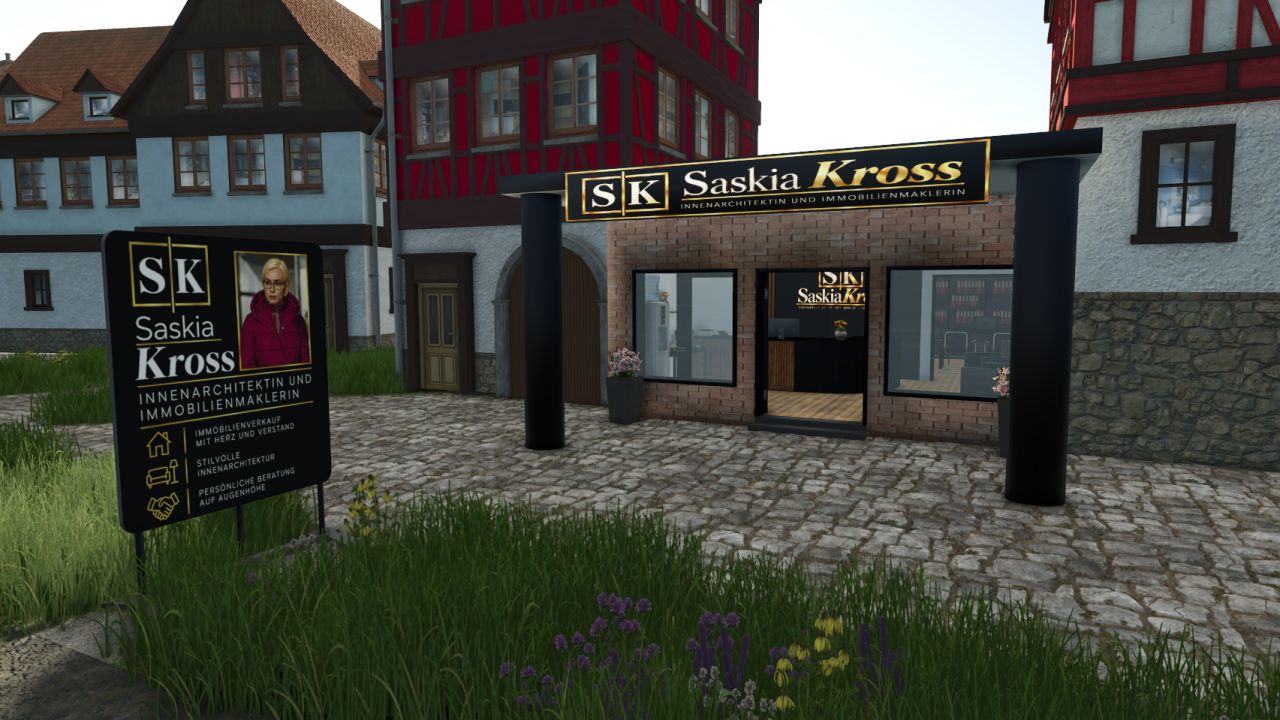
Saskia Kross Real Estate Agency V1.0
Saskia Kross Real Estate Agency V1.0 With this mod, you receive the office of real estate agent and interior designer Saskia Kross for your map. The building is perfect for expanding your community with a suitable real estate office. Whether for brokering houses, apartments or plots of land, or for designing stylish interiors – the office fits ideally into a rural or urban environment. General Information Building: Saskia Kross Real Estate Agency Category: Business Activities: Real Estate Agent & Interior Designer Required additional mod: You can find Stani’s Building Category here: Stani’s Building Category Seating option can be switched on and off with the “F” key Purchase price: €85,000 per building Functions & Features Seating option Using the “F” key, you can easily switch the seating option at the building on or off. This allows you to customize the office according to your preferences. Additional Decorative Objects Under “Decoration” you will find the matching objects for your real estate office and your community: Street sign “Siegstraße” Purchase price: €100 Advertising sign Purchase price: €200 For-sale sign Purchase price: €50 The decorative objects are perfect for appropriately decorating the real estate office, drawing attention to property listings, and realistically marking streets and plots of land. Required mods: Stani’s building category Author: Bauhof Stani Report bugs in the comments and help modders improve this mod. Always check the comments, you can find a solution. DOWNLOAD MOD

Volvo F Series Edit V1.0
Just a little edit on a Volvo F series. Added Decal on back Window (Eriksson) Added Blitz bar on roof (Not working!) To start download click the filename. To open archive files use one of these programs: WinRAR, 7-Zip, WinZip. Some mod archives may need to be extracted before the mods will work.
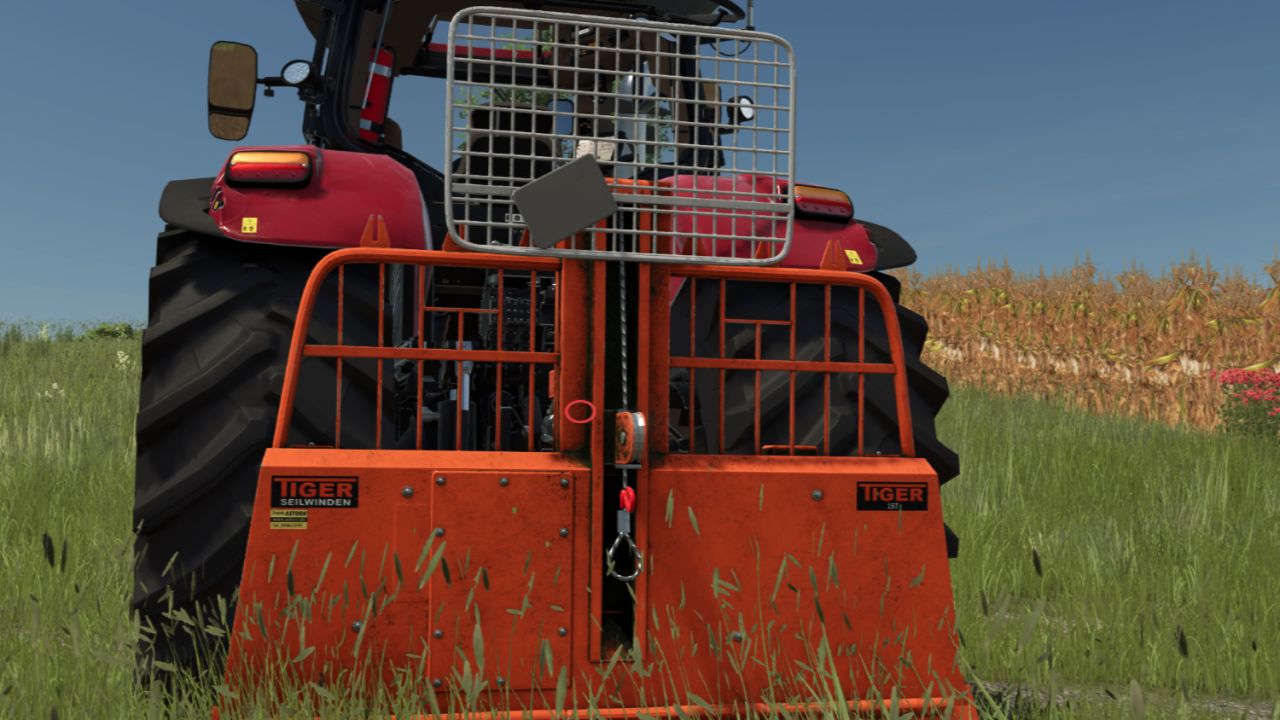
Tiger cable winches 15t FS25
Powerful forestry winch for the three-point hitch, with cable-assisted felling, ground anchor and trailer hitch. FEATURES - Cable-assisted felling: Attach the cable to a standing tree and cut it down – the cable remains attached to the felled trunk, allowing you to pull it out immediately - Anchoring with the X key: Lower the blade, the winch digs itself in and stands firmly – the tractor is no longer dragged along when pulling - Trailer hitch with socket, attachable and detachable via Interactive Control - Mount for the chainsaw - Up to 10 logs on the cable at the same time TECHNICAL DATA - Pulling force: up to 15 t of tree mass - Cable length: 120 m - Power requirement: 60 HP - PTO: 350 RPM - Weight: 600 kg - Price: €19,000 - Shop category: Forestry winches NOTES - Multiplayer: yes - The “Interactive Control” mod is required for the trailer hitch (optional – the winch also works without it) - The anchoring key (X) can be changed in the control settings Version 1.2.0.0 Modder: TGTeam (Tiroler Gaming Team) Uploading to other websites is only permitted with the permission of TGTeam.
- 15 per page
- 30 per page
- 45 per page
- 60 per page
-
See more per page
Bigger pages, fewer clicks - and no ads anywhere.
Go Pro