Farming Simulator 25 mods
78,464 results- 15 per page
- 30 per page
- 45 per page
- 60 per page
-
See more per page
Bigger pages, fewer clicks - and no ads anywhere.
Go Pro

FS25 Zetor X540
FS25 Zetor X540 Presenting a pack of classic Zetor tractors from the UR III series, manufactured in the 1990s. These Czech-made tractors are known for their distinctive look, robust construction, and engines that perform reliably in everyday field work. Available models and power ratings: Zetor 7540 – 71 hp Zetor 8540 – 84 hp Zetor 9540 – 96 hp Zetor 10540 – 103 hp This is an edited version of the Zetor; it features IC (Interactive Control) for opening various components, along with many other additions.

FS25 SAVEGAME KRAJÓW & ŁAZNIKI POLISH FARM by JACOO B
FS25 SAVEGAME KRAJÓW & ŁAZNIKI POLISH FARM by JACOO B Hey, today’s clean save game on the country. You have all the mods in your savegame folder. The rest is from MH. Cheers!

USEFUL-THINGS-FS25 Livestock Trailer Extension
USEFUL-THINGS-FS25 Livestock Trailer Extension Upgrade your animal transport vehicles with a smart HUD fill bar and animal sounds! Features: – FILL BAR: Show the animal icon, breed name, and trailer capacity directly on your screen. – ANIMAL VOCALIZATIONS: The livestock inside the transport vehicle can now make vocalizations during transportation. – SOUND CONTROL: Change your audio setup anytime inside the game settings menu. You can adjust the animal sound volume or turn the sounds completely off. – MULTIPLAYER SYNC: The livestock sound settings can only be managed and toggled by the game Admin. Filltype Icon & Naming Logic: – SINGLE TYPE / SINGLE BREED: Displays the specific icon and breed name (e.g., loading one or multiple cows of the same breed shows that breed name and the cow icon. Same logic applies to all individual types like water buffalo, sheep, goats, pigs, horses, and chickens). – MIXED BREEDS: Loading different breeds of the same animal type displays a general text name (e.g., mixing Holstein and Angus cows displays “Cows” with the cow icon). – MIXED CATEGORIES: Loading any cow breed together with water buffalo changes the text name to “Cow & Water Buffalo”. Loading any sheep breed together with goats changes it to “Sheep & Goat”. – Majority Count Rule: The fill bar automatically chooses its icon based on numbers. If you load more cows than buffalo, the HUD displays the cow icon. If you load more buffalo than cows, it displays the buffalo icon (same rule applies to sheep and goats). – Equal Count Rule: If you load an exactly equal amount of both categories (e.g., 1 cow + 1 water buffalo, or 5 sheep + 5 goats), the HUD automatically displays the animal icon that was loaded first into the trailer, or the trailer first slot.

FS25 Bavarian Barn With Cowstable
FS25 Bavarian Barn With Cowstable Barn with cowshed. Category: Animal Pens Price: $100,000 Daily upkeep: $15 Animals: 30 Cows Bale storage – Capacity: 600 bales (small square bales recommended)

FS25 North German Country v2.0.0.3
FS25 North German Country v2.0.0.3 Welcome to the North German Country map. This is a fictional, four-way map of northern Germany. Key features: – 152 fields, mostly grassland. – 33 forest areas. – 7 farms with farmhouses. – 8 isolated farms. – 5 building plots, leveled but overgrown with vegetation. – Several cow pastures. – Several sheep pastures. – At the sugar factory, there are four bulk storage bunkers, available for purchase via farmland, for storing sugar beets. You also get more input materials such as lime, sugar beet pulp, stones, and raw compost. – A custom soil map for precision farming. – A fully equipped starting farm with pre-owned machinery. – Many charming little details. – Numerous production facilities and points of sale. – Crop and stubble destruction. – Farmyard decorations, including curbs, fences, etc., can be removed by selling the doghouse. – Multifruits: 8 additional crops: Rye, Triticale, Spelt, Green Rye, Vetch Rye, Field Grass, Humus Active, and Mustard. – 32 soil angles. – Pastures can be bought and sold via the farmland. – All pastures also have some water and fodder. – One biogas plant only appears in the price list and in field missions; the others are purely production facilities. – Buildings that you want to demolish now cost a demolition fee. – Custom script for more pastures with a limit of 128. – Many custom textures and decorative plants. – Many soil textures, plants, and trees in the build menu. – Changelog 2.0.0.0: – Fixed occluders cache, improved performance. – Changed terrain density. – Ground angle reduced to 32° – Row planting implemented for crops such as corn, potatoes, and sugar beets. – Some narrow sections made more Autodrive-friendly. – Weather data adjusted. – Ground textures added to the map XML. – Grass areas minimized. – Grass and weeds removed from buildings. – Water levels adjusted for improved performance. – Field, forest, and farm prices adjusted. – Many minor bugs fixed. – Multi-crop removed from the Fed missions. – All farms redesigned. – Fewer forests. – Road signs and guideposts added. – Building land added. – Some productions yield raw compost, which can be fermented into compost in a special drive-through silo. Compost can be fertilized with a manure spreader, with or without Precision Farming. – Lime works added. – Clip distances adjusted for improved performance. – The map is compatible with all DLCs. – Unfortunately, you will need a new save file. – Very important: please remove your old mods from version 1.0.0.0 of the map, as they may cause problems. – Changelog 2.0.0.1: – Digestate can be sold. – Adjusted yields of fruits, straw, and grasses. – The 1MW biogas plant now appears in field missions. – Fixed multi-fruit silos, they no longer store anything from the surrounding area. – You do not need a new save file. – Changelog 2.0.0.2: – Grass and field grasses regrow after mulching. – You do not need a new save file. – Changelog 2.0.0.3: – NO new savegame required! – Rain, hail, snow, and dust effects updated for compatibility with game patch 1.24
FS25 Realistic Seeder V1.0.1.0
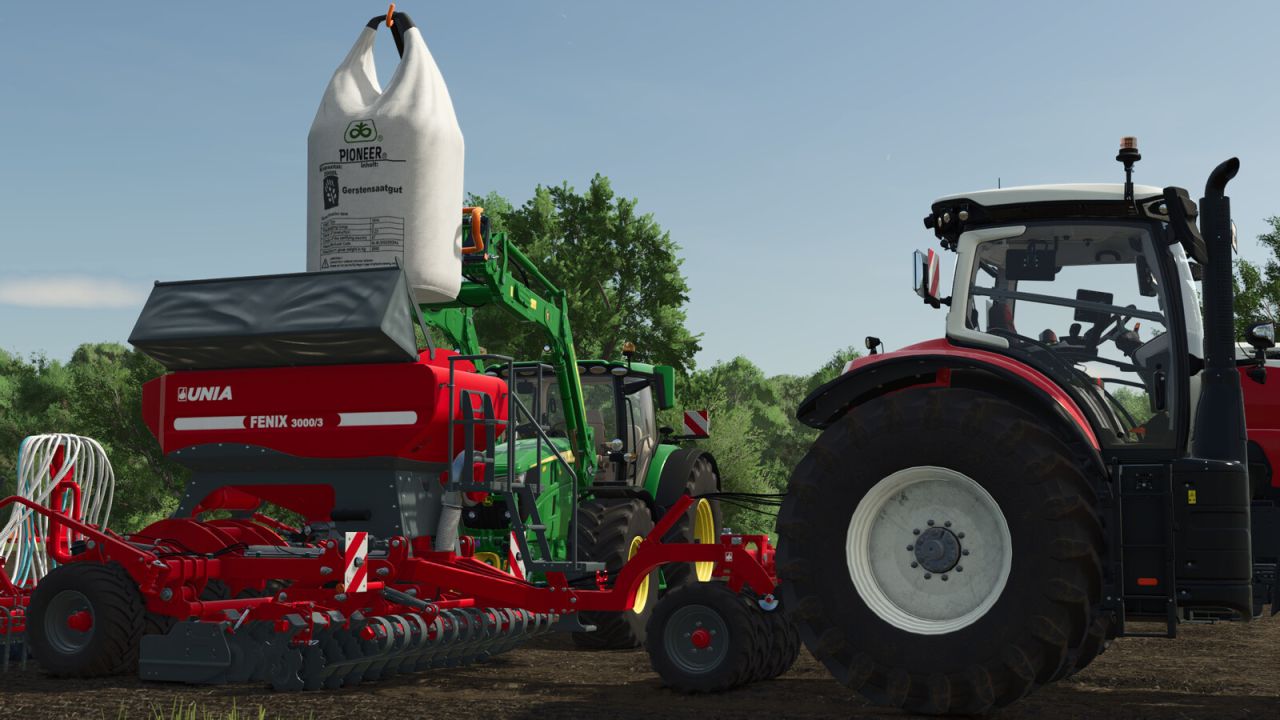
FS25 Realistic Seeder V1.0.1.0 This mod aims to make working with seeders a bit more realistic. This mod adds dedicated seed pallets, big bags, and bags for the following crops If these are registered on the map, you can use them: Standard crops: – Barley [will be automatically replaced with summer barley if available on map] – Wheat [will be automatically replaced with summer wheat if available on map] – Winter barley – Winter wheat – Canola – Cotton – Grass – Maize – Oilseed radish – Potato – Soybean – Sugar beet – Sunflower – Beetroot – Carrot – Parsnip – Pea – Green bean – Spinach – Long-grain rice Multi-crops: – Field grass – Green rye – Flowering cover crop (humusactive) – Mustard – Rye – Silage maize – Spelt – Triticale – Vetch rye – Clover – Onion – Alfalfa If you are unable to sow a specific crop on your map, the seed pallets, big bags, and bags for that crop will not appear in the shop either. If you fill a front tank or seeder using one of these seed pallets, big bags, or bags, you will only be able to sow the specific crop for which the seed was intended, cycling through different crop types will no longer be possible. However, if you fill them with standard seed, you can cycle through the crop types as usual. On potato planters, the bunker tilts up as the potato level decreases, allowing the potatoes to slide forward towards the dosing units. The bunker returns to its original position once it is empty or when the potato planter is raised. Four new categories have also been created in the shop after the seeding category: Realistic Seeder Pallets Realistic Seeder Big Bags Realistic Seeder Bags Realistic Seeder Accessories You can purchase up to 8 pallets or big bags at a time. For bags, you can buy up to 24—handy if you happen to need a bit more seed. All the bags are intentionally priced the same and are cheaper relative to the pallets or big bags. This is simply because you have to hold each bag individually over the planter to fill it, simply driving up and pressing “R” won’t work here. The seed pallet textures have all been reworked and are now sharper, featuring 2K resolution. Additionally, every front tank can now load both fertilizer and seed. You can now select the specific fill unit for unloading, allowing you to unload seed and fertilizer separately if the implement is filled with both. You can also choose between pallets and big bags for unloading. If the fill level reaches 50 liters or less, bags will automatically be used for unloading. The only exception is seed potatoes, which will always be unloaded on pallets. Furthermore, the unloading side can now be specified, you can unload pallets and big bags either to the left or to the right of the implement. In the construction menu, under the “Silos” tab, you will find three seed storage silos for storing large quantities of seed. A seed purchasing station is also available there, ideal for buying seed in bulk. Supported languages: German English Polish Czech French Spanish If a language other than those listed here is used, English will be the default. The Realistic Seeder supports also the “Take Single Objects” Mod from Modhub. If you have installed this mod, you can take single bags of the pallet. Keyboard shortcuts: (Can ofcourse be changed ingame) Unload: Keyboard: + Controller: + D-pad Left Switch fill unit: (Only available if the implement has more than one) Keyboard: + Controller: + Press Right Stick Change unload type: Keyboard: + Controller: + D-pad Down Change unload side: Keyboard: [Right CTRL] + Controller: + + Press Right Stick Turn fertilizer function on/off: (Only available when sowingmachine has an fertilizer function!) Keyboard: [Right CTRL] + Controller: + + Press Left Stick Attach/detach pallet: Keyboard: Controller: + Included in the mod: Pallets Description: Pallets containing seeds, fertilizer, or lime for filling compatible agricultural equipment. Prices: $250 – $1,240 depending on contents Capacity: 1,050 l Big Bags Description: Big Bags containing seeds, fertilizer, or lime for filling compatible agricultural equipment. Prices: $1,025 – $2,390 depending on contents Capacity: 2,000 l Bags Description: Bags containing seeds, fertilizer, or lime for filling compatible agricultural equipment. Price: $50 Capacity: 25 l Big Bag Lifter Description: Equipment for picking up and transporting Big Bags. Price: $800 Pallet Forks Description: Pallet forks for picking up and transporting pallets with the option to lock them in place. Front Loader – Price: $1,700 Telehandler – Price: $2,000 Wheel Loader – Price: $2,500 Seed Purchase Station Description: At this seed purchase station, you can refill your seeders with Realistic Seeder seeds. Price: $15,000 Small Seed Silo Description: This silo can be used to store Realistic Seeder seeds. Price: $117,000 Capacity: 400,000 l Medium Seed Silo Description: This silo can be used to store Realistic Seeder seeds. Price: $125,000 Capacity: 500,000 l Large Seed Silo Description: This silo can be used to store Realistic Seeder seeds. Price: $147,000 Capacity: 800,000 l V1.0.1.0 Hotfix for the following error: Error: Running LUA method ‘update’. ../FS25_realisticSeeder/specializations/RealisticSeeder.lua:730: attempt to call missing method ‘getAnimationExists’ of table Credits:Ifko Tags: Big Bag LifterPallet ForksRealistic Seeder PalletsSeed Purchase Station
Biomasse-Heizanlage V1.0.0.0
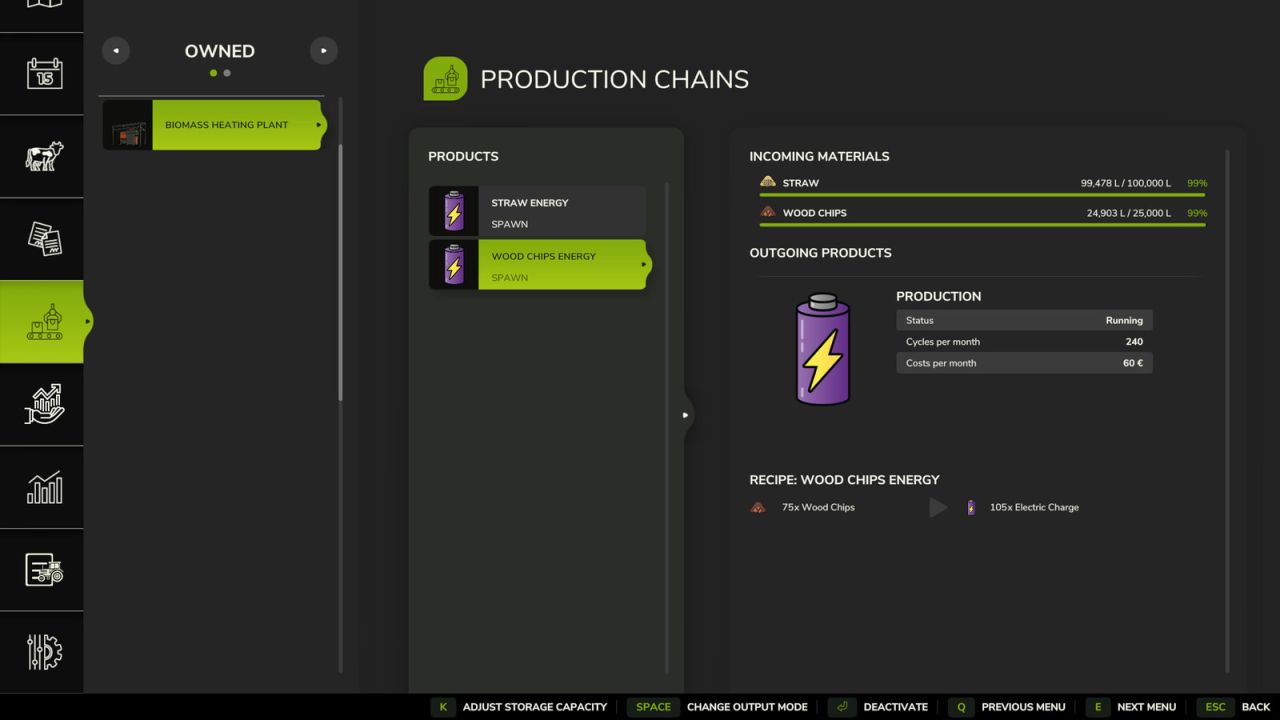
Biomasse-Heizanlage V1.0.0.0 Kategorie: Produktionsstätten Preis: 36.000 US-Dollar Tägliche Unterhaltskosten: 150 $ Eingangsmaterialien: Stroh, Holzspäne Ausgehende Materialien: ELECTRICCHARGE (Direktvertrieb) Produktionsrezepte: 240 Zyklen/Monat | 60 $/Monat STRAW 400 = ELEKTRISCHE LADUNG 60 HOLZHACKE 75 = ELEKTROLADUNG 105 Das Heizwerk nimmt Stroh und Holzspäne lose oder in Ballen an. Kiesartige Oberflächen rund um die Produktionsstätte. Mit Stroh lässt sich ein zusätzlicher Gewinn von ca. +30 % erzielen. Die Produktionslinien laufen im Shared-Mode. Sind beide Linien aktiv, können Sie in einer schwierigen Wirtschaftslage mit etwa 7000 $ pro Monat rechnen. Tags: Ausgehende MaterialienDie ProduktionslinienZyklen Monat
FS25 Manual Hydraulic Control V1.2.0.0
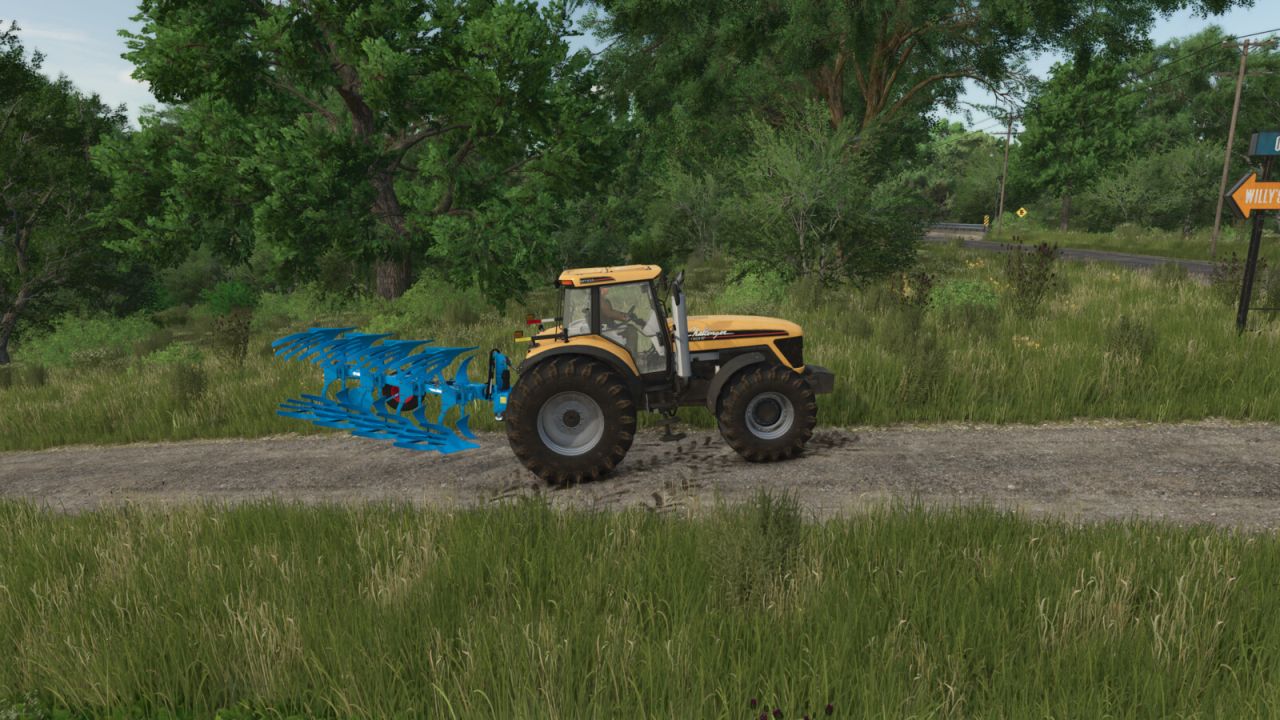
FS25 Manual Hydraulic Control V1.2.0.0 Manual Hydraulic Control allows you to raise and lower the hydraulic lifts manually, just like in real life, and to hold them at any height. This is useful, for example, when a shed entrance is too low: the implement can be lowered slightly so that you can drive through. The mod also enables a more active style of play: for example, a plow can be fully lowered and will then plow. The base-game “V” key for raising and lowering remains available, so both control styles can be combined. Stepless, manual height adjustment of the hydraulics via keypress (hold to move, release to stop). Control always applies to the hydraulics selected with the “G” key (front or rear). The working state (e.g. for plowing or cultivating) is set automatically as soon as the implement touches the ground, and released again when it is lifted. The original automatic raise/lower function remains fully usable. Controls are only active while the engine is running. While lifting manually, the engine speed is raised slightly because the hydraulics need power, just like on a real tractor. The same applies to front loaders and other hydraulic tools, where the engine speed follows the speed of the movement. The hydraulics behave like a real pump: lifting is slower at idle, heavy implements rise more slowly and demand more engine speed. Lowering by gravity is slightly quicker than lifting. Additionally, the automatic lift when attaching an implement is disabled, so the implement stays at its current height. This function can be toggled on or off via a key at any time. The setting applies from the next attaching operation onwards. Default controls (customizable in the menu): STRG RIGHT + – = Raise STRG RIGHT + . = Lower STRG RIGHT + , = Toggle automatic lift on attach on/off V1.2.0.0 New: The engine speed increases during manual lifting, depending on the travel speed and weight of the implement. New: The engine speed boost also applies to front loaders and other hydraulic tools. New: The lifting speed depends on the engine speed and weight of the implement; lowering is slightly faster than lifting. New: The working state is activated and deactivated based on the implement’s contact with the ground instead of fixed lifting heights. Credits:KöllaKind
Bayerische Scheune mit Kuhstall V1.0.0.0
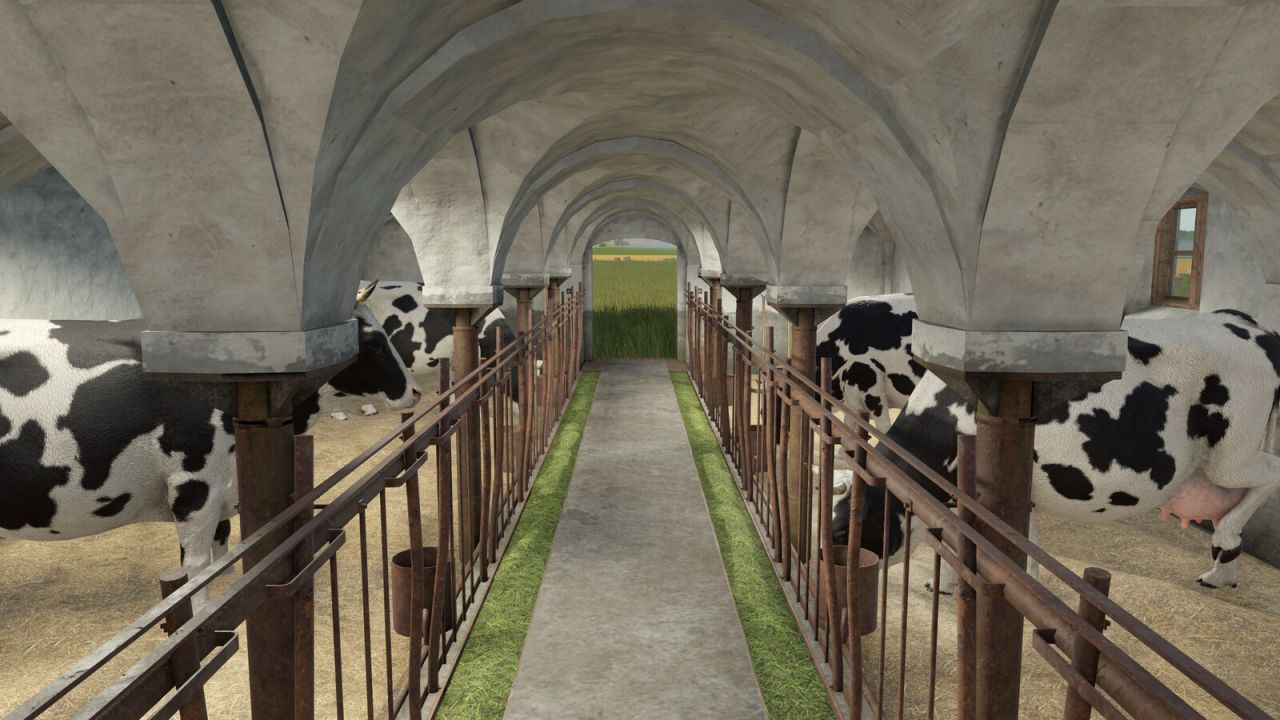
Bayerische Scheune mit Kuhstall V1.0.0.0 Scheune mit Kuhstall. Kategorie: Tiergehege Preis: 100.000 US-Dollar Tägliche Unterhaltskosten: 15 $ Tiere: 30 Kühe Ballenlagerung – Kapazität: 600 Ballen (kleine Quaderballen empfohlen) Tags: Bayerische ScheuneKategorie Tiergehege
Speicher PGR 85×15 V1.0.0.0
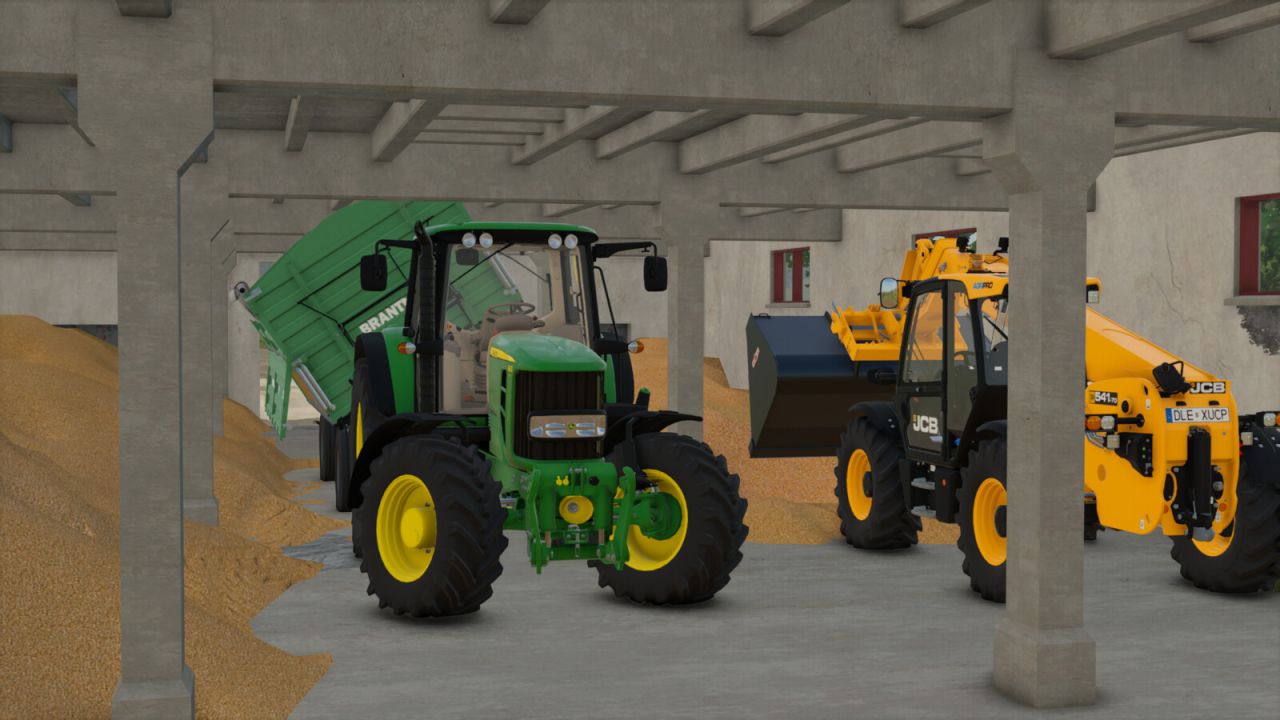
Speicher PGR 85×15 V1.0.0.0 Preis: 90.000 $ Tägliche Unterhaltskosten: 50 $ Fläche: 85 x 15 m Platzierbarer Lagerraum (PGR), in dem Sie Ihre Waren lagern können. Tags: Sie Ihre Waren
Verkehrsdichtesteuerung V1.0.2.0
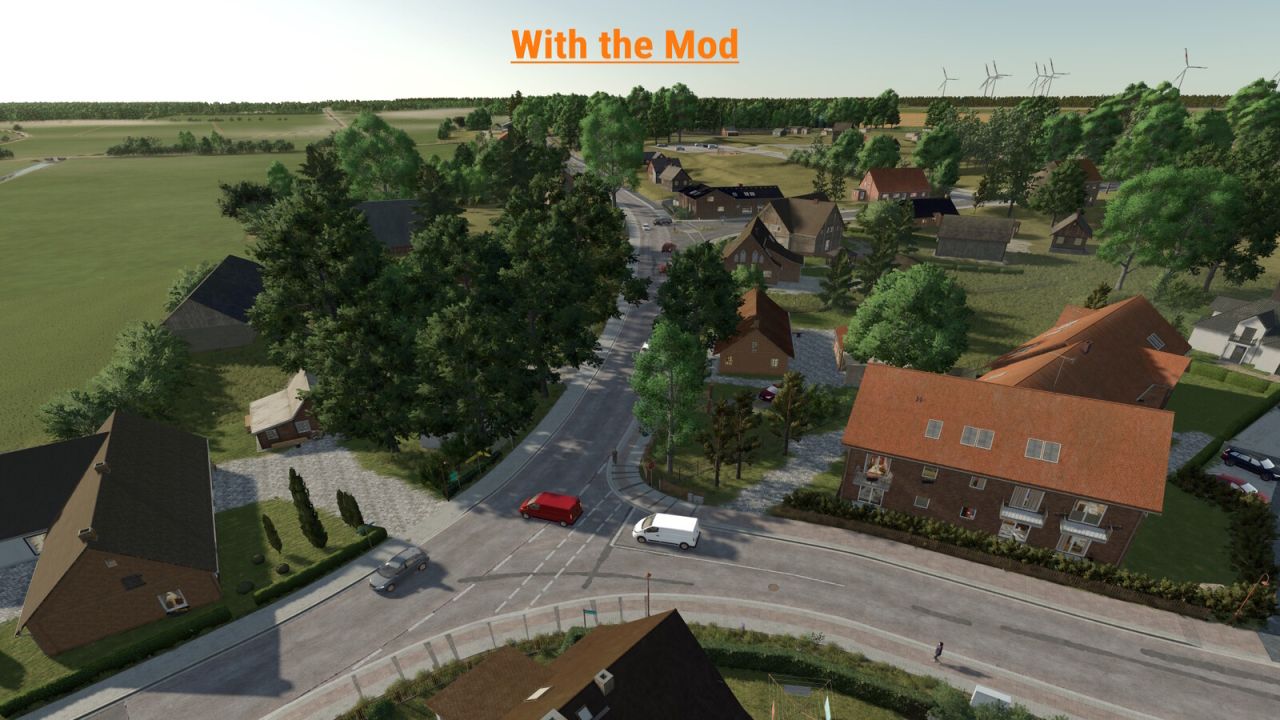
Verkehrsdichtesteuerung V1.0.2.0 Traffic Density Control fügt den Spieleinstellungen einen eigenen Bereich hinzu, in dem die KI-Verkehrsdichte angepasst werden kann. Die Anzahl der aktiven KI-Fahrzeuge kann direkt im Spiel eingestellt werden. Werte von 15 bis 150 Fahrzeugen sind möglich. Für Kartenersteller können Verkehrslinien optional das Benutzerattribut trafficDensity oder density verwenden. Beispielwerte sind 0 für blockierten Datenverkehr, 0,1 für sehr geringen Datenverkehr, 0,25 für geringen Datenverkehr, 0,5 für mittleren Datenverkehr und 1 für normalen Datenverkehr. Splines ohne dieses Benutzerattribut behalten ihr normales Abbildungsverhalten bei. Für den Einzelspielermodus steht auch eine manuelle Neuladefunktion zur Verfügung. Diese kann den KI-Verkehr bei Bedarf einmal neu laden. zum Beispiel, wenn Fahrzeuge im Stau stehen oder der Verkehr sich ungewöhnlich verhält. Im Mehrspielermodus kann nur der Host oder ein Administrator die Anzahl der KI-Fahrzeuge ändern. Damit die Änderung wirksam wird, muss der Server nach der Anpassung der Fahrzeuganzahl einmal gespeichert und neu gestartet werden. Wichtiger Hinweis: Eine höhere Anzahl von KI-Fahrzeugen kann, abhängig von der Karte, der Systemleistung und der Spielsituation, zu Leistungsproblemen, Staus oder ungewöhnlichem KI-Verkehrsverhalten führen. Erhöhen Sie den Wert daher vorsichtig und testen Sie die Einstellung einzeln auf jeder Karte. V1.0.2.0 Die Kollisionserkennung für Bahnübergänge und Ampeln wurde korrigiert. Tags: Die AnzahlDie KollisionserkennungIm MehrspielermodusWichtiger Hinweis
Automatische Milchverteilung V1.1.0.0
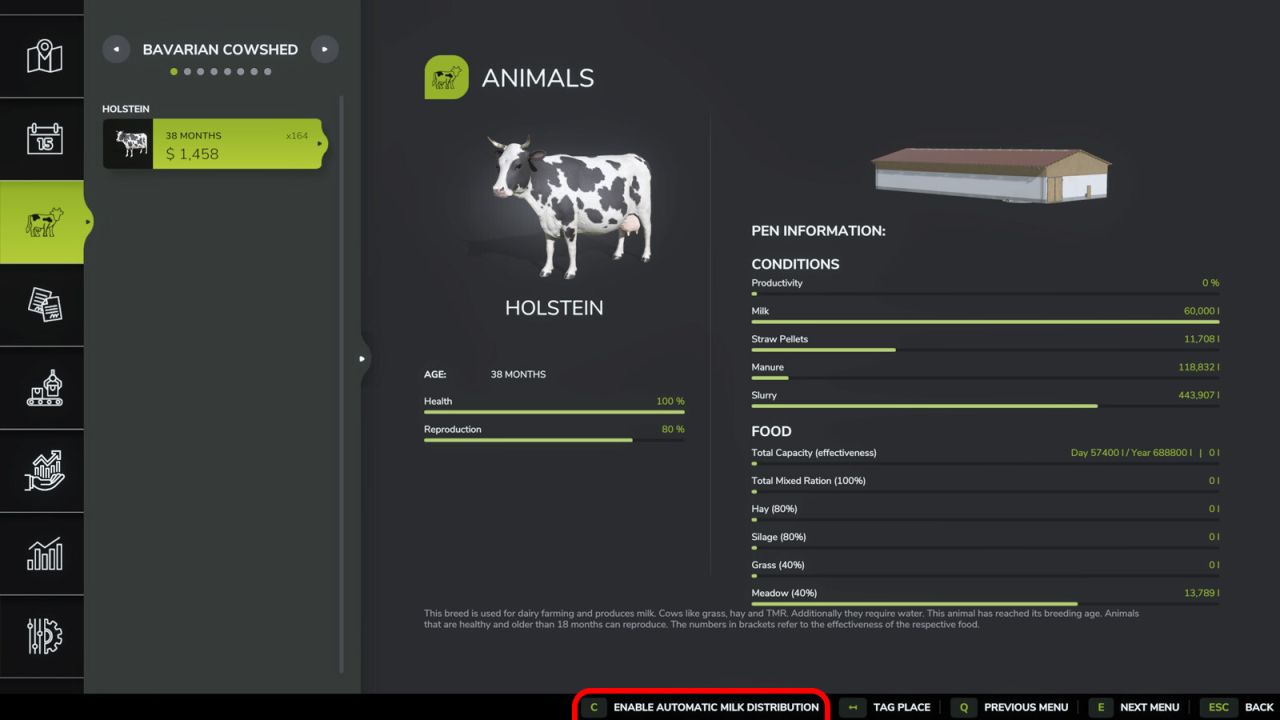
Automatische Milchverteilung V1.1.0.0 Verteilt Milch automatisch von den Ställen zu den aktiven Produktionsstellen. Dieses Skript spart Zeit und macht den manuellen Transport überflüssig. Die tägliche Verteilungszeit kann in den allgemeinen Spieleinstellungen festgelegt werden. Das System unterstützt Kuh- und Büffelmilch. Die Funktion kann für jeden Stall einzeln im Tiermenü aktiviert oder deaktiviert werden. Optional kann der Transport pro Liter kostenpflichtig sein; die Kosten werden vom Konto des Hofes abgebucht und können in den allgemeinen Spieleinstellungen konfiguriert werden. V1.1.0.0 Optionaler kostenpflichtiger Milchtransport hinzugefügt (Kosten pro Liter, konfigurierbar in den allgemeinen Spieleinstellungen). Die Benachrichtigungen im Spiel sind jetzt übersetzt und verwenden die Spielwährung und die Einheiteneinstellungen. Debug-Konsolenbefehle und Protokollausgabe entfernt Tags: Das SystemDie BenachrichtigungenDie FunktionDieses Skript
Manuelle Hydrauliksteuerung V1.2.0.0
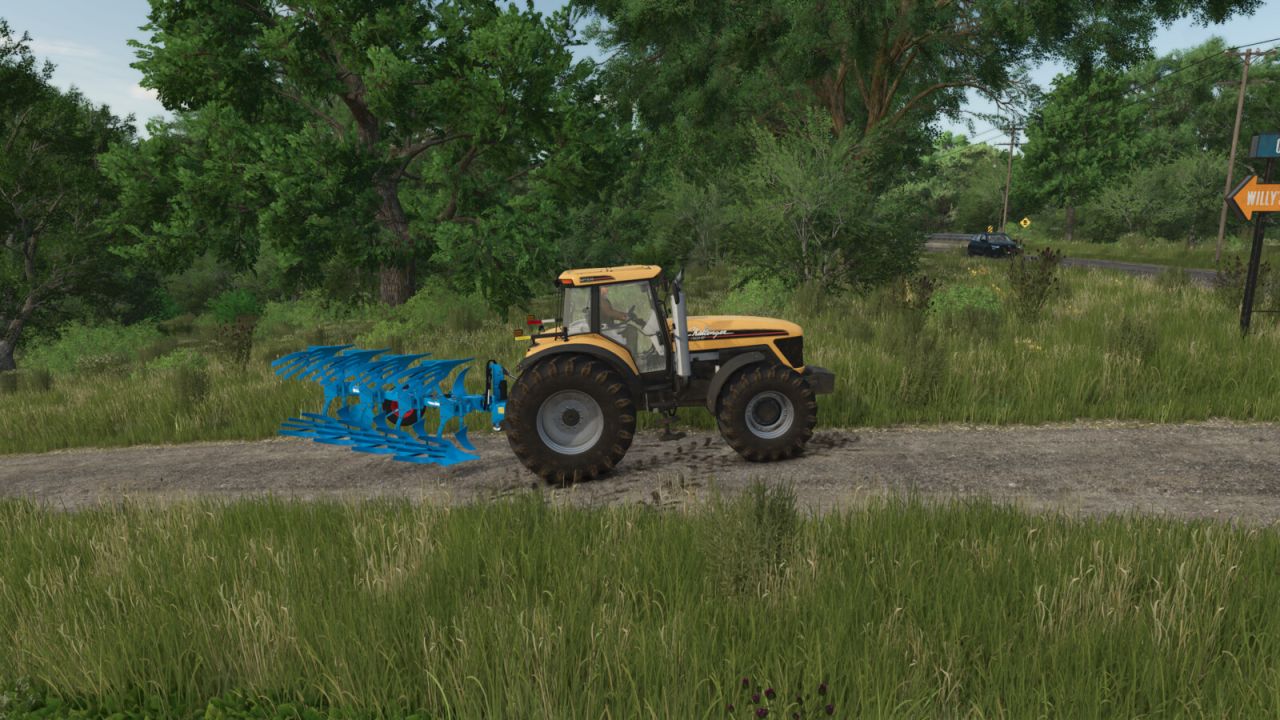
Manuelle Hydrauliksteuerung V1.2.0.0 Die manuelle Hydrauliksteuerung ermöglicht es Ihnen, die hydraulischen Hebebühnen manuell anzuheben und abzusenken, genau wie im realen Leben, und sie in jeder beliebigen Höhe zu halten. Dies ist beispielsweise dann nützlich, wenn die Einfahrt zu einer Scheune zu niedrig ist: Das Gerät kann etwas abgesenkt werden, sodass man hindurchfahren kann. Die Modifikation ermöglicht auch einen aktiveren Spielstil: Beispielsweise kann ein Pflug vollständig abgesenkt werden und pflügen dann. Die Taste „V“ aus dem Basisspiel zum Heben und Senken bleibt erhalten, sodass beide Steuerungsstile kombiniert werden können. Stufenlose, manuelle Höhenverstellung der Hydraulik per Tastendruck (gedrückt halten zum Verstellen, loslassen zum Anhalten). Die Steuerung gilt immer für die mit der Taste „G“ ausgewählte Hydraulik (vorn oder hinten). Der Arbeitszustand (z. B. zum Pflügen oder Kultivieren) wird automatisch eingestellt, sobald das Anbaugerät den Boden berührt, und wieder freigegeben, wenn es angehoben wird. Die ursprüngliche automatische Hebe-/Senkfunktion bleibt vollumfänglich nutzbar. Die Bedienelemente sind nur aktiv, solange der Motor läuft. Beim manuellen Anheben wird die Motordrehzahl leicht erhöht, da die Hydraulik – genau wie bei einem Traktor – Strom benötigt. Dasselbe gilt für Frontlader und andere hydraulische Anbaugeräte, bei denen die Motordrehzahl der Bewegungsgeschwindigkeit folgt. Die Hydraulik verhält sich wie eine echte Pumpe: Im Leerlauf erfolgt das Anheben langsamer, schwere Anbaugeräte heben sich langsamer und benötigen eine höhere Motordrehzahl. Das Absenken durch Schwerkraft ist etwas schneller als das Anheben. Zusätzlich ist die automatische Anhebung beim Anbau eines Anbaugeräts deaktiviert, sodass das Anbaugerät auf seiner aktuellen Höhe bleibt. Diese Funktion kann jederzeit per Taste ein- oder ausgeschaltet werden. Die Einstellung gilt ab dem nächsten Anbauvorgang. Standardsteuerung (im Menü anpassbar): STRG RECHTS + – = Erhöhen STRG RECHTS + . = Nieder STRG RECHTS + , = Automatisches Anheben beim Ankuppeln ein-/ausschalten V1.2.0.0 Neu: Die Motordrehzahl erhöht sich beim manuellen Anheben in Abhängigkeit von der Fahrgeschwindigkeit und dem Gewicht des Anbaugeräts. Neu: Die Motordrehzahlerhöhung gilt auch für Frontlader und andere hydraulische Werkzeuge. Neu: Die Hubgeschwindigkeit hängt von der Motordrehzahl und dem Gewicht des Anbaugeräts ab; das Absenken erfolgt etwas schneller als das Anheben. Neu: Der Arbeitszustand wird durch den Bodenkontakt des Anbaugeräts aktiviert bzw. deaktiviert, anstatt durch feste Hubhöhen. Tags: Das GerDie ModifikationNeu Der ArbeitszustandNeu Die Motordrehzahlerh
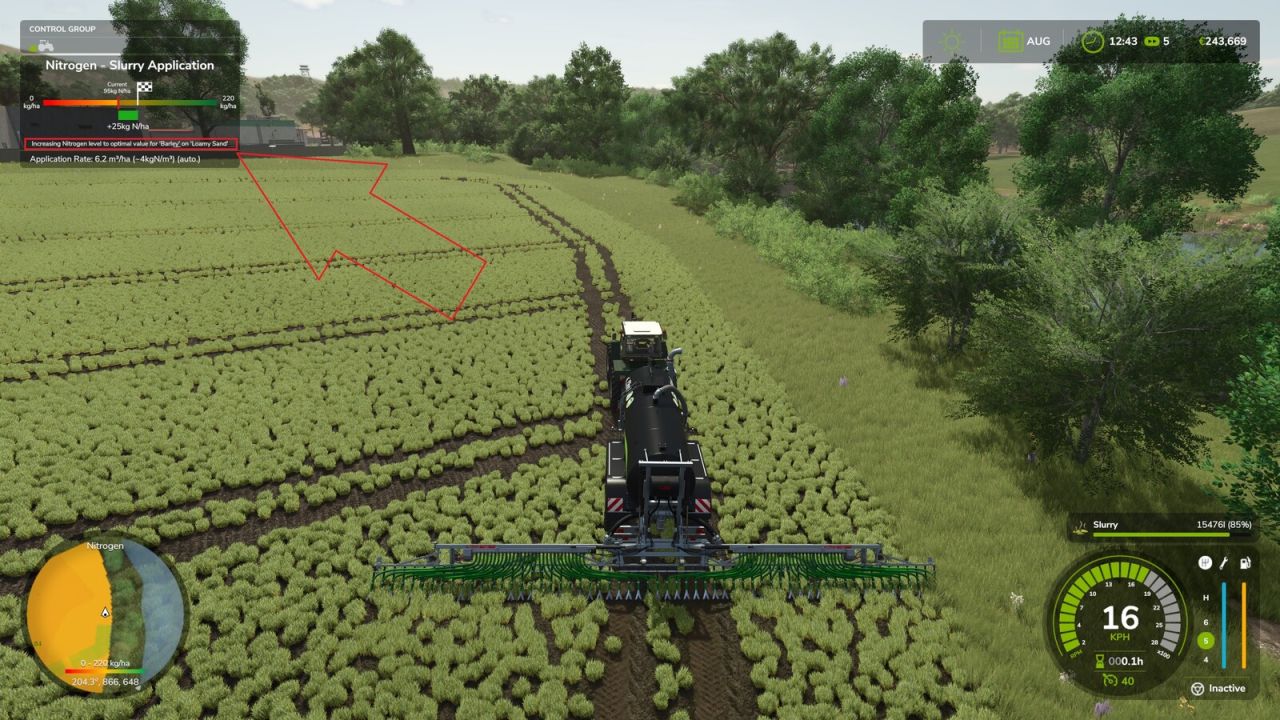
Nachfrageorientierte Bio-Anwendung V2.0.0.0
Nachfrageorientierte Bio-Anwendung V2.0.0.0 Ermöglicht bedarfsorientierte organische Düngung mit Precision Farming für Gülle, Gärreste und Mist und fügt eine frei wählbare Zielkultur hinzu. Während der Fahrt mit einem Fahrzeuggespann und einem kompatiblen organischen Ausbringgerät öffnen Sie die Einstellungen über die konfigurierbare Aktion „Zielkultur auswählen“. Standard-Tastenkombination: Strg links + Z. Das Fenster ist nur für kompatible Gülle-, Gärrest- und Stallmist-Ausbringgeräte verfügbar. Sie können zwischen automatischer Düngung und der Düngung aller auf der aktuellen Karte geladenen Kulturen wählen. Eine manuell ausgewählte Zielkultur dient der Stickstoffbedarfsberechnung von Precision Farming, sodass die Folgekultur bereits vor der Aussaat gedüngt werden kann. Jeder Applikator speichert seine Einstellungen beim Speichern und Laden. Für eine ausgewählte Zielkultur kann die Stickstoffzielmenge optional um X kg N/ha reduziert oder die Ausbringung auf maximal X kg N/ha pro Arbeitsgang begrenzt werden. Zielkultur, Düngungsmodus und Stickstoffwert werden pro Applikator gespeichert und im Mehrspielermodus synchronisiert. V2.0.0.0 Die Serialisierung von Speicherständen auf dedizierten Servern für die Zielpflanzeneinstellungen pro Applikator wurde korrigiert. Das Problem, dass der Mauszeiger nach dem Schließen des Einstellungsdialogs weiterhin sichtbar blieb, wurde behoben. Eine frei wählbare Zielkultur für die bedarfsorientierte organische Düngung wurde hinzugefügt. Es wurde ein einzelnes Einstellungsfenster im GIANTS-Stil für Zielkultur, Düngungsmodus und Stickstoffwert hinzugefügt. Der Modus „Ziel – X kg N/ha“ wurde hinzugefügt. Modus "Max. X kg N/ha pro Überfahrt" hinzugefügt. Die Einstellungen werden für jeden Anwendungsfall separat gespeichert und bleiben auch nach dem Speichern/Laden erhalten. Die Multiplayer-Synchronisierung wurde für die Einstellungen pro Applikator hinzugefügt. Manuelle Zielkulturen können für die Stickstoffberechnung im Rahmen der Präzisionslandwirtschaft vor der Aussaat der Folgekultur verwendet werden. Verbesserte Kompatibilität mit der Logik des organischen Applikators von Precision Farming. Ein Absturz beim Aktualisieren der Precision Farming-Einstellungen in gemischten Fahrzeugkombinationen wurde behoben. Korrigierter Verbrauch von Gülle, Gärresten und Misttanks bei Verwendung einer manuell ausgewählten Zielkultur. Französische Lokalisierung hinzugefügt. Erforderliche Mods: Präzisionslandwirtschaft Tags: Das ProblemDie EinstellungenErforderliche ModsPrecision Farming
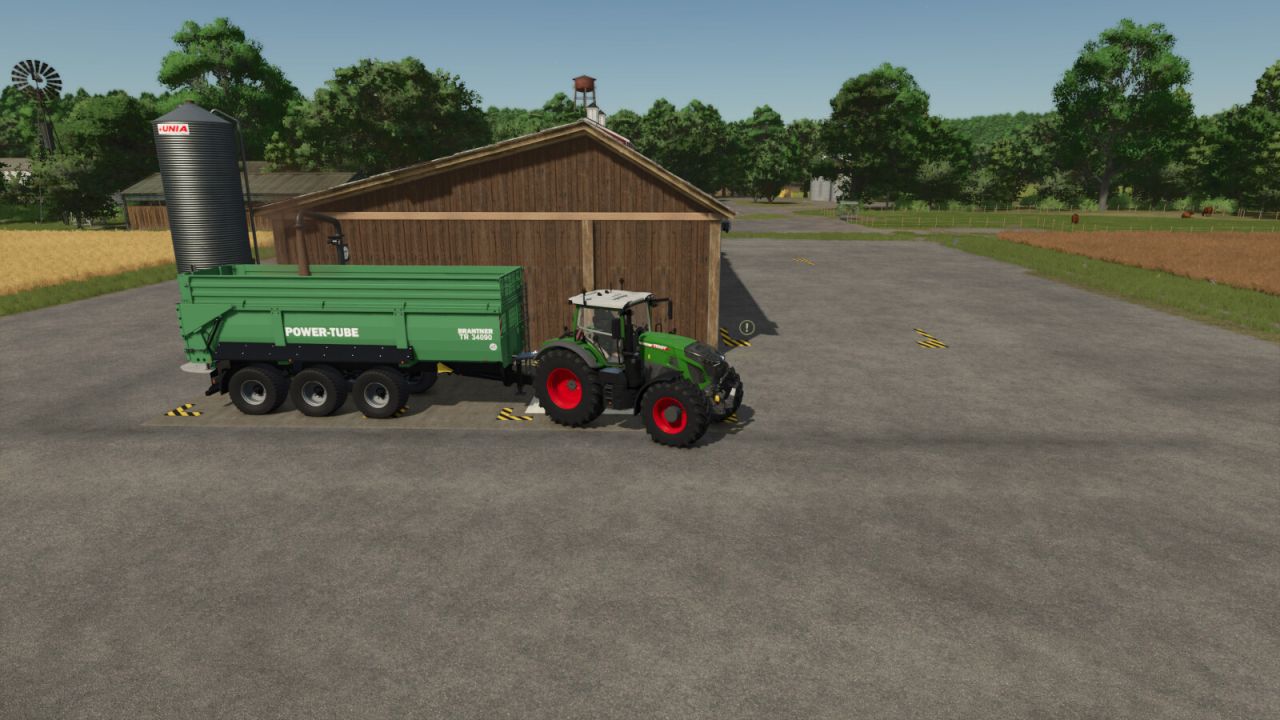
Chip N Wood Sägewerk V1.1.0.0
Chip N Wood Sägewerk V1.1.0.0 Kategorie: Produktionsstätten Preis: 75.000 $/125.000 $ Das Sägewerk verarbeitet sowohl Holz als auch Hackschnitzel zur Warenherstellung. Paletten werden gestapelt erzeugt. Neben Baumstämmen verarbeitet das Sägewerk auch lose Hackschnitzel, Ballen und Paletten. Alle Rezepte bieten die Option, Hackschnitzel oder Holz zu verwenden. Eingangsmaterialien: Holz, Holzspäne Abgehende Materialien: Bretter, lange Bretter, Holzspäne, Fertigwände, Holzbalken. Konfigurationen: Realistisch (Basisspielgeschwindigkeit). Unrealistisch (10-mal schneller). Hinweis: Wenn das Hackschnitzellager voll ist, können keine Produkte aus Holz hergestellt werden, die Hackschnitzel als zusätzliches Produkt erzeugen. Rezepte: Bretter: Eingabe: 416 Holz oder 1200 Holzspäne Ausbeute: 410 Bretter und 120 Holzspäne (falls Holz verwendet wurde) Monatliche Zyklen: 24/240 (unrealistisch) Lange Bretter: Eingabe: 416 Holz oder 1200 Holzspäne Ausbeute: 275 lange Bretter und 120 Holzspäne (falls Holz verwendet wurde) Monatliche Zyklen: 24/240 (unrealistisch) Balken: Eingabe: 416 Holz oder 1150 Holzspäne Ausbeute: 410 Balken und 150 Holzspäne (falls Holz verwendet wurde) Monatliche Zyklen: 24/240 (unrealistisch) Fertigwände: Eingabe: 412 Holz oder 1200 Holzspäne Ergebnis: 100 Fertigwände Monatliche Zyklen: 24/240 (unrealistisch) Holzspäne: Eingabe: 1000 Holz Ausbeute: 3150 Holzspäne Monatliche Zyklen: 24/240 (unrealistisch) V1.1.0.0 Es wurden Konfigurationsoptionen zum Entfernen der Türen hinzugefügt. Der Türauslöserbereich wurde verkleinert. Optimierte Dateigröße. Tags: Hinweis WennLange BretterMonatliche Zyklen
- 15 per page
- 30 per page
- 45 per page
- 60 per page
-
See more per page
Bigger pages, fewer clicks - and no ads anywhere.
Go Pro