Farming Simulator 25 mods
78,453 results- 15 per page
- 30 per page
- 45 per page
- 60 per page
-
See more per page
Bigger pages, fewer clicks - and no ads anywhere.
Go Pro
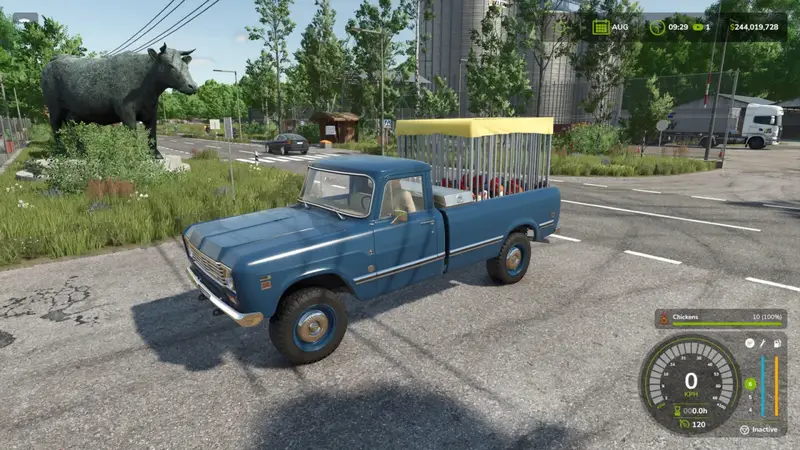
USEFUL-THINGS Tiertransporter-Erweiterung
Erweitere deine Tiertransporter um eine intelligente HUD-Füllstandsanzeige und Tierstimmen. So behältst du jederzeit den Überblick über die geladenen Tiere und kannst ihre Stimmen während der Fahrt hören.Füllstandsanzeige: Das HUD zeigt das passende Tiersymbol, den Rasse- oder Tiernamen sowie die aktuelle Beladung und die Kapazität des Anhängers.Tierstimmen: Die transportierten Tiere geben während der Fahrt artspezifische Laute von sich.Sound-Steuerung: Die Lautstärke der Tiergeräusche lässt sich jederzeit in den Spieleinstellungen anpassen oder die Sounds vollständig deaktivieren.Multiplayer-Synchronisierung: Die Einstellungen für Tiergeräusche werden im Multiplayer synchronisiert und können nur vom Spiel-Admin verwaltet oder geändert werden.Anzeige- und Benennungslogik:Ein Typ und eine Rasse: Bei einer einzelnen Tierart und Rasse zeigt das HUD das artspezifische Symbol und den Namen der Rasse, beispielsweise „Holstein-Kuh“.Gemischte Rassen: Werden verschiedene Rassen derselben Tierart geladen, erscheint eine allgemeine Bezeichnung wie „Kühe“.Gemischte Tierarten: Werden beispielsweise Kühe und Wasserbüffel transportiert, wechselt die Anzeige zu „Kuh & Wasserbüffel“. Für Schafe und Ziegen wird entsprechend „Schaf & Ziege“ angezeigt.Mehrheitsregel: Das Symbol richtet sich nach der Anzahl der geladenen Tiere. Bei mehr Kühen als Wasserbüffeln wird das Kuhsymbol angezeigt, bei mehr Büffeln entsprechend das Büffelsymbol. Dasselbe Prinzip gilt für Schafe und Ziegen.Gleichstandsregel: Bei einer gleichen Anzahl verschiedener Tierarten wird das Symbol der zuerst geladenen bzw. zuerst belegten Art angezeigt. Erweitere deine Tiertransporter um eine intelligente HUD-Füllstandsanzeige und Tierstimmen. So behältst du jederzeit den Überblick über die geladenen Tiere und kannst ihre Stimmen während der Fahrt hören. Anzeige- und Benennungslogik:
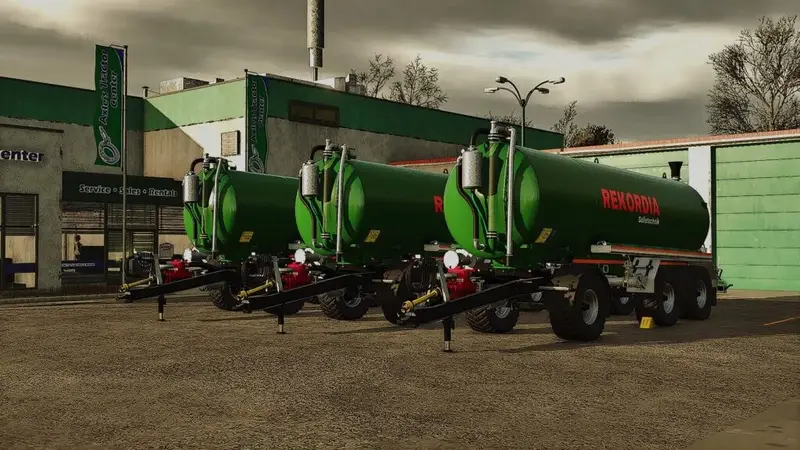
Rekordia TAV Güllefass-Paket
Das Paket enthält drei Rekordia TAV Vakuum-Güllefässer für den Transport von Gülle und Flüssigdünger:TAV 22: 22.000 l – 35.000 €TAV 26: 26.000 l – 45.000 €TAV 28: 28.000 l – 55.000 € Das Paket enthält drei Rekordia TAV Vakuum-Güllefässer für den Transport von Gülle und Flüssigdünger:
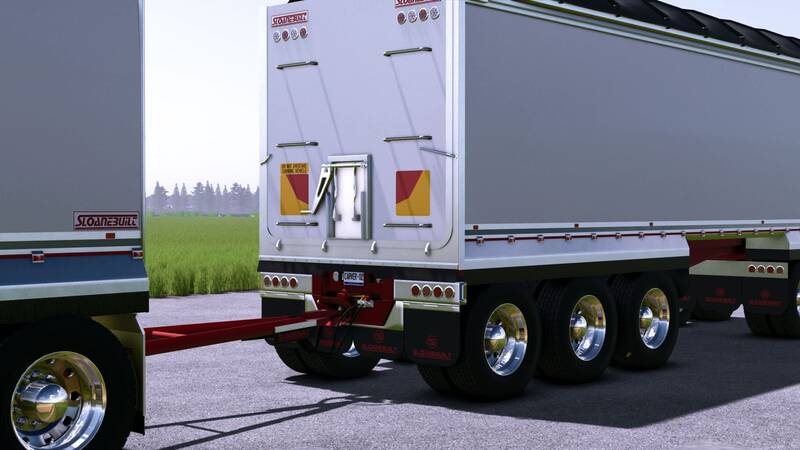
Sloanebuilt Kippmulden & Dog-Packs
Erweitert das Sortiment um langlebige Sloanebuilt Mulden für den Transport von Schüttgütern.AR Truck Bin: Kippauflieger mit Kotflügeln für zwei- und dreiachsige Ausführungen, lackier- und hautvarianten sowie animierter Plane, Heckklappe und Getreideklappe. Standardkapazität: 25.000 Liter.4-Achs-Dog-Pack: 50.000 Liter mit realistischem Gewicht.5-Achs-Dog-Pack: 80.000 Liter mit realistischem Gewicht.Die Kapazitäten können optional übertrieben hoch und ohne Gewicht gewählt werden. Die Mulden sind für den Betrieb mit den Kenworth T900, K108 und T609 sowie weitere passende Lkw-Auflieger vorgesehen. Erweitert das Sortiment um langlebige Sloanebuilt Mulden für den Transport von Schüttgütern. Die Kapazitäten können optional übertrieben hoch und ohne Gewicht gewählt werden. Die Mulden sind für den Betrieb mit den Kenworth T900, K108 und T609 sowie weitere passende Lkw-Auflieger vorgesehen.
Sloanebuilt AR- und Dog-Kippmulden
Das Sloanebuilt-Paket umfasst die AR-Truck-Kippmulde sowie vier- und fünfachsige Dog-Pack-Kippmulden für Kenworth-Zugmaschinen.AR-Truck-Mulde mit Kotflügeln in Standard-, Tandem- und Dreiachs-KonfigurationDog-Mulden mit vier beziehungsweise fünf AchsenAnimierte Plane, Hecktür und GetreideklappeZahlreiche Lackier- und Skin-Optionen mit Sloanebuilt-LogosFür den Transport von Schüttgütern geeignetDie AR-Mulde fasst standardmäßig 25.000 Liter. Die Dog-Mulden bieten 50.000 Liter bei vier Achsen beziehungsweise 80.000 Liter bei fünf Achsen und verfügen über realistische Gewichte. Optional stehen für die AR-Mulde weitere, unrealistische Fassungsvermögen sowie eine Variante ohne Gewicht zur Verfügung.Kompatibel mit den Kenworth T900, K108 und T609. Das Sloanebuilt-Paket umfasst die AR-Truck-Kippmulde sowie vier- und fünfachsige Dog-Pack-Kippmulden für Kenworth-Zugmaschinen. Die AR-Mulde fasst standardmäßig 25.000 Liter. Die Dog-Mulden bieten 50.000 Liter bei vier Achsen beziehungsweise 80.000 Liter bei fünf Achsen und verfügen über realistische Gewichte. Optional stehen für die AR-Mulde weitere, unrealistische Fassungsvermögen sowie eine Variante ohne Gewicht zur Verfügung. Kompatibel mit den Kenworth T900, K108 und T609.
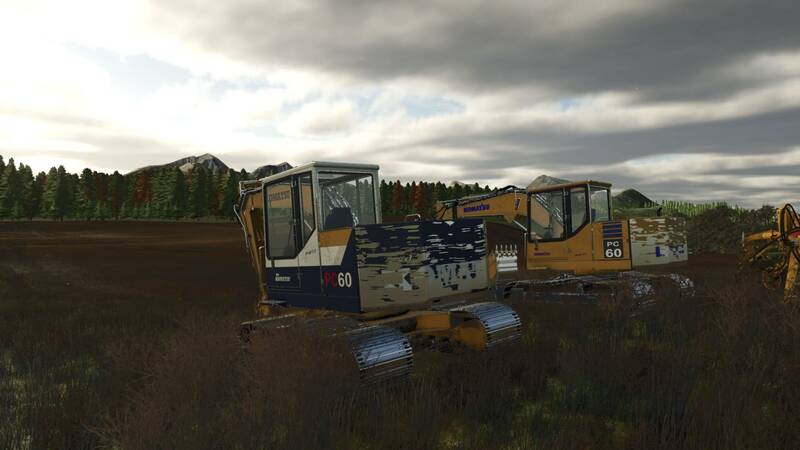
Komatsu PC60 Serie Bagger
Die Komatsu PC60 Serie bringt klassische Kettenbagger-Technik auf die farm. Zwei historisch inspirierte Konfigurationen sind im Shop auswählbar: ein gelber Aufbau mit weißem Kabinendach für das Jahr 1990 sowie eine klassisch gelbe Lackierung mit blauer Komatsu-Beschriftung für 1995.Technische Daten:Motor: Komatsu 4D95L DieselLeistung: 55 hpDrehzahl: 800–2.200 U/minMaximale Fahrgeschwindigkeit: 4,5 km/h vorwärts und rückwärtsKraftstofftank: 500 L DieselLöffelvolumen: 2.000 LGrundpreis im Shop: $38,500Ausstattung und Funktionen:Unabhängige Steuerung der beiden Ketten für präzises Positionieren und Drehen im GegenlaufStandard-Tastatursteuerung sowie Unterstützung für zugewiesene Controller-EingabenAnimierte Kettenplatten, Ritzel und LaufrollenArbeitsender Ausleger, Stiel, Löffel und FrontdozerbladeAnimierte Hydraulikzylinder, Schläuche und LöffelkinematikGrablöffel mit Aufnahme und Auskippen von losem SchüttgutTerraFarm-Unterstützung für Löffel und DozerbladeFortschrittliche Lackabnutzung, separater Schmutz und abwaschbarer KettenmatschÖffnende Kabinentür und Serviceklappen mit detailliertem MotorraumAnimierte Kabinensteuerung, funktionierende Scheibenwischer und lastabhängige AuspuffeffekteUnabhängige Kettensteuerung: standardmäßig über das Nummernfeld. Linke Kette vorwärts: Nummernfeld 7; linke Kette rückwärts: Nummernfeld 1; rechte Kette vorwärts: Nummernfeld 9; rechte Kette rückwärts: Nummernfeld 3. Mit 7 + 9 fahren beide Ketten vorwärts, mit 1 + 3 rückwärts. Die Kombinationen 7 + 3 und 1 + 9 ermöglichen das Drehen im Gegenlauf. Die Richtungen beziehen sich auf die Fahrtrichtung des Untergestells und ändern sich nicht durch Drehen der Kabine. Die Komatsu PC60 Serie bringt klassische Kettenbagger-Technik auf die farm. Zwei historisch inspirierte Konfigurationen sind im Shop auswählbar: ein gelber Aufbau mit weißem Kabinendach für das Jahr 1990 sowie eine klassisch gelbe Lackierung mit blauer Komatsu-Beschriftung für 1995. Ausstattung und Funktionen: Unabhängige Kettensteuerung: standardmäßig über das Nummernfeld. Linke Kette vorwärts: Nummernfeld 7; linke Kette rückwärts: Nummernfeld 1; rechte Kette vorwärts: Nummernfeld 9; rechte Kette rückwärts: Nummernfeld 3. Mit 7 + 9 fahren beide Ketten vorwärts, mit 1 + 3 rückwärts. Die Kombinationen 7 + 3 und 1 + 9 ermöglichen das Drehen im Gegenlauf. Die Richtungen beziehen sich auf die Fahrtrichtung des Untergestells und ändern sich nicht durch Drehen der Kabine.
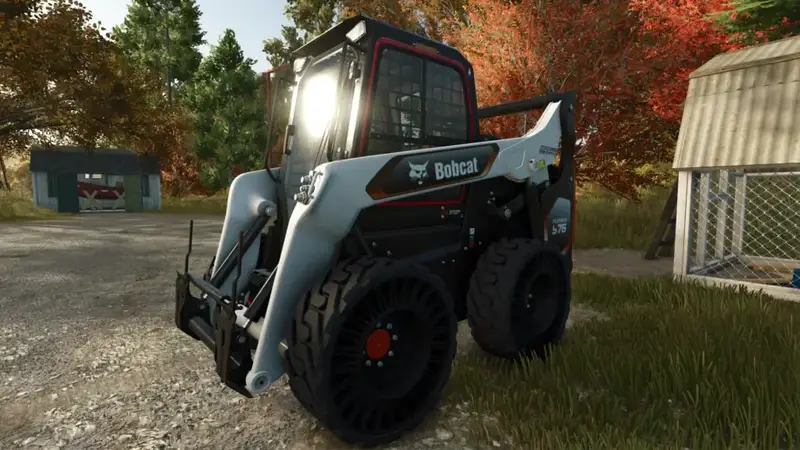
Bobcat T/S76 Platinum
Der Bobcat T/S76 Platinum ist ein leistungsstarker Kompaktlader für vielseitige Arbeiten auf Hof und Baustelle.Motorleistung: 100 PSHöchstgeschwindigkeit: 18 km/hKaufpreis: 59.500 $Wahlweise mit Rädern oder Raupen erhältlich Der Bobcat T/S76 Platinum ist ein leistungsstarker Kompaktlader für vielseitige Arbeiten auf Hof und Baustelle.
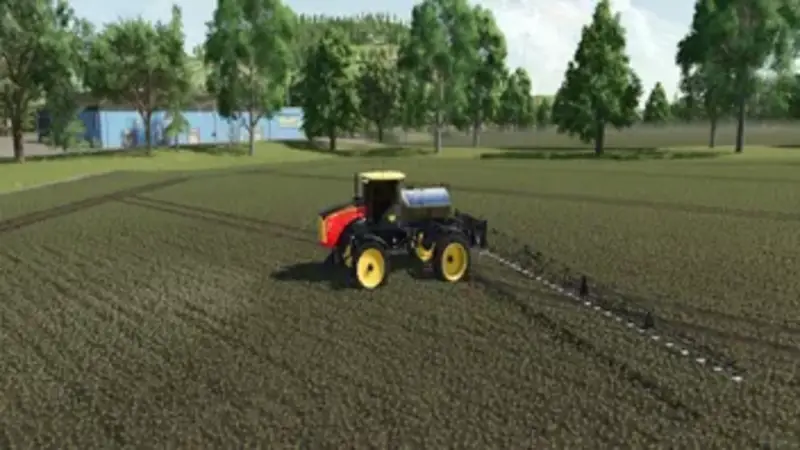
Versatile SX280 Selbstfahrspritze
Die Versatile SX280 ist eine leistungsstarke selbstfahrende Spritze für die Ausbringung von Flüssigdünger und Herbiziden. Sie vereint 280 PS, einen 4.540-Liter-Tank und eine Arbeitsbreite von 30,6 Metern.Arbeitsgeschwindigkeit bis zu 25 km/h und maximale Straßengeschwindigkeit von 57 km/hKlappbare Gestänge für den TransportSprüheffekte und Monitore mit Tank-, Geschwindigkeits- und BetriebsanzeigenUmfangreiche Kabinensteuerungen für Zündung, Spritze, Gestänge, Tempomat, Beleuchtung, Radio und LenkradneigungCB-Funksteuerung und KanalsoundMit Farboptionen für Tank, Dach und Felgen, vier Scheibenfarben, wählbaren Rundumleuchten und optionalen vorderen Reihenteilern lässt sich die SX280 individuell gestalten.Optionale Precision-Farming-Ausstattung: ISARIA PRO Compact zur Erkennung von Pflanzenbeständen, punktuelle Ausbringung mit dem PTx Trimble WeedSeeker 2 und Pulsweitenmodulation.Anforderungen: Farming Simulator 25 für PC. Interactive Control wird benötigt, Precision Farming ist für die genannten Zusatzfunktionen optional. Der Mod verwendet benutzerdefinierte Skripte.Grundpreis im Spiel: 185.000 $ Die Versatile SX280 ist eine leistungsstarke selbstfahrende Spritze für die Ausbringung von Flüssigdünger und Herbiziden. Sie vereint 280 PS, einen 4.540-Liter-Tank und eine Arbeitsbreite von 30,6 Metern. Mit Farboptionen für Tank, Dach und Felgen, vier Scheibenfarben, wählbaren Rundumleuchten und optionalen vorderen Reihenteilern lässt sich die SX280 individuell gestalten. Optionale Precision-Farming-Ausstattung: ISARIA PRO Compact zur Erkennung von Pflanzenbeständen, punktuelle Ausbringung mit dem PTx Trimble WeedSeeker 2 und Pulsweitenmodulation. Anforderungen: Farming Simulator 25 für PC. Interactive Control wird benötigt, Precision Farming ist für die genannten Zusatzfunktionen optional. Der Mod verwendet benutzerdefinierte Skripte. Grundpreis im Spiel: 185.000 $

New Holland TM 7020 – Reisbauer-Edition
Der New Holland TM 7020 liegt als Reisbauer-Edition mit verschiedenen Konfigurationsmöglichkeiten vor.Auswählbare Optionen umfassen weiße oder schwarze Felgen, Aufkleber, Antennen, eine Konfiguration für den Reisanbau sowie unterschiedliche Reifen für den Trockenfeldbau.Leistung: 121 kW / 165 PSGetriebe: Schaltgetriebe mit PowershiftKraftstofftank: 218 lHöchstgeschwindigkeit: 60 km/hGesamtgewicht: 5,4 tDer Gesamtpreis im Spiel beträgt 78.000 €. Die Modifikation wurde von JGGAMEPLAYAGRO für die aktuelle Spielversion konvertiert. Der New Holland TM 7020 liegt als Reisbauer-Edition mit verschiedenen Konfigurationsmöglichkeiten vor. Auswählbare Optionen umfassen weiße oder schwarze Felgen, Aufkleber, Antennen, eine Konfiguration für den Reisanbau sowie unterschiedliche Reifen für den Trockenfeldbau. Der Gesamtpreis im Spiel beträgt 78.000 €. Die Modifikation wurde von JGGAMEPLAYAGRO für die aktuelle Spielversion konvertiert.
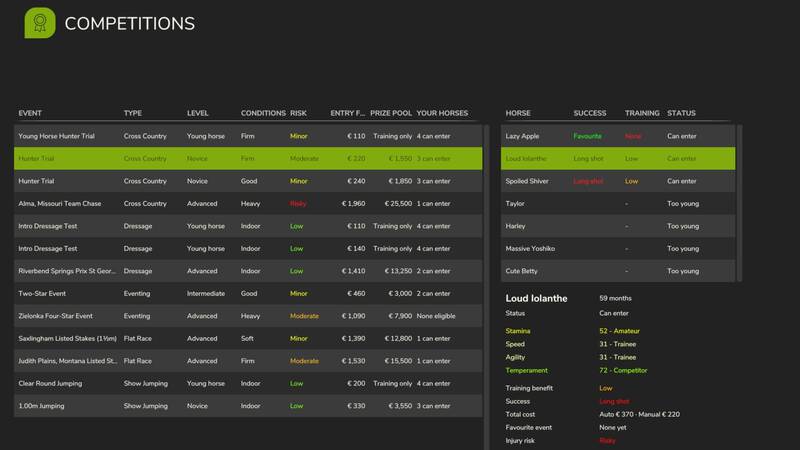
Realistische Pferdekarriere
Gib deinen Pferden eine Karriere! Jedes Pferd erhält vier Wettkampfwerte, die durch Training, Fütterung und Zucht verbessert werden können.Melde deine Pferde für Shows, Rennen und Meisterschaften an und verdiene Preisgelder – von lokalen Novizenklassen bis zum Grand Prix am anderen Ende der Welt. Du bist Züchter, Besitzer und Trainer, nicht Jockey. Du züchtest, kaufst, trainierst und fütterest deine Champions zu Hause und schickst sie anschließend zu den Wettkämpfen, während du deine Farm weiterführst. Ergebnisse und Preisgelder werden dir zugeteilt.Dieses Add-on für Realistic Livestock - Ritter ist erforderlich und nutzt dessen Genetik sowie Gesundheits- und Fitnesssystem. Es handelt sich um eine frühe Version mit derzeit eingeschränktem Mehrspieler-Modus. Bitte erstelle vor der Installation ein Backup deiner Spielstände. Gib deinen Pferden eine Karriere! Jedes Pferd erhält vier Wettkampfwerte, die durch Training, Fütterung und Zucht verbessert werden können. Melde deine Pferde für Shows, Rennen und Meisterschaften an und verdiene Preisgelder – von lokalen Novizenklassen bis zum Grand Prix am anderen Ende der Welt. Du bist Züchter, Besitzer und Trainer, nicht Jockey. Du züchtest, kaufst, trainierst und fütterest deine Champions zu Hause und schickst sie anschließend zu den Wettkämpfen, während du deine Farm weiterführst. Ergebnisse und Preisgelder werden dir zugeteilt. Dieses Add-on für Realistic Livestock - Ritter ist erforderlich und nutzt dessen Genetik sowie Gesundheits- und Fitnesssystem. Es handelt sich um eine frühe Version mit derzeit eingeschränktem Mehrspieler-Modus. Bitte erstelle vor der Installation ein Backup deiner Spielstände.
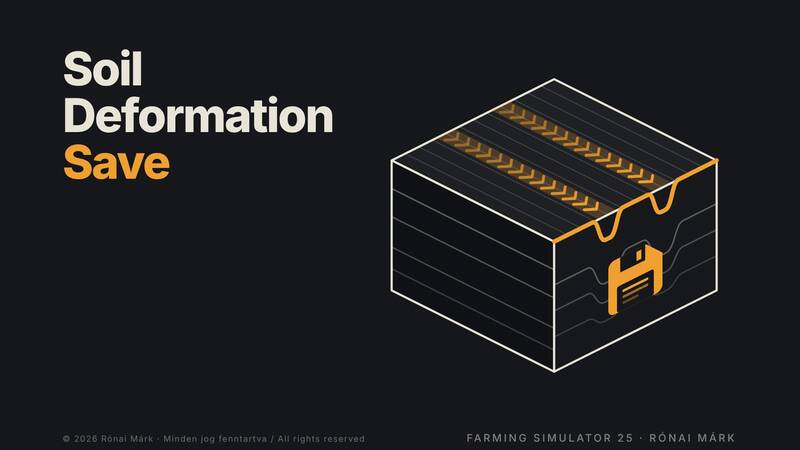
Bodenverformung dauerhaft speichern
Radspuren, Reifenspuren und Pflugfurchen bleiben mit diesem Mod nach dem Speichern und Laden auf deinen Feldern erhalten. Die Spuren bleiben so lange bestehen, bis der Boden erneut bearbeitet wird.FunktionenZeichnet die Spuren aller Räder auf dem Boden auf – von Traktoren, Anbaugeräten, Anhängern und Ernternaschinen.Unterstützt Fahrzeuge aus dem Basisspiel sowie modifizierte Fahrzeuge.Speichert die Tiefe der Radspuren als echte Geländeverformung und stellt sie beim Laden wieder her.Reifenspuren und von Pflügen hinterlassene Furchen werden ebenfalls gespeichert und wiederhergestellt.Die Spuren haben kein Zeitlimit, sondern verschwinden erst, wenn der Boden erneut bearbeitet wird.Wie die Spuren verschwindenPflüge, Grubber, Scheibeneggen, Tiefenlockerer, Packwalzen, Rollen, Furchenformer und Saatgutmaschinen glätten den bearbeiteten Boden.Ein Pflug verschüttet die Furchen früherer Arbeitsgänge.Direktsaatgeräte bearbeiten den Boden nicht und glätten daher keine Radspuren, entfernen jedoch alte Furchen.Installation und VerwendungKopiere die ZIP-Datei ohne Entpacken in den Mods-Ordner und aktiviere sie in deinem Spielstand.Die Mod benötigt keine Einstellungen, Menüs oder Bildschirmmeldungen und arbeitet im Hintergrund.Sie kann in einem bestehenden Spielstand aktiviert werden, zeichnet aber nur Spuren ab dem Zeitpunkt der Aktivierung auf.Nach dem Laden werden die Spuren einige Sekunden nach dem Start der Karte schrittweise rekonstruiert, beginnend in der Nähe der Kamera.Die Daten werden in der Datei soilDeformationSave.xml im Ordner deines Spielstands gespeichert.Wichtige HinweiseSpuren werden nur auf Ackerland aufgezeichnet, nicht auf Straßen. Furchen werden nicht wiederhergestellt, wenn inzwischen eine neue Kultur gesät wurde.Wiederhergestellte Vertiefungen können flacher und weniger deutlich aussehen als frisch erzeugte Spuren, besonders auf Karten mit einem groben Geländeraster.Die Mod funktioniert im Einzelspieler sowie auf Server- oder Host-Spielen. Clients sehen die wiederhergestellten Spuren nicht. Für den Multiplayer muss die Mod als ZIP-Datei verwendet werden.Bei einer extrem großen Anzahl an Spuren werden zuerst die ältesten Einträge geglättet, um das Speicherlimit einzuhalten.Erstellt von Rónai Márk. Radspuren, Reifenspuren und Pflugfurchen bleiben mit diesem Mod nach dem Speichern und Laden auf deinen Feldern erhalten. Die Spuren bleiben so lange bestehen, bis der Boden erneut bearbeitet wird. Erstellt von Rónai Márk.
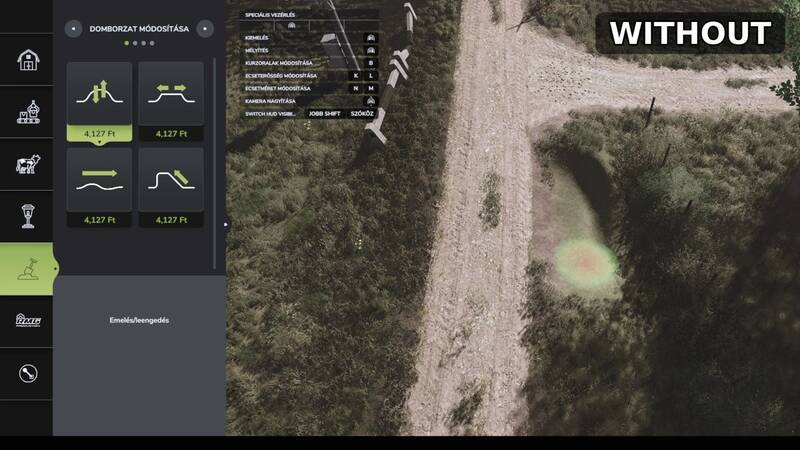
Präzisionspinsel – Feinere Pinselgrößen für Paint, Sculpt und Foliage
Precision Brush erweitert die Landschaftswerkzeuge im Konstruktionsmenü um jeweils zwei zusätzliche, kleinere Pinselstufen. Dadurch lassen sich Bodentexturen, Geländeformen und Pflanzen präziser bearbeiten.Paint (Bodenoberflächen): Neue Größen 0,125 und 0,25Sculpt (Geländeformung): Neue Größen 0,5 und 1Foliage (Pflanzen): Neue Größen 0,125 und 0,25Die zusätzlichen Stufen funktionieren mit den normalen Pinselgrößensteuerungen. Weitere Spielsysteme werden nicht verändert.Verwendung: Öffne das Konstruktionsmenü, wähle Paint, Sculpt oder Foliage und reduziere die Pinselgröße weiter als bisher, um die neuen Stufen zu erreichen.Installation: Kopiere die ZIP-Datei FS25_PrecisionBrush.zip ohne Entpacken in den Mods-Ordner und aktiviere die Mod für dein Spiel.Credits: Erstellt von Rónai Márk Precision Brush erweitert die Landschaftswerkzeuge im Konstruktionsmenü um jeweils zwei zusätzliche, kleinere Pinselstufen. Dadurch lassen sich Bodentexturen, Geländeformen und Pflanzen präziser bearbeiten. Die zusätzlichen Stufen funktionieren mit den normalen Pinselgrößensteuerungen. Weitere Spielsysteme werden nicht verändert. Verwendung: Öffne das Konstruktionsmenü, wähle Paint, Sculpt oder Foliage und reduziere die Pinselgröße weiter als bisher, um die neuen Stufen zu erreichen. Installation: Kopiere die ZIP-Datei FS25_PrecisionBrush.zip ohne Entpacken in den Mods-Ordner und aktiviere die Mod für dein Spiel. Credits: Erstellt von Rónai Márk
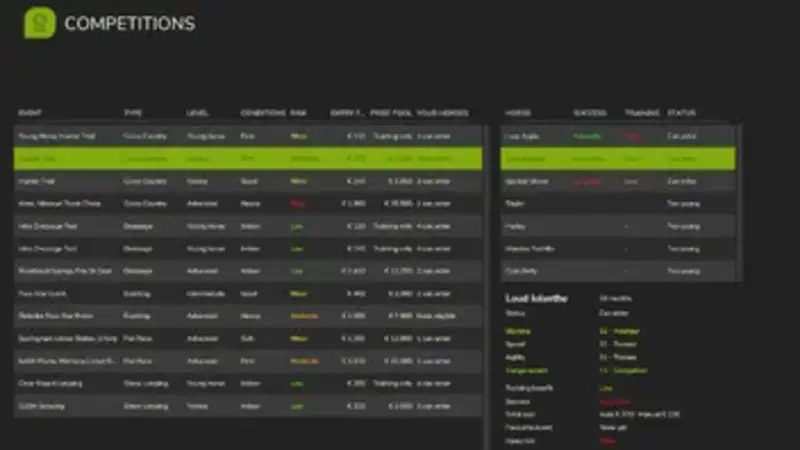
Realistischer Reitsport
Dieses Add-on verleiht Pferden eine sportliche Karriere und erweitert das Spiel um ein umfangreiches Reitsport-System.Jedes Pferd erhält vier Wettbewerbswerte, die durch Reiten, Füttern und Züchten verbessert werden können.Pferde lassen sich für Shows, Rennen und Meisterschaften anmelden, um Preisgelder zu gewinnen.Die Teilnahme reicht von lokalen Anfängerkategorien bis zum Grand Prix auf internationalem Niveau.Du bist Züchter, Besitzer und Trainer, während deine Pferde an den Wettbewerben teilnehmen.Das Add-on nutzt die Genetik, Gesundheit und Fitness aus Realistic Livestock - Ritter version. Diese Mod ist zwingend erforderlich.Hinweis: Es handelt sich um eine frühe Veröffentlichung. Bitte sichere vor der Installation deinen Spielstand. Der Mehrspielermodus ist derzeit nur eingeschränkt verfügbar. Dieses Add-on verleiht Pferden eine sportliche Karriere und erweitert das Spiel um ein umfangreiches Reitsport-System. Das Add-on nutzt die Genetik, Gesundheit und Fitness aus Realistic Livestock - Ritter version. Diese Mod ist zwingend erforderlich. Hinweis: Es handelt sich um eine frühe Veröffentlichung. Bitte sichere vor der Installation deinen Spielstand. Der Mehrspielermodus ist derzeit nur eingeschränkt verfügbar.
Shader VRO 2 V1.0
Shader VRO 2 V1.0 Installation: copy the VRO_lightning folder to Documents/My Games/FarmingSimulator2025/modSettings/FS25_additionalGameSettings/lighting (FOR THOSE WHO INSTALLED THE VRO 1 SHADER IS NOT NECESSARILY TO PUT AGAIN THE VRO LIGHTING) Copy the VRO_Shader_2.ini file to Farming simulator 25/x64 Features 🎥 More realistic image appearance 🌤️ Improved colors 🎨 More natural colors and contrast 🌅 Better visual depth during sunrise and sunset 🌾 Designed to preserve the natural look of the game without excessive saturation ⚙️ Compatible with DLSS 5 ⚙️ Can also be used without DLSS 5 🔧 Requires ReShade 6.8.0 Recommended Setup For the closest result to the screenshots included with this preset: ReShade: 6.8.0 DLSS 5: Cinematic (optional) Monitor in-game Brightness: 1.0 Lightning: Included file Game: Farming Simulator 25 For the best experience, I recommend using the included Lightning file together with the ReShade preset, as both were designed to work together. Author: Veyro Report bugs in the comments and help modders improve this mod. Always check the comments, you can find a solution. DOWNLOAD MOD
Corn cob silage V1.0
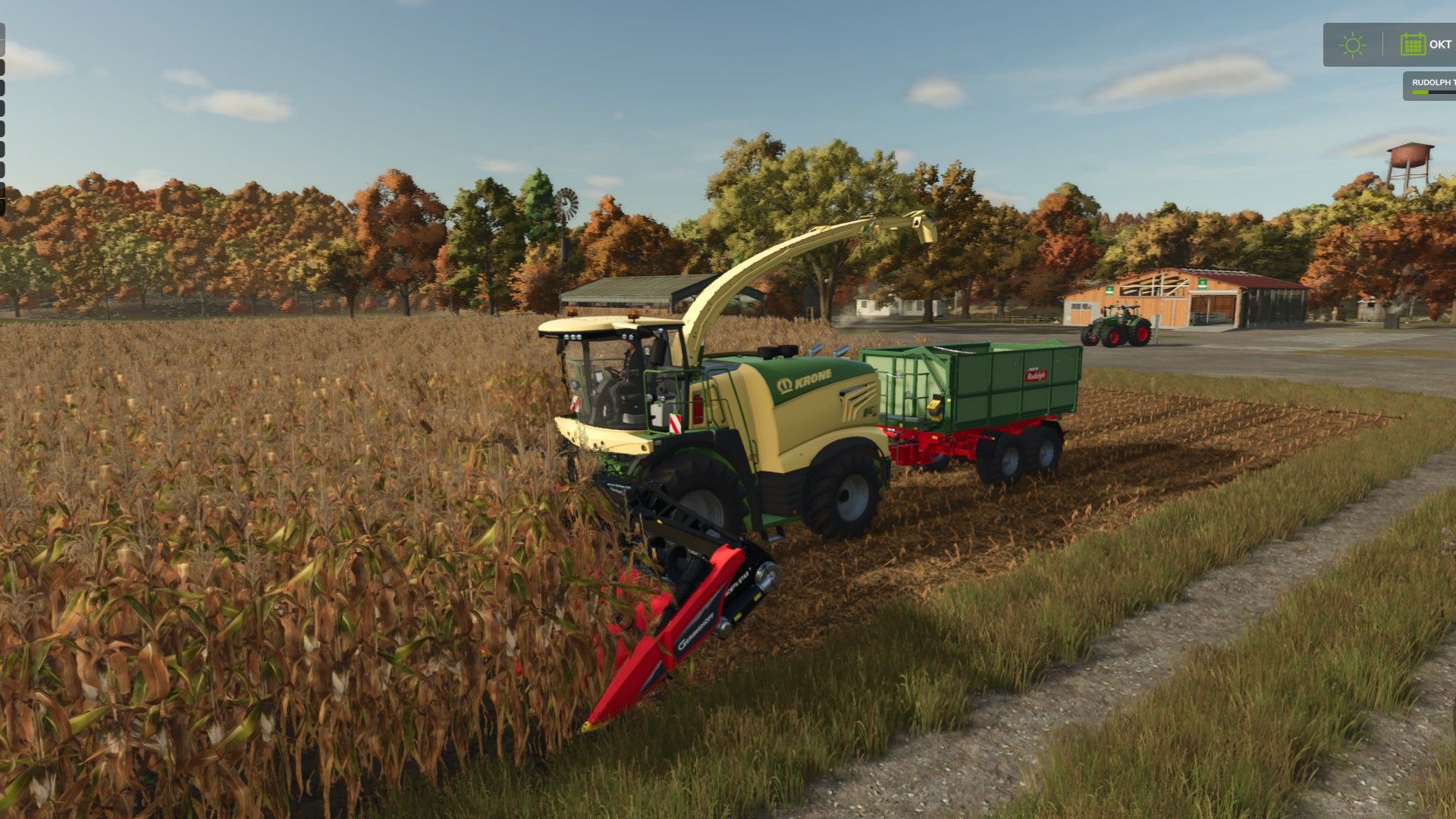
Corn cob silage V1.0 Singleplayer only for now!!! This mod adds ear corn harvesting and ear corn silage (ECS) to Farming Simulator 25. The entire process—from harvesting and ensiling to feeding—is fully integrated into the existing game. FS25 – Ear Corn Silage V1.0 This mod adds ear corn harvesting and ear corn silage (ECS) to Farming Simulator 25. The entire process—from harvesting and ensiling to feeding—is fully integrated into the existing game. Everything has been tested using standard (base-game) buildings and machinery! Additional Information Includes custom fill types, HUD icons, and trailer fill planes for fresh ear corn and finished ear corn silage. Compatible with standard forage harvesters and standard bunker silos. No BGA (biogas plant) processing included. No additional vehicles or silos required. Version 1.0 – PC / Singleplayer Multiplayer and server play are not currently supported. Harvesting and Headers The mod includes two dedicated corn headers for ear corn harvesting: GERINGHOFF NorthStar 1230 FB – 9m working width Capello Diamant 8 – 6m working width Both headers are compatible with all five standard forage harvesters from the base game (CLAAS, Fendt, John Deere, KRONE, and New Holland). Ear corn is harvested from standard corn crops, yielding approximately 45% of the volume typically obtained from standard forage harvesting. Ensiling Freshly harvested ear corn can be stored in the base game’s standard bunker silos and fermented into ear corn silage. No additional, specialized silos are required. Standard ensiling of chopped material remains possible. Feeding cows and cattle The finished husklage (maize cob silage) can be fed in two ways: Direct feeding: Husklage can be fed on its own, achieving a feed efficiency of 90%. Total Mixed Ration (TMR): Husklage can be processed in a standard feed mixer wagon, combined with hay and straw, to create a complete TMR with 100% feed efficiency. Husklage-based TMR – Mixing ratio Feed component Recommended proportion Permissible range Husklage 40% 15–65% Hay 45% 25–75% Straw 15% 5–30% Mineral feed 0% 0–7% Total 100% The mixing ranges are intentionally broad, so precise, exact-measure dosing is not required. Mineral feed is optional. The total mixture must add up to 100%. Standard TMR production remains fully functional. The mixer wagon automatically detects the type of silage!! You cannot use both types of silage at the same time; the mixer wagon must be empty first! I am looking for people with the expertise to make a mod script compatible with multiplayer and dedicated servers! Please write to me in the comments or leave a message! Author: Willi Raster Report bugs in the comments and help modders improve this mod. Always check the comments, you can find a solution. DOWNLOAD MOD

Field Health – Crop Diseases & Pests V1.0
Field Health – Crop Diseases & Pests V1.0 Field Health: Crop Diseases & Pests Your fields finally come alive! Field Health adds crop diseases and pests to Farming Simulator 25, and you deal with them just like on a real farm. The mod combines realism with a relaxed, casual style of play: the threats are based on real diseases and pests found in Poland, yet everything stays simple to use and never turns the game into boring agronomy. How does it work? – Each of your fields with a growing crop can get one disease and one pest per season (from sowing to harvest). NPC fields never get sick. – There are 44 threats: 24 diseases (e.g. powdery mildew, septoria, rust, fusarium, potato late blight) and 20 pests (e.g. aphids, cereal leaf beetles, pollen beetles, Colorado potato beetles, corn borers). Each one attacks only its own crops, at the right growth stage and time of year. Rare threats appear rarely, common ones more often. – Your farming affects the risk: crop rotation, plowing, liming, mulching stubble, fertilizing and weed control all matter. The weather counts too, since warmth and moisture favour diseases. Take care of your fields and they get sick less often. – A threat starts as small, irregular patches that grow over time and can spread to a neighbouring field. It only destroys the crop at its strongest stage, so you have time to react. How to cure it? One spray is all it takes! Fungicide cures diseases, insecticide kills pests. A single pass of the sprayer with the right product cleans the field and protects it until harvest. The products work like herbicide in any sprayer, and the AI helper sprays only the fields that need it. Crop protection products The shop offers 1 l bottles plus 5 l and 20 l canisters of fungicide and insecticide. Every container has its own 3D model, a realistic label and tuned physics, and you can choose between two brands: Opryskex and MST. The products are concentrated: a single bottle makes hundreds of litres of spray mixture. Where can you see your fields’ health? – on the map in the menu (the “Crop protection” page with several layers: protection, diseases, pests and their types), – on the minimap (switch layers with LAlt + \, rebindable in the controls), – in the field info box and the farmland box, – in notifications about new and severe threats. Lots of settings The mod has more than 20 options you can change in the game menu, without editing any files: disease and pest chances, influence of farming and weather, how fast threats develop and spread, patch size, spreading to neighbouring fields, crop losses, protection threshold and duration, product usage, shop prices, threats on meadows and fodder crops, notifications and much more. Make the mod a gentle extra or a real challenge, or switch the whole system off at any time. Also included: – Precision Farming support (nitrogen, pH and soil type affect the risk), – support for onions from the Highlands Fishing DLC, – full in-game help (ESC > Help > Field Health) with tables of all threats, – Polish and English, – multiplayer support (only the admin can change the settings), – safe saving: the mod keeps its data in its own files, so your savegame still works after removing it. Licences and credits – “fertilizer Bottle” model by shabanimate (Sketchfab), licensed under CC BY 4.0. – “#6 Plastic Canister” model by hoxsvl (Sketchfab), licensed under CC BY 4.0. – Barlow fonts, licensed under the SIL Open Font License 1.1. – Idea taken from the “Crop Diseases” mod by BMP. – Huge thanks to the whole MST crew (Mafia Solec Team), and especially to Bronczek and Jankus, for giving me this idea and for becoming the most dangerous “pests” in FS history! Author: MatrikSky Report bugs in the comments and help modders improve this mod. Always check the comments, you can find a solution. DOWNLOAD MOD
- 15 per page
- 30 per page
- 45 per page
- 60 per page
-
See more per page
Bigger pages, fewer clicks - and no ads anywhere.
Go Pro