Farming Simulator 22 mods
49,466 results- 15 per page
- 30 per page
- 45 per page
- 60 per page
-
See more per page
Bigger pages, fewer clicks - and no ads anywhere.
Go Pro
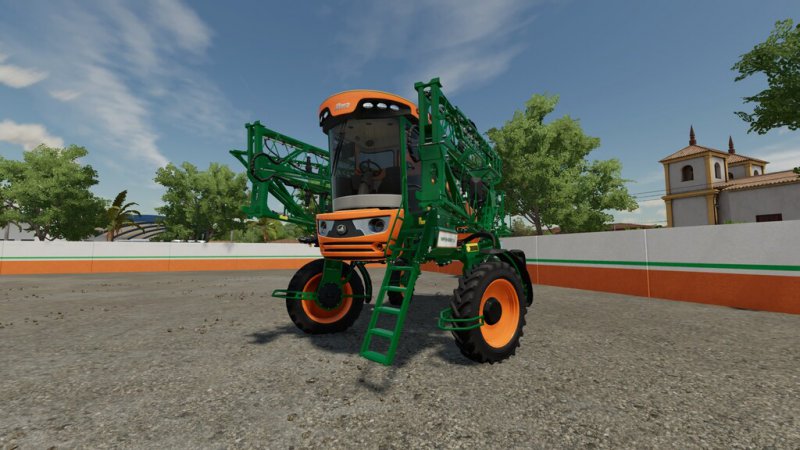
FS22 Stara Imperador 3.0 2018 v2.0.0.0
FS22 Stara Imperador 3.0 2018 v2.0.0.0 Imperador 3.0 is self-propelled 2 in 1 and in a single machine can spray fertilizers and agricultural pesticides or spread granulated fertilizer. Equipped with high-precision spray nozzles that guarantee uniform distribution of products and automatic control of sections, which reduces waste and improves application efficiency. In addition to being equipped with GPS and precision agriculture systems, such as variable rate control and application map. Price: 195,000 $ Power: 223 original hp and 280 chipped Capacity dispenser: 2,700l Capacity sprayer: 2,400l Spreader working width: 28m Sprayer working width: 27m Max working speed: 25 kph Maximum speed: 50 kph or 55 kph Optional 2 types of adhesive Tire options Trelleborg, Michelin, Vredestein, Lizard Optional 3 glass colors Flag show in 2 places Antenna Optional Small rear light Opicinal to place the Isaria Pro Compact sensor, requires the Precision Agriculture DLC Compatible with Passenger system, Requires Kubota DLC ChangeLog 2.0.0.0: Fixed Bugs Fixed visual errors Added some interactive controls Requires FS22_InteractiveControl

FS22 Crosetto CMR + Fliegl ASW Pack v1.0.0.1
FS22 Crosetto CMR + Fliegl ASW Pack v1.0.0.1 Tippers/trailers for transport the harvest and manure spreaders for improve the harvest of your fields. CMR201 CMR203 + ASW256 are 6,5 m length, 3 axles – Price from: 82,500 $ – Capacity: 22.000 liters CMR301 CMR309 + ASW261 are 7,0 m length, 3 axles – Price from: 83,500 $ – Capacity: 30.000 liters CMR304 CMR310 + ASW271 are 8,0 m length, 4 axles – Price from: 94,000 $ – Capacity: 35.000 liters CMR307 CMR315 + ASW381 are 9,0 m length, 4 axles – Price from: 95,000 $ – Capacity: 40.000 liters CMR317 CMR318 + ASW491 are 10,0 m length, 4 axles – Price from: 96,000 $ – Capacity: 45.000 liters The models are: complete configurations and the colors are customizable. Changelog 1.0.0.1 – fixed trailer name position

FS22 Ursus 6 Pack v2.2.0.0
FS22 Ursus 6 Pack v2.2.0.0 The tractor was developed at the Polish-Czechoslovak Research and Development Center for Tractors in Brno, then produced at the ZM Ursus plant in Poland in 1984–2009. Produced in 4857 copies. Many of them still work on Polish farms and in less quantity in many other countries. Price: 58000 $ Power: 155 hp Max. speed: 28/38 kph Confiurations: – Tires – Transmission – Decals – Front weight – Wheel weight – Back fenders – Front fenders – Mud guards – Cabine – Front lights – Grill – Back attacher – Exhaust – Steering wheel – Hood – Frontloader console – Animations: IC/MC Color confiurations: – Engine – Hood – Fenders – Cabine – Grill – Rims – Front weight – Wheel weights – Roof Changelog 2.0.0.0: – Improved scale of the front drive axle – Improved back wiper animation – Improved scale of tires – Added new tires – Added new front weight – Improved textures of some elements – Improved scale of front fenders – Added new hood – Added new back fenders – Added new exhasust pipe – New color configurations – Fixed conection hoses of frontloader – Fixed animation of frontloader joystick – Added new models: 1021, 1204, 1212, 1214, 1222, 1224, 1604 Changelog 2.1.0.0: – Improved back lights – Improved tires – Added few configurations Changelog 2.2.0.0: -Improved lights and turn lights
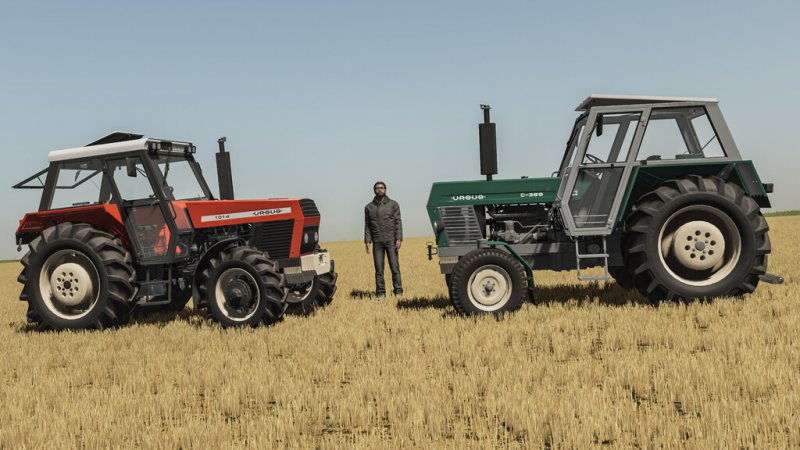
FS22 Ursus 4 Pack v1.2.0.0
FS22 Ursus 4 Pack v1.2.0.0 The tractor was developed at the Polish-Czechoslovak Research and Development Center for Tractors in Brno, then produced at the ZM Ursus plant in Poland in 1984–2009. Produced in 4857 copies. Many of them still work on Polish farms and in less quantity in many other countries. Price: 58000 $ Power: 155 hp Max. speed: 28/38 kph Confiurations: – Tires – Transmission – Decals – Front weight – Wheel weight – Back fenders – Front fenders – Mud guards – Cabine – Front lights – Grill – Back attacher – Exhaust – Steering wheel – Hood – Frontloader console – Animations: IC/MC Color confiurations: – Engine – Hood – Fenders – Cabine – Grill – Rims – Front weight – Wheel weights – Roof Changelog 1.1.0.0: -New tires added Changelog 1.2.0.0: -Improved lights and turn lights

FS22 Ladyhill v1.1.0.0
FS22 Ladyhill v1.1.0.0 Welcome to Ladyhill a real location in County Antrim Northern Ireland just north of Loch Neagh. This map is mostly just rural Irish farming with not much in the way of factories or productions but it does have 2 large buildable areas to make your own. It haas 8 small farms and 4 small farm areas which all can be bought, sold and bought again without the need to sell any placeables, the ownership of the placeables will change accordinly. It also has a cattle pasture mod that can be placed into any field or yard and removed again without disturbing or reshaping the land, it holds 200 and is free which will be good for cattle rotation roleplay This map has:- – 158 fields – 3 cattle pastures – 4 cattlesheds – 1 sheep pasture – 1 horse pasture – 8 small farms – 4 small farm areas – 2 large buildable areas – 29 different custom built house models – 30 different custom built shed models – custom grass and meadow textures – Dirtbike racing track – free quarry loaded with stones for winter work – Tempory cattle pasture mod – field numbers matching farmland numbers – the ability to buy, sell and buy again the same farm with working placeables – NPC characters replaced with fictional Northern Irish named characters A special thank you to Lancyboi for teaching me useful tips making buildings in blender and of course MrFarquar for all his time spent going through the map testing and giving helpful advice. I hope you enjoy this map Changelog 1.1.0.0: – Fixed the border texture not showing up on Xbox console – Fixed the 2 silage clamps tip collisions at the starting farm – Fixed the sawmill warning signs scale – Added entrance to Tardree forest for logging as was pointed out by Mr SealyP
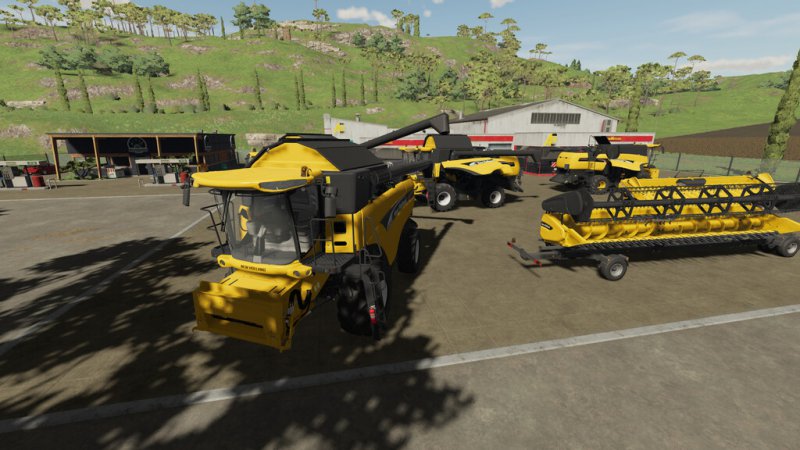
FS22 New Holland CX 7 And 8 2001-2006 v1.1.2.1
FS22 New Holland CX 7 And 8 2001-2006 v1.1.2.1 Put a New Holland CX Super Conventional combine in your fields and move up to a new level of performance, convenience and comfort. What makes a CX a SUPER conventional? In short, CX combines have more threshing capacity, more separating capacity, more grain tank capacity and the fastest unloading rate than you’ll find on the market. Price: 76,000$ Power: 218 hp – 272 hp Max. speed: 25 kph Max. header size: 9m Capacity: 7,600L up to 11600L Model year: 2001 – 2006 Fuel tank: 500L up to 750L Configurations: According to engine: CX 720, 740, 760, 780, 820, 840, 860, 880 Tank Capacity: 7600L, 8000L, 10500L, 11600L Wheel configuration: standard, broad, transport, double Rim Color: New Holland white and yellow Tank colos CB Radio GPS systems Two size of trailer hintch extra Decals 2 type of New Holland Logo in front possibility to change the chopper distripution width (standard in 6m) – possible to change up to 9m Flags configurations 2 types of pipe Other features: – Kubota Passenger compatible – Interactive Control (cabin, outside flaps, ladders, engine, mirrors, back-lights etc.) with custom icons – Fully animated working screen – RealDashboard – DashBoard Live – Combine XP – Two Headers in pack with automatic trailers – back camera with extra light for easier driving – Round side working lights – New trap and ladder with new animations Changelog 1.0.0.1: – Fixed decals position – foldable tanks Changelog 1.1.2.0: – moving elements fully working using mouse – Fixed decals position – some visual errors – fuel consumption modified – extra handle to access the harvester – REAl GPS changed to DashBoard Live to give you better realism inside – Inside screen almost fully operational to give you more realism from the game – Combine XP implementet – please add the mod – Vehicle Control Addon – implementet better realism – Reverse Camera position corrected Changelog 1.1.2.1: – Improved interactive control, now mouse control is disabled when IC is selected – workCamera added (mod required)

FS22 Pinnacle 6x4 Tanker v3.2.2.1
FS22 Pinnacle 6x4 Tanker v3.2.2.1 Pinnacle 6×4 Tanker; Tanker version of the basic Pinnacle 6×4. It can transport Diesel, Milk, Liquid Fertilizer, Herbicide, Digestate, Liquid Manure, Water, Silage Additive, Canola Oil, Sunflower Oil, Olive Oil, Grape Juice and Methane – Color Options – Tank Color Options – Rim Color Options – Engine Options – Gearbox Option – Capacity Options – Attacher Option – Beacons Options – Fill Types Logos – Many Design Options Characteristics: – Baseprice: $40,000 – Power: 425 – 547 hp – Max. Speed: 80 mp/h – Capacity: 14,000 – 22,000 liters Changelog v3.2.2.1 – Pallet Unload Added Changelog v3.2.2.0 – New Fill Type Added(Diesel) – Fill Types Logos Added to Tanker – Filling and Discharging Speeds Increased Changelog v3.2.0.1 – Discharge Problem Fixed Changelog v3.2.0.0 – Traffic Collision Fixed – 6 New Fill Units Added (Silage Additive, Canola Oil, Sunflower Oil, Olive Oil, Grape Juice and Methane – French Translation Added Changelog v3.0.0.0 (I suggest you sell what you have in-game before updating!) – Automatic Gearbox Options Added – New Sun Visor Options Added – Roof Part Configurations Added – Beacons Options Added – New Capacity Option Added (22m³) – 3 New Fill Types Added (Milk, Liquid Fertilizer and Herbicide) – Default Colors Added For Rims – Mud Flaps Design Options Added – Prices Added and Redesigned Changelog v2.5.0.0 – New Engine Options Added (530 & 547 HP) – Attacher Visibilty Fixed Changelog v2.0.0.0 – Tank Color Added – Attacher Options Added – Capacity Configurations Added (Up To 20 m³) Changelog v1.5.0.0 – Rear Light Removed – “Turn On Vehicle” Removed
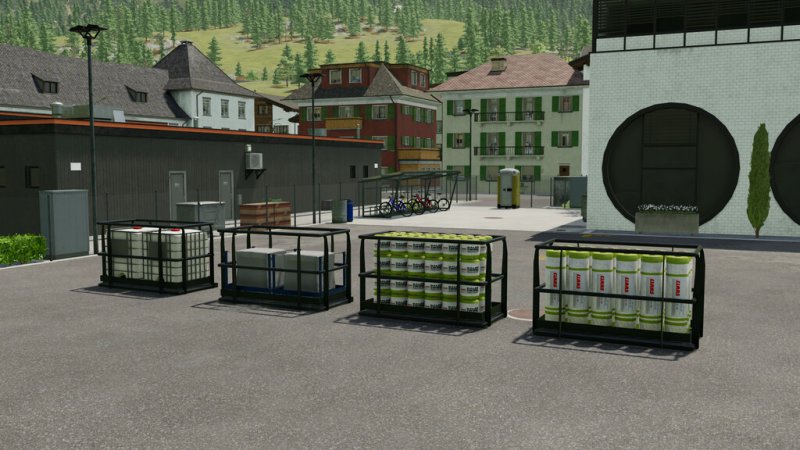
FS22 CSZ Implements Pack Additional Features v2.1.1.1
FS22 CSZ Implements Pack Additional Features v2.1.1.1 CSZ Implements Pack contains equipments made for tractors. These packages includes: ADDITIONAL FEATURES: – Added support for foil wrap – Added support for net wrap – Added support for twine – Added support for FS22_manureSystem Changelog 2.1.1.1 – fixed support for FS22_manureSystem Changelog 2.1.1.0 – added support and configuration for pick up – various minor functional fixes to the machines Changelog 2.1.0.0 – added configuration for the tool camera – added support for foil wrap – added support for FS22_manureSystem
FS22 Variable Pickup Width v1.0.0.1
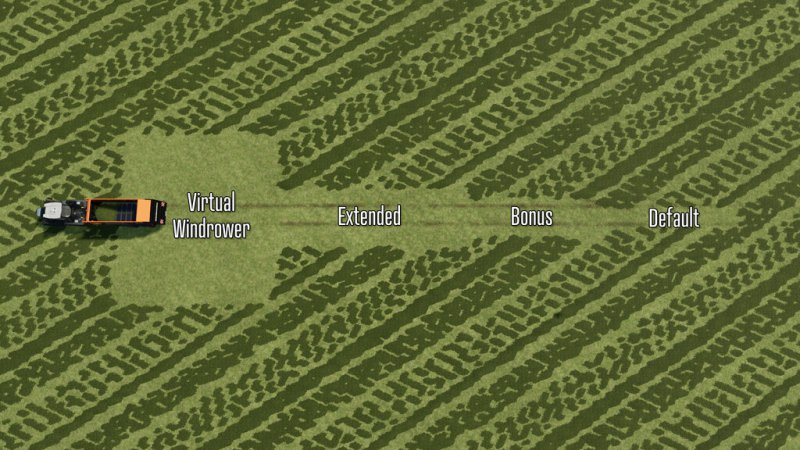
FS22 Variable Pickup Width v1.0.0.1 Have you ever wished that the pickup area was just a bit wider? Variable Pickup Width (VPW) is the solution for you! This mod adds a custom work mode to multiple types of basegame equipment that are designed to “pick up” something from the ground. Each tool has been updated to have a work mode that you can select while using the machine, allowing you to select from 4 different pickup widths: – Default Pickup (default) – Bonus Pickup (+2m) – Extended Pickup (+4m) – Virtual Windrower (20m) Balers: – Poettenger Impress 125F Pro VPW – Massey Ferguson 1840 VPW – Claas Quadrant 5300 HD VPW – Claas Rollant455 Uniwrap VPW – CaseIh LB436 HD VPW – Krone Big Pack 1290 HD VPW Forage Wagons: – Poettenger Boss Alpine 251 VPW – Poettenger Faro 1050 D VPW – Schuitemaker Rapide 580V VPW – Poettenger Jumbo 10020 Tridem VPW – CLAAS CARGOS 9500 VPW Pickup Headers: – Kemper 3003 VPW Stone Pickers: – Elho Scorpio 550 VPW Additionally, any VPW tool that also has a fill capa, city will also have selectable capacity upgrades in the shop with relative discharge rates – but you’ll have to pay for that extra capacity! Note: In rare cases when saving, leaving the game and coming back in with a VPW work mode selected – it will appear that the pickup area has not been adjusted correctly. To remedy this, just cycle through the work modes again to your selection, and continue on. Each item costs $1 more than basegame, works a bit faster and has full color selection. For license, feedback and additional VPW machinery, please visit: https://github.com/GMNGjoy/FS22_VariablePickupWidth CHANGELOG 1.0.0.1 – Corrected prices for all color options to be free – Fixed fill target & unload speed of Ridonculous Capacity on the Claas Cargos 9500 VPW – Fixed AI worker for Elho Scorpio 550 VPW to respect VPW width

FS22 Placeable Decoratives Pack
FS22 Placeable Decoratives Pack Only for decorative purposes. 6 x Newspaper Box 4 x Bench 1 x Phone Box 1 x Phone Stand 1 x Drinking Fountain 1 x Dolphin Sculpture Placeable >> Decoration >> Others – Price(All): 50$ – Daily Upkeep(All): 0$ Changelog v1.1.0.0 – New Models Added Changelog v1.0.5.0 – New Benches Added

FS22 Large Groundstains
FS22 Large Groundstains Your farm looks too clean and you want to decorate your concrete and asphalt surfaces a little bit? With these ground stains in different sizes you can decorate your farm areas and make them look dirtier. The ground stains can also be placed in bunker silos and inside of buildings, so that they can also be made “dirty”. Changelog: 1.0.0.1 – Added new size of groundStain04 – Fixed naming of storeitems Changelog: 1.0.1.0 – added boughtWithFarmland-Attribute to all objects

FS22 Placeable Tire Tracks v1.0.1.0
FS22 Placeable Tire Tracks v1.0.1.0 The constant maneuvering of equipment and vehicles will leave visible tire tracks on the ground over time. With this pack of placeable tire tracks, you can decorate your farm areas and create an authentic look. The pack contains different types of tire tracks in straight and curved variants so that you can adapt them perfectly to your yard. The tire tracks can also be placed in silos and inside buildings. Changelog: 1.0.1.0 – added boughtWithFarmland-Attribute to all objects
FS22 TerraLifePlus Animal Food Additions v1.2.0.0
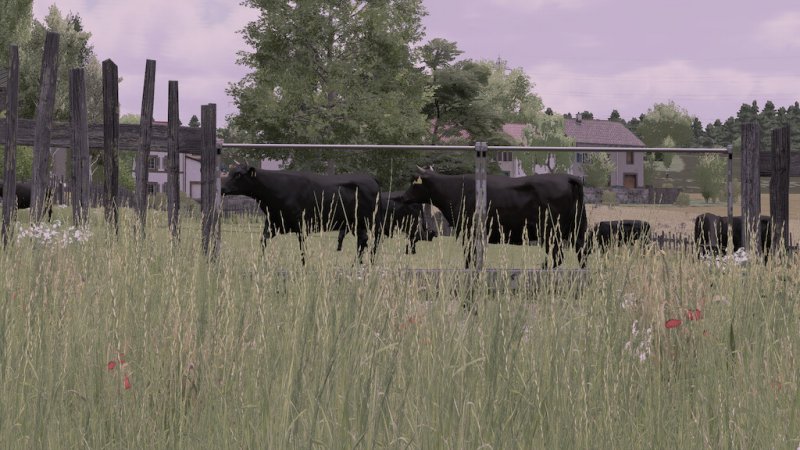
FS22 TerraLifePlus Animal Food Additions v1.2.0.0 AnimalFoodAdditions for TerraLifePlus can only be used on maps created for TerraLifePlus. This mod is part of the TerraLifePlus project. This mod is used to set up the Animal Feeding. For more Information, please read the description of the mod “TerraLifePlus”. The charity project was also supported by: – Agrar Asse – AgrarDesign Austria – BernieSCS – Bigfarmer145 – Cinématique Farming DK – Creative Mesh – DMI – DSA Kastor & Floowy – EireAgriModding & 4D Modding – FarmerFiveTom – Jogi – Landbauer – LeoLeo – MA7 Quentin & Team – Pikaso – RealismusModding – SMI-Matteo – TakerLS – TopAce888 – Univers-Simu Bruno & Latic – Wopster Changelog 1.2.0.0 Many reported inconsistencies in the feeding of the individual animals have been collected and summarised in this update. For Changelog 1.1.0.0 please read the description of the mod “TerraLifePlus”.
FS22 Through The Years v1.0.2.0
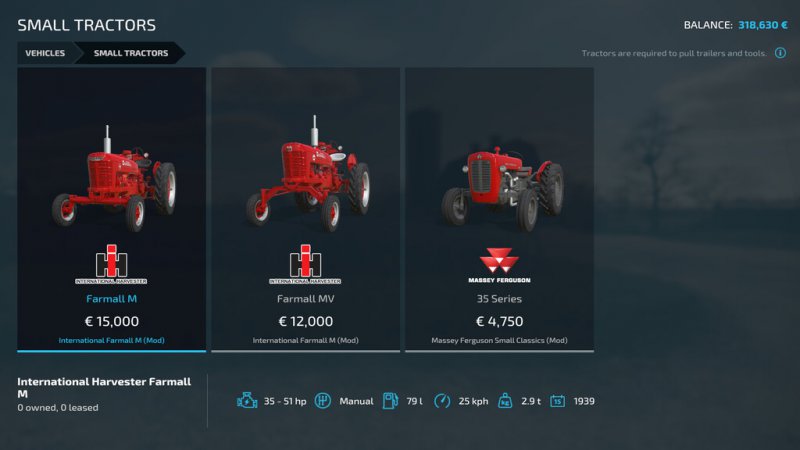
FS22 Through The Years v1.0.2.0 Are you yearning for the days of old? Looking for an extra challenge? Wanting to play a bit different than you’ve done before? Want to play with machines that you’ve typically never done before? Through the Years will take you and your friends through the years, unlocking newer and more powerful machinery each year as you progress. With heavy customization for your specific wants, this mod will restrict your buying options to the vehicles available at the time of your game. With a starting year as low as 1950, you can work your way from tractors with less than 50 horsepower and plows with 2 furrows, to the new and powerful machinery of the modern agricultural world. This mods adds a completely new layer of progression as you know from so many other simulation games, and you will get to play with machines that you’ve probably never tried before. The absolutely majority of the basegame vehicles are very modern, so this mod works best with the use of other mods. Which mods to use it completely up to you, but at https://gitlab.com/thalley/fs22_vehicle_bundles/-/releases/ you will find a curated selection of vehicle bundles (based on data from https://gitlab.com/thalley/fs22_vehicle_years/-/tree/main/data) to help you getting the highest rated mods from a specific decade. The behavior of each category can be configured, as well as providing support for having at least 1 vehicles per function so you don’t have to wait until 2008 to start potato harvesting. Note: This mod follow the in-game years which change in March (not January), so a year change happens when going from February to March, and not December to January. Please report any issues or post any suggestion for the mod at https://gitlab.com/thalley/fs22_through_the_years. Changelog: 1.0.0.1 Fixed issue with new game without an existing savegameDirectory which caused the game to stop working. Changelog: 1.0.0.2 Added additional data validation of years to prevent type mismatches in certain cases. Changelog: 1.0.1.0 Updated the icon to be more visible Sales items will now be shown again Combintations are now properly filtered Contract machines are now properly filtered Fixed issue with notification on initial load Changelog: 1.0.1.1 Fix fatal issue when selling vehicles without years in multiplayer Changelog: 1.0.1.2 Fixed bug with sales items disappearing on relog Fixed bug where items were not available on year change Added support for replacing mission vehicles with what is available Changelog: 1.0.2.0 Fixed bug with mission vehicles not having proper filenames Refactored “minimum one” option so that it applies per category instead of global. This will break existing settings for this mod, so make sure to recheck the settings after updating.

FS22 CVT Addon v1.3.0.6
FS22 CVT Addon v1.3.0.6 This script adds all vehicles with continuously variable transmissions a genuine CVT transmission or hydrostatic transmission. This can be configured in the shop. You can also choose between a classic or modern variant. – Realistically, it is always selected to match the vehicle. Important: The key bindings for the CVT add-on must first be assigned. All settings in the LS should be set to manual. Manual shifting and clutch. No automatic control systems may be active. If you want to drive realistically, you will do this anyway. The CVT addon should be actively used and not just a “it runs in the background” mod (customise for the respective application) The vehicle XML value “rotInertia” (flywheel) must not be specified, or it must be precisely coordinated. And as a reminder, the engines have to warm up first. If in doubt, please take a look at the tutorials. Setting options: General CVT: -4 acceleration ramps can be set. -Braking ramps can also be set. -TMS pedal mode can be activated. -Automatic differential lock can be activated or preselected. This requires the mod FS22_VehicleControlAddon or FS22_EnhancedVehicle is required. -Efficient working with the machine at maximum power. -To be able to start the engine, the clutch must be actuated. Classic CVT: -2 driving ranges can be shifted here. Modern CVT: -The driving ranges shift automatically. -The parking brake is activated as soon as you move away from the driver’s seat. FS22_VehicleControlAddon or FS22_EnhancedVehicle required. -Low-speed concept, enables even more eficient working. -Convenient operation thanks to fewer required setting parameters. Hydrostat and HST drive: -The 2 basic variants are selected by switching the drive ranges. -In this configuration, the single acceleration ramps are declared as speed levels. -Both hydraulic drive types can be set in motion by a percentage accelerator pedal. With the hydrostat (the older or simple variant), the hand throttle must be used to A. reach the final speed, B. increase the hydraulic pump capacity, e.g. to increase the speed and lifting power of the frontloader on the yard or wheelloader to achieve more speed and lifting power. -In the newer version, this is largely regulated automatically, but the hand throttle can still be used to to carry out front loader work more agilely. -If FS22_VehicleControlAddon is active, the parking brake must be applied to start the engine. Heat, overheating and wear: -Engines must first run warm enough to avoid generating increased wear under load. -Improper use and incorrect adjustment when driving, especially under load, can cause the gearbox to wear out more quickly. -If the pressure is too high, the gearbox can overheat and thus cause wear. -The engine temperatures are only synchronised with FS22_DashboardLive in Multiplayer! DBL must be active at least with . Influence on the functions and functions that create influence: The engine braking effect: -Is calculated dynamically by various factors. Among other things, weight, speed, wind, incline or decline play a role, engine power (unfortunately not cubic capacity), engine speed range and speed, etc. play a role. Also depending on which acceleration ramp is selected. Starting the engine: For continuously variable vehicles, the clutch must be depressed, which is also the normal clutch. In hydrostatic configuration, if VCA is active the handbrake must be applied in order to start the engine. In addition, the hand throttle must not be pulled up, it must be set to 0. Driving ranges: There are 2 driving ranges, II. is intended for road travel, transport and light work. Stage I. is more for heavy field work and heavy transport. Here the maximum speed is also reduced and the torque provides more thrust, especially when starting off. A button assignment must be assigned for each level. The driving ranges should be changed when the machine is stationary, as this can also cause damage. *A little tip, if you use the group shift buttons for up/down, you can use the same buttons for the speed steps. A special feature of the “modern” configuration is that the driving ranges are regulated. Acceleration ramps: Furthermore, there is now an acceleration ramp in 4 stages, which can be switched through with one button. This influences the acceleration behaviour when accelerating and reducing the driving speed. Smooth and with feeling or full power and rough. With heavy implements or trailers, can cause high pressure in the planetary gearbox and damage it! In this case, the acceleration ramp should be set to 3 or less. Level 4 is more suitable for empty runs. For light field work, you can easily pull at speed level 1 in acceleration ramp 4 – for example, disc harrow, flat cultivator. Further detailed explanations of the details can be found in the Escape help menu and in the Wiki on Github, as well as tutorial videos. Almost all values and settings can be used with FS22_DashboardLive. More detailed informations about it at the wiki on Github. Feel free to provide ideas, feedback and reports at Github: FS22_CVT_Addon please. Changelog 1.3.0.6 – Hotfix syncissue classic cvt at vmax Changelog 1.3.0.0 – Fix for TerraLifePlus milk taxi. – HST variant 1 no longer has gas when accelerating. – Shop config system revised. – Mission vehicles no longer have a CVT addon. – Standard configuration is CVT deactivated in the shop. – Link in the description corrected. – AutoDiffs activated for HSTs. – Prices were not loaded by other mods in the shop. – RPM curves revised for MP – Engine warm-up problem with manual transmissions fixed. – At top speed, the rpm is no longer permanently calculated in classic CVT, so the struggle to sync in MP is reduced. – Small fixes to DBL values for animations such as hand throttle, clutch pedal. Changelog 1.2.9.0 – Warmup for wheelloader fixed. – removed danger table dev console command. – Cars and Trucks are configureable. – Issue with handbrake in modern config for AD and CP fixed. – RPM dropping reduced when reaccelerating with throttle. Changelog 1.2.0.0 (inkl. Hotfix for 1.0.0.1) – changed strucure of Version from 1.0.0.x to 1.x.0.0 because litte fixes can be better different between github and public. – HOTFIX: vehicle with bigger engines couldn’t warmup and cooled down while just standing. – CP & AD, AccRamp has to adjust before start a helper now. – DBL value for handthrottle animation added. Same principle as for the clutch. – Telemetry data transfer added. (Info in DC) Changelog 1.0.0.1 – Motor start with config NO fixed – AD/CP was switched back and forth too wildly – DBL parameters adjusted, see Wiki – Boat on the Hof-Bergmann could not be driven. – Wheelbarrow was excluded – Speed curve adjusted for modern config. – New shop configs for harvesters and electric vehicles. – Clutchpedal can be used as inching-pedal for harvesters. – Manual vehicles can now be completely deactivated. – With the CVT clutch you can now coast longer from full speed. – The clutch no longer needs an extra button shortcut, you can use the standard clutch. – Problem that threshers overheated too quickly in HST mode has been fixed. – Heating FS2 reduced – Reduced damage when changing driving ranges when FS22_RealisticDamageSystem is inactive. – Translation texts corrected – Added NL language – Memory function has been revised again, all configs should now load correctly. – Fixed swapped driving areas from the Github hotfix. – The HST and Harvester configurations no longer overwrite the CombineXP Speed reduction. – Help menu has been updated. – VCA hand throttle can only be used in HST 1, However, not full throttle, just turn it up to 99 percent! (The intervention in VCA at this point is hard) – Ramps can now be controlled directly, individually. e.g. for a VarioStick – Most custom shop categories integrated, if yours is not recognized, please let us know. – Compatibility with the Göweil DLC – Clutch value added for DBL
- 15 per page
- 30 per page
- 45 per page
- 60 per page
-
See more per page
Bigger pages, fewer clicks - and no ads anywhere.
Go Pro