Farming Simulator 22 mods
49,091 results- 15 per page
- 30 per page
- 45 per page
- 60 per page
-
See more per page
Bigger pages, fewer clicks - and no ads anywhere.
Go Pro

FS22 Ursus c330 2cyl
FS22 Ursus c330 2cyl I’m giving you 30, play, do whatever you want. There are 25 configurations, including: tire configuration wheel alignment cab mesh metal plate on the mesh compressor cable weight mud flaps fenders (old/new) frontloader console lights steering wheel smokestack seat hubs rear wheel weights air filter oil filter front wheel weights rear sheet metal The mod has 30 paint jobs in various colors, such as green, yellow, etc.
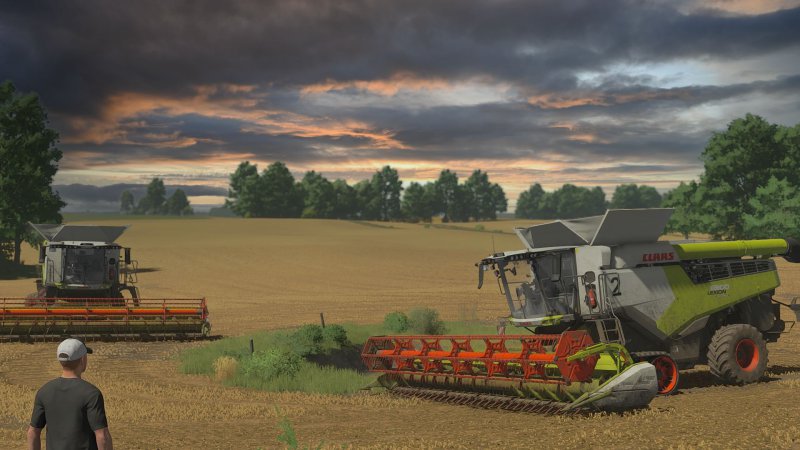
FS25 Shader by migdal V2
FS25 Shader by migdal V2 releases the second version of shaders that I still play with

FS25 Wood Chips Missions
FS25 Wood Chips Missions Adds a new mission type: Produce WOODCHIPS from spawned log stacks and sell them. Works on all maps that feature tree transport missions. Wood chippers can be rented, as in base game missions. This mod also includes the Heizomat HM8400KLC. Price: 190,000 $ Capacity: 16,000 L Multiple color configurations, such as main color, chassis color, design color

FS25 Start In Spring
FS25 Start In Spring Start in Spring This mod forces a new savegame to start in spring March instead of late summer. On first load of a new career, all fields are reset to a cultivated state to ensure a clean and consistent spring start. Main Features – Game always starts in March spring – Crop calendar is synchronized with spring start – All fields owned and unowned are reset to cultivated on new save – Harvest-ready and growing crops are removed at game start – One-time execution per savegame safe to disable later – Works on GIANTS base maps Important Notes – Field reset is performed with a delayed system-safe method to avoid base map overrides – On some systems, the info message may appear a short moment after loading – After the first successful run and save, the mod does nothing anymore – The game may freeze for a while, while the fields are being reset

FS25 FillType Conflict Resolver
FS25 FillType Conflict Resolver A patch fixing the bug caused by two (or more) mods changing the same filltype, while the latter ones do not define explicit texture paths. Symptoms of this bug is errors in the log, textures looking like wheat (when it should be something else) or that some filltypes cannot be spawned as pallets. Mods known to be affected by this bug is Additional Filltypes, Seasonal Prices and Coal Mine (but basically any mod altering filltypes might be affected by this issue). If you are using any mods adding or changing filltypes, this patch is highly recommended. It is safe to add this to an existing savegame and can be removed at any time without implications. This mod just silently operates in the background adding a workaround to the bug until it is fixed permanently in the base game. SYMPTOMS: – Error in log, something similar to: — “Failed to open xml file ‘C:/MODS/FS25_ZYX_SeasonalPrices_crossplay/data/objects/bigBag/pigFood/bigBag_pigFood.xml'” — “Unable to find vehicle storeitem for ‘C:/MODS/FS25_ZYX_SeasonalPrices_crossplay/data/objects/bigBag/pigFood/bigBag_pigFood.xml'” — “Texture array layer ‘C:/MODS/FS25_Coal_Factory/C:/MODS/FS25_AdditionalFilltypes/fillPlanes/coal_diffuse.png’ couldn’t be loaded.” – Unable to spawn pallets (e.g. using PowerTools) – Custom filltype (e.g. coal) has wrong texture (either black, transparent or might look like wheat) For more details, see https://github.com/w33zl/FS25_FillTypesPatch
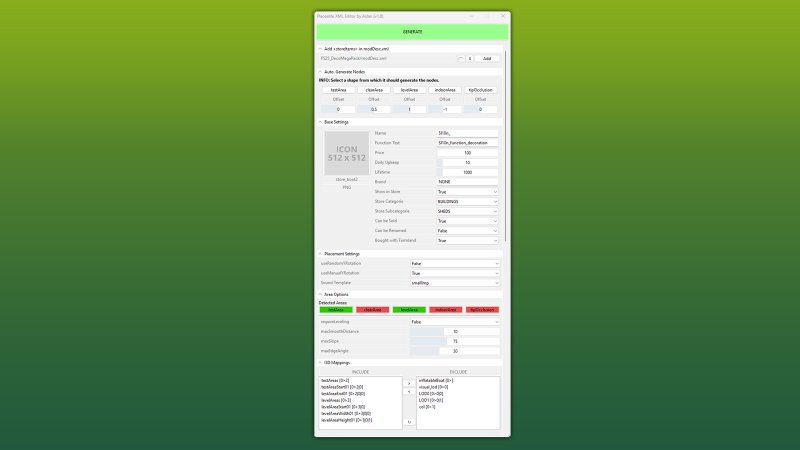
FS25 GE10 Script - Placeable XML Editor (Prefab) v1.0.0.1
FS25 GE10 Script - Placeable XML Editor (Prefab) v1.0.0.1 This GIANTS Editor script allows you to easily create and edit a placeable XML file. The script automatically detects the corresponding placeable.xml, provided it is located in the same directory and has the same name as the .i3d file. If existing entries are found, all supported parameters are read and made available for editing within the tool. Installation: 1.) Locate the installation directory of the GIANTS Editor. By default: “C:\Program Files\GIANTS Software\GIANTS_Editor_10.X.X\” 2.) Copy the script “PlaceableXMLEditor.lua” and “iconBigDefault.png” from the prefab folder into the script directory of the GIANTS Editor. 3.) The script will then be available in the GIANTS Editor via the menu bar under “Scripts”. Usage: 1.) Start the script on an object that you want to create as a placeable. 2.) The script automatically detects whether the object is located inside a mod and, if so, enables the tab “Add in modDesc.xml”. There, the path to the modDesc.xml can be specified in order to automatically add the placeable XML to the modDesc. 3.) Areas can be generated automatically. Set the offset value (in meters), select the object from which the areas should be generated, and click the corresponding button to create the area. 4.) Adjust all parameters according to your requirements. 5.) In the “I3D Mappings” section, select the nodes that should be stored in the I3D mappings of the XML. If necessary, the scene graph can be reloaded using the “Refresh” button. 6.) Finally, click “GENERATE” or “UPDATE” at the top to create or update the placeable.xml. INFO: At the moment, it is not yet possible to create all placeable specializations such as sellingStation, buyingStation, husbandries, etc. directly within the tool. However, the script can be used as a base to generate an XML file, which can then be manually extended with additional specializations. The PlaceableIcon is currently only displayed if it is a .PNG file. .DDS files are not (yet) supported by the Giants Editor in scripts! The script only modifies parameters that are configurable within the tool. Any existing XML entries that are not supported by the script will remain unchanged and will not be removed or overwritten. Hotfix 20.02.2026: – added iconBigDefault.png – Path “PlaceableXMLEditor.PLACEABLE_ICON_EMPTY_PATH” adjusted – Custom area names will be possible in the next regular update. Currently, only these exact names are accepted: # testAreaStart01, testAreaEnd01 # clearAreaStart01, clearAreaWidth01, clearAreaHeight01 # levelAreaStart01, levelAreaWidth01, levelAreaHeight01 # indoorAreaStart01, indoorAreaWidth01, indoorAreaHeight01 # tipOcclusionUpdateAreaStart01, tipOcclusionUpdateAreaEnd01
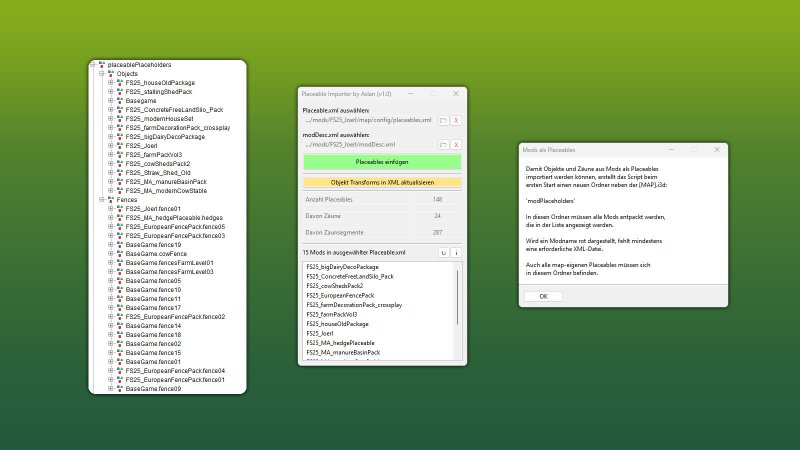
FS25 GE10 Script - Placeable Importer (Prefab) v1.1.0.0
FS25 GE10 Script - Placeable Importer (Prefab) v1.1.0.0 This GIANTS Editor script allows you to import all placeables, including fences, into your map that are defined in a selected “placeable.xml”. Unlike the official PlaceableToolkit by GIANTS, this script works purely with a visual representation during the map building phase. This means you can first place objects and fences in-game and then import them into the GIANTS Editor using this script to maintain a complete visual overview of all placed elements while continuing map development. Additionally, the script generates an in-game script that automatically removes the imported visualization placeables from the I3D when the map is loaded in-game, allowing the real placeables to load normally. For this feature to work, a “modDesc.xml” must be selected in the GE script. Installation: 1.) Locate your GIANTS Editor installation directory. By default: “C:\Program Files\GIANTS Software\GIANTS_Editor_10.X.X\” 2.) Copy the script “PlaceableImporter.lua” from the prefab into the GIANTS Editor script folder. 3.) The script will then be available in the GIANTS Editor via the menu bar under “Scripts”. INFO: – To load placeables from mods, the script creates a folder named “modPlaceholders” on first launch. All required mods must be extracted into this folder. – Object placeables can be moved/rotated in the editor and updated back to the .XML via the update button. Make sure the placeables in the .XML contain a “uniqueId”. – Fences can also be permanently integrated into the map by moving the desired fence objects outside of the “placeablePlaceholders” node. When using mod fences, texture paths may need to be adjusted. —————————– Changelog 1.1: – Fixed multiple alternative path resolution issues – placeable.xml is now loaded automatically via modDesc.xml – Custom placeable.xml path is now supported – New options added. Please refer to the info button for details
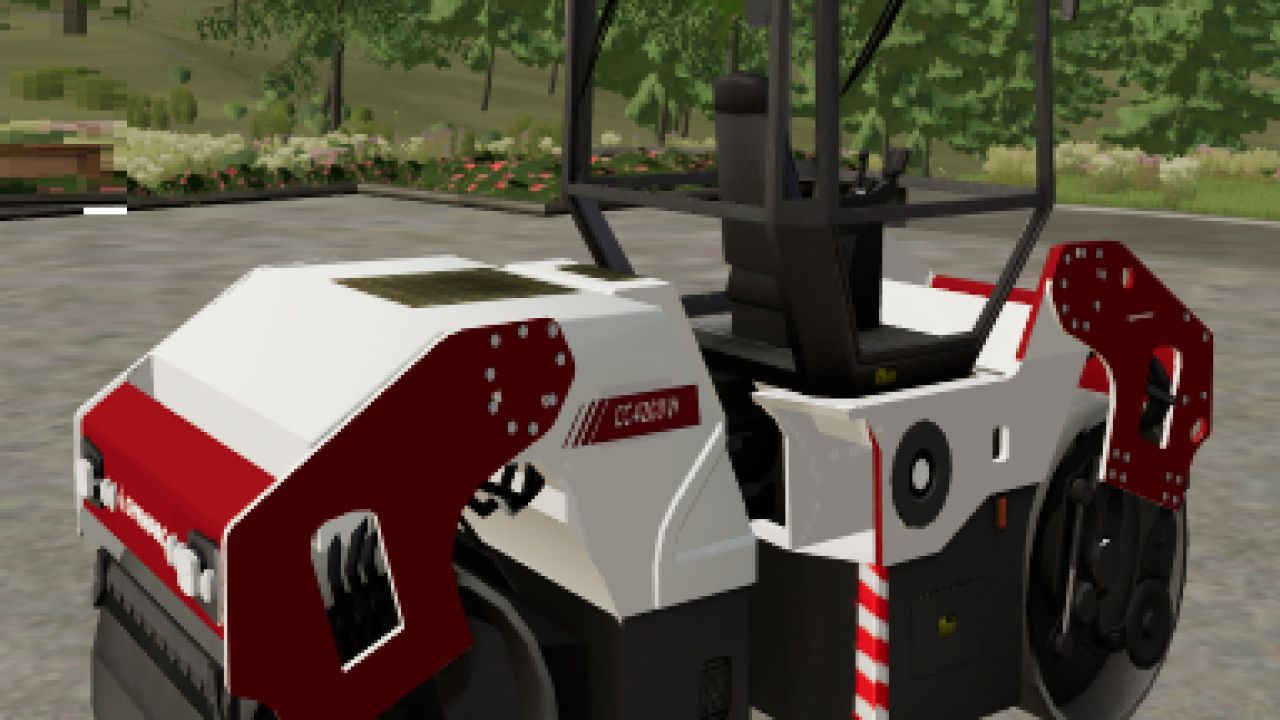
Dynapac CC4200VI FS22
converted reskin of the TFSGoup Dynapac roller from fs19 this mod has no configuration store price is 3600
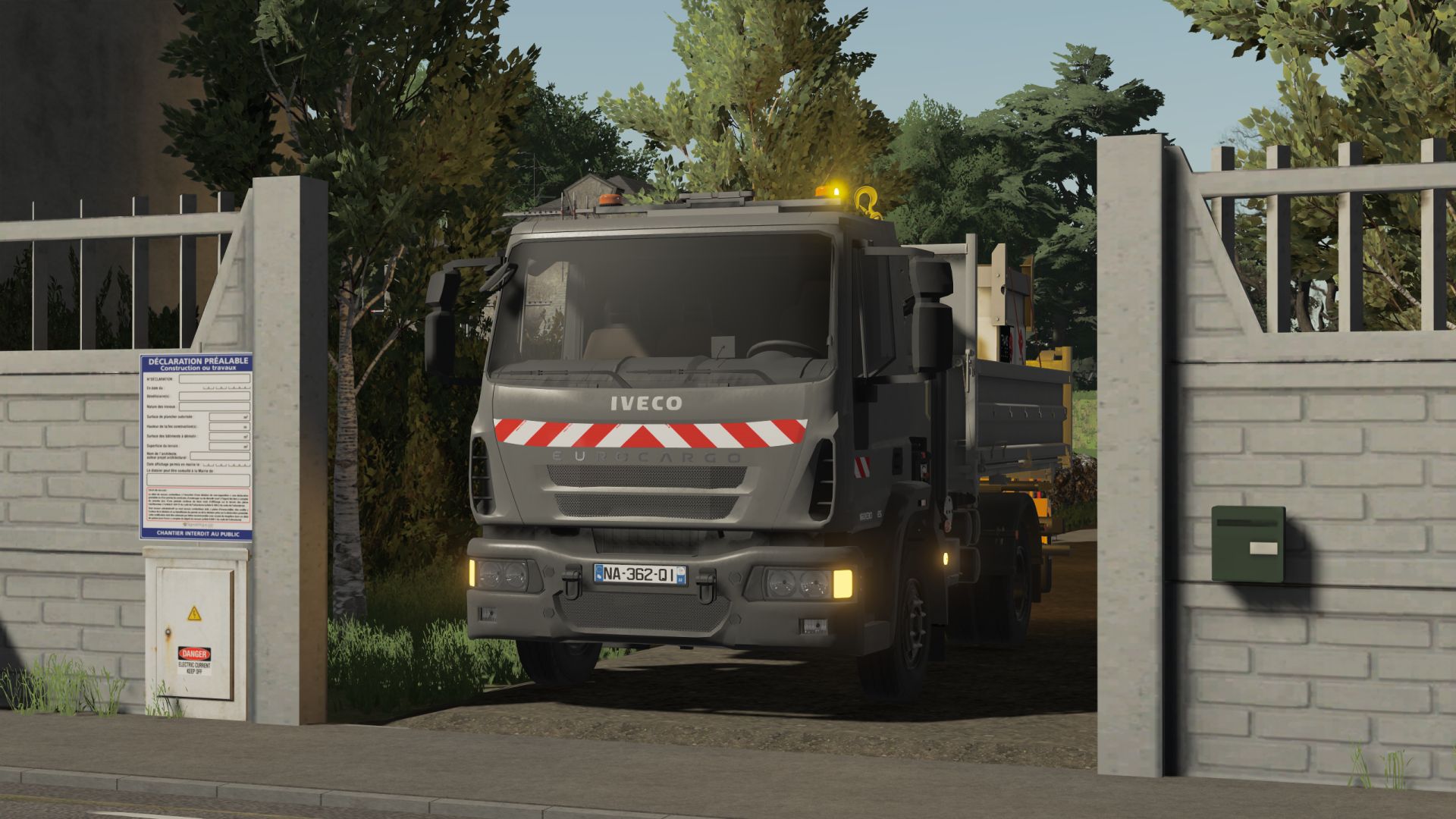
IVECO Eurocargo FS22
Ideal truck for your landscaping projects! with modular skips of your choice characteristic: - choice of colors for the chassis/wheel/cabin/bumper - a crane - choice of rotating lights: single/duo/tri flash - choice of zebras: cabin/door/both - 85 km/h - 155hp It’s up to you! for more news about our next mods join our server! https://discord.gg/NVKKCXDS
Bomag BW151AD FS22
Bomag BW151AD roller this mod has no configurations a max speed of 10 mph does have options in game on drum position store price is 2000
Dynapac SD2500T FS22
Dynapac SD2500T this paver is build over my Vogele Super2000 store price 450000 top speed of 3mph no configuration options in store extending screed for wide lay jobs this machine lays all materials from fruits to tp
Sumitomo HM125H FS22
Sumitomo HM125H this is a 3 drum roller build over the Dynapac roller from fs19 and convert there is no configuration the store price is 36000 great for big asphalt jobs
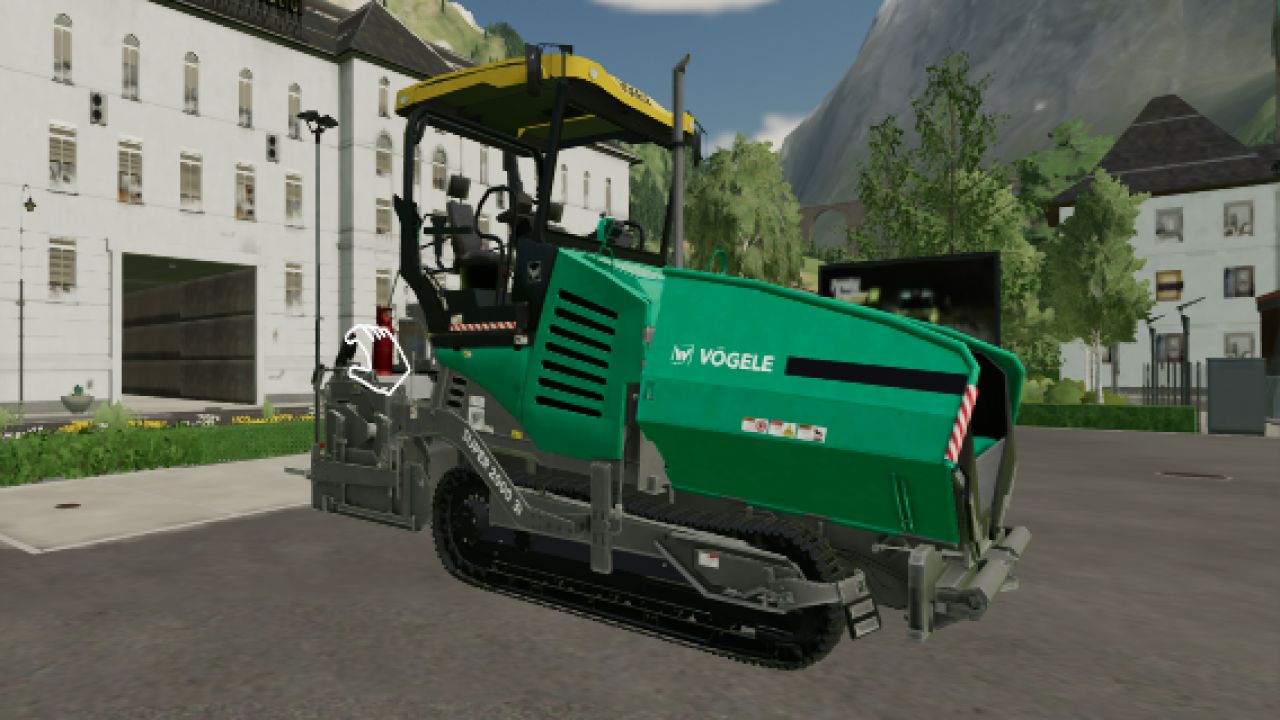
Vögele Super 2000 V1.0
Converted from fs19 the Vögele Super 2000 this machine has not configuration store price of 450000 top speed of 3mph does have the option to extend the screed for wide lay Credits: MGL Group Scarvarg 3/5 - (2 votes) Download mod File File size FS22_MGL_VOGELE 30 MB
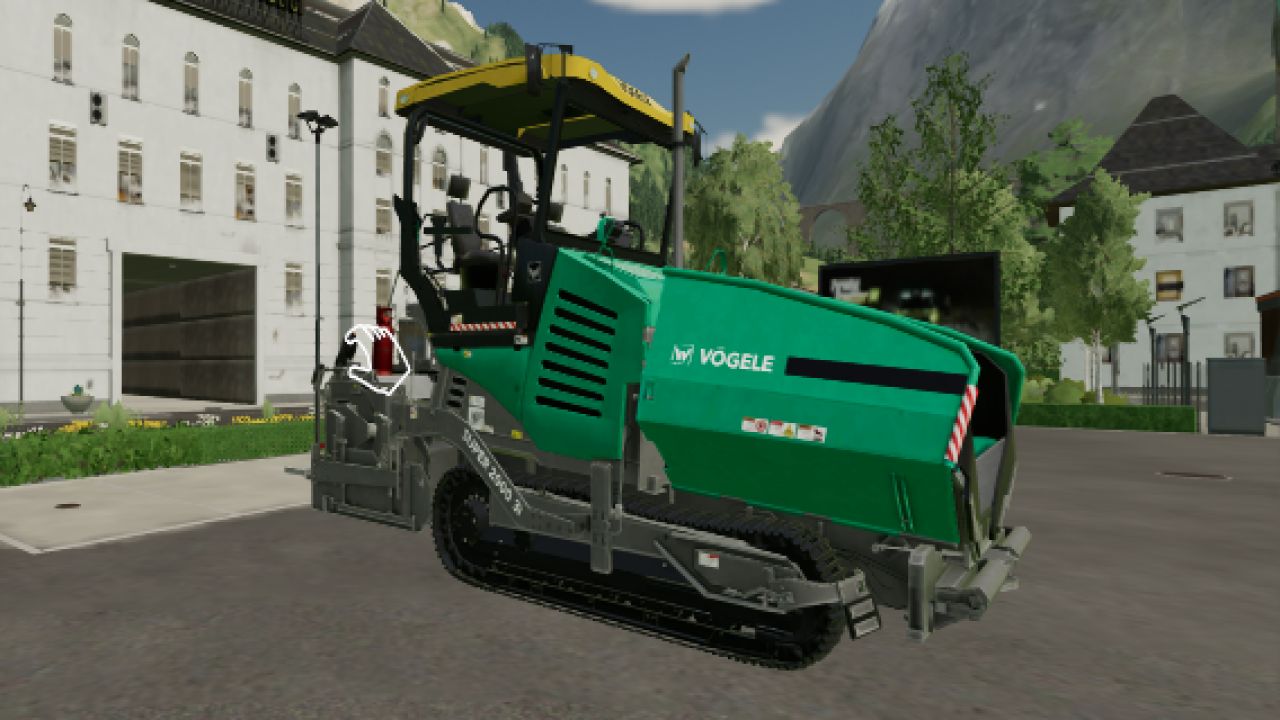
Vögele Super 2000 FS22
converted from fs19 the Vögele Super 2000 this machine has not configuration store price of 450000 top speed of 3mph does have the option to extend the screed for wide lay
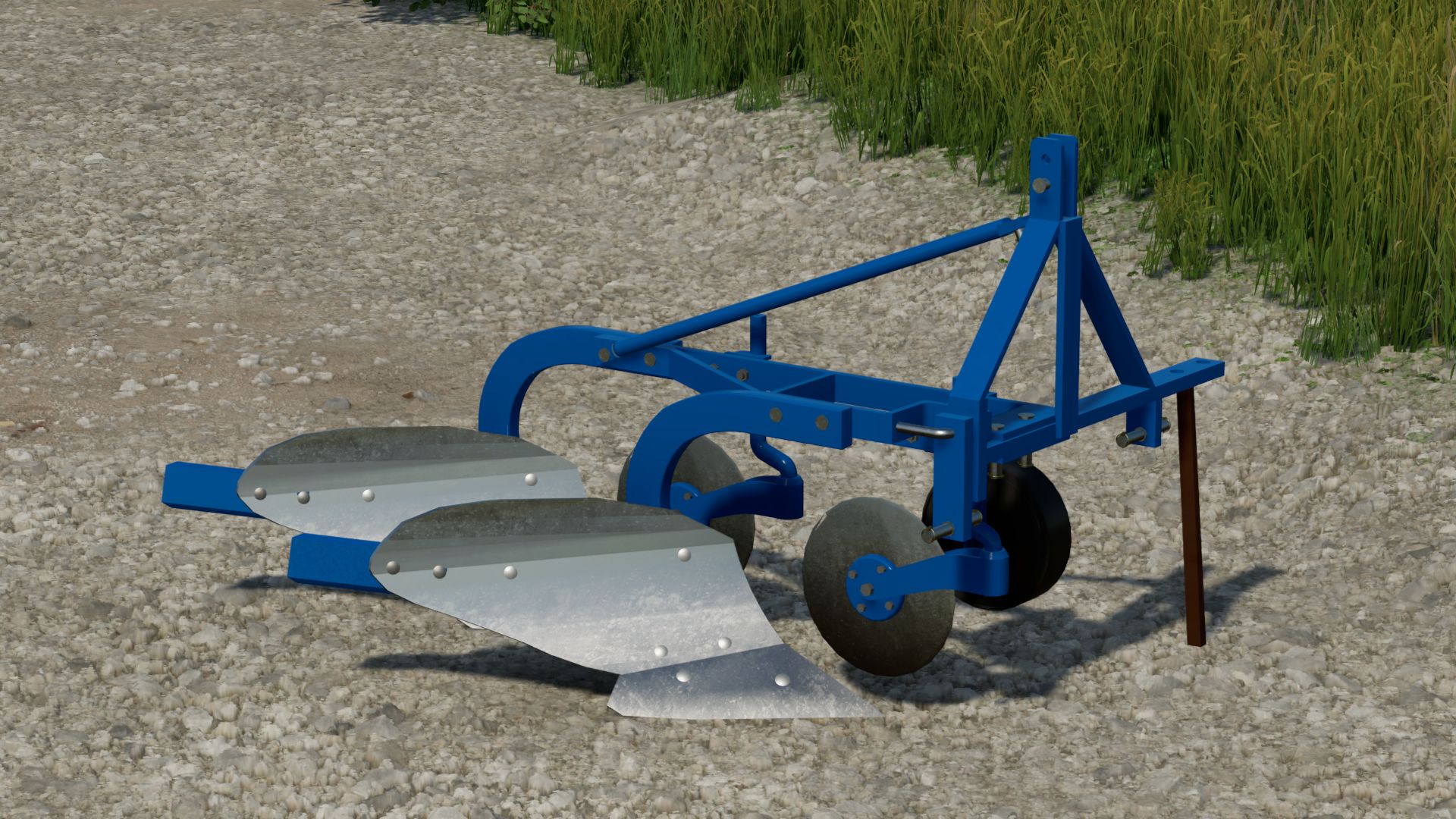
OLT PTO 2.25 FS22
Olt PTO 2.25 plow -Weight: 220kg -Required power : 20-40hp -Working width: 0,25m per furrow (0,5m total) -Configuration for 1 furrow or 2 furrow plow -Configuration of the movable attacher position -Configuration for cutting discs -Configuration for board extensions -Decal configuration -Color configuration Made in Slovenia by Poharski kmjet ;) (2/2026)
- 15 per page
- 30 per page
- 45 per page
- 60 per page
-
See more per page
Bigger pages, fewer clicks - and no ads anywhere.
Go Pro