Farming Simulator 22 mods
50,532 results- 15 per page
- 30 per page
- 45 per page
- 60 per page
-
See more per page
Bigger pages, fewer clicks - and no ads anywhere.
Go Pro
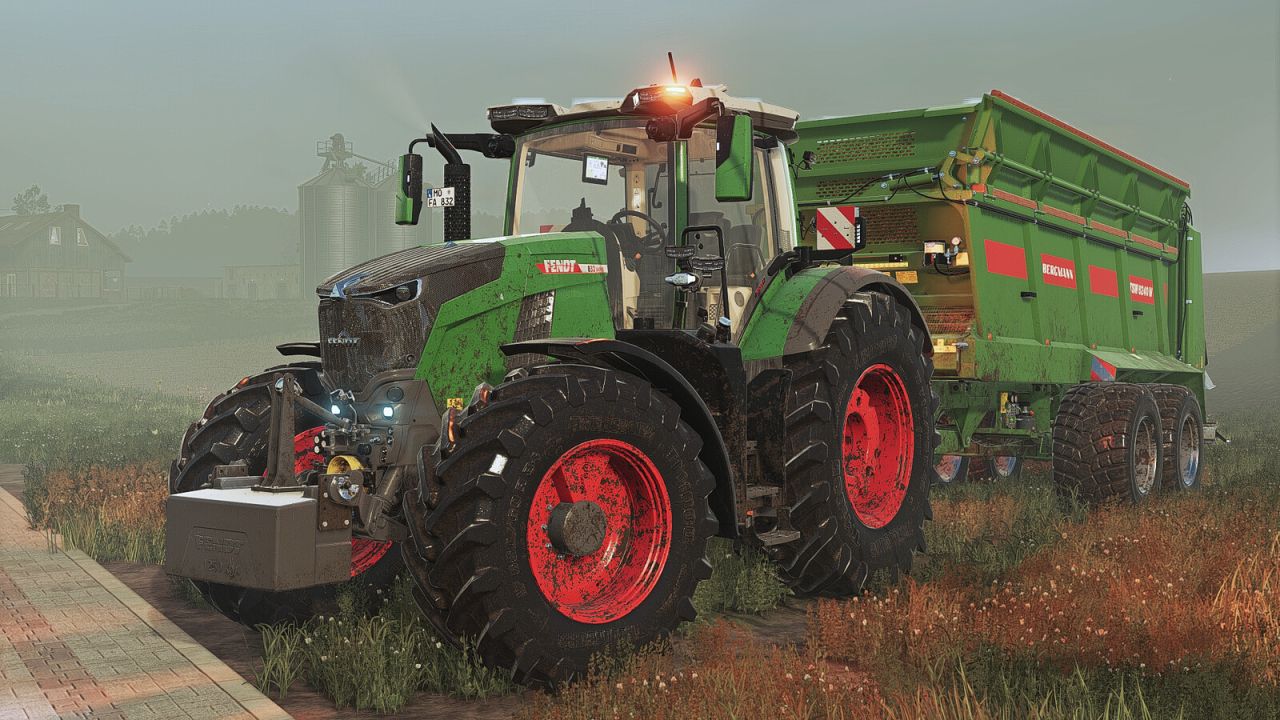
Fendt 800 Vario Gen5 V1.1.0.1
Fendt 800 Vario Gen5 V1.1.0.1 Category: Large Tractors Price: $287,500 Power: 283 – 343 hp Max. speed: 40 – 60 kph Engine Configurations: 826 Vario Gen5 (283 hp) 829 Vario Gen5 (313 hp) 832 Vario Gen5 (343 hp) Configurations: Reverse Driving Wheel Weights Line Warning Signs Displays Design Line Tech Rails Design (EU, US) Light (Vision, Ultra Vision) Mirror Caps (Standard, Lackiert) Hydraulic Couplings (DUDK, FFC) Speed Decal Beacon Lights Compressor Cool Box tinted Back Window Roof Terminal Front PTO Isaria Pro Compact (Precision Farming) Base Color Rim Color Roof Color Wheel Weight Color The Mercedes-Benz DLC is required to view the cameras on the roof terminal. Prepared for Interactive Control, Variable Tire Pressure, and Dashboard Live. Special thanks to BloodyRulez for the realistic sound and Entlibucher for the physics adjustments! V1.1.0.1 Rear tires no longer sink into the ground under load (occurred since patch 1.19) Beacon light configuration expanded (additional beacon lights) Prepared for the Samson Agro FAP Minor model adjustments
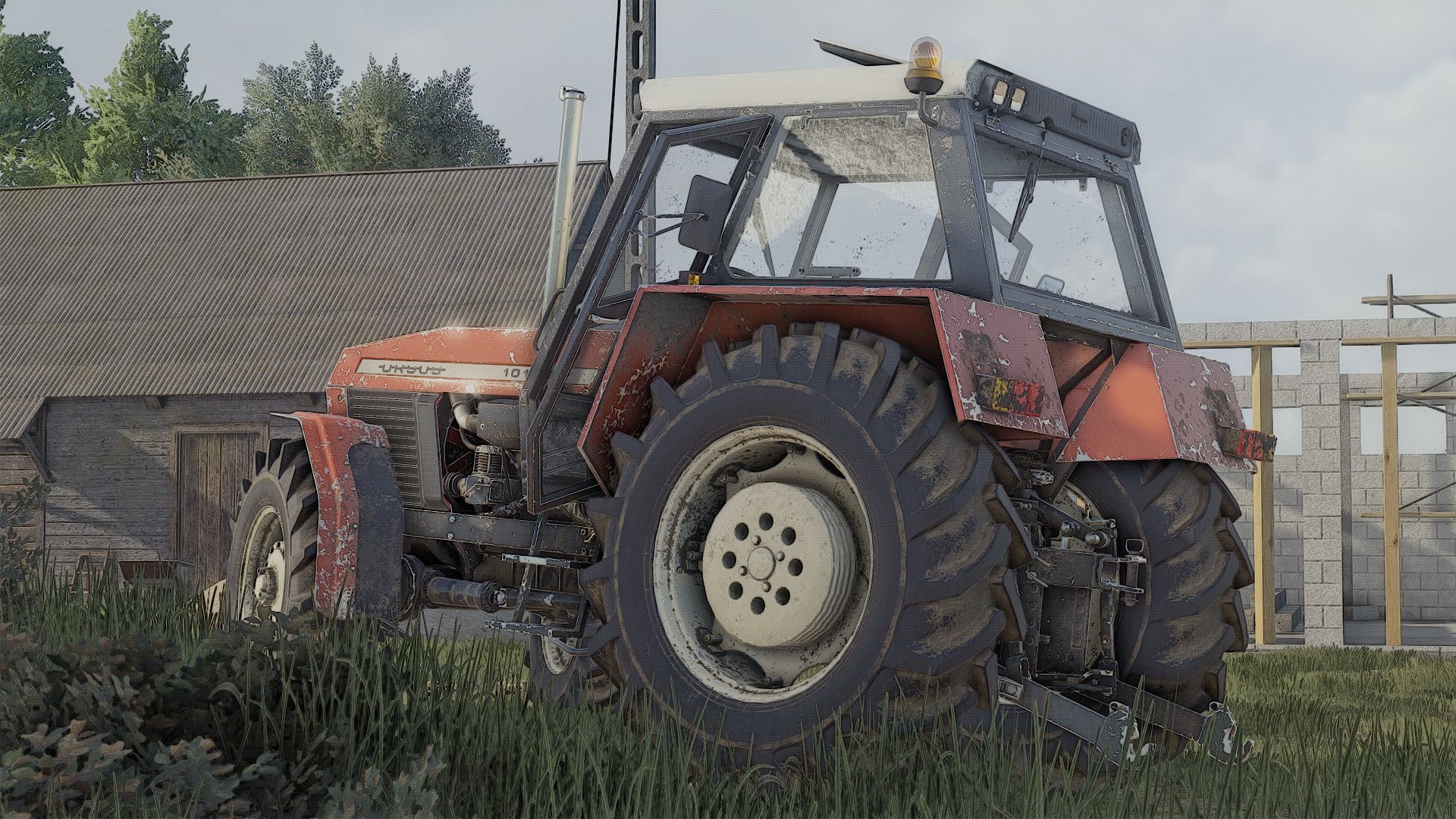
Ursus 4Cyl Pack (IC) V1.3.0.0
Ursus 4Cyl Pack (IC) V1.3.0.0 However, the mod is fully playable, and the log is clean. (Yes, I know there is no option to change colors; this will be fixed soon.) THE LOG IS CLEAN; everything works. Models: 902, 904, 912, 914, 1002, 1004, 1012, 1014 (76–96 HP) REALISTIC SOUND Price: $29,000 / $40,000 Power: 76–96 HP Max. speed: 38 km/h fs22-Kasztan18m fs25-Derbii Configurations: – CVT transmission or manual gearshift lever – Tires – Transmission – Stickers – Front weight – Wheel weights – Rear fenders – Front fenders – Mudguards – Cab – Front lights – Radiator grille – Rear hitch – Exhaust system – Steering wheel – Hood – Front loader console – Animations: IC/MC Color configurations: – Engine – Hood – Fenders – Cab – Radiator grille – Rims – Front weight – Wheel weights – Roof V1.3.0.0 Fixed decals and exhaust manifolds in versions 902, 904, 912 and 914 Required mods: Interactive Control
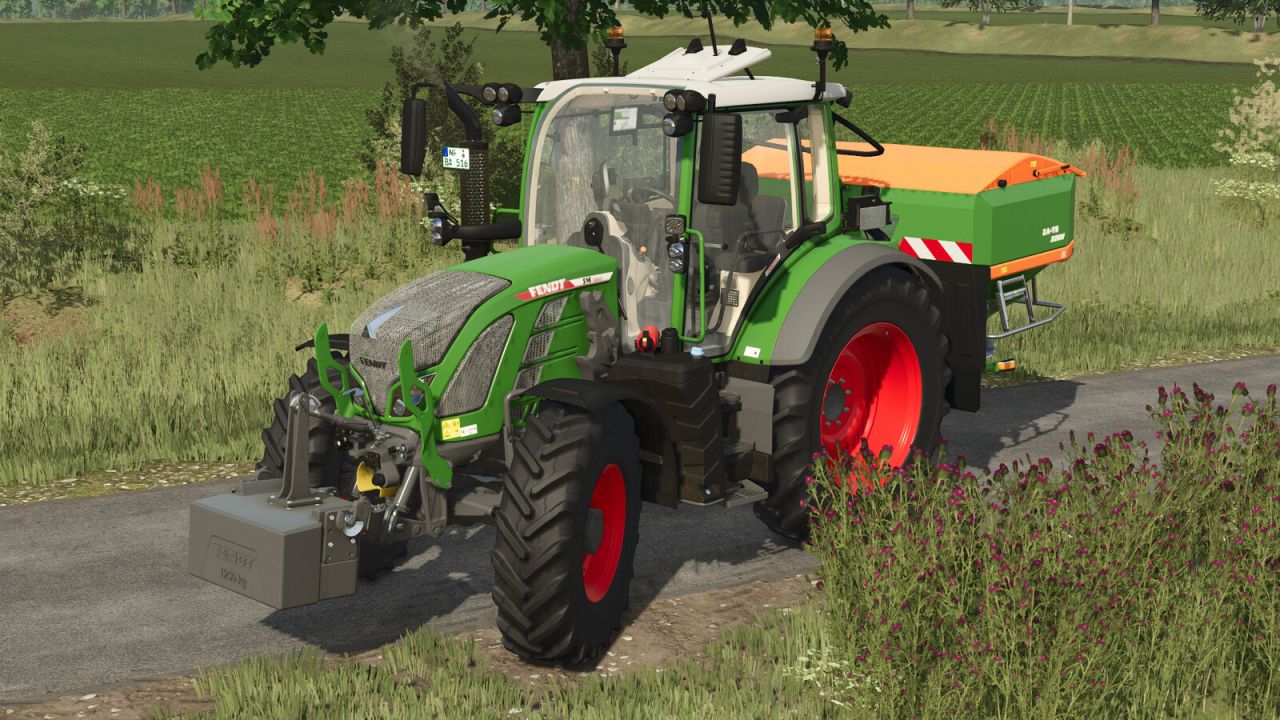
Fendt 500 Vario Gen3 V1.0.0.2
Fendt 500 Vario Gen3 V1.0.0.2 Fendt 500 Vario Gen3 Shop category: Small tractors Base price: $152,500 Power: 131 hp to 171 hp Top speed: 40 kph or 50 kph Configurations: Choice of colours for body and rims Warning signs Front loader Design Line Hood guard/spring holder Animations: Opening windows and doors Warning signs This mod is fully compatible with the Fendt Cargo frontloaders package & ready for Interactive Control. V1.0.0.2 Warning label adjusted
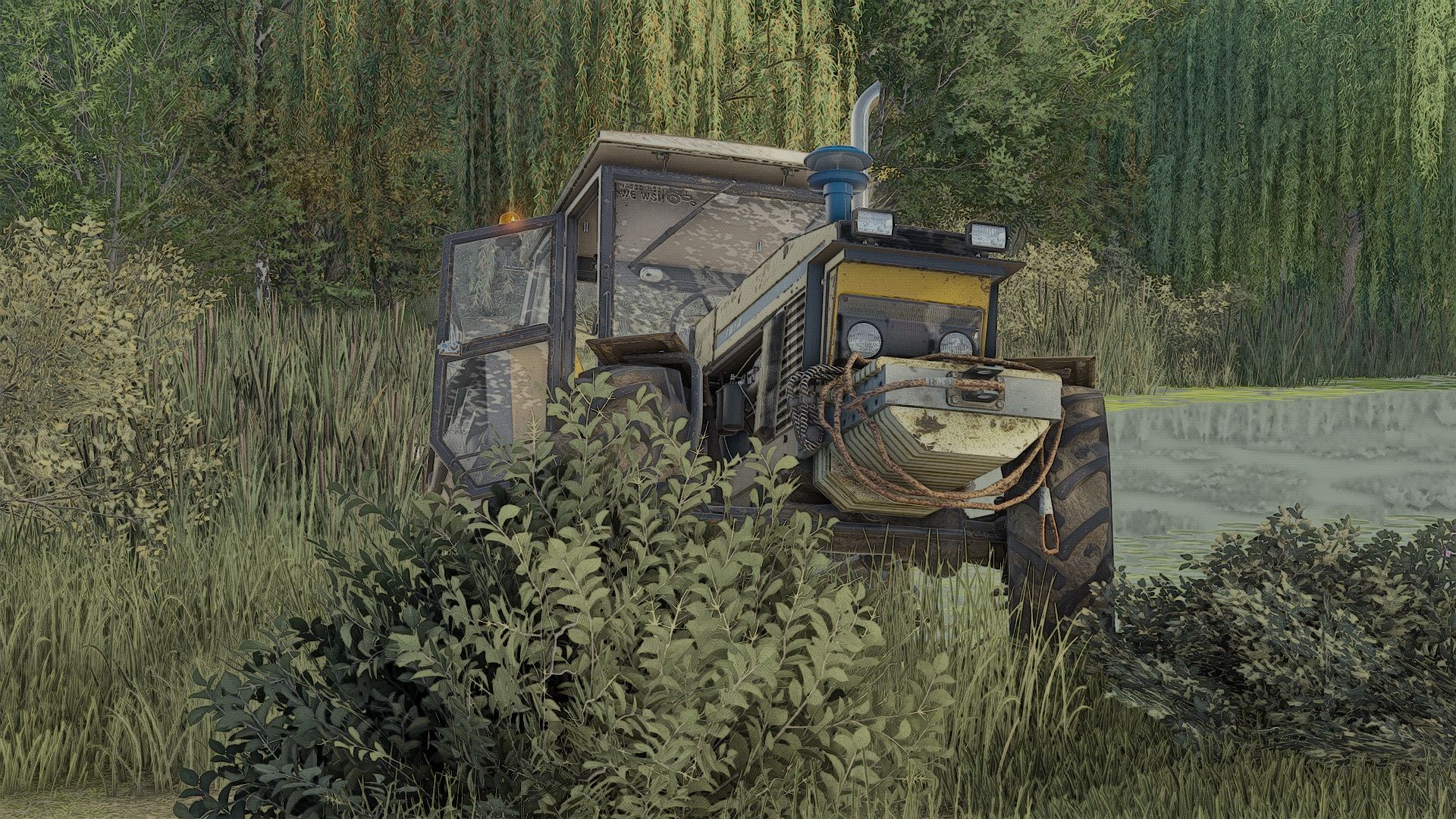
Ursus 6cyl Pack Mokrzyn (Rust Edition) V1.2.0.0
Ursus 6cyl Pack Mokrzyn (Rust Edition) V1.2.0.0 I added, for example: Mokrzyn-style lights Mokrzyn-style air filter Mokrzyn-style front weight Roof Realistic sounds + Turbo This is version 1.1.0.0; there are still many things to add. Cheers! I GUARANTEE A CLEAN LOG; if that is not the case, the problem lies with your other mods. Models: 1201, 1204, 1214, 1222, 1224, 1604, 1614 fs22-kasztan18m fs25-Derbii “Mokrzyn Addons” 6-cylinder URSUS package – these are 6-cylinder models that work 100% correctly; they have a clean log (0 errors, 0 warnings). Why “Mokrzyn Addons” and not simply “Mokrzyn”? Because I decided to keep the 10-year-old “Mokrzyn” model from FS15, but I added the distinctive visual features of the Mokrzyn version to the 6-cylinder Ursus tractors I repaired (which are the only clean and functional ones in FS25). Configurations: – Mokrzyn-style lights – Mokrzyn-style air filter – Mokrzyn-style front weight – Air horn – Strobe lights – Decal – Tires – Gearbox – Stickers – Front weight – Wheel weights – Rear fenders – Front fenders – Mudguards – Cab – Front lights – Grille – Rear hitch – Exhaust – Steering wheel – Hood – Front loader console – Animations: IC/MC Color configurations: – Engine – Hood – Fenders – Cab – Grille – Rims – Front weight – Wheel weights – Roof V1.2.0.0 a few errors and textures
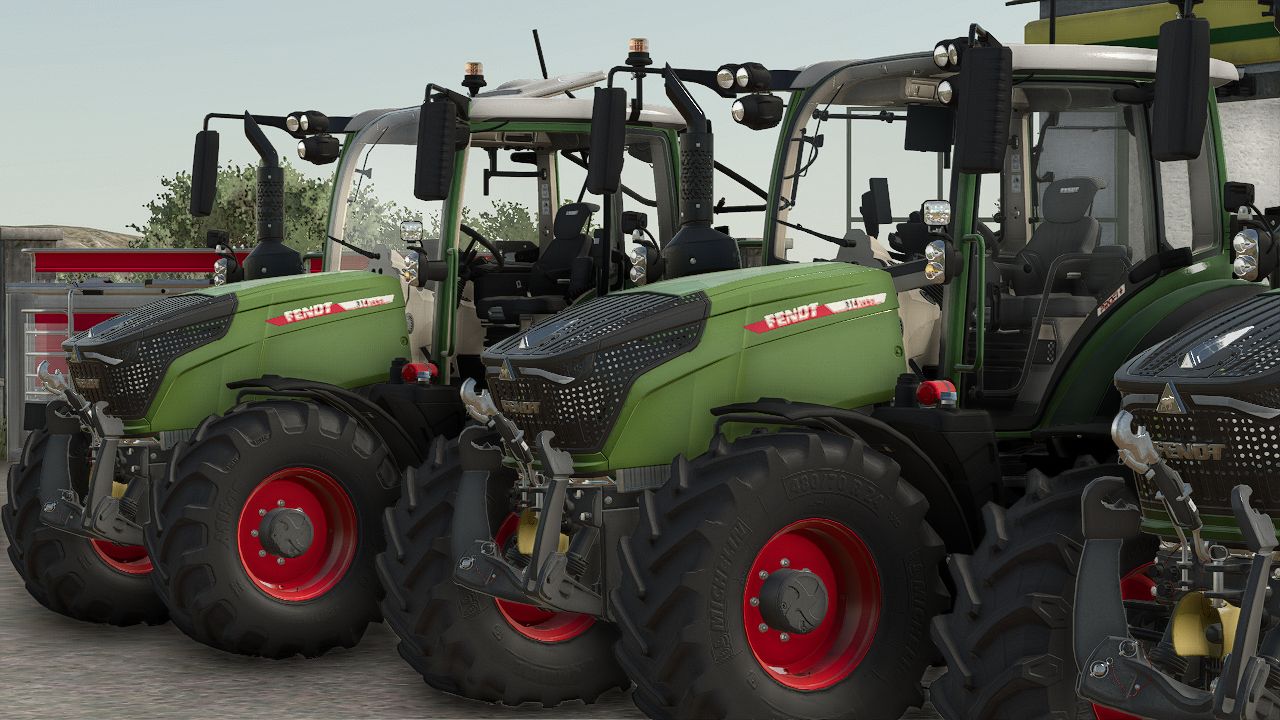
Fendt 300 Vario New Edition v1.0.0.0
Fendt 300 Vario New Edition v1.0.0.0 Fendt 300 Vario New Edition Shop category: Small tractors Base price: $134,500 Power: 113 to 142 hp Maximum speed: 40 km/h Configurations: Beacon lights Choice of body and rim colors Roof terminal Warning panels Equipment ranges: Power, Power+, Profi, Profi+ Front headlight cover Hood protection/spring support Mirrors Cab: Standard, Panorama, Panorama + right door Animations: Opening windows and doors Beacon lights Warning panels Required mods: Interactive Control
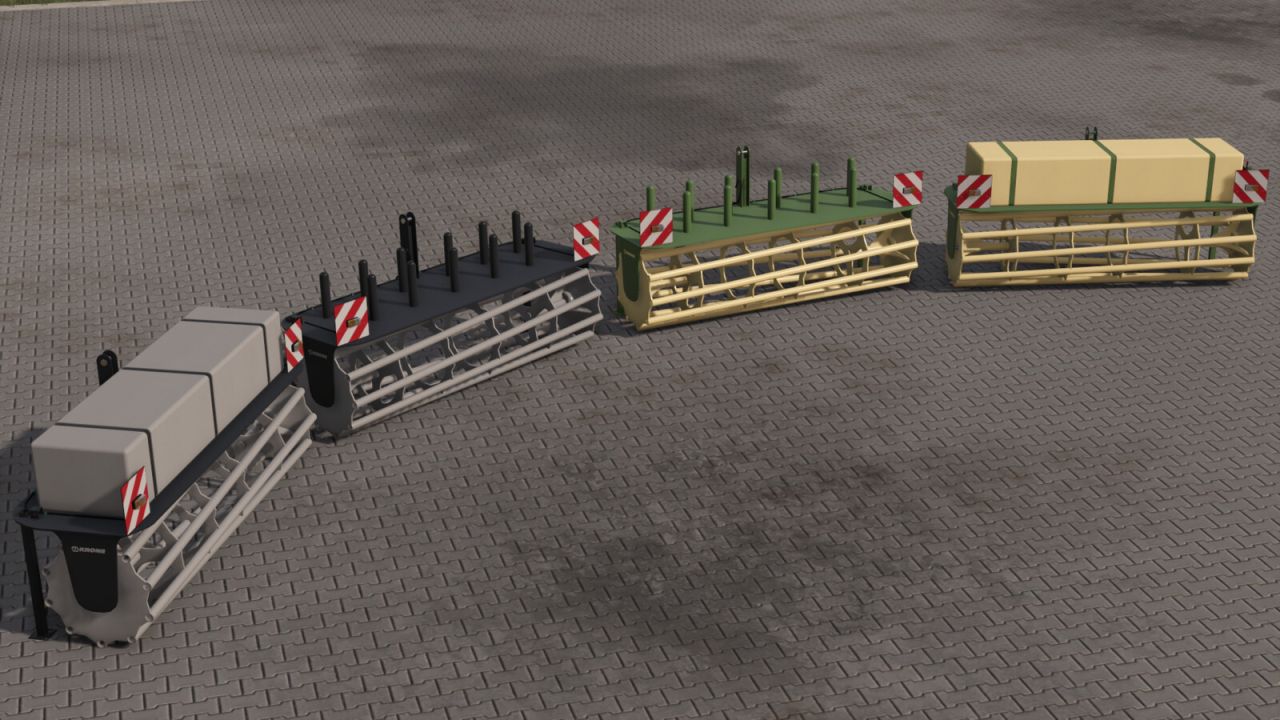
Krone Swath Suppressor FS25
The Krone Swath Press Wheel ensures a clean and even swath pattern. By gently pressing the crop down immediately after it is deposited, it helps reduce wind drift in windy conditions and makes pickup easier for forage wagons and balers. Shop Category: Miscellaneous Price: $7,600 Working Width: 2.25 m Working Speed: 25 kph Configurations: Net Holder / Fire Water Tank If you configure the water Tank, you will be able to wash your vehicles with the included Hose. Color Options: Original Krone / Krone Black If you have any questions or suggestions, feel free to contact me via Instagram.

Passenger Seat In Singleplayer FS25
Do you prefer to play Farming Simulator 25 on your own, but don't want to miss out on the lively cabins and passenger seats in the game? This mod finally unlocks the passenger feature for your single-player career as well! By default, the game’s passenger seats are only available in multiplayer mode. With this mod, they’re permanently enabled for single-player. Simply switch to the passenger seat of your vehicle to ride along with your helpers, or enjoy a more realistic atmosphere while working in the fields and on transport runs. Seamless Integration: Accesses the in-game passenger system directly—without unnecessary overhead or performance losses. High Compatibility: Works with both stock vehicles and modded vehicles that support the passenger system.
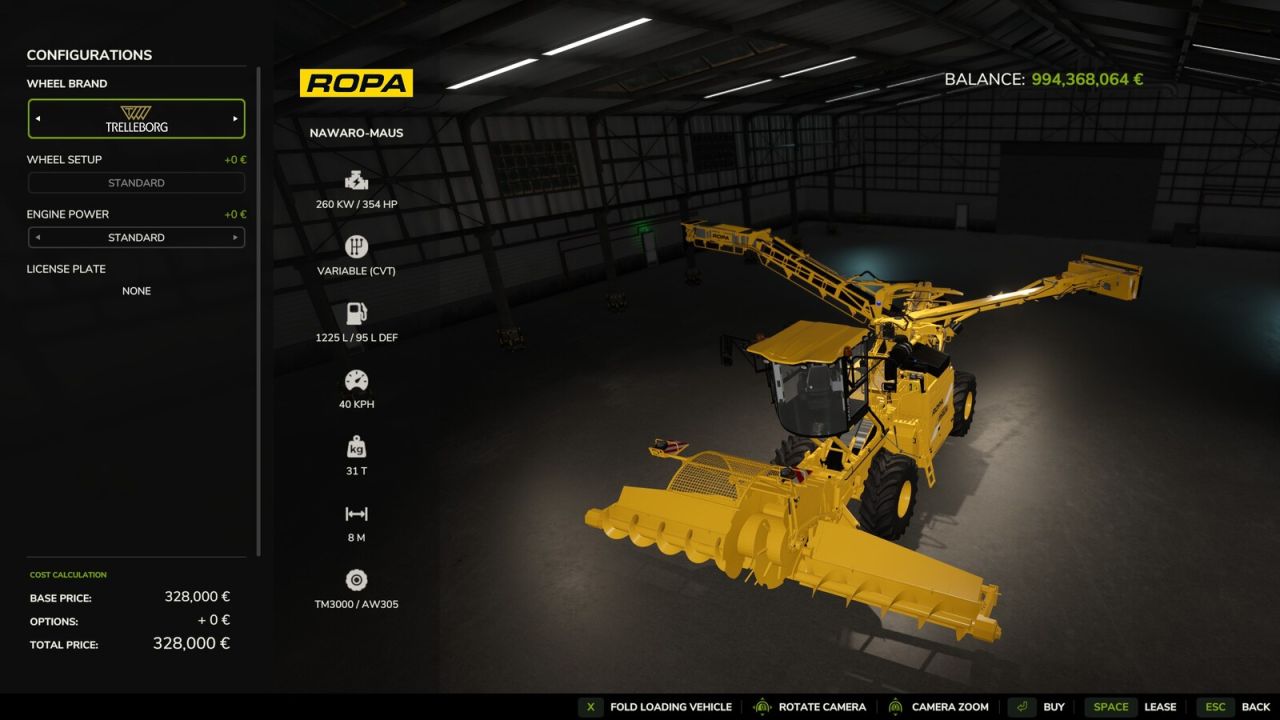
Shop Vehicle Actions FS25
This mod adds actions to the configuration view in the shop for folding the unit and operating the pipe and cover. It uses the same key bindings as those used for operating the equipment in-game, and any custom key bindings are also respected. This mod is designed for anyone who wants to view the implement or vehicle in the shop in its unfolded state—with the pipe extended or the cover open—without having to purchase it first. The current state is maintained as you continue configuring the implement or vehicle. The mod creates a file in the "modSettings" folder where all mod devices and all DLC devices that have not yet been scanned by me that support these functions are listed. The default path is as follows: "C:\Users\*YourUsername*\Documents\My Games\FarmingSimulator2025\modSettings\FS25_ShopVehicleActions" If there are problems with mod devices or with future DLC devices, the unfolding can be deactivated in this file or reactivated if necessary.
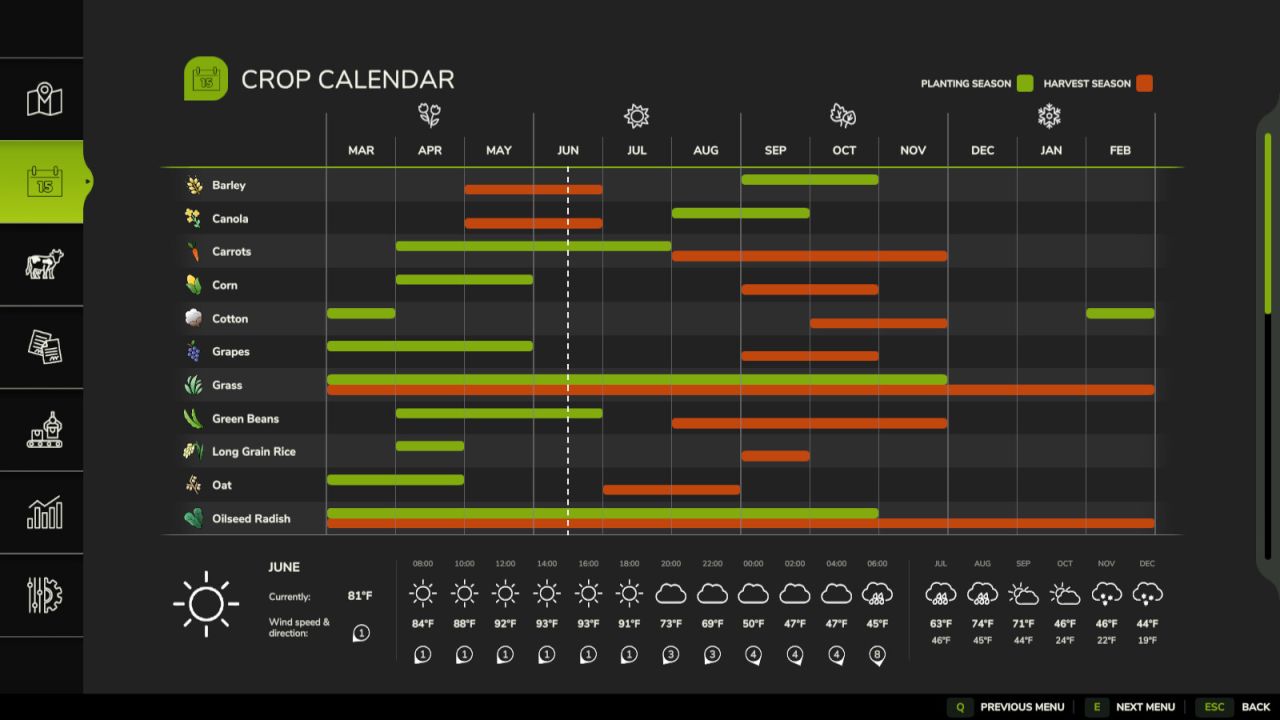
Double Cropping System FS25
Increase the productivity of your farm with realistic U.S.-style double cropping. This mod reworks the seasonal crop calendar, allowing you to harvest select winter crops and plant a second crop in the same field during the same growing season. Plan your crop rotations carefully to maximize the use of every acre while maintaining a realistic farming schedule. Features: - Realistic double-cropping crop calendar - Revised planting and harvest windows for Wheat, Barley, Canola, Soybeans, Sorghum, and Corn - Harvest winter crops in late spring and early summer before planting a second crop - Soybeans and Sorghum are optimized for double-crop rotations following Wheat, Barley, or Canola - Corn follows a traditional full-season spring planting schedule - Built entirely on Farming Simulator 25's existing crop system without adding new crop types Crop Calendar: Winter Crops - Wheat - Harvest: June - Barley - Harvest: May-June - Canola - Harvest: May-June Summer Crops - Soybeans - Plant: June-July | Harvest: October-November - Sorghum - Plant: June-July | Harvest: October-November - Corn - Plant: April-May | Harvest: September-October Whether you're looking for increased realism or simply want to get more out of every field, Double Cropping adds new strategic opportunities while preserving the familiar Farming Simulator 25 gameplay experience. Notes: - Supports Singleplayer and Multiplayer - Compatible with existing savegames - New savegames automatically begin in June to match the revised crop calendar - No new crops or fill types are added - Not compatible with other mods that change the seasonal crop calendar (e.g. Regional Crop Calendar) - both mods edit the same crop growth data and will conflict
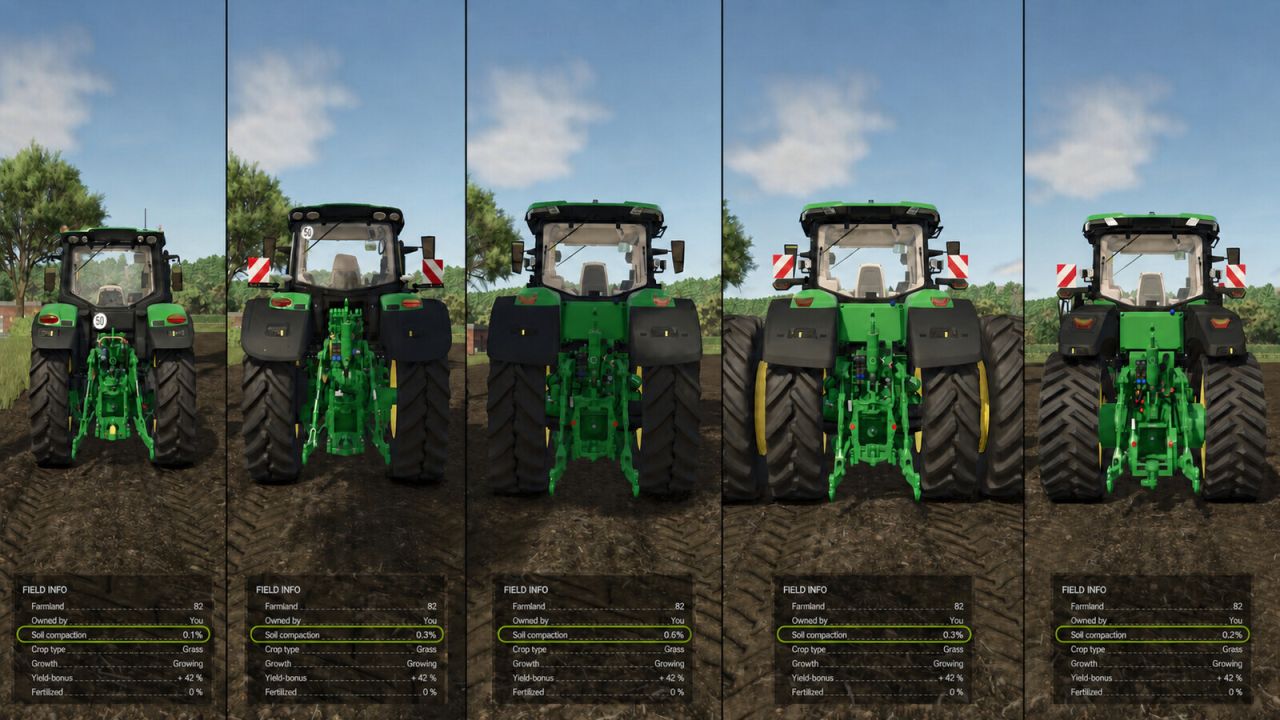
Soil Compaction FS25
Soil Compaction adds realistic soil compaction. Heavy machinery compacts the ground beneath its wheels and tracks, reducing yield. Compaction strength depends on vehicle weight, tyre type and soil condition. Narrow tyres compact the most; wide and dual tyres and tracks compact less. Wet soil compacts faster, while frozen soil compacts much more slowly. Compaction is shown on a dedicated map layer and in the field information panel. Ploughs, subsoilers, cultivators, harrows, seeders and planters gradually loosen the soil. Slow natural recovery also applies. Multiplayer supported.
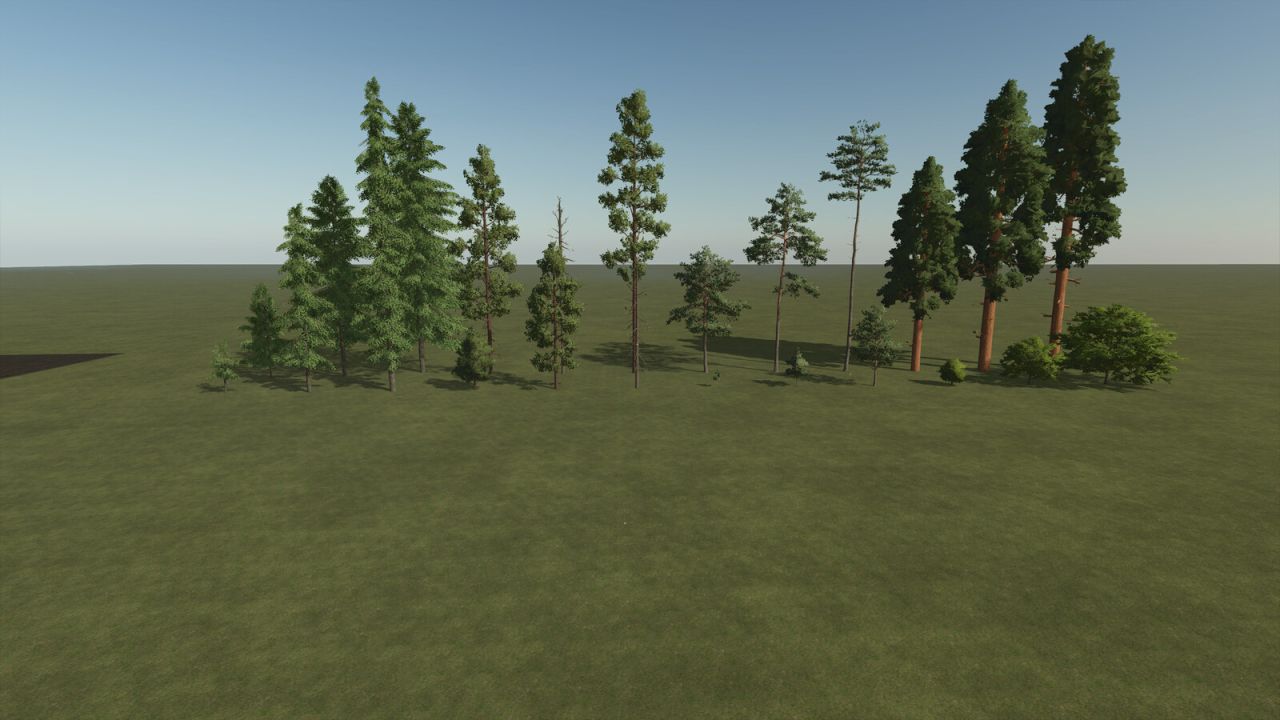
Empty Template Maps Multifruit Pack (Prefab) FS25
"Template Map Multifruit Pack consisting of a standard and a 4x map - 32 Ground angle - New crops: rye, spelt, triticale, green rye, vetched rye, mustard, humus active, silage maize, flowering catchcrop, winterwheat, summerwheat, winterbarley, summerbarley, alfalfa and clover - Stubble destruction built in - Seed and harvest calendar adjusted - More paintable textures added (also ingame) - Cotton and sugar cane are not grown by the AI - Silverrun Forest trees added - German licence plates - Changed lime texture - In-game help added, must be adapted and may be extended - New fruits added to the feeding - you can find paintable deco meadow in the Giants Editor under decoFoliageUS - the templates were created in collaboration with the Farming Agency and are optimally prepared for future projects Many thanks to all who supported me with the work and to the providers of the prefabs used. - Preparation for FS25_CCM_Production_Pack.zip. - Canola growth visually updated. - Minor fixes. - Preparation for FS25_CCM_Production_Pack.zip. - Canola growth visually updated. - Minor fixes. - Added _changed_files.txt and _new_files.txt, containing a list of modified and newly added files. - Adjusted harvest yields for grains, corn, sunflowers, soybeans, sorghum, potatoes, beets, parsnips, green beans, and flowering cover crops. - Adjusted straw and swath yields for wheat, winter wheat, barley, winter barley, oats, rye, triticale, spelt, rapeseed, and soybeans. - Adjusted forage yields for wheat, corn, silage corn, sunflowers, soybeans, sorghum, rye, and green rye. - Swath chopping for wheat, winter wheat, barley, winter barley, oats, rye, triticale, spelt, rapeseed, and soybeans has been adjusted. - Swath threshing for winter wheat and winter barley has been expanded. - Mower converter for meadow, cover rye, and green rye has been adjusted. - Seed and seed treatment converters for grains, rapeseed, sorghum, sunflowers, soybeans, and corn have been added or recalculated. - Foliage damage configuration has been expanded for the updated base game and template crops. - Wood chip balancing adjusted: Poplar yield reduced and selling price rebalanced. - Config XMLs adjusted: fruitTypes.xml, fillTypes.xml, densityMapHeightTypes.xml, foliageDamage.xml. - Foliage XMLs adjusted: barley.xml, winterBarley.xml, wheat.xml, winterWheat.xml, oat.xml, rye.xml, triticale.xml, spelt.xml, canola.xml, soybean.xml, sorghum.xml, sunflower.xml, maize.xml, potato.xml, beetRoot.xml, parsnip.xml, greenBean.xml, floweringCatchCrop.xml. If a console release is planned, please use the foliage layers decoBushEU, decoBushUS, decoBush, groundFoliage, and decoStones sparingly, as excessive use can increase the size of the save game so much that it is no longer possible to save on consoles. If you have any questions, requests, or suggestions, please contact us via the banner below. - cutterMotionPath errors fixed - isForageReady="true" added to barley If a console release is planned, please use the foliage layers decoBushEU, decoBushUS, decoBush, groundFoliage, and decoStones sparingly, as excessive use can increase the size of the save game so much that it is no longer possible to save on consoles. If you have any questions, requests, or suggestions, please contact us via the banner below. - Adjusted fruit destruction for beetroot, carrot, parsnip, pea, and greenbean - Updated canola to Patch 1.18 - Removed log warnings related to the Vredo DLC - Removed apple waste from the compost silo - Added foliageDamage.xml for the Vredo DLC - AI drivecost for two GroundLayers corrected at 4x. - Too many distance textures error fixed. - densityMagHeightTypes link in modDesc.xml moved so that freeAccesArea works. - Added notes to the xml files for rice, long grain rice, cotton, and sugar cane to remove them from the map. - Visual issues with round bales fixed. - applewaste removed from animalFood.xml. - mapBoundaries adjusted on the 4x. - Fix error in the map.xml of the 4x template - Fix incompatibility with Modhub mods - Fix sheep pasture - Fix cutter effects when mowing grass with certain mowers - Fixed concrete floor layer on Standard map - Fixed LUA call stacks when mowing humus active and flowering catch crop - Fixed fertilizer bonus for mustard when mulching before incorporation - Adaptation to patch 1.14 and Highlands Fishing DLC - Foliage adjusted. - New paintable ground textures added, now 96 available in total. - Added compost as fertilizer, works with and without Precision Farming. - Fixed LUA call stack during mulching. - Added goat pasture and compost silo as placeables. - Example modDesc.xml added.
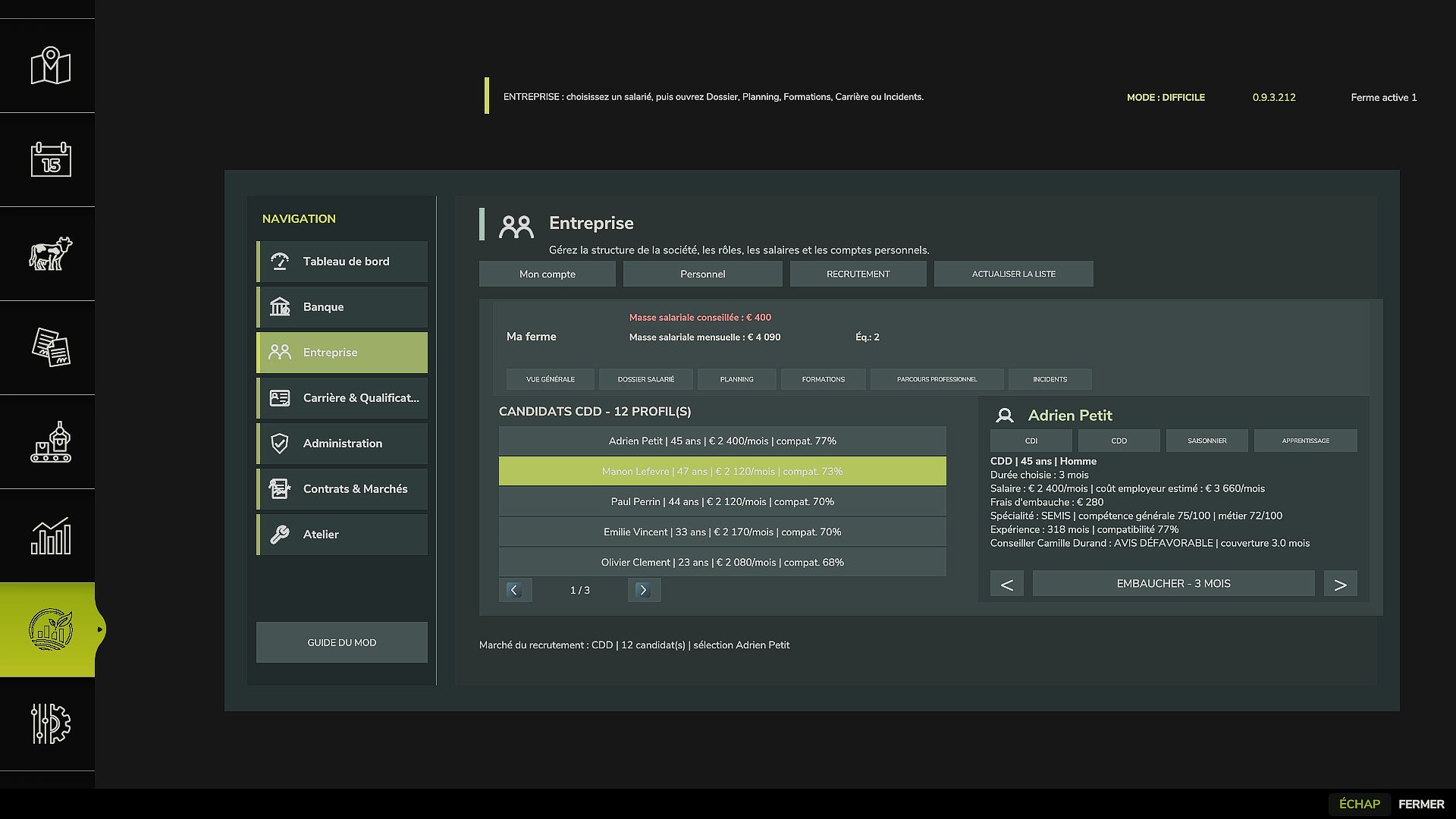
Agri Life Manager FS25
AgriLife Manager - Beta 0.9.3.212 AgriLife Manager transforms Farming Simulator 25 into a more structured farming career, with progression rules, professional banking management, a farming license, qualifications, employees, and financial tracking that evolve according to the selected difficulty level. This version is a public beta. The description below only covers features that are actually included in the validated scope of this release. Getting Started and Difficulty Levels AgriLife Manager currently offers three levels: Easy Normal Hard The selected level affects starting requirements, banking, the license, financial constraints, and the overall difficulty of the career. The AgriLife tutorial starts once the player has actually entered the map, not during character creation. New Game On a new career, AgriLife initializes its own starting progression. Depending on the difficulty, the player must complete steps related to the bank, advisor, professional structure, and farming license. The farming license may require a complete practical exam. Vehicles reserved for the exam remain usable during the test. Adding to an Existing Savegame AgriLife Manager can also be added to an FS25 game that has already been started. On first activation: the existing savegame is detected automatically; existing cash and assets are preserved; a specific career continuation tutorial is displayed; the player chooses the elements required for their new AgriLife career; the general farming license is recognized as equivalent, without an exam or fees; no specialized training or qualification is granted for free; AgriLife monthly cycles are initialized to start normally from the next cycle, without artificially catching up on the month already in progress. Creating a backup copy is still recommended before activating the mod for the first time. Professional Banking and Advisor The AgriLife career includes dedicated banking management: bank selection; advisor selection; banking agreement; business cash flow; loan applications; monthly repayments and commitments; banking fees; financial capacity; advisor feedback based on the farm's situation. Loans are stored in the savegame and remain after reloading. License, Career and Qualifications The player has a complete professional profile including: farming license; practical exam; career XP; specializations; qualifications; progression based on actions actually performed; access restrictions for certain vehicles when a required qualification is missing. Simply navigating through menus does not generate XP. Business and Employees The Business module allows you to track and manage staff: recruitment; employment contracts; salaries; employee records; skills and specializations; training; career development; staff scheduling; monthly payroll; recommended payroll with a visual indicator based on the farm's financial situation. The schedule allows an employee to be assigned to planned work, the relevant vehicle, tools, and field. Saving and Resuming a Career Profiles, licenses, qualifications, employees, loans, and the main AgriLife states are saved with the career and restored when reloading. Starting a new game and adding the mod to an existing savegame have been handled as two separate scenarios. Tutorial and Help A tutorial guides the first launch, and an AgriLife section is integrated into ESC > Help. The current content is consistent with this beta. A complete revision of the tutorial and Help texts is planned before the final 1.0.0.0 release. Features Still in Development Several advanced systems are already present in the project but are not part of the certified scope of this beta. They will continue to be developed and tested before being presented as finalized: Advanced Administration; Advanced Contracts & Markets; Advanced Workshop; advanced insurance and accidents; advanced used equipment market; advanced leasing; advanced legal and administrative procedures. Compatibility Farming Simulator 25 Single-player only in this beta Precision Farming not required New games supported Adding to an existing savegame supported Installation Download FS25_AgriLifeManager.zip. Do not extract the archive. Place it in Documents/My Games/FarmingSimulator2025/mods. Delete any old archives or test versions of AgriLife Manager from the mods folder. Enable AgriLife Manager before loading your savegame. Create a backup copy of your savegame before first use. Credits for Adapted Resources Some visual resources from the Workshop section retain their original credits: Field Service Kit: based on FS25_MobileServiceKit by w33zl. Oil Tank: adapted from FS25_FuelTanksPack by WMD Modding + Mapping. These credits only apply to the adapted resources listed above. Beta and Feedback The purpose of this beta is to continue testing under real gameplay conditions with more players before the final release. Feedback, bugs, and questions regarding AgriLife Manager should be centralized on the mod's official KingMods page. Project author: Chez_Squall Installation and Expected Behavior New Game Enable AgriLife Manager before creating or loading the new career. The tutorial starts once the player has actually entered the map. The player then selects their difficulty level and follows the corresponding requirements. On a new career, AgriLife monthly systems begin with the career. Existing Game AgriLife Manager can be added to an FS25 savegame that has already been started. On first load: AgriLife detects the existing career; existing cash is preserved; a career continuation tutorial is displayed; the general farming license is recognized as equivalent; no specialized training is granted for free; the month already in progress is not artificially replayed by AgriLife; monthly operations begin with the next cycle. Precaution Create a backup copy of the savegame before activating the mod for the first time. Do not keep multiple AgriLife Manager archives in the mods folder. The expected public file is exactly: FS25_AgriLifeManager.zip Beta 0.9.3.212 Scope Scope Included in This Release Starting a new game. Adding to an existing savegame. Starting tutorial. Easy, Normal, Hard. Bank and advisor. Farming license. Complete license exam. License equivalency on an existing savegame. Career and XP. Qualifications and vehicle restrictions. Business and staff. Recruitment. Employee records. Training and career development. Payroll. Monthly payroll. Recommended payroll. Employee scheduling. Loans and banking persistence. Saving and reloading. ESC > Help. Do Not Present as Certified in This Beta Advanced Administration. Advanced Contracts & Markets. Advanced Workshop. Advanced insurance and accidents. Advanced used equipment market. Advanced leasing. Advanced legal and administrative procedures. These sections may contain code and interfaces in the project, but their detailed functional validation will continue after the beta release. # Update 0.9.3.212 BETA This update constitutes a major overhaul compared with the version currently presented on KingMods. ## Start-up and migration - New AgriLife start-up flow. - Tutorial triggered once the player has actually arrived on the map. - Detection of an existing FS25 save without AgriLife data. - Specific career resumption tutorial. - Existing FS25 funds and career retained. - Initialization of the monthly cycles of an existing game without artificially catching up the current month. - Three current levels: Easy, Normal and Hard. ## Licenses and qualifications - Agricultural license exam revised and validated step by step. - Agricultural license integrated into career progression. - In an existing game, the general agricultural license is recognized by equivalence without an exam or fees. - No specialized training or qualification is provided with this equivalence. - Vehicle access restrictions based on qualifications. - Exam vehicles authorized during the test. ## Career and XP - Career & Qualifications screens overhauled. - XP, specializations and qualifications tracking. - Professional profiles for players and employees. - No XP gained simply by browsing the menus. ## Company and staff - Recruitment revised. - Expanded employee profiles. - Skills, specializations, training and career path. - Payroll management. - Monthly payroll. - Recommended payroll with a green or red visual indicator depending on the situation. - Employee schedule with selection of the job, vehicle, tools and field. - General harmonization of the interface and spacing. ## Banking and finances - Bank and advisor selection revised. - Banking agreement. - Loans and commitments saved. - Proper resumption of an existing career without replacing its funds. ## Translations and public package - Audit of the 27 language files. - Complete parity of translation keys. - Addition of concrete missing keys detected in the scripts and XML files. - No duplicate keys. - No empty values. - Format placeholders checked. - Removal of visible `` markers used by older fallback texts. - Removal of 8 old unused keys whose values were still the technical names of the keys. - Public package cleaned of development files, memos, roadmap, testing files, internal changelog and COPYRIGHT file. ## Coming soon Administration, Contracts & Markets, Workshop and the other advanced systems will continue to be developed and tested after this beta. BETA 0.6.0.6 - Major overhaul of AgriLife Manager This new beta is based on a complete reconstruction of the core of AgriLife Manager. Operational news New general interface with sections dedicated to banking, personnel, contracts, exams and career. New save game specific to each game, directly integrated into the savegame folder. Individual profile for each player with personal account, XP, level, reputation and license. Separation between the player's personal money and the operating cash flow. XP base functional and validated for driving and tillage. New banking system with score, borrowing capacity, rates, monthly payments and AgriLife debt independent of that of FS25. New agricultural license including a consistent ten-step practical exam. Creation of a real agricultural site on a locked field, with return and storage of equipment. Saving and resuming the exam without new payment. Guidance to return areas, rating, errors, permit number and final pass screen. Compatibility with FS25 automatic engine start. Added achievement star to final HUD. The complete “cultivation” course has been validated in-game with a score of 100/100. Items still in testing The foundations for salaries, personnel, business contracts, bank reimbursements, and other XP sources are already active, but they still need to be tested and balanced before being considered finalized. Expected in the coming months Finalizing XP for sowing, crop care, harvesting, transportation, breeding, maintenance and management. Study of compatibility with Courseplay and AI workers. Complete validation of salaries, arrears, bank deadlines and commercial contracts. Multiplayer and server testing campaign. Wizard for creation or resumption of operation. Future development of the official AgriLife economy. Gradual return of insurance, workshops, breakdowns, accidents, leasing and the second-hand market. Final interface polishing and HUD reduction after core systems stabilized. Possible career modes or difficulty levels are still under study and are not part of this beta. ⚠️ This version remains a beta in development. Perform a security backup before installation and do not hesitate to report any problems encountered.
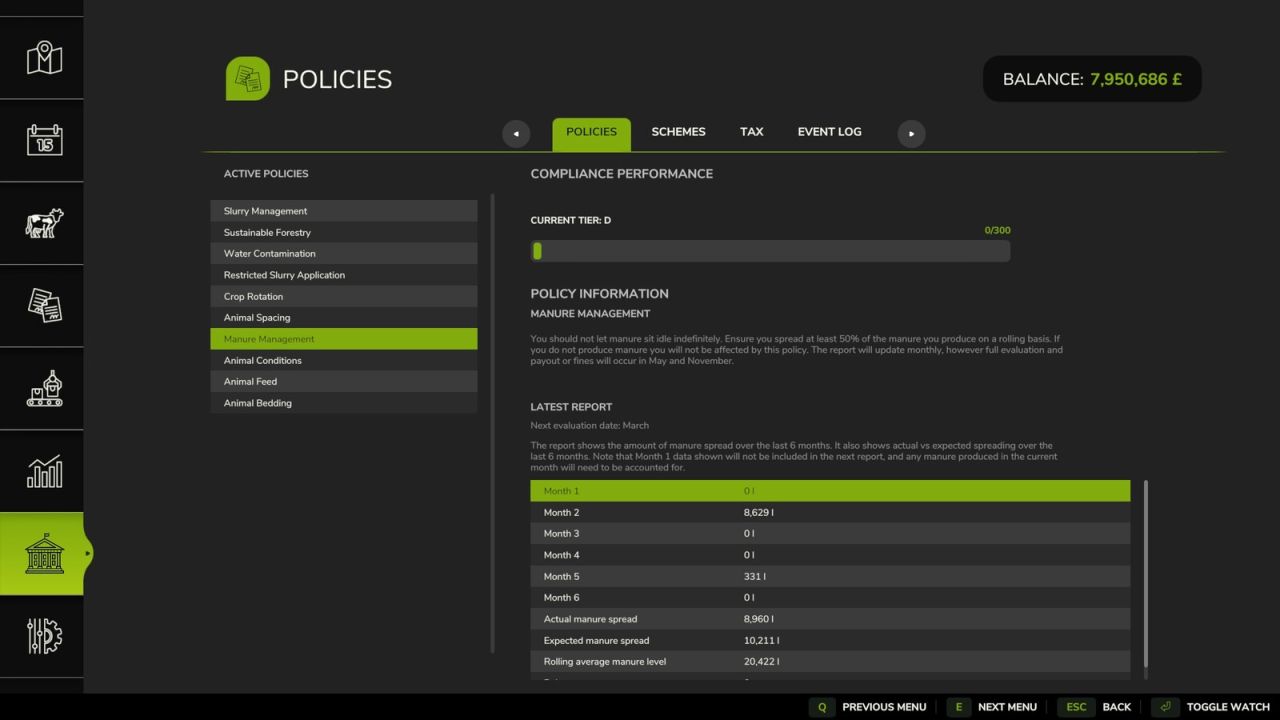
Red Tape FS25
Red Tape A mod that adds depth to the game by introducing Policies, Schemes and Tax. Policies include animal welfare and environmental regulations that, if not followed, can result in fines or other penalties. Schemes offer opportunities for additional income or benefits but may come with their own set of requirements. Tax adds a layer of financial management, requiring players to budget for regular tax payments based on their farm's income and activities. Your performance in complying with Policies can impact the quality of rewards from Schemes and even offer tax benefits. See the help menu in game for more information. - GitHub: https://github.com/sprkem/FS25_RedTape - Added a safety check for edge cases involving husbandries that cause errors. - All scheme-issued vehicles are now properly excluded from the Advanced Damage System mod. Previously, they were excluded initially, but this did not persist between game sessions. - The event log should now be specific to the player's farm in multiplayer and no longer show events from other farms. - Fixed a bug where manure manually placed into a standard manure bunker was counted twice for the manure management policy. - Fixed issues with the Russian translation. - Update save hook for resiliency against mod conflicts. - Added a new setting to control if tax is currently recording expense/income. This allows players to temporarily disable tax recording if doing game set up etc. - Disabling the tax system with the original setting will now clear tax history. - Husbandries containing only diseased animals (using Realistic Livestock) will no longer be punished for low productivity. - During the Salt Spreading Scheme, the UI will show how much money is earned so far as a clear indicator of progress. - Improved the wording for the salt spreading scheme to make it clearer what the player should do. - Reduction of the punishments for the restricted slurry policy. It is now far more lenient. - Added a fix for enablement of policies and schemes. - Reworked mp sending of settings. Thanks to KeilerHirsch - Fix for salt spreading scheme earnings being reset when snow thickens on the ground. - Scheme issued equipment is now excluded from the Advanced Damage System mod. The exclusion is removed if vehicles are purchased. - Added safety filter for demo schemes to filter out modded equipment which cause rendering issues. - Fix mod reference path names for demo schemes in multiplayer. - Add safety guard for a sporadic error when spraying related to PF. - Fix issue with settings not saving in certain circumstances. - Revised inclusion of 'other' money types in tax calculations to only include certain types, e.g. Precision Farming soil information purchases. - Add support for Witcombe rabbits in Animal Spacing. Also reduced space requirements slightly for some other animals. - For crop promotion, save by fruit name to avoid issues if fruit type indices change. Also fix a bug that caused evaluation to fail. - Added safety checking when selecting spawn vehicles for schemes to prevent errors. - Fix a bug in sustainable forestry evaluation. - Added miscellaneous safety checks. - Added Polish translation, thanks to sabaka1983. - Manure dumped to the ground is now tracked as part of the manure management policy. Existing piles will not be counted unless they are added to. - Added a new setting to control the speed of productivity gain. This is to better support moving animals regularly without losing out. - Long running schemes will now automatically update their tier in line with the farms progression/regression. - You can now end schemes early through the menu. - Added console command rtAddPoints to add/remove points from the current farm. - Grapes and Olives no longer need to be rotated (alongside grass types). - Added Hungarian translation. Thanks to MathiasHun. - Added Traditional Chinese translation, thanks to tony200242-ship-it. - Add tax accounting support for the money types in FS25_Invoices - Fix to block duplicate harvest history events in consecutive months, which could happen early game. - Don't show grants button when the system is disabled. - Remove log warning for tax statement payments. - Remove some duplicate localised texts. - Purchased farmlands are exempt from the next evaluation of the Crop Rotation policy. - Update grant eligibility text to explain minimum grant amount. - Added Italian translation, thanks to FirenzeIT. - Added Spanish translation. - Adds a new crop rotation view showing harvest history, to aid planning. Minor rework of the crop rotation policy. - Adds the idea of tax losses rolling over to future years. Upon loading an existing save, it will count losses from the previous statement. - Added filter to brand demo to avoid offering useless equipment. Currently this filters out frontloaders but will adjust based on feedback. - Add CZ translation. - Correctly pluralise months for each language
Everything Constructable FS25
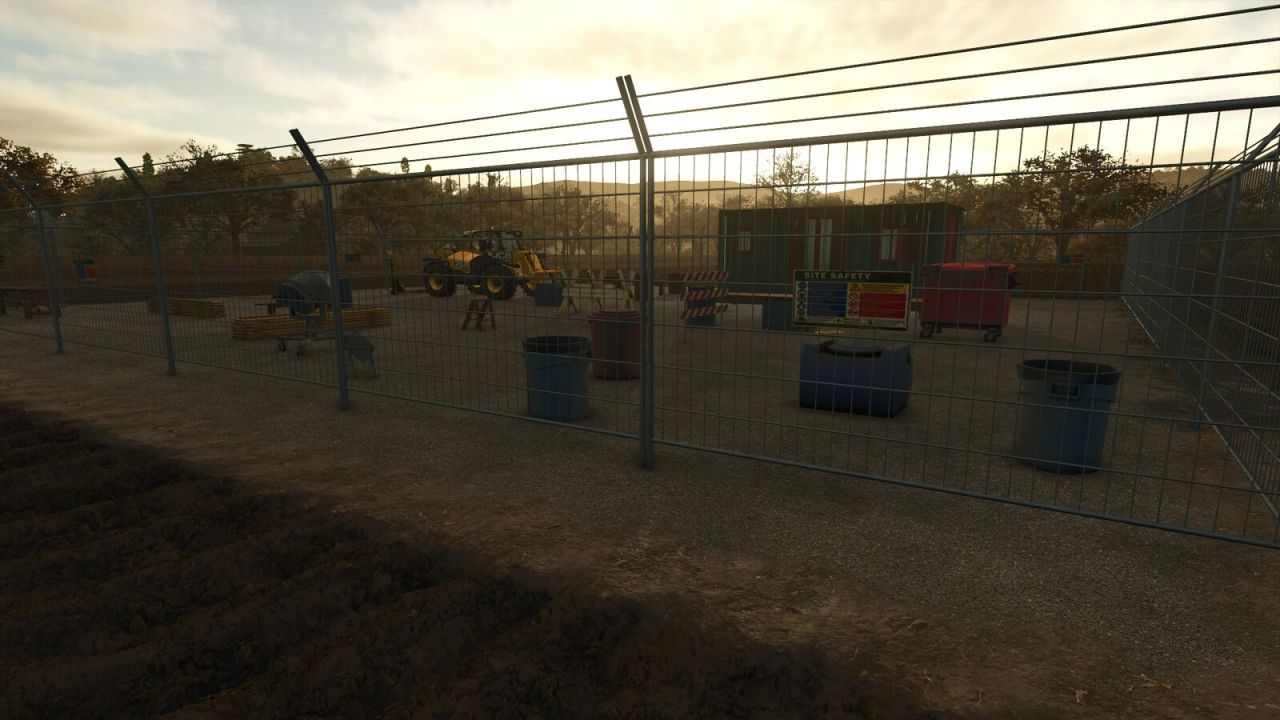
Everything Constructable Buildings no longer appear instantly. Instead, placing a building creates a realistic multi-phase construction project with fenced sites, monthly progress, and resource delivery. You can disable and enable this process at will. For construction projects, you can deliver material yourself to reduce the cost. Projects will take a number of months, depending on the cost. You can pause a project if you want to wait and supply materials. You must always pay for labour, but can configure the portion of the total cost for labour vs materials. Fully supports multiplayer. Excludes base game simple pastures and those in FS25_FencelessPastures. Github: https://github.com/Ozz-Modding/FS25_EverythingConstructable - Fixed an issue with temporary husbandry fences left over from an earlier version of the mod. - Reworked construction site fences to use direct i3d placement, resolving multiplayer sync errors that caused missing fences and stream errors when placing sites. - Add CZ translation file thanks to tomyasx. - Fix a bug where you couldn't place a building site if you didn't have the full project cost.
MB DLC Work Cameras For All Vehicles FS25
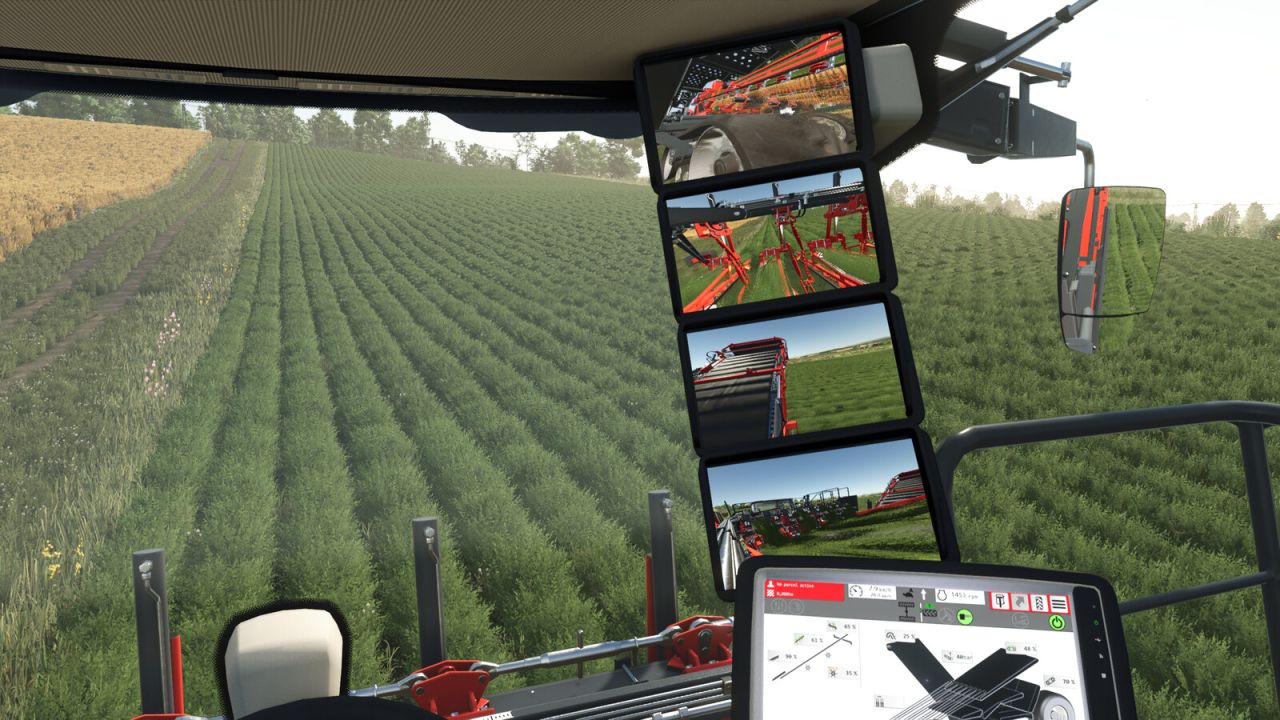
This mod enables the functional cameras of the Mercedes Benz DLC vehicles to be used in all vehicles. The Mercedes Benz Trucks Pack is required for this. The cameras in the vehicles can be split into different groups, in which the cameras can be switched through. In addition, an automatic switching of the cameras can be activated, which selects the appropriate camera depending on the driving direction and/or status of the unloading pipe. The mod adds the cameras to existing vehicles from the base game, so you can start using them right away with the available vehicles. For some implements and trailers, cameras are available as well. These will be displayed in suitable pulling vehicles as soon as the implement is attached. Mod vehicles that are properly prepared can also use Work Cameras. A guide for integration can be found in the mod directory. The control of the camera functions is done via the following key bindings: - Switch camera group: Right Ctrl key + Quote key - Activate/deactivate camera group: Right Alt key + Semicolon key + Numpad / key - Select next camera: Right Alt key + Semicolon key + Numpad + key - Select previous camera: Right Alt key + Semicolon key + Numpad - key - Toggle automatic mode: Right Alt key + Semicolon key + Numpad * key With the upcoming version 2.1.0.0 of Dashboard Live, the cameras will also be usable in a large number of standard vehicles with DBL displays. The cameras are integrated into the displays there. - Fixed errors caused by camera groups without assigned cameras - Fixed cameras in New Holland Braud9090X - Fixed cameras in Agrifac LightTraxx
- 15 per page
- 30 per page
- 45 per page
- 60 per page
-
See more per page
Bigger pages, fewer clicks - and no ads anywhere.
Go Pro