Farming Simulator 22 mods
50,366 results- 15 per page
- 30 per page
- 45 per page
- 60 per page
-
See more per page
Bigger pages, fewer clicks - and no ads anywhere.
Go Pro

Used Machinery Auction FS25
This is only a beta version, so it might not work perfectly. I intend to listen to your feedback and make the necessary changes, so I’d be delighted to hear your thoughts in the comments. Please don’t be too harsh, as the mod is still a work in progress ABOUT MOD: Used Machinery Auction adds an auction house for second-hand machinery to Farming Simulator 25. Bid on used tractors, harvesters, headers, trailers, seeders and implements - each with its own age, operating hours and condition - against AI buyers and other players. OPEN: press Left Alt + U (changeable in the controls menu). You need to belong to a farm. FEATURES - Lots are picked at random from every vehicle in your shop, including DLC and other mods. Rare low-hour collector machines appear too. - Timed bidding with a minimum bid step that grows with the price (1 to 5,000) and an anti-sniping extension. Use the quick buttons or type your own amount: confirm it with Enter, then place the bid. - AI buyers with their own budgets, styles and specializations bid in parallel on many lots. - The declared condition can hide a defect. Paid diagnostics shows the real condition, wear and the exact workshop repair and repaint prices. - Every lot is compared with the price of a new machine (green -% cheaper, red +% more expensive) and shows the shop photo and specifications. - Sortable list, a Filters menu (category, condition, price, age, hours, my bids, ending soon), mouse-wheel scrolling and draggable scrollbars. - My Auctions: bids, history and spending. Won machines appear at the shop delivery spot with the correct hours, age, damage and wear. - Own auction clock (x1 to x60), independent of the game’s time acceleration. - 12 settings (server administrator in multiplayer), full multiplayer and savegame support. - The AI’s behaviour when making purchases has become more realistic. It can also be customised to suit your needs. - Paid-for equipment that has not been collected is no longer removed due to history limitations. - New prices take into account other leading prices, commission and delivery costs. A display of available funds has been added. - The server checks the player’s eligibility to purchase equipment.
Autodrive Kiselevka FS25
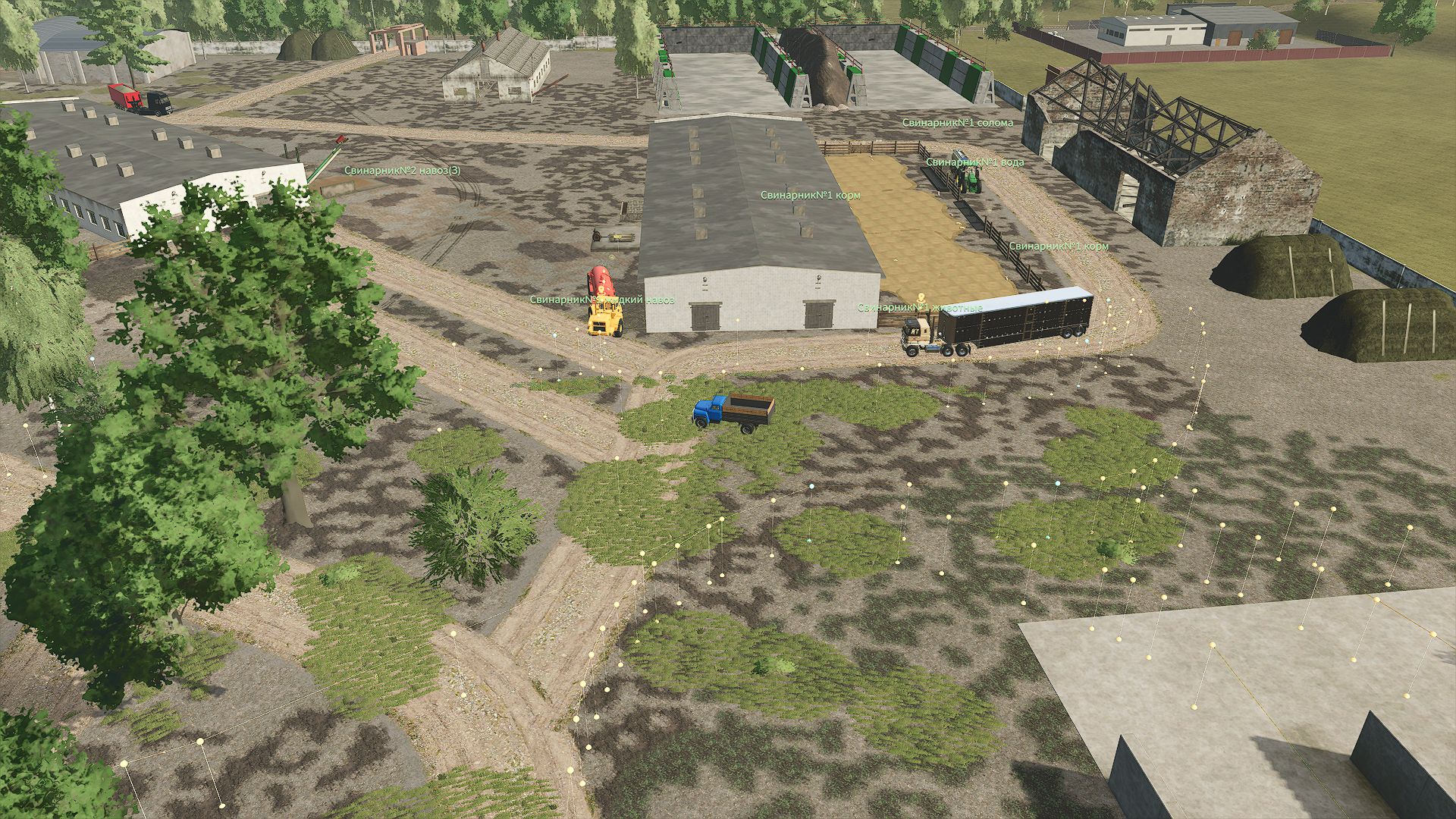
Everything is connected. Courses updated for map version 1.0.1.5 Courses updated for map version 1.0.1.3 Courses updated for map version 1.0.1.2 Courses updated for map version 1.0.1.0 Courses have been updated to map version 1.0.0.9. updated for map version 1.0.0.8. regarding errors in courses, please contact https://discord.gg/yBktyyXKh Courses have been updated to map version 1.0.0.7. The routes update is adjusted to the map update. Updated and expanded courses, everything on the map is connected.
FS25 Advanced Farm Manager v1.1.0.0
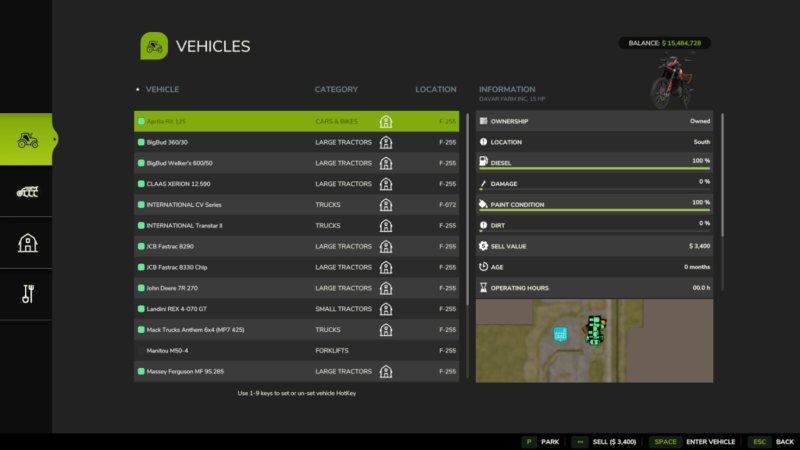
FS25 Advanced Farm Manager v1.1.0.0 Advanced Farm Manager is a toggle-able GUI that will allow you to quickly manage your vehicles, implements, fields, and placeables. – Jump into, park, sell, clean, repair, repaint, and refuel (diesel, electricity, methane and DEF) enterable vehicles. – Warp near, sell, clean, repair, and repaint implements. Never lose an implement again. – Warp near, tag, and sell placeables. – Warp directly to or tag fields (pre-defined only) – Pricing for Sales, Repair, and Repainting is the same as any mobile shop. – Pricing for cleaning is based on how dirty the vehicle or implement is. – Set hotkeys on vehicles using 1-9 keyboard or number pad keys in the menu – Set nicknames on enterable, motorized vehicles. – Set vehicle switching (tabbing) to be all enterable vehicles, or just hotkey vehicles – Parking, number assignments, and nicknames are saved per player and per vehicle in single player and multiplayer. Only your own settings affect your view and vehicle switching. Key Bindings: Left_Shift + Key_Slash (/) – Open Menu Mouse Button 4 – Open Menu Right_Alt + Number Pad 0 – Toggle between limited vehicle switching and all vehicle switching Right_Alt + Number Pad 1-9 – Jump to hotkey marked vehicle # Changelog 1.1.0.0 – Parking, number assignments, and nicknames now persist per player across saved sessions and multiplayer reconnects. – Personal vehicle settings are independent of other players and synchronized only to their owner. – Fixed out of sequence vehicle tabbing. – Fixed animal sell values to match in game with fee. – Fixed hotkeys in multiplayer.

FS25 Terrain Texture And Object Picker v2.2.0.0
FS25 Terrain Texture And Object Picker v2.2.0.0 Terrain Texture And Object Picker adds a pipette function for ground textures, foliage, bushes, trees and supported placeable objects to the construction menu. It allows previously used paint textures, visible foliage such as grass, flowers and bushes, placeable trees and supported objects to be picked directly from the map and found again in the construction menu. In mixed areas, several matching results can be shown. How to use: 1. Open the “Pipette” tab in the construction menu. 2. Press the “Activate pipette” button. 3. Click a ground texture, foliage, a bush, a tree or a supported object. 4. Confirm the desired result in the construction menu. 5. Paint or build as usual. If needed, the pipette can be activated again at any time. The active brush is reset before picking. The mod considers available ground textures and suitable foliage of the current map. Map foliage is detected without loading additional entries into the regular construction menu unchecked. Search: The “Search” tab (right next to “Pipette”) lets you search the entire construction menu by keyword. Multiple words can be entered in any order, results are sorted by relevance. For general search terms, the search recognizes connected groups of objects – currently trees and husbandry as the first examples – even when the term doesn’t literally appear in the name. This recognition will be extended to more areas over time. Credits: Thanks to PeterPwn247 for “All Decorative Foliage” and to modelleicher (Farming Agency) for “All The Ground Textures Ingame”. Both mods helped with understanding how map content can be made available in the construction menu. GitHub: https://github.com/Nalathan01/FS25_TexturePipette/issues Changelog 2.2.0.0: – Fixed log error messages while picking that could occur on maps with incorrectly registered foliage layers. – Internal rework: removed obsolete diagnostic code and updated error handling to current GIANTS requirements. Changelog 2.1.0.0: – New “Search” tab in the construction menu: searches all categories by keyword, order-independent, sorted by relevance. – First connected object groups recognized for search: trees and husbandry are found even without a literal name match. – StoreItems from new prefab/map templates are now found reliably, even when paths differ in capitalization. – Trees without a clear match to a construction-menu entry no longer show up as a broken tile, only as a status message. Changelog 2.0.0.0: – Renamed to Terrain Texture And Object Picker. – Extended detection of bushes and trees. – Improved detection for ground textures, foliage and supported construction-menu entries. – Improved map foliage detection for additional map content. – Removed the previous debug mode because it produced excessive log output during normal gameplay. Changelog 1.3.0.0: – Added detection support for placeable trees. – Improved detection of placed objects, foliage and ground textures. Changelog 1.2.0.0: – Added detection support for foliage such as grass, flowers and bushes. – Map foliage is added as paintable construction-menu entries where possible. – Added a combined result list for foliage and ground textures. Changelog 1.1.0.0: – Added detection support for suitable placeable objects. – Improved pipette handling: activating the pipette again clears the previous selection. – Added general settings for enabling the pipette function and free painting.

FS25 #Oporowo Całodobowo Sweatshirt
FS25 #Oporowo Całodobowo Sweatshirt This mod adds a sweatshirt to the game, inspired by the original design from the FarmSklep store, featuring the “#Oporowo Całodobowo” (Full-Throttle 24/7) theme. Perfect for fans of agriculture and the “full-throttle” lifestyle! Note: This is a fan-made mod. Published with permission from the rights holder of the graphics and branding used.
Admin Shop Prices FS25
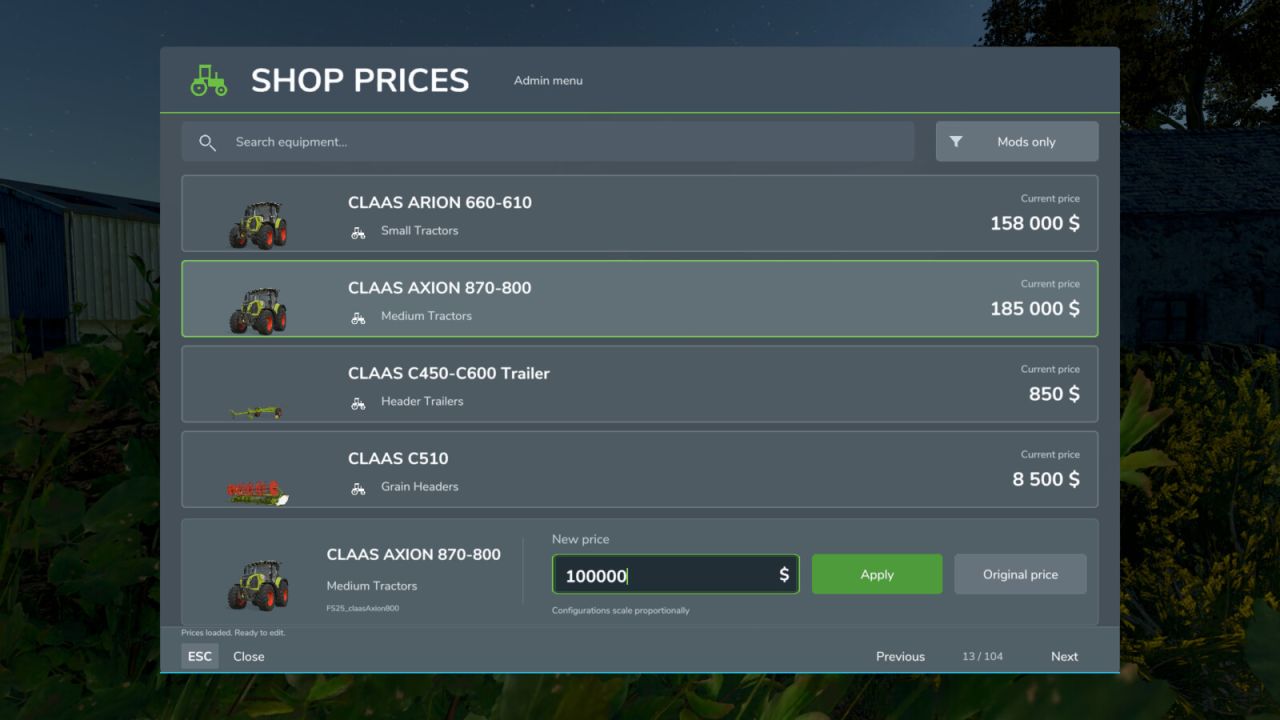
Description: This mod was created to let you adjust the economic balance at the very beginning of your career. When starting a new campaign and adding many third-party mods, equipment prices often do not match one another. The mod lets you easily align and balance the cost of vehicles and implements in the shop directly during gameplay, without manually editing the XML files of every installed mod. Main features: - Initial economy balancing: An ideal tool for quickly adjusting prices to the individual rules of your new campaign. - Convenient equipment search: Easily find the machines you need using search, with the original shop icons to help you identify them. - Flexible adjustments: Set your own base price or instantly restore the original pricing. - Proportional scaling: Automatically adjusts the cost of all available configurations. For example, if you halve a tractor's base price, the surcharges for additional wheels or engines in the shop also decrease by 50%. - Currency adaptation: Enter amounts in the currency selected in the game settings. Compatible currency converters are supported automatically. - Separate savegames: All price changes are stored separately for each savegame and do not affect your other saves. - Multiplayer support: The server controls all prices, and only session administrators can change them. All participants must have the same mod version for multiplayer. Controls: - While on foot, press Right Shift + P to open the price management menu. - You can change the hotkeys in the game's standard control settings. - Press Escape or click the Close button to leave the interface. Important information: - The mod is designed solely to adjust and balance gameplay. Avoid excessive price reductions so that you do not lose interest in developing your farm. - Editing equipment prices automatically affects their leasing costs and subsequent resale values. - The mod does not refund money for equipment purchased before its price was changed. - In multiplayer, log in as a server administrator. Farm manager permissions alone are insufficient. - Open the menu with other menus closed. Enter whole amounts in the displayed currency, with or without grouping spaces. Backspace edits text; unapplied input is discarded on closing. - If reliable currency conversion cannot be determined, editing is blocked. If the rate changes during editing, review the displayed amount again before applying it. Players may use different display currencies; saved and network prices use the game's internal units. - Keep adminShopPrices.xml in the savegame folder when updating the mod. No changes to other equipment mod archives are required. - Reopen an already-open shop or configurator after changing a price. - Buildings, consumables and hidden bundle items are excluded. Custom shops and other mods modifying the same prices may require compatibility testing. - The interface is available in English, German and Ukrainian. Other game languages use English.
Production Revamp FS25
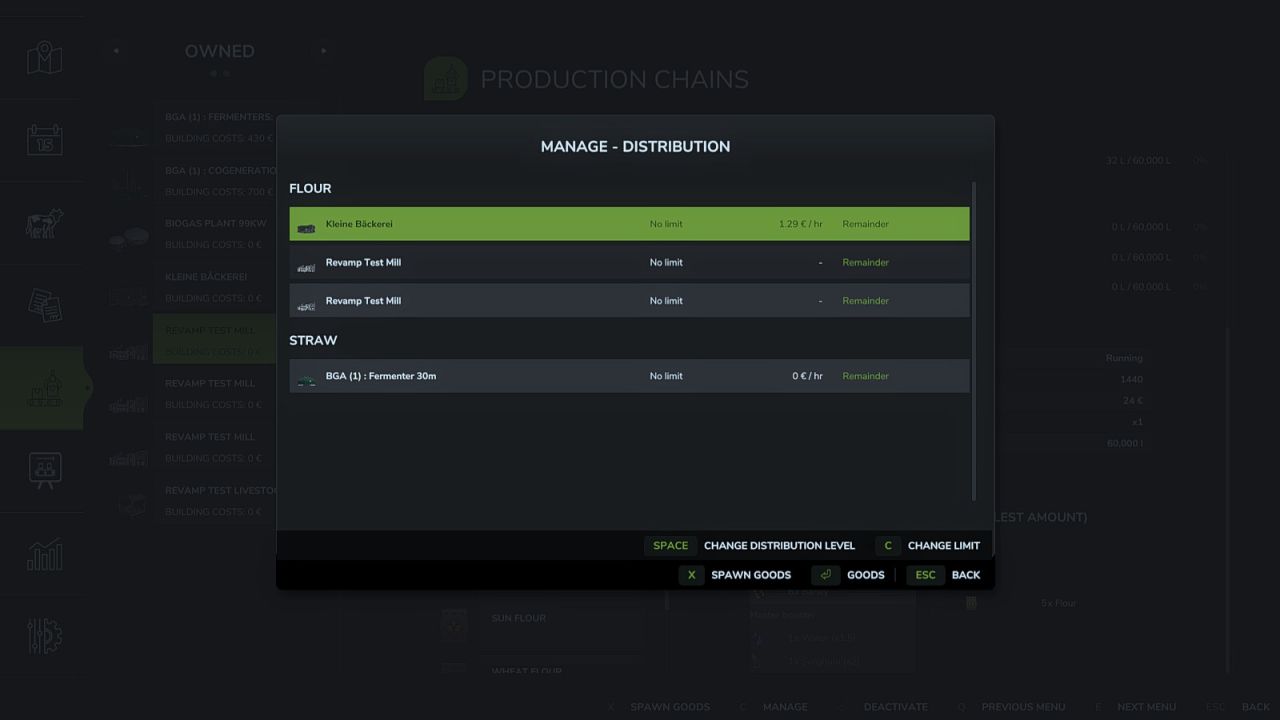
Production Revamp extends the game's production system with a wide range of features. It is the continuation of the Production Revamp that Braeven built for Farming Simulator 22, carried on for FS25 by Achimobil with his explicit permission. Production Revamp is a pure script mod. It does not bring any buildings of its own and does not change any recipes. Some features work right away at every production, others are only available in productions a modder has adapted for them. At all productions: - Manage dialog listing all inputs and outputs with exact amounts - Output mode "Store": products collect in the storage and can be taken out as pallets or bales in the amount you want, via the menu or directly at the building - Buy inputs directly from the dealer and sell outputs directly to him - Distribution your way: per product, choose which productions are supplied first, later or not at all, optionally with an upper limit and split evenly or by demand - Only productions that are actually processing the product right now get supplied - Delivery costs with a preview in the manage dialog and as a separate entry in the finances - Recipe view highlights missing inputs, a product that is both input and output is listed only once - Production menu shows whether a production point works in parallel or splits its capacity, and its building costs - Raised technical limits so that even very large production mod packs with well over 255 fill types load correctly - Own settings section: the admin can switch off individual areas and set prices, delivery costs and trading rights, every player can hide individual displays for themselves - Own pages in the in-game help menu - Fully multiplayer capable Only in productions adapted for it: - Mix groups: several equivalent inputs, for example rye instead of wheat - Recipes using product groups that products from other mods fit into automatically - Boosters and master boosters: optional inputs that increase the yield - Input and booster selection per production line in the manage dialog - Production depending on weather, season and time of day, plus weather-dependent storage - Live animals as input, delivered with the livestock trailer at a dedicated trigger - Take products out as logs with selectable length - Take goods out as pallets, bales or logs at silos too - Stock displays on the building as a growing stack and as a digital display, also on silos and greenhouses - Buying and selling can be locked for individual products - Production lines that run on their own For modders: - Other mods can bring their own buildings for Production Revamp and register their own products at the map's selling points and silos, without any script - Other mods can place their buttons in the manage dialog Production Storage Control and Production Supply Trader are not needed alongside Production Revamp: their features are part of Production Revamp, and both switch themselves off as soon as Production Revamp is installed. If another mod replaces game functions that Production Revamp also builds on, a warning appears in the log. The warning is a hint, not a verdict: it does not mean the two mods do not work together, only that they might not. In that case, please check whether the affected feature still works as expected in the game. Bugs and suggestions are welcome on GitHub: https://github.com/Achimobil/FS25_ProductionRevamp The documentation for modders is in the wiki: https://github.com/Achimobil/FS25_ProductionRevamp/wiki
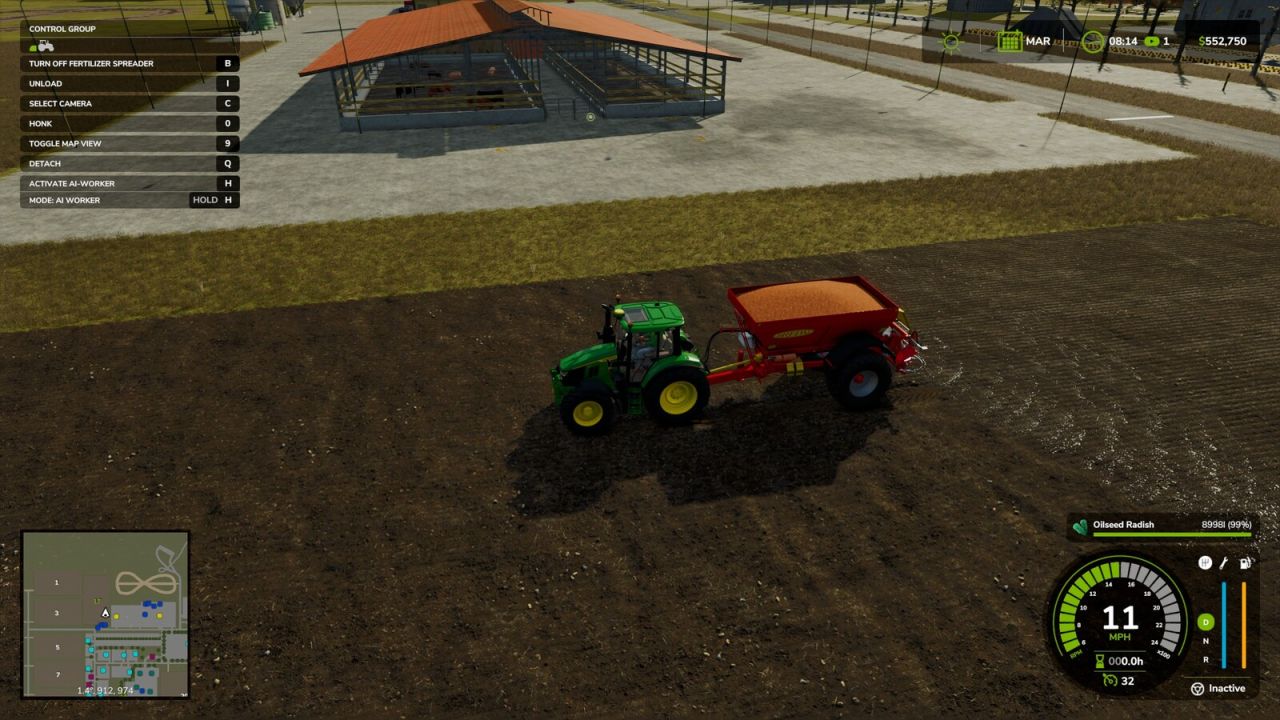
Broadcast Seeding FS25
This mod allows existing fertilizer and lime spreaders to accept seeds and sow crops, while retaining their normal fertilizer and lime spreading functions. Inspired by the real-world practice of broadcasting cover crops with a spreader.
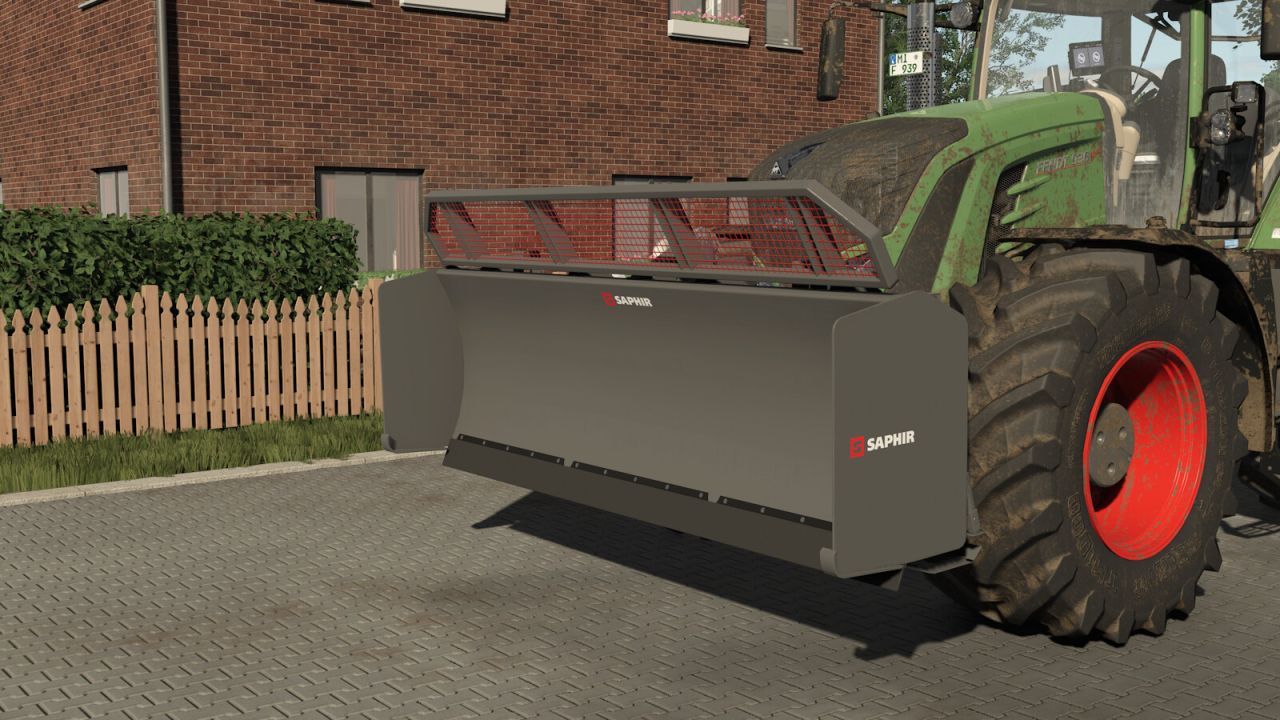
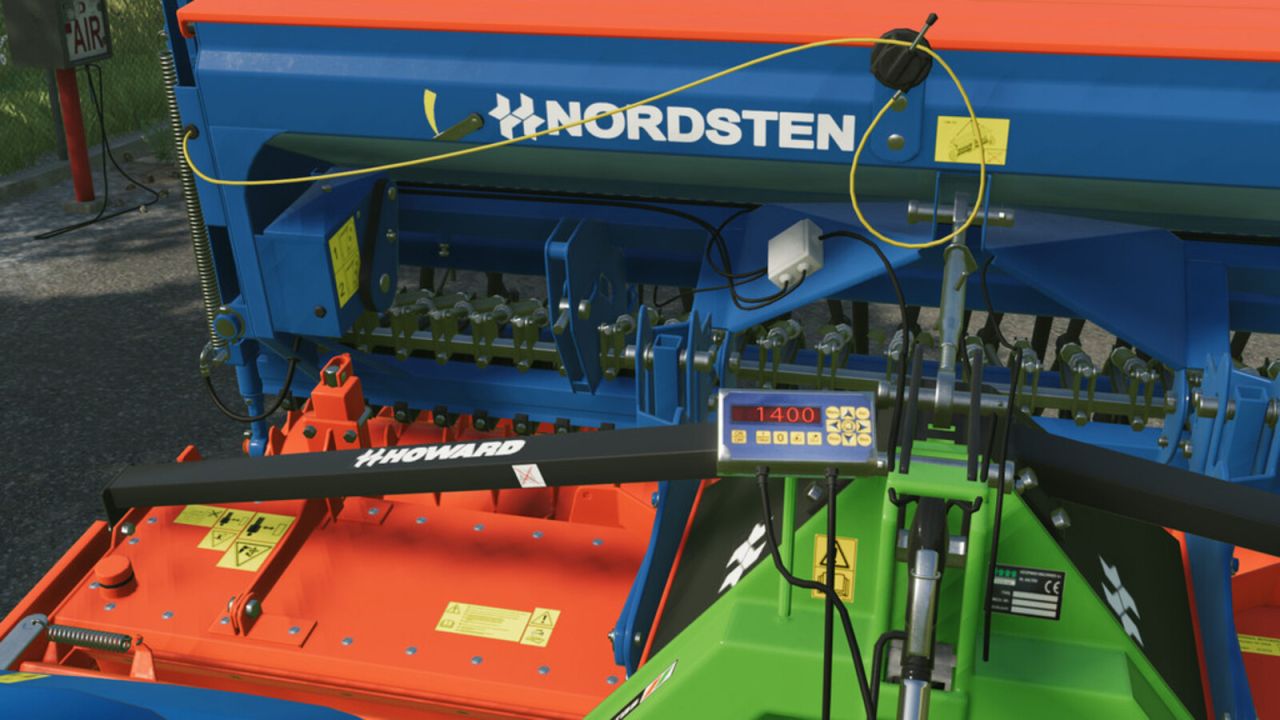
Exakta U - Threepoint Scale FS25
In Farming Simulator 22 was the mod by Hoffi. Thank you for the approval. Three-point scale for precise determination of the weight of the attachment and/or the load. Due to Tare-function every filling can be done down to the last gram. Up to 6000kg hub force The rotatable display enables the values to be read from the outside. Price: 2300,- $ Shop options: main color

Easy Delimbing FS25
Increases the effective delimbing area of chainsaws and makes movement while using the chainsaw easier.
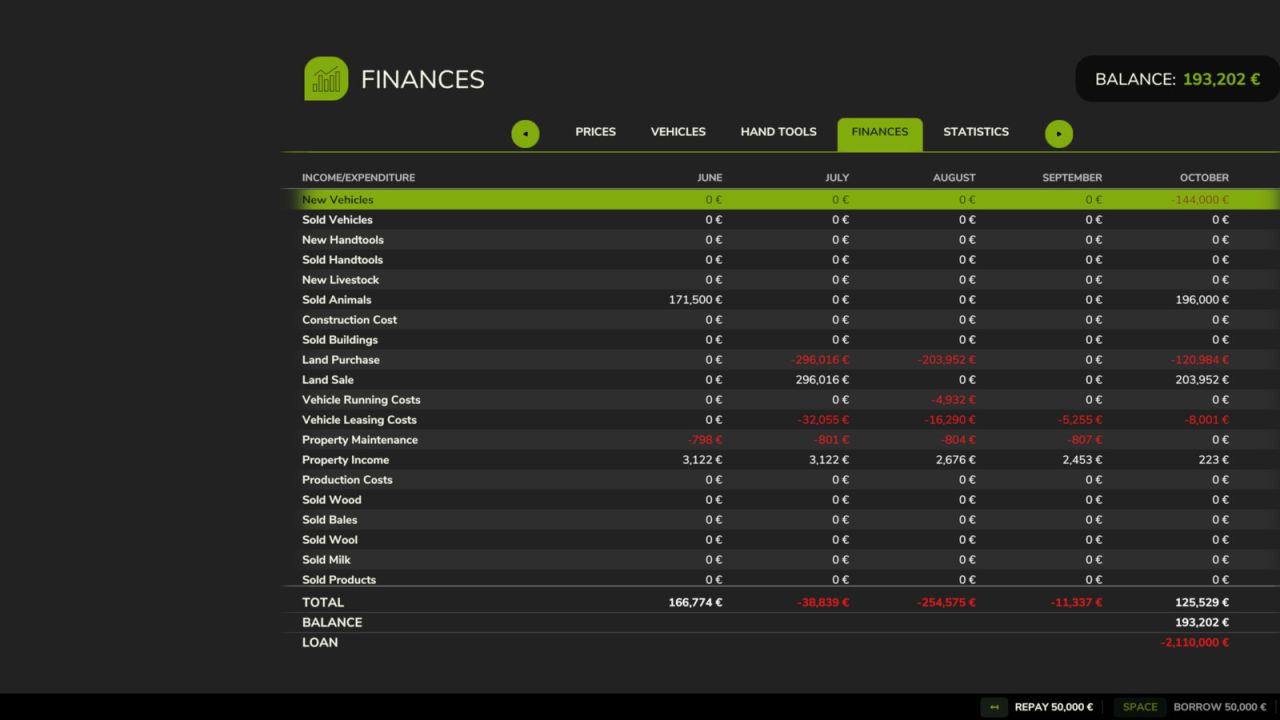
Loan Step Modifier FS25
Borrowing and repaying in the finances menu works in fixed steps of 5,000. Hold Shift to borrow or repay 50,000 at once, hold Ctrl for 500,000. The button labels show the current step while the key is held. You never borrow above the credit limit and never repay more than your debt or more than you can afford.
Instant Motor Start FS25
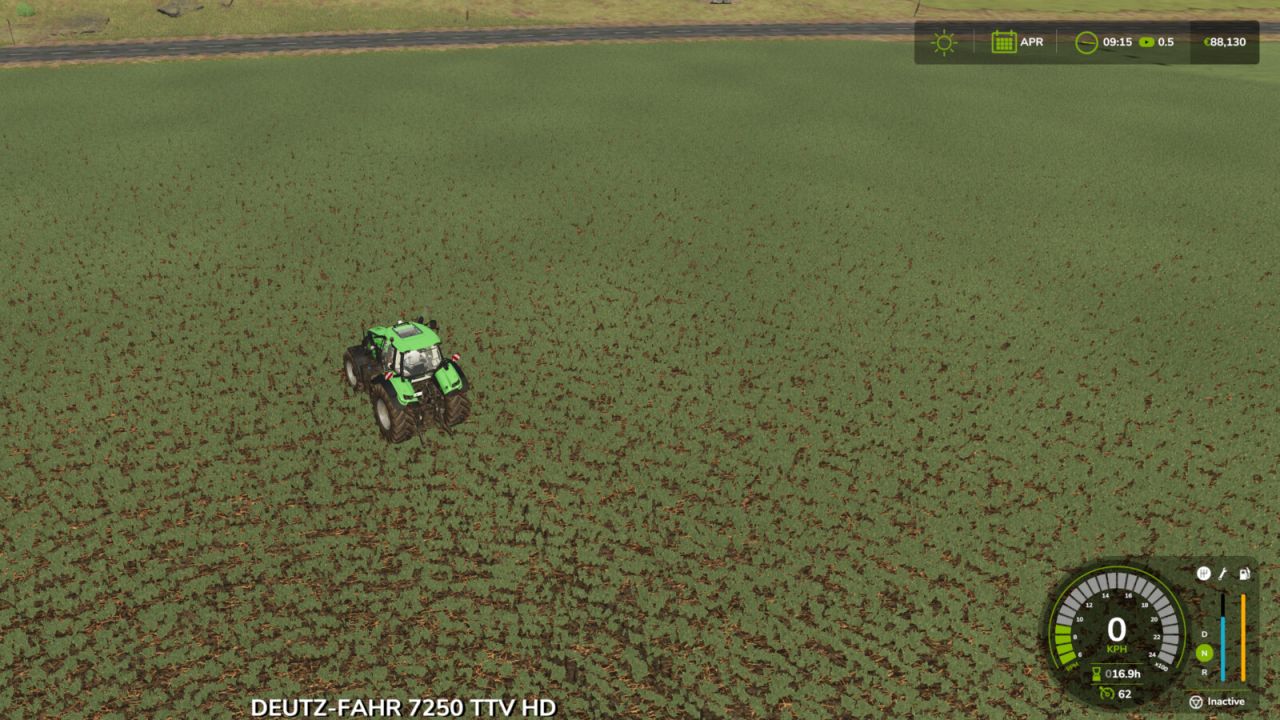
Removes the engine startup delay on all vehicles. Start the engine and drive immediately.
Park and Hide FS25
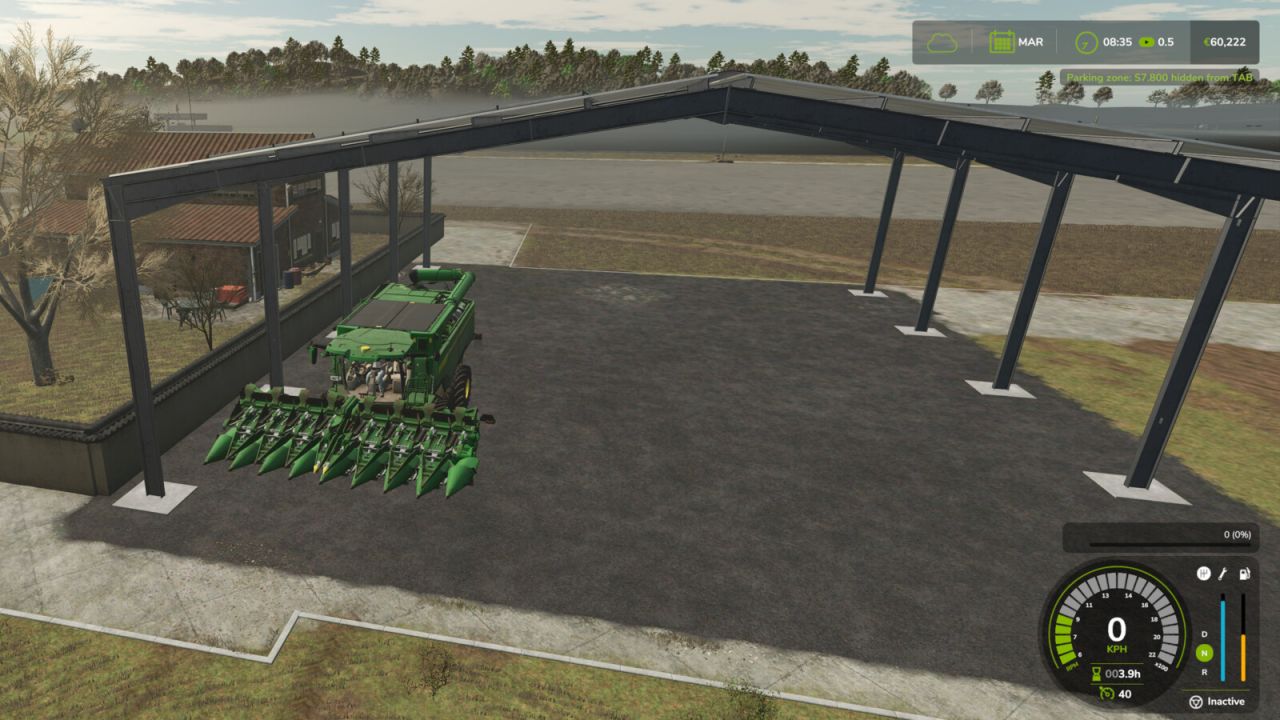
Vehicles parked inside any shed or garage (store category Sheds) are hidden from the TAB vehicle switching cycle. Drive them out to restore them. Works with sheds from the base game and from other mods.
Increased Fuel And Adblue Consumption Realistic FS25
This mod increases vehicle fuel consumption to make the simulation more realistic and challenging. Applied multipliers: - Diesel (standard tractors and vehicles): x3.0 - Methane (methane-powered vehicles): x3.0 - Electric (electric vehicles, kWh consumption): x3.0 - AdBlue / DEF (diesel exhaust fluid): x4.0 - AdBlue urea: x1.0 (unchanged) Note: this mod affects the fuel consumption of ALL vehicles and is not tied to any specific manufacturer. Multiplayer compatible.
- 15 per page
- 30 per page
- 45 per page
- 60 per page
-
See more per page
Bigger pages, fewer clicks - and no ads anywhere.
Go Pro