Farming Simulator 22 mods
50,512 results- 15 per page
- 30 per page
- 45 per page
- 60 per page
-
See more per page
Bigger pages, fewer clicks - and no ads anywhere.
Go Pro
Hyper Realistic Maintenance 2 V1.1.1
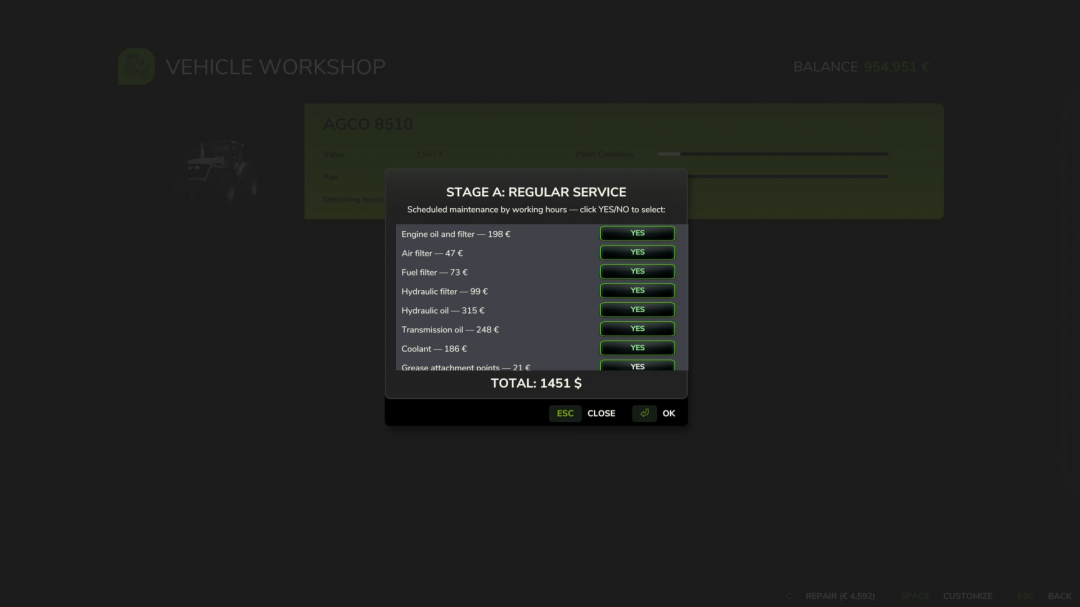
The mods I added as required are not actually required; they can simply be used together if you wish, without compatibility issues. Two photos have been added with mods tested on a multiplayer server. Your engine wears out. Your oil gets dirty. Your turbo fails if you never maintain it. This is what “realistic maintenance” should have meant from the beginning. Hyper Realistic Maintenance 2 adds deep, continuous mechanical simulation to all motorized vehicles in your saved game — tractors, trucks, harvesters and cars with real gameplay consequences, not just cosmetic numbers.What is simulated Engine: 5 independent components (cylinder, piston, bearings, crankshaft, valves) that influence one another — cylinder wear increases blow-by, which contaminates the oil and accelerates further wear Thermal: coolant temperature increases under load and the engine overheats if the radiator is degraded Fluids: oil level/contamination and coolant level, both checkable and requiring maintenance Transmission: clutch, gearbox, turbocharger and battery/starter motor wear over time Failures: probabilistic failures that increase sharply above approximately 35% wear in the relevant component — critical overheating above 118 °C is guaranteed and does not depend on luck Vehicle-specific behavior: tractors, trucks, harvesters and cars wear at different, realistic ratesReal effects, not cosmetic ones Actual power loss reduces the engine’s effectively available torque, and you will feel it in the field Actual no-start conditions a dead battery or worn starter motor can really prevent the engine from turning over, with a warning displayed on screen Harvesters suffer a real loss of threshing efficiency as engine condition deterioratesScheduled maintenance, just like in real life 10 maintenance items (engine oil, filters, hydraulic/transmission oil, coolant, grease, belts and more), each with its own interval and a real cost for the farm automatically adjusted to the vehicle’s actual power. If you neglect maintenance for too long, wear accelerates by up to +120%.A 3-page vehicle HUD overview, detailed engine diagnostics and maintenance status with an adjustable position in the game Settings menu. The game’s own repair screens (shop, farm workshop, mobile workshop) now also perform a complete HRM2 service.Compatibility Works completely independently. If you also install the 4×4 Traction System mod, the two mods detect each other automatically their HUDs do not overlap, and driving with 4WD/differential lock adds an extra, realistic touch of strain to the transmission. Neither mod requires the other.For now, single-player only; the status is not yet saved in the savegame (see the README for an honest list of the current limitations).V1.1.1.0 Multiplayer compatibility warningThis mod's multiplayer support has been significantly improved in this update, but it is not yet fully validated in MP. Most actions (services, detailed inspection, state sync on entering a vehicle) now go through proper network events and have been tested on a real dedicated server but at least two known path still needs fixing (the emergency jump-start), the maintenance bug where server do not send all information to client side if you start a maintenance and leave the server, do not leave server if you have any vehicle under maintenance and other edge cases may still exist. Use on a server with that in mind, and please report any issue you find, ideally with a log.Fixes in 1.1.1.0 Critical game freeze on save (fixed): Fixed the bug present in 1.1.0.0 where saving the game while a vehicle’s maintenance/repair was in progress could leave that vehicle permanently stuck engine refusing to start, with no way to recover short of reloading. Root cause: the code responsible for lifting the “immobilized” state after a repair finished only ran on the client, never on the authoritative side in multiplayer (or after certain save/reload sequences), so the lock was never cleared.Critical maintenance progress lost on save/reload (fixed): Maintenance progress (service intervals, engine/drivetrain wear, active failures, and in-progress repairs) now correctly survives saving and reloading the game. Previously this data only lived in memory and was lost on every reload vehicles would appear freshly re-aged and any in-progress repair would silently vanish. Fixed by moving persistence to a dedicated save file, identifying each vehicle by its stable unique ID rather than its in-memory object.Maintenance hours not accumulating correctly (fixed): Service-interval hours now use their own internal counter, correctly scaled to the game’s time-acceleration setting (x1, x60, x360…), instead of only counting real-world seconds. This also fixes hours appearing stuck or barely moving during accelerated play.Native odometer bridge (added): The vehicle’s native operating-hours field can now also be kept in sync with the game’s time scale directly by this mod, for consistency even without a separate time-scale mod installed. Automatically steps aside if such a mod is already active, to avoid double-counting.Multiplayer actions only applying on the requesting client (fixed): Simple service, periodic maintenance, full overhaul, and the detailed technical inspection now correctly apply on the server (money, component state, immobilization) instead of silently only affecting the client who triggered them the most common cause of “I paid but nothing happened” and vehicles getting stuck in multiplayer.Multiplayer state not refreshing after reconnecting (added): A vehicle’s full maintenance state (hours, wear, active failures, remaining repair time) is now requested from the server automatically the moment a player starts controlling it, keeping the on-screen display and engine-start behavior consistent even after reconnecting to the server.Stability fixes: Fixed a crash in the new state-sync system that could occur when the server sent a vehicle’s state to a connecting client. Fixed a console command (hrm2MaintStatus) that referenced a non-existent field and always errored when used.Required mods: Def MOD Pack Variable Tire Pressure
Forage Wagon Hay Lock BETA 2 v0.1.0.5
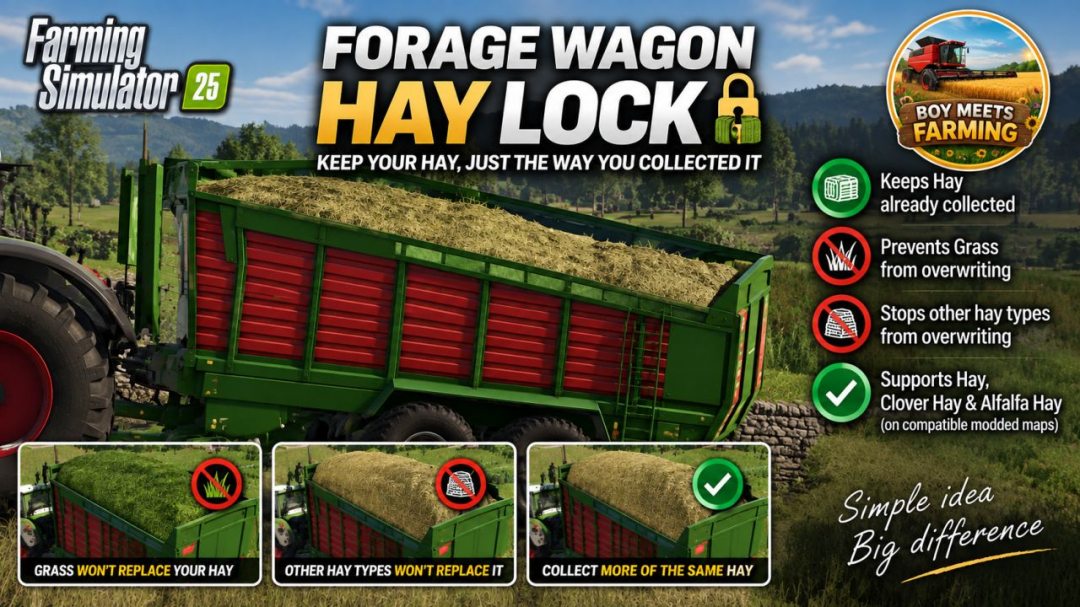
PURPOSE Prevents hay already collected in a forage wagon from being overwritten by grass or by another hay type.BEHAVIOUR – More of the SAME hay type collects normally. – Normal grass is ignored while hay is loaded. – Fresh Clover and fresh Alfalfa are ignored while hay is loaded when those fill types exist. – A DIFFERENT hay type is ignored while hay is loaded. – Empty wagons and wagons containing non-hay material retain normal game behaviour.SUPPORTED HAY TYPES – Hay: DRYGRASS_WINDROW – Clover Hay: DRYCLOVER_WINDROW – Alfalfa Hay: DRYALFALFA_WINDROWBETA 2 Version 0.1.0.5 Fixed registration for standard and custom forage-wagon vehicle types. Grass already loaded can no longer be overwritten by Hay. Hay already loaded can no longer be overwritten by Grass. More of the same fill type continues to collect normally. Supported Clover and Alfalfa variants are also kept separate. Tested successfully with the 8450 Windrower forage wagon on the Kinlaig map.
Hide Player Positions V1.0
PURPOSE Hides other players' positions (and occupied vehicles) on the minimap and world map. Ideal for roleplay, realism, and multiplayer servers where players should communicate over radio/chat instead of just looking at the map.MODES (selectable in Game Settings) All – default behavior, everyone sees everyone Own Farm – only members of your own farm are visible Own Position Only – everyone sees only themselvesHOW IT WORKS Only administrators can change the mode. The setting takes effect immediately on all maps, is synced to every connected player, and is stored permanently in the savegame — it survives a server restart.
Mailbox Pack V1.0
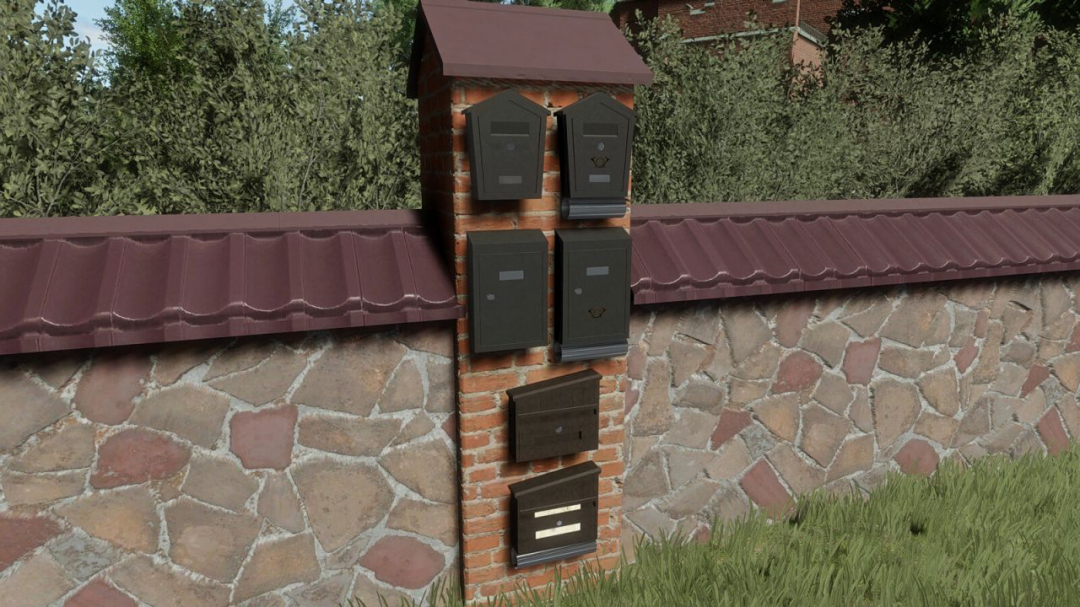
The Mailbox Pack features three unique mailboxes to enhance your farm's charm. Customize their look with various configurations, such as clean, newspaper pipe, letter, or logo. Price: $50 Category: Miscellaneous
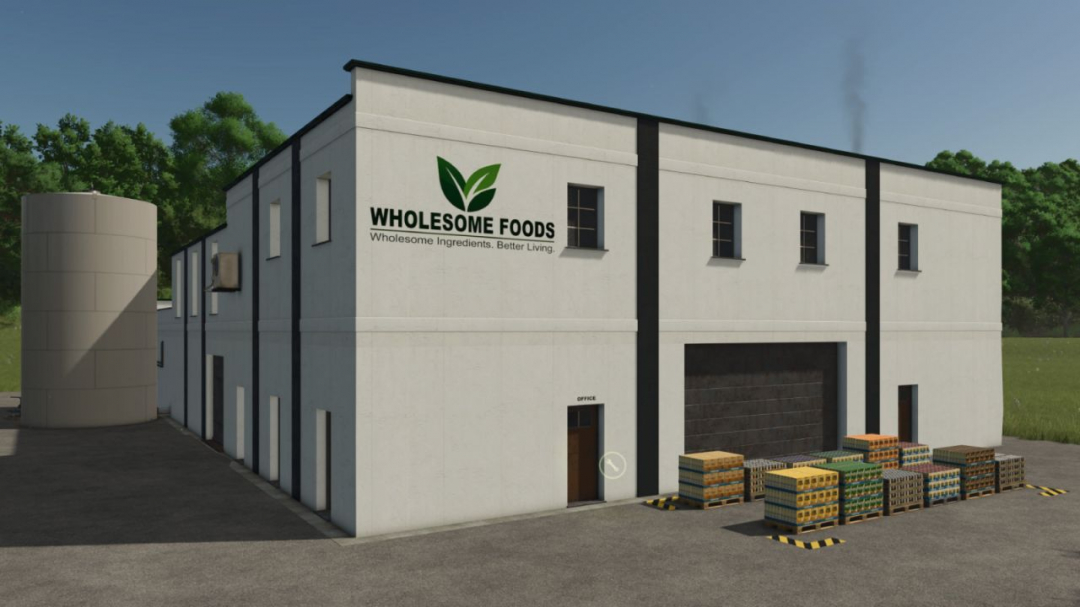
Wholesome Foods factory V1.0
Taking advantage of the growing demand for healthier foods, the local farm collective purchased an old industrial building, installed modern processing equipment, and founded Wholesome Foods. Using locally sourced oats, corn, wheat, soybeans, honey, milk, sugar, and other ingredients, Wholesome Foods produces a wide range of value-added products — from Frosted Corn Flakes and Oatmeal to Granola, Muesli, Protein Bars, and other snacks. Turn your farm’s grain harvests into finished foods and build a complete farm-to-market production chain. Wholesome Foods adds a modern food-processing facility focused on breakfast cereals, oatmeal, granola, muesli, and snack bars. The plant receives dry ingredients at the grain hoppers, liquid ingredients at the tank receiving area, and ships finished products from the loading dock.
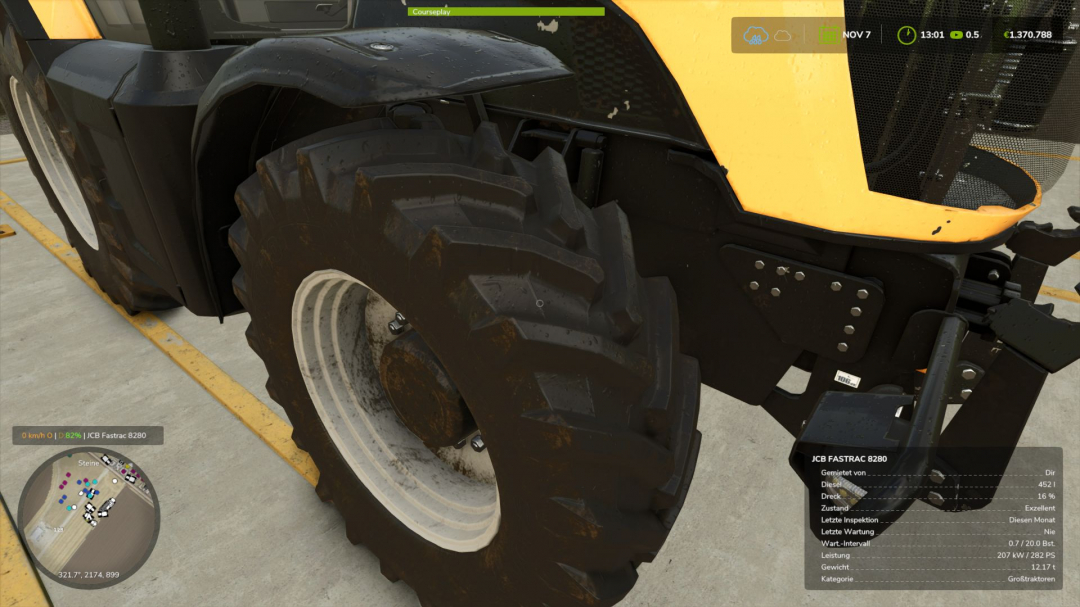
Real Physics Tire Wear V1.2.2.6
This mod enhances Farming Simulator 25 by introducing a standalone and highly detailed wear system for tires, rubber tracks, and steel tracks. Welcome to the next generation—the evolution: 2.0! Tires and track systems (rubber or steel) now wear down based on actual distance traveled, wheel slip stress, and various other factors. Your driving style, ground conditions, weather, load weight, and dynamic load distribution across wheels or tracks all influence wear. Each vehicle and wheel or track unit tracks and saves its wear individually, independent of the standard GIANTS vehicle wear system. This applies to all farm vehicles—whether purchased, rented, or leased. AI traffic, vehicles from other farms, or machinery rented specifically for missions are not tracked. The goal of this mod is to visually display realistic wear on wheels, rubber tracks, and steel tracks, accurately reflecting their actual condition. It supports conventional wheeled vehicles as well as machines with rubber or steel tracks. Trailers and implements with their own wheels are included and tracked too. For rubber and steel tracks, the wear of road wheels is calculated based on their design and shown separately via a combined icon. Most in-game vehicles and many mods have been tested; while 100% compatibility isn't guaranteed, it exceeds 90%. Some isolated cases, such as two-wheelers, three-wheelers, or specialized machinery mods, may not support tracking yet, but work is ongoing. For specific mods, I need the mod files—including i3d files, UV masks, shape mappings, and vehicle XML files—to assess feasibility. As wear increases, visual changes are complemented by performance impacts: heavily worn tires lose traction, affecting handling. This can cause the vehicle to slide during acceleration, braking, or turning. Tires, suspension, and track rollers can be replaced at the workshop, with costs depending on vehicle type, component size, and a small multiplier based on the chosen reference mileage. The reference lifespan can be adjusted in settings—options include 350, 500, and 750 km for smaller or classic 2×2 maps, and 1,000, 1,500, and 2,000 km for larger 4×4 maps. Note that setting a reference of 1,000 km doesn't guarantee tires or suspension will last exactly that long; it’s a basis for wear calculation, and actual lifespan varies with driving style, workload, and load. The mod also supports wear calculations for AI-controlled vehicles using Courseplay, AutoDrive, or Giants AI. To ensure smooth operation, an electronic immobilizer locks the vehicle during startup and system initialization, preventing external input. Once ready, the immobilizer disengages, and normal operation resumes. The mod introduces three penalties: first, reduced traction depending on wear level, though vehicles can still be driven to the workshop with performance penalties; second, a speed penalty for AI vehicles, with cruise control throttled down to as low as 20 km/h depending on wear, to maintain route following; third, a maximum speed reduction for rubber and steel tracks—up to 50% depending on roller wear. Replacing rollers removes this penalty. Current wear levels can be displayed directly in the HUD when using the 'FS25 Lights & Symbol HUD' mod, which is recommended to be installed alongside this mod. Version 1.2.2.6 includes optimizations based on long-term testing and a setting to toggle certain features.

OZZ SQR 3 – Amber, White & Red DRL Pack (Prefab) V1.0
OZZ SQR 3 – Amber, White & Red DRL Pack Enhance your Farming Simulator 25 vehicles with the OZZ SQR 3 lighting setup, featuring three DRL colors in one prefab pack: amber, white, and red. Each version includes white work lighting and a golden amber double flash. The upper and lower light bands, along with the OZZ logo, illuminate in the selected DRL color while the engine is running. Activating the warning lights switches these surfaces to amber double flash. When the warning lights are turned off, your chosen DRL color is restored.Features: – Three DRL variants: amber, white, and red – White work lighting – Golden amber double flash with a real light source – Adjustable lamp housing with a fixed mounting bracket – Corrected reflector faces and physical inner housing walls – Detailed model with LODs – Editable Blender source files – English installation guide and XML examples for each variant – XML helper and required DRL script included This prefab is designed for modders. Requires GIANTS Editor and manual installation into a compatible vehicle mod. Register the included DRL script following the installation guide. The lamps are not standalone shop items. The white and red DRL versions are game adaptations of the reference lamp. Platform: PC/Mac Game: Farming Simulator 25 Version: 1.1.0.0

FS25 Custom lighting
FS25 Custom lighting Data>maps>mapsUS>config In-game brightness 1.5 My shader: Have a good game.

FS25 Variable Working Depth
FS25 Variable Working Depth **Variable Working Depth: the implement works as deep as you lower it ** Do you lower the disc harrow and the field always ends up looking the same, no matter how deep you put the discs? No real implement works that way. This mod introduces what actually determines field work: **working depth**. Lower it slightly and you leave a seedbed; sink it all the way down and you’re opening the soil like a plow. **WITH ANY DISC HARROW OR CULTIVATOR** This is not a new implement: it is a system that works with all disc harrows and cultivators, both base-game and modded equipment. There is no need to edit any XML or buy anything from the store. Hook up the implement you already have and it works. When the mod is first installed, nothing changes: each implement’s factory position behaves exactly like it does in the original game. Only when you adjust the depth setpoint does the system start controlling the working depth. **DEPTH DETERMINES THE TYPE OF WORK** Depth setpoint from 0 to 100% with **Ctrl + Num Plus / Minus**. **Shallow:** seedbed preparation, the typical job of a disc harrow. **Medium:** cultivation, similar to the work of a cultivator or heavy disc harrow. **Deep:** plowing, or subsoiling if you prefer the more realistic option for a disc harrow (**console: `vwdSet deepMode subsoiler`**). At 0% setpoint, the discs barely touch the ground and perform no tillage: **lowered does not necessarily mean working**. Working-mode changes use hysteresis, so the system does not flicker between states when going over uneven terrain. **REAL MECHANICS, NOT JUST ANIMATION** Implements with support wheels: the depth wheels move relative to the frame and the frame actually sinks, like a real offset disc harrow. Mounted implements without support wheels: the 3-point hitch height is adjusted and the hitch becomes rigid in height. The control mode is selected automatically for each implement based on how it is built. Draft load scales with working depth: the deeper you work, the more power the tractor requires, with higher consumption and lower speed. With a lower setpoint, you save power. Hydraulic cylinder sound plays while adjusting the depth. AI workers and Courseplay continue lowering, raising and operating the implement normally. **ON-BOARD TERMINAL IN YOUR TRACTOR’S STYLE** An on-screen terminal designed to look like a real tractor’s onboard computer. It automatically uses the colors and real logo of the tractor brand operating the implement: **John Deere, Case IH, New Holland, Fendt, Claas, Massey Ferguson, Valtra, Deutz-Fahr, Kubota, Challenger, Steyr.** Other brands use a generic color scheme with their own logo. Displays: * Working depth in centimeters * Type of operation * Setpoint bar with factory position * Adjustment in cm relative to factory setting * Control mode * Status LED (raised / position / working) * Draft load The terminal can be expanded, minimized to a single line, or hidden (**Ctrl + Num Multiply**). With **Ctrl + Num Divide**, the cursor appears so you can use the **− / + buttons**, fine-tune with the mouse wheel, and drag the terminal wherever you want. Click the logo to manually select the tractor brand. The position and state are remembered between game sessions. Technical information only, with no unnecessary data: just what you would see inside the cab of a real machine. **FEATURES** * Depth setpoint saved for each implement in the savegame. * Global settings via console (`vwd`): deep-work type, depth range, thresholds, and draft load. * In-game self-calibrated depth reference for each implement. * Multiplayer and dedicated server compatible: setpoint, work mode, and draft load synchronized for all players. * Translated into **Spanish, English, German, and French**. Made with a passion for realistic agricultural simulation.
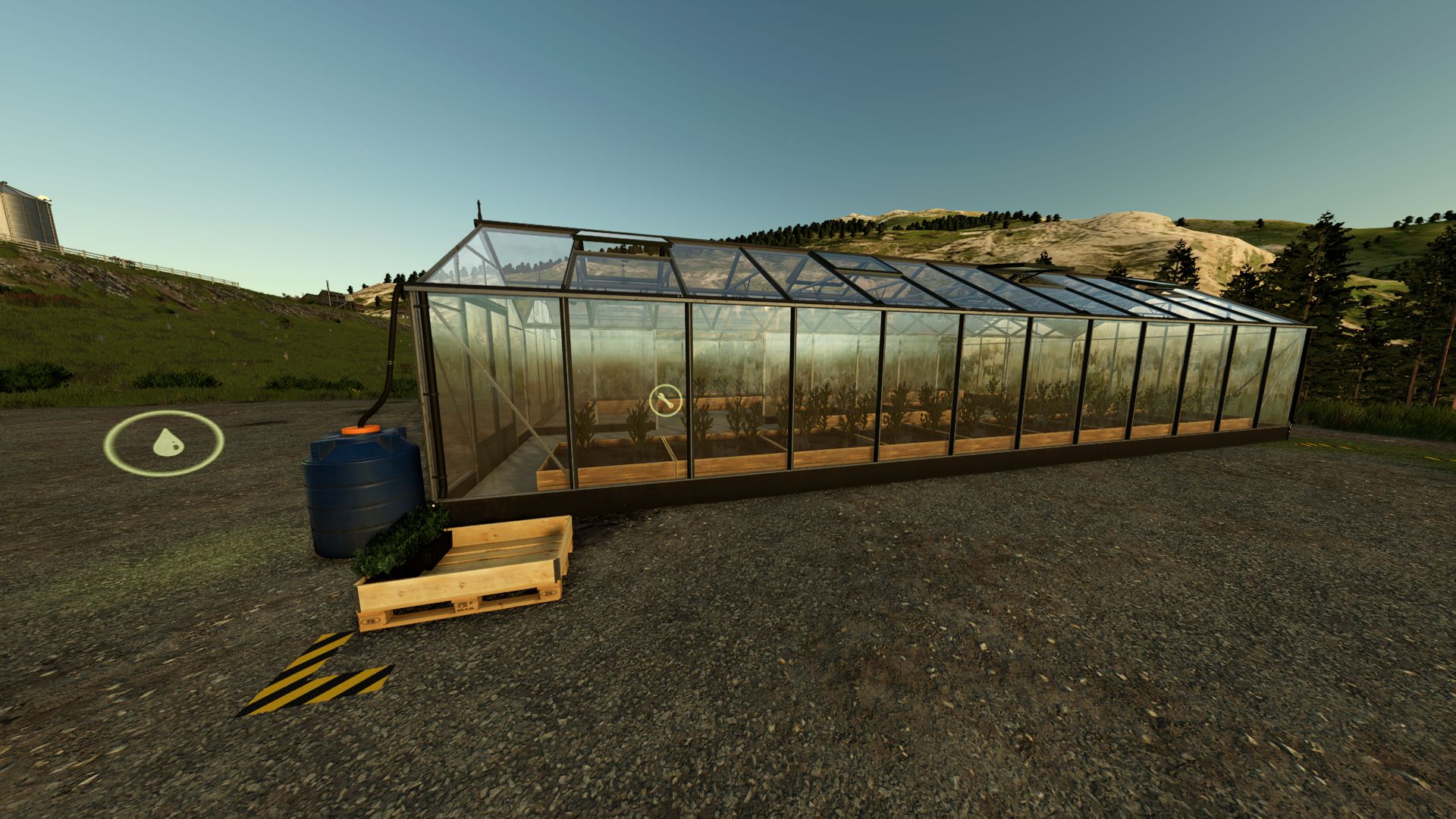
Tree saplings greenhouse V1.2.0.0
Tree saplings greenhouse V1.2.0.0 With this greenhouse you can grow your own tree saplings! Needs water and tree saplings (saplings optional, will make production faster) to grow saplings. V1.2.0.0 Small optimizations New features coming in next update: Boosting production speed and amount with organic fertilizers (manure, compost etc.) Required mods: ProductionStorageControl
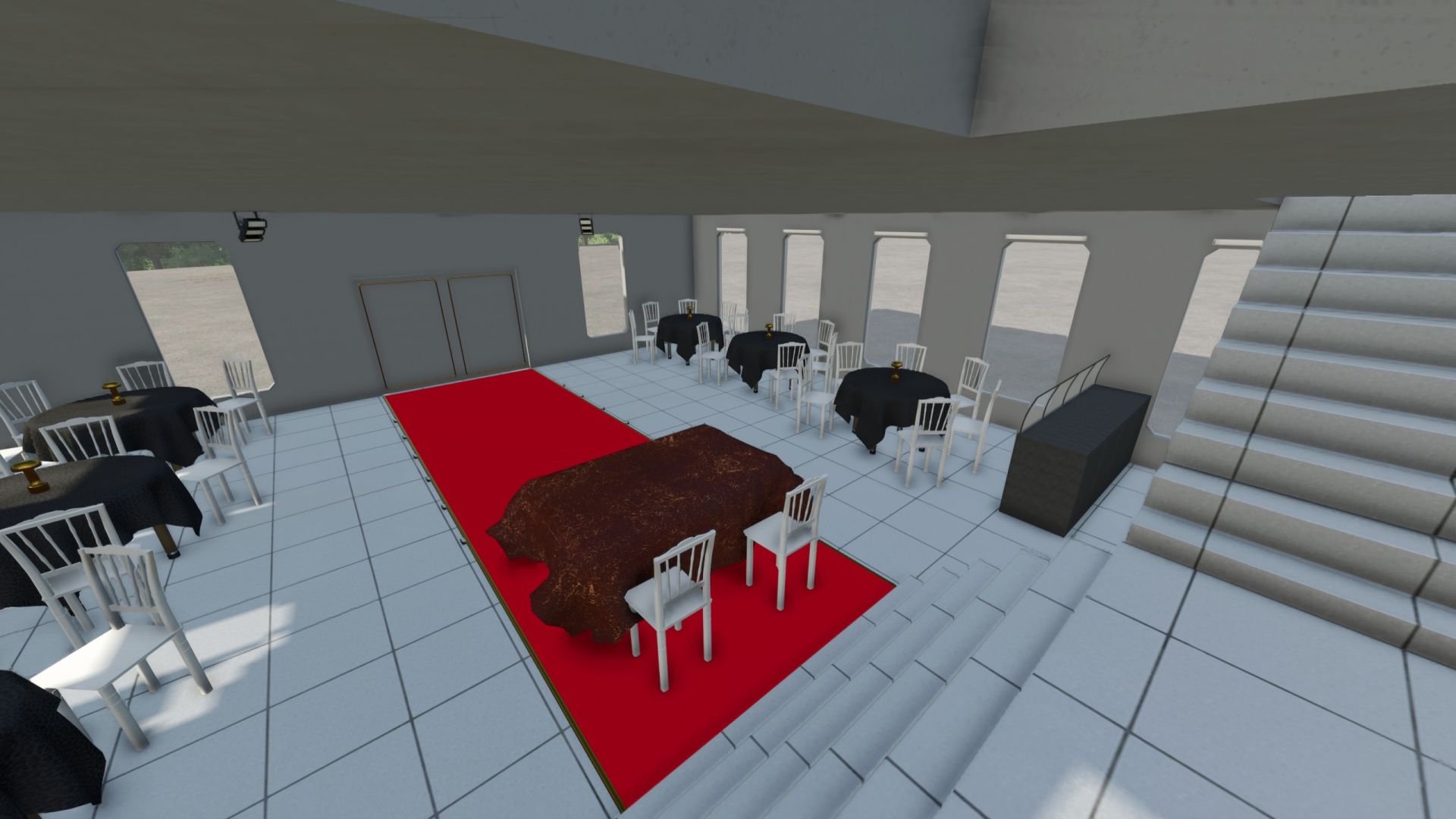
Multipurpose Hall V1.0.0.0
Multipurpose Hall V1.0.0.0 VILLAGE MULTIPURPOSE HALL Cok Amacli Salon Price: $10000 Daily upkeep: 150 $ / day Update 1.0.0.0 Dugun Salonu
AgriCredit Solutions V1.0.0.0
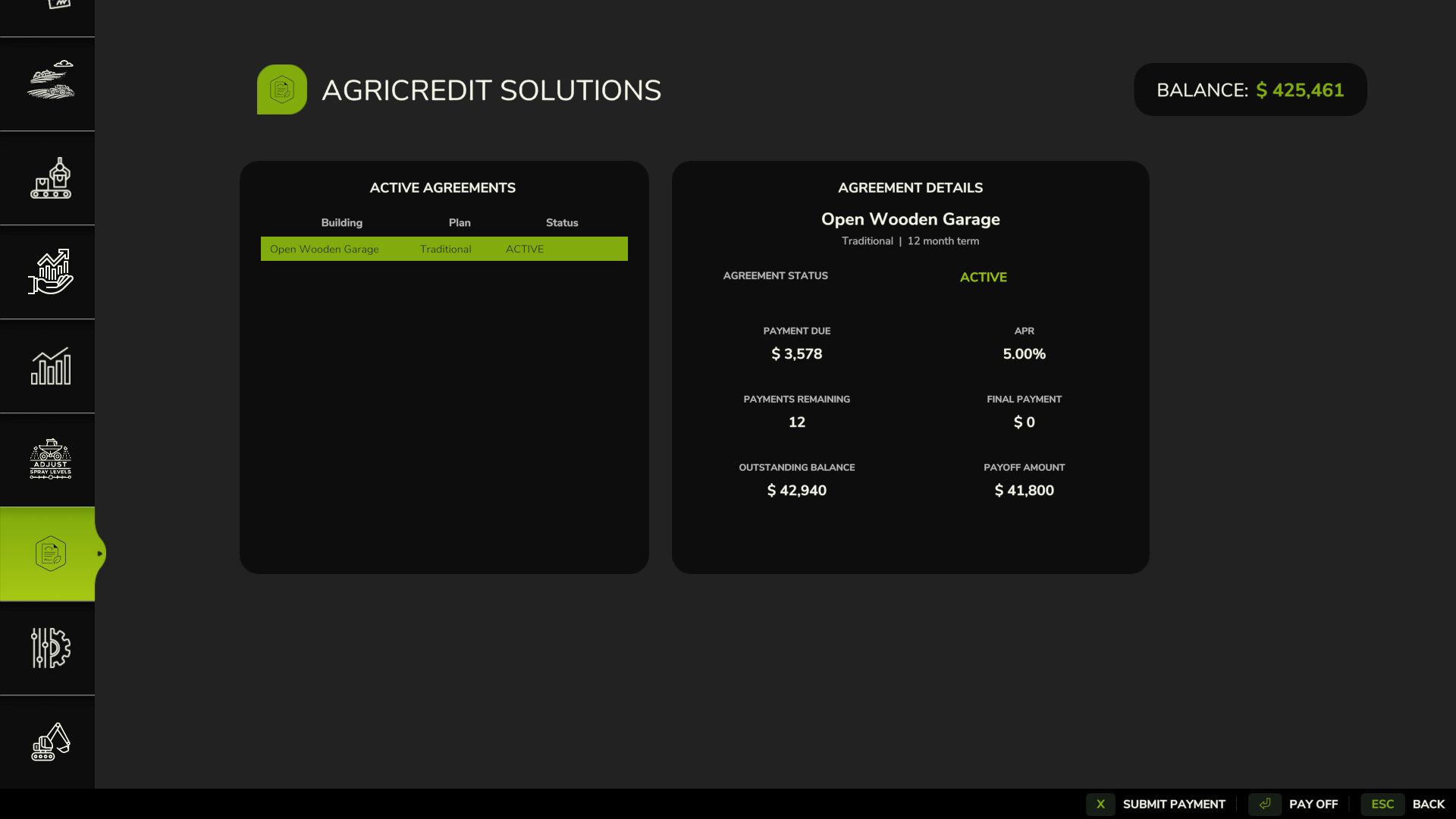
AgriCredit Solutions V1.0.0.0 Build now. Pay over time. AgriCredit Solutions adds a complete building-finance system to Farming Simulator 25, allowing you to finance eligible placeable structures directly through Construction Mode instead of paying the full price up front. FINANCE DIRECTLY FROM CONSTRUCTION MODE The normal PLACE option remains unchanged. For eligible buildings, you can instead choose FINANCE and configure an AgriCredit agreement before placement. Choose your down payment, finance term and plan, then review: Down Payment Financed Amount APR Scheduled Payment Finance Plan Applicable groundwork costs are paid up front. Once placed, the agreement is permanently linked to that exact building. KEY FEATURES Traditional and Balloon financing plans, multiple terms and down-payment options, APR-based financing, automatic monthly payments, manual payments, early payoff, persistent agreements, dedicated management menu, late fees, Collections and Cure Account systems, financed-building sale settlement, transaction tracking, and multiplayer-aware server-authoritative synchronization. MANAGE YOUR AGREEMENTS The dedicated AgriCredit menu displays each agreement’s status, payment due, APR, remaining payments, outstanding balance, final payment and current payoff amount. Make manual payments, pay off financing early, or cure an account in Collections. MISSED PAYMENTS & COLLECTIONS If the farm cannot afford a monthly payment, no partial payment is taken and the balance is not forced negative. Delinquency progresses through: LATE 1/6 → LATE 2/6 → LATE 3/6 → LATE 4/6 → LATE 5/6 → LATE 6/6 Late penalties increase from 5% to 30%. If enough money becomes available, AgriCredit can automatically collect the required payment plus penalty and begin returning the agreement to good standing. LATE 6/6 triggers SEVERELY DELINQUENT — FINAL NOTICE, providing one final monthly opportunity before entering IN COLLECTIONS. In Collections, automatic servicing and additional penalties stop. Your building is not repossessed or demolished and remains usable, but the farm cannot start another AgriCredit agreement. Use CURE ACCOUNT to pay the overdue amount and penalties, return the agreement to ACTIVE status, and resume financing eligibility. EARLY PAYOFF & BUILDING SALES Agreements can be paid off early at any time. Financed buildings can also be sold. Sale proceeds are applied to the payoff first. Any remaining equity goes to the farm. If proceeds are insufficient, farm cash can cover the difference; otherwise, the sale is blocked. BUILT FOR LONG-TERM SAVES Agreements use persistent placeable identities and restore balances, payments, delinquency and Collections status across save/reload. MULTIPLAYER Financial transactions and agreement synchronization use multiplayer-aware, server-authoritative handling. Extensive testing has been completed in single-player; remote multiplayer and dedicated servers have received less live testing. VERSION 1.0.0.0 The release has undergone extensive gameplay testing and passed GIANTS TestRunner 0.9.21 — 15/15 modules, 0 failures. INSTALLATION Place FS25_AgriCreditSolutions.zip directly in your FS25 mods folder. Do not unzip it. AGRICREDIT SOLUTIONS Build now. Pay over time. For bugs or issues, contact JerseyShoreModding on Discord and include your Farming Simulator 25 log file whenever possible.
Veenhuis Silage distributor V1.0.0.0
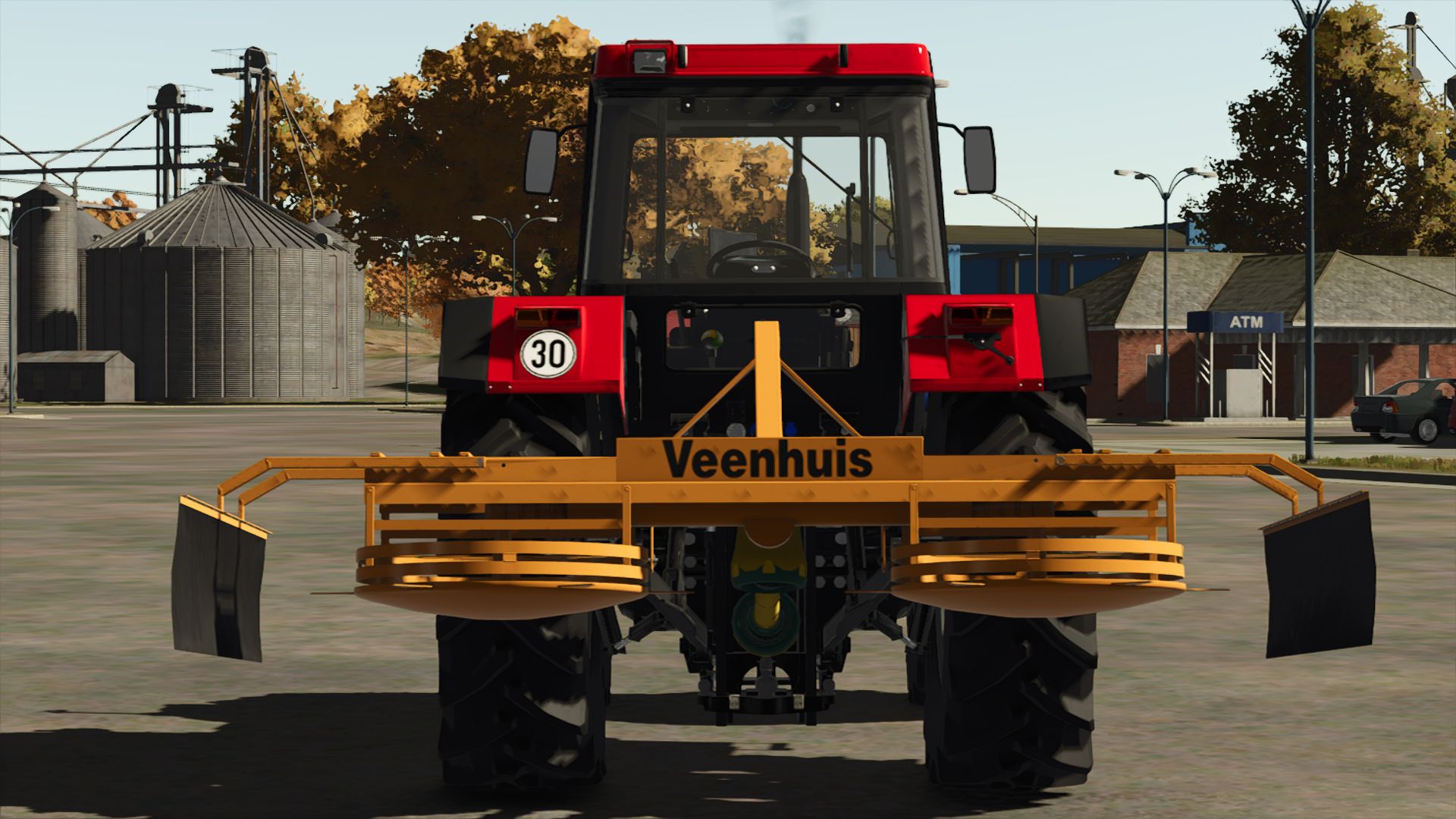
Veenhuis Silage distributor V1.0.0.0 I converted it from fs22 might contain bugs Price: 2000 € Max. working speed: 5 kph Working width: 3.0 m
Schuitemaker Rapide 580V Tandem V1.0.0.0
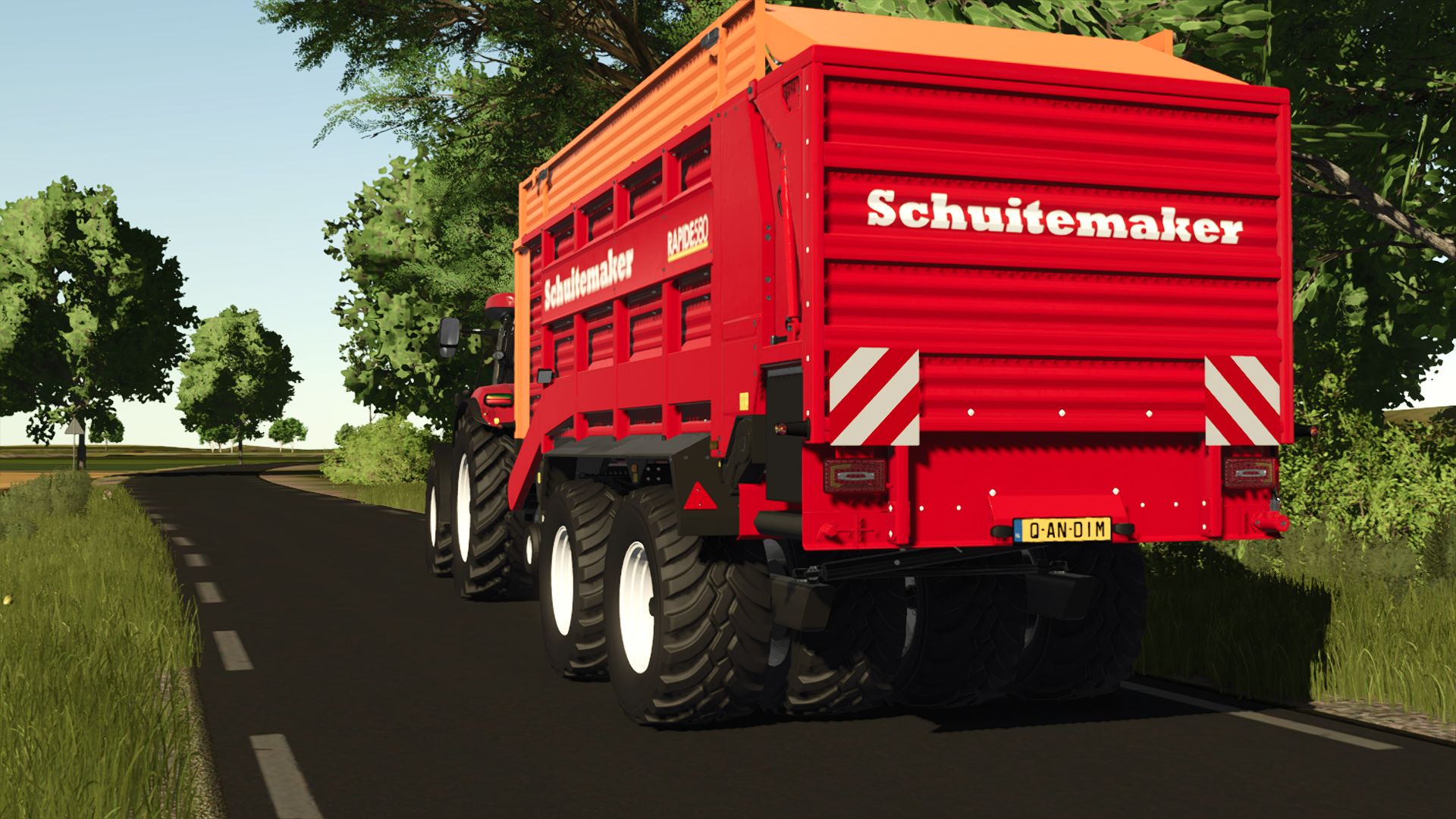
Schuitemaker Rapide 580V Tandem V1.0.0.0 Hey i share this Schuitemaker Rapide 580V Tandem I converted it over from FS22; there might be some errors, so please let me know. I hope u like it Base Price: 111000$ Capacity: 30000L Needed power: 150 HP Max working speed: 20 km/h
Leboulch 24T New V1.0.0.0
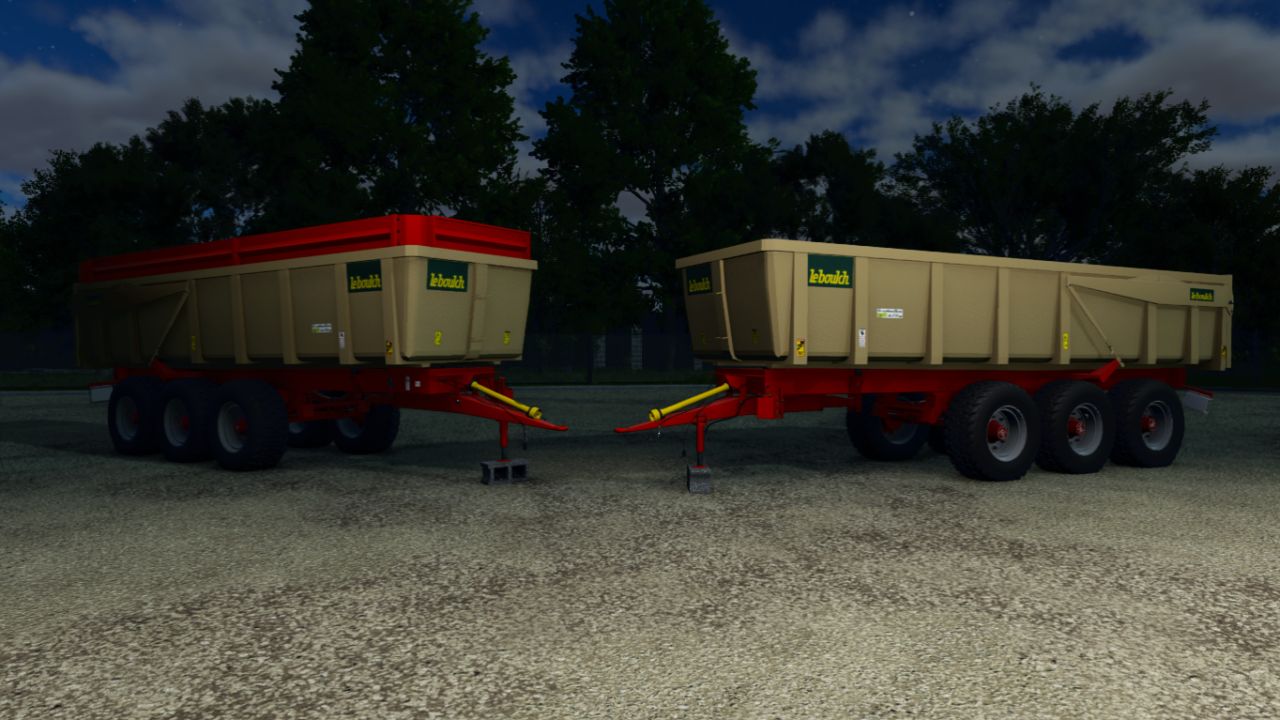
Leboulch 24T New V1.0.0.0 Discover the Leboulch 24T NEW, a versatile and robust tipper, ideal for your agricultural work. Purchase price 16 000 € Configurations Capacity 21 000 T — +1 000 € Capacity 25 000 T — +2 250 €
- 15 per page
- 30 per page
- 45 per page
- 60 per page
-
See more per page
Bigger pages, fewer clicks - and no ads anywhere.
Go Pro