Farming Simulator 22 mods

47,884 results
126 / 3,193
Fendt 700 Vario Gen6 V1.0.0.1
tractors

Fendt 700 Vario Gen6 V1.0.0.1

Fendt 700 Vario Gen6 V1.0.0.1 Fendt 700 Vario Gen6 Shop category: Medium tractors Base price: $162,000 Power: 150 hp to 246 hp Top speed: 40 kph or 50 kph Configurations: Rotating beacons Choice of colors for body and rims Roof terminal Warning signs Equipment lines: Power, Power+, Profi, Profi+ Front loader Design Line Hood guard/spring holder Mirrors Cab: Standard, Panorama, Panorama + door right Front PTO Animations: Entry animation Opening windows and doors Rotating beacons Warning signs This mod is fully compartible with the Fendt Cargo frontloaders package & ready for Interactive Controll. V1.0.0.1 Isobus socket adapted for Fendt Cargo Pack version 1.1.0.0

John Deere 3×40 / 3×50 Series V1.0.0.3
tractors

John Deere 3×40 / 3×50 Series V1.0.0.3

John Deere 3×40 / 3×50 Series V1.0.0.3 This John Deere 3×40 / 3×50 Pack contains the tractors series 3040, 3140, 3340 and 3640 aswell as the 3050, 3150, 3350 and 3650 with a corresponding 30 kph, 40 kph and multiple tuning variants. It contains multiple Vertex Interactive Control points and is compatible with Dashboard-Live for PC, but is also fully equipped with controls fitting the Crossplay players. John Deere 3×40 / 3×50 Category: Small Tractors Price: $32,500 Power: 92 hp Max. speed: 30 kph Capacity: 118 L John Deere 3×40 / 3×50 2WD Category: Small Tractors Price: $27,500 Power: 92 hp Max. speed: 30 kph Capacity: 118 L John Deere PickUp 900 Category: Weights Price: $1,550 John Deere PickUp 1150 Category: Weights Price: $1,950 John Deere PickUp 1800 Category: Weights Price: $3,050 V1.0.0.3 Added front loader guard configuration (thanks to Guboden Agrar) Added StarFire color configuration Overhauled the wheel configurations (thanks to lspics_by_Torben x Greenlandfarming) Added a Trip Loader front loader configuration (thanks to ls_oldtimer) Fixed rear attacher lift height Fixed backlight error Made some model adjustments

Fendt 800 Vario Gen5 V1.1.0.1
tractors

Fendt 800 Vario Gen5 V1.1.0.1

Fendt 800 Vario Gen5 V1.1.0.1 Category: Large Tractors Price: $287,500 Power: 283 – 343 hp Max. speed: 40 – 60 kph Engine Configurations: 826 Vario Gen5 (283 hp) 829 Vario Gen5 (313 hp) 832 Vario Gen5 (343 hp) Configurations: Reverse Driving Wheel Weights Line Warning Signs Displays Design Line Tech Rails Design (EU, US) Light (Vision, Ultra Vision) Mirror Caps (Standard, Lackiert) Hydraulic Couplings (DUDK, FFC) Speed Decal Beacon Lights Compressor Cool Box tinted Back Window Roof Terminal Front PTO Isaria Pro Compact (Precision Farming) Base Color Rim Color Roof Color Wheel Weight Color The Mercedes-Benz DLC is required to view the cameras on the roof terminal. Prepared for Interactive Control, Variable Tire Pressure, and Dashboard Live. Special thanks to BloodyRulez for the realistic sound and Entlibucher for the physics adjustments! V1.1.0.1 Rear tires no longer sink into the ground under load (occurred since patch 1.19) Beacon light configuration expanded (additional beacon lights) Prepared for the Samson Agro FAP Minor model adjustments

Ursus 4Cyl Pack (IC) V1.3.0.0
tractors

Ursus 4Cyl Pack (IC) V1.3.0.0

Ursus 4Cyl Pack (IC) V1.3.0.0 However, the mod is fully playable, and the log is clean. (Yes, I know there is no option to change colors; this will be fixed soon.) THE LOG IS CLEAN; everything works. Models: 902, 904, 912, 914, 1002, 1004, 1012, 1014 (76–96 HP) REALISTIC SOUND Price: $29,000 / $40,000 Power: 76–96 HP Max. speed: 38 km/h fs22-Kasztan18m fs25-Derbii Configurations: – CVT transmission or manual gearshift lever – Tires – Transmission – Stickers – Front weight – Wheel weights – Rear fenders – Front fenders – Mudguards – Cab – Front lights – Radiator grille – Rear hitch – Exhaust system – Steering wheel – Hood – Front loader console – Animations: IC/MC Color configurations: – Engine – Hood – Fenders – Cab – Radiator grille – Rims – Front weight – Wheel weights – Roof V1.3.0.0 Fixed decals and exhaust manifolds in versions 902, 904, 912 and 914 Required mods: Interactive Control

Fendt 500 Vario Gen3 V1.0.0.2
tractors

Fendt 500 Vario Gen3 V1.0.0.2

Fendt 500 Vario Gen3 V1.0.0.2 Fendt 500 Vario Gen3 Shop category: Small tractors Base price: $152,500 Power: 131 hp to 171 hp Top speed: 40 kph or 50 kph Configurations: Choice of colours for body and rims Warning signs Front loader Design Line Hood guard/spring holder Animations: Opening windows and doors Warning signs This mod is fully compatible with the Fendt Cargo frontloaders package & ready for Interactive Control. V1.0.0.2 Warning label adjusted

Ursus 6cyl Pack Mokrzyn (Rust Edition) V1.2.0.0
tractors

Ursus 6cyl Pack Mokrzyn (Rust Edition) V1.2.0.0

Ursus 6cyl Pack Mokrzyn (Rust Edition) V1.2.0.0 I added, for example: Mokrzyn-style lights Mokrzyn-style air filter Mokrzyn-style front weight Roof Realistic sounds + Turbo This is version 1.1.0.0; there are still many things to add. Cheers! I GUARANTEE A CLEAN LOG; if that is not the case, the problem lies with your other mods. Models: 1201, 1204, 1214, 1222, 1224, 1604, 1614 fs22-kasztan18m fs25-Derbii “Mokrzyn Addons” 6-cylinder URSUS package – these are 6-cylinder models that work 100% correctly; they have a clean log (0 errors, 0 warnings). Why “Mokrzyn Addons” and not simply “Mokrzyn”? Because I decided to keep the 10-year-old “Mokrzyn” model from FS15, but I added the distinctive visual features of the Mokrzyn version to the 6-cylinder Ursus tractors I repaired (which are the only clean and functional ones in FS25). Configurations: – Mokrzyn-style lights – Mokrzyn-style air filter – Mokrzyn-style front weight – Air horn – Strobe lights – Decal – Tires – Gearbox – Stickers – Front weight – Wheel weights – Rear fenders – Front fenders – Mudguards – Cab – Front lights – Grille – Rear hitch – Exhaust – Steering wheel – Hood – Front loader console – Animations: IC/MC Color configurations: – Engine – Hood – Fenders – Cab – Grille – Rims – Front weight – Wheel weights – Roof V1.2.0.0 a few errors and textures

Fendt 300 Vario New Edition v1.0.0.0
tractors

Fendt 300 Vario New Edition v1.0.0.0

Fendt 300 Vario New Edition v1.0.0.0 Fendt 300 Vario New Edition Shop category: Small tractors Base price: $134,500 Power: 113 to 142 hp Maximum speed: 40 km/h Configurations: Beacon lights Choice of body and rim colors Roof terminal Warning panels Equipment ranges: Power, Power+, Profi, Profi+ Front headlight cover Hood protection/spring support Mirrors Cab: Standard, Panorama, Panorama + right door Animations: Opening windows and doors Beacon lights Warning panels Required mods: Interactive Control

Krone Swath Suppressor FS25
other

Krone Swath Suppressor FS25

The Krone Swath Press Wheel ensures a clean and even swath pattern. By gently pressing the crop down immediately after it is deposited, it helps reduce wind drift in windy conditions and makes pickup easier for forage wagons and balers. Shop Category: Miscellaneous Price: $7,600 Working Width: 2.25 m Working Speed: 25 kph Configurations: Net Holder / Fire Water Tank If you configure the water Tank, you will be able to wash your vehicles with the included Hose. Color Options: Original Krone / Krone Black If you have any questions or suggestions, feel free to contact me via Instagram.

Passenger Seat In Singleplayer FS25
other

Passenger Seat In Singleplayer FS25

Do you prefer to play Farming Simulator 25 on your own, but don't want to miss out on the lively cabins and passenger seats in the game? This mod finally unlocks the passenger feature for your single-player career as well! By default, the game’s passenger seats are only available in multiplayer mode. With this mod, they’re permanently enabled for single-player. Simply switch to the passenger seat of your vehicle to ride along with your helpers, or enjoy a more realistic atmosphere while working in the fields and on transport runs. Seamless Integration: Accesses the in-game passenger system directly—without unnecessary overhead or performance losses. High Compatibility: Works with both stock vehicles and modded vehicles that support the passenger system.

Shop Vehicle Actions FS25
other

Shop Vehicle Actions FS25

This mod adds actions to the configuration view in the shop for folding the unit and operating the pipe and cover. It uses the same key bindings as those used for operating the equipment in-game, and any custom key bindings are also respected. This mod is designed for anyone who wants to view the implement or vehicle in the shop in its unfolded state—with the pipe extended or the cover open—without having to purchase it first. The current state is maintained as you continue configuring the implement or vehicle. The mod creates a file in the "modSettings" folder where all mod devices and all DLC devices that have not yet been scanned by me that support these functions are listed. The default path is as follows: "C:\Users\*YourUsername*\Documents\My Games\FarmingSimulator2025\modSettings\FS25_ShopVehicleActions" If there are problems with mod devices or with future DLC devices, the unfolding can be deactivated in this file or reactivated if necessary.

Double Cropping System FS25
other

Double Cropping System FS25

Increase the productivity of your farm with realistic U.S.-style double cropping. This mod reworks the seasonal crop calendar, allowing you to harvest select winter crops and plant a second crop in the same field during the same growing season. Plan your crop rotations carefully to maximize the use of every acre while maintaining a realistic farming schedule. Features: - Realistic double-cropping crop calendar - Revised planting and harvest windows for Wheat, Barley, Canola, Soybeans, Sorghum, and Corn - Harvest winter crops in late spring and early summer before planting a second crop - Soybeans and Sorghum are optimized for double-crop rotations following Wheat, Barley, or Canola - Corn follows a traditional full-season spring planting schedule - Built entirely on Farming Simulator 25's existing crop system without adding new crop types Crop Calendar: Winter Crops - Wheat - Harvest: June - Barley - Harvest: May-June - Canola - Harvest: May-June Summer Crops - Soybeans - Plant: June-July | Harvest: October-November - Sorghum - Plant: June-July | Harvest: October-November - Corn - Plant: April-May | Harvest: September-October Whether you're looking for increased realism or simply want to get more out of every field, Double Cropping adds new strategic opportunities while preserving the familiar Farming Simulator 25 gameplay experience. Notes: - Supports Singleplayer and Multiplayer - Compatible with existing savegames - New savegames automatically begin in June to match the revised crop calendar - No new crops or fill types are added - Not compatible with other mods that change the seasonal crop calendar (e.g. Regional Crop Calendar) - both mods edit the same crop growth data and will conflict

Soil Compaction FS25
other

Soil Compaction FS25

Soil Compaction adds realistic soil compaction. Heavy machinery compacts the ground beneath its wheels and tracks, reducing yield. Compaction strength depends on vehicle weight, tyre type and soil condition. Narrow tyres compact the most; wide and dual tyres and tracks compact less. Wet soil compacts faster, while frozen soil compacts much more slowly. Compaction is shown on a dedicated map layer and in the field information panel. Ploughs, subsoilers, cultivators, harrows, seeders and planters gradually loosen the soil. Slow natural recovery also applies. Multiplayer supported.

Empty Template Maps Multifruit Pack (Prefab) FS25
maps

Empty Template Maps Multifruit Pack (Prefab) FS25

"Template Map Multifruit Pack consisting of a standard and a 4x map - 32 Ground angle - New crops: rye, spelt, triticale, green rye, vetched rye, mustard, humus active, silage maize, flowering catchcrop, winterwheat, summerwheat, winterbarley, summerbarley, alfalfa and clover - Stubble destruction built in - Seed and harvest calendar adjusted - More paintable textures added (also ingame) - Cotton and sugar cane are not grown by the AI - Silverrun Forest trees added - German licence plates - Changed lime texture - In-game help added, must be adapted and may be extended - New fruits added to the feeding - you can find paintable deco meadow in the Giants Editor under decoFoliageUS - the templates were created in collaboration with the Farming Agency and are optimally prepared for future projects Many thanks to all who supported me with the work and to the providers of the prefabs used. - Preparation for FS25_CCM_Production_Pack.zip. - Canola growth visually updated. - Minor fixes. - Preparation for FS25_CCM_Production_Pack.zip. - Canola growth visually updated. - Minor fixes. - Added _changed_files.txt and _new_files.txt, containing a list of modified and newly added files. - Adjusted harvest yields for grains, corn, sunflowers, soybeans, sorghum, potatoes, beets, parsnips, green beans, and flowering cover crops. - Adjusted straw and swath yields for wheat, winter wheat, barley, winter barley, oats, rye, triticale, spelt, rapeseed, and soybeans. - Adjusted forage yields for wheat, corn, silage corn, sunflowers, soybeans, sorghum, rye, and green rye. - Swath chopping for wheat, winter wheat, barley, winter barley, oats, rye, triticale, spelt, rapeseed, and soybeans has been adjusted. - Swath threshing for winter wheat and winter barley has been expanded. - Mower converter for meadow, cover rye, and green rye has been adjusted. - Seed and seed treatment converters for grains, rapeseed, sorghum, sunflowers, soybeans, and corn have been added or recalculated. - Foliage damage configuration has been expanded for the updated base game and template crops. - Wood chip balancing adjusted: Poplar yield reduced and selling price rebalanced. - Config XMLs adjusted: fruitTypes.xml, fillTypes.xml, densityMapHeightTypes.xml, foliageDamage.xml. - Foliage XMLs adjusted: barley.xml, winterBarley.xml, wheat.xml, winterWheat.xml, oat.xml, rye.xml, triticale.xml, spelt.xml, canola.xml, soybean.xml, sorghum.xml, sunflower.xml, maize.xml, potato.xml, beetRoot.xml, parsnip.xml, greenBean.xml, floweringCatchCrop.xml. If a console release is planned, please use the foliage layers decoBushEU, decoBushUS, decoBush, groundFoliage, and decoStones sparingly, as excessive use can increase the size of the save game so much that it is no longer possible to save on consoles. If you have any questions, requests, or suggestions, please contact us via the banner below. - cutterMotionPath errors fixed - isForageReady="true" added to barley If a console release is planned, please use the foliage layers decoBushEU, decoBushUS, decoBush, groundFoliage, and decoStones sparingly, as excessive use can increase the size of the save game so much that it is no longer possible to save on consoles. If you have any questions, requests, or suggestions, please contact us via the banner below. - Adjusted fruit destruction for beetroot, carrot, parsnip, pea, and greenbean - Updated canola to Patch 1.18 - Removed log warnings related to the Vredo DLC - Removed apple waste from the compost silo - Added foliageDamage.xml for the Vredo DLC - AI drivecost for two GroundLayers corrected at 4x. - Too many distance textures error fixed. - densityMagHeightTypes link in modDesc.xml moved so that freeAccesArea works. - Added notes to the xml files for rice, long grain rice, cotton, and sugar cane to remove them from the map. - Visual issues with round bales fixed. - applewaste removed from animalFood.xml. - mapBoundaries adjusted on the 4x. - Fix error in the map.xml of the 4x template - Fix incompatibility with Modhub mods - Fix sheep pasture - Fix cutter effects when mowing grass with certain mowers - Fixed concrete floor layer on Standard map - Fixed LUA call stacks when mowing humus active and flowering catch crop - Fixed fertilizer bonus for mustard when mulching before incorporation - Adaptation to patch 1.14 and Highlands Fishing DLC - Foliage adjusted. - New paintable ground textures added, now 96 available in total. - Added compost as fertilizer, works with and without Precision Farming. - Fixed LUA call stack during mulching. - Added goat pasture and compost silo as placeables. - Example modDesc.xml added.

Agri Life Manager FS25
other

Agri Life Manager FS25

AgriLife Manager - Beta 0.9.3.212 AgriLife Manager transforms Farming Simulator 25 into a more structured farming career, with progression rules, professional banking management, a farming license, qualifications, employees, and financial tracking that evolve according to the selected difficulty level. This version is a public beta. The description below only covers features that are actually included in the validated scope of this release. Getting Started and Difficulty Levels AgriLife Manager currently offers three levels: Easy Normal Hard The selected level affects starting requirements, banking, the license, financial constraints, and the overall difficulty of the career. The AgriLife tutorial starts once the player has actually entered the map, not during character creation. New Game On a new career, AgriLife initializes its own starting progression. Depending on the difficulty, the player must complete steps related to the bank, advisor, professional structure, and farming license. The farming license may require a complete practical exam. Vehicles reserved for the exam remain usable during the test. Adding to an Existing Savegame AgriLife Manager can also be added to an FS25 game that has already been started. On first activation: the existing savegame is detected automatically; existing cash and assets are preserved; a specific career continuation tutorial is displayed; the player chooses the elements required for their new AgriLife career; the general farming license is recognized as equivalent, without an exam or fees; no specialized training or qualification is granted for free; AgriLife monthly cycles are initialized to start normally from the next cycle, without artificially catching up on the month already in progress. Creating a backup copy is still recommended before activating the mod for the first time. Professional Banking and Advisor The AgriLife career includes dedicated banking management: bank selection; advisor selection; banking agreement; business cash flow; loan applications; monthly repayments and commitments; banking fees; financial capacity; advisor feedback based on the farm's situation. Loans are stored in the savegame and remain after reloading. License, Career and Qualifications The player has a complete professional profile including: farming license; practical exam; career XP; specializations; qualifications; progression based on actions actually performed; access restrictions for certain vehicles when a required qualification is missing. Simply navigating through menus does not generate XP. Business and Employees The Business module allows you to track and manage staff: recruitment; employment contracts; salaries; employee records; skills and specializations; training; career development; staff scheduling; monthly payroll; recommended payroll with a visual indicator based on the farm's financial situation. The schedule allows an employee to be assigned to planned work, the relevant vehicle, tools, and field. Saving and Resuming a Career Profiles, licenses, qualifications, employees, loans, and the main AgriLife states are saved with the career and restored when reloading. Starting a new game and adding the mod to an existing savegame have been handled as two separate scenarios. Tutorial and Help A tutorial guides the first launch, and an AgriLife section is integrated into ESC > Help. The current content is consistent with this beta. A complete revision of the tutorial and Help texts is planned before the final 1.0.0.0 release. Features Still in Development Several advanced systems are already present in the project but are not part of the certified scope of this beta. They will continue to be developed and tested before being presented as finalized: Advanced Administration; Advanced Contracts & Markets; Advanced Workshop; advanced insurance and accidents; advanced used equipment market; advanced leasing; advanced legal and administrative procedures. Compatibility Farming Simulator 25 Single-player only in this beta Precision Farming not required New games supported Adding to an existing savegame supported Installation Download FS25_AgriLifeManager.zip. Do not extract the archive. Place it in Documents/My Games/FarmingSimulator2025/mods. Delete any old archives or test versions of AgriLife Manager from the mods folder. Enable AgriLife Manager before loading your savegame. Create a backup copy of your savegame before first use. Credits for Adapted Resources Some visual resources from the Workshop section retain their original credits: Field Service Kit: based on FS25_MobileServiceKit by w33zl. Oil Tank: adapted from FS25_FuelTanksPack by WMD Modding + Mapping. These credits only apply to the adapted resources listed above. Beta and Feedback The purpose of this beta is to continue testing under real gameplay conditions with more players before the final release. Feedback, bugs, and questions regarding AgriLife Manager should be centralized on the mod's official KingMods page. Project author: Chez_Squall Installation and Expected Behavior New Game Enable AgriLife Manager before creating or loading the new career. The tutorial starts once the player has actually entered the map. The player then selects their difficulty level and follows the corresponding requirements. On a new career, AgriLife monthly systems begin with the career. Existing Game AgriLife Manager can be added to an FS25 savegame that has already been started. On first load: AgriLife detects the existing career; existing cash is preserved; a career continuation tutorial is displayed; the general farming license is recognized as equivalent; no specialized training is granted for free; the month already in progress is not artificially replayed by AgriLife; monthly operations begin with the next cycle. Precaution Create a backup copy of the savegame before activating the mod for the first time. Do not keep multiple AgriLife Manager archives in the mods folder. The expected public file is exactly: FS25_AgriLifeManager.zip Beta 0.9.3.212 Scope Scope Included in This Release Starting a new game. Adding to an existing savegame. Starting tutorial. Easy, Normal, Hard. Bank and advisor. Farming license. Complete license exam. License equivalency on an existing savegame. Career and XP. Qualifications and vehicle restrictions. Business and staff. Recruitment. Employee records. Training and career development. Payroll. Monthly payroll. Recommended payroll. Employee scheduling. Loans and banking persistence. Saving and reloading. ESC > Help. Do Not Present as Certified in This Beta Advanced Administration. Advanced Contracts & Markets. Advanced Workshop. Advanced insurance and accidents. Advanced used equipment market. Advanced leasing. Advanced legal and administrative procedures. These sections may contain code and interfaces in the project, but their detailed functional validation will continue after the beta release. # Update 0.9.3.212 BETA This update constitutes a major overhaul compared with the version currently presented on KingMods. ## Start-up and migration - New AgriLife start-up flow. - Tutorial triggered once the player has actually arrived on the map. - Detection of an existing FS25 save without AgriLife data. - Specific career resumption tutorial. - Existing FS25 funds and career retained. - Initialization of the monthly cycles of an existing game without artificially catching up the current month. - Three current levels: Easy, Normal and Hard. ## Licenses and qualifications - Agricultural license exam revised and validated step by step. - Agricultural license integrated into career progression. - In an existing game, the general agricultural license is recognized by equivalence without an exam or fees. - No specialized training or qualification is provided with this equivalence. - Vehicle access restrictions based on qualifications. - Exam vehicles authorized during the test. ## Career and XP - Career & Qualifications screens overhauled. - XP, specializations and qualifications tracking. - Professional profiles for players and employees. - No XP gained simply by browsing the menus. ## Company and staff - Recruitment revised. - Expanded employee profiles. - Skills, specializations, training and career path. - Payroll management. - Monthly payroll. - Recommended payroll with a green or red visual indicator depending on the situation. - Employee schedule with selection of the job, vehicle, tools and field. - General harmonization of the interface and spacing. ## Banking and finances - Bank and advisor selection revised. - Banking agreement. - Loans and commitments saved. - Proper resumption of an existing career without replacing its funds. ## Translations and public package - Audit of the 27 language files. - Complete parity of translation keys. - Addition of concrete missing keys detected in the scripts and XML files. - No duplicate keys. - No empty values. - Format placeholders checked. - Removal of visible `` markers used by older fallback texts. - Removal of 8 old unused keys whose values were still the technical names of the keys. - Public package cleaned of development files, memos, roadmap, testing files, internal changelog and COPYRIGHT file. ## Coming soon Administration, Contracts & Markets, Workshop and the other advanced systems will continue to be developed and tested after this beta. BETA 0.6.0.6 - Major overhaul of AgriLife Manager This new beta is based on a complete reconstruction of the core of AgriLife Manager. Operational news New general interface with sections dedicated to banking, personnel, contracts, exams and career. New save game specific to each game, directly integrated into the savegame folder. Individual profile for each player with personal account, XP, level, reputation and license. Separation between the player's personal money and the operating cash flow. XP base functional and validated for driving and tillage. New banking system with score, borrowing capacity, rates, monthly payments and AgriLife debt independent of that of FS25. New agricultural license including a consistent ten-step practical exam. Creation of a real agricultural site on a locked field, with return and storage of equipment. Saving and resuming the exam without new payment. Guidance to return areas, rating, errors, permit number and final pass screen. Compatibility with FS25 automatic engine start. Added achievement star to final HUD. The complete “cultivation” course has been validated in-game with a score of 100/100. Items still in testing The foundations for salaries, personnel, business contracts, bank reimbursements, and other XP sources are already active, but they still need to be tested and balanced before being considered finalized. Expected in the coming months Finalizing XP for sowing, crop care, harvesting, transportation, breeding, maintenance and management. Study of compatibility with Courseplay and AI workers. Complete validation of salaries, arrears, bank deadlines and commercial contracts. Multiplayer and server testing campaign. Wizard for creation or resumption of operation. Future development of the official AgriLife economy. Gradual return of insurance, workshops, breakdowns, accidents, leasing and the second-hand market. Final interface polishing and HUD reduction after core systems stabilized. Possible career modes or difficulty levels are still under study and are not part of this beta. ⚠️ This version remains a beta in development. Perform a security backup before installation and do not hesitate to report any problems encountered.

RealSilo – Realistic Silo Compartments FS25
placeables

RealSilo – Realistic Silo Compartments FS25

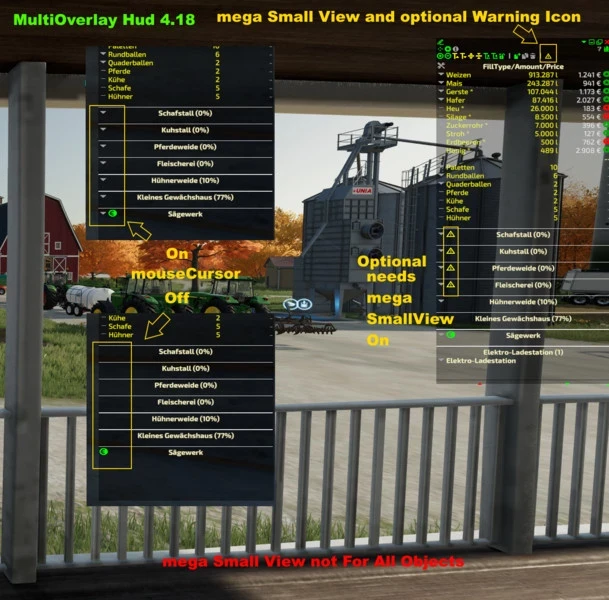
RealSilo divides your silos into separate compartments, each for one type of product. Instead of mixing everything into one large storage, you decide how many compartments a silo gets and how much each one can hold. How it works: - Go to an existing silo or place a new one, you can now configure the silo. In multiplayer the admin must do this. - Grain that was already in a silo before the mod was activated is preserved and distributed across compartments as soon as you configure the silo for the first time. - Select the active compartment from the overview. Only the active compartment can now receive or unload grain. - Use the Transfer function to move grain between compartments at an adjustable speed. - Silo extensions are supported and appear as extra compartments in the same menu, these can also be configured. - In multiplayer only the admin (logged in via the multiplayer menu) can change the silo settings. Other players can use the silo normally and view the compartment overview. Please report problems on GitHub: https://github.com/JoVink82/FS25_realSilo - The key to open the silo menu can now be changed in Options > Controls (default R).

126 / 3,193

We use essential cookies to keep you signed in and remember your theme. With your consent we also use functional storage (to remember preferences like downloaded mods, kept on your device) and ad cookies that help keep ModNest free. Pro members never see ads. Privacy & cookies.