Farming Simulator 22 mods
50,512 results- 15 per page
- 30 per page
- 45 per page
- 60 per page
-
See more per page
Bigger pages, fewer clicks - and no ads anywhere.
Go Pro

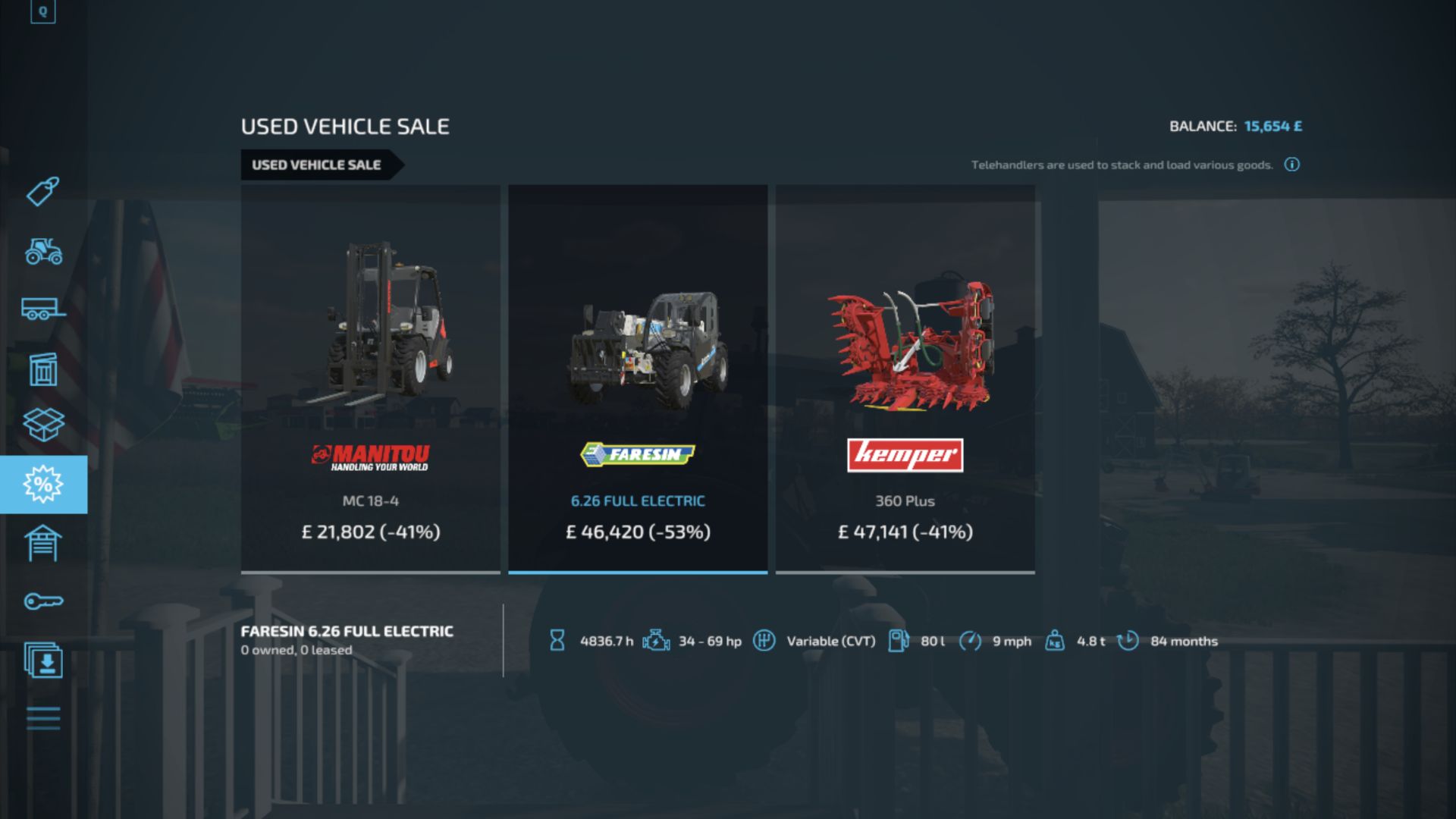
Realistic Hours and Depreciation FS22
Realistic Hours and Depreciation makes machinery ownership in Farming Simulator 22 more realistic by overhauling operating hours, depreciation, second-hand machinery values and paint wear. Machinery operating hours now increase according to the in-game time scale. For example, when playing at 3x time speed, approximately 3 operating hours will be added for every real hour the machine is being used. When adding the mod to an existing savegame, a one-time setup window allows you to select the time scale you normally used before installing the mod. Existing machinery hours are then converted to match the new system. New savegames do not require conversion. Machinery depreciation has also been reworked. Vehicle values are calculated using a combination of age, total operating hours and average annual usage, meaning an older low-hour tractor can retain considerably more value than an equally old machine that has worked heavily. Implements use their own depreciation system, while the second-hand machinery market generates more realistic combinations of machinery age, operating hours and value. This allows everything from relatively new high-hour machines to occasional older low-hour examples to appear for sale. Paint wear has been significantly reduced so high-hour tractors and machinery no longer unrealistically lose most of their paint. Mechanical damage and repair costs remain separate. Leasing has also been adjusted to work correctly with the new operating-hour system, preventing the increased displayed hours from multiplying normal hourly leasing charges. Main features: Operating hours scale with the in-game time speed One-time existing savegame hour conversion Realistic age and operating-hour based depreciation Separate depreciation calculations for vehicles and implements More realistic second-hand machinery ages, hours and prices Older low-hour and heavily used machinery can appear on the used market Significantly reduced visual paint wear Leasing costs remain balanced with scaled operating hours Supports base-game and compatible modded machinery Multiplayer supported The mod is designed to work alongside other machinery and gameplay mods that use the standard Farming Simulator 22 vehicle systems, including Machinery Hire. This is currently a Beta version, so feedback is appreciated while the mod is being tested and refined. If you experience any problems, please explain them in the comments so they can be fixed. Fixed an issue where existing-save conversion status could be lost after saving or autosaving. Conversion status is now correctly stored and preserved with each individual savegame. Added an automatic save after the initial hour conversion so converted operating hours and conversion status are committed together. Prevented the conversion setup from appearing again after a save has already been converted. Deleting a savegame also removes its conversion status, allowing a new game in the same save slot to start normally. New savegames with 0.00 recorded play time continue to bypass the historical hour conversion. Removed unnecessary missing migration XML errors from the game log. General savegame conversion reliability improvements.

John Deere 8R 2014 FS22
John Deere 8 has curtains, IS, etc log is clean♻️ there will be mistakes - write nice game, 5 stars Cleaned up the log New curtain textures New windshield sticker New "Agrotek" texture curtain paint option added Agrosem sticker added windshield sticker added new step protection (fender) added bugs fixed
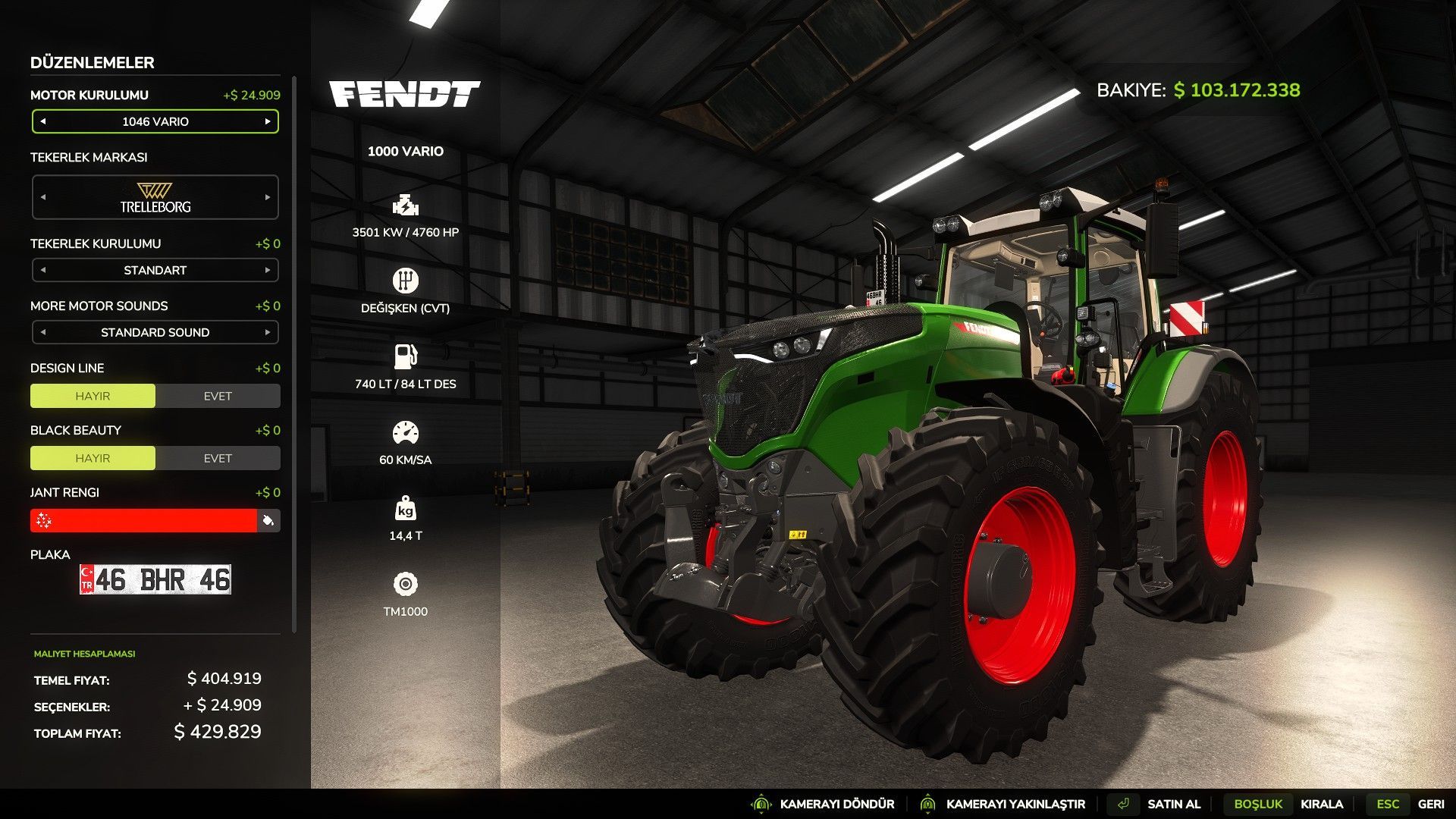
Fendt 1000 Vario Ultimate Performance Edition FS25
Fendt 1000 Vario Ultimate Edition Supported Game Version: Farming Simulator 25 v1.21.1.0 The Fendt 1000 Vario Ultimate Edition is a performance-enhanced version of the original Fendt 1000 Vario included in Farming Simulator 25. This project has been developed while fully preserving the original vehicle structure and functionality provided by the game. No external scripts, additional gameplay systems, third-party modifications or custom mechanics have been added. All improvements have been made exclusively using the original Farming Simulator 25 vehicle framework. The objective is not simply to increase horsepower, but to deliver a smoother, more balanced and more efficient driving experience while maintaining the original identity of the tractor. The engine characteristics, power delivery, torque balance, CVT transmission behavior, gear shifting, acceleration curves and overall driving dynamics have been carefully optimized to provide a stable, responsive and comfortable driving experience. This is not just another high-horsepower modification. Rather than only increasing engine power, every adjustment has been designed to ensure that the available power is transferred efficiently, smoothly and predictably, resulting in a more refined and enjoyable driving experience. Features 3960 HP Engine Configuration 4350 HP Engine Configuration 4760 HP Engine Configuration 10000 HP Engine Configuration Optimized CVT Transmission Optimized Gear Shifting Optimized Power Delivery Smoother and More Responsive Acceleration More Efficient Driving Experience Optimized Engine Characteristics Original Vehicle Structure Preserved No External Scripts or Additional Mods Included Multiplayer Compatible Fully compatible with Farming Simulator 25 v1.21.1.0 Regular updates and future improvements Default errors and issues have been fixed.


![Star 1142 GBARt 2/20 JZS 539[E]40 OSP Z?oczew V1.0](https://img.mod-network.net/files/images/642ad1d867082/large_Star1142GBARt220JZS539E40OSPZoczewV10_3980.jpg)
Star 1142 GBARt 2/20 JZS 539[E]40 OSP Z?oczew V1.0
This modification is designed for Farming Simulator 25. It includes fully functional work lights, warning lights, and a sound modulator. Using INTERACTIVE CONTROL, you can open the roller shutters and platforms where the rescue equipment is stored in 3D.Required mods: Interactive Control
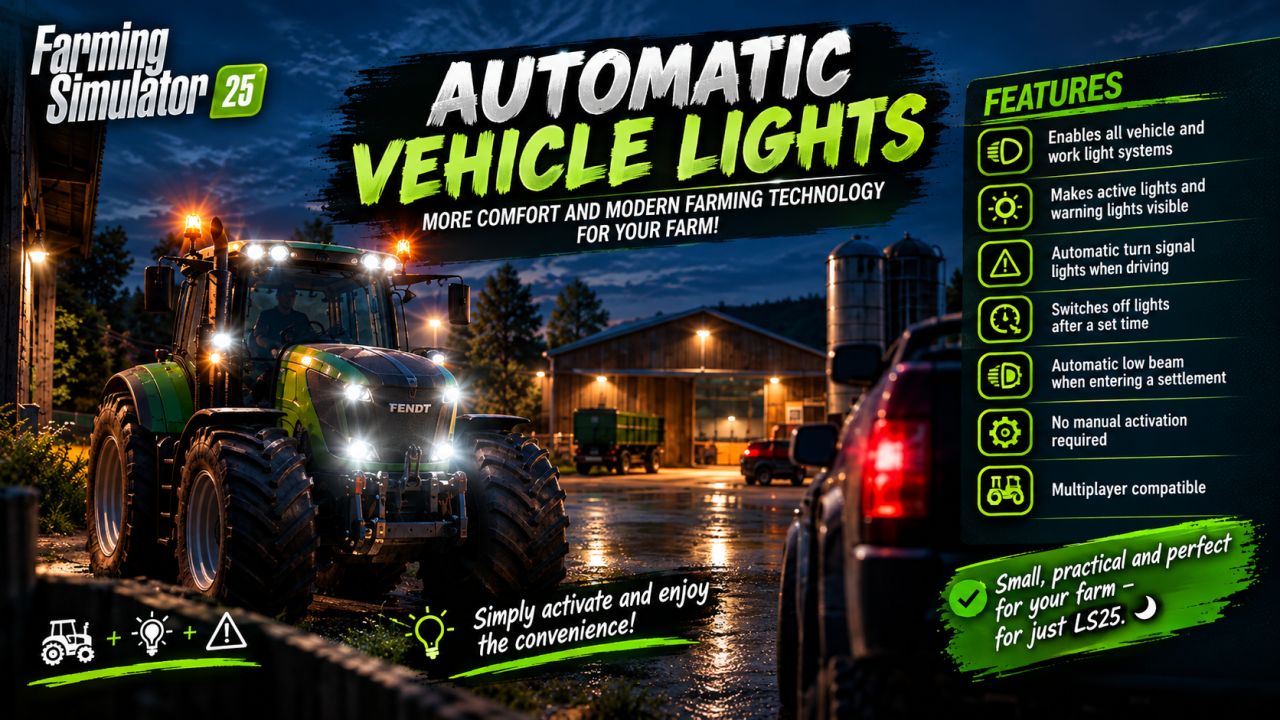
Coming Home Function v1.0.0.0
Coming Home Function v1.0.0.0 More comfort and modern vehicle technology for your farm! Features: Low beam headlights and hazard warning lights when approaching Vehicle lights remain switched on when exiting the vehicle. Automatic hazard warning lights when exiting the vehicle Shutdown after 5 seconds Immediate shutdown upon entering Only the nearest vehicle reacts. No activation of trailers or attachments Multiplayer compatible Small, practical, and perfect for adding even more atmosphere to Farming Simulator 25. Simply put it in the mods folder, activate it, and enjoy!
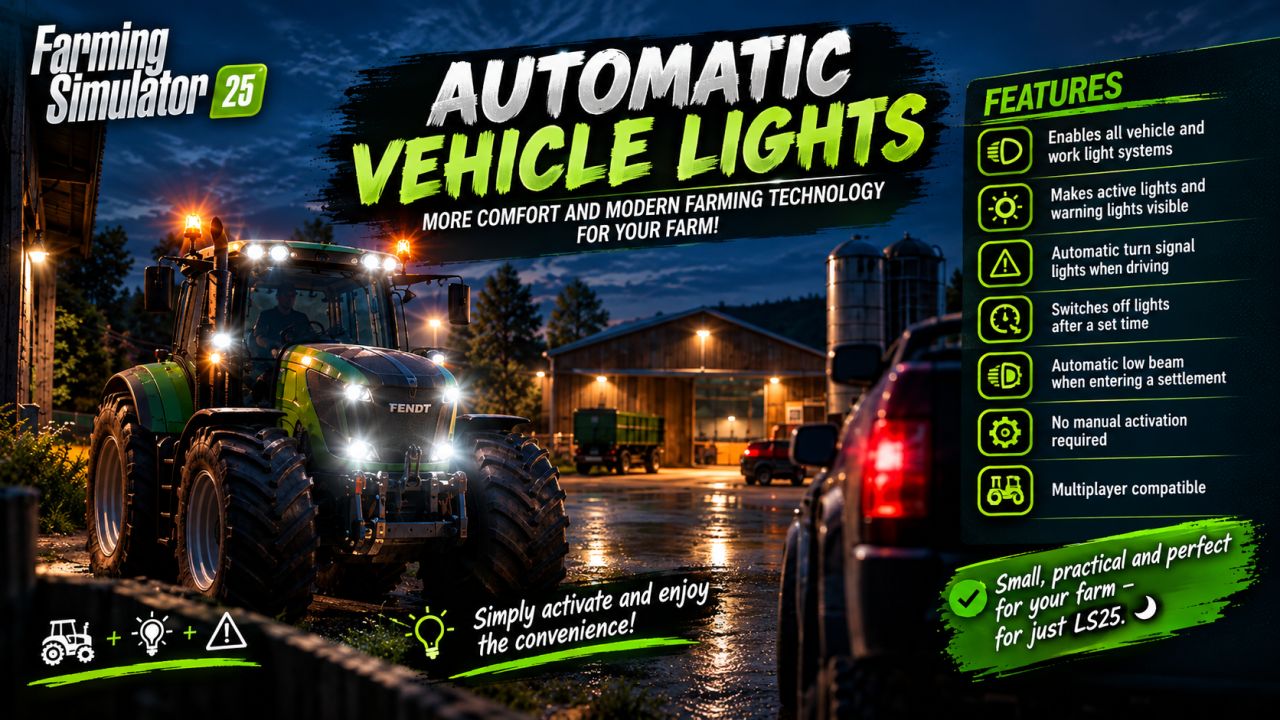
Coming Home Function FS25
More comfort and modern vehicle technology for your farm! Features: -Low-beam headlights and hazard warning lights when approaching -Vehicle lights remain switched on when exiting the vehicle. -Automatic hazard warning lights when exiting the vehicle -Shutdown after 5 seconds -Immediate shutdown upon entering -Only the nearest vehicle reacts. -No activation of trailers or attachments -Multiplayer compatible Small, practical, and perfect for adding even more atmosphere to Farming Simulator 25. 🌙 Simply put it in the mods folder, activate it, and enjoy!
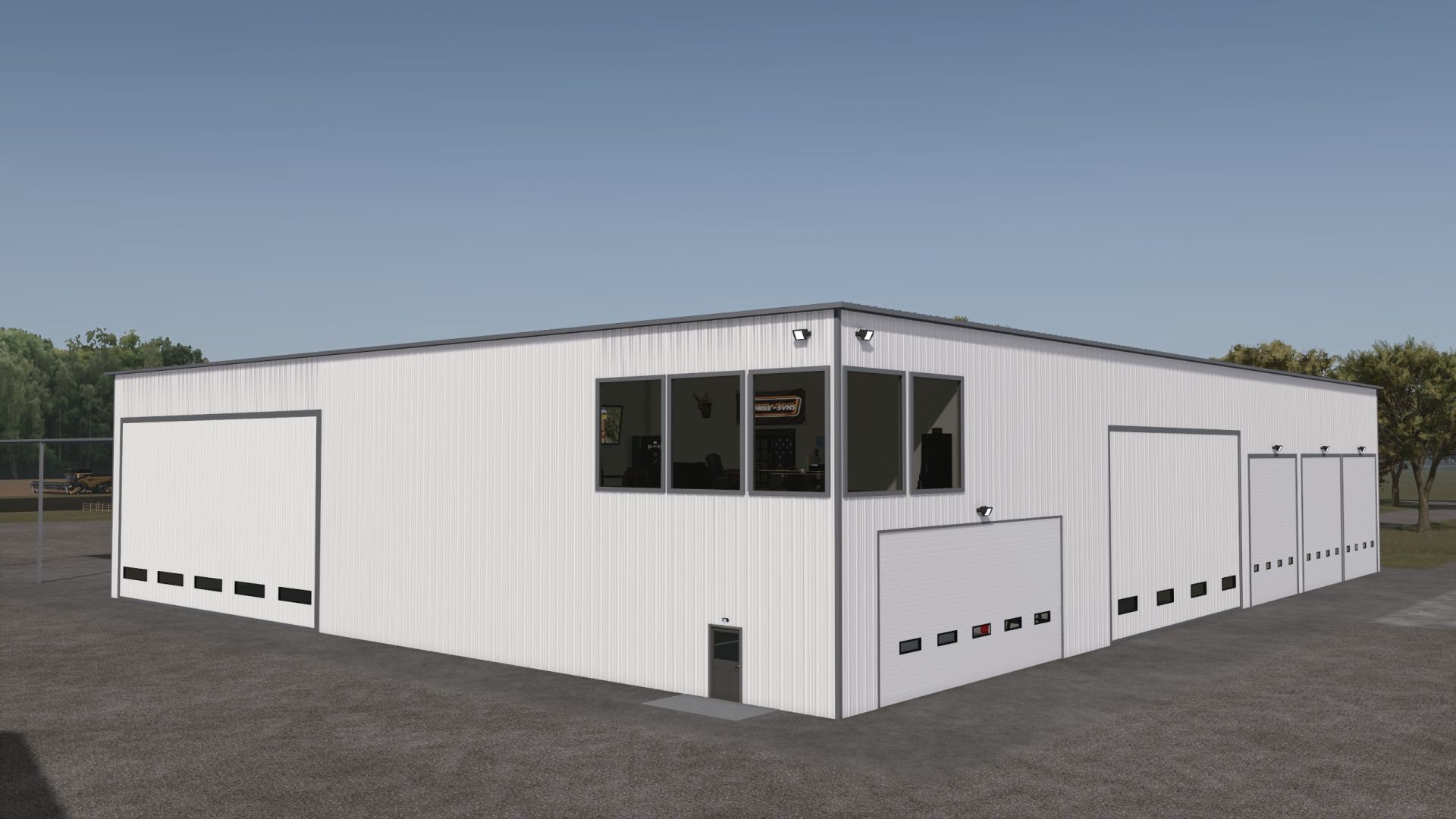
Large Work Shop & Storage Facility FS25
A versatile workshop and storage placeable designed to facilitate everything from passenger vehicles maintenance to storing large equipment and machinery. The Workshop Area features a fully functional workshop with interactive vehicle lifts capable of accommodating a variety of vehicle sizes, giving you a dedicated space to repair your equipment. An interactive Second-Floor Office provides an additional area above the Workshop. The building includes large oversized storage bays with plenty of room for trucks, trailers, implements, and other equipment. A full-length wash bay provides a dedicated space for cleaning vehicles and machinery after a hard day's work. Outside, a covered lean-to storage area provides additional sheltered storage, while exterior lighting helps keep the property usable after dark.
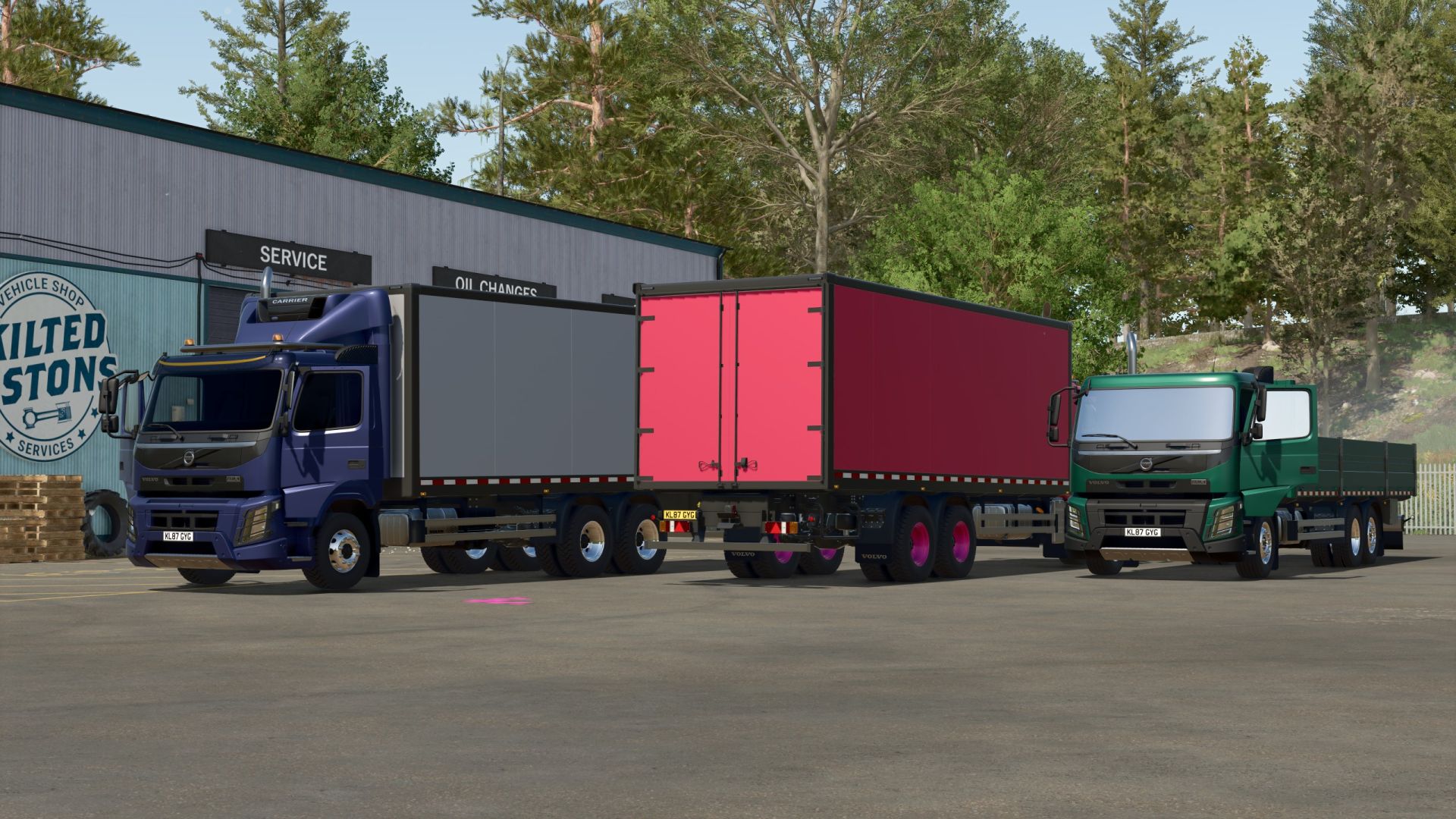
Volvo FMX XXL FS25
A magnificent Volvo FMX XXL, ready to be of service on your farm! – Power: 285/750 hp; – Speed: 83/100 km/h; – Cost: €99,350 basic price; – Cab color selection; – Choice of interior color; – Rim color selection; – Truck configuration: Cab – Truck configuration: Rear trailer – Engine configuration; – License plate configuration; – Toggle steering mode (front and rear wheel steering/front wheel steering only) Key CTRL_Y; – Animated pedals and doors – Working lighting equipment; – Working mirrors; – Leaves traces; – Gets dirty and can be washed; – Trailer hitch configuration – Wheels raise and lower (mouse button) – Interactive Control (doors, trunk, engine start/stop, headlights, RealGPS) – Added: Rear-view camera (requires Mercedes-Benz Trucks Pack) – RealGPS – Supports Pallet Autoload Specialization – This mod will receive further updates! TERMS OF USE

Tree Limit Increase v1.0.0.0
Tree Limit Increase v1.0.0.0 Increases the tree limit in Farming Simulator 25 to up to 8,000,000 trees. Does it also get on your nerves that you constantly get a message when planting that there are already too many trees? Then the tree limit increase provides a solution. The mod increases the maximum tree limit in Farming Simulator 25 to up to 8,000,000 trees. This mod is particularly suitable for large maps, forest maps, and players who want to plant significantly more trees than is possible with the standard limit. Features: Tree limit increased to 8,000,000 Suitable for large maps and forestry projects Multiplayer support
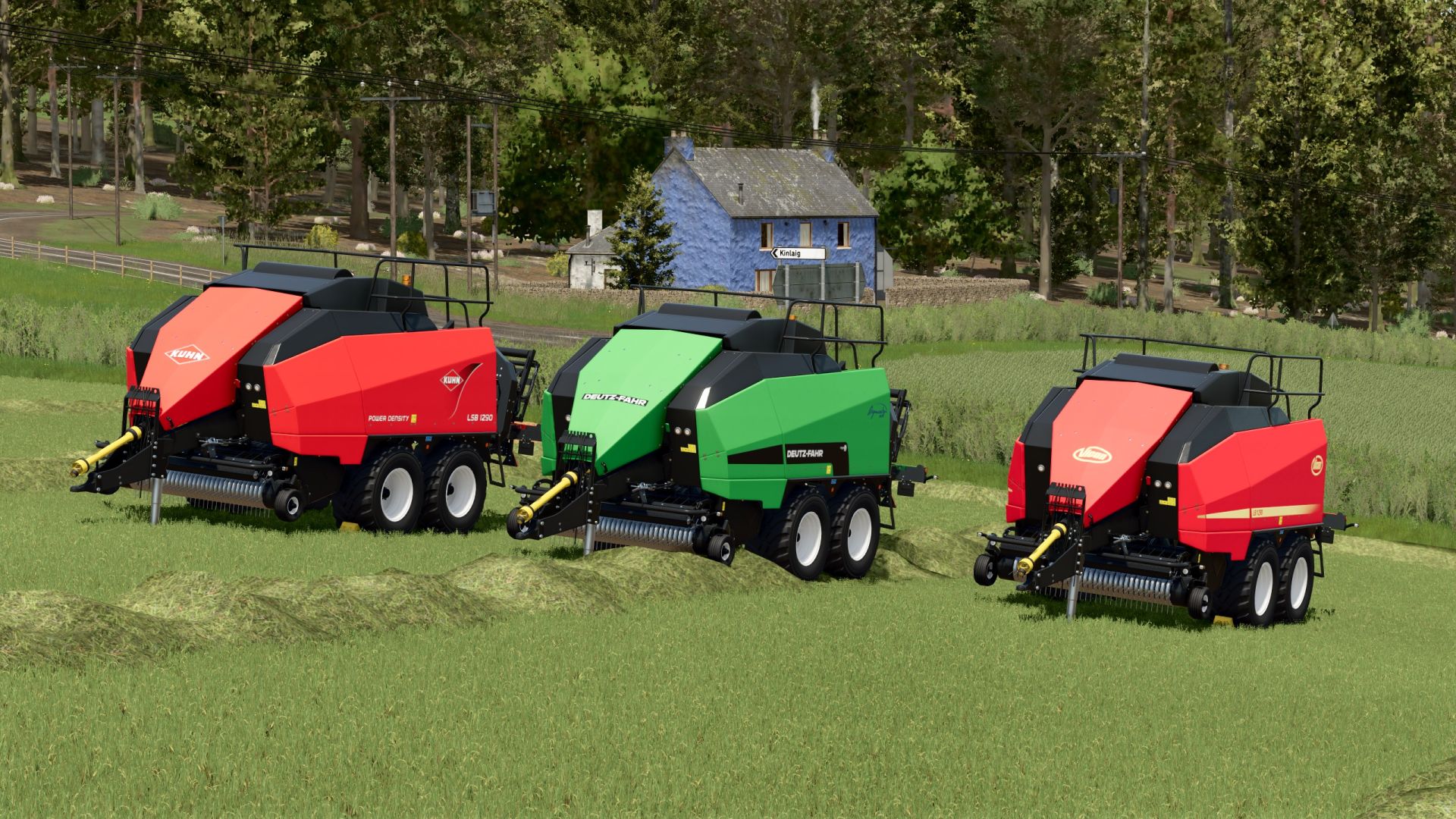
Kuhn/Deutz/Vicon Square Baler Pack FS25
A pack containing three large square balers from Vicon, Deutz-Fahr and Kuhn, so you're sure to find one that fits your farm!

More Design Config v1.0.0.0
More Design Config v1.0.0.0 It’s finally here! More Design Config has officially arrived in Farming Simulator 25 as of today! I hope you have lots of fun with More Design Config in FS25! INSTALLATION: Installation in a vehicle mod First, copy the file. MoreDesignConfigurations.lua from the scripts folder to the scripts folder of your vehicle mod. Next, enter the following into the modDesc.xml file of your vehicle mod: code If your mod already has an section, you only need to add the line there. New configuration in the vehicle XML After that, you can, for example, create a configuration in your vehicle’s XML: code Show less The crucial part here is the node information provided: code node=”frontStandard” node=”frontCustom” The included file contains only examples. You need to enter your vehicle’s actual i3d mappings there.
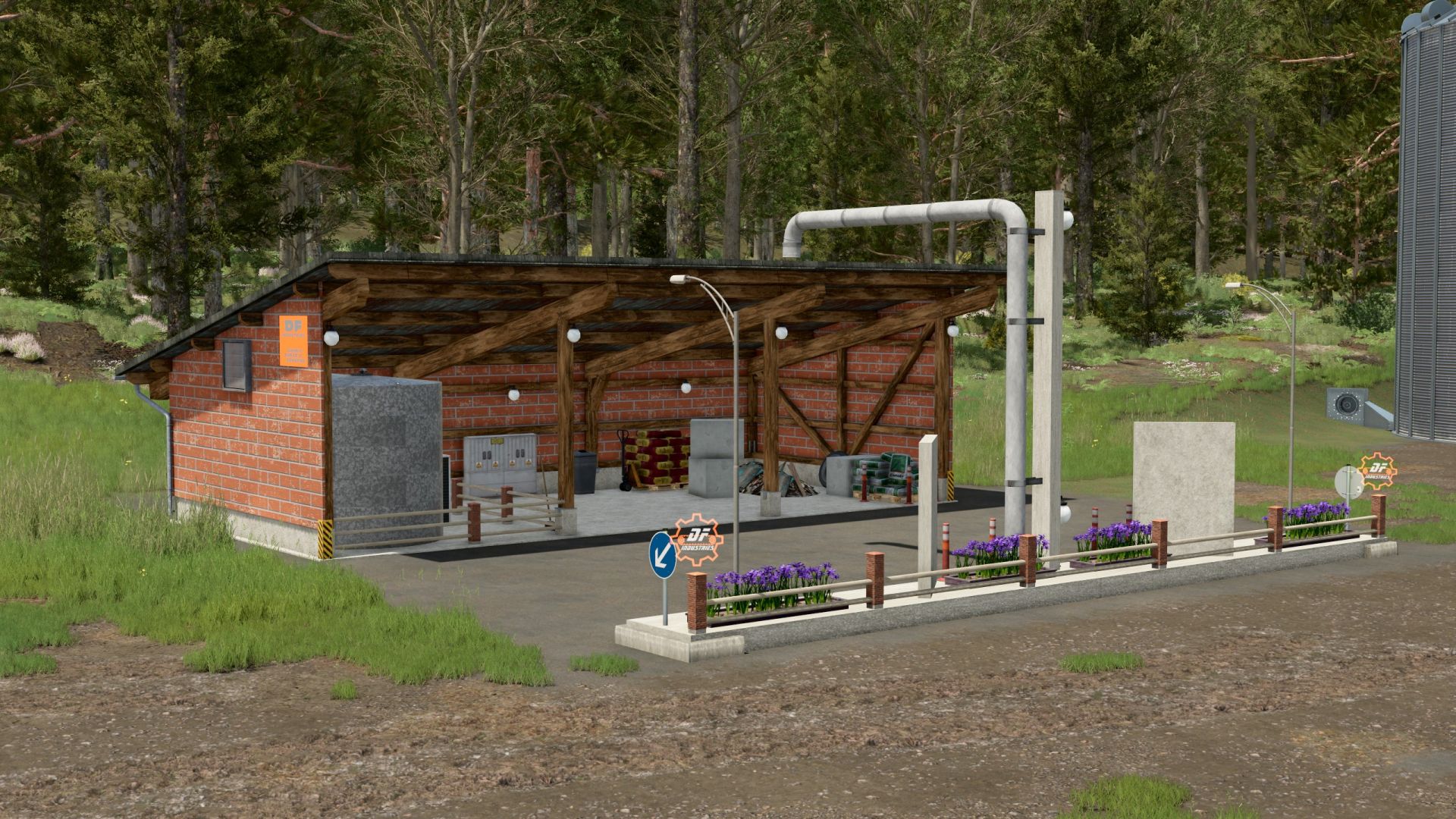
DF Industrial Seed Factory M41 FS25
Welcome to the premier league of seed production! The DF M41 industrial seed factory from DF INDUSTRIES brings maximum efficiency to your farm. This powerful seed factory was specifically developed for large-scale farms and contractors who are tired of constantly moving pallets back and forth. It impresses with a first-class industrial design made of solid wooden beams and dark, modern masonry, which fits perfectly into any modern or traditional farm setup. With a gigantic storage capacity of 5 million liters for finished seed and huge raw material bunkers, true industrial performance comes to your map. The factory processes wheat, corn, sunflowers or barley combined with mineral fertilizer into high-quality premium seed with maximum efficiency. Production overview: Wheat + Mineral fertilizer ➡️ Seed (ratio: 1500l + 100l ➡️ 1500l) Corn + Mineral fertilizer ➡️ Seed (ratio: 1500l + 100l ➡️ 1500l) Sunflowers + Mineral fertilizer ➡️ Seed (ratio: 1500l + 100l ➡️ 1500l) Barley + Mineral fertilizer ➡️ Seed (ratio: 1500l + 100l ➡️ 1500l) Technical data and features: 🏭 Manufacturer / Brand: DF INDUSTRIES 💰 Purchase price: €147,000 🔧 Maintenance costs: €0 / day 📦 Total capacity (seed): 5,000,000 liters 🌾 Raw material capacities: 1,250,000 liters each (wheat, corn, barley, sunflowers) 🧪 Fertilizer capacity: 500,000 liters (mineral fertilizer) 👥 Multiplayer / Dedicated Server: fully supported ( multiplayer supported="true") 🌐 Languages: German, English, French Changelog v1.0.0.0 (Initial release): GIANTS certification successfully passed ( ModDescCheckset to True). Corrected incorrect capitalization in the French translation of title.fr ( ). LUA log error ( Index not found: 0>7|0|0|0) in the pallet spawn area completely fixed by properly dividing it into start and end nodes. Corrected missing LS25 tag schema and fixed productionPoint; the mod now loads without errors ( Error: Placeable loading failed!fixed). Official multiplayer and dedicated server support integrated. Storage capacities massively increased to genuine industrial sizes (5 million liters of seed output). Added multilingual shop feature description (DE, EN, FR).
- 15 per page
- 30 per page
- 45 per page
- 60 per page
-
See more per page
Bigger pages, fewer clicks - and no ads anywhere.
Go Pro