Farming Simulator 22 mods
47,884 results- 15 per page
- 30 per page
- 45 per page
- 60 per page
-
See more per page
Bigger pages, fewer clicks - and no ads anywhere.
Go Pro
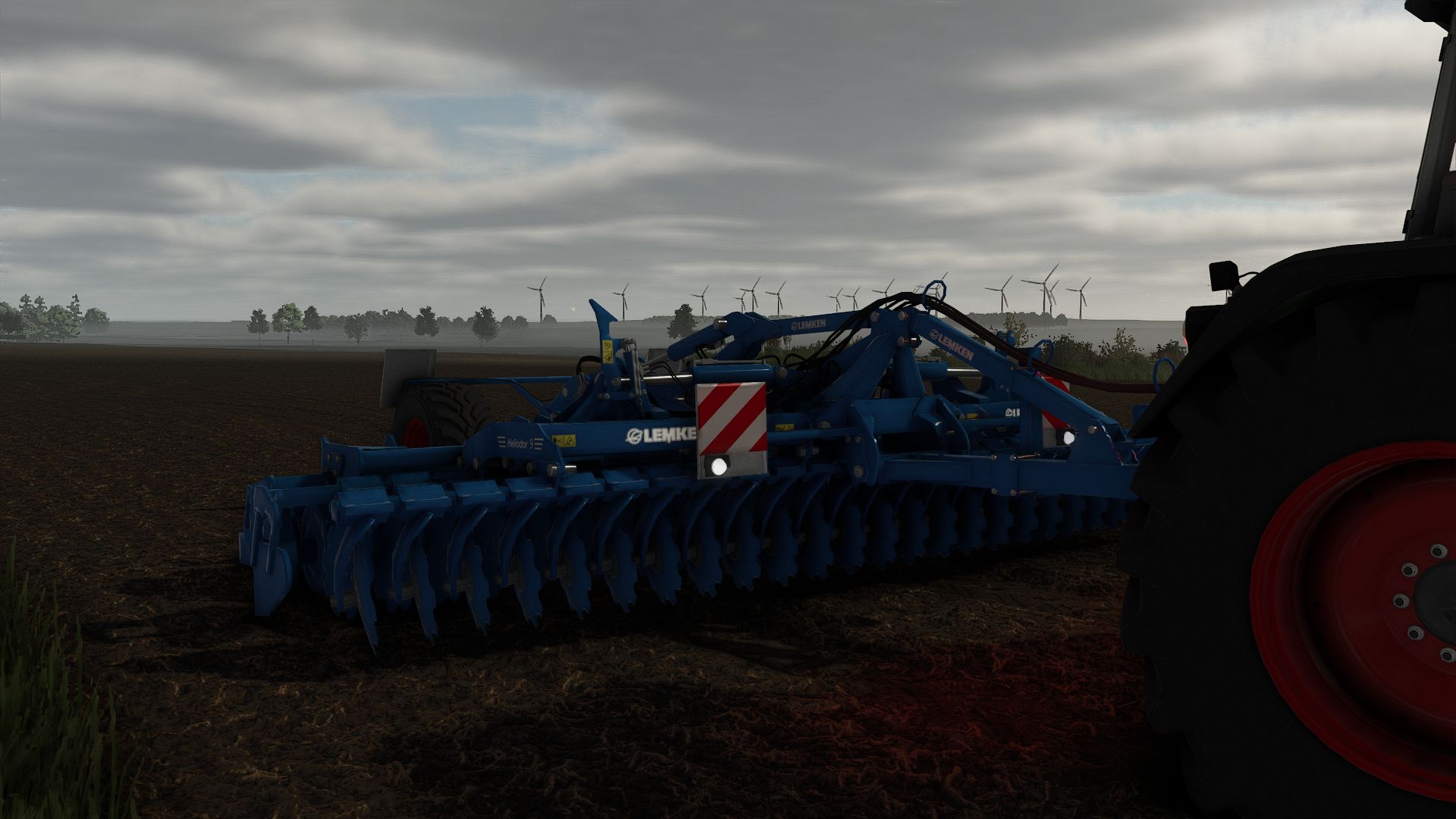
Lizard Dragon Edit V1.0.0.3
Lizard Dragon Edit V1.0.0.3 Added more advanced color configurations Added a functional beacon Added capacities of 40,000 l and 100,000 l Added a speed limit of 50 kilometers per hour There is no autoload on my truck; it is a mod that adds autoload called Universal Autoload V1.0.0.3 Capacity change
Tesla Model Y Standard 2026 V1.3.0.0
Tesla Model Y Standard 2026 V1.3.0.0 Here is My New Mod The Tesla Model Y Standard 2026, affordable technological electric is here! Price 39,990 euros Options: Rims; Apature CrossFlow CrossFlow without Cover Exterior Colors: Pearly White Multilayer Black Diamond Stealth Gray Tow hook Version: Standard RWD or STD AWD This Mod is equipped with realistic projection headlights. I hope you like this mod, everything you like about a Tesla but with a few compromises 😉 V1.3.0.0 Added Coastal Blue / Coastal Blue, inspired by the Californian coast! Adjustments to the wheels, textures, etc. And much more! Required mods: Mercedes-Benz Trucks Pack
Tesla Model Y 2026 Refresh V3.0.0.0
Tesla Model Y 2026 Refresh V3.0.0.0 Hello, Good evening everyone, I have the honor to present my new Mod I name: The Tesla Model Y 2026 Restyled, with its new front light strip, it won’t leave you indifferent! Motorization and Version: Rwd propulsion Longe Range Dual Motor AWD Launch Series Longe Range Dual Motor AWD Performance Exterior colors from 4 corners of the world to satisfy everyone: Multi-layer Pearl White Plain Black Black Diamond Stealth Gray Deep Blue Metallic Glacier Blue Navy Blue Quicksilver Ultra Red Midnight Cherry red 2 rims, 19″ Crossflow or 20″ Helix 2.0 Interior; White or Black. and much more! This is the first version of the Updates will be available soon. Signed LbxModdingTeam. V3.0.0.0 – Functional turn signals – Addition of the Zen Grey interior – Texture fixes – Sport seats added as an option for the Performance versions – Textured Performance badge – Adjustments to 2“3 points concerning handling, braking, wheels, etc. – Frost Blue color added And much more! Required mods: Mercedes-Benz Trucks Pack
Schuitemaker Siwa 720 100 Series v1.0.0.0
Schuitemaker Siwa 720 100 Series v1.0.0.0 What changes were made to the Siwa color configuration for the hub, rim, and nut in the Siwa FS25 textures? Price: $55,000 Capacity: 45,000 L Version: S/W Wheel configurations: Michelin/Trelleborg/Vredestein/BKT
Vegetable Harvesters – Hirschfeld Edition V3.2.1.4
Vegetable Harvesters – Hirschfeld Edition V3.2.1.4 This harvester pack is an absolute must-have for all harvesting pros in Farming Simulator 25! With this mod, you can efficiently harvest all kinds of root crops and have countless design options at your disposal. Features: Harvester for sugar beets, potatoes, beets, parsnips, carrots, and much more. 6 m harvester head for the Holmer Compatible with various harvesters Extensive design options
Ford 5000 V1.0.0.0
The classic Ford 5000 has been recreated for Farming Simulator 25 with a focus on detail and realism. Main Features Power: 77 HP Maximum speed: 48 km/h Price: €22,000 Brand: Ford Category: Small Tractors Manual transmission Realistic engine and torque characteristics PTO support Hydraulic connections Front and rear implement attachments License plate support Wear and dirt system Configurations Canopy & Protection Standard Side protection bars Side protection bars + beacon Canopy Canopy + beacon Fabric canopy Seat Cover Standard Seat cover Exhaust Standard Custom exhaust Tire Option Michelin Trelleborg Continental Petlas Wheel weight options Weight Options Standard Front weight Front Loader Ford front loader attachment Interactive Control Many functions inside the tractor can be operated using the Interactive Control system. Opening the bonnet Raising/lowering the rear hydraulics Implement functions PTO on/off Cruise Control Manual controls and animations Other Rim color options Beacon lights Realistic tractor animations The mod has been made exclusively for Farming Simulator 25. Semih Cengi Mod Required mods: Interactive Control
Storage Warnings (Storage and Warehouse Control) V1.0.0.0
Storage Warnings (Storage and Warehouse Control) V1.0.0.0 Storage Warnings — Storage and Warehouse Monitoring The mod adds a convenient information window that helps you keep track of important supplies and available space on the farm. You no longer need to constantly open the production, animal pen and storage menus to check where a resource is running low or which warehouses/storage facilities are almost full. The mod warns about problems in four main categories: construction sites, animals, productions and storage facilities. For construction sites, it shows the materials missing for the current construction stage. In animal husbandry, you can monitor feed, straw, milk, wool and other output resources, as well as manure capacities. For productions, both input resources and available space for finished products are tracked. For warehouses and silos, the remaining available space is shown. Warnings are highlighted by colour: yellow when the supply or available space is approaching a critical level, and red when the situation already requires attention. All categories can be enabled or disabled separately in the mod settings, so you can keep only the information you actually need. The window works directly during gameplay and displays only current problems without cluttering the screen with unnecessary data. Storage Warnings is especially useful on large farms with many productions, animals and storage facilities, where keeping track of everything manually becomes inconvenient.
Shader by Derbii V1.0.0.0
Shader by Derbii V1.0.0.0 Shader By Derbii in 3 versions, released at the request of a few commenters The .ini file included in the .zip must be placed in the x64 folder of the game’s installation directory. BRIGHTNESS 0.7 OSW https://farmingsimulator25mods.com/oswietlenie-preset-czarny317-shader-v1-0/
Shader by Derbii (dark) V1.0.0.0
Shader by Derbii (dark) V1.0.0.0 Shader by Derbii in 3 versions, released at the request of a few commenters The .ini file included in the .zip must be placed in the x64 folder in the game installation directory OSW https://farmingsimulator25mods.com/oswietlenie-preset-czarny317-shader-v1-0/ BRIGHTNESS 0.7 RESHADE IS REQUIRED!
Shader by Derbii (bright) V1.0.0.0
Shader by Derbii (bright) V1.0.0.0 Shader by Derbii in 3 versions, released at the request of a few commenters BRIGHT VERSION The .ini file included in the .zip must be placed in the x64 folder in the game’s installation directory OSW https://farmingsimulator25mods.com/oswietlenie-preset-czarny317-shader-v1-0/ BRIGHTNESS 0.7. RESHADE IS REQUIRED!
MRT radio V1.0.0.0
Activation/deactivation (automatically when entering/leaving) Activation of the numeric keypad for status “ß” Deactivation of the numeric keypad for status “ins” Status 1–8 – numeric keypad 1–8 Emergency call – numeric keypad 0 Automatic saving of the status during the game (after leaving the game, the saved status is automatically deleted) No Simple IC If you have any questions or problems, please feel free to contact us.
HRT radio V1.0.0.0
Can be activated/deactivated with “´”. The numeric keypad serves as status buttons: Status 1–8 – numeric keypad 1–8, Emergency call – numeric keypad 0. No Simple IC. If you encounter any problems, please report them; we will take care of them.
New Holland CH7.70 V1.0.0.0
New Holland CH7.70 V1.0.0.0 Hello, I would like to share my new combine harvester mod with you. Power: 500–1000 hp Speed: 90 km/h Air horn Window tint Custom decals 5-light strobe set Floor mats
AI Farm Manager V3.0.0.0
AI Farm Manager V3.0.0.0 YOUR FARM FINALLY HAS A MANAGER — one that actually reads your save, watches the prices, and taps you on the shoulder when it matters. AI Farm Manager 25 gives your farm a real manager: an AI that reads your ACTUAL savegame — cash, fields, fleet, prices, weather, the clock — remembers your farm across sessions, and pops colour-coded cards onto your screen the moment something needs a decision. Answer right there in the game with a click or a typed reply, and it answers back. FIRST, THE HONEST BIT (READ THIS) This .zip is only HALF the mod — the part that lives in your game and puts messages on your screen. The other half is the brain: a free tool called Claude Code that runs on your PC and IS the manager. The two talk through tiny files on disk. Install only the .zip and nothing happens — you need the companion set up too (2-minute one-time setup, link below). The upside: you pick the AI. Point it at a cloud model, or run one 100% locally and free with Ollama — either way, your farm data never leaves your computer. HOW IT WORKS 1. You play. FS25 saves your farm to disk as usual. 2. The manager reads it — cash, land, fleet, crops, contracts, silos, prices, weather — straight from your save files. It reads; it never guesses, and it never writes your save. 3. When something actually matters, it drops a card on your screen mid-game — a ripe crop about to spoil, fertilizer at its annual low, a silo filling up. 4. You answer in the game — click 👍/👎, acknowledge, dismiss, or type a free-text reply. Bring your mouse cursor up the way you already do for AutoDrive / Courseplay. 5. It reacts — reads your answer, remembers it, and follows up. Then it idles at basically zero cost until the next real event. WHAT IT DOES FOR YOU Real memory — a per-farm history of decisions, plans, and YOUR house rules, so it starts every session already caught up. Buy/sell price sense — grain flagged at its seasonal peak; seed / fertilizer / lime / herbicide flagged at their annual low — and only if you actually own the storage to stockpile. Used-equipment reality check — “is this listing actually a bargain?” answered against real new prices. Planning that respects timing — what to buy and WHEN, not just what. Notifications you can trust — colour-coded cards (green ok / blue info / amber warn / red critical) with 31 context glyphs. It under-sends on purpose: silence is the default, and it only interrupts when it’s worth your hands off the wheel. Your overlay, your way — persistent panel or classic pop-ups (toggle Ctrl+Period), movable and restylable, and your unanswered cards survive a restart. Two-way, for real — it reads your clicks and typed replies back; a double-click can’t double-count. WHAT IT WILL NEVER DO Never writes to your savegame — not once, not ever. 100% read-only against your game. Never phones home — everything stays on your PC (run it on a local model and your farm data never touches the internet at all). Client-side only, safe for singleplayer AND multiplayer; changes no gameplay system. WHAT YOU’LL NEED Farming Simulator 25 + this mod (PC). Claude Code (https://claude.com/claude-code) installed on your PC — the free companion that runs the manager. An AI model for it to use — your choice: a Claude / Anthropic account, an OpenRouter key, or a free local model via Ollama. Python 3 (standard library only — nothing to pip-install). A one-time 2-minute setup: start Claude Code in your farm folder and say “set up my farm manager.” Currently WSL / Linux-oriented on Windows (it uses /mnt/c/… paths). To click card buttons you need a mouse cursor on screen (AutoDrive’s MMB, Courseplay’s RMB, or any cursor mod). THIS IS EARLY — HELP SHAPE IT Built for Claude Code today; more AI CLIs may follow as the community asks. Got a feature idea or hit a bug? Made by Parzival. Reads everything, guesses nothing, and stays on your machine. V3.0.0.0 A new architecture for how Cyrus reads your farm, plus a round of fixes from the manager’s first live sessions on a real save. Added Setup now asks your name and what language to speak, right at the start. Before this, the manager never asked either it addressed you as “partner” and spoke English no matter what language you actually use. Now it asks first, and speaks the language you give it from that point on. A new cache layer. Dedicated scripts now gather your farm’s state and write it to a verified cache whenever the game saves including pushing fleet fuel/repair alerts straight to your on-screen overlay the moment a threshold is crossed, with no need to ask. Cyrus reads what those scripts already produced instead of gathering and reporting everything itself in one conversation, so a session starts from more of what the game knows, read the same way every time. Closeout can now offer to send issues to the project’s GitHub tracker. At the end of a session, if anything logged looks like a product defect, Cyrus asks whether to send it and always asks whether there’s anything else you’d like added or changed, defect or not. Every issue is scanned and the scan result is told to you plainly (“scanned for usernames, home paths and author identifiers” not a claim your finances were checked); you see the exact title and body before anything is sent, and approve, edit, defer, or drop each one individually. Nothing is batched, and nothing goes anywhere without your say-so. Setup now asks which farm is yours when your save has more than one (for example, a joined multiplayer save), instead of assuming. A field-by-field work list of what needs doing today. Each field reports the operation its own state calls for ploughing, liming, weeding, and more grounded in the same read of the field’s own state, not a generic checklist, and with the reading behind each recommendation carried alongside it. Cyrus can now tell you which of your production lines are running dry, and how many hours you have before each one empties checked against that line’s own input stock, not your farm’s stock as a whole, so a full silo elsewhere doesn’t hide a bin that’s actually about to run out. Where the underlying data can’t say, it tells you that instead of guessing. Changed The “can I sell this?” check no longer states a flat “no” it can’t actually back up. It previously could tell you an item you own (manure, wool, milk, and others) can’t be sold, when it had simply not found where it now only reports what it has confirmed. File-size limits on your farm’s memory files are now recommendations that warn when crossed, instead of hard caps that block you from continuing. Your farm can also record its own preferred size, which overrides the shipped recommendation. A mistyped notification command is no longer reported as “the game must be closed” argument mistakes and real delivery failures are now told apart. Fixed Several documented commands referenced a Claude Code variable not defined in current versions, so they silently could not run. Every command in the skill now uses a direct path. Updating an older farm’s memory to a newer format now always backs up your data first, or refuses to run it could previously destroy your only restore point if interrupted partway through. A background freshness check could keep reporting your farm’s cached data as out of date immediately after it had just been refreshed. Fixed for the affected data sources. “I have no mods” is now accepted as a complete, final answer during setup the manager no longer keeps re-asking or goes searching your disk for a folder that isn’t there. Checking what equipment you’re missing could time out on a large fleet; it now gets more time to finish that specific check. A quick freshness check on your cached data (used when a full re-check would take too long) could report that data as “verified” when it had only compared each file’s timestamp and size, never read its actual contents. It no longer claims more than it checked. Every field’s crop-growth stage was reading as unknown, always, on every save a step in building the underlying growth-stage table was silently missing its data, so the table never built. It now builds correctly, and crop state populates the way it was always meant to. Whether a crop was ready to harvest was being judged by the name of its growth stage instead of the flag that actually marks it ready. On this map several crops have a stage named as if it were ready when it isn’t, while the truly ready stage is named something unrelated so a crop could read as ready when it wasn’t, and vice versa. Readiness is now read from the correct flag.
RollingRon Mod Manager PROFI V2.2.0.0
RollingRon Mod Manager PROFI V2.2.0.0 The RollingRon FS25 Mod Manager PROFI helps you quickly locate active, inactive and faulty mods – without having to laboriously search for them in the LS25 mod menu or in your mod folders. The mods are automatically detected based on the LS25 log and displayed clearly. Unneeded or faulty mods can be safely moved aside and restored at any time – without deleting them. Ideas, requests or suggestions for improvement? Feel free to write them in the comments! RollingRon FS25 Mod Manager PROFI No more cluttered mod folders and tedious searches for unused or faulty mods. The RollingRon FS25 Mod Manager PROFI is a standalone management and analysis tool for Farming Simulator 25. The program evaluates the LS25 log.txt and compares the mods detected in it with your selected mod folder. Features Select the mod folder manually Automatically use the mod folder from the FS25 log Select and update the FS25 log.txt at any time Display mods alphabetically from A–Z Detect active mods Detect inactive mods Detect and assign faulty mods based on the log Display mods that could not be clearly identified Search and filter mods specifically Select individual or multiple mods Select all inactive mods with one click Move inactive mods out of the active mod folder Restore moved mods at any time Isolate faulty mods separately Restore faulty mods Display error details from the log Export detected errors as a TXT file No mods are deleted The manager deliberately follows a safe principle. When moving mods aside, the selected mods are not deleted but moved to separate folders. This means they can be restored at any time later. Error analysis The integrated error section analyzes the current FS25 log and attempts to assign error messages to the corresponding mods. Detected faulty mods are displayed separately and alphabetically. This makes it much quicker to investigate a problematic mod folder. Ideal for large mod folders Especially with several hundred FS25 mods, it quickly becomes unclear which mods are actually being used. The RollingRon LS25 Mod Manager PROFI provides a clear separation between active, inactive, faulty and not clearly identified mods. Installation Fully extract the download. Start RollingRon FS25 Mod Manager PROFI. Select the FS25 log.txt. Select the desired mod folder or automatically use it from the log. Analyze and manage the mods. Important: A backup is generally recommended before making extensive changes to the mod folder. For mods that are required by vehicles, buildings, productions or other content in a savegame, check before moving them aside whether they are still needed. This version is not final. Suggestions for improvement are welcome in the comments. Developed by RollingRon V2.2.0.0 Compared to V2.1, the Manager has been significantly expanded, especially for log analysis and management: New warning analysis: Warnings from the LS25 log are now detected and assigned to the corresponding mods. Warning assessment: The Manager distinguishes between CRITICAL and NON-CRITICAL warnings. This classification is intended as an analysis aid and does not automatically mean that a warning causes the game to crash. Dedicated WARNINGS section: With preview images, number of warnings, assessment, log line and first warning message. Separate warning storage: Critical and non-critical warning mods can be moved to two separate, freely selectable folders. Restore warning mods: Moved mods can be returned to the mod folder at any time. Copy active mods: Active mods can be selected and copied to another freely selectable folder without removing them from the original mod folder. Ideal for creating your own mod sets for different maps or savegames. Improved live statistics: After moving error or warning mods, the displayed numbers are adjusted immediately. Updated lists: Moved error and warning mods also disappear immediately from the respective overview and preview. Expanded storage management: Separate folders for inactive mods, error mods, critical warnings and non-critical warnings. Expanded antivirus scanner assistance: Instructions for Windows Defender, Norton and Bitdefender are included in the documentation.
- 15 per page
- 30 per page
- 45 per page
- 60 per page
-
See more per page
Bigger pages, fewer clicks - and no ads anywhere.
Go Pro