Farming Simulator 19 mods
55,691 results- 15 per page
- 30 per page
- 45 per page
- 60 per page
-
See more per page
Bigger pages, fewer clicks - and no ads anywhere.
Go Pro
Time Guard FS25
The economic-time bedrock of the Realistic Farming mod ecosystem. Time Guard is mod 5 in the load order. The economy mods each used to hand-roll their own day and month detector off the frame loop, only one respected the days-per-month setting, and their timing did not agree. Time Guard gives them one shared in-game calendar clock: it fires on the game's own day, month and year changes, normalizes the days-per-month setting in one place so a game month and a game year always carry the same economic weight on any save, and tells each companion mod exactly when to settle its money, once, at the right moment, even across a save and reload. It never moves money itself. It only schedules the cadence and hands each mod its own turn to pay or charge, server-side and once. There are no settings of its own to worry about. Install it, keep it loaded, and let the companion mods use it. Reliability fixes for the shared timing service the suite runs on. What's fixed - No more duplicated hooks when a mission reloads - Fixed an interrupted setup retry so the service comes up cleanly No save migration needed. Existing saves load as normal.
State Ledger FS25
The disk I/O bedrock of the Realistic Farming mod ecosystem. StateLedger is mod 1 in the load order: it collapses every companion mod's savegame data into one atomic XML write and one atomic load. Without it, each mod writes its own file in one save window, and a crash or force-quit mid-window can corrupt the later files and lose progression permanently. StateLedger removes that failure mode by batching everything into a single file. There are no settings and nothing to configure. Install it, keep it loaded, and let the companion mods use it. A small but important fix for how State Ledger remembers information between play sessions. What's fixed - Saved state no longer carries over incorrectly between separate career sessions No save migration needed. Existing saves load as normal.
Master HUD FS25
The UI renderer bedrock of the Realistic Farming mod ecosystem. MasterHUD is mod 3 in the load order. It owns the single draw loop that renders every companion mod's overlay, in a pull model: companions flip a dirty flag instead of rebuilding HUD strings every frame, and MasterHUD calls their fetch callback only when the data actually changed. It also handles menu-suspend, corner stacking, and unload cleanup once for all of them. There are no settings and nothing to configure. Install it, keep it loaded, and let the companion mods use it. This update gives Master HUD proper on-off and edit controls and wires it into the suite Control Center, so you can manage your HUD without digging through menus. What's new - Toggle all HUDs with Right Shift + G - Enter HUD edit mode with Right Shift + B to move and arrange elements - Control Center support (with SettingsHub installed): toggle and edit your HUD straight from the Control Center What's fixed - HUD controls now respond while you are seated in a vehicle - General stability fixes for showing, hiding, editing, and cleaning up HUD overlays No save migration needed. Existing saves load as normal.
Autodrive Krajów & Łaźniki FS25
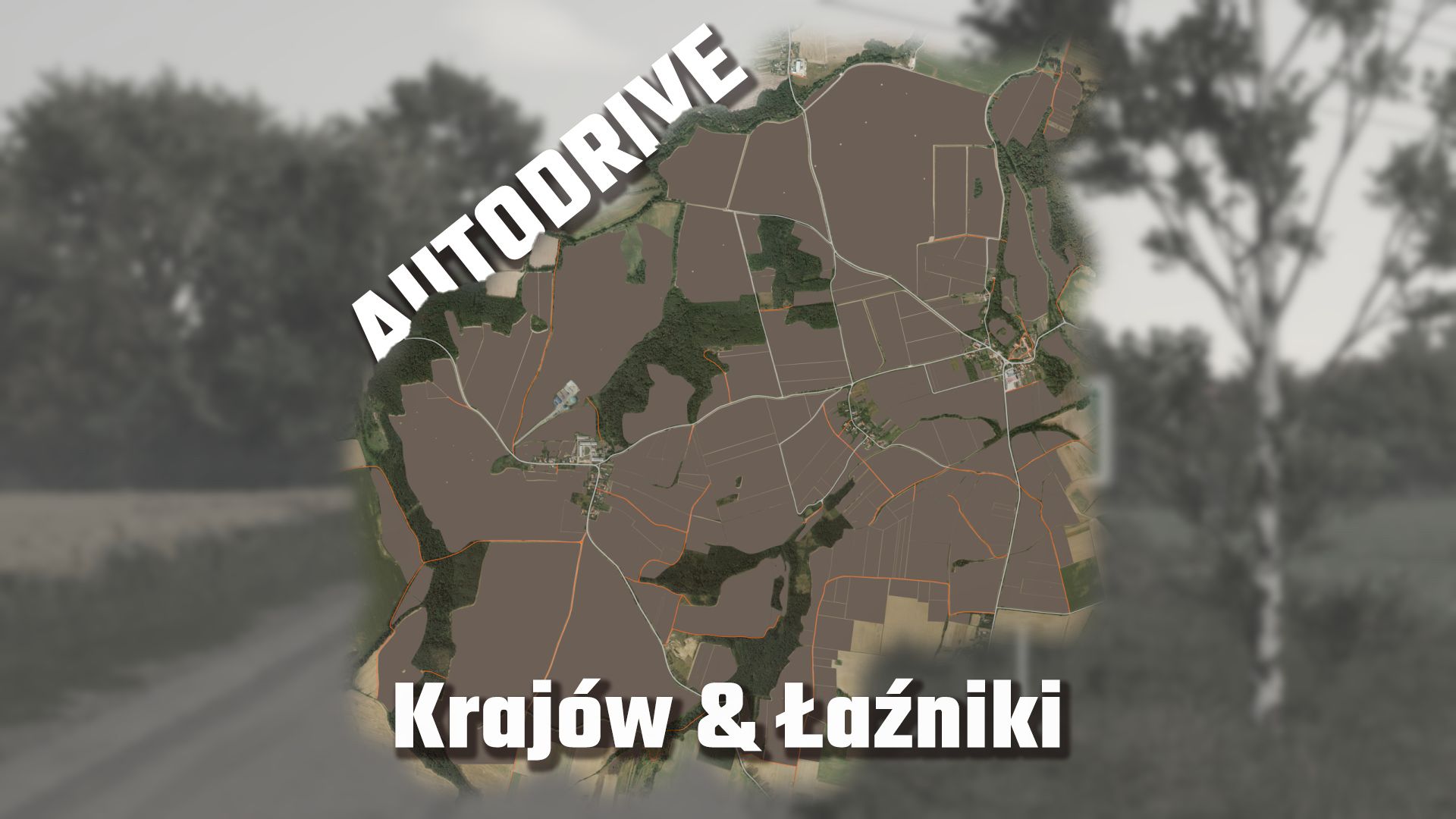
I'd like to make my AD courses available to you. They're far from finished, but the main approaches are already established. I hope the courses help you and/or provide a good foundation for your network. Of course, I'll continue to develop them and release updates. If you notice any errors or have suggestions for improvement, I would greatly appreciate a comment. LG Farming_chris93 Hello I have now driven in all the roads, just like the BGA. Unfortunately, the first two unloading tracks don't work yet, so I still have to think about how to do it with the large troughs there. WIP: 1 All fields with interception treatment, entrances and ÜLW tracks in the larger fields 2 gradually enter the yards
AutoDrive Myropillia Map FS25
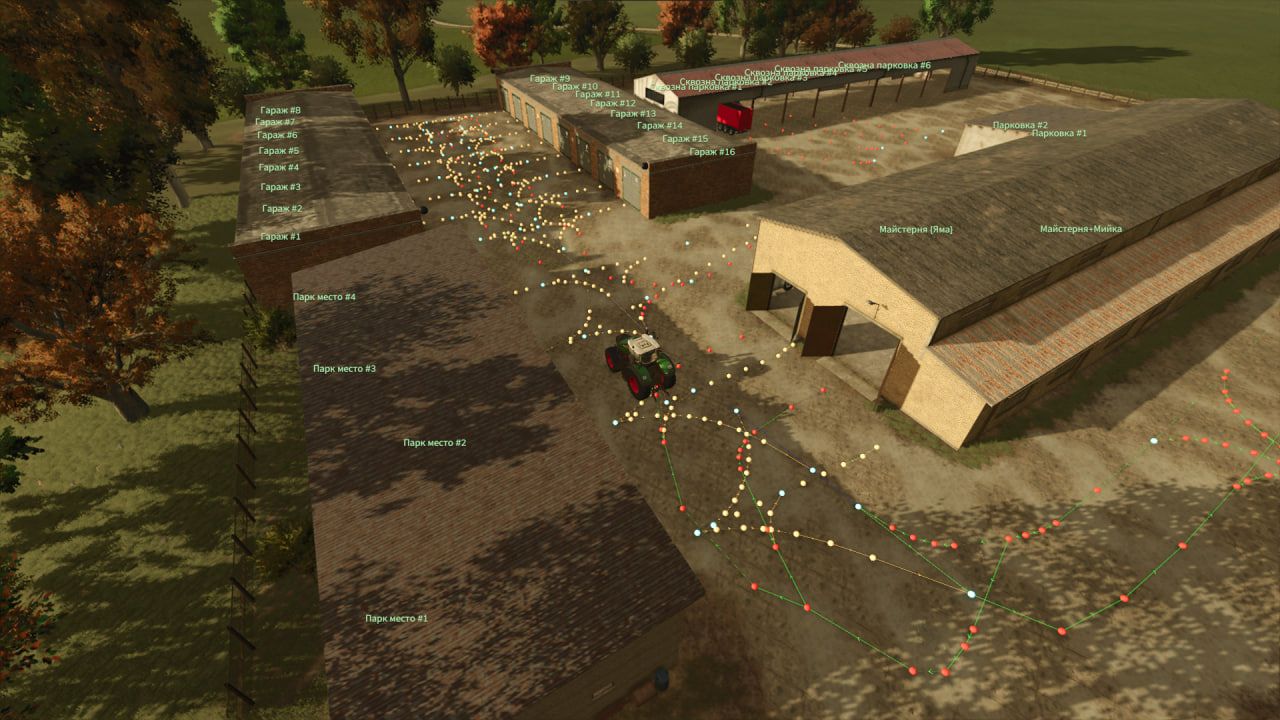
AutoDrive route network for the Myropillia map in Farming Simulator 25 Current version status (v1.0): The main road network to and within the village of Myropillia is fully connected. All production facilities are connected. Complete access routes to the pigsty, cow barns and chicken coops are available. Note: fields and small private plots (gardens) are NOT included in this release and will be added in future updates. Installation: Download and unpack the archive if necessary. Move the AutoDrive_config.xml file to your savegame folder: Documents\My Games\FarmingSimulator2025\savegameX\ Enjoy the drive! Community and feedback: Discord: [https://discord.gg/4Bw9wn8gQ] Telegram: [t.me/farmer_fs25_ua]
No Winter Weeds FS25
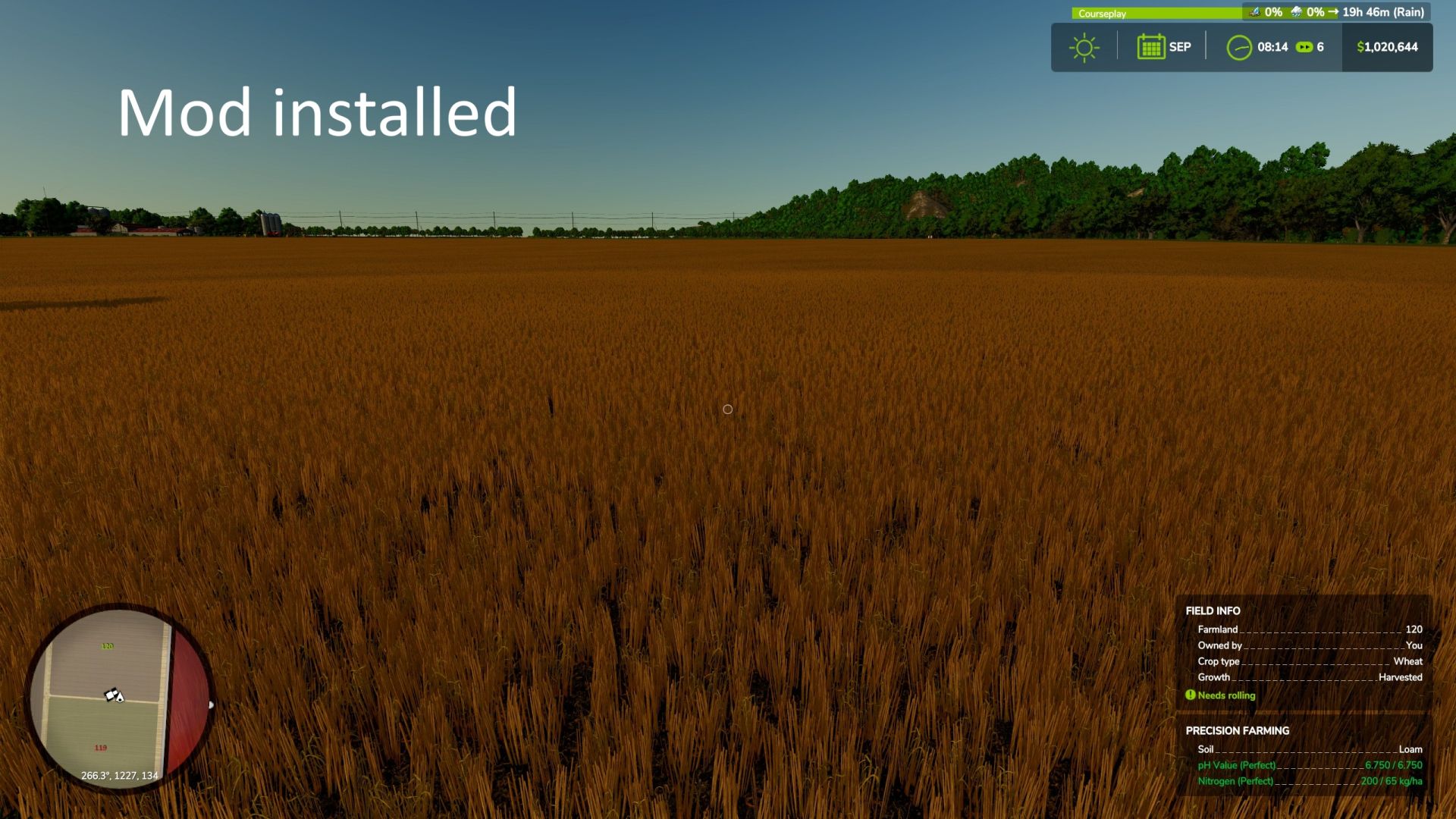
On real North American farms, weeds aren't sprouting immediately after harvest in autumn or winter. This mod sets a block on weed growth from September to February, allowing residue to remain without your fields getting packed with weeds! Weeds start growing normally in March. If you choose no-till, leaving crop residue for soil health through the winter, the government pays you $100/hectare at the end of February. HOW IT WORKS This should work on any FS25 map. Multiplayer should be supported CONSOLE COMMANDS gsNoWinterWeedsStatus - print the current period number and whether blocking is active right now gsNoWinterWeedsForce 0 or 1 - force blocking off/on immediately, for testing without waiting for the season to change Mod created entirely by Claude (Anthropic) Please report bugs here. Use the mod however you like
New Interactive Control icons FS25
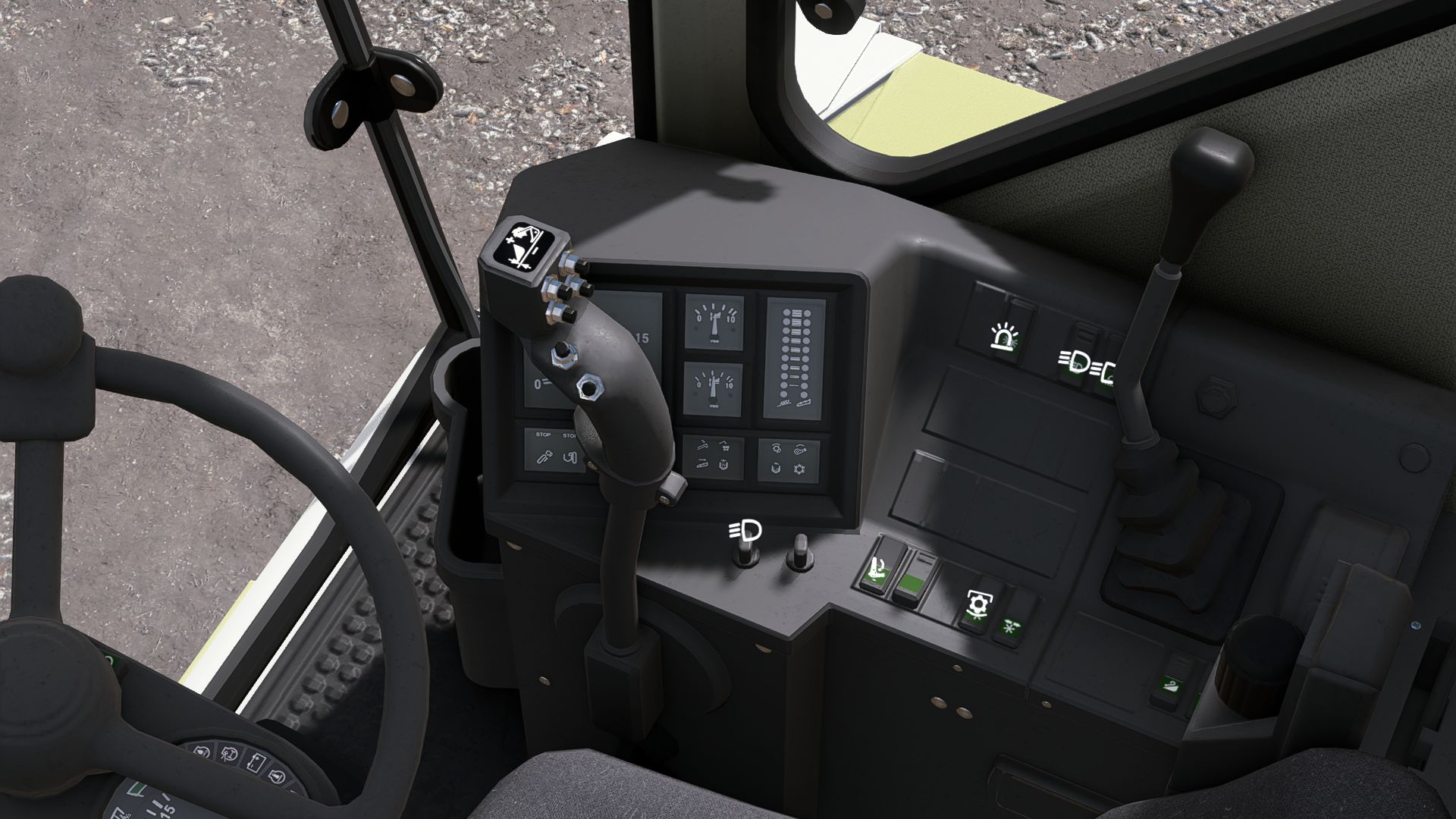
!!!! FOR THE MOD TO WORK CORRECTLY, YOU MUST REMOVE THE ORIGINAL INTERACTIVE CONTROL FROM THE MODHUB !!!!!!!! these are new icons for Interactive Control they are based on the icons for Simple IC from Farming Simulator 19 and Farming Simulator 22 feel free to download ERROR-FREE
Savage Farmland Market FS25
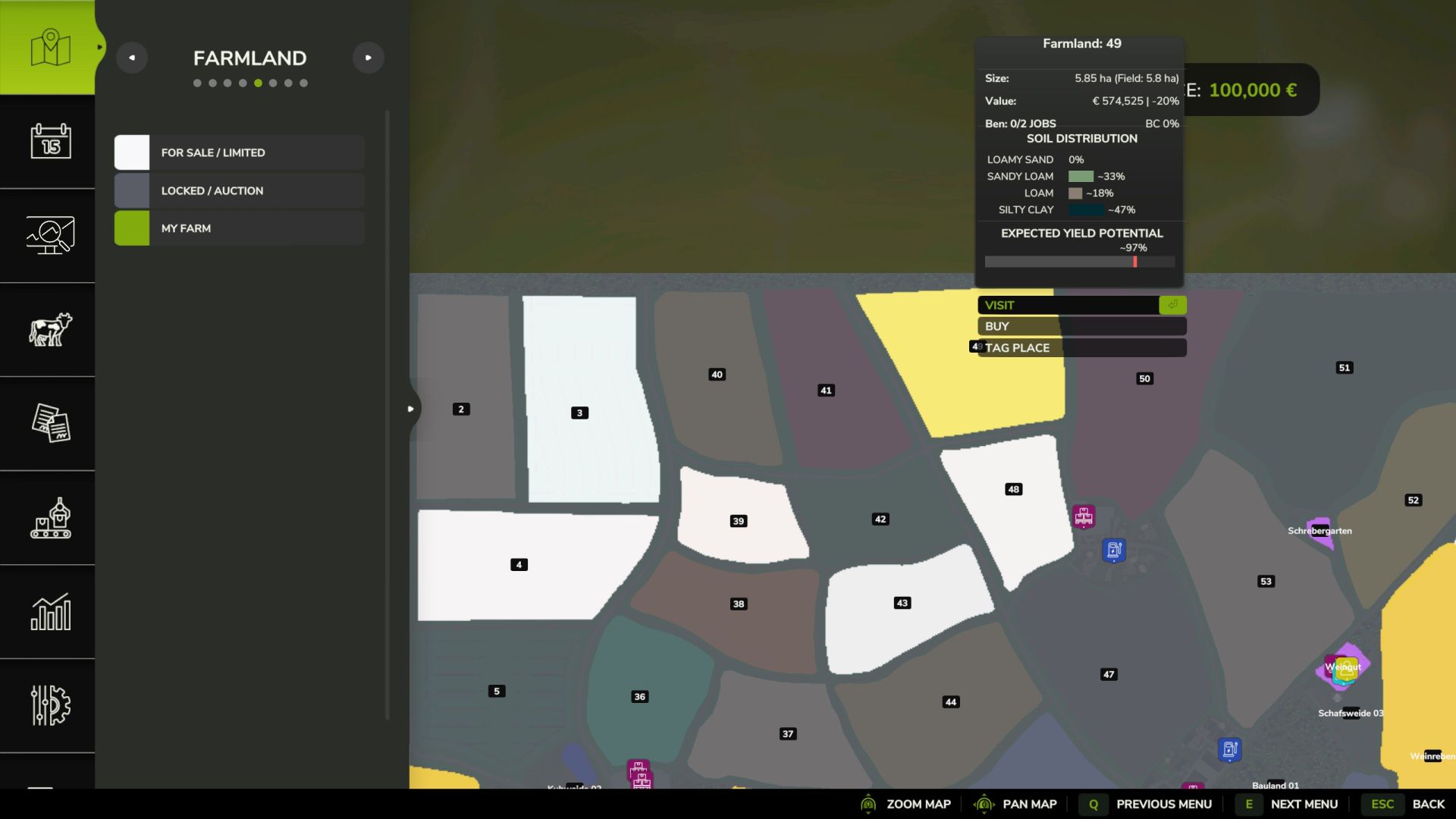
PHANTOMAS SAVAGE FARMLAND MARKET Turn the native Farmland screen into a living, volatile property market where land availability, prices, NPC loyalty and auctions change every day. Land is no longer permanently available simply because you have enough money. Every midnight, Savage Farmland Market generates a new market with fresh opportunities, temporary locks, premium prices, rare discounted listings and high-risk auctions. IMPORTANT: AUCTION THINKING PAUSE After every player bid, there is an intentional random pause of approximately 1.8 to 5 seconds before the NPC bidders respond. The game has not frozen and the auction is not broken. This pause represents the NPC bidders considering their next move. Wait for the next counteroffer or the winning result and do not repeatedly press the auction button while they are thinking. DAILY RNG MARKET - Every midnight, the complete land market is regenerated automatically. - Between 60% and 95% of all eligible native farmlands becomes temporarily locked. - Purchased land remains protected, but still counts toward the map-wide calculation. - Available land receives a stable daily premium above the map's original value. - Prices, availability and requirements remain unchanged until the next midnight roll. - The complete daily market state is saved with your career. NPC LOYALTY AND MISSIONS - Standard listings require a random 1 to 5 completed jobs for the NPC seller. - Rare gold limited offers require a random 1 to 10 completed jobs. - Limited offers receive an additional Savage discount. - Required job progress is consumed after purchasing the land, so the mission system remains useful throughout the savegame. - The mod keeps its own NPC job history and also supports Better Contracts. - When Better Contracts is installed, its loyalty discount can stack with standard and gold limited listings. SAVAGE AUCTIONS - Between 5% and 15% of the currently locked land becomes purple auction land. - Opening bids begin at only 45% to 75% of the original map value, not the inflated daily Savage price. - Every auction generates 1 to 5 named NPC bidders. - NPC maximum budgets remain hidden. - The auction secretly receives one of three moods: Cold Room, Competitive Floor or Bidding War. - Auctions can last between 3 and 8 rounds. - Every player or NPC bid increases by a random 3% to 8%, with a minimum increase of 5,000 EUR. - Every time an NPC successfully outbids you, a random failed-bid fee between 5,000 and 25,000 EUR is charged immediately. - The dialog shows the exact latest fee and your total losses for the current auction. - Withdrawing does not charge a second fee on top of the failed-bid fees already paid. - Better Contracts discounts and loyalty consumption are intentionally disabled during auctions. MAP PRESENTATION - Light farmland: currently listed for sale. - Charcoal farmland: market locked until the next roll. - Gold farmland: limited discounted offer. - Purple farmland: Savage Auction. - Farmland number colors follow the same market status. - Context cards display the current price, Savage discount, required jobs, NPC progress and Better Contracts loyalty information. - Selecting land from the Crop Types map keeps the original game behavior. Purchase information is shown only in the Farmland section. AUDIO AND VISUAL FEEDBACK - Separate original sounds for normal purchases, limited offers, player bids, NPC outbids, auction victories and auction losses. - Standard purchases display a SOLD stamp. - Gold limited purchases trigger a cash-register celebration with confetti. - Auction victories display SOLD with confetti. COMPATIBILITY - Better Contracts is optional and supported for standard and limited land purchases. - PHANTOMAS Land Survey & Claims is a separate independent mod and is not required. - Do not combine this mod with another mod that directly changes native farmland availability or farmland prices. - Designed for single-player. - Multiplayer has not been tested. - English only. INSTALLATION Place the ZIP file directly inside your FarmingSimulator2025/mods folder. Do not extract it. Activate PHANTOMAS Savage Farmland Market when loading your savegame. VERSION 0.2.1.0 - Reduced auction generation to 5-15% of locked land. - Added exact failed-bid fee and total-loss information. - Added the 1.8-5 second NPC thinking delay between auction rounds. - Added visual SOLD, cash-register and confetti purchase effects. - Added six distinct market and auction sound cues. - Added a new high-contrast installation icon. Author: PHANTOMAS 😀
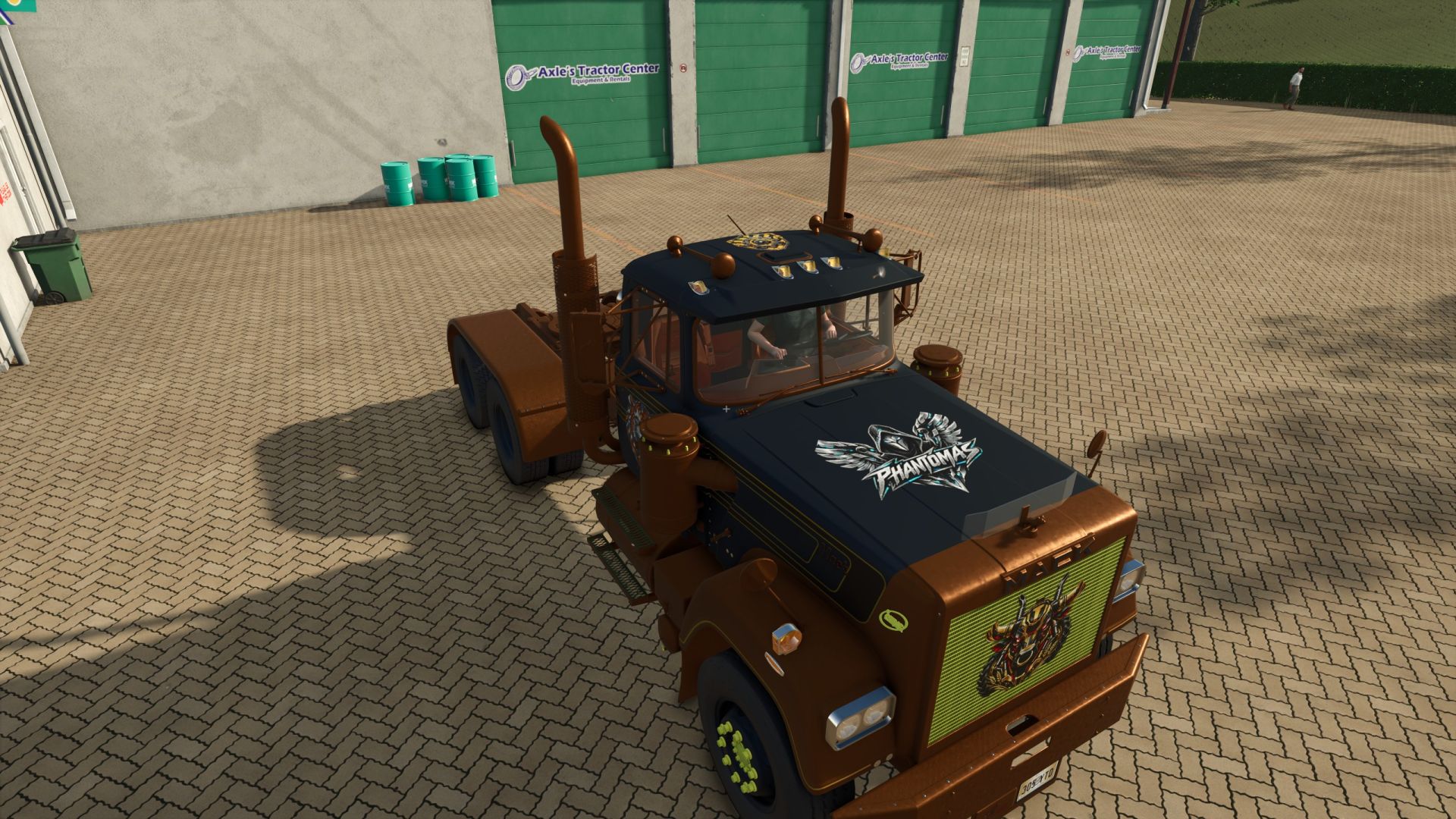
Paint & Decal Studio FS25
PHANTOMAS Paint & Decal Studio paints EVERY paintable material on a vehicle - not just the handful of colour slots the vehicle maker exposed.even not paintable vehicles. Enable "PHANTOMAS Paint Studio" in the shop or workshop to open the studio. The LIST contains full paint presets: every curated shade is available in Glossy, Metallic and Matte, with additional Pearl, Candy, Chrome and Galvanized selections. Use any RGB colour, premium finishes and more than twenty original patterns. Switch to the per-part tree for independent left/right material-slot control. Cycle an extensive collection of curated whole-vehicle themes with STYLE PRESET or generate a four-role chromatic combination with SURPRISE. Applying paint costs an adjustable fee, and every design survives buying, saving, workshop changes and multiplayer. Version 3.1 adds the first visual Decal Library. Open DECAL STUDIO to replace the paint rail with a clean thumbnail catalog and choose PHANTOMAS Emblem, Spectral Wolf, Mechanical Raven or Harvest Crown. The shop camera stays completely native while browsing: Alt + left drag rotates it and plain mouse wheel zooms. Shift + mouse wheel adds a precision close-up range for detailed decal placement and returns cleanly to the native field of view when the studio closes. Decal commands are armed only while Left Ctrl is held. Ctrl + left-click places the chosen design; Ctrl + right-click selects an existing decal for editing. Middle-mouse drag uses Surface Snap and follows detected vehicle panels; large false jumps through render-only panels are rejected. Ctrl + middle-mouse drag provides Free Move without raycasting or changing decal orientation, allowing positioning over aluminium boxes and other visual-only body panels. Shift + middle-mouse drag tilts freely on two axes. Placement rays ignore existing PHANTOMAS decals and showroom geometry. Ctrl + wheel resizes, Ctrl + Shift + wheel rotates on the surface, Ctrl + Alt + wheel adjusts depth, and Ctrl + Shift + right-click deletes. Rotation and both tilt angles are shown live in the library and persist through buying, saving and multiplayer. Decals are rendered double-sided so glass-mounted designs remain visible from both outside and inside the cab. Clicking a catalog thumbnail exits the current edit and prepares that design for placement. No vehicle I3D edit is required. Every design follows the selected vehicle component. Version 3.2 introduces the Layer Manager. Every applied decal appears in a paged visual list and can be selected without clicking the vehicle, reordered for clean overlap, hidden, locked against accidental edits, duplicated or deleted. Layer visibility, protection and order persist with purchased vehicles, savegames and multiplayer. Version 3.2.1 keeps Cyber Phoenix as a premium 4K decal and adds one-click MIRROR in Layer Manager. MIRROR creates a matching copy across the vehicle's central left/right axis while preserving design, size, rotation and tilt. The mirrored copy is selected immediately for final surface adjustment. Version 3.3 adds Livery Presets. Six model-specific slots store and restore the complete current design in one action: every custom colour, finish, material pattern and decal layer. Presets are kept in the current savegame and can be overwritten or deleted directly from the new LIVERIES tab. Version 3.4 introduces Decal Packs. The DECALS tab now browses named packs and pages without crowding the studio. Its catalog is loaded from decals/decalPacks.xml, so future decals require only their DDS, thumbnail, I3D and one catalog entry; rendering and GUI scripts remain untouched. Existing decal IDs and saved vehicles remain fully compatible. Version 3.5 fills the studio with ten new original 4K decals: Diesel Bull, Golden Harvest, Mud Tracks, Twin Turbo, Cyber Tiger, Cyber Stallion, Mech Eagle, Gear Shield, Reactor Skull and Wheat Pinstripe. The collection is organised into Farming, Racing, Animals, Industrial and Ornaments packs. Every new asset includes a lightweight thumbnail and loads its full-resolution texture only when used on a vehicle. Version 3.6 rebuilds Paint Studio with a premium header and permanent STYLE, SURPRISE and PARTS controls. Whole-vehicle styles now reach every safe paintable part instead of inheriting the Advanced-list visibility filter, use a fourth semantic detail role and report their coverage live. Eight new chromatic templates and twenty-one exotic Pearl, Candy, Satin and coloured-Chrome finishes expand the palette. PHANTOMAS edition. Based on the original Manual Paint project by Robin (diod.es). Version 3.8 expands the premium finish system with Diamond Flake, Prismatic Pearl, Ceramic Gloss, Velvet Matte and Stardust Metallic paint. Twenty-six new one-click shades and twelve new whole-vehicle style templates combine these finishes. Three original premium decals expand the Signature, Farming and Racing collections. Used Machinery integration remains optional The shop camera stays completely native while browsing: Alt + left drag rotates it and plain mouse wheel zooms. Shift + mouse wheel adds a precision close-up range for detailed decal placement and returns cleanly to the native field of view when the studio closes. Decal commands are armed only while Left Ctrl is held. Ctrl + left-click places the chosen design; Ctrl + right-click selects an existing decal for editing. Middle-mouse drag uses Surface Snap and follows detected vehicle panels; large false jumps through render-only panels are rejected. Ctrl + middle-mouse drag provides Free Move without raycasting or changing decal orientation, allowing positioning over aluminium boxes and other visual-only body panels. Shift + middle-mouse drag tilts freely on two axes. Placement rays ignore existing PHANTOMAS decals and showroom geometry. Ctrl + wheel resizes, Ctrl + Shift + wheel rotates on the surface, Ctrl + Alt + wheel adjusts depth, and Ctrl + Shift + right-click deletes.


Passenger Seat In Singleplayer FS25
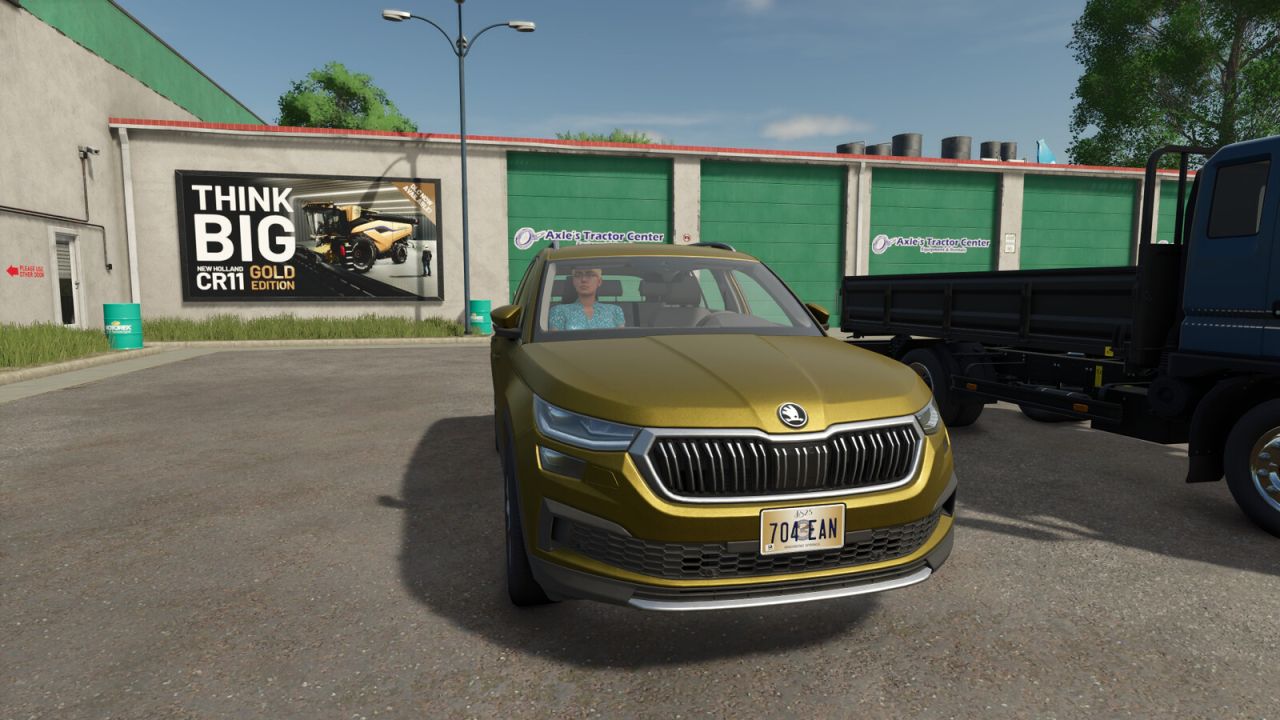
Do you prefer to play Farming Simulator 25 on your own, but don't want to miss out on the lively cabins and passenger seats in the game? This mod finally unlocks the passenger feature for your single-player career as well! By default, the game’s passenger seats are only available in multiplayer mode. With this mod, they’re permanently enabled for single-player. Simply switch to the passenger seat of your vehicle to ride along with your helpers, or enjoy a more realistic atmosphere while working in the fields and on transport runs. Seamless Integration: Accesses the in-game passenger system directly—without unnecessary overhead or performance losses. High Compatibility: Works with both stock vehicles and modded vehicles that support the passenger system.
Shop Vehicle Actions FS25
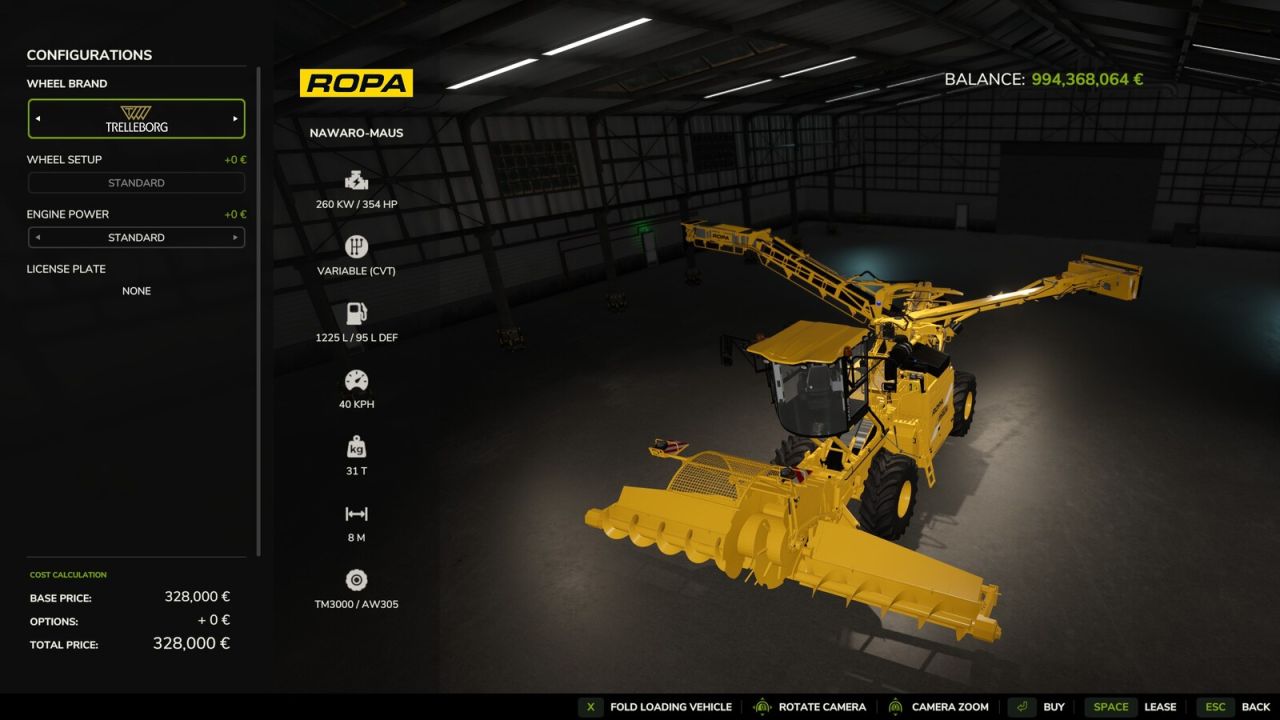
This mod adds actions to the configuration view in the shop for folding the unit and operating the pipe and cover. It uses the same key bindings as those used for operating the equipment in-game, and any custom key bindings are also respected. This mod is designed for anyone who wants to view the implement or vehicle in the shop in its unfolded state—with the pipe extended or the cover open—without having to purchase it first. The current state is maintained as you continue configuring the implement or vehicle. The mod creates a file in the "modSettings" folder where all mod devices and all DLC devices that have not yet been scanned by me that support these functions are listed. The default path is as follows: "C:\Users\*YourUsername*\Documents\My Games\FarmingSimulator2025\modSettings\FS25_ShopVehicleActions" If there are problems with mod devices or with future DLC devices, the unfolding can be deactivated in this file or reactivated if necessary.
Double Cropping System FS25
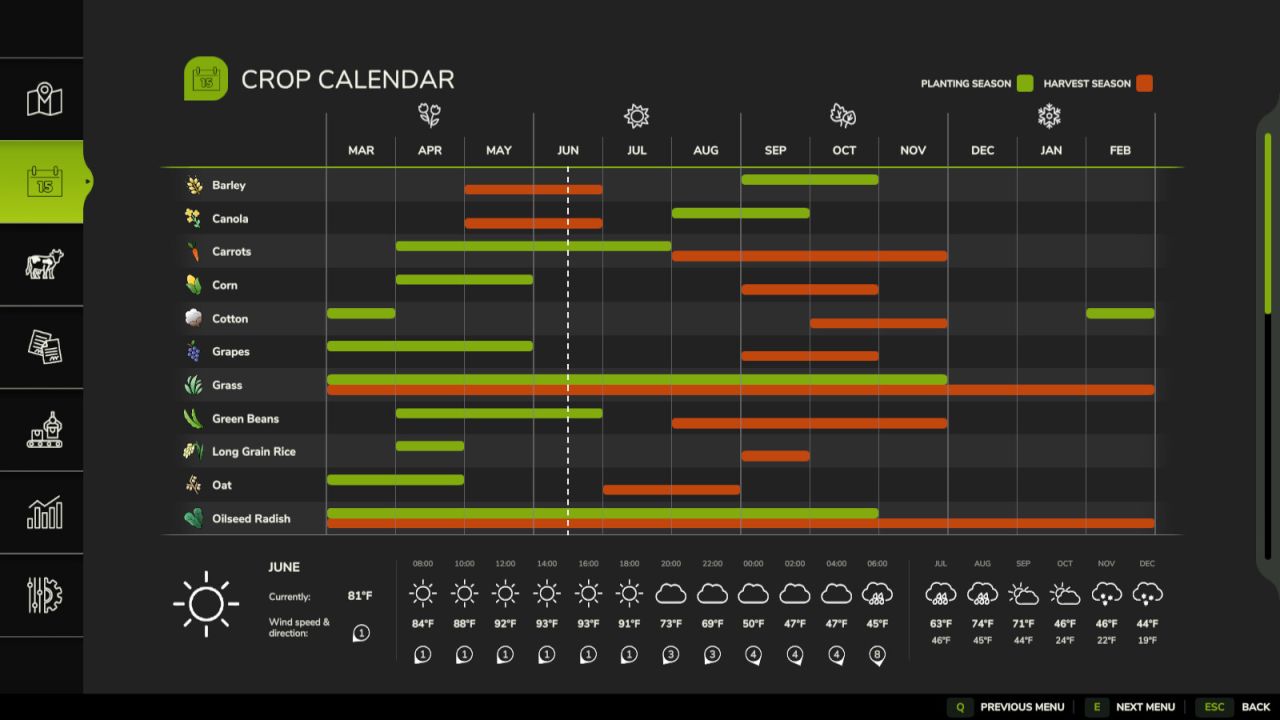
Increase the productivity of your farm with realistic U.S.-style double cropping. This mod reworks the seasonal crop calendar, allowing you to harvest select winter crops and plant a second crop in the same field during the same growing season. Plan your crop rotations carefully to maximize the use of every acre while maintaining a realistic farming schedule. Features: - Realistic double-cropping crop calendar - Revised planting and harvest windows for Wheat, Barley, Canola, Soybeans, Sorghum, and Corn - Harvest winter crops in late spring and early summer before planting a second crop - Soybeans and Sorghum are optimized for double-crop rotations following Wheat, Barley, or Canola - Corn follows a traditional full-season spring planting schedule - Built entirely on Farming Simulator 25's existing crop system without adding new crop types Crop Calendar: Winter Crops - Wheat - Harvest: June - Barley - Harvest: May-June - Canola - Harvest: May-June Summer Crops - Soybeans - Plant: June-July | Harvest: October-November - Sorghum - Plant: June-July | Harvest: October-November - Corn - Plant: April-May | Harvest: September-October Whether you're looking for increased realism or simply want to get more out of every field, Double Cropping adds new strategic opportunities while preserving the familiar Farming Simulator 25 gameplay experience. Notes: - Supports Singleplayer and Multiplayer - Compatible with existing savegames - New savegames automatically begin in June to match the revised crop calendar - No new crops or fill types are added - Not compatible with other mods that change the seasonal crop calendar (e.g. Regional Crop Calendar) - both mods edit the same crop growth data and will conflict
- 15 per page
- 30 per page
- 45 per page
- 60 per page
-
See more per page
Bigger pages, fewer clicks - and no ads anywhere.
Go Pro