Farming Simulator 19 mods
55,138 results- 15 per page
- 30 per page
- 45 per page
- 60 per page
-
See more per page
Bigger pages, fewer clicks - and no ads anywhere.
Go Pro

MV2 027 v1.0 FS19
MV2 027 v1.0 FS19 MV2 027 trailer mod for Farming simulator 19 game, pc version only. Capacity 11000 and 20000 liters Price: 3000 Brand: STS Type: Trailers Credits:Happy_M0le
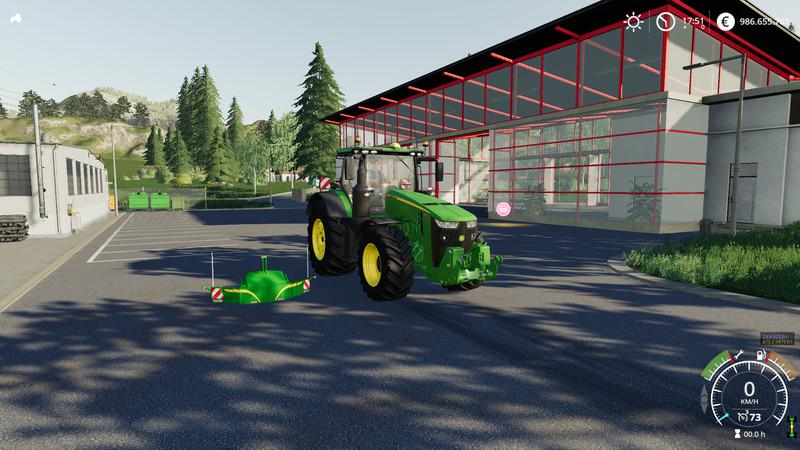
John Deere Series 8R LimitedEdition v1.0 FS19
John Deere Series 8R LimitedEdition v1.0 FS19 I have changed the JohnDeere 8R on request something, 3 motors were added 600, 730 and 1250PS, the weight was increased by about 5t, the sound has been adjusted and a SafetyWeight is in the pack Everything comes JohnDeere color as standard, the JohnDeere but has a complete color choice including Snu Edition color 🙂 Credits:Modell: GIANTSTextur: muenny, TeddyschlumpfIdee / Konzept: muenny, TeddyschlumpfTester: muenny, Teddyschlumpf
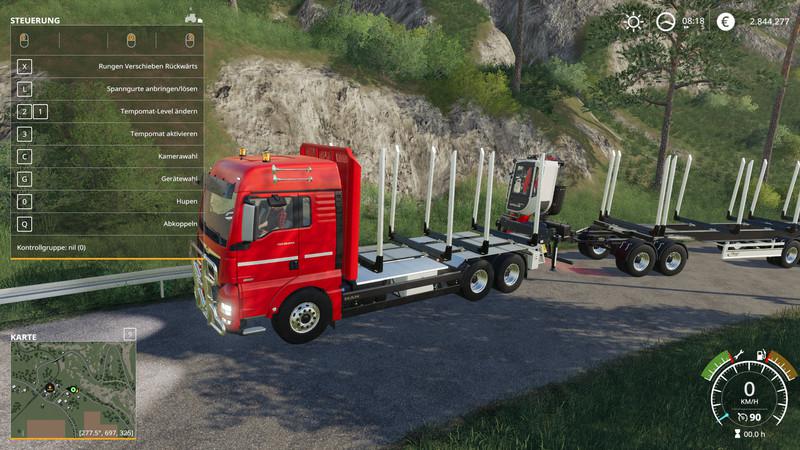
MAN TGX Holz LKW v1.0.0.0 FS19
MAN TGX Holz LKW v1.0.0.0 FS19 Bull catcher configurable Motor power increased Wheel color inserted Flashing lights inserted Model: Giants Texture: Giants Script: Giants Idea / Concept: Giants / Ap0lLo Tester: Ap0lLo Credits:Ap0lLo
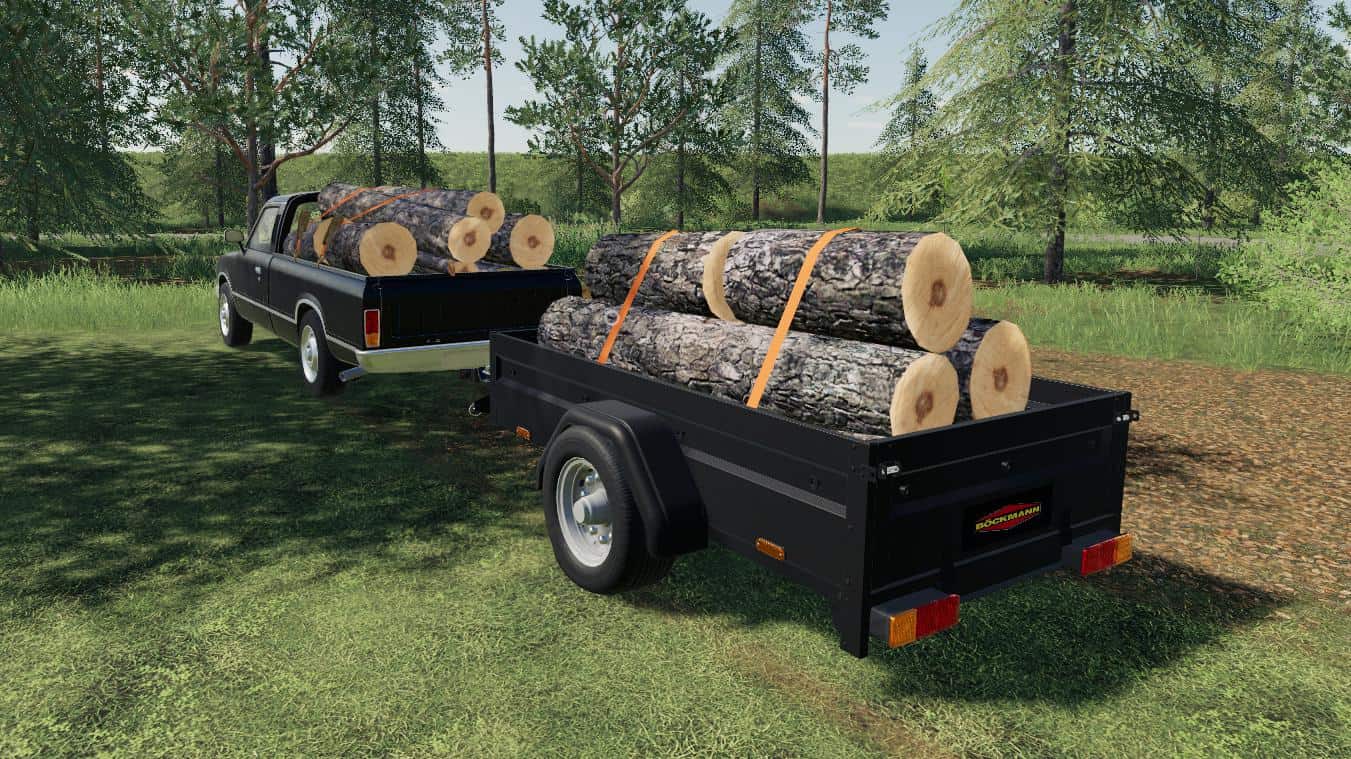
Boeckmann Car Trailer v1.2.0.1 FS19
Boeckmann Car Trailer v1.2.0.1 FS19 This is a simple trailer to load many things for Farming simulator 19 Combination: Pickup 1978 / 2014 Price: 7000 Brand: BOECKMANN Credits:Giants, Lowel
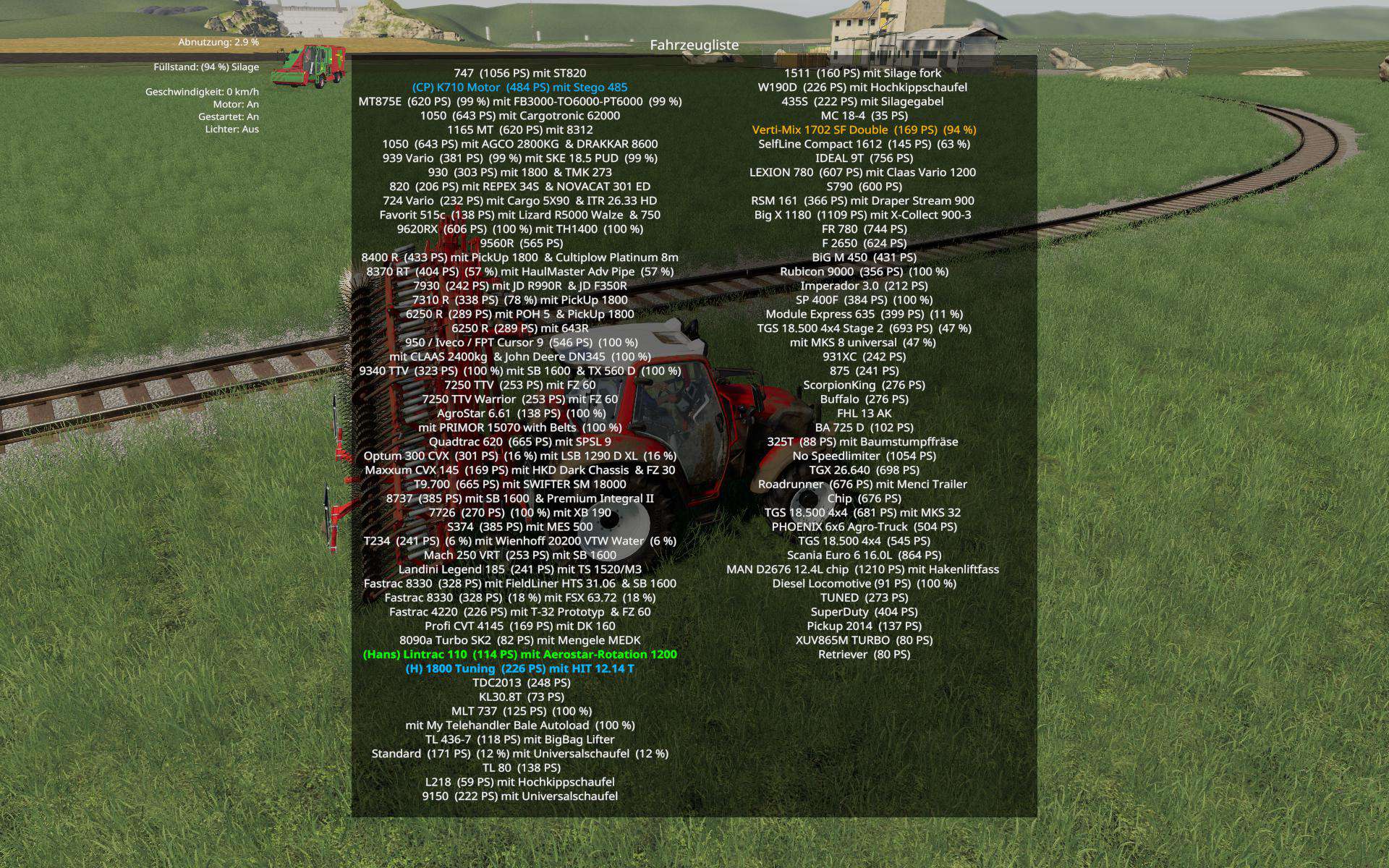
VehicleExplorer v0.9.0.2 Mod
VehicleExplorer v0.9.0.2 Mod **This is a revamp of the good old VehicleSort from FS17** ## Latest Version 0.9.0.2 – I consider it as Beta. I tested it quite a lot myself, but hope for some helpful feedback from the community. For beginners: VehicleExplorer helps you organize your vehicles, by showing you a list which can be organized, well, sorted by you. Besides that it has a couple of additional functionality. See below. ### Features * List of all steerable vehicles (Specialization: Enterable) * Set a customer order for your vehicles * Your order is saved in the default vehicles.xml, so no additional clutter * Enter your vehicles directly with a click of a (mouse) button * This is meant literally, see known issues * Park your vehicles, so that a switch of vehicles via Tab ignores them * Repair vehicles and its implements * Displaying a store image next to the list * Info box with additional informations * Motor on/off, turned on/off (for e.g. harvester) and light status is saved and restored * Different colors in the list if a vehicle is selected, or currently used by a helper/Courseplay * Config Menu * Config is saved per savegame within modsSettings/VehicleExplorer/savegameX * Show/hide trains in the list * Show/hide station cranes in the list (No idea if that actually works, would need a map with a crane to test) * Show/hide steerable implements/trailers (e.g. forwarder trailer with crane) * Show/hide brand names in the list * Show/hide your own name when you enter a vehicle * Show/hide horse power in the list * Show/hide fill levels in the list * Show/hide implements in the list * Show/hide store images * Show/hide infobox * Change text size * Change list background transparency * Enable/disable saving of the additional vehicle status (motor, turnedOn, lights) * Show/hide keybindings in the game F1 help menu (needs a game restart to take affect) ### Known issues * Although you can change all the keyboard bindings, the mouse actions are hardcoded for now * Left mouse click: Enter vehicle * Right mouse click: Select vehicle (to e.g. move it) * Right mouse click: Change value in the config menu * Mouse wheel: Selection up/down in list * The actual ‘tab order’ of vehicles is not changed * Metric measuring units are used * Chaining for implements * For now just the directly attached implements get respected. This means for repair and the info box just a e.g. trailer is recognized, but not a trailer which is attached to another trailer * Max of three columns. If you’ve more vehicles (which would be insane anyways , just disable the display of brand name etc * A wrong value for horse power is displayed for trains * Sometimes selling or resetting a vehicle is causing a flickering of the vehicle list. I’ve already an idea why, just have to look more into it. As a workaround you just have to move any vehicle a position up or down, then a reshuffle is triggered and the list is rendered properly again. ### Incompatible Mods * SpeedControl (to be fixed) ## Default Keybinding KeyPad 0 -> Show/hide vehicle list KeyPad Minus -> Show/hide config menu KeyPad Enter -> Enter vehicle KeyPad Plus -> Toggle parking KeyPad 5 -> Select item (for moving the vehicle) or to change values in the config KeyPad 8 -> Move up in the list/config KeyPad 2 -> Move down in the list/config 1 -> Move up fast in the list/config 2 -> Move down fast in the list/config LAlt + R -> Repair vehicle incl. implements Mouse Left: Enter vehicle Mouse Right: Select item/change values in config Mouse Wheel: List up/down ## Note that the current version does NOT support multiplayer! Quite frankly, I’ve no idea about the MP code needed and also no possibility to test it. Actually I think it shouldn’t be a big deal, and maybe it already works by just changing the MP setting in the moddesc.xml from false to true. I assume just the parking possibility has an impact to MP.
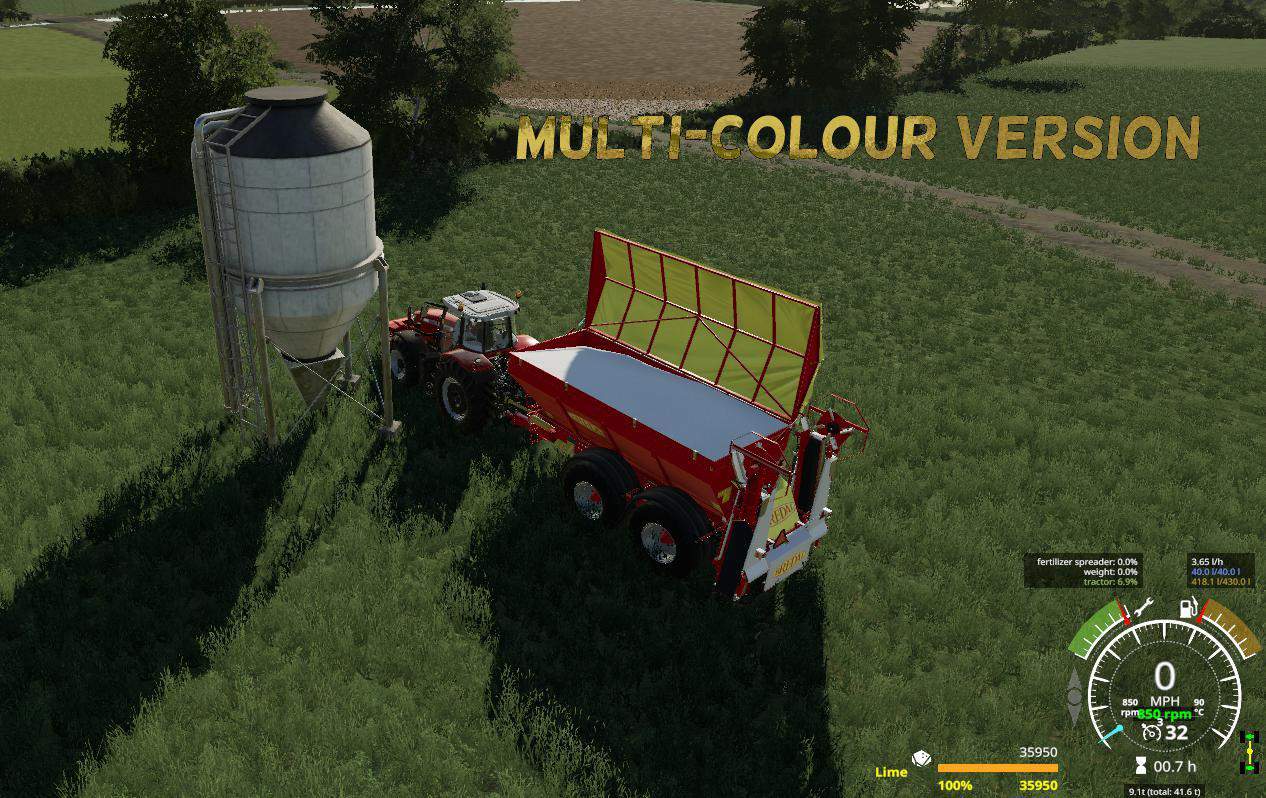
BREDAL K165 LIME SPREADER v1.1 Mod
BREDAL K165 LIME SPREADER v1.1 Mod BREDAL K165 XL (Multi-Colour version) Extra Large Capacity Hopper of 35950. Now you have lots of colour to choose from. I hope you Enjoy my mod.
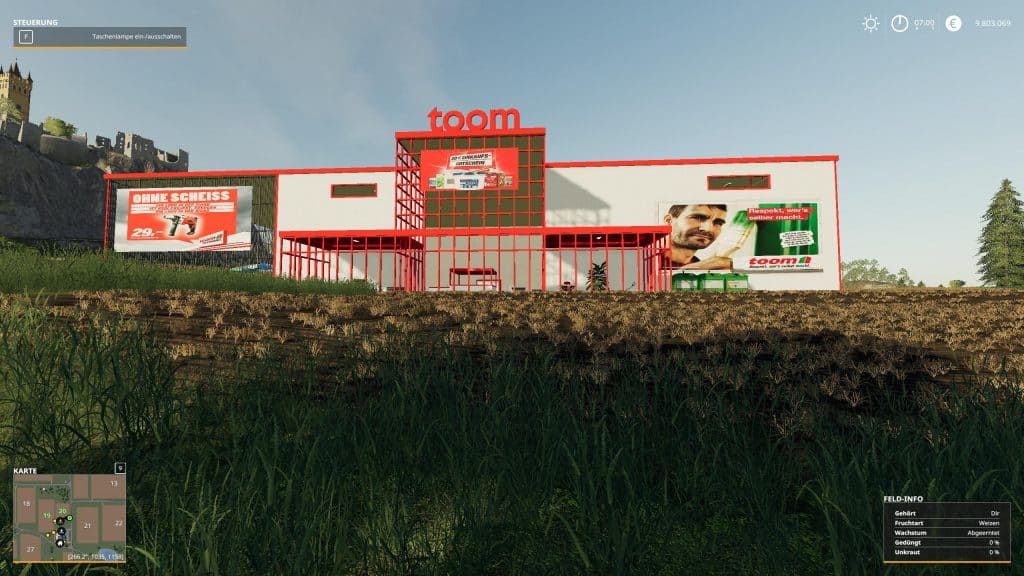
Toom Baumarkt 2019 v1.0.0.0 Mod
Toom Baumarkt 2019 v1.0.0.0 Mod Sales point for wood chips As can be seen on the signs at the entrance and at the goods reception, there are opening hours. Goods acceptance: 8-18 o’clock Entrance: 8-22 clock At these times the gates open and close automatically. The inner doors have to be opened by hand. Note: If you place the building during the opening hours, you have to wait until the next day to open the doors and gates, as the technician must first program the times. The mod necessarily needs game patch 1.3

BENNE LAIR TRAILER v1.0 FS19
BENNE LAIR TRAILER v1.0 FS19 Here is the air dump, the features: – 2 axles – 3 configurations of sideboards: – no sideboard – Grain sideboards – silage side walls Credits:JFAGRI

Beveugeoise Map
Beveugeoise Map Hello everyone, I will make you available this map in dl called the beveugeoise. I made it from a to z for you. For those who are in an average setting on their game, it will be necessary to use the map in.
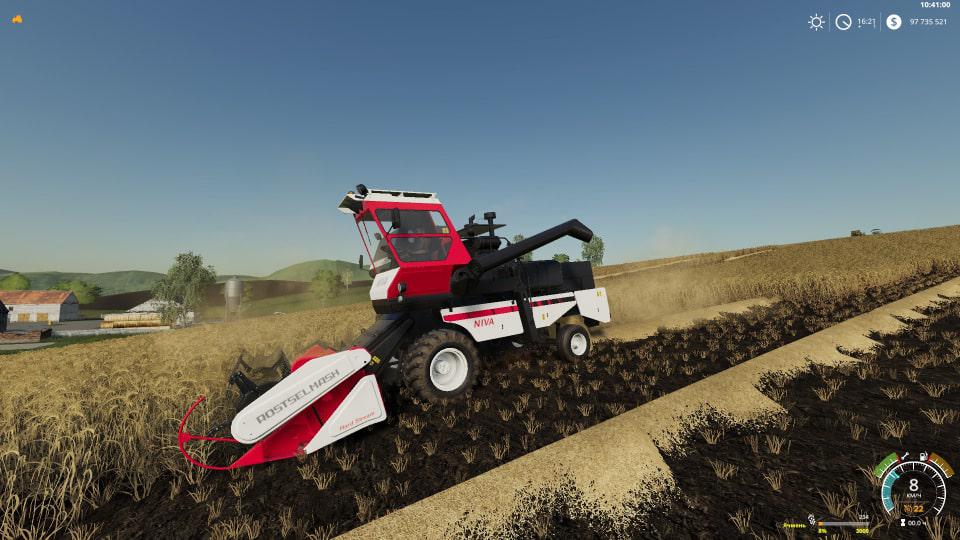
ROSTSELMASH NIVA EFFECT v1.0.3 Mod
ROSTSELMASH NIVA EFFECT v1.0.3 Mod Combine harvester. Price – 62 000, header – 12 500. Two engines to choose from: 145 and 155 hp The maximum speed is 22 km / h, the rear speed is 15 km / h, and the working speed is 8 km / h. Bunker – 3,000 liters. Tank – 300 l. Work light. Soiled and washed. The effect of aging. Floating header, will not hang on bumps. Rear axle is not separate. Claims to the Giants. The price is too high for balance, since the new combine in Russia costs 38,000 Euros. Do not judge strictly! I am a converter, I’m just learning! Changes v 1.0.3: Changed speculators on the advice of Lace. Now there is not much dirt, and the paint from old age cannot be completely covered. Changes v 1.0.2: Fixed unloading auger and its particle. Fixed varnings around the world and belts. Now the log is clean. Changes v 1.0.1: Fix pipe auger. Should help when unloading in high trailers.
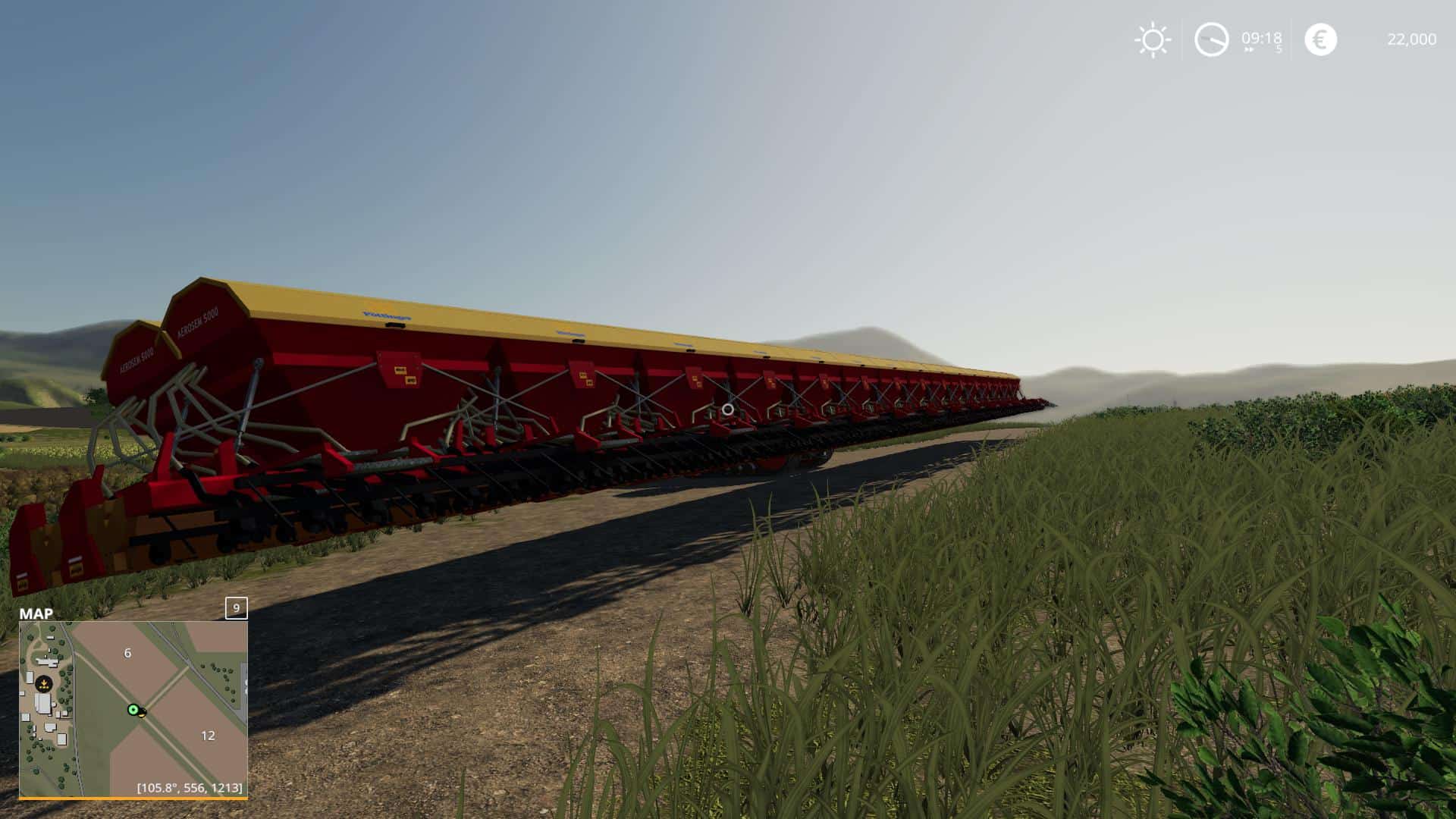
Aerosem 5000 v0.99 Beta Mod
Aerosem 5000 v0.99 Beta Mod Aerosem 5000 for Farming simulator 19 Needed Power: 150 Working Width: 38.4 Brand in shop: POETTINGER

Claas Lexion 670 Pack v1.0.0.0 Mod
Claas Lexion 670 Pack v1.0.0.0 Mod Hello, I present you my next project for FS2019, Claas Lexion 670. This is the first version and I hope you like it. Have a nice game. Mod Features: *Real color textures *Full Washable *Wearable *Repairing mod *Logo configurations(4 types) *Animated Joystick *Numbers configurations *Movable rear axle *2 types Tires(Trelleborg and Michelin) with new rims *Configuration Terra Trac wheels *Many moving works parts *Folding Grain Tank *Working lights, turn signals, brake lights *Amortivating seat *Animated hydraulic *Speedometer and tachometer *Moving tips on the display *Dust, tire tracks *Working Particle System *Many other animations… *Log is clean In pack: Claas Lexion 670 Claas Vario V750 and V900 Claas Conspeed Claas Cutter Trailer

VehicleExplorer v0.9.0.1 Mod
VehicleExplorer v0.9.0.1 Mod **This is a revamp of the good old VehicleSort from FS17** For beginners: VehicleExplorer helps you organize your vehicles, by showing you a list which can be organized, well, sorted by you. Besides that it has a couple of additional functionality. See below. ### Features * List of all steerable vehicles (Specialization: Enterable) * Set a customer order for your vehicles * Your order is saved in the default vehicles.xml, so no additional clutter * Enter your vehicles directly with a click of a (mouse) button * This is meant literally, see known issues * Park your vehicles, so that a switch of vehicles via Tab ignores them * Repair vehicles and its implements * Displaying a store image next to the list * Info box with additional informations * Motor on/off, turned on/off (for e.g. harvester) and light status is saved and restored * Different colors in the list if a vehicle is selected, or currently used by a helper/Courseplay * Config Menu * Config is saved per savegame within modsSettings/VehicleExplorer/savegameX * Show/hide trains in the list * Show/hide station cranes in the list (No idea if that actually works, would need a map with a crane to test) * Show/hide steerable implements/trailers (e.g. forwarder trailer with crane) * Show/hide brand names in the list * Show/hide your own name when you enter a vehicle * Show/hide horse power in the list * Show/hide fill levels in the list * Show/hide implements in the list * Show/hide store images * Show/hide infobox * Change text size * Change list background transparency * Enable/disable saving of the additional vehicle status (motor, turnedOn, lights) * Show/hide keybindings in the game F1 help menu (needs a game restart to take affect) ### Known issues * Although you can change all the keyboard bindings, the mouse actions are hardcoded for now * Left mouse click: Enter vehicle * Right mouse click: Select vehicle (to e.g. move it) * Right mouse click: Change value in the config menu * Mouse wheel: Selection up/down in list * The actual ‘tab order’ of vehicles is not changed * Metric measuring units are used * Chaining for implements * For now just the directly attached implements get respected. This means for repair and the info box just a e.g. trailer is recognized, but not a trailer which is attached to another trailer * Max of three columns. If you’ve more vehicles (which would be insane anyways 😉 , just disable the display of brand name etc * A wrong value for horse power is displayed for trains * Sometimes selling or resetting a vehicle is causing a flickering of the vehicle list. I’ve already an idea why, just have to look more into it. As a workaround you just have to move any vehicle a position up or down, then a reshuffle is triggered and the list is rendered properly again. ## Default Keybinding KeyPad 0 -> Show/hide vehicle list KeyPad Minus -> Show/hide config menu KeyPad Enter -> Enter vehicle KeyPad Plus -> Toggle parking KeyPad 5 -> Select item (for moving the vehicle) or to change values in the config KeyPad 8 -> Move up in the list/config KeyPad 2 -> Move down in the list/config 1 -> Move up fast in the list/config 2 -> Move down fast in the list/config LAlt + R -> Repair vehicle incl. implements Mouse Left: Enter vehicle Mouse Right: Select item/change values in config Mouse Wheel: List up/down ## Note that the current version does NOT support multiplayer! Quite frankly, I’ve no idea about the MP code needed and also no possibility to test it. Actually I think it shouldn’t be a big deal, and maybe it already works by just changing the MP setting in the moddesc.xml from false to true. I assume just the parking possibility has an impact to MP. ## Latest Version 0.9.0.1 – I consider it as Beta. I tested it quite a lot myself, but hope for some helpful feedback from the community.
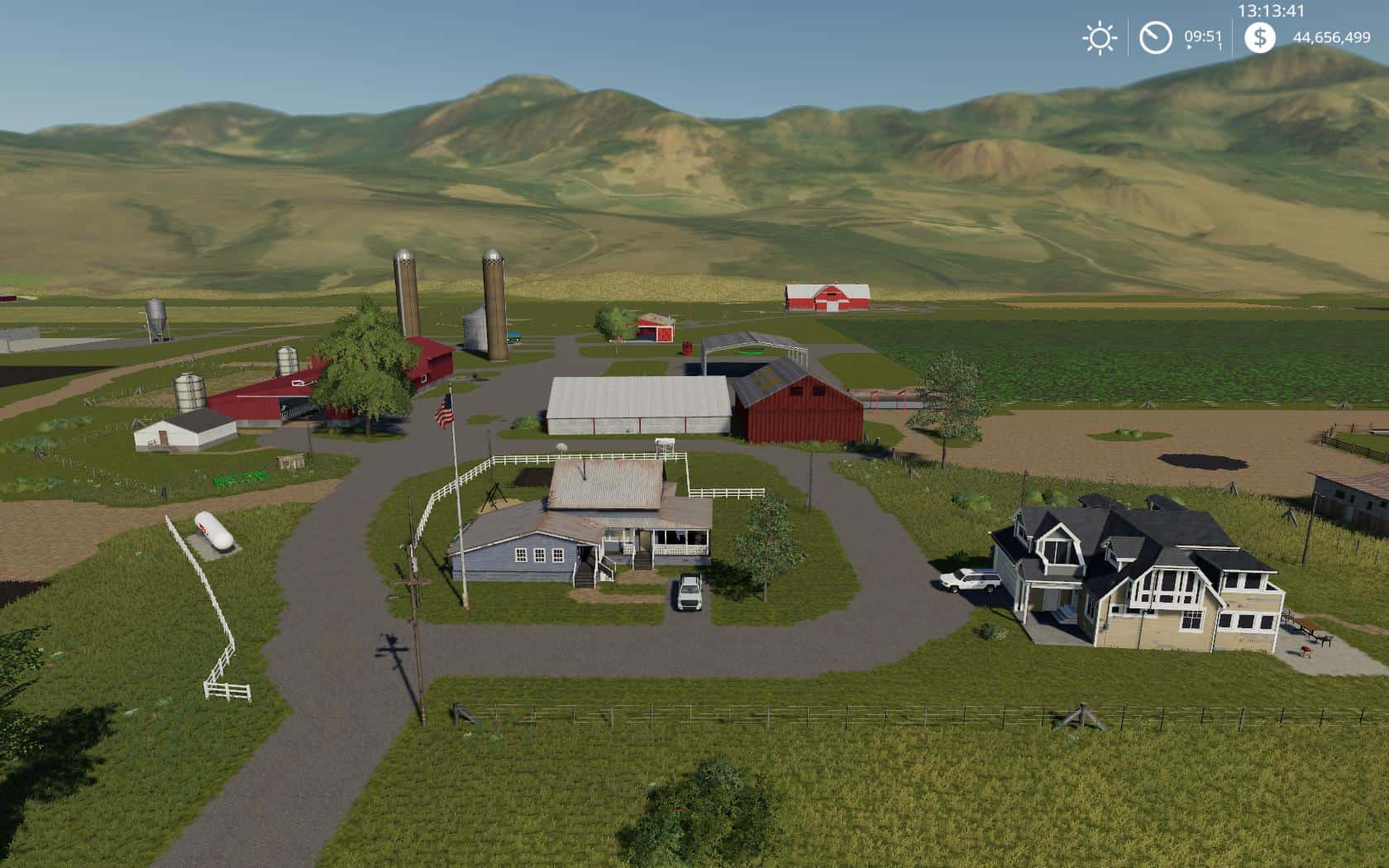
Jones Dairy Farm v1.0.0.0 Map
Jones Dairy Farm v1.0.0.0 Map Welcome to Jones Dairy Farm, This map was inspired from a real life working dairy farm in the United States. In new farmer mode you start off with 4 fields to work with. The fields are medium to large in size, there is a custom cow meadow, sounds custom farm house and more. Although the area did not have logging we did put some in for you loggers out there. What are you waiting for grab your tractor and get to work.
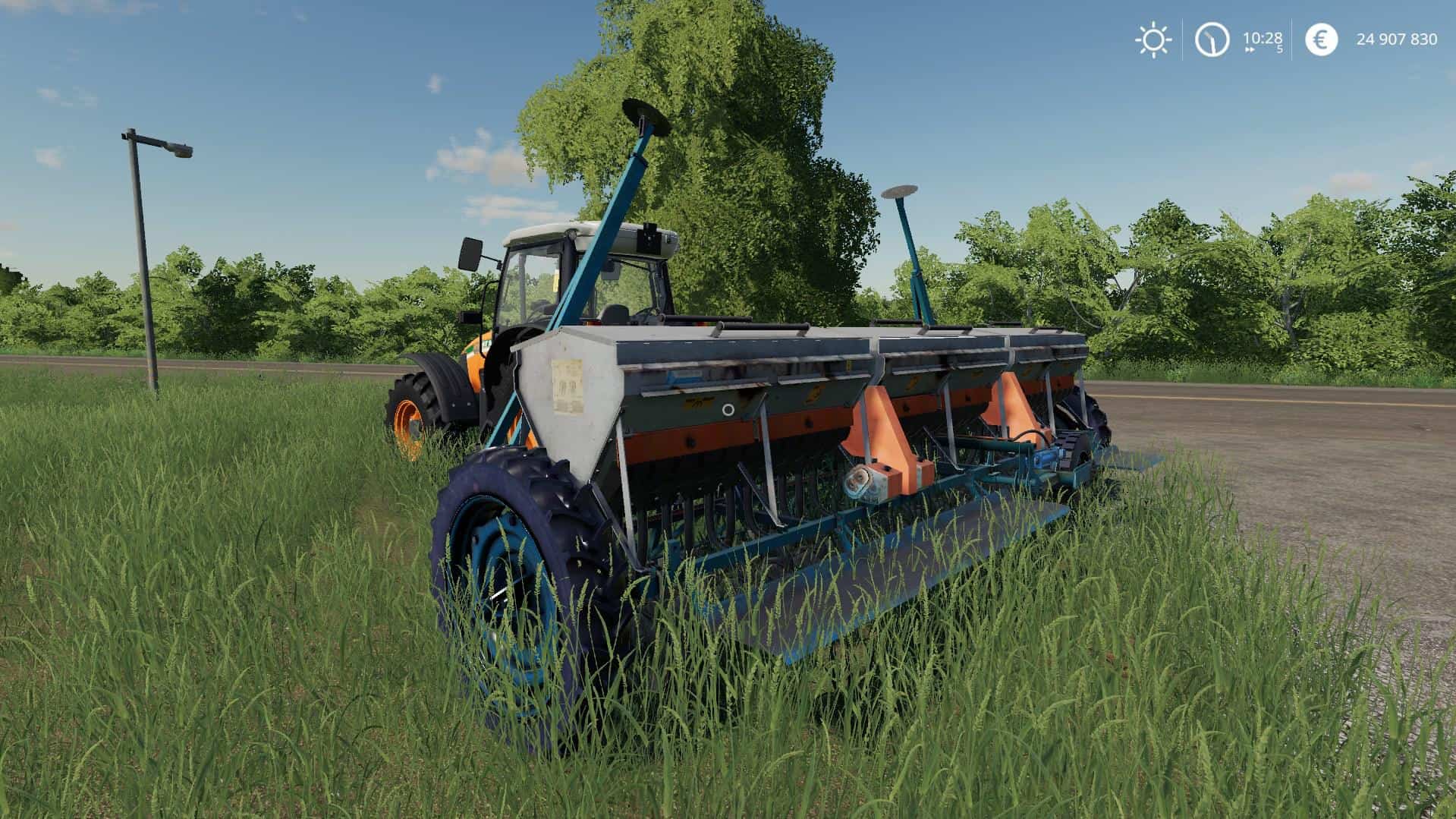
Chervona Zirka SZT-5.4 v1.0.0.0 Mod
Chervona Zirka SZT-5.4 v1.0.0.0 Mod Chervona Zirka SZT-5.4 seeders for Farming simulator 19 Needed Power: 80 Working Width: 5.4 Price: 550 Brand: CHERVONAZIRKA
- 15 per page
- 30 per page
- 45 per page
- 60 per page
-
See more per page
Bigger pages, fewer clicks - and no ads anywhere.
Go Pro