Farming Simulator 19 mods
55,193 results- 15 per page
- 30 per page
- 45 per page
- 60 per page
-
See more per page
Bigger pages, fewer clicks - and no ads anywhere.
Go Pro
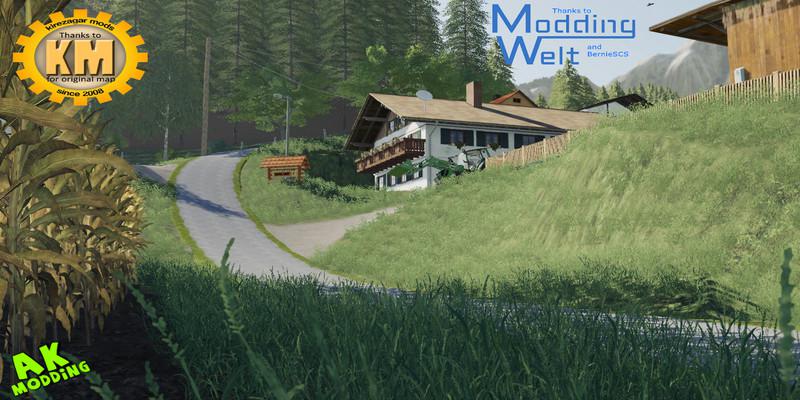
WTS Cez Gorjance 2019 v1.0 FS19
WTS Cez Gorjance 2019 v1.0 FS19 WTS or Welcome To Slovenia Cez Gorjance is a small Slovenian map created by Kirezagar for the 2013 Farming Simulator. It is now available for the Farming Simulator 2019. It is a small map with many hills, vineyards, forests and some fields. If you share it, please keep the original link. Many thanks to Kirezagar for the original map and Bernie SCS from Modding for objects containing all mods needed for the map. You have to unzip the rar file. Credits:Model: AK modding Texture:AK modding Idea / Concept: KirezagarTesting: AK modding /Kulman123Other: Big thanks to Kirezagar for original map and Bernie SCS from Modding welt for objects

Lipinki Map v4.0 FS19
Lipinki Map v4.0 FS19 Hello! I present you Lipinki V4! What’s new – Animals used for the start (models are not original, look more rural) – Added silage for the starter (not original) – The possibility of selling silos and other items mentioned above has been added – Possibility of sleeping in houses (triggers are on the doorstep) – Added 3 fields – Empty squares for objects have been removed – Added new purchase – Dairy – The map edge has been changed – The variety of trees and plants in the fields has been increased – BGA has been fixed -TpiCole was ready again – New areas were created (now there are more and cheaper) – Transport missions have been added – Light optimized card – Fixed some minor bugs Have a nice game 😀 Credits:zielak04
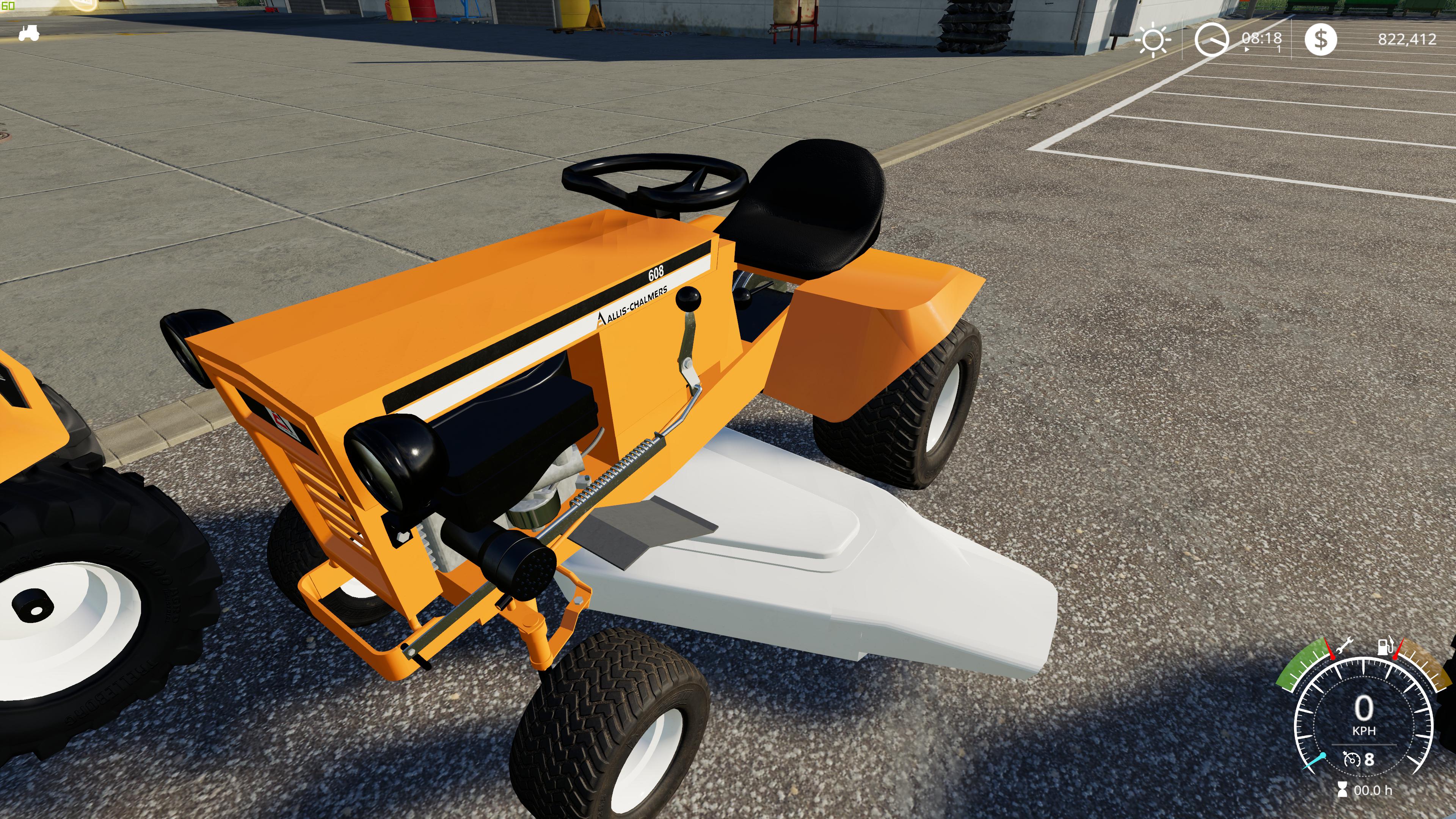
1974 Allis Chalmers 608 v1.0.0.0 FS19
1974 Allis Chalmers 608 v1.0.0.0 FS19 This mod is of a 1974 Allis Chalmers 608. The mod was designed to feel as much like the real tractor as possible. From the second you start the tractor you will realize that a lot of time was put into the smaller details. This is my first mod but I’ve literally put 100s of hours into it and it feels well-polished in terms of details, realism and usability. I had to learn blender, UVs, UDIM, Giants editor, the XML file settings, how to make custom tires as none of the ones in the game were small enough and 100 other things just to get this into the game. Then all the tweaking where you change one little setting with something and start the game over and over again literally 100s of times just to get the setting right. Just like programming you spend more time testing than programming Features It goes 7km per like the real tractor Top of engine spins proper pivoting suspension operates like real tractor (that was fun to figure out) Two sets of tires Throttle lever moves with RPM rather than vehicle speed Amperage meter works Headlights work Key goes into start position while starting Throttle goes into choke position while starting Grass shoots out the mower and leaves a clean path under the tractor when cutting Character is removed when you are close to vehicle True two wheel drive I recommend installing the enhanced vehicle mod and leaving the diffs unlocked, then like the original tractor it will get stuck and only one rear tire will turn. Mower deck shows in mowers section and looks like an actual mower for this tractor. Rear drive pulley spins when tractor is moving If this mod is popular enough these features are possible for future releases A trailer A mulching deck A grass catcher 610 version If this mod is popular enough these fixes are possible for future releases Add a moving brake/clutch pedal the mower deck doesn’t need to be lowered still missing details and decals on the mower deck still missing the lowering lever for the mower needs safety decals and dash decals added needs headlight switch added animation of mower PTO engaging arm animation of mower lowering arm Features that probably will not be added in future releases the front steering parts moving. Credits:Tim Markiw
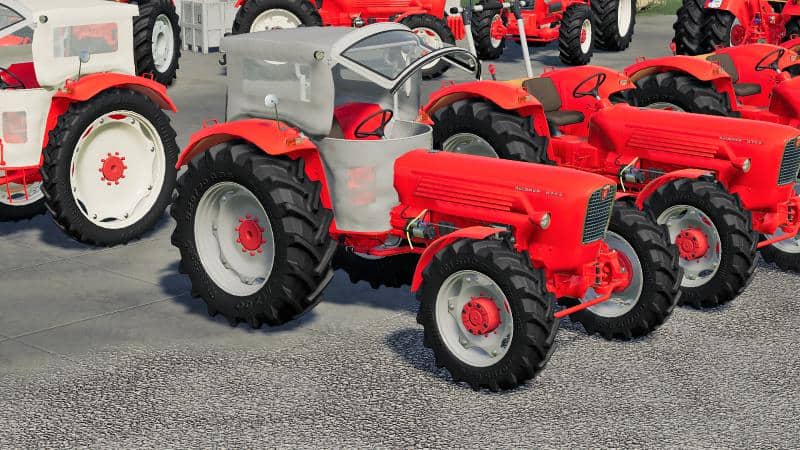
Guldner G75A + Baas + Tools v1.0.0.0 FS19
Guldner G75A + Baas + Tools v1.0.0.0 FS19 After many nights spent and a lot of madness, we are happy to introduce you today to a real iron pig of the sixties. The Güldner G75 four-wheel drive The G75 four-wheel drive was presented in 1965 and is the most powerful tractor that Güldner from Aschaffenburg ever built. Its air-cooled 6-cylinder 4712 cc diesel engine delivers 65 hp. From 1967 he had 70 hp. He has a dead weight of 3050 kg. The G75 was built from 1965 to 1969. A total of 149 copies of the Güldner G75 four-wheel drive were built. The G75 replaces the G50 in 1965 as the previous top model. Only two years later, Güldner revised the G75, thereby increasing engine output and installing an improved ZF engine. Optionally, a Klinkfrontlader the company Baas be purchased. The G75 remained the flagship until the final cessation of the tractor production. features: – LS19 texture system – Front loader from the company Baas + Attachments – Second front loader console for Stoll Super 1 ( Bremi) – Engine configuration – Dynamic Hoses – tire selection – Hood with control – Original Güldner sound – swing axle – Animated injection pump – Configurable front weight Many thanks to Streubeheubar, Kreters Island, deutzfreakwsm, madabub and Puma-FBM for their releases And now we wish you a lot of fun with the earth! Credits: Oldenfarm, PeterAH, Dani-86

Lemken Titan 11 optimiert v1.0 FS19
Lemken Titan 11 optimiert v1.0 FS19 Revised version of the Titan11 Since the orignal Titan11 has an error in the area of traction requirement, I sat down once and the plow xml technically something revised. After all, it’s a 9-pack plow and should behave like that. – adjusted the height of the attacher (so that the plow now runs parallel to the ground) Tension needs adjusted (of course increased and this is now the same in both directions) Well, not much, but … just try it out. Credits:Xylonius
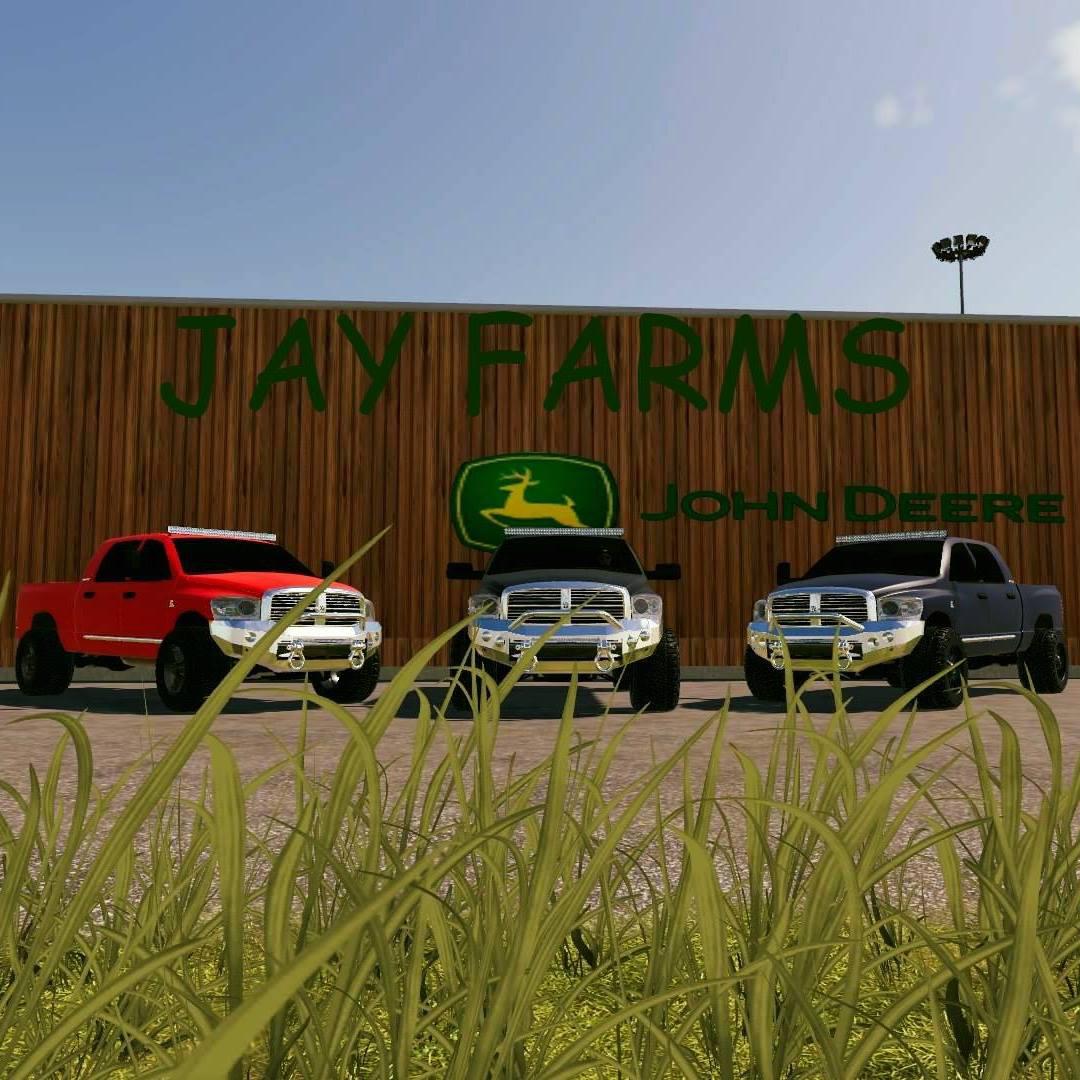
Dodge MegCab Cummins v 1.0
Dodge mega cab cummins. It is my friends model i just made my own edit of it. This is my friends model i just did my own edit to it. Power: 320 Maximum Speed: 121 Price: 25000 Brand: Dodge Category: Cars

Voralpen TW V1.0 FS19
Voralpen TW V1.0 FS19 Welcome to the Prealps Map There are more than 30 fields, 4 courtyards to build. There is a lot of forest and a big sawmill. A BGA, with space to build. There are many meadows in the steep terrain. Credits:TuneWar

URSUS C360 v1 Tractor
URSUS C360 v1 Tractor Sorry, this entry is only available in Polish. For the sake of viewer convenience, the content is shown below in the alternative language. You may click the link to switch the active language. Mod has – Weights, cock – Openable door, roof, rear window (mouse) – Open mask (mouse) – Movable gas, clutch and brake pedals – Mobile hand gas – Movable engine components – Movable tip of the tachometer – Dirty wheels

ATC Container Transportation Pack v1.4.0.0 Mod
ATC Container Transportation Pack v1.4.0.0 Mod Hello everybody, changelog: V1.0.0.0, new mod V1.1.0.0, added TGS20Multi V1.2.0.0, added SemiTractors for containers V1.3.0.0, major update to support multiple containers on one truck or trailer V1.4.0.0, new loading options for TGN40 multi This version of the pack includes the following features: New hits: none Adjustments / changes: Possible loads of the trailer TGN_40Multi 1×40 ‘container 2×20 ‘container 4×10 ‘container 1×10 ‘+ 1×20’ + 1×10 ‘ 1×20 ‘+ 1×10’ + 1×10 ‘ 1×10 ‘+ 1×10’ + 1×20 ‘ 1×30 ‘gas tank All loading options are configurable in the shop. bug fixes: none little things: Unnecessary textures deleted Logfehler: none
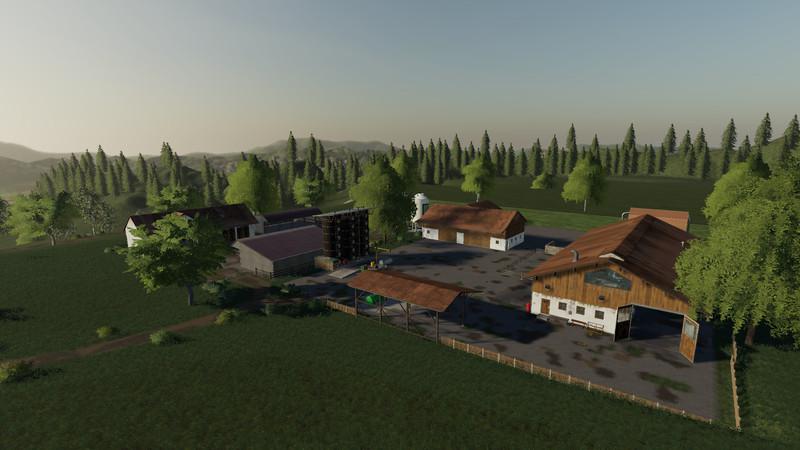
Voralpen Map
Voralpen Map Welcome to the Prealps Map There are more than 30 fields, 4 courtyards to build. There is a lot of forest and a big sawmill. A BGA, with space to build. There are many meadows in the steep terrain.
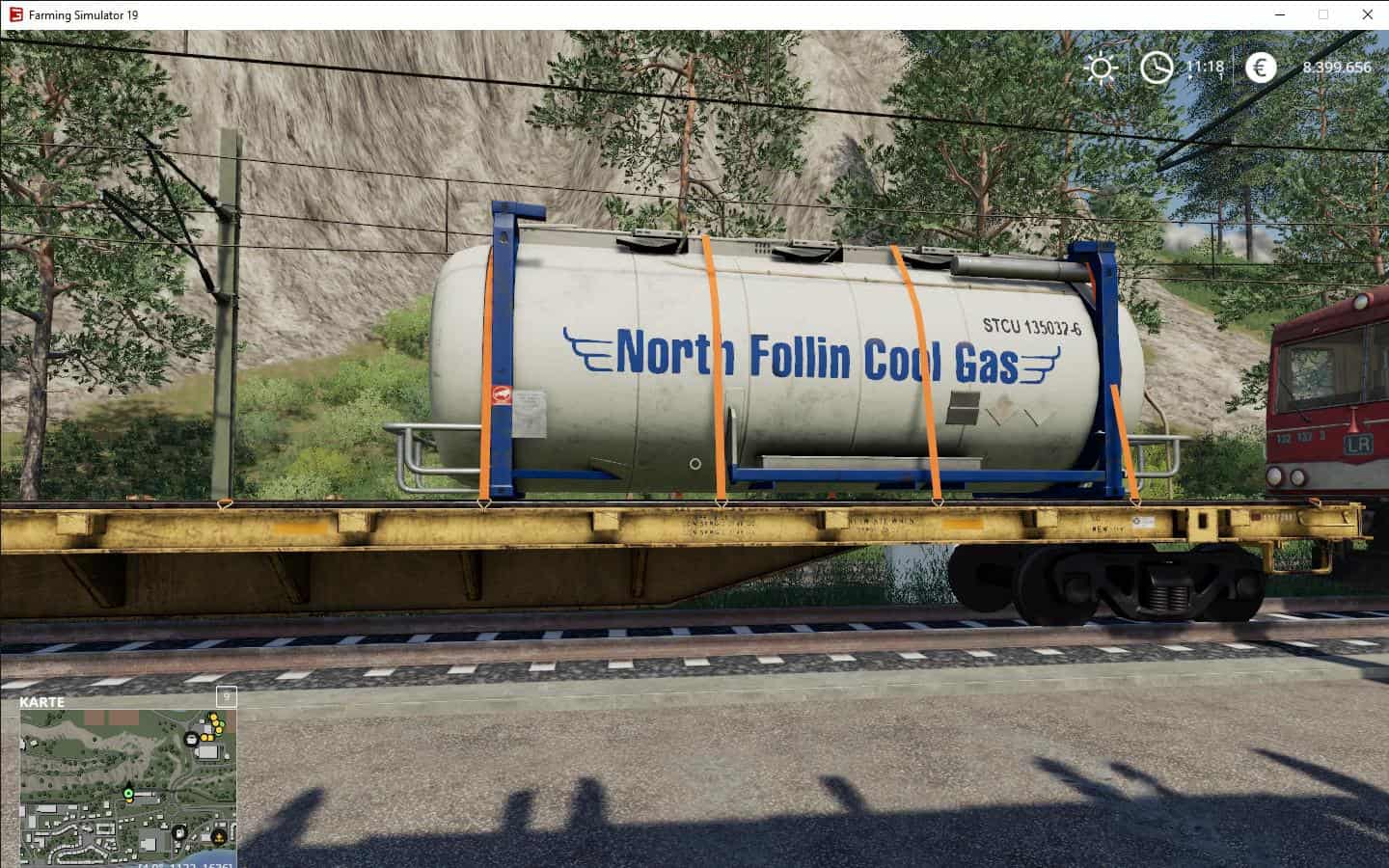
ATC Container Pack v2.0.0.0 Mod
ATC Container Pack v2.0.0.0 Mod Hello everybody, This version of the pack includes the following features: New hits: 30 ‘containers (placed on 20’ shots) 45 ‘containers (placed on 40’ shots) 30 ‘gas tanks (placed on 20’ shots) All containers can now be secured with tension belts on the train or on plateau vehicles. changelog: V1.0.0.3, 30.12.2018, initial version V1.0.1.0, 02.01.2019, fixed log error V1.0.1.1, 04.01.2019, maintenance update V1.1.0.0, 09.02.2019, 40 ‘ColliFix, new skins V1.2.0.0, 16.02.2019, disChargeNode fixed V2.0.0.0, 02.03.2019, added 30 ‘, 45’ and gas tanks Adjustments / changes: none bug fixes: none little things: none Annotation: If the containers are transported with straps on a trailer, they can not be loaded or unloaded on the silo. 30 ‘must be lifted with the 20’ setting of traverse and squid 45 ‘must be lifted with the 40’ setting of traverse and squid For the correct loading of the TankContainer see picture below. All other containers are charged as usual with the door to the rear. Logfehler: Error: Can not load resource ‘data / store / categories / category_objectMisc.png’ (Since GIANTS forgot to include the stock image for this category …, can be ignored)
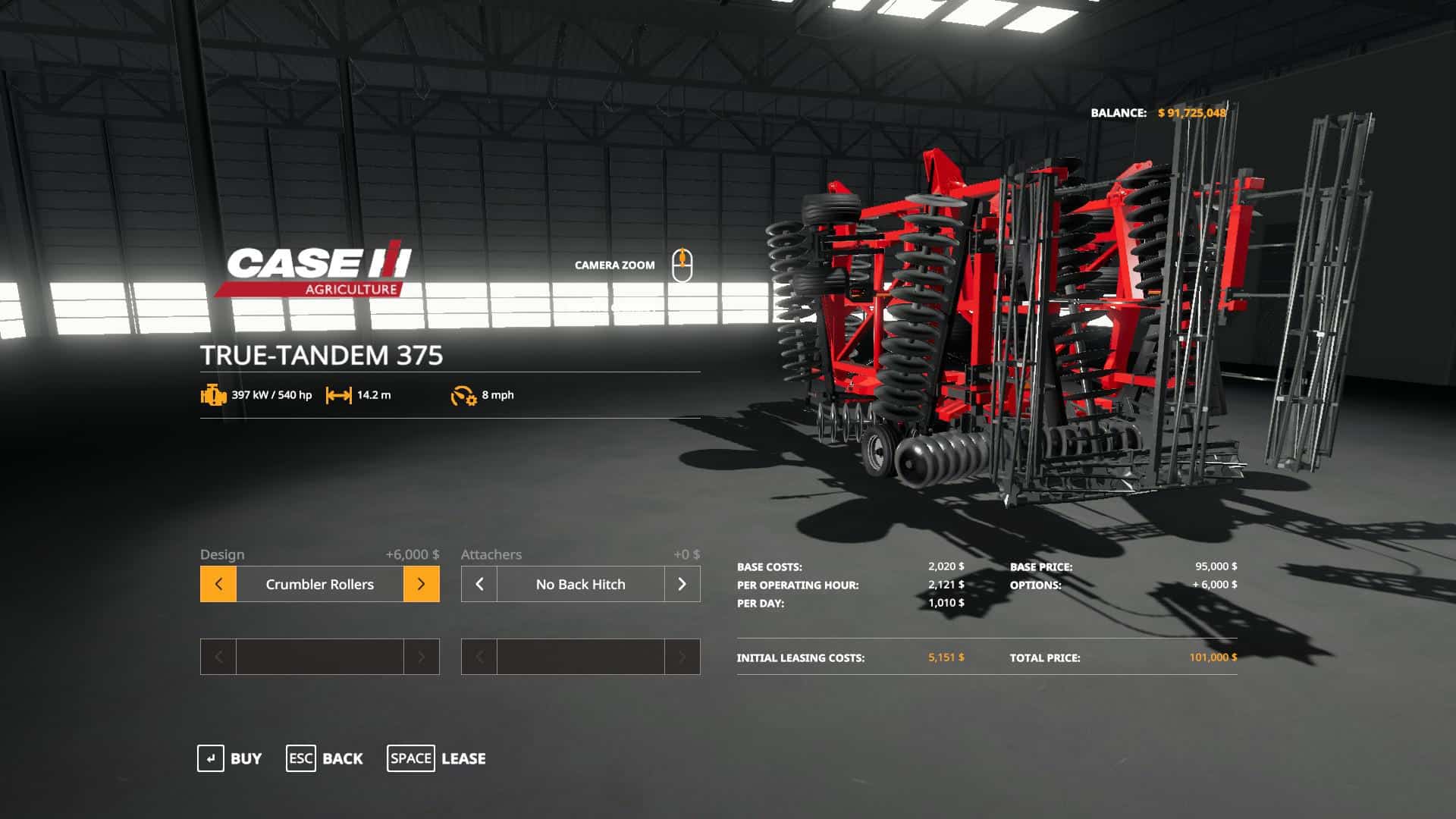
Case IH True-Tandem 375 Disk Harrow v1.0 Mod
Case IH True-Tandem 375 Disk Harrow v1.0 Mod **Functions as a subsoiler (plow & cultivator) , but is found in the Disk Harrows category in the store** V1.0 Working width: 15 meters Recommended Power: 550 HP – Configs: Basic, Crumbler Rollers, Spike Tooth Leveler – Back hitch option This is a modified version of the Taylor Farms converted version of the John Deere 2623 Disk. Check out Taylor Farms on facebook, they have many great John Deere mods. NOTE: This is not an exact replica of the real life counterpart, it is just meant to imitate it. If you experience any issues or have any recommendations let me know!
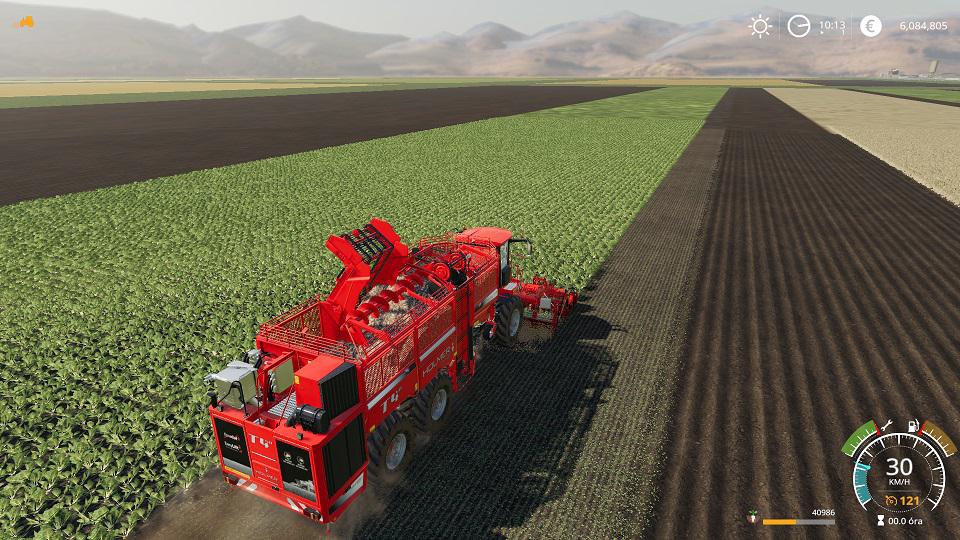
TERRADOST440 HR12 MULTIFRUIT ZOLTANM V2.0 MOD
TERRADOST440 HR12 MULTIFRUIT ZOLTANM V2.0 MOD Terra Dos T4.40 TURBO + HR.12 sugarbeet, sugarcane, potato, onion, carrot. V.2: change color Terra Dos T4.40 turbo – speed++ – brake++ – hp++ – capacity 89000 sugarbeet, sugarcane, potato, onion, carrot. – price 494000 HR.12 – workspeed 30km/h – sugarbeet, sugarcane, potato, onion, carrot. – price 103000
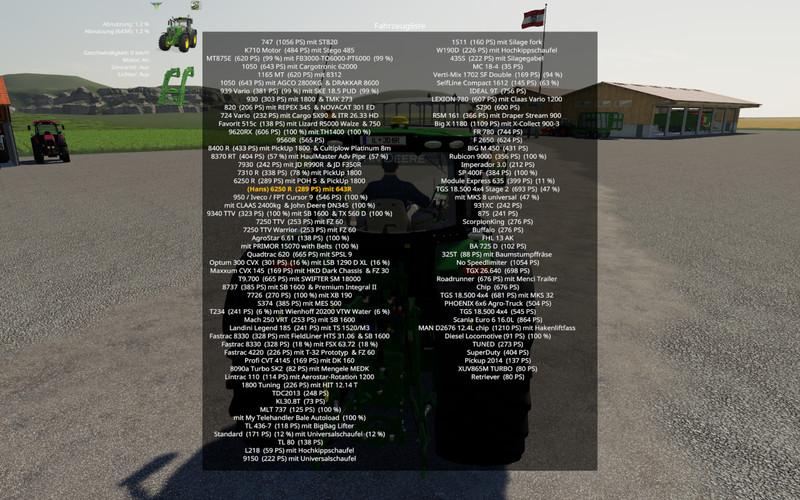
VehicleExplorer v0.9.3.1 FS19
VehicleExplorer v0.9.3.1 FS19 Version 0.9.3.1 * Crane sequence is now saved and loaded again accordingly * Store image of cranes will reappear * Fixed a bug when using VeEx without Tardis * Crane is now saved and restored properly * Store image of cranes is visible * Fixed an issue when VeEx was used without Tardis 0.9.0.6 – I would say this is still a beta. Although I have tested quite a lot myself, I hope for helpful feedback from the community. This is a revamp of the good old VehicleSort from FS17 For beginners: VehicleExplorer helps you organize your vehicles, by showing you a list which can be organized, well, sorted by you. Besides that it has a couple of additional functionality. See below. Please download the latest version directly from GitHub Latest version Features List of all steerable vehicles (Specialization: Enterable) Set a customer order for your vehicles Your order is saved in the default vehicles.xml, so no additional clutter Enter your vehicles directly with a click of a (mouse) button This is meant literally, see known issues 😉 Park your vehicles, so that a switch of vehicles via Tab ignores them Repair vehicles and its implements Displaying a store image next to the list Info box with additional informations Motor on/off, turned on/off (for e.g. harvester) and light status is saved and restored Different colors in the list if a vehicle is selected, or currently used by a helper/Courseplay Config Menu Config is saved per savegame within modsSettings/VehicleExplorer/savegameX Show/hide trains in the list Show/hide station cranes in the list (No idea if that actually works, would need a map with a crane to test) Show/hide steerable implements/trailers (e.g. forwarder trailer with crane) Show/hide brand names in the list Show/hide your own name when you enter a vehicle Show/hide horse power in the list Show/hide fill levels in the list Show/hide implements in the list Show/hide store images Show/hide infobox Change text size Change list background transparency Enable/disable saving of the additional vehicle status (motor, turnedOn, lights) Show/hide keybindings in the game F1 help menu (needs a game restart to take affect) Known issues Although you can change all the keyboard bindings, the mouse actions are hardcoded for now Left mouse click: Enter vehicle Right mouse click: Select vehicle (to e.g. move it) Right mouse click: Change value in the config menu Mouse wheel: Selection up/down in list The actual ‘tab order’ of vehicles is not changed Metric measuring units are used Chaining for implements For now just the directly attached implements get respected. This means for repair and the info box just a e.g. trailer is recognized, but not a trailer which is attached to another trailer Max of three columns. If you’ve more vehicles (which would be insane anyways 😉 , just disable the display of brand name etc A wrong value for horse power is displayed for trains Sometimes selling or resetting a vehicle is causing a flickering of the vehicle list. I’ve already an idea why, just have to look more into it. As a workaround you just have to move any vehicle a position up or down, then a reshuffle is triggered and the list is rendered properly again. Incompatible Mods SpeedControl Actually both work fine side by side. There is just a keybinding overlap. So you’ve to set new keybindings through the game menu for Key 1, Key 2, Key NumPad Plus, Key NumPad Minus Changed the default keybinding. So there is no overlap anymore. Default Keybinding LAlt + v -> Show/hide vehicle list LAlt + KeyPad Minus -> Show/hide config menu KeyPad Enter -> Enter vehicle LAlt + p -> Toggle parking LAlt + KeyPad 5 -> Select item (for moving the vehicle) or to change values in the config LAlt + KeyPad 8 -> Move up in the list/config LAlt + KeyPad 2 -> Move down in the list/config LAlt + 1 -> Move up fast in the list/config LAlt + 2 -> Move down fast in the list/config LAlt + R -> Repair vehicle incl. implements Tab -> Next vehicle; VeEx own switch vehicle implementation (necessary to tab through vehicles in your own order) Shift + Tab -> Previous vehicle; VeEx own switch vehicle implementation (necessary to tab through vehicles in your own order) _ If you want to use the ‘sorted tabbing’, make sure you drop the default key binding in the game menu. I didn’t find a way to overwrite the default vehicle switching, and I think it’s better to let you, the user, this choice anyways. _ Mouse Left: Enter vehicle Mouse Right: Select item/change values in config Mouse Wheel: List up/down Note that the current version does NOT support multiplayer! Quite frankly, I’ve no idea about the MP code needed and also no possibility to test it. Actually I think it shouldn’t be a big deal, and maybe it already works by just changing the MP setting in the moddesc.xml from false to true. I assume just the parking possibility has an impact to MP. Credits Primarily to Dschonny & Slivicon. At least those are the names which were mentioned in the FS17 VehicleSort I used as a foundation. But the majority of code has changed anyways. Also Kudos to the guys and gals from CoursePlay, VehicleInspector, VehicleFruitHud, EnhancedVehicle and many more for some inspiration and ideas. Additionally Ifko for the RegisterSpecialization script. Credits:-
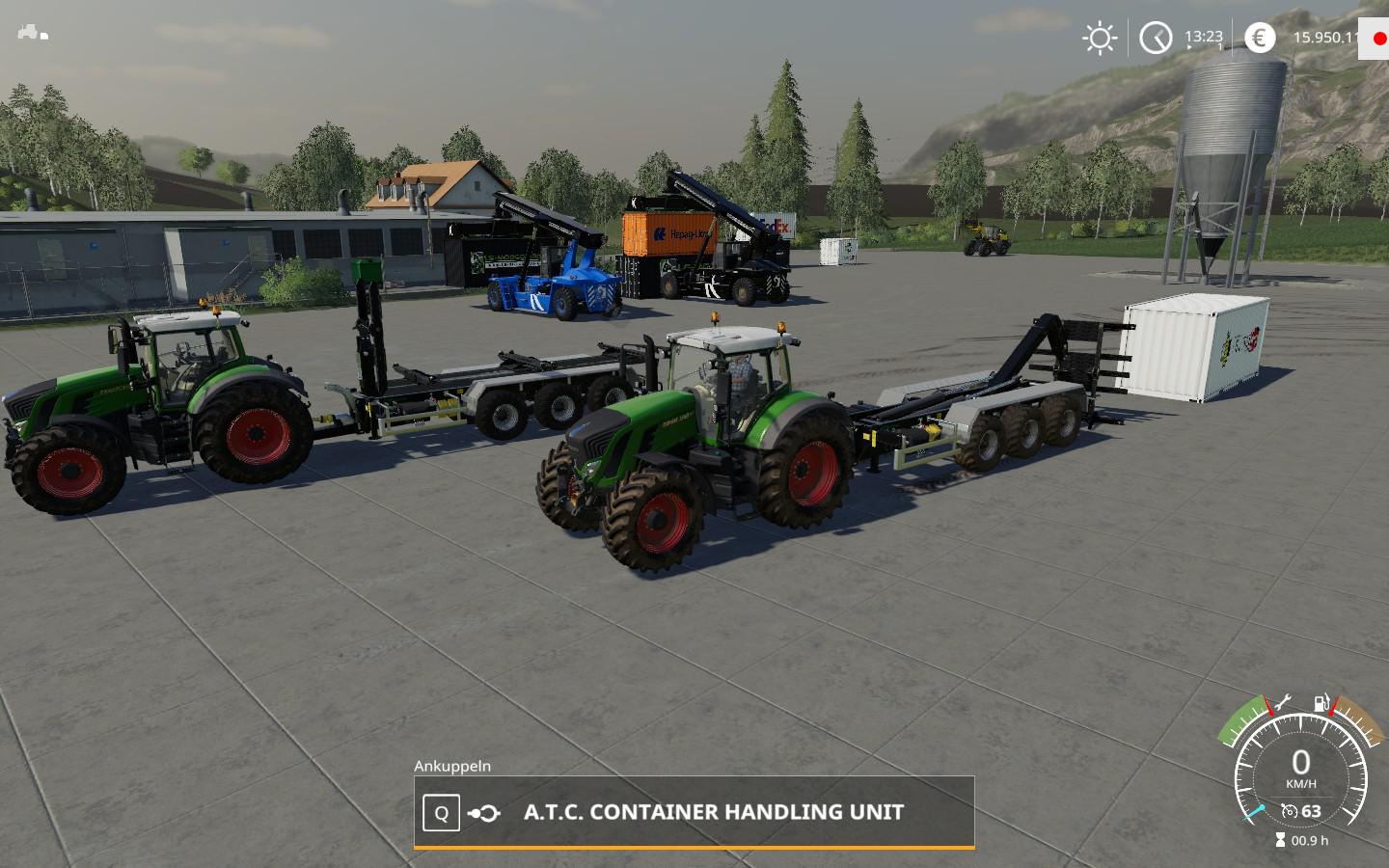
ATC ContainerHandling Pack v1.1.0.0 FS19
ATC ContainerHandling Pack v1.1.0.0 FS19 Hello everybody, changelog: V1.0.0.1, new mod V1.0.1.0, for 20 ‘frames only center load V1.0.1.1, maintenance update V1.0.2.0, changes in HKL Frame to transport 2×10 containers V1.1.0.0, rework wheelLoader fork This version of the pack includes the following features: New hits: none Adjustments / changes: Wheel loader fork changed to FS19 material system. bug fixes: none little things: Unnecessary textures deleted Logfehler: none Have fun with it! Credits:concept, Alfredixmodeling, Alfredixtesting, Alfredix
- 15 per page
- 30 per page
- 45 per page
- 60 per page
-
See more per page
Bigger pages, fewer clicks - and no ads anywhere.
Go Pro