Farming Simulator 19 mods
55,721 results- 15 per page
- 30 per page
- 45 per page
- 60 per page
-
See more per page
Bigger pages, fewer clicks - and no ads anywhere.
Go Pro

SpartanLogo v1.0 Mod
SpartanLogo v1.0 Mod This is the halo avatar thing from halo? idk what this can be used for maybe to stop the hiredhand lol but it’s here for you to enjoy so have fun!

HaloHunter v2.0 Mod
HaloHunter v2.0 Mod They’re retreating! You ask. Why are they doing that?! Chief turns to you. Where being hunted! The all new not so new hunter from Halo 3. cost 500 catagory decor With textures and collisions too

FREE FRUIT v1.0.0.0 Mod
FREE FRUIT v1.0.0.0 Mod This is a small station where you can buy everything from grain to manure for free (FREE). This station costs 1 euro in the shop. I put a lot of effort into this mod.


MODULARE BGA PACK v1.1.0.1 Mod
MODULARE BGA PACK v1.1.0.1 Mod v1.1.0.1 Fix call stack under season usage Container BGA Container BGA addition Compact BGA Control house After a long construction time, here is my modular BGA. In this pack you have 40 objects to build your own BGA with. I tried to implement it as good as possible but here you should also try it out before you install your savegame. Before placing it, the surface is properly leveled. You have the possibility to choose from 6 different bunker types, further arrivals are the ContainerBGA which can be expanded with additional filling containers. And another compact system, you can even fill it with a trailer. As well as other decorative buildings, driving silos, liquid manure storage and 3 finished BGA systems. I hope to bring some variety to the LS BGA with this pack, especially in MP. I hope you enjoy trying and playing. Hope the pack covers a bit of variety around the BGA.

Soundupdate Mb Trac 1000-1100 v1.0 Mod
Soundupdate Mb Trac 1000-1100 v1.0 Mod FS19 sound update MB Trac 1000-1100 from Bremi456 I hereby offer my somewhat robust sound for the MB Trac 1000-1100 from the Bremi456 from the ModHub. just unzip the sounds_rar and replace the folder sounds in mod.

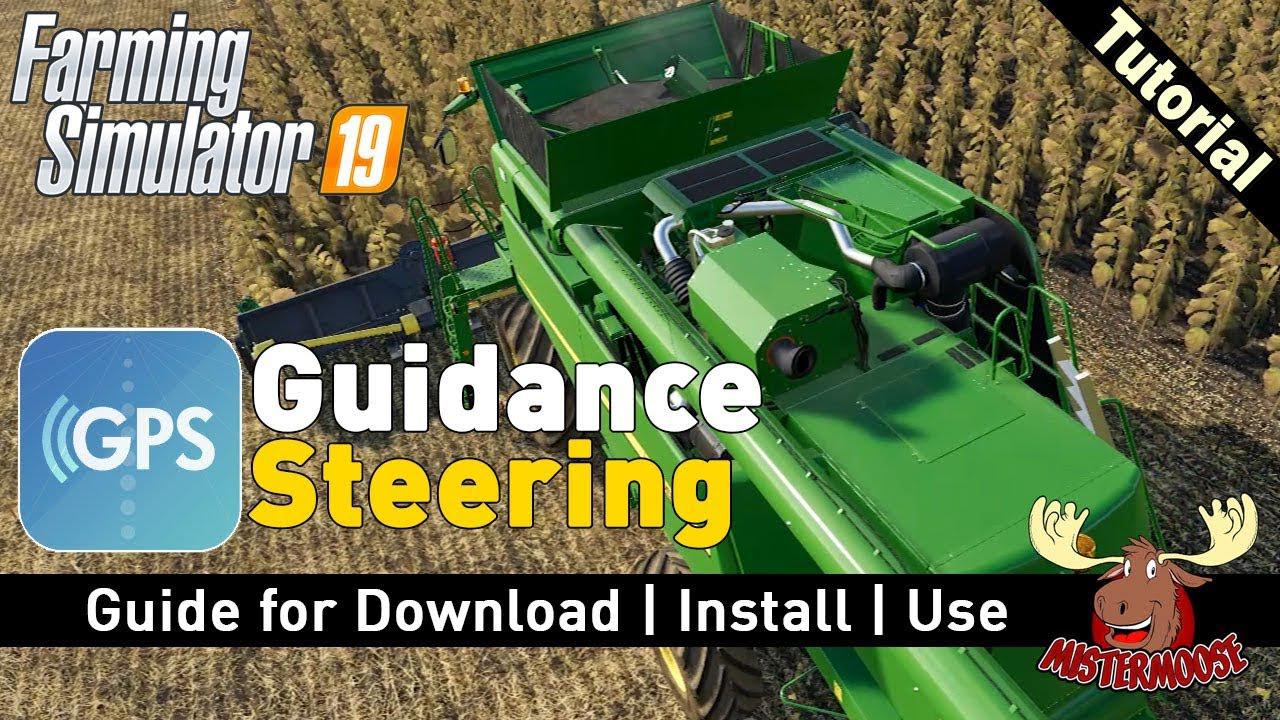
Guidance Steering Official (GPS) v1.0 FS19
Guidance Steering Official (GPS) v1.0 FS19 Complete field applications quickly and efficiently with the Guidance Steering mod that helps you accurately setup tracks to work your fields. Guidance Steering allows you to use different methods in order to create tracks. The AB point method requires you to setup two points (A and B) in order to calculate the steering angle. The A+heading method simplifies this setup with only forcing you to enter the desired steering angle. Make sure to enable Guidance Steering before you’re able to enter the menu. In order todo this: – Enable Guidance Steering: left ALT + C – Show Guidance Steering menu: left CTRL + S For further info on gameplay please checkout the README on the Github repository Credits:Wopster Tags: GPS
GPS mod v1.1.0.1 FS19
GPS mod v1.1.0.1 FS19 CHANGES: Allow faster shifting on longer key hold “Set B” fix and missing tooltip added Introduce sounds Add new tag to new feature request Fix input axis for shifting and changing width. How the basics works Be aware that this version doesn´t support the full feature package yet! Buying GPS Before you’re able to use GPS you have to buy the configuration in the shop! Open the menu In order to open the menu hit ctrl + s. Setup your AB line Drive to the location you want to setup your lines. Hit alt + e once in order to reset the AB creation. Hit alt + e once more in order to set point A. Hit alt + e once more in order to set point B. Hit alt + e again and it will create the track. Auto width Hit alt + r in order to calculate the width of your vehicle. Tip: unfold and lower the vehicle in order to get the best results! Increase/descrease width Hit alt + plus and minus in order to change the width Please note that this only works after the track creation! Terrain angle snapping If you’re not able to create straight lines yourself you can enable angle snapping in the menu. This will align the AB lines with the terrain. Toggle guidance steering Once a track is created hit alt + x to toggle the steering. Headland control Currently it auto stops at the headland when cruise control is enabled. This feature and headland turning is still being worked on. MP This version works in MP, Credits: Stijn Wopereis, Special thanks to workflowsen for creating the icon! Switzer Tags: GPSGPS modMP

GPS mod v1.1 FS19
GPS mod v1.1 FS19 Latest BETA release How the basics works Be aware that this version doesn´t support the full feature package yet! Buying GPS Before you’re able to use GPS you have to buy the configuration in the shop! Open the menu In order to open the menu hit ctrl + s. Setup your AB line Drive to the location you want to setup your lines. Hit alt + e once in order to reset the AB creation. Hit alt + e once more in order to set point A. Hit alt + e once more in order to set point B. Hit alt + e again and it will create the track. Auto width Hit alt + r in order to calculate the width of your vehicle. Tip: unfold and lower the vehicle in order to get the best results! Increase/descrease width Hit alt + plus and minus in order to change the width Please note that this only works after the track creation! Terrain angle snapping If you’re not able to create straight lines yourself you can enable angle snapping in the menu. This will align the AB lines with the terrain. Toggle guidance steering Once a track is created hit alt + x to toggle the steering. Headland control Currently it auto stops at the headland when cruise control is enabled. This feature and headland turning is still being worked on. MP This version works in MP, Credits:Copyright (c) 2019 Stijn Wopereis All rights reserved.Special thanks to workflowsen for creating the icon!Switzer Tags: GPSGPS mod

GPS Mod V1.0 FIX FS19
GPS Mod V1.0 FIX FS19 Changes and FIXED: – Add possibility to set the width increment and change the width in the menu – Fix track loading and saving on dedicated server – Fix small things in dutch translation. How to download, install and use GPS mod? Watch video: How to buy GPS in FS19 game Before you can use GPS, you have to buy the configuration in the vehicle customization store! Open the menu – In order to open the menu hit ctrl + s. Configure your AB line Drive to the location you want to setup your lines. Hit alt + e once in order to reset the AB creation. Hit alt + e once more in order to set point A. Hit alt + e once more in order to set point B which will create the track! Auto width Hit alt + r in order to calculate the width of your vehicle. Tip: unfold and lower the vehicle in order to get the best results! Increase/descrease width Hit alt + plus and minus in order to change the width Please note that this only works after creating the track! Angle of ground If you’re not able to create straight lines yourself you can enable angle snapping in the menu. This will align the AB lines with the terrain. Toggle the guidance direction Once a track is created, press alt + x to change direction. Control of promontories Currently it auto stops at the headland when cruise control is enabled. This feature and headland turning is still being worked on. Support MP This version should work in MP, but keep in mind that there may be bugs. Development tips: To quickly zip the dev mod without the needed extra’s, use the zip.bat. Please note: the zip.bat requires the application 7zip to be installed! Credits:Stijn Wopereis Tags: Download GPS FS19Download GPS modFarming Simulator 19 GPSFarming Simulator 19 GPS modFS 19 GPSFS19 GPSGPSGPS for FS19GPS FS 19GPS FS19GPS modGPS mod for FS19LS19 GPS

GPS MOD v1.0 beta FS19
GPS MOD v1.0 beta FS19 Please, note that this is a development version! If you are warned of a copy of the current development branch, know that the development version may be breaking the game! Latest version BETA How bases works Be aware that this version does not yet support the full package of features! Purchase of GPS Before you can use GPS, you have to buy the configuration in the vehicle customization store! Open the menu – In order to open the menu hit ctrl + s. Configure your AB line Drive to the location you want to setup your lines. Hit alt + e once in order to reset the AB creation. Hit alt + e once more in order to set point A. Hit alt + e once more in order to set point B which will create the track! Auto width Hit alt + r in order to calculate the width of your vehicle. Tip: unfold and lower the vehicle in order to get the best results! Increase/descrease width Hit alt + plus and minus in order to change the width Please note that this only works after creating the track! Angle of ground If you’re not able to create straight lines yourself you can enable angle snapping in the menu. This will align the AB lines with the terrain. Toggle the guidance direction Once a track is created, press alt + x to change direction. Control of promontories Currently it auto stops at the headland when cruise control is enabled. This feature and headland turning is still being worked on. Support MP This version should work in MP, but keep in mind that there may be bugs. Development tips: To quickly zip the dev mod without the needed extra’s, use the zip.bat. Please note: the zip.bat requires the application 7zip to be installed! Credits:Stijn Wopereis Tags: FS19GPS

FS19 GPS Mod 4.0
FS19 GPS Mod 4.0 Hi, Farming Simulator 19 fans! Here we present version 4.0 of the GPS mod for Farming Simulator 2019. Check the video for demo of the mod! Farming Simulator 19 – How to use GPS mod How to buy GPS? Before you can use GPS, you have to buy the configuration in the store! Open the menu To open the menu, press ctrl + s. Configure your AB line Go to the location where you want to configure your lines. Press ALT+ E once to reset the creation of the AB. Press ALT+ E again to set point A. Click ALT+ E again to set point B. Press ALT+ E again to create the track. Automatic width Press ALT + r to calculate the width of your vehicle. Tip: Unfold and lower the vehicle for best results! Increase / decrease width Press alt + plus and minus to change the width Please note that this only works after creating the track! Angle of ground If you’re not able to create straight lines yourself you can enable angle snapping in the menu. This will align the AB lines with the terrain. Toggle the guidance direction Once a track is created, press alt + x to change direction. Control of promontories Currently, it stops automatically at the headland when cruise control is enabled. This feature and shoot at the end of the field are still underway. Deputy This version should work in MP, but keep in mind that there may be bugs. * offset + Offset zeros Increase + offset (right) + Offset lower (left) Invert + offset + Rotary plow mode (offset direction depending Invert) * Course Set Shift + left parallel course Shift + right course parallel + Turn rate by 90 ° + Turn left heading angle + Turn heading angle to the right * Save / Load Load + course from the current slot Save + course in the current slot + Next Slot Clear + current slot + Display of current slot. Occupied slots are shown in bold. + Back a slot * AutoTurn + Number of free rows up / down + Increase operating distance to the field edge + Lower operating distance to the field edge + Automatic mode: Switches between doing nothing or only ads / auto stop when reaching the switching distance, ie Cruise control off / automatic reversal + Automatic reversal to left turn or turn to the left to start + Automatic reversal to right turn or turn to the right start GPSconfig.xml: The GPS automatically creates an xml to the mods folder. This is only for settings that each individual can adjust well in MP, without which there is problems characterized. So essentially visual stories. The file is automatically created in the mods folder. It is necessary not huge Installiererei by hand. Probably the most interesting setting is the “HUDSize”. Here everyone can adjust the size of the GPS HUD individually. In addition, everyone can adjust its color and line -strichelung as he pleases. Another gimmick is the steering wheel, drivers can set the appropriate mode in the GPS to default. Credits:Farming Simulator 19 mods Tags: Farming Simulator 19 GPS modFarming Simulator 2019 GPS modFS19 GPSGPSGPS mod FS19

Seasons v1.2.0.0 FS19
Seasons v1.2.0.0 FS19 Winter is coming… and spring, summer and autumn too. Version 1.2.0.0: – Added American Spanish translation. – Fix for some rotting bales when they should not rot. – Performance improvements. Version 1.1.0.0: – Console release. – Grass growth has been updated to fix second-year growth. – New animal screen in the Seasons menu with more details. Old screen has been removed. – Animals now have a name (number) so you can identify them easier. – Fixes for some special cases with maps and other mods. – Fix for massive amounts of snow in special case. – Fixes for the weather generation freezing gameplay. – Improved weather generation. – Added snow contracts (need map support). – Improved helper AI. – Fixed crop rotation effects. Version 1.0.1.0: – Fix for maps causing crashes: no crash but map still won’t work due to engine limitations until it’s updated by the map author. – Fix issue where growth conflicts with basegame. – Fixed economy history. – Fixed issue with drought damage on new saves. – Fixed issues in weather generation and weather forecast that could cause lag. – Fixed the snow melting and falling. Snow toggle now removes all snow too. – Improve grass system. – Improved animal balancing and information. – Improved building and US/DE map Seasons masks. – New and improved translations. – Many more small and big fixed and improvements. See the release notes. The Seasons mod changes the fundamental way to play Farming Simulator by introducing seasons and changing all aspects of the gameplay, such as weather, growth, economy, vehicle maintenance and animals to suit. Seasons 19 has gotten even more immersive with new visuals and sounds that better integrate into the game and the gameplay. Experience the trials and tribulations of a real life farmer worrying if you will get all your crops planted on time before it gets too cold, or too dry, for them to germinate and whether you will complete the harvest before the rainy days of autumn when crops will be wet. Beautiful visuals to suit the seasons, such as the birth of life in spring, the richness of colour of autumn and bare trees on a bleak winter’s day when you are clearing the snow, or doing forestry, will help to fully immerse you in this new environment. See to the management of your herds with the new breeds of cattle, pigs, sheep, and chickens, or take care of horses for a steady income. The release notes can be found on our website as well. Credits:Realismus Modding Tags: Farming simulator 19 Seasons modsSeasons 19 mod

Seasons 19 v1.0.1.0 FS19
Seasons 19 v1.0.1.0 FS19 Seasons 19: Update v1.0.1 for Farming Simulator 19 NOTE: We recommend removing all grass/semidry/hay from your map before updating. This updates fixes some issues with the grass system. The game does not break if you don’t remove your grass but it might give weird drying and rotting behavior for those heaps. This update also fixes the growth issues. Weirdness might persist until the next winter when everything dies and creates a clean slate. Version 1.0.1.0: – Fix for maps causing crashes: no crash but map still won’t work due to engine limitations until it’s updated by the map author. – Fix issue where growth conflicts with basegame. – Fixed economy history. – Fixed issue with drought damage on new saves. – Fixed issues in weather generation and weather forecast that could cause lag. – Fixed the snow melting and falling. Snow toggle now removes all snow too. – Improve grass system. – Improved animal balancing and information. – Improved building and US/DE map Seasons masks. – New and improved translations. – Many more small and big fixed and improvements. We are aware of the following issues (and others) and working on fixing them: Weird behavior of planted field state regarding lime, fertilizing, and so on. Partly used bales get deleted. The Seasons mod changes the fundamental way to play Farming Simulator by introducing seasons and changing all aspects of the gameplay, such as weather, growth, economy, vehicle maintenance and animals to suit. Seasons 19 has gotten even more immersive with new visuals and sounds that better integrate into the game and the gameplay. Experience the trials and tribulations of a real life farmer worrying if you will get all your crops planted on time before it gets too cold, or too dry, for them to germinate and whether you will complete the harvest before the rainy days of autumn when crops will be wet. Beautiful visuals to suit the seasons, such as the birth of life in spring, the richness of colour of autumn and bare trees on a bleak winter’s day when you are clearing the snow, or doing forestry, will help to fully immerse you in this new environment. See to the management of your herds with the new breeds of cattle, pigs, sheep, and chickens, or take care of horses for a steady income. The release notes can be found on our website as well. Credits:Realismus Modding Tags: Farming simulator 19 Seasons modsSeasons 19Seasons 19 modSeasons 19 mod support

Fordson Major Diesel wip v1.0 FS19
Fordson Major Diesel wip v1.0 FS19 Fordson Major Diesel for Farming simulator 19 Prix: 25.000€ Capacité: 4340l Changelog – Fixed airfilter rotation Power: 38 Category: tractorsS Credits:Ni modding others Patton_M47
- 15 per page
- 30 per page
- 45 per page
- 60 per page
-
See more per page
Bigger pages, fewer clicks - and no ads anywhere.
Go Pro