Farming Simulator 19 mods
55,721 results- 15 per page
- 30 per page
- 45 per page
- 60 per page
-
See more per page
Bigger pages, fewer clicks - and no ads anywhere.
Go Pro

Scania S580 6×2 v1.2.6.0 Mod
Scania S580 6×2 v1.2.6.0 Mod Scania S580 truck, 3 axle, with platform for bale and pallet Base color config (color table by Apollo) Design color config (color table by Apollo) Rim color config (color table by Apollo) Horse power configurations: 580hp(std) 450hp 650hp 730hp Design Configurations Differential configuration: 6×2/2, 6×2/4, 6×2/6 Tension belt support Top speed: 90km/h Indipendent rear axle Script easyautoload (by alfalfa6945)

New Holland T7 SWB TIER4A v2.0 Mod
New Holland T7 SWB TIER4A v2.0 Mod Power: 171 HP Max speed: 50 km/h Version 2: – Correction of the cultural concern that passed through the tractor – Correction of the problem of the windows

Feed Mixer G2-456 By Kastor Inc. v1.2.0.0 Mod
Feed Mixer G2-456 By Kastor Inc. v1.2.0.0 Mod v1.2.0.0 – Zweite Mischanlage hinzugefügt – Diese Füttert denn Nächstgelegenen Stall automatisch. v1.1.0.0 – Fix warning Playtrigger GC Update v1.0.0.0 Erst Release Heute stelle ich euch meine Mischfutter Station “Cow Feed Mixer G2-456” vor. Wie bei jeder Mischanlage für Futter, wird aus Stroh,Gras und Silage (auch ballen) in kurzer zeit fertiges Mischfutter. Daten: Produktion pro Stunde: 10000L Strohbunker: 100000L Silagebunker: 100000L Grasbunker: 100000L Mischbunker: 100000L Kosten: 195000€ Unterhalt pro Tag: 20€

Skid Steer Loader 711 Pack v1.0.0.1
skid Steer Loader MF 711 with 4 tools. Relive the agriculture of the 80’s! Price: 25000 € Max. power: 71 hp Max. speed: 20 kph Download mod

Hawe ULW 2600 Final v3.0 FS19
Hawe ULW 2600 Final v3.0 FS19 Hawe ULW 2600 Final Added: Animation orginal hawe pipe Cover 12 Wheel Configuration Numbers triangle warning Washable 26000l 220hp 69 000 Author: Agrar Credits:Agrar

Feed Mixer G2-456 v1.2 FS19
Feed Mixer G2-456 v1.2 FS19 Cow forage manufacturing v1.2.0.0 – Second mixing plant added – This feeds the nearest stall automatically. v1.1.0.0 – Fix warning Playtrigger GC Update v1.0.0.0 First release Today I would like to introduce you to my “Cow Feed Mixer G2-456” compound feed station. As with any mixing system for feed, straw, grass and silage (also bales) become ready-mixed feed in a short time. Data: Production per hour: 10000L Straw bunker: 100000L Silage bunker: 100000L Grass bunker: 100000L Mixing bunker: 100000L Cost: € 195,000 Maintenance per day: € 20 Credits:Kastor Inc

New HOLLAND CARGO v1.0.0.2 FS19
New HOLLAND CARGO v1.0.0.2 FS19 HELLO everyone today I present the NEW HOLLAND CARGO, Capacity: 100000l and the purchase price at the store is: 53000 €. for more information see the attached photos thank you and good game to all. Credits:BOB51160 / MAX51160 / TEAMS51160 / TFSGROUP

PAZ-672 v1.0.0.0 FS19
PAZ-672 v1.0.0.0 FS19 The small-class Soviet bus produced by the Pavlovsky Bus Plant in 1967-1989. PAZ-672 were designed for regional and suburban routes with low passenger traffic. Carries workers on the maps like “Yagodnoye” Passengers-45. Engine power-115, Speed-80, Price-12000 UDIM textures, gets dirty, getting old. Change of the main color, the color of design, the color of the wheels. Some animation. The choice of design, wheels. Credits:karl911

2019 Corvette C7 Zr1 v 1.0
A Corvette Zr1. Imported from Garry’s mod by American Forged Modding. Options: Color selection Engine Option: Stock and Tuned BE REALISTIC WITH IT! IF YOU GO TOO FAST AROUND A TURN, IT COULD FLIP! This is still the first version. American Forged Modding, Artist Jack Modding, Superduty Modding, Statefarm Modding Download mod

Enhanced Vehicle v 1.6.3.1
This mod extends (engine-based) vehicles with differential locks and drive modes (four-wheel-drive, rear/front wheel drive). In addition, the HUD will be upgraded with some more detailed damage report, fuel tank level, fuel consumption, engine speed and temperature, and a weight/total weight display. keyboard mapping (can’t be changed in-game yet) KeyPad 7 – enable/disable front axle differential lock KeyPad 8 – enable/disable back axle differential lock KeyPad 9 – switch wheel drive mode between 4WD (four wheel drive) or 2WD (two wheel drive) Please note: Due to limitations and bugs in the game engine, the HUD data for fuel consumption, engine temperature and weight are not available or incorrect for all multiplayer players – with the exception of the host. More information here: https://github.com/ZhooL/TSX_EnhancedVehicle 2019-01-20 – V1.6.3.0 * updated to support the migration of KeyboardSteer to VehicleControlAddon (vca) 2019-01-15 – V1.6.2.0 * talked to Mogli12 about compatibility between EV and KS and instead of disabling other mods functions the player (thats you) should decide which mods Shuttle Control/Shift should be used to comply to that EV will no longer disable stuff, but display an annoying warning text on screen to instruct you how to proceed choosing a shuttle control/shift + added global options to enable/disable shuttle shift, differentials and hydraulics + added functions for other mods to enable/disable EnhancedVehicle functions + the “beep beep” is back 2019-01-14 – V1.6.1.0 + added functionality to turn on/off both differentials the same time (no default keybinding) 2019-01-14 – V1.6.0.2 * adapt KS integration to new version 2019-01-13 – V1.6.0.1 + added french translation (thanks boloss) * changed the way the hydraulic stuff works. should now work on most machinery * changed how we setup actionEvents and InputBindungs * another change in integration of KS camera stuff 2019-01-12 – V1.6.0.0 + implemented four new keybindings for hydraulic front+rear up/down and on/off (default: lAlt+1 to 4) 2019-01-11 – V1.5.1.2 * (shuttle shift) better integration with keyboardSteer. backward looking camera should work again * (shuttle shift) changed behavior: when vehicle moves (without throttle) and opposite direction is selected it will brake * (shuttle shift) bugfix for those damn vehicles with build-in reverse driving mechanism V1.5.0.0 + implemented shuttle shift functionality (per vehicle). press assigned key (default: Space) to change driving direction and (default: LCTRL+Space) to turn shuttle shift on/off + shuttle shift status per vehicle is stored in savegame + added shuttle shift status display left of speedMeter. The green arrow shows the selected driving direction. If shuttle shift is disabled the display turns gray-transparent. + added global option “shuttleDefaultIsOn” to choose whether shuttle shift is ON per default when entering “new” vehicles (default: OFF) * moved differential status display to right-bottom corner of speedMeter Version 1.4.1.0 * reworked HUD elements positioning. should fix positions once and for all regardless of screen resolutions and GUI scaling (press “KeyPad /” to adept) * workaround (it displays “0”) for attachments without a damage model (no spec_wearable) * changed the differential behavior for 2WD. this may cause some wobbly side effects on most vehicles but it’s more correct now Version 1.4.0.0 * fixed warning about the background overlay image (png -> dds) + config is now stored in XML file + position of HUD elements can be moved or enabled/disabled in XML file * rewrote the key binding/key press stuff + key bindings can now be changed in the options menu + added config reset functionality and keybinding. use this if you messed up the XML or changed the GUI scale + if mod ‘keyboardSteerMogli’ is detected we move some HUD elements to let them not overlap * moved the rpm and temperature HUD elements inside the speedmeter * don’t display not working HUD elements as a multiplayer (and not being host) client Version 1.3.1.1 * bugfix for dedicated servers * bugfix for clients not reacting on key press (stupid GIANT engine again) Download mod
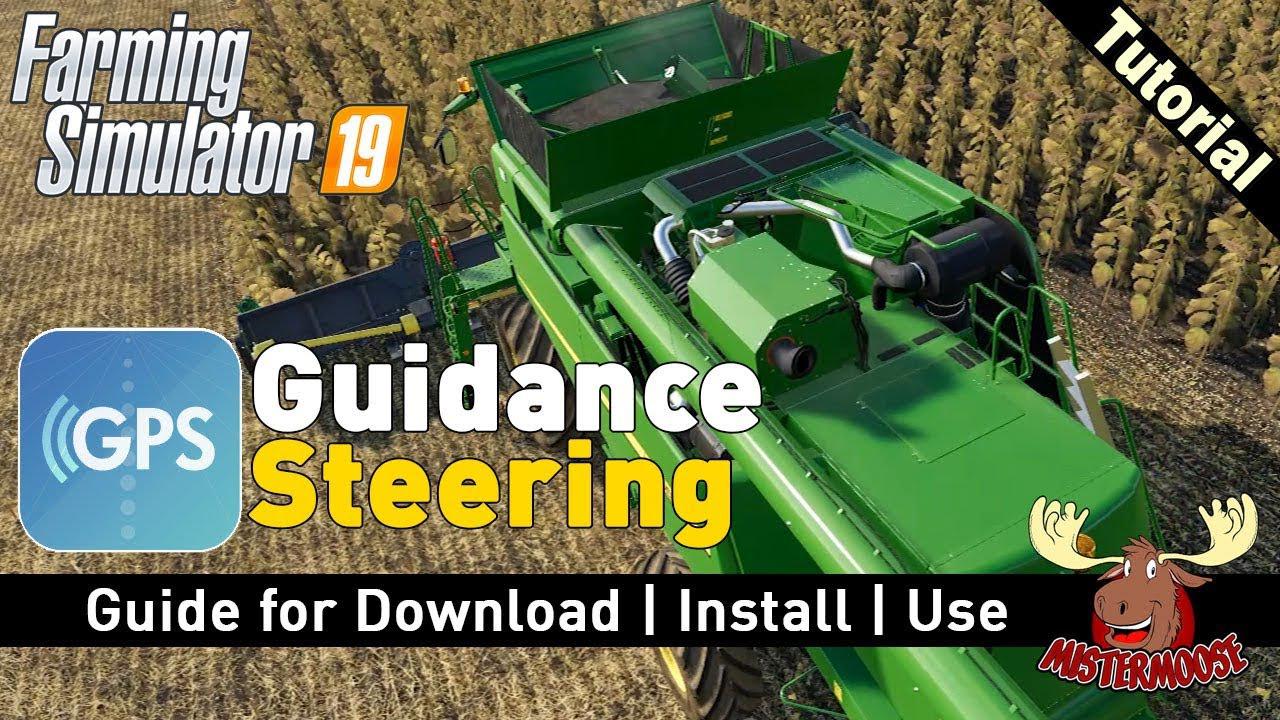
GPS mod v 1.1
How the basics works Be aware that this version doesn´t support the full feature package yet! Buying GPS Before you’re able to use GPS you have to buy the configuration in the shop! Open the menu In order to open the menu hit ctrl + s. Setup your AB line Drive to the location you want to setup your lines. Hit alt + e once in order to reset the AB creation. Hit alt + e once more in order to set point A. Hit alt + e once more in order to set point B. Hit alt + e again and it will create the track. Auto width Hit alt + r in order to calculate the width of your vehicle. Tip: unfold and lower the vehicle in order to get the best results! Increase/descrease width Hit alt + plus and minus in order to change the width Please note that this only works after the track creation! Terrain angle snapping If you’re not able to create straight lines yourself you can enable angle snapping in the menu. This will align the AB lines with the terrain. Toggle guidance steering Once a track is created hit alt + x to toggle the steering. Headland control Currently it auto stops at the headland when cruise control is enabled. This feature and headland turning is still being worked on. MP This version swork in MP Stijn Wopereis Special thanks to workflowsen for creating the icon! Switzer Download mod

Bruks Un Bigdaddy v 2.0
Here is the Bruks Un Bigdaddy. I have modified the original Bruks un by Dimanix (Original Creator) so that it will now cut down trees and makes woodchips. If you purchase and attach the stump cutter attachment, you will also be able to grind the stumps as well. I wanted to have all the features in one mod without having to make a seperate stump cutter attachment, however the way scripts are done in FS17 as oppose to FS15 this was not able to be done. Once I added the stumpcutter function to the Bruks it would cut down the tree and grind it up without making woodchips. This now functions similar to the Bruks Un Plus that everyone enjoyed in Farming Simulator 15. Please note that you will need to purchase each item seperate and will need to attach the Bigdaddy stump cutter once to the Bruks and you will have a all in one woodchiping, tree cutting, stump grinding machine to make any forest a breeze to harvest. It is recommended to pull a trailer behind while doing this, however it also has a large capacity and can use the tip anywhere feature as well. If you have any questions please see the attached photos for clarification. I will also post Youtube Videos showing how it assemble it as well all the great features of it. It will be able to be used with the following motorized vehicles: 1.) Tractor with front attacher 2.) Tractor with front end loader arms 3.) Skidsteer 4.) Front End Loader 5.) Telehandler Current Known Issues: Texture on Pipe Original Mod Dimanix Converted By SlimJim Edited and Modified by Bigdaddy012678 Download mod

CLAAS XERION 4000–5000 v 1.0
Claas Xerion 4500-5000 for Farming simulator 19 – Fully washable – Wearable – Front hydraulic – Tire configurations – Configuration engine power – Configuration body color: green, black Mr Fox, Marthu, Avirum3D, ExtremeBB Convert: Giedrius Download mod

Stepa Trailer With Clamp v1.0 FS19
Stepa Trailer With Clamp v1.0 FS19 Stepa trailer with Clamp for small Foresters. The clamp assembly is designed for 1-3 logs. The rear is retractable, to have more freedom for Logging. Clamp Rotate automatically return to the starting position Color Choice Tire Configuration Automatically Steerable Drawbar Bogie Axles Fender purchase Option Credits:MR-Forsttechnik

Cultivator Height Control v1.0 FS19
Cultivator Height Control v1.0 FS19 Added the ability to control the cultivator height when it’s used of the vehicle. When you enter to the vehicle and the vehicle is used manually, you can change the height of the selected cultivator. It was not added any changes to the autopilot. This feature is added automatically, no installation required. Credits:DD ModPassion
- 15 per page
- 30 per page
- 45 per page
- 60 per page
-
See more per page
Bigger pages, fewer clicks - and no ads anywhere.
Go Pro