Farming Simulator 19 mods
55,654 results- 15 per page
- 30 per page
- 45 per page
- 60 per page
-
See more per page
Bigger pages, fewer clicks - and no ads anywhere.
Go Pro
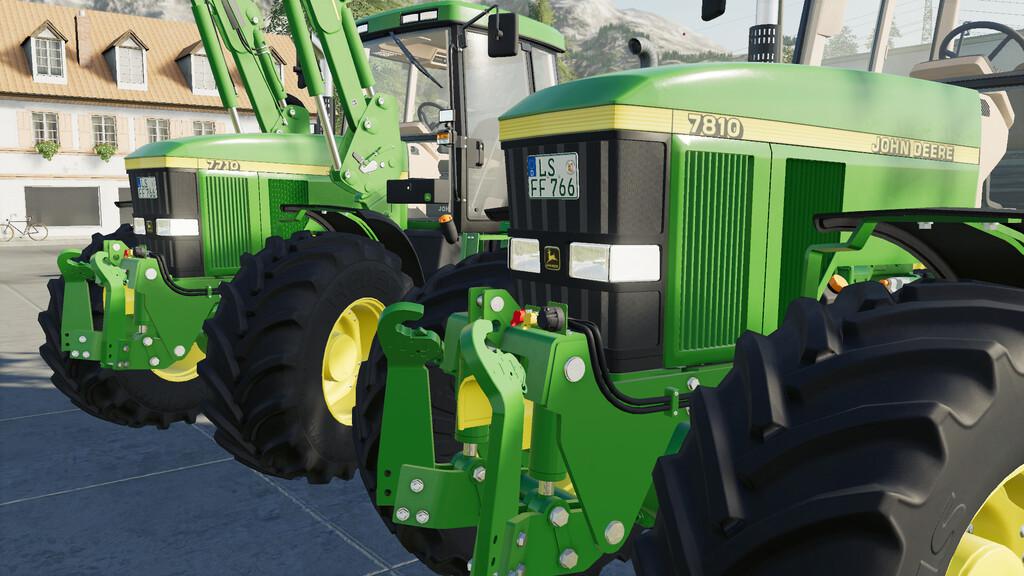
John Deere 7×10 Series Sound Prefab v1.0 FS19
John Deere 7×10 Series Sound Prefab v1.0 FS19 This is real Sound for the John Deere 7×10 series. Game Farming Simulator 19 Manufacturer John Deere Category Prefab Prefab Category Other Author LS-Modding Size 0.17 MB Version 1.0.0.0 Released 22.02.2021 Platform PC/MAC Credits:LS-Modding Tags: Game Farming SimulatorManufacturer John Deere
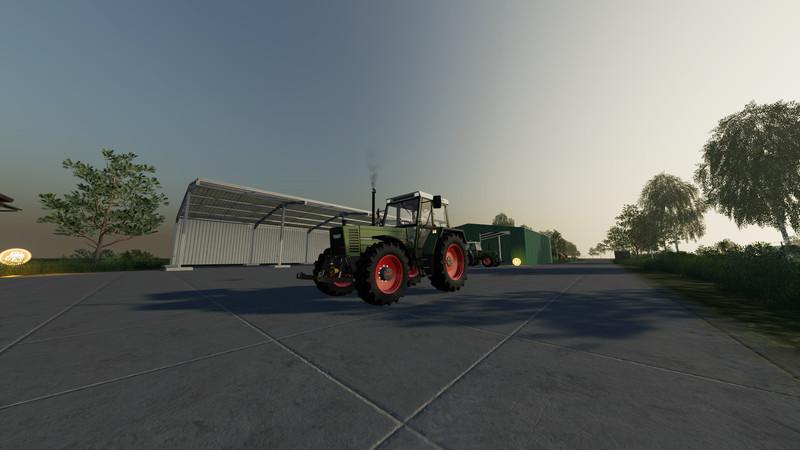
Fendt Farmer 310-312 LSA Turbomatik v1.3 FS19
Fendt Farmer 310-312 LSA Turbomatik v1.3 FS19 The main and rim color can be changed. Version 1.3 Removing warnings from the log Bug with fender configuration removed GPS function added Decoration added The tractor has many work lights installed There are configuration options on the engine (310 hp: 115 maximum speed 43/311 hp: 120 speed 47/312 hp: 130 speed 53) There are configuration options for the rotating beacons (no RL / left RL / right RL / left and right RL) There are configuration options for the front mudguards (they can be removed) You can attach a front loader to the tractor (you can also dismantle the console) The tractor has front hydraulics and a front PTO Decorations installed The mod is multiplayer ready Log is error-free Please feel free to write a feedback as a comment. If there are bugs or you have suggestions for improvement / wishes, please also write a comment. Credits:_basti0 Tags: GPSPTORL

MultiOverlay Hud v3.30Beta FS19
MultiOverlay Hud v3.30Beta FS19 The MultiOverlay V3 Hud Mod is designed to give you a quick informational overview of some of the game’s important features. Version 3.30 Beta – fix first Start IconFail Icons – fix GC Productivity at Display and Storage Object – fix Convert FillType Name over langugage.xml (name = fill washedpotatoes” de = Gew Kartoffeln etc.) !needs reg name! – new Optional View Player Pos coordinates,under MiniMap – new 2xPDA Cmd (incl.2xHidden Icons) invisibleAllSlots (Invisible all SLOTs) and invisibleAllPdas (Invisible all PDAs) – new Features for Slot Cmd FillTypes/Amount/Price and FillTypes/Amount –> Sort By Amount(Default),Name or Price – new Detector for Slot Cmds Objecs (name is >> near object (Slot Cmd Select Settings) – new more Pda Icons – new Bale/Pal. Storage Addon by GtX | Andy Support (Sort by ObjectStorages) – new Missionen FillTypes #WEI for Weizen or #KAR for Kartoffeln etc. (or click % for fullname) (SP Blinking Field Mission) – move from page 2 at page 1 —>viewApps and viewLines 1 Map Missionen – new InGame Time DigitalClock Icons with Function (optional hours:minutes:seconds) – new FillTypeMover Script by Farmer_Schubi Support (Sort by Factory(FM))(bsp: Porta Westfalica Map) – new Separate Storages Cmds (Sort by Storages) – new 1xSlot Cmd *consolenCmds* (Sort Module by Moh) – new 1xSlot Cmd *Farmlands* (Sort Module by Moh) Quick overview: Animals, Greenhouses, Warehouses, BestPrices, Bga, Silos, Placeable Objects, Map Built Objects, FactoryScript Objects and much more via aconvenient PDA/SLOT menu Please check the buglist first before reporting a bug or having problems with something. Or here you can also find me on Discord (HappyLooser#1790) Configuration:(default keyboard/mouse setting) F12 MouseCursor On/Off All(95%) Moh Settings over GuiMenue changeable Optional per savegame 1x clientSettings.xml (…/modsSettings/MultiOverlayV3) Short guide in pictures: Generate PDAs and SLOTs, image Apps and Lines, image image View Apps and Lines, image image Apps Icons, image Apps Cmd, image imaged Slot Settings, image image Slot Cmd, image image Moh Module Settings, image Moh Module Slot FillTypes On/Off, image Moh Module Search New Objects with Cmd, image Extras: 6x PDA ArtDesigns NoHud App (check PDA Cmd) -incl. all my mods VehicleSmall App (check PDA Cmds) RunJumpFlySpeed App (check PDA Cmds) AutoDrive Hud On/Off (check PDA Cmd) Courseplay Hud On/Off (check PDA Cmd) A BIG THANK YOU also to all testers who have extensively tested the new version for bugs, (2 months)beziehungweisse the mod Support or have agreed their consent for a display implementation in this mod. Trozdem it can still come to errors, because the range of functions and the very different maps / mods simply can not all be tested. BugList: Fix Test Not Reproducible Note: The mod was not supposed to come out for LS19. Due to the pandemic and the necessary time I have then but still ermundert to finish. Who still needs it and wants to use it.Please. ! AND IT IS STILL AN ALPHA VERSION, PLEASE REMEMBER ! And if you don’t like it you should just not load it : 1. Release with original download link only. NO substitute link 2. Modifying as well as re-uploading is not allowed. Credits:Modell: HappyLooserTextur: HappyLooserScript: HappyLooserIdee / Konzept: Tester: ModHoster Leute und viele mehrSonstige: HappyLooser Tags: Gew KartoffelnLS19modsPlaceable Objects
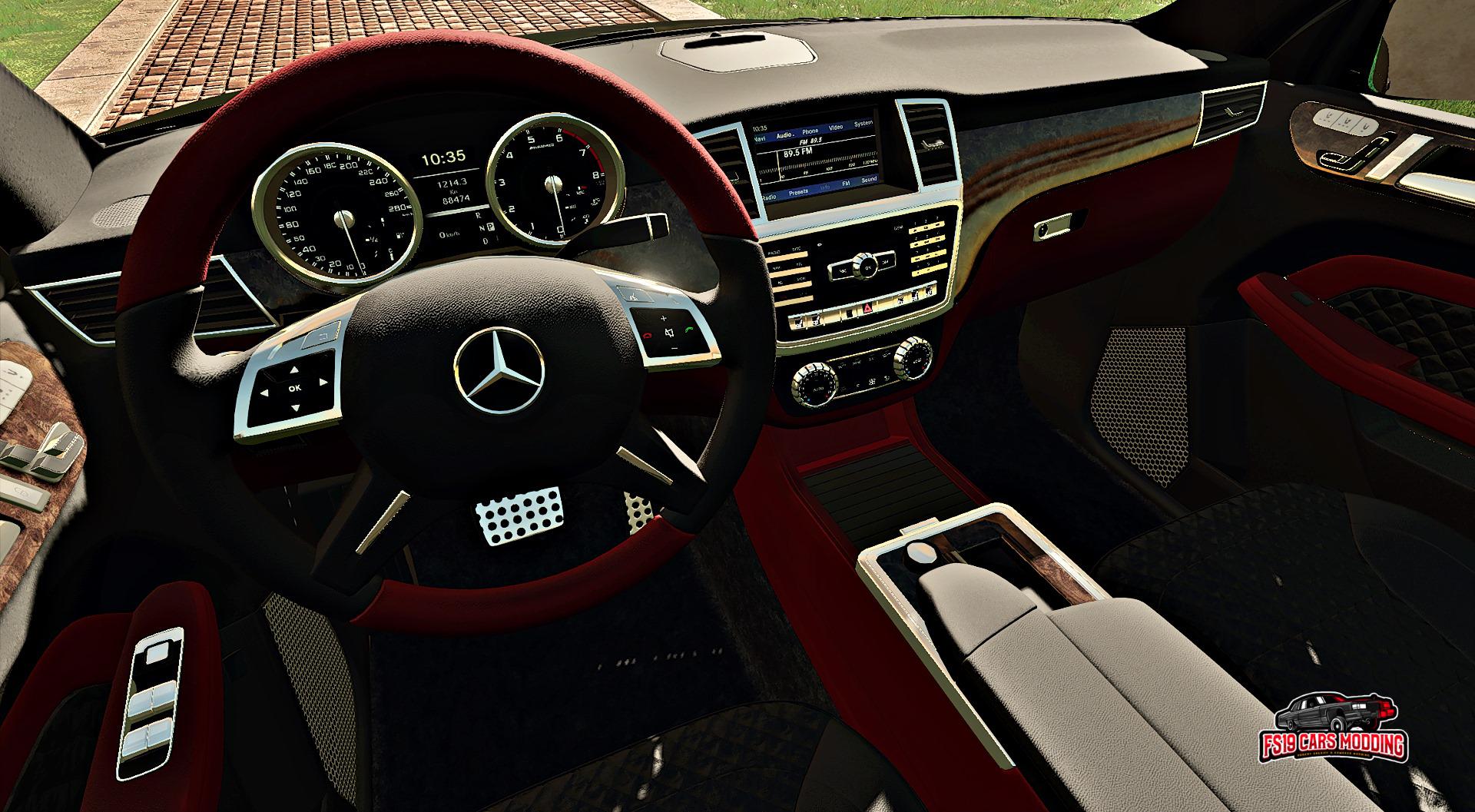
Mercedes ML 350 v1.0 FS19
Mercedes ML 350 v1.0 FS19 Mercedes ML 350 Price: 59.500 $ Speed : 120 / 230 km/h Engine : 300 h.p Selectable Plates USA / RO Selectable Colors Exterior / Interior Select Trailer Hitch YES / NO Credits:Edwards Moddding & Sheriff Robert

FarmingStudio21 v1.1.7 BETA Mod
FarmingStudio21 v1.1.7 BETA Mod If you like our work please leave a rating at Recommendable with yes or no. We also appreciate a star rating If you like our work, please leave a rating at Recommended with Yes or No there. We are also happy about a star rating This page will be updated with every update! Welcome to FarmingStudio21. Our masterpiece is finished and we want to share the first version with you. What is FarmingStudio21? With FarmingStudio21 you can check your log file or edit / manage your mods or edit and manage your game and savegames. In short it is a must-have tool for the LS19 How Does It Work? ModStudio: Select Zip, Enter Values (Press Apply on Other, Done) SavegameStudio: Select savegame, enter values (Press Apply on levels) Done LogStudio: Log Readout Press, Done FarmControl: Manage Game Settings, Manage Mod Settings ModControl: Manage your mods / mods folder or download your community’s server mods. What’s New? We brought New Features for you. SavegameStudio can now edit the savegame more dynamically. ModStudio can now edit the mods more dynamically FarmControl (For managing and starting the game (Currently only starting) How do I install it? Quite simply, download the zip file and unzip it. The install wizard will then guide you through the setup process. What’s Planned for the Future? We have many ideas for the future, to list them all here would take too long. If you have any other suggestions for us let us know Known errors None known at this time INFOUND TO CHANGE MODS Please remember, you change mods for YOU! uploading the modified mods is not allowed without permission of the modder!. The program is supposed to make you Private changes possible and nothing more. Data required / accessed by FarmingStudio21. FarmingStudio20 Requires the following to work properly: For the home page and the update notice, an internet connection. (Home page updates every 45sec) The Farming Simulator folder (By default in the documents) The mods folder path The log path The Farming-Simulator.exe (Just select the shortcut) Access to create folders (Documents/FarmingStudio20) Creating a settings file (%appdata%/local/FarmingStudio20) (Updater only) Deleting and downloading files, as well as Advanced permissions to act in the installation sign. Another little hint for the people who think I have nothing better to do than to put a virus on your PCs… The VirusTotal report says there’s nothing there…. (Can be found at the bottom) (Apart from 1. but you can ignore because the engine probably has a bang ^^) I have something better to do than this ^^ I want to help LS-Com and not make it worse than it already is…
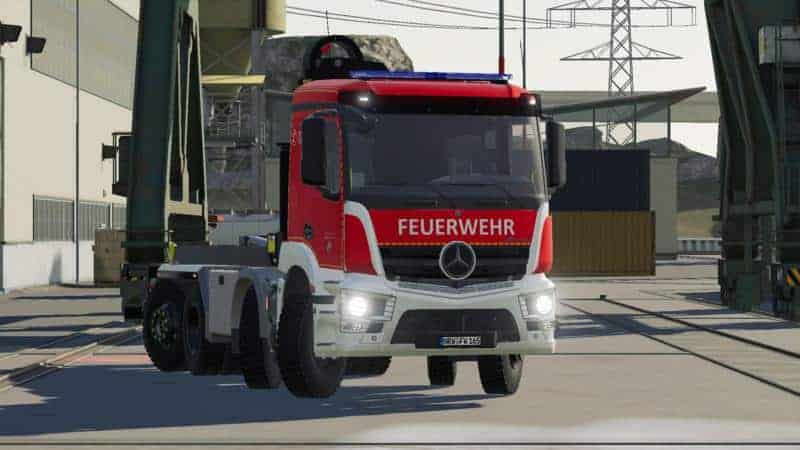
Mercedes Benz Antos WLF von T&M v1.0.0.0 Mod
Mercedes Benz Antos WLF von T&M v1.0.0.0 Mod IT IS FORBIDDEN TO CONSTRUCT THE MOD AND TO RECHARGE OR USE PARTS AND UPLOAD THESE AGAIN! SKINS MAY BE CREATED AND PUBLISHED BUT ONLY THE DDS FILES! Violations of this rule will be prosecuted. Requires simple IC Functions: 3-axle steering Simple IC Doors open bar per simple ic HVAC controllable via simple ic Animated crane Support feet with lifting function The underride guard can be folded in and out Operating element with Simple IC interior lighting as well as work lights Wheel arch configurable Blue light confic Construction time: 8 weeks
Rostselmash GKP v1.0.0.0 Mod
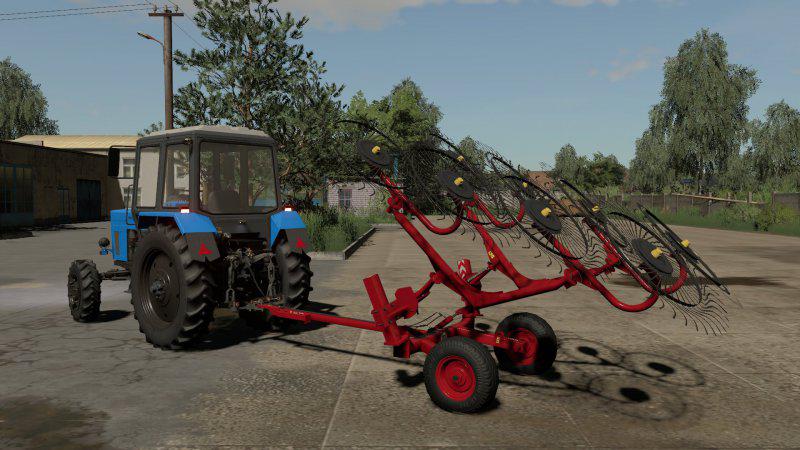
Rostselmash GKP v1.0.0.0 Mod GKP-900: – Price: 15,400 €; – Working width: 9.0 m.; – Required power: 130 hp; – Working speed: 18 km / h.; – Dynamic hoses; – Leaves traces; – Gets dirty and cleans up. GKP-600: – Price: 6,200 €; – Working width: 6.0 m.; – Required power: 110 hp; – Working speed: 18 km / h.; – Dynamic hoses; – Leaves traces; – Gets dirty and cleans up.

2006 Ford F-350 Lariat v1.1 Mod
2006 Ford F-350 Lariat v1.1 Mod Alright guys ive brought back my lariat edition of rorocustoms f-350 this time its v1.1 with new grill, roof lights now work, mud grips are existent now, and new sounds.
FarmingStudio21 v1.1.7BETA FS19
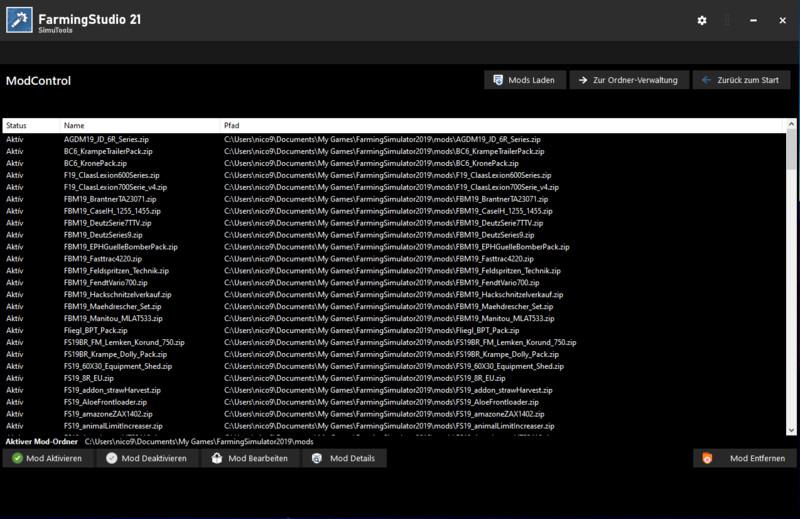
FarmingStudio21 v1.1.7BETA FS19 If you like our work please leave a rating at Recommendable with yes or no. We also appreciate a star rating If you like our work, please leave a rating at Recommended with Yes or No there. We are also happy about a star rating This page will be updated with every update! Welcome to FarmingStudio21. Our masterpiece is finished 🙂 and we want to share the first version with you 😉 What is FarmingStudio21? With FarmingStudio21 you can check your log file or edit / manage your mods or edit and manage your game and savegames. In short it is a must-have tool for the LS19 How Does It Work? ModStudio: Select Zip, Enter Values (Press Apply on Other, Done) SavegameStudio: Select savegame, enter values (Press Apply on levels) Done LogStudio: Log Readout Press, Done FarmControl: Manage Game Settings, Manage Mod Settings ModControl: Manage your mods / mods folder or download your community’s server mods. What’s New? We brought New Features for you. SavegameStudio can now edit the savegame more dynamically. ModStudio can now edit the mods more dynamically FarmControl (For managing and starting the game (Currently only starting) How do I install it? Quite simply, download the zip file and unzip it. The install wizard will then guide you through the setup process. What’s Planned for the Future? We have many ideas for the future, to list them all here would take too long. If you have any other suggestions for us let us know 😉 Known errors None known at this time INFOUND TO CHANGE MODS Please remember, you change mods for YOU! uploading the modified mods is not allowed without permission of the modder!. The program is supposed to make you Private changes possible and nothing more. Data required / accessed by FarmingStudio21. FarmingStudio20 Requires the following to work properly: For the home page and the update notice, an internet connection. (Home page updates every 45sec) The Farming Simulator folder (By default in the documents) The mods folder path The log path The Farming-Simulator.exe (Just select the shortcut) Access to create folders (Documents/FarmingStudio20) Creating a settings file (%appdata%/local/FarmingStudio20) (Updater only) Deleting and downloading files, as well as Advanced permissions to act in the installation sign. Another little hint for the people who think I have nothing better to do than to put a virus on your PCs… The VirusTotal report says there’s nothing there…. (Can be found at the bottom) (Apart from 1. but you can ignore because the engine probably has a bang ^^) I have something better to do than this ^^ I want to help LS-Com and not make it worse than it already is… Credits:Code/Desing: Nico.BDesign: Daniel.B Tags: LS19Manage Mod SettingsmodsNew Features

Courseplay v6.03.00044 FS19
Courseplay v6.03.00044 FS19 6.03.00044 Bale Collector: skip invalid bales Some bales seem to have a node ID of 0, attempt to skip them when scanning the field. 6.03.00041 Many minor fixes Mode 1 with overloader swerve fix #6814 #6801 See if the other vehicle as an overloader, potentially waiting for us (is near the overload point). We should not swerve as we need to drive under the pipe of the overloader wagon. Stop at end setting fix for #6845 Never set or reset stop at end automatically. Also fixed a minor pathfinder bug when generating an alignment course starting in reverse, made sure the first waypoint really is always in reverse. Two-side headland fix for #6847 Editor delete to start fix Fixed some MP debug output and Editor delete all WP to start for SP and MP. #6297 Full credits to @Satissis who helped us out once more :) 6.03.00040 Grimme DLC fix fix call stack with harvesters with no pipe, fixes #6824 stop at end option back for mode 5, closes #6808 Köckerling Vectors added to the vehicle configuration, so CP handles them as towed implements with wheels, fixes #6823 6.03.00038 Bale unload fixes #5837 (#6798) Check bale height when unloading bales to find the spot to unload. 6.03.00034 Convoy for lands pattern fixed Fixes a minor issue when using convoy (multitool) with lands or other patterns with wide turns where the vehicle in the front let the one behind it pass after a turn. 6.03.00033 Plow and weather fixes combines lower header after the rain stops, fixes #5039 Reintroduced manual working width configuration. Can now be configured in XML, fixed SPSL9 working width, fixes #6738 Added back that we need a mouse cursor, but now we can use any cursor and not only CP. fixes #6735 6.03.00032 Convoy and attach/detach fixes Better progress calculation for convoy mode (fixes #6011) Reset mode when detaching/attaching implements (fixes #6726). This caused some implements not reversing correctly. 6.03.00029 Fixes #6724, when checking nearby vehicles, only check ones which are enterable. Fixes #4955 #6646 AD courses have no speed set, handle that in the course editor. Also increased recursion limit for headland calculation, this should fix issues when starting the inner vehicle in a multitool configuration where the course begins close to a corner. 6.03.00028 Fixes #6713 Also includes potato harvester pull back course fix for #5012 course generator screen update for #5102 Fixes #5012, #5102 6.03.00025 Mode 2/3 Improvements fixes #6633 (Distance to next turn may not be defined for instance in the last row) tried to make the rendezvous more fault tolerant use a higher fruit value limit in the hybrid parts as it is not a problem getting temporarily closer to the fruit there, and it speeds up the pathfinding quite a bit. reduce off field penalty when combine on headland for faster pathfinding better driving time estimation to rendezvous point now considering turns we have to make to get there improved chopper handling in turns with headland at an angle 6.03.00024 Bridge and proximity sensor fixes Goal node elevation fixed (#6665) Proximity sensor directly on the back of the combine/chopper allowing for the unloader to get closer. When driving over non-level bridges, the controlled node isn’t vertical and the goal node was positioned on the ground level which is way below the vehicle. Due to this, the goal’s position in the controlled node’s reference wasn’t accurate in this situation, seemed to be a lot closer when driving uphill, lot further when driving downhill. Uphill goal being too close caused oscillations in PPC. Moved the goal point on the level of the vehicle (controlled node), so the error caused by the non-vertical controlled node is negligible. Few proximity sensor and vehicle size fixes Proximity sensor sits on the back of the combine now fixed pathfinder vehicle data rectangles, clarified the misconception that the direction node is always on the root node, it is not, the direction node is the turning node, usually sits between the non-steered wheels. 6.03.00022 Minor fixes fix all hybrid A* pathfinder failing fix reset fill level after making pocket 6.03.00021 Course generator and turn fixes No extra headland circle (#6605) Fixed the calculation of the headland/middle transition. If the center mode is lands, there is still a small chance that an almost full circle connecting track will be added if the starting point is very close to the start/end of the first working row of the lands pattern. Partial fix for #6383 do not add straight section to turn end to align if there is no towed implement if turn on field enabled but there’s no space to turn (must reverse), use the legacy wide turn (which is also buggy a bit). if you don’t want your sprayers boom hit obstacles outside the field, use a headland. 6.03.00020 Mode 2/3 improvements Wait before starting the next row if the rendezvous point is close to the row end. use A* to calculate distance to combine before the rendezvous. combine notifies unloader on missed rendezvous, unloader re-plans route try to approach combine waiting after backing out of the fruit from the rear so we won’t cut in front of it. don’t slow down around rendezvous when discharging already don’t ask for a rendezvous when the combine is not willing to, for example when unload is disabled on the first headland. won’t initiate new rendezvous until the combine cancels the current one move up rendezvous points close to row end pipe in fruit map changed to have a 20 m buffer at each end of the row to account for non-perpendicular headlands. fixed offsets when calculating target to combine, sometimes it used the side offset as front offset. make sure to reset 95% full limit after making pocket added safety margin to the calculation of the distance until full All this to avoid the situation where the combine stops before reaching the rendezvous point because it thinks it is full (although only 95%) only considers unloaders actually waiting for assignment, ignore the ones on unload course for example when a combine is looking for an unloader if an unloader is already assigned to a combine, only it is waiting for the combine to become ready for unload (for example due to fruit in pipe), assign the same combine to it. This should probably be refactored, adding a new state for the unloader, like WAITING_FOR_COMBINE_TO_BECOME_READY or so. Credits:pvaiko Tags: Courseplay for FS19CPMPSP
K-700A- Alteration v0.1 FS19
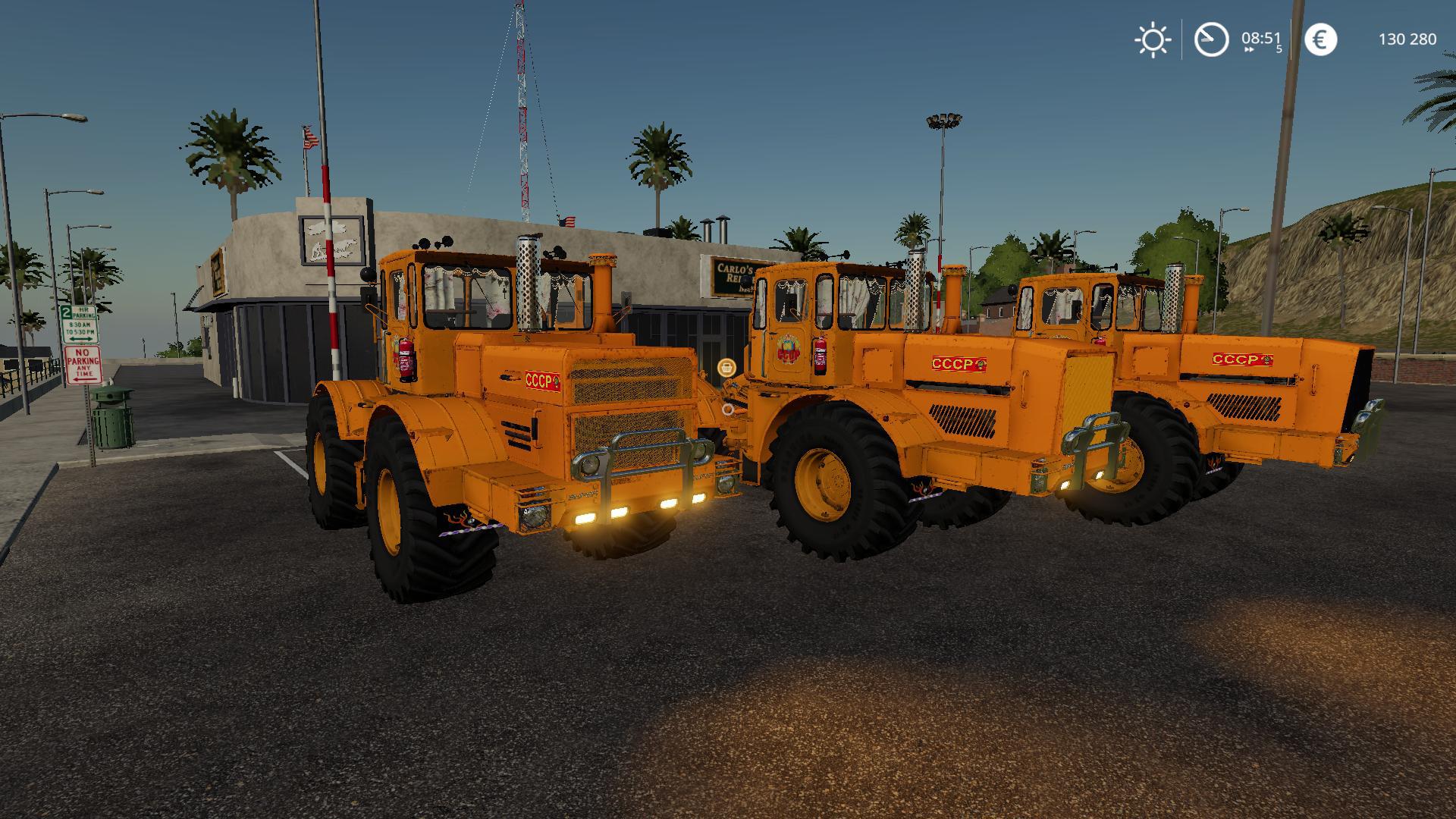
K-700A- Alteration v0.1 FS19 Added animation of doors Added tumanki: included separately on the dashboard Added tuning And much more Credits:Aluha74rus, region038, voiyka_13 (Vladimir Kuzinkin)

HTZ 181 v1.0 FS19
HTZ 181 v1.0 FS19 Doors and toolbox open Adjustable mirrors Start animation Removable shields Design selection Price € 37550 Power 190 hp Speed 25 km / h Tank 430 l Credits:- = F @ RMeR = - (Alexey Egorov) Tags: HTZ
Fordson F steel v3.0 FS19
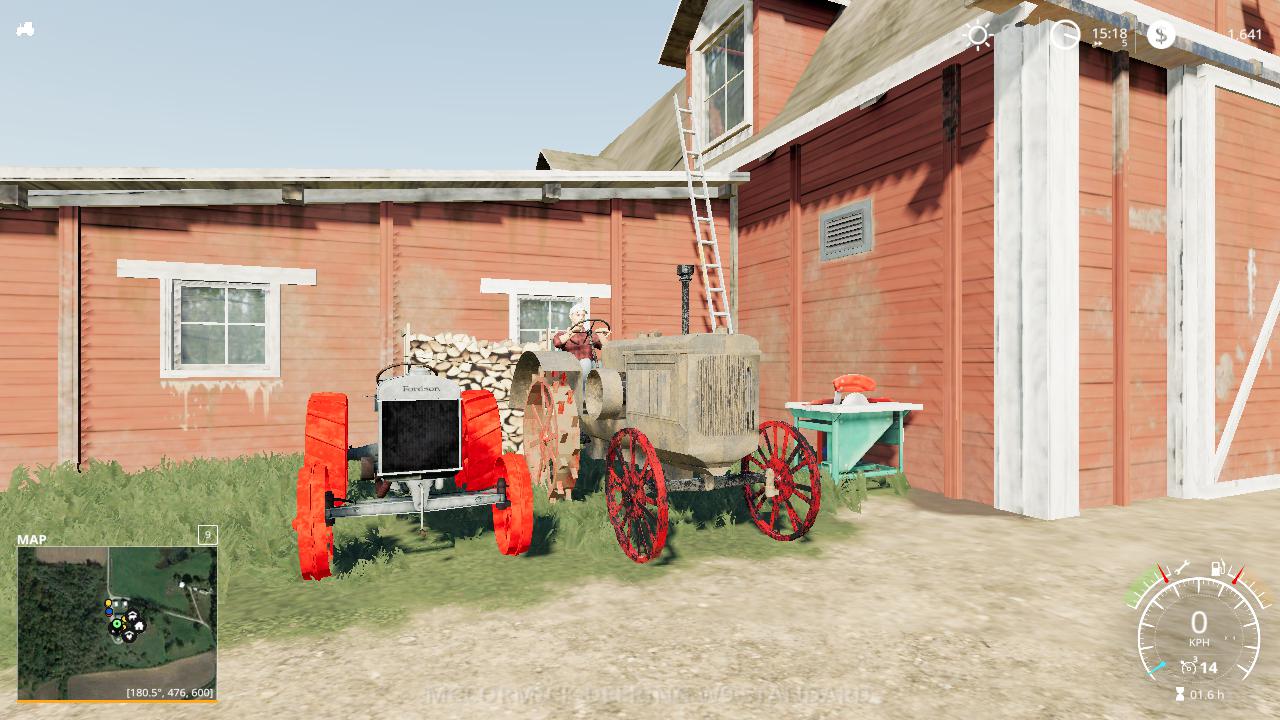
Fordson F steel v3.0 FS19 The Fordson F was the first mass produced tractor the average farmer could aFord (A-Ford get it?) The Fordson is now 100 years old considered by many the first modern tractor! Credits:TPF, Scooters Workbench,modall,Giants, Patton_M47
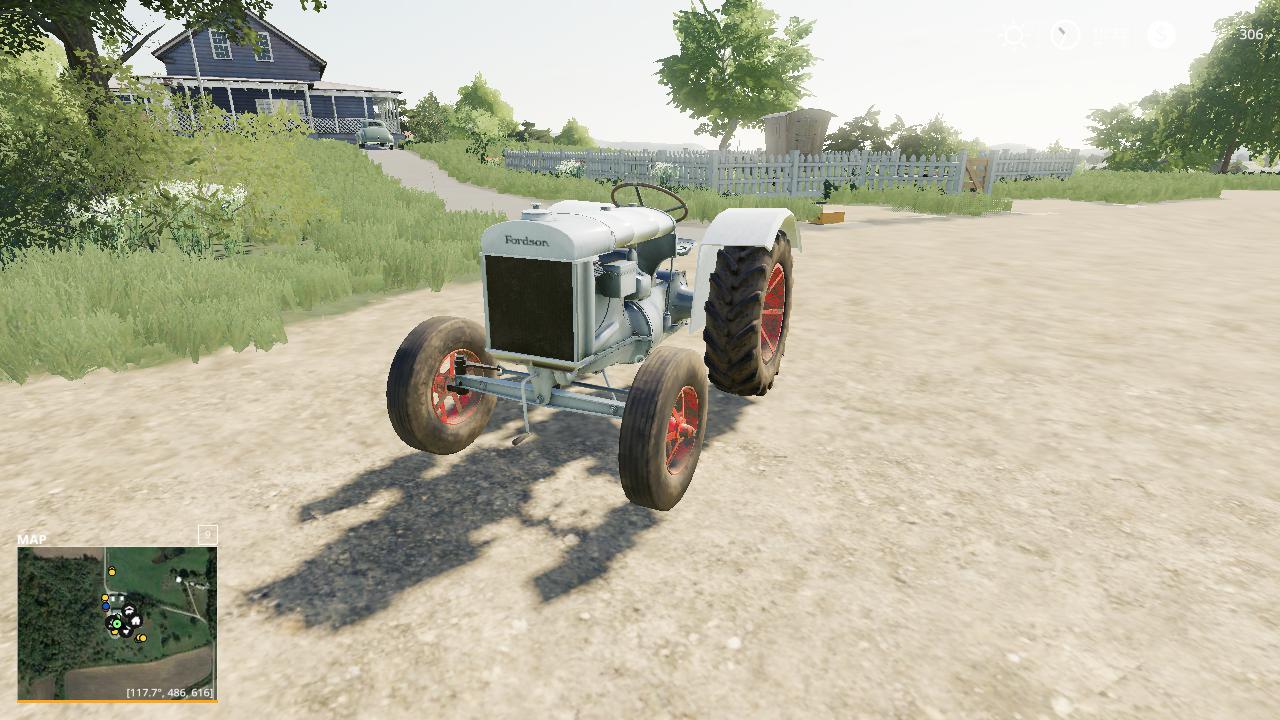
Fordson F rubber v1.0 FS19
Fordson F rubber v1.0 FS19 Here is another version of the good ol fordson but this time on rubber with a higher road gear. Credits:TPF, Scooters Workbench,modall, Patton_M47

Aro 320 D 1975 v1.0.0.0 Mod
Aro 320 D 1975 v1.0.0.0 Mod Price: 1000 $ Speed : 160 km/h Engine : 200 h.p Plates RO Selectable Colors
- 15 per page
- 30 per page
- 45 per page
- 60 per page
-
See more per page
Bigger pages, fewer clicks - and no ads anywhere.
Go Pro