Farming Simulator 19 mods
55,695 results- 15 per page
- 30 per page
- 45 per page
- 60 per page
-
See more per page
Bigger pages, fewer clicks - and no ads anywhere.
Go Pro

FS19 RESHADE SETTINGS
FS19 RESHADE SETTINGS I reworked the reshade effects from FS17, slightly improving the visual quality of the game. TXT with installation included in the package. Have a nice game, AdexxON.

FS19 Realistische Grafik 2020 - Shadermod Real 2020
FS19 Realistische Grafik 2020 - Shadermod Real 2020 Der neue Shader soll so realistisch wie möglich aussehen und wurde dahingehend angepasst. Es wurden komplett neue Eigenschaften in Reshade verwendet. Auch sollte die Installation, dank relativer Pfade einfacher sein. Website https://reshade.me in Absprache mit der Community Guten Tag, biete hier wie jedes Jahr mal wieder meine Grafik Mod an, einige kennen sie eventuell noch vom letzten LS oder der vorherigen Version, jedoch hat Giants wie immer, trotz “Grafikupdate”, fragwürdige Shadereinstellungen benutzt, deshalb habe ich auf Grund einiger Nachfragen den Mod für den LS19 fertig gemacht und jetzt nochmals überarbeitet. In der neuen Version wurde auf ein neueres Reshade geupdatet. Der neue Shader soll so realistisch wie möglich aussehen und wurde dahingehend angepasst. Es wurden komplett neue Eigenschaften in Reshade verwendet. Auch sollte die Installation, dank relativer Pfade einfacher sein. Funktionen: · -die Mod basiert auf Reshade und wird durch einige von mir extra abgestimmte Shader und Scripte ergänzt · -die neue Einstellung soll schlichtweg, dass Spiel so realisitsch wie möglich erscheinen lassen · -MP geeignet ! – Jeder Bildschirm zeigt anders an, gefällt euch der Shader nicht, könnt Ihr diesen wie unten beschrieben selbst anpassen Installation: – Habe ein Bild hochgeladen, wie der Ordner fertig aussehen sollte! – Der Pfad eurer Installation kann abweichen, normal ist es aber Laufwerk C: Normale Version: · -Die Datei downloaden und entpacken · -Den Inhalt des entpackten Ordners (dxgi.dll, … ALLE Dateien!!!) in das Verzeichnis: C:\Program Files (x86)\Farming Simulator 2019\x64 entpacken Steam Version: · -Die Datei downloaden und entpacken und entpacken · -Den Inhalt des entpackten Ordners (dxgi.dll, … ALLE Dateien!!!) in das Verzeichnis: C:\Program Files (x86)\Steam\steamapps\common\Farming Simulator 19\x64 entpacken Anwendung: · -Im Spiel einfach die Rollentaste zum ein und ausschalten verwenden und ihr seid fertig! · -Mit F10 (kurz halten) kommt ihr in das Mod-Menu und könnt es selbst nach belieben anpassen –> Unter Home sind alle Shaderoptionen auswählbar PS: Wer auf 8Bit steht sollte dort mal “Nostalgia” auswählen Ich freue mich immer über positives Feedback und stehe bei Fragen gerne zur Verfügung!

FS19 Michelin Defender v1.0.0.1
FS19 Michelin Defender v1.0.0.1 The Michelin Defender is an all-season car tyre. The Defender performs well in most weather environments including light snow conditions. Size: 215/60 R16 Included is a wheel for Cars, and one for map decoration. Changelog: 1.0.0.1 – Shadowmaps corrected

FS19 Real Speed Limit
FS19 Real Speed Limit Real Speed Limit gives players the ability to disable the speed limit given to tools so they can use the cruise control speed instead. Each vehicle can have the limit disabled individually. By default the limit remains active. Useful for large fields. Horsepower and mass will still limit top speed. Default Key: Left Alt + 0

FS19 Dźwięki ursus c360
FS19 Dźwięki ursus c360 dźwięki do ursusa c360 do farminga 19 życzę miłej gry:)

FS19 Matador Wheels Pack
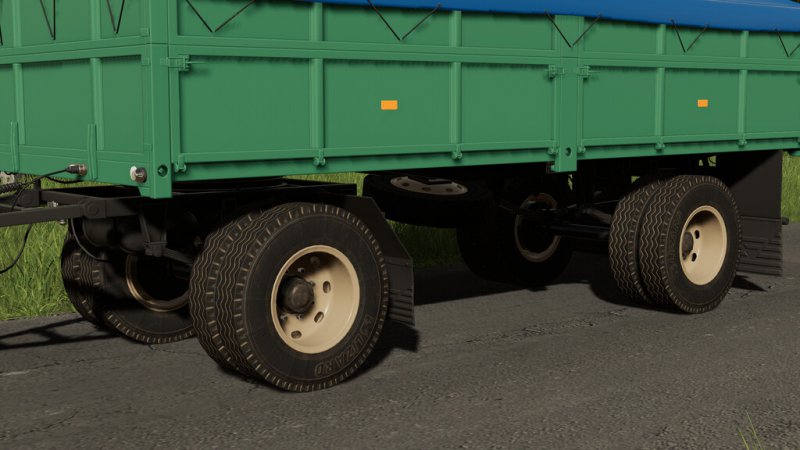
FS19 Matador Wheels Pack ATTENTION: Tires from brand Matador are only authorized for PC Mods due to missing lizenses! Sizes: 255/75R15.3 The package contains original rims and hubs.
FS19 Farming Simulator 19 Update 1.7.1 (patch 1.7.1)
FS19 Farming Simulator 19 Update 1.7.1 (patch 1.7.1) Patch version 1.7.1 Adding compatibility for the Alpine Farming Expansion Fixed an issue with connection hoses of Alpine expansion tools on Xbox One Added default config mapping for Logitech 923 TrueForce Improved game’s behavior with tobii hardware (PC only)Added support for 3Dconnexion’s SpaceMouse (PC only) Patch version 1.7 (included in 1.7.1) Improved pipe behavior on NH FR780 and Rostselmash F2650 Fixed issue with surface sounds when players exit and reenter their vehicle Fixed visual issues on Fendt 900, Great Plains YP2425A, Kroeger TAW30, NH CR10.90 and Strautmann SEK 802 Fixed issue with selling fill triggers while they are being filled Improved AI behavior when work area overlaps with next field area Improved AI behavior when using combined machines, it now uses the widest working width available Fixed AI being blocked by raising/lowering front tools Improved AI reversing behavior Reduced attacher joints size on Lizard Pickup 1978 Fixed control issues with axis components + front loader tools

FS19 Set Cruise Control
FS19 Set Cruise Control Activate and set the Cruise Control speed to the current driving speed. Default Key : 4

FS19 Warning Signs And Warning Stickers
FS19 Warning Signs And Warning Stickers Warning signs & warning stickers in different sizes Dimensions: – 565mm x 200mm – 423mm x 423mm – 564mm x 282mm – 800mm x 141mm

FS19 No Automatic Refuel
FS19 No Automatic Refuel All motorized vehicles in FS19 get automatically refueled each time you start the game if they have less than 10% fuel in the tank. This means, you exit and reload your savegame with less than 10% fuel in the tank you get filled up back to those 10%. So if you don’t play a long time in one sitting but save and reload more often its basically impossible to run out of fuel. This isn’t just unrealistic, this automatic refueling also costs twice as much as regular refueling. I’ve been annoyed by this feature from the time I first got told it exists. So here is the “fix” for this “problem”. No automatic refueling. Have fun!
FS19 Reshade settings with Seasons
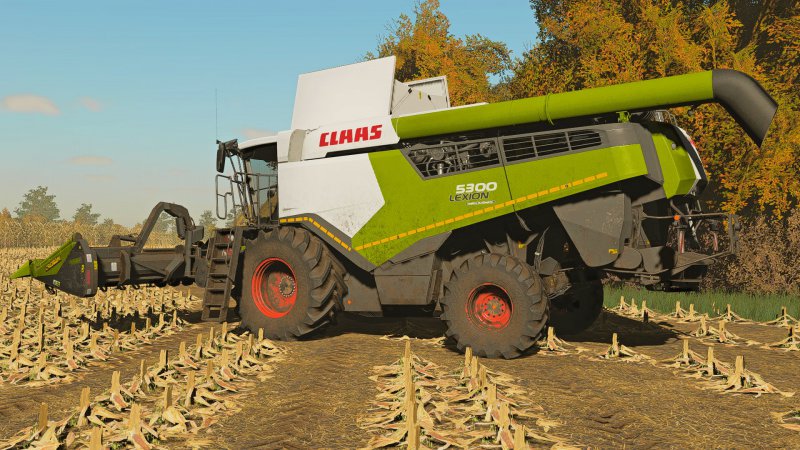
FS19 Reshade settings with Seasons Required Nismo’s lighting settings , you won’t achive same effects without Nismo’s lighting! Read ReadMe!

FS19 Patch 1.6.0
FS19 Patch 1.6.0 This is the Patch old 1.6.0 for those who have Problems with the new one.

FS19 Work RPM
FS19 Work RPM This mod increases vehicle motor rpm when using hydraulics tools (moving tools), tipping, unfolding, lifting or rotating implement or moving pipe. Motor rpm is displayed on screen. – You can resize or move rpm HUD – You can open settings menu where you can set some options: – Activate / deactivate increasing motor rpm for each action (only Admin can do this in multiplayer) – This can be set as global or for current vehicle type (it will be saved in config file for all savegames) – Show / hide rpm HUD – Show / hide help in F1 menu – Set custom size of rpm HUD – Rpm increase to these values: – MovingTools: minMotorRpm + 15% – Tipping: minMotorRpm + 40% – Folding / unfolding: minMotorRpm + 30% – Lifting / rotating implement: minMotorRpm + 30% – Folding / unfolding pipe: minMotorRpm + 10% – Rpm color switches to red when rpm reach 80% of maxMotorRpm – All controls can be set in your Inputbindings Default controls: KEY_lshift KEY_w – open settings menu KEY_lshift KEY_KP_plus – set size of rpm HUD KEY_lalt KEY_KP_4 / 6 – move HUD left / right KEY_lalt KEY_KP_8 / 5 – move HUD up / down
- 15 per page
- 30 per page
- 45 per page
- 60 per page
-
See more per page
Bigger pages, fewer clicks - and no ads anywhere.
Go Pro