Euro Truck Simulator 2 mods
177,263 results- 15 per page
- 30 per page
- 45 per page
- 60 per page
-
See more per page
Bigger pages, fewer clicks - and no ads anywhere.
Go Pro

Renault Magnum Updates v22.3.8 by Knox_xss (1.61.x) for ETS2
🚛 Renault Magnum Updates by Knox_xss for ETS2 - this mod comprehensively changes the standard model of the ETS2, with the same name and affects many aspects from interior and animation to the chassis and new wheel formulas. The modification adds a whole bunch of different parts to improve the truck.Now you have the opportunity to pump the tractor as you wish, for comparison, in the base model of Renault Magnum from SCS, only 17 accessory positions can be changed, and in the Updates version about 50!Features Renault Magnum Updates:– 🚛 Independent truck model– 🧊 High-quality 3D model with detailed exterior & interior– 🛞 High-quality rims & 3D tires– 🪞 Realistic mirror reflections– 💨 Correct exhaust smoke position– 🏷️ Correct license plate position– 🛞 Own wheels, sound & interior included– 👥 Passenger seat available– 🌟 Illuminated speedometer & tachometer arrows– 👤 Driver correctly seated in cabin– 🛞 Choice of wheels & rims– 🎨 Choice of body color, metallic paint, & skins– ⚙️ Choice of transmission & gearbox– 🔧 Choice of power engines (6 variants)– 🛞 Choice of chassis (8 types)– 🚛 Choice of cabins (3 types)– 🛋️ Choice of interiors (9 types)– 🏷️ Correct Renault logo placement– 💡 Fully working headlights, brake lights, tail lights, turn signals, reverse lights, & steering wheel– 📌 Correct player position alignment– 🛋️ Interior accessories configuration– 🎨 External tuning options– 🧳 Cabin Accessories DLC support– 🔌 Trailer cables support– 🔊 FMod sound support– 🪟 Window animation support– 🎮 Supports all major game functions– 🏪 Buyable from Renault or Access Mod DealerChanges in v22.3.8: – 🔄 Adapted to the latest game patch 1.61;– 🐞 Minor corrections 👥 Credits– Posted by: Knox_xss– Collaborators:– 🎨 Hard_Chebur – interior decoration– 🎛️ dmitry68 – dashboard animation– 🚛 Flemming V – basic models of booths & trailers for BDF– 💡 DANZ – flashing beacons, signs– 🏳️ oq37 – pennants– 🖥️ kuba141 – trip computer– 🧭 50keda – base model of the navigator– 🏢 SCS Software – Magnum base model Changes in v22.3.7 (1.58.x): – 🔄 Adapted to the latest game patch 1.58;– 🐞 Minor corrections Download Link 1 | Download Link 2 | Fix for 1.54 Changes in v22.3.7 (1.57.x): – 🔄 Adapted to the latest game patch 1.57 (Unofficial Update);– 🛠️ Fixed missing slots for interior dashboard sets on v1.56;– 🐞 Minor corrections;– 🔄 Added support of DLC Forest Machinery (NEW) Changes in v22.2 (1.52.x): - Headlights slightly redesigned;- Increased resolution of the icon texture on the dashboard;- Increased intensity of interior lighting;- Minor fixes. Changes in v22.2 (1.52.x): - Adapted to the latest game patch 1.52;- correction of artifacts on cellphones;- minor corrections. Changes in v22.2 (1.51.x): - Adapted to the latest game patch 1.51;- Minor fixes. Changes in v22.2 (1.49.x): - Updated fix for running the machine on patches 1.49+;- Fixed texture for trailer cables. Changes in v22.2 (1.49.x): - the deflectors on the side windows have been redesigned - now the light passing through them is refracted (see screenshot below);- increased resolution for the GPS screen;- redesigned cabin light;- other minor corrections.Download Link 1 | Download Link 2 | Download Link 3 Changes in v22.2.1 (1.49.x): - Fix for nonworking digital clock with combination of some exterior skins;- Added sounds optional file.Download Link 1 | Download Link 2 Changes in v22.2 (1.49.x): - Adapted to the latest game patch 1.49 (Unofficial Update).Download Link 1 | Download Link 2 Changes in v22.2 (1.47.x): - Adapted to the latest game patch 1.40 / 1.47;- Cleaned log.Download Link 1 | Download Link 2 Changes in v22.1 (1.46.x): - Added window animation (thanks to Ilya il_86);- Several minor fixes.Download Link 1 | Download Link 2 Changes in v22.0 (1.40.x): - adaptation to version 1.40- added backlight to dashboard, navigators, phones- added improved versions of the cellphone and cellphone with GPS, on the dashboard and on the windshield- added extended version of the slots on the dashboard (more slots across the cabin)- added an extended sunshield with slots- added slot for accessories at the bottom of the windshield- added tray for license plates- shutters now in two versions - opened and closed- updated Magnums in companies and in truck dealerDownload Link 1 | Download Link 2 Changes in v21.01 (1.36.x): * Adaptation to version 1.36 and to DirectX 11* Updated camera settings* Updated on-board computer* Updated sounds* Lift axle indicator now shows axle status on trailer (and not on truck)* Added three tuned chip engines - for 577, 615 and 677 hp* Added black version of trailer cables* Added skin "Route 66 Metallic"* Added "Renault Magnum Metallic" skin for Magnum and for Krone trailers.* Added "Duda Transport & Logistic" skin for Magnum and for the Krone Profiliner trailer.* Minor changes in the model of the exterior and interior.* Removed the obsolete version of the wheel blocks. Help keep great mods coming by downloading officially Simple steps to install ETS2 Mods
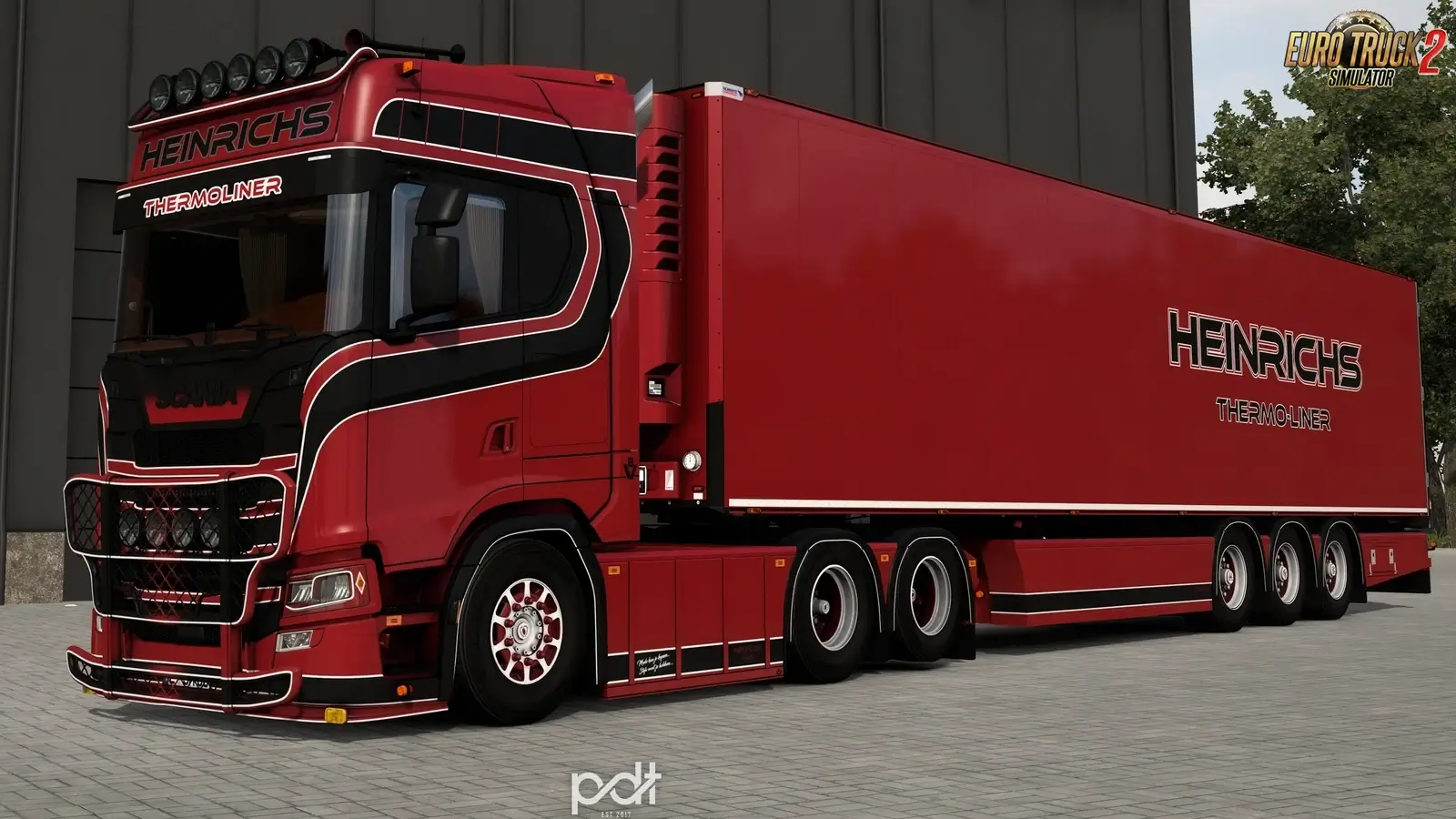
Scania S650 Heinrichs Thermoliner + Trailer v10.0 (1.61.x)
Help keep great mods coming by downloading officially Simple steps to install ETS2 Mods
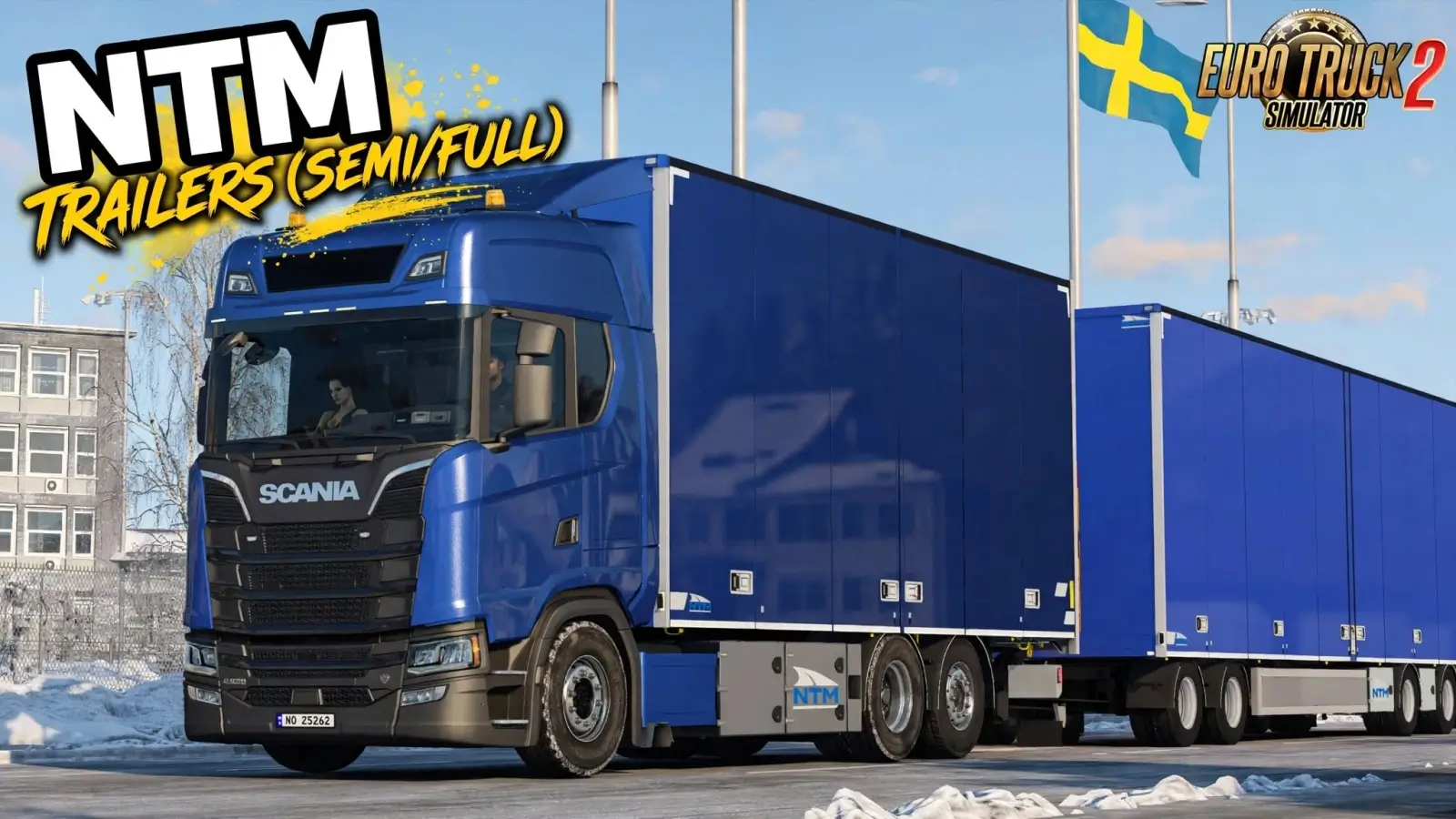
NTM Trailers (Semi/Full) v2.2 by Kast (1.61.x) for ETS2
🚛 NTM Trailers By Kast for ETS2 - pack of semi-trailers of various sizes NTM with support for all features of Euro Truck Simulator 2. High-quality textures and model without any errors. There is two variants of the mod: one have only semitrailers and other mod includes the full-trailers. One addon to extend the dolly drawbar for the trucks that have trailer hook under the truck. All the trailers have two variants, one with Thermoking cooler and one without it. Features NTM Trailers: – 🔄 Adapted to the latest game patch 1.61– 🛠️ Added animated axles– 🛠️ Drawbar pivoting (sell existing trailer with drawbar before update, old trailer may crash the game) Download v2.2.1 - Tandem addon Download - OAK Green double HCT addon Download - No restriction for doubles and big trailers Download - All the trailer templates are inside the .zip file ✅ Tested on game version 1.61.x Help keep great mods coming by downloading officially Simple steps to install ETS2 Mods
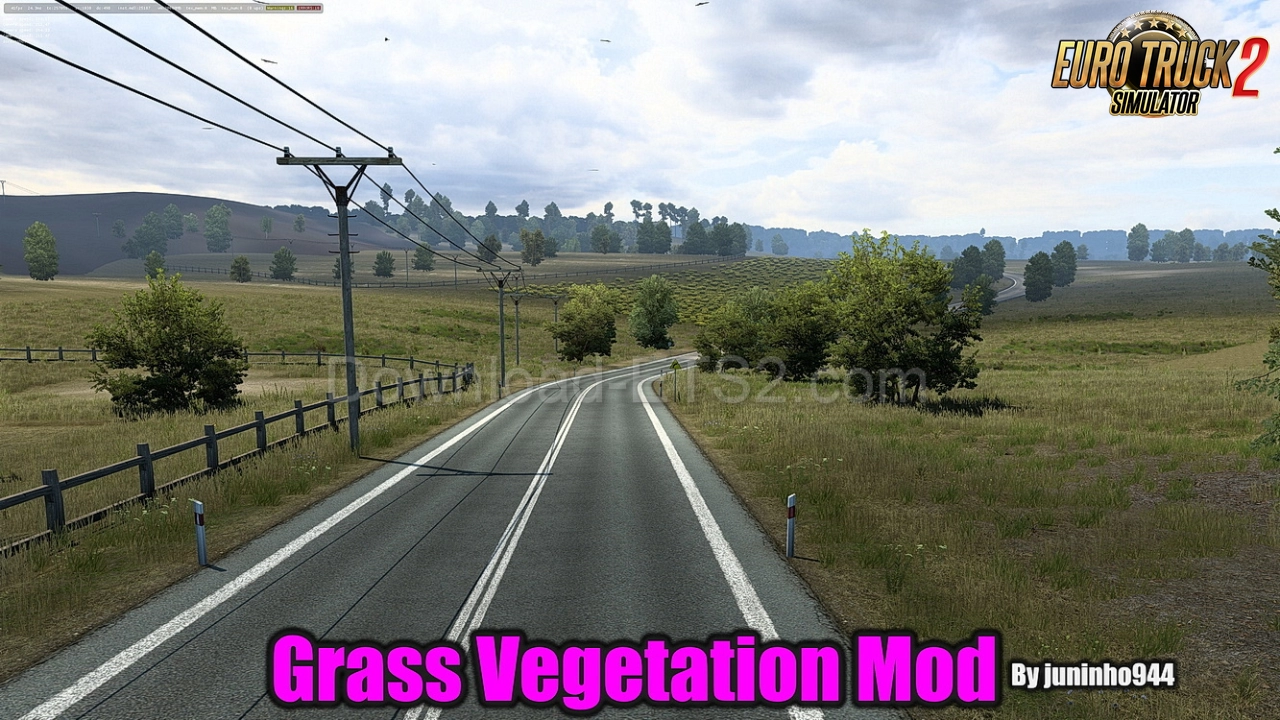
Grass Vegetation Mod v4.1 by juninho944 (1.61.x) for ETS2
🌿 Grass Vegetation for ETS2 - this mod modifies tree models and grass from SCS Software and makes them more realistic in game. Replaces textures of grass, trees, landscape, various tunnels and prefabricated structures. The mod contains new textures of high-resolution green spaces, and also changes the density and physical characteristics of vegetation, which improves the graphic component of the ETS2 simulator. The author added improved textures of dry and green grass, textures of various trees, shrubs and other vegetation found in the virtual world. Features Grass Vegetation:- ✅ Replaces default grass textures with high-quality 4K versions- 🌲 Enhanced models for trees, shrubs, and tunnels- 🌾 Includes dry and green grass variants for seasonal realism- 🔄 Compatible with all maps and mods- 🌱 Choose between low or high grass density for performance tuningChanges in v4.1:- 🔄 Fully adapted for ETS2 patch 1.61 📌 Tested on game version 1.61.x Changes in v4.0 (1.60.x):- 🧩 Fully adapted for ETS2 patch 1.60- 🔄 Added new mod Autumn ETS2 v1.0, which replaces Tree Improved Dry and Grass Dry Download Link 1 (4K) | Download Link 2 (2K) Changes in v3.8 (1.58.x):- 🧩 Fully adapted for ETS2 patch 1.58- Added new vegetation Changes in v3.6 (1.57.x):- 🧩 Fully adapted for ETS2 patch 1.57 Changes in v3.6 (1.56.x):- 🧩 Fully adapted for ETS2 patch 1.56.x- 🌿 More vibrant and dynamic grass visuals- 📈 High-density vegetation for richer landscapes- 🎯 Only available in 4K resolution for maximum detail Changes in v3.3.1 (1.54.x):- Adapted to the latest game patch 1.53 / 1.54;- Added added new vegetation. new addon, sprite. Changes in v2.90 (1.49.x):- Adapted to the latest game patch 1.49.xDownload Link 1 | Download Link 2 Changes in v2.80 (1.48.5.x):- Adapted to the latest game patch 1.48.5.xDownload Link 1 | Download Link 2 Changes in v2.69 (1.47.x):- new grass in Italy, version: 2kDownload Link 1 | Download Link 2 Changes in v2.63 (1.46.x):- Fixed bugs;- Updated Pack Texture.Download Link 1 | Tree Improved Changes in v2.62 (1.46.x):- Adapted to the latest game patch 1.46Download Link 1 | Tree Improved Changes in v2.61 (1.45.x):- Adapted to the latest game patch 1.45;- Trees quality improved.Download Link 1 | Tree Improved Changes in v2.0 (1.39.x):- changed color;- adapted to the latest patch 1.39Download Link 1 | Download Link 2 Help keep great mods coming by downloading officially Simple steps to install ETS2 Mods
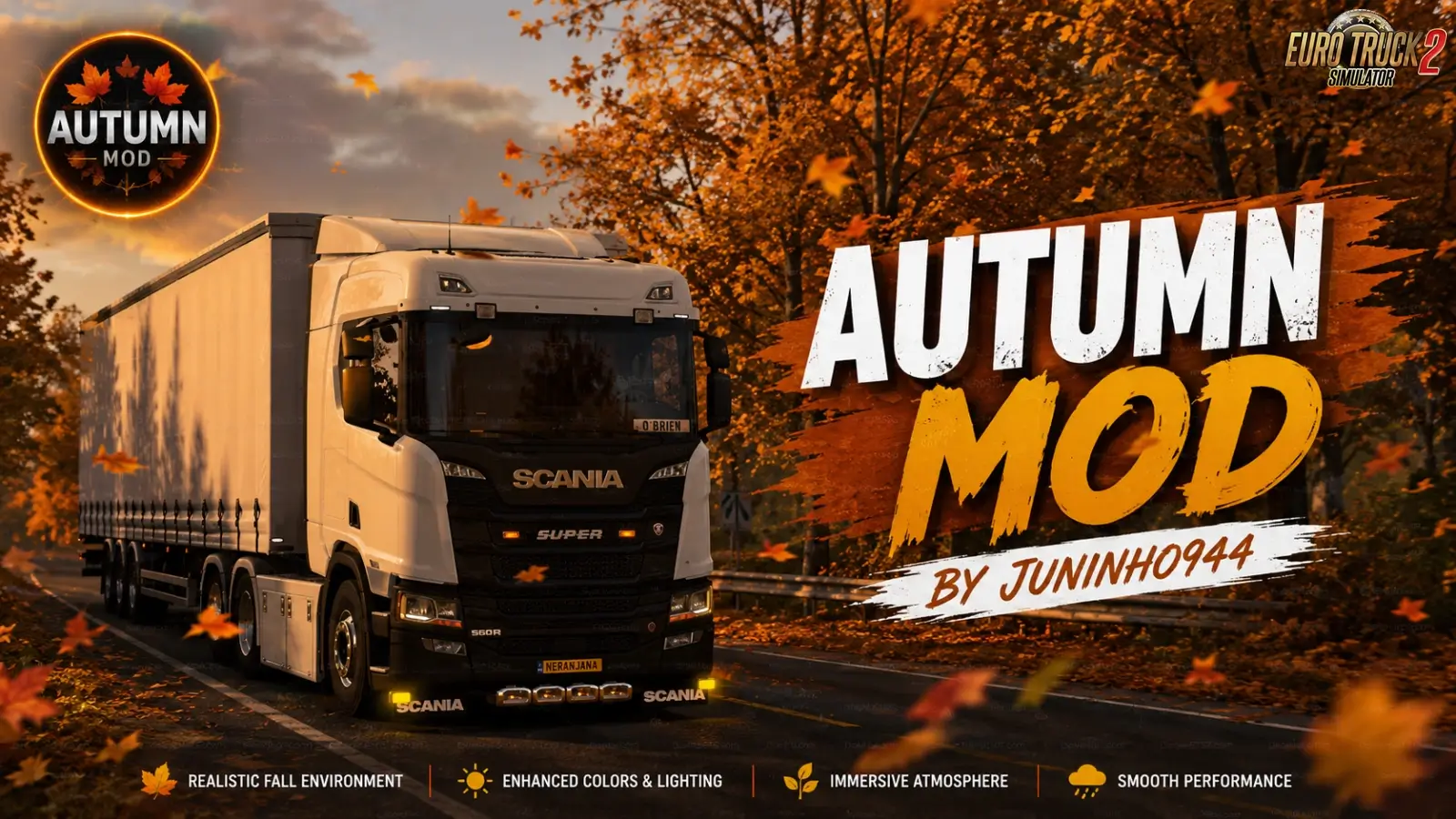
Autumn Mod v1.2 By juninho944 (1.61.x) for ETS2
Help keep great mods coming by downloading officially Simple steps to install ETS2 Mods
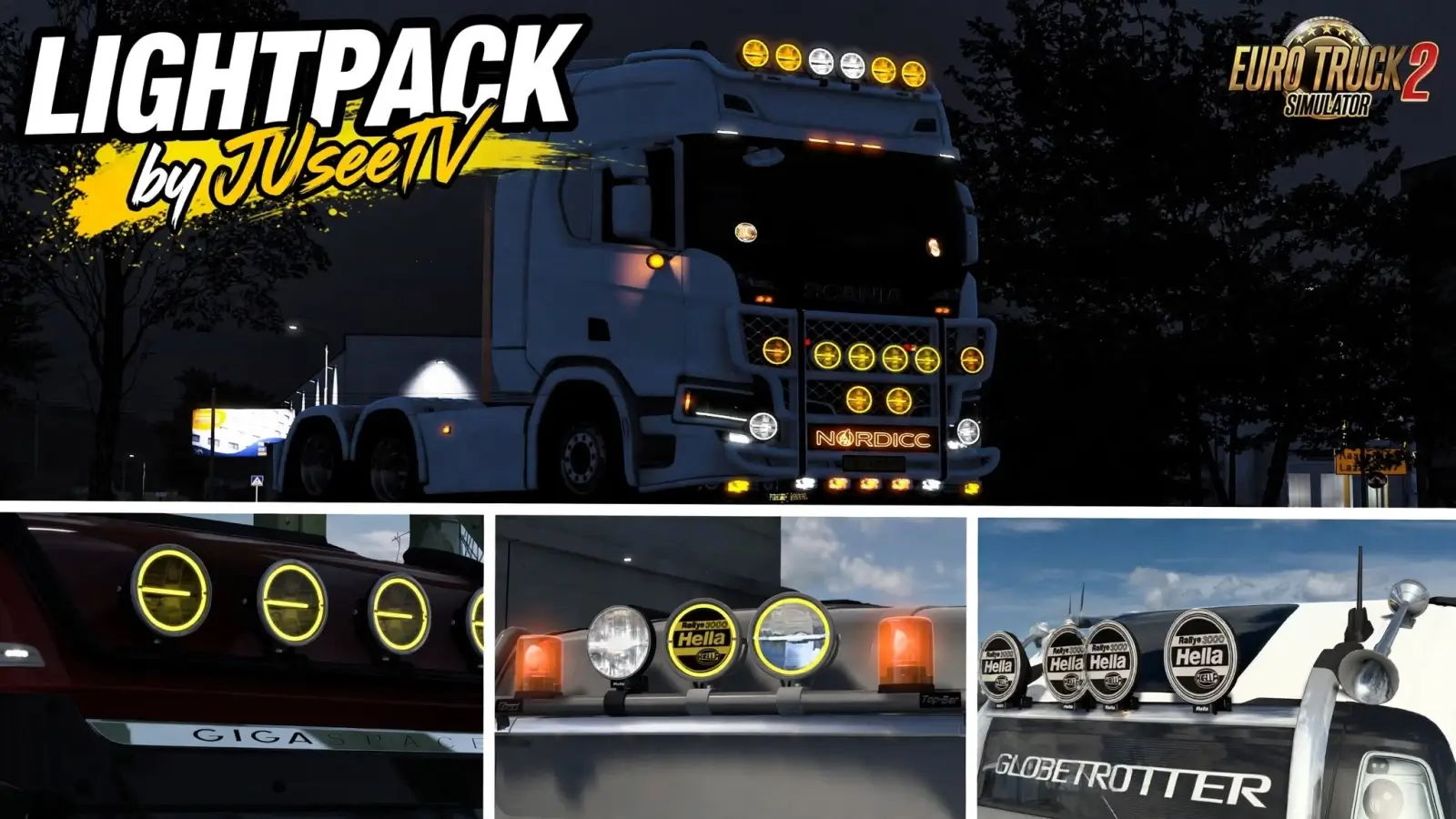
Lightpack by JUseeTV v1.7.4 (1.61.x) for ETS2
Help keep great mods coming by downloading officially Simple steps to install ETS2 Mods

Scania S Dashboard Addon v1.0
An additional dashboard page for the Scania S 2025 Smart Dash digital interior in Euro Truck Simulator 2. The dashboard includes the 7 original SCS pages plus 1 additional Dacova page. It features a large central speedometer, speed limit display, gear display, TRIP / AVG / INST, cruise control, REST and TIME. It also includes the original progressive speed and RPM bars, fuel and blue AdBlue bars, driving indicators, and side blind-spot alerts driven by game signals. Select the digital Smart Dash interior and cycle through the on-board computer pages to access the additional page. The analogue dashboard is not changed. Features depend on the truck’s equipment and the signals supplied by the game. The original GPS is retained. Load order: Place this mod above other mods that modify the same dashboard, GPS, or on-board computer. Mods that edit the same files may cause conflicts. Convoy: Optional mod (mp_mod_optional: true). It can be used when the server permits optional mods. Installation: Enable the local .scs file in Mod Manager. Enable only one copy of the mod. No other dashboard mod is required.

Google Maps Style GPS Dark Mode (PROMODS only) v0.2.1
Version 0.2.1 is a complete dark GPS for ProMods Europe 2.84 and ETS2 1.61. All-in-one GPS Everything needed for this GPS is included in this single mod. No additional GPS mods, compatibility patches, or map backgrounds from other creators are required. ProMods Europe and its required DLCs must be installed separately. Installation Activate this GPS above the ProMods packages, keeping ProMods in its recommended order. Use only one GPS theme at a time: Lightmode or Darkmode. This is a complete, standalone GPS package that replaces the earlier setup of small colour patches. Disable the old local GPS test, the separate Weaysy GPS base, and any other GPS colour patches. DOWL and other additional map backgrounds are not required for this setup; disable them. Included Weaysy HUD and cabin GPS theme, full icon set, blue route, and ProMods-sized map camera limits. This is a static dark theme. No plugin, SDK setting, developer mode, or external script is needed. Compatibility Designed for ProMods Europe 2.84 with ETS2 1.61. ProMods roads, cities, and background textures are supplied by your separate ProMods installation. Other map combinations and optional map backgrounds are outside this package’s supported setup. They may replace the same map settings, and compatibility with every combination is not promised. This package does not add automatic day/night switching or live incident reports.

Google Maps Style GPS Light Mode (PROMODS only) v0.2.1
Version 0.2.1: Complete light GPS for ProMods Europe 2.84 and ETS2 1.61. ALL-IN-ONE GPS Everything needed for this GPS is included in this single mod. No additional GPS mods, compatibility patches, or map backgrounds from other creators are required. Only ProMods Europe and its required DLCs must be installed separately. INSTALLATION Activate this GPS above the ProMods packages, and keep ProMods in its recommended order. Use one GPS theme at a time: Lightmode or Darkmode. This update replaces the previous small colour patch. Disable the old local GPS test, the separate Weaysy GPS base, and any other GPS colour patches. DOWL and other additional map backgrounds are not required. Disable them for this setup. INCLUDED Weaysy HUD and cabin GPS theme, full icon set, blue route, and ProMods-sized map camera limits. Static light theme. No plugin, SDK setting, developer mode, or external script is needed. COMPATIBILITY Designed for ProMods Europe 2.84 with ETS2 1.61. ProMods roads, cities, and background textures are supplied by your separate ProMods installation. Other map combinations and optional map backgrounds are outside this package’s supported setup. They may replace the same map settings, and compatibility with every combination is not promised. This package does not add automatic day/night switching or live incident reports.

Volvo FH6 XXL Cabin Aero Deflector (v1.0) – ETS2
Fit your FH6 XXL with sleek aerodynamic panels that channel airflow over the roof and along the sides. The pack comes with the classic low‑profile roof deflector and a 7° raised version for those who want extra downforce on the XL cabin. Works with both SCS XL and XXL cabin styles, including the Aero variants, but skips the 8×4 setups. Perfect for shaving seconds off fuel consumption while giving the rig a sportier silhouette.

Google Maps‑Style Light GPS for ProMods (ETS2 v1.61) – v0.2.1
Version 0.2.1 A fully‑featured light‑mode GPS that mimics Google Maps, built especially for ProMods Europe 2.84 on ETS2 1.61. Everything you need lives in this one file—no extra GPS packs, compatibility patches, or third‑party map backgrounds required. Installation Place the mod right above the ProMods packages and keep the ProMods load order unchanged. Choose either the Lightmode or Darkmode theme, but only one at a time. Turn off the old local GPS test, the separate Weaysy GPS base, and any other colour‑patch mods. If you have DOWL or other map overlays, disable them for this setup. What’s Included The package ships with the Weaysy HUD and cabin GPS theme, a complete icon set, blue‑highlighted routes, and map‑camera limits that match ProMods dimensions. It’s a static light theme—no plugins, SDK tweaks, developer mode, or external scripts needed. Compatibility Works with ProMods Europe 2.84 and the official ETS2 1.61 update. All roads, cities and textures come from your own ProMods install; other map combos or optional backgrounds aren’t supported and may clash. Note: the mod does not auto‑switch day/night or show live incident reports.

Google Maps‑Style Dark GPS for ProMods (ETS2 v0.2.1)
Version 0.2.1 delivers a full‑on dark‑mode GPS that mimics Google Maps, built specifically for ProMods Europe 2.84 on ETS2 1.61. Everything you need is bundled in this one mod – no extra GPS packs, compatibility patches, or third‑party map backgrounds required. Just make sure ProMods and its DLCs are installed first. Installation Place the GPS mod right above the ProMods files, keeping ProMods in its default load order. Use only one GPS theme at a time (light or dark). Disable the old local GPS test, the separate Weaysy GPS base, and any other colour patches – DOWL or other map backgrounds aren’t needed. Included The pack comes with the Weaysy HUD and cabin GPS theme, a complete icon set, a blue‑highlighted route line, and map‑camera limits that match ProMods’s scale. It’s a static dark theme, so no plugins, SDK tweaks, or external scripts are necessary. Compatibility Tailored for ProMods Europe 2.84 with ETS2 1.61. It relies on the roads, cities and textures supplied by your ProMods install; other map combos or optional backgrounds aren’t supported and may clash. The mod doesn’t provide automatic day/night switching or live incident updates.

FormaMod v1.6 for ETS2
FormaMod is a powerful graphics overhaul for Euro Truck Simulator 2 that lets you tweak every visual effect live while driving. No more restarting or digging through config files; adjust sliders for image quality, scaling, atmosphere, night visibility, film grain, and rain in real time. Each feature has a clear description and can be reset with a right-click. You can save your preferred look as a preset to share with others. Open the menu with Ctrl + Alt + Plus and use Ctrl + Alt + Minus for a quick before/after toggle, or customize these hotkeys in the mod window. The mod also includes an experimental head motion feature that makes the driver’s head react naturally to braking, cornering, and bumps, while still allowing mouse look. It works at any scaling level, fixing fog and shadow issues below 100% resolution. Additionally, motion blur is restricted to the cab view for a cleaner exterior experience, and FSR/DLSS users will notice a less smearing interior. Structure effects are off by default to avoid excessive sharpness but can be enabled via the Image tab.

Scania S Dashboard Addon v1.0 for ETS2
Grab the Scania S 2025 Smart Dash interior and you’ll find a brand‑new Dacova page tacked onto the existing seven SCS screens. The centre of the display now boasts a huge speedometer, a clear speed‑limit readout, gear indicator, and the usual TRIP/AVG/INST readouts, plus cruise‑control, rest‑stop timer and clock. Fuel, AdBlue and the classic progressive speed/RPM bars stay intact, as do blind‑spot warnings that react to the game’s signals. Switch to the digital Smart Dash, flip through the pages and the extra screen appears – the analogue dash stays untouched. Load order: Place this mod above other mods that modify the same dashboard, GPS, or on‑board computer to avoid conflicts. Convoy: Optional mod (mp_mod_optional: true); can be used when the server permits optional mods. Installation: Enable the local .scs file in Mod Manager. Enable only one copy of the mod and make sure no other dashboard mod is active.

BXP Russia FIX 161.0
* BXP Russia FIX compatibility combo patch * CONTAINS: fix for licence plates in Belarus * FEATURES: ferries fixed * COMPLETED: all needed * INCOMPLETE: none reported * DEPENDENCY: RusMap VK * SPECIAL THANKS: SCS, Sergey Zubarev, createdbaness and hi sora * Join BXP DISCORD for more information https://discord.gg/vfBMnfvgxe
- 15 per page
- 30 per page
- 45 per page
- 60 per page
-
See more per page
Bigger pages, fewer clicks - and no ads anywhere.
Go Pro